
Google Merchant Center is the product data hub for showing products across Google. It stores, validates and distributes information such as product titles, descriptions, prices, availability, images, identifiers, delivery details and return policies.
For retailers, ecommerce brands and businesses with local inventory, Merchant Center is not just a technical setup step. It is the data layer behind Shopping ads, Performance Max with product feeds, free product listings and several product-rich Google surfaces. If the data is weak, outdated or inconsistent with the website, campaigns can lose reach, products can be disapproved and users can land on pages that do not match what they expected.
In 2026, managing Merchant Center means more than uploading a feed. The current Merchant Center Next experience uses data sources, a "Needs attention" area, add-ons and richer product visibility tools. The practical goal is simple: keep product data accurate, complete, crawlable and commercially useful.
TL;DR
- Google Merchant Center is where businesses manage product data for Google surfaces.
- Product data can power Shopping ads, Performance Max, free listings, local listings and product-rich search experiences.
- The most important attributes include product ID, title, description, link, image, price, availability, brand, GTIN, MPN, category, shipping and returns.
- Google now describes product uploads through data sources, although many teams still call them feeds.
- GTIN should be provided when a valid manufacturer-assigned identifier exists.
- Product page structured data does not replace Merchant Center, but it helps Google verify price, availability, shipping and return information.
- Good Merchant Center management is an ongoing operational process, not a one-time setup.
- The biggest performance gains usually come from cleaner titles, accurate availability, stronger images, complete identifiers and faster issue resolution.
What is Google Merchant Center?
Google Merchant Center is the platform used to tell Google what products a business sells and how those products should appear across eligible Google experiences.
The account can contain:
- business information;
- website verification and claim status;
- product data sources;
- product issue reports;
- shipping settings;
- return policy settings;
- tax settings where relevant;
- promotional add-ons;
- local inventory configuration;
- product performance reporting;
- account policy notifications;
- links to Google Ads.
Merchant Center is most relevant for ecommerce and retail, but the scope is broader than a standard online store. It can also support local inventory, omnichannel retailers, marketplaces and product-led businesses that want their offers to appear in Google product experiences.
For a lead generation website, Merchant Center is usually not the right tool unless the business sells concrete products. In that case, Search campaigns, landing page SEO, content strategy and conversion tracking matter more.
Merchant Center Next in 2026
Google moved merchants from the classic Merchant Center interface to Merchant Center Next in 2024. The practical changes matter because many older tutorials still use outdated labels.
Common current terms:
| Classic wording | Current Merchant Center Next wording |
|---|---|
| Feed | Data source |
| Diagnostics | Needs attention |
| Advanced features | Add-ons |
| Product upload | Product data source setup |
| Feed management | Data source management |
Many marketing teams still say "feed" because the term is familiar. That is fine internally, but documentation, support articles and some interface labels now use "data source".
What can Merchant Center be used for?
Merchant Center product data can support several use cases:
- Shopping ads: product ads in Google Ads based on product data.
- Performance Max: goal-based campaigns that can use Merchant Center products as a feed.
- Free product listings: unpaid product visibility on eligible Google surfaces.
- Local inventory: showing available products connected to physical store locations.
- Merchant listing experiences in Search: product-rich results supported by feed data and structured data.
- Product insights: reports that help understand product visibility, pricing and demand.
- Promotions: special offers when the promotion add-on and policy requirements are met.
Merchant Center does not guarantee visibility. Eligibility depends on product data quality, policy compliance, website quality, country availability, competition, query demand and campaign setup.
How product data works
Product data is a structured list of products and attributes. It can be submitted through several methods:
- ecommerce platform integration;
- automatic website crawl where available;
- scheduled file;
- Google Sheets;
- Content API;
- third-party feed management tools;
- manual product entry for very small catalogues.
The best method depends on catalogue size, inventory volatility, pricing frequency, variant complexity and technical resources.
A small catalogue with stable prices can work with a scheduled spreadsheet. A large retailer with frequent stock changes usually needs an automated integration or API. A marketplace may need more advanced data governance because product identifiers, variants, seller data and availability can change constantly.
Product data must match the landing page
The most important operational rule is consistency: Merchant Center data must match the product landing page.
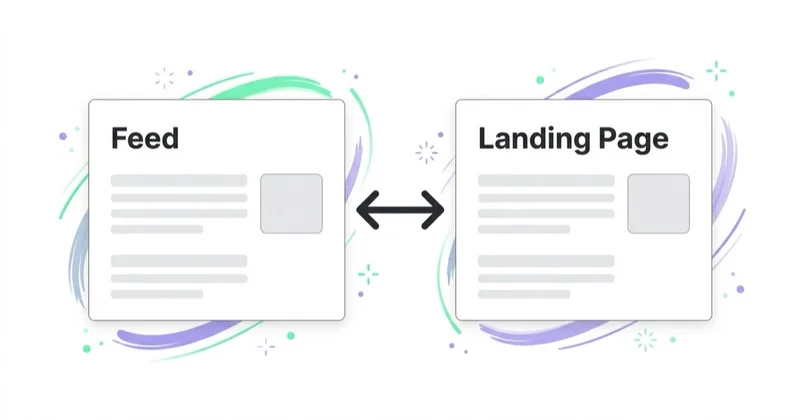
Google can compare product data with what users see on the website. Problems often appear when:
- the feed price differs from the page price;
- the product is marked in stock but the page says out of stock;
- the image in Merchant Center does not reflect the variant;
- the landing page redirects to a different product;
- shipping or return information is missing;
- the product page blocks crawling;
- schema markup says something different from the feed.
These issues are not just compliance problems. They also create poor user experience, waste ad spend and weaken the signals used by Shopping and Performance Max.
Key product attributes
The exact requirements depend on country, product type, destination and programme, but the core data set usually includes:
| Attribute | Why it matters |
|---|---|
| `id` | Stable internal product identifier |
| `title` | Main product name used for matching and display |
| `description` | Product details, use cases and relevant attributes |
| `link` | Product landing page URL |
| `image_link` | Main product image |
| `price` | Current price with currency |
| `availability` | Stock status |
| `brand` | Brand or manufacturer where applicable |
| `gtin` | Global trade item number when assigned |
| `mpn` | Manufacturer part number when GTIN is not available |
| `google_product_category` | Google's product taxonomy category |
| `shipping` | Delivery cost and availability details |
| `return_policy` | Return information where applicable |
The goal is not to fill every possible field with random data. The goal is to provide accurate, useful and verifiable data.
GTIN, brand and product identifiers
Product identifiers help Google understand exactly which product is being sold. This matters for product matching, eligibility and visibility.
A GTIN is a globally recognized identifier such as UPC, EAN, JAN or ISBN. If a manufacturer has assigned a valid GTIN, it should be submitted. If the product genuinely does not have a GTIN, it should not be invented.
Good identifier hygiene means:
- keep the same `id` for the same product over time;
- use the correct `brand`;
- submit valid GTINs only when they exist;
- use MPN where relevant;
- avoid recycling product IDs for different products;
- keep variant data clean for size, colour, material and package quantity.
Poor identifiers can make products harder to classify and can limit visibility.
Product titles: how to write them
Product titles are one of the strongest feed optimization levers. A title should explain what the product is in the language users actually use to search.
A practical structure:
| Category | Possible title pattern |
|---|---|
| Apparel | Brand + product type + gender/fit where relevant + colour + size |
| Electronics | Brand + model + product type + key specification |
| Beauty | Brand + product type + formula or benefit + size |
| Home | Brand + product type + material + dimensions |
| B2B parts | Manufacturer + part type + model or compatibility |
Avoid:
- keyword stuffing;
- promotional claims such as "best price";
- excessive capital letters;
- shipping messages in the title;
- internal SKU-only names;
- vague titles such as "New product" or "Black model".
For campaign structure and search coverage, see the Performance Max guide.
Product descriptions
The product description should support both matching and user decision-making.

Good descriptions include:
- product type;
- main features;
- use cases;
- materials;
- dimensions;
- compatibility;
- technical parameters;
- package contents;
- limitations where important;
- variant-specific information.
Descriptions should be factual and consistent with the landing page. They should not be filled with generic marketing slogans or repeated keyword lists.
Images and visual quality
Images affect both eligibility and click quality. A strong main image should make the product easy to understand at a glance.
For most retail catalogues:
- use a clear main product image;
- match the exact variant where possible;
- avoid promotional overlays on the main image;
- avoid watermarks;
- use sufficient resolution;
- keep the image accessible and crawlable;
- add alternative lifestyle images on the product page where useful.
Merchant Center quality work should be connected with CRO. A product can win the click and still lose the sale if the landing page has weak imagery, unclear benefits or poor trust signals.
Free listings in Google
Merchant Center can also support free product listings. Google says eligible products can appear for free across surfaces such as Search, Images, Lens, YouTube, Gemini, Maps, the Shopping tab and product modules in Business Profile.
This does not make Merchant Center an SEO shortcut. Product pages still need to be crawlable, useful, fast, trustworthy and supported by structured data. Free listings are another product discovery layer, not a replacement for organic search work.
For product-led SEO, Merchant Center should work together with:
- indexable product and category pages;
- unique product copy;
- Product and Offer structured data;
- real reviews where eligible;
- shipping and returns information;
- good internal linking;
- strong page performance;
- consistent product availability.
Merchant Center and structured data
Product structured data on the website helps Google understand product details directly from the landing page. It can include price, availability, shipping, returns, ratings, images, brand and other offer information.
Structured data does not replace Merchant Center. The two should support each other.
Use both when possible:
- Merchant Center provides controlled product data for ads and listings.
- Structured data helps Google verify and read product information from the page.
- Consistency between both reduces mismatches and improves eligibility signals.
For ecommerce websites, Product and Offer markup should be treated as part of technical SEO and feed quality, not as a separate task.
Merchant Center and Google Ads
Shopping and Performance Max campaigns depend on Merchant Center data. A weak feed limits what campaign automation can do.
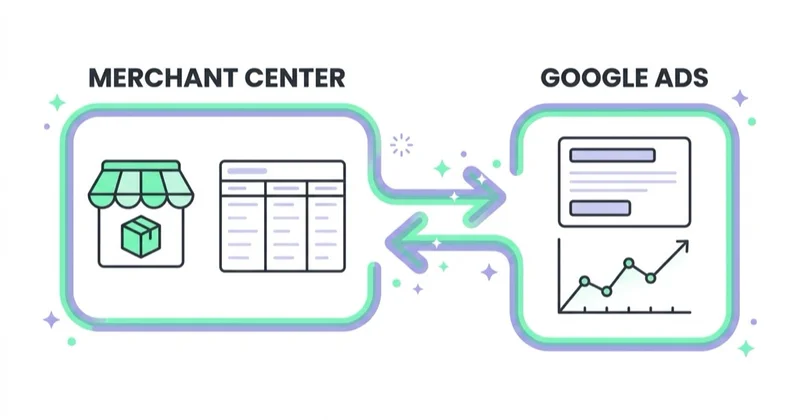
Common examples:
- unclear titles reduce query matching quality;
- outdated availability wastes paid clicks;
- missing GTIN can limit product understanding;
- bad images reduce click-through quality;
- wrong prices can trigger disapprovals;
- weak category mapping can blur reporting;
- missing shipping information can damage trust.
Campaign managers often try to fix performance only with bidding and budgets. In product-led campaigns, feed quality is usually just as important.
For a dedicated Shopping overview, see Google PLA and Shopping ads.
How to manage Merchant Center day to day
Merchant Center should have a weekly operating rhythm.
Daily or near-daily checks
- New product disapprovals.
- Major price mismatch alerts.
- Availability mismatch alerts.
- Account-level warnings.
- Sudden drops in active products.
Weekly checks
- Needs attention review.
- Product approval trend.
- Feed processing errors.
- Top products by spend and revenue.
- Products with clicks but no sales.
- Products with high impressions but weak CTR.
- Landing page errors.
Monthly checks
- Title optimization for priority categories.
- Description quality review.
- Image quality review.
- GTIN and identifier coverage.
- Shipping and return policy consistency.
- Product category mapping.
- PMax asset and product performance alignment.
- Product exclusions based on margin, stock or conversion quality.
The goal is to connect Merchant Center diagnostics with commercial performance.
30-day setup and optimization plan
Days 1-3: Account and website basics
Verify business details, website claim status, contact information, shipping, returns, tax settings where needed and Google Ads linking.
Days 4-7: Data source setup
Choose the product data method, map core attributes, check feed processing and confirm product landing page consistency.
Days 8-12: Issue cleanup
Resolve disapprovals, price mismatches, availability issues, crawl problems and missing required attributes.
Days 13-17: Identifier cleanup
Review GTIN, brand, MPN, item group IDs and variant logic. Do not guess identifiers.
Days 18-22: Title and description optimization
Prioritize high-value categories and products with meaningful demand. Rewrite vague titles and thin descriptions.
Days 23-26: Structured data and page checks
Validate Product and Offer structured data, page speed, stock messaging, delivery information and return policy visibility.
Days 27-30: Campaign alignment
Review Shopping or Performance Max results, exclude weak products where needed, group products by margin or priority and set a monthly optimization rhythm.
How we approach this at Space Ads
Merchant Center is the foundation of all product selling for us, not a one-and-done setup. Most problems that look like "a campaign issue" actually begin in the feed. So the basics come first. Disapprovals get fixed immediately, since every blocked product is an offer that can't be shown. Titles are written the way people search — brand, model, attribute — rather than the way the product is labelled in the store's back end. Attributes are filled in (identifiers, availability, price), because those decide what the product matches on. And custom labels go on by margin, season and rotation, so we can later tell the system which products to favour. A clean feed does more for product campaigns than many a bid change.
Common Merchant Center mistakes
| Mistake | Impact | Better approach |
|---|---|---|
| Treating Merchant Center as a one-time upload | Product issues accumulate | Review Needs attention regularly |
| Using vague titles | Weak query matching | Add product type, brand, model and key attributes |
| Ignoring GTIN | Lower product understanding | Submit valid GTINs when assigned |
| Price mismatch | Disapprovals and wasted clicks | Sync feed and page pricing |
| Out-of-stock traffic | Poor user experience | Automate availability updates |
| Duplicate variant logic | Confusing product data | Use clean item group IDs |
| Weak images | Lower click quality | Use accurate, clear product images |
| Separating feed work from ads | Missed performance gains | Connect feed data with PMax and Shopping reports |
Merchant Center for ecommerce, local retail and marketplaces
Different businesses need different priorities.
For ecommerce:
- automate product updates;
- optimize titles and descriptions by category;
- control low-margin products;
- keep availability accurate;
- connect data to PMax and Shopping campaigns.
For local retail:
- add local inventory where eligible;
- keep store and stock data accurate;
- connect Merchant Center with Business Profile;
- monitor local listing eligibility.
For marketplaces:
- standardize seller data;
- enforce identifier rules;
- manage duplicates;
- monitor policy risk;
- build stronger feed governance.
The same platform is involved, but the operational model is different.
FAQ
What is Google Merchant Center used for?
Google Merchant Center is used to manage product data that can appear in Google product experiences, including Shopping ads, Performance Max campaigns, free listings and local inventory listings.
Is Google Merchant Center free?
Creating and using a Merchant Center account is free. Costs come from paid Google Ads campaigns, ecommerce platform work or third-party feed tools.
Is a product feed the same as a data source?
In practice, many teams use both terms. In Merchant Center Next, Google often uses "data source" for the way product data is submitted. "Feed" remains a common industry term.
Does Merchant Center help SEO?
It can support product visibility, but it does not replace SEO. Organic performance still depends on crawlability, page quality, structured data, content, internal linking, reviews, speed and user experience.
How often should product data be updated?
Product data should update as often as prices, availability and product details change. Fast-moving catalogues usually need automated syncing or API-based updates.
Are GTINs required?
Requirements depend on the product and destination. If a product has a valid manufacturer-assigned GTIN, it should be submitted. If no GTIN exists, one should not be invented.
What is the most important Merchant Center report?
The "Needs attention" area is critical for product approval and issue management. For performance, product-level reports should be reviewed together with Google Ads results.
Conclusion
Google Merchant Center is the operational centre for product visibility across Google. It determines whether product data is complete, accurate, eligible and useful enough for Shopping ads, Performance Max, free listings and product-rich experiences.
The strongest Merchant Center accounts are managed like a commercial data asset. They have clean identifiers, precise titles, accurate prices, reliable availability, strong images, visible shipping and returns information, consistent structured data and a clear review process.
For product-led businesses, feed quality is not a technical footnote. It is one of the main levers behind Google Ads efficiency, organic product discovery and user trust.
A correct Merchant Center is the foundation — we build Google Ads / Shopping campaigns on top of it for online stores.
Sources and further reading
- Google Merchant Center Help: Product data specification
- Google Merchant Center Help: Merchant Center Next support
- Google Merchant Center Help: Free listings for products
- Google Merchant Center Help: GTIN attribute
- Google Search Central: Merchant listing structured data
Continue learning
Continue reading

Google PLA / Shopping Campaigns in Google Ads: What to Know
Google PLA, now usually called Shopping ads, use Merchant Center product data to show product images, titles, prices and store details. Learn how feed quality, PMax, Standard Shopping and profitability measurement work.

How to Use Google Shopping Campaigns Effectively?
Google Shopping performance depends on Merchant Center health, feed quality, campaign structure, margin, stock, landing pages and measurement, not bidding alone. This guide explains how to use Shopping, Standard Shopping and Performance Max so product budget follows profitable demand rather than the whole catalogue equally.

Custom Labels in Google Shopping and Performance Max: How to Segment Products
Custom labels let ecommerce teams segment Merchant Center products by margin, season, stock, bestseller status, lifecycle and return risk. Used well, custom_label_0-4 make Shopping, Performance Max and Demand Gen easier to report, filter and optimise by business priority.


































