
CRM marketing automation is the controlled use of customer and prospect data to trigger useful actions across marketing, sales and service. It can connect forms, calls, campaigns, product or order events, CRM records, ownership, messaging and advertising feedback. The difficult part is not drawing a workflow; it is keeping identity, stage, permission, ownership and outcome accurate as systems and people change.
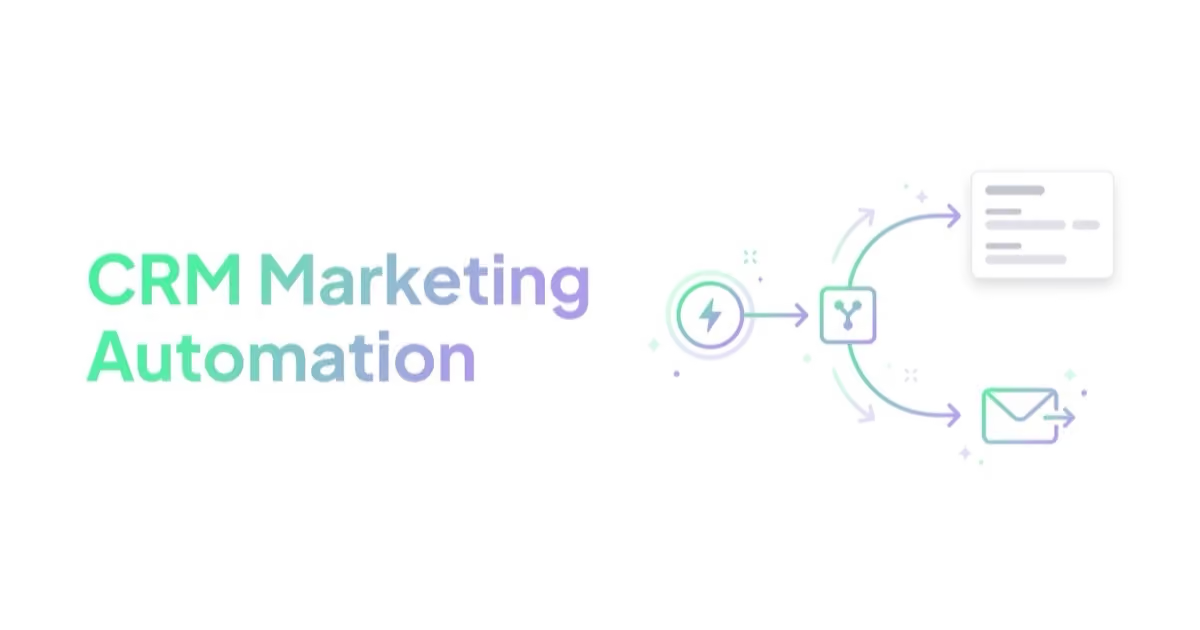
The goal is not to automate every message or maximize contact frequency. It is to make the next action reliable: acknowledge a request, route it to the right owner, prevent contradictory communication, respect preferences, recover from failure and show what happened after acquisition. High-risk or high-value decisions remain accountable to people.
TL;DR
- CRM automation connects data to accountable actions. A trigger should have a purpose, owner, permission basis, success condition and fallback.
- The lifecycle and account model comes first. Automation fails when contact identity, account membership, stages and ownership are unclear.
- Quality should flow back carefully. Accepted leads, opportunities, wins, losses and cancellations are useful only when definitions, delay and attribution limits are understood.
- Automation should support judgement, not replace it. High-value or complex leads often need human review before generic sequences.
- Permission and preference are channel-specific. A service request, newsletter subscription, sales email, SMS consent and advertising audience are not interchangeable.
- Offline conversion feedback matters. Google Ads and other platforms can learn from later-stage outcomes when data is passed back correctly.
- Reliability and safety are first-class metrics. Monitor failed syncs, duplicates, unowned records, suppressed contacts, stale stages and unintended sends—not only revenue reports.
What is CRM marketing automation?
CRM marketing automation connects known contacts and accounts to marketing, sales and customer workflows. It is broader than email. It answers what should happen after an explicit event—such as a form, call booking, webinar registration, trial action, order or support status—and what must not happen because of ownership, an open opportunity, a complaint, an opt-out or another suppression.
Typical workflows:
- route a high-fit lead to sales;
- send a confirmation email after form submission;
- create a task after a high-fit account performs a defined intent action, where tracking and use are permitted;
- add a webinar attendee to a nurture path;
- pause nurture after a meeting is booked;
- trigger a reactivation path after a closed-lost reason;
- send qualified lead data back to Google Ads;
- update reporting with stage changes and data-quality status;
- stop promotional flows after an opt-out, complaint or incompatible lifecycle event; and
- alert an operator when a sync, owner rule or message fails.
For the follow-up strategy layer, see lead nurturing. For acquisition, see B2B lead generation.
CRM automation vs marketing automation
| Area | Marketing automation | CRM marketing automation |
|---|---|---|
| Main focus | Messaging and campaign workflows | Lifecycle, sales stages and business outcomes |
| Primary data | email behavior, forms, segments, lists | contact, account, owner, stage, opportunity |
| Typical owner | marketing | marketing, sales and operations |
| Risk | Sends messages without sales context | Requires cleaner process and data |
| Best use | nurture, onboarding, retention | routing, qualification, feedback and reporting |
In practice, the systems should share governed data. A messaging platform sends and records communications; the CRM stores the agreed operational record; product, order and support systems may remain authoritative for their own events. Decide which system owns each field. Two-way sync without field ownership can overwrite newer values, resurrect deleted data and create loops.
Start with the lifecycle model
Automation should follow a lifecycle model the business can operate. Do not copy MQL and SQL labels merely because a software template contains them. A product-led SaaS company, ecommerce brand and project-based service need different objects and transitions.
Simple model:
| Stage | Meaning | Automation role |
|---|---|---|
| Subscriber | Explicitly joined a defined communication | send the promised material and apply preference |
| New inquiry | Requested contact, quote or another response | acknowledge, deduplicate, route and time-stamp |
| Qualified | Meets the documented commercial criteria | assign the appropriate human or next step |
| Sales accepted | Owner accepts responsibility by a defined deadline | start response clock and pause conflicting automation |
| Opportunity | A real buying process meets the CRM entry rule | support evaluation and maintain stakeholders |
| Customer | Contract, purchase or approved handoff occurred | onboarding, service and appropriate customer communication |
| Closed lost or disqualified | Reason and future eligibility are known | suppress, archive or reactivate only when justified |
For every stage, document the entry event, required fields, owner, allowed transitions, exit event and maximum reasonable age. Keep lifecycle status separate from lead source and communication preference. A contact can be a customer, newsletter subscriber and open opportunity at the same time; one overloaded field cannot represent all three safely.
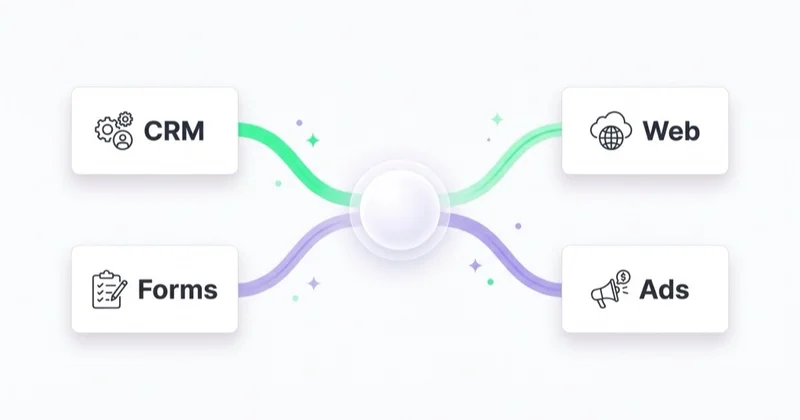
Model accounts as well as contacts in B2B. Several people from one company can enter through different campaigns, and an existing opportunity should not receive a generic “book a demo” sequence because another colleague downloaded a guide. Define duplicate, parent-child account and territory rules before automating handoffs.
Data needed for CRM marketing automation
Collect the minimum data needed for a defined purpose. A practical schema may include:
- source and campaign;
- landing page or form type;
- email or phone when needed for the requested contact and permitted use;
- company or account;
- role;
- industry or use case;
- country or service area where relevant;
- lead owner;
- lifecycle stage;
- qualification or loss reason from a controlled list, with notes only when necessary;
- opportunity value where available;
- closed-won or closed-lost status.
Keep raw acquisition detail separate from interpreted attribution. Preserve original source where useful, record later campaign touches separately and document how self-reported source is handled. Do not let the newest campaign overwrite the first recorded source or let a platform attribution field become “revenue source” by default.
Accuracy matters because automation acts on data. Validate field format and allowed values, time-stamp material changes and retain an audit trail for owner, stage, permission and suppression. Define how merges work before running automated deduplication; two people sharing a corporate email alias or household address are not necessarily one person.
Choosing the CRM automation stack
The tool stack should match the sales process, not the other way around. A small service business may need forms, CRM, email and call tracking. A B2B SaaS company may need product events, account scoring, sales tasks and lifecycle email. An e-commerce brand may need order history, product segmentation, email, SMS and advertising audiences.
| Need | Typical system |
|---|---|
| Lead capture | forms, landing page builder, lead ads, booking tool |
| Contact and account records | CRM |
| Email and lifecycle messaging | email service provider or marketing automation platform |
| Sales tasks | CRM task and owner logic |
| Paid media feedback | Google Ads, Meta, TikTok conversion integrations |
| Analytics | GA4, server-side tracking where needed |
| Reporting | marketing dashboard and CRM reports |
| Consent and preferences | jurisdiction-appropriate collection, unsubscribe, suppression and preference records |
The best first version is usually smaller than the team expects. A reliable request-to-owner workflow beats a complex map nobody can debug. Before selecting a stack, verify APIs, rate limits, data residency, access controls, encryption, audit logs, backups, export and deletion, sub-processors, incident terms and how the business can leave the vendor. A visual workflow builder does not remove integration or governance work.
Fit and intent scoring
Scoring can help order a queue, but a score is a model—not a fact. Keep fit, observed behavior, expected value and operational risk separate so a high activity score does not disguise poor fit.
| Score dimension | Examples | Automation impact |
|---|---|---|
| Fit | company size, role, industry, service need, geography | route to sales, nurture or disqualify |
| Intent | demo request, pricing visit, repeat engagement, reply | change urgency and owner priority |
| Value | deal size, product category, margin, account potential | decide human follow-up speed |
| Operational constraint | unsupported location, existing owner, missing requirement, no capacity | route, hold or decline under a documented rule |
A simple tier such as priority, standard review and not currently eligible is often easier to audit than hundreds of points. “Nurture” is not permission to contact indefinitely, and “disqualified” should have an objective reason, reviewer and future rule where appropriate.
Validate scores against mature outcomes, by meaningful segment, and monitor false positives and false negatives. Apply time decay to old behavior. Do not use sensitive personal data or unreliable proxies merely because an enrichment vendor supplies them. Automated profiling can create privacy, fairness and discrimination risk; involve legal and responsible business owners where decisions materially affect people.
Sales rejection does not automatically prove that marketing's model is wrong. Audit response time, capacity, inconsistent judgement and stage misuse too. A feedback loop should improve both qualification and sales behavior.
Connecting ads to CRM stages
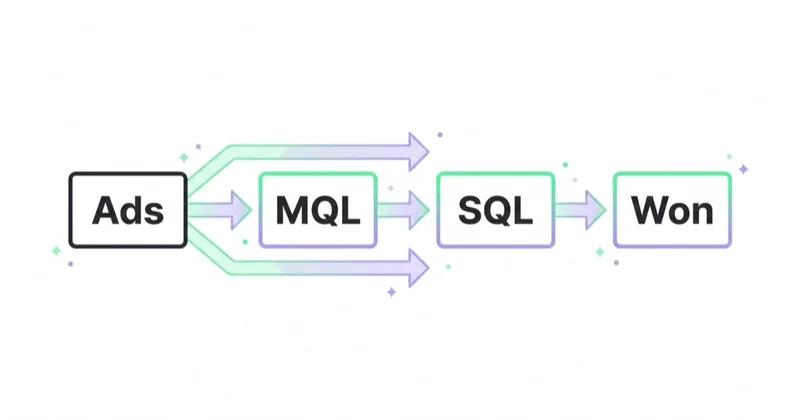
Ad platforms see the first conversion easily: a form submission, lead ad, phone call or purchase. They often do not see what happens later unless the business sends the data back.
For lead generation, this creates a common problem:
- Campaigns optimize toward form submissions.
- Low-friction forms produce cheap leads.
- Sales rejects many leads.
- The platform continues buying similar leads because that is the conversion signal.
CRM automation can improve this feedback loop by returning later-stage outcomes to reporting and, where appropriate, ad platforms. It does not remove platform attribution bias or guarantee incrementality.
Useful outcomes:
- sales accepted lead;
- qualified opportunity;
- booked meeting;
- attended meeting;
- closed won;
- calibrated stage value or realized revenue where appropriate;
- rejection reason.
Google Ads provides qualified-lead and converted-lead goal types and recommends enhanced conversions for leads for new setups. Its current documentation states that, from 15 June 2026, offline conversion import and enhanced-conversion-for-leads uploads move to the Data Manager API and are blocked in the Google Ads API except for limited legacy access. Existing connectors should be audited for migration status, upload latency, match quality, duplicate events and errors.
Choose the deepest event that occurs often and soon enough to guide bidding. A rare win reported six months later may be valuable for finance but unusable for daily optimization. A strict, timely sales-accepted or qualified event can be a better bid signal, while wins remain a budget and calibration check.
Do not send the full possible deal value on every inquiry. Use an expected value derived from mature stage-to-win rates when reliable, then send realized value under a distinct event when available. Remove test records, internal leads, duplicates, cancellations and reopened opportunities according to a documented rule.
Other platforms have their own event models and policies. Meta Conversions API, for example, can accept CRM and offline events but explicitly says it is not a way to bypass privacy rules or device controls. Platform hashing improves matching; it does not anonymize the business's processing or create a legal basis.
Email, SMS and retargeting
CRM automation can coordinate several channels, but permission, purpose and frequency must be evaluated per channel and jurisdiction.
| Channel | Best use | Watch-out |
|---|---|---|
| requested confirmation, education, onboarding, permitted marketing | purpose, authentication, complaints and unsubscribe | |
| SMS | urgent reminders, appointment updates, limited high-intent flows | overuse and local compliance |
| Retargeting | reinforce relevant proof and next steps | permission, sensitive data, frequency and audience quality |
| Sales task | high-value or high-intent leads | follow-up discipline |
| WhatsApp / chat | markets or audiences that expect conversational contact | ownership and response time |
| Direct mail / offline | high-value enterprise or account-based motions | operational cost |
Gmail currently requires all senders to personal Gmail accounts to meet baseline authentication and technical requirements. Senders above 5,000 messages per day to personal Gmail accounts have additional SPF, DKIM, DMARC alignment and one-click unsubscribe requirements; Gmail says a domain that reaches that threshold remains classified as a bulk sender. Yahoo sets comparable authentication, complaint and unsubscribe requirements for bulk senders without publishing the same numeric threshold. Both currently point to spam-complaint rates below 0.3% as a requirement, not a target to approach.
Separate transactional and promotional streams where appropriate, keep the sender identity clear, ramp legitimate volume gradually and monitor bounces, deferrals, complaints and authentication. Opens are an imperfect diagnostic because privacy features and image loading affect them. Replies, clicks, conversion and complaints need context too.
Privacy, consent and preference management
CRM automation processes personal data, so the operating model needs a documented purpose, appropriate legal basis, transparency, minimization, accuracy, retention, security and rights handling. Consent is one possible basis in some contexts—not a synonym for privacy compliance. The exact rule depends on jurisdiction, channel, relationship and data; qualified counsel should approve the policy.
Operational checks:
- form language explains the actual uses and required versus optional fields;
- newsletter and sales-contact consent are not treated as the same thing;
- unsubscribe links work;
- SMS is used only where permission and expectations support it;
- advertising audiences have an approved purpose, basis and platform-compliant source;
- sensitive segments are handled carefully;
- CRM access is limited to people who need it;
- old or inactive records follow a retention and deletion policy;
- preference changes propagate to every sending system and agency;
- data-subject or consumer requests can be located and completed across connected tools;
- vendors and sub-processors are inventoried and governed.
In the US, CAN-SPAM applies to commercial email, including B2B messages, and requires accurate sender information, non-deceptive subjects, a postal address and a working opt-out, among other duties. Other jurisdictions may require prior consent. SMS and messaging apps can have stricter rules. Do not infer permission for one channel from another or hide promotional content inside an allegedly transactional message.
Good automation is controlled and reversible. A workflow that sends the wrong message, exposes an account relationship or ignores an opt-out can create more harm than the time it saves.
Maintenance after launch
CRM automation is software in production. Give each workflow a business owner and technical owner, version it, test it in a sandbox or controlled cohort, record the release and keep a rollback or kill switch. Prevent duplicate processing with stable event IDs or equivalent controls; retries should not create three tasks or send three emails.
Monitor successful and failed runs, queue delay, sync age, duplicate rate, missing owner, stage age, bounce and complaint rate, unsubscribe propagation and records caught in contradictory flows. Alert a person who can act. A “success” status from middleware does not prove that the CRM field, message and downstream system all received the correct value.
Review when a form, field, API, product, team, policy or sales capacity changes, plus periodic risk-based checks. Decommission inactive workflows and credentials. If nobody owns maintenance, a useful first version will slowly turn into stale data and unintended communication.
CRM automation for different business models
B2B services
B2B services need routing, qualification and follow-up discipline. A request should create a clear owner, context, next action and response standard. If the lead is not ready, move it to a permitted, relevant follow-up path or close it with a reason—not an endless generic sequence.
SaaS
SaaS needs separate sources of truth for account, subscription, product usage and commercial opportunity. A trial signup, activation event, billing state and sales handoff are different events. Automation should help users reach value without exposing product telemetry unnecessarily or prompting sales on every click.
E-commerce
Ecommerce automation can support an abandoned checkout, post-purchase education, replenishment, review requests and win-back. Suppress cancelled, refunded, disputed or out-of-stock orders appropriately. Use actual product life, consent, margin and repeat behavior; do not send a replenishment reminder merely because a generic template says 30 days.
Local and appointment-based services
These businesses need speed. Automation should confirm the request, send reminders, alert the team and reduce missed appointments. A delayed callback can waste paid media even when the campaign is working.
How Space Ads approaches this
We structure CRM automation as a governed feedback loop between acquisition, sales and realized outcomes. The work begins with system ownership, identity, lifecycle, permissions and the path from a campaign or request to a CRM outcome. Only then do we choose which stages support human action, reporting or platform optimization.
The useful question is not “can a form submission be tracked?” but “can the business distinguish a valid request, accepted opportunity, win, cancellation and realized value without violating user choice?” Qualified stages can support reporting and platform feedback when the definitions, volume, latency and privacy controls are adequate. The dashboard then shows outcomes and limitations rather than assigning every won deal to the last campaign field.
Automation rules that should exist
Useful rules:
- assign owner by territory, service, account or value;
- notify sales when a high-fit lead submits a form;
- create a task when an approved combination of fit and intent warrants human review;
- pause nurture when an opportunity is open;
- re-enter a permitted follow-up only when the loss reason, timing and preference support it;
- suppress disqualified leads from sales sequences;
- continue the context of the request without implying surveillance;
- label leads by acquisition channel and campaign;
- send qualified outcomes to reporting with deduplication and error monitoring;
- suppress conflicting flows after an opt-out, open complaint, opportunity or customer event;
- fall back to a staffed queue when routing fails.
Avoid rules simply because an event exists. A pricing-page view, email open or lead score change may be ambiguous. More automation is not always better, and “personalized” copy that reveals hidden tracking can feel intrusive.
What should be in the dashboard
A CRM marketing automation dashboard should show:
- leads by source;
- lead status by source;
- response time;
- sales accepted rate;
- meeting rate;
- opportunity rate;
- pipeline value;
- closed-won value;
- rejection reasons;
- nurture performance;
- reactivation outcomes;
- offline conversion upload status where relevant.
- workflow failures and processing delay;
- duplicate, missing-owner and stale-stage rate;
- opt-out, complaint, bounce and suppression-sync status;
- realized value, cancellations or refunds where relevant.
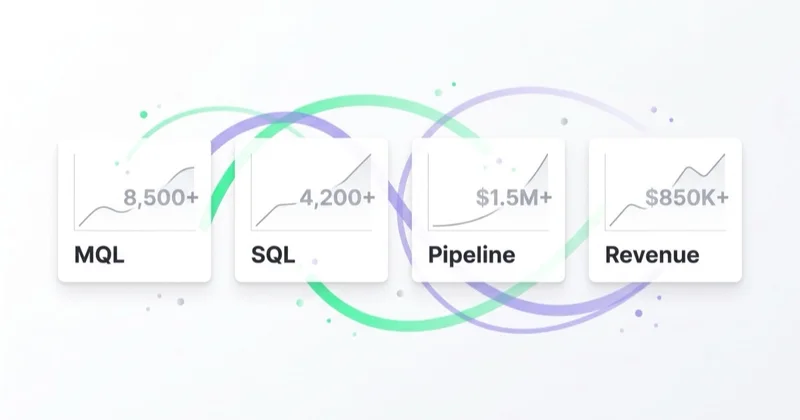
This connects directly with a marketing dashboard. Separate operational health, funnel performance and attribution. Source-associated pipeline can guide investigation, but it is not automatically incremental revenue created by that source.
Common mistakes
| Mistake | Why it hurts | Better approach |
|---|---|---|
| Starting with tools | Automates unclear process | Define lifecycle and ownership first |
| No CRM stage hygiene | Reporting becomes unreliable | Keep statuses simple and used |
| Optimizing ads to raw leads | Attracts easy form fills | Use qualified stages where possible |
| Same nurture for every lead | Ignores fit and intent | Segment by source, stage and behavior |
| Automating high-value leads too aggressively | Creates poor buyer experience | Use human review and sales tasks |
| No deliverability management | Messages do not reach inboxes | Maintain authentication and list hygiene |
| No dashboard connection | Automation activity is invisible | Report stage movement and outcomes |
| Two-way sync with no field owner | Overwrites accurate data and creates loops | Define an authority and direction for every field |
| Treating consent as one global checkbox | Sends on channels or purposes a person did not choose | Store channel, purpose, source and timestamp |
| No failure monitoring or rollback | Silent errors compound at scale | Add alerts, audit logs, idempotency and a kill switch |
30-day implementation plan
Week 1: define stages and data
Inventory systems, data flows, vendors and current permissions. Define lifecycle, account and contact identity, field owners, source fields, qualification, suppressions, retention and response owners. Remove or map statuses that have no operational meaning.
Week 2: build routing and confirmation
Build one high-value path first: validate, deduplicate, acknowledge, assign and escalate a request. Add test records, failure alerts, audit logs and a rollback before production.
Week 3: add nurture and reactivation
Add short, permission-aware paths only where a repeated need exists. Define entry, exit, re-entry, frequency, suppression and human escalation. Authenticate sending domains and test unsubscribes across systems.
Week 4: connect reporting and feedback
Reconcile workflow logs, CRM stages and business outcomes. Review quality, delay, duplicates, ownership and complaints. Add advertising feedback only when definitions, migration status, volume, latency and privacy basis are adequate.
Thirty days can establish a controlled first workflow. It is not enough to prove long-cycle pipeline or retention impact. Set the evaluation window from the actual business cycle.
FAQ
What is CRM marketing automation?
CRM marketing automation uses governed customer and prospect data to trigger and record useful actions across marketing, sales and service. It combines identity, lifecycle, ownership, permission, messaging, operational controls and outcome feedback.
How is CRM marketing automation different from email automation?
Email automation sends messages. CRM marketing automation uses lifecycle stages, ownership, lead quality, sales actions and outcomes to decide what should happen next. Email may be one part of the workflow.
What CRM stages are needed for marketing automation?
There is no required universal list. Use the few stages that represent real business transitions, with entry and exit rules, owners and timestamps. Keep lifecycle, opportunity status, source and communication preferences in separate fields.
Can CRM data improve Google Ads lead generation?
Yes, when implementation, volume and permission support it. Google provides qualified-lead and converted-lead goals and recommends enhanced conversions for leads. Current integrations must account for the 15 June 2026 move of uploads to the Data Manager API. Imported attribution still does not prove incrementality.
Should SMS be part of CRM marketing automation?
SMS can be useful for requested reminders and urgent service updates. Use it only under the applicable consent and messaging rules, with clear identity, frequency, opt-out handling and quiet-hour logic. Email or form permission does not automatically permit SMS.
What should be measured in CRM automation?
Measure workflow success and failure, assignment delay, response, stage progression, realized outcomes, complaints, suppressions, duplicates and stale records. Opens, clicks and attributed touches are diagnostics. Keep platform attribution separate from causal or financial claims.
Key takeaways
CRM marketing automation is valuable when it makes the next action and its outcome more reliable. It should route valid requests, respect preferences, support accountable follow-up, expose failures and connect later business outcomes to acquisition without overstating attribution.
The strongest first version is deliberately small: clear identity and stages, field ownership, a permission-aware workflow, monitoring, rollback and a dashboard that shows what happened. Complexity should be earned by a repeated decision need, not bought in advance.
Sources and further reading
- Google Ads Help - About offline conversion imports
- Google Ads Help - About qualified leads and converted leads
- Meta Business Help Center - About Conversions API
- Gmail Help - Email sender guidelines
- Gmail Help - Email sender guidelines FAQ and current enforcement
- Yahoo Sender Hub - Sender best practices
- European Data Protection Board - Data protection basics for small businesses
- US Federal Trade Commission - CAN-SPAM compliance guide for business
Continue learning
- Lead Nurturing: How to Convert More Leads Without Increasing Your Ad Budget
- B2B Lead Generation: How to Build a Predictable Pipeline From Paid Media and SEO
- Marketing Dashboard: What Growth Teams Should Track Across Ads, SEO and Sales
- How to Tag Transactional Emails with UTM Parameters
- Marketing audit · Google Ads · Meta Ads
Continue reading
Lead Nurturing: How to Convert More Leads Without Increasing Your Ad Budget
Lead nurturing turns existing leads into better sales conversations through segmentation, useful follow-up, CRM triggers, email, retargeting and sales timing. It improves pipeline without relying only on more ad spend.
The e-mail marketing secrets. How to make a mailing campaign that will convince customers to buy.
Effective email marketing needs permission, segmentation, deliverability, clear offers, automation and measurement that goes beyond open rate.
The Welcome Email Series That Converts New Subscribers
A welcome series should deliver the signup promise, establish expectations and help an eligible subscriber take the next useful step. Learn how to design, sequence, govern and measure it without relying on a universal template.


































