Referrals from banks, payment gateways and payment intermediaries in Google Analytics usually appear when a user leaves the site to complete payment and then returns from an external payment domain. GA4 may treat that payment domain as the traffic source for the transaction. The result is misleading attribution: revenue that should be connected with Google Ads, organic search, email, Meta Ads, affiliates or direct demand appears under domains such as PayPal, Stripe, PayU, Przelewy24, Klarna or a bank login page.
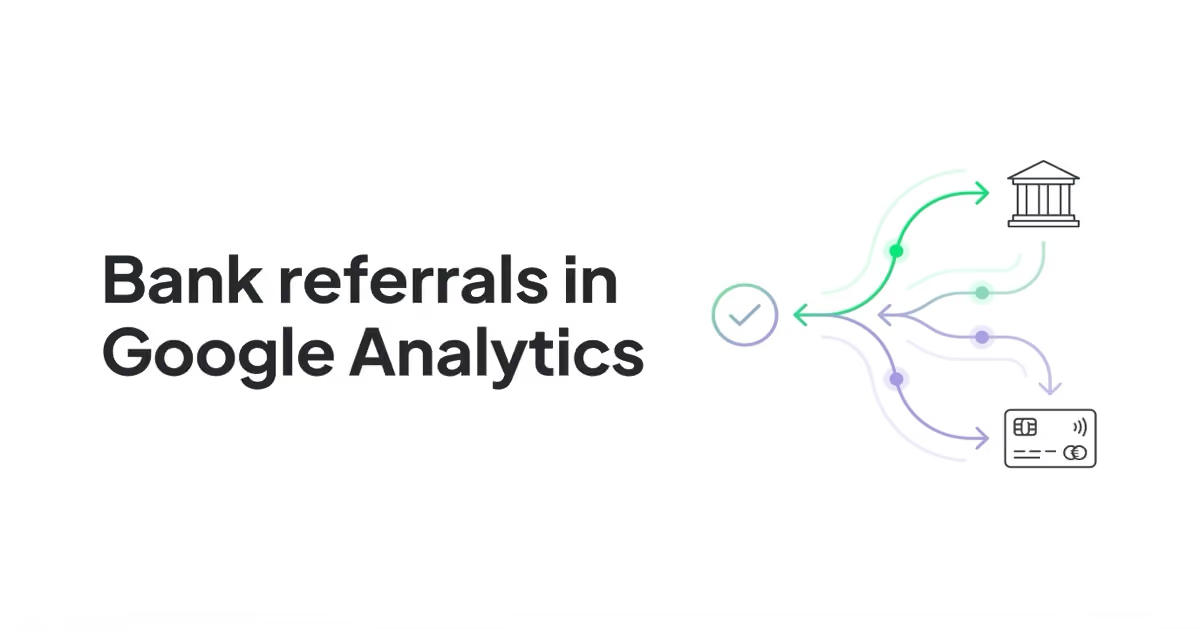
The fix is to identify the actual payment domains in GA4, add only the relevant ones to List unwanted referrals, verify cross-domain measurement where the business controls multiple domains, and test the full checkout path. The goal is not to hide every financial domain. The goal is to stop payment infrastructure from overwriting the original acquisition source.
TL;DR
- Payment referrals are an attribution problem. The gateway becomes the visible referrer even though it did not create the customer demand.
- The problem is common in e-commerce, but not only there. It can affect subscriptions, ticketing, donations, courses, bookings, SaaS upgrades and paid consultations.
- GA4 has a native feature for this. Use List unwanted referrals for third-party payment processors and gateways that should not be treated as acquisition sources.
- Cross-domain measurement is different. If checkout or account pages run on another domain controlled by the business, configure cross-domain measurement instead of relying only on unwanted referrals.
- Do not paste huge generic lists blindly. Excluding a real partner, affiliate, marketplace or fintech referral can hide legitimate traffic.
- Changes are forward-looking. Referral exclusions do not rewrite historical GA4 reports.
- Test with a real or sandbox transaction. DebugView, Tag Assistant, backend orders and payment provider data should agree closely enough to trust the setup.
- Store campaign data when it matters. For larger stores and B2B/subscription businesses, backend or CRM attribution is often needed in addition to GA4.
Why payment referrals appear in GA4
A typical checkout journey looks like this:
- A user enters the site from Google Ads, SEO, email, Meta Ads, an affiliate or another channel.
- The user adds a product, ticket, subscription or booking to the cart.
- The site redirects the user to a payment provider, bank, 3-D Secure flow, wallet, BNPL service or hosted checkout.
- The user completes payment outside the original site.
- The provider redirects the user back to an order confirmation page.
- GA4 sees the return from the payment domain and may report that domain as the referral source.
In a clean setup, the payment provider should be treated as part of the transaction flow, not as a marketing source. If the payment domain takes credit, reports become harder to trust.
Common examples include:
paypal.com / referral;checkout.stripe.com / referral;payu.com / referral;przelewy24.pl / referral;tpay.com / referral;klarna.com / referral;- bank login or 3-D Secure domains;
- hosted checkout domains;
- booking, ticketing or donation platform domains.
The exact domains depend on market, payment stack and checkout architecture. A Polish e-commerce store will see different domains from a UK subscription business or a US nonprofit donation flow.
Why it matters
Payment referrals can damage reporting in several ways.
| Problem | Business impact |
|---|---|
| Transactions attributed to payment providers | Paid, organic, email or affiliate performance looks weaker than it is |
| Revenue shifts into referral traffic | Channel mix becomes misleading |
| Google Ads or Meta Ads appears to underperform | Budget decisions may be wrong |
| Partner traffic is harder to separate from payment infrastructure | Affiliate reporting becomes messy |
| Checkout changes create sudden source/medium changes | Teams may misread tracking changes as performance changes |
| Imported GA4 conversions are noisy | Optimization and reporting quality can suffer |
This is especially painful in e-commerce because revenue attribution drives budget allocation. But it also matters in lead-generation and services when paid deposits, trials, subscriptions or bookings happen through external payment systems.
Unwanted referrals vs cross-domain measurement
These two GA4 concepts are often confused.
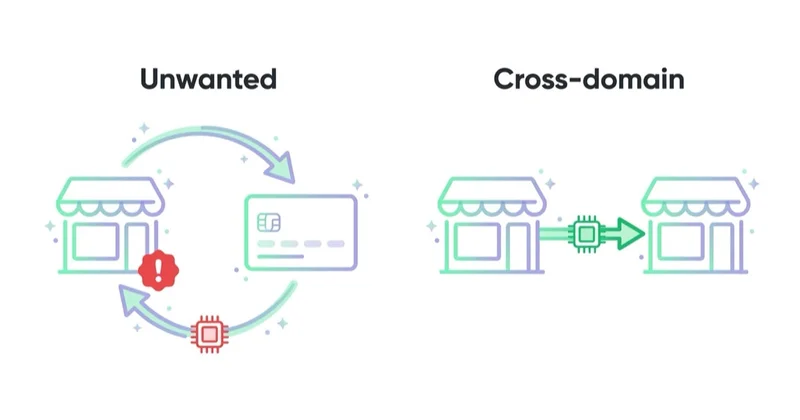
| Setup | Use this | Why |
|---|---|---|
| User leaves for a third-party payment processor and returns | Unwanted referrals | The payment domain should not become a traffic source |
| User moves between domains controlled by the same business | Cross-domain measurement | GA4 should keep one user/session across domains |
| User moves between subdomains using the same tag/cookie setup | Often automatic, but verify | Self-referrals can still happen if configuration is wrong |
| User arrives from a real partner or affiliate site | Do not exclude by default | It may be a genuine acquisition source |
Google describes unwanted referrals as a way to create conditions for domains whose traffic should not be identified as referrals. Google also notes common use cases such as third-party payment processors and website-managed interactions.
Cross-domain measurement serves a different purpose. Google explains that without cross-domain measurement, a user visiting different root domains can be identified as two users and two sessions; with cross-domain measurement, cookies retain the same IDs through a linker parameter called _gl.
How to diagnose the issue
1. Find the domains in GA4
Start with data, not a copied list.
In GA4, review:
- Traffic acquisition by source/medium;
- User acquisition by first user source/medium;
- ecommerce purchases by session source/medium;
- key events by source/medium;
- landing pages for confirmation pages;
- referral source rows that contain payment, bank, wallet, BNPL or checkout names.
Look specifically at purchase or revenue events. A payment domain with many purchases and little top-of-funnel engagement is a strong sign that it is part of checkout, not acquisition.
2. Map the checkout path
Document the actual payment journey.
Questions to answer:
- Which payment providers are active?
- Which banks, wallets or BNPL providers appear during payment?
- Is checkout hosted on the merchant's domain, a subdomain or a third-party domain?
- Does the order confirmation page fire a GA4
purchaseevent? - Does the confirmation page load only once per transaction?
- Are UTMs and click IDs stored before payment?
- Does a redirect strip query parameters?
- Does the payment provider return users to a stable success URL?
This mapping is usually more valuable than a generic exclusion list because it reveals the actual failure point.
3. Test a transaction
Use a sandbox or low-value transaction and watch the flow.
Check:
- GA4 DebugView;
- Google Tag Assistant;
- browser network requests;
- source/medium on the session;
- the
purchaseevent; - transaction ID;
- backend order ID;
- payment provider transaction status;
- whether the user returns through the expected URL.
If a payment referral appears during the test, add the exact domain only after confirming it is checkout infrastructure.
How to fix payment referrals in GA4
Step 1: collect the real domains
Make a working list from your own reports and test transactions.
Useful categories:
- payment gateways;
- hosted checkout domains;
- card processors;
- bank authentication pages;
- 3-D Secure domains;
- digital wallets;
- BNPL providers;
- subscription billing platforms;
- donation or ticketing systems;
- marketplace checkout domains.
Do not add domains that are not used by the site. A long list creates maintenance debt and may hide genuine referral traffic later.
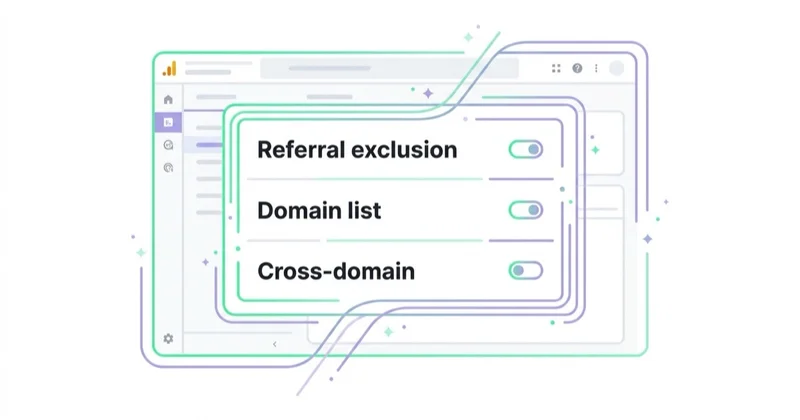
Step 2: add relevant domains to List unwanted referrals
In GA4:
- Go to Admin.
- Open Data streams.
- Select the relevant web data stream.
- Open Configure tag settings.
- Choose List unwanted referrals.
- Add conditions for the payment domains that should not be treated as traffic sources.
- Save the configuration.
Google states that GA4 can evaluate matching events and append ignore_referrer=true, which tells Analytics not to display the referrer as a traffic source. That means this is a collection/processing fix for future data, not a retroactive edit to old reports.
Step 3: configure cross-domain measurement where needed
If the business controls more than one root domain in the journey, configure cross-domain measurement. Examples:
shop.example.comtocheckout.example-payments.comwhere both are controlled by the business;- marketing site to app signup domain;
- store domain to booking domain;
- main site to donation domain;
- SaaS website to subscription app.
Google's cross-domain setup requires the same Google tag ID from the same web data stream on each included domain. The destination URL should contain the linker parameter _gl during navigation. If a destination page redirects or does not support arbitrary query parameters, that parameter can be removed, so verification is necessary.
Step 4: preserve campaign parameters and click IDs
Unwanted referrals will not solve every attribution issue. If UTMs, gclid, fbclid, msclkid, ttclid or other IDs are stripped before checkout, the original acquisition data can still be weak.
For paid and partner traffic, preserve or store:
- UTMs;
- Google click IDs;
- Meta click IDs where appropriate;
- Microsoft and TikTok click IDs where used;
- affiliate IDs;
- landing page;
- first-touch timestamp;
- consent state;
- transaction ID;
- order ID.
GA4 is useful, but it should not be the only place where high-value attribution data exists.
Step 5: verify ecommerce events
Google's GA4 ecommerce documentation explains that ecommerce events require additional context and are not sent automatically. The purchase event should include the right transaction ID, value, currency and item data where possible.
After referral cleanup, confirm that the purchase event still fires correctly. A clean source/medium report is not enough if revenue, transaction IDs or item arrays are broken.
Example domains to investigate
This is not a universal paste-in list. It is a starting point for investigation.
Global payment and checkout providers
paypal.com;checkout.paypal.com;stripe.com;checkout.stripe.com;klarna.com;pay.amazon.com;checkout.shopify.com;adyen.com;worldpay.com;squareup.com.
Polish and Central European examples
payu.com;secure.payu.com;przelewy24.pl;secure.przelewy24.pl;tpay.com;paynow.pl;autopay.pl;imoje.pl;paypo.pl;twisto.pl.
Bank, card and authentication domains
Bank and 3-D Secure domains vary heavily by country and provider. Add only the domains that appear in GA4 reports or test transactions. For example, a Polish store may see bank login domains that a UK or US store will never use.
When not to exclude a domain
Do not add a domain to unwanted referrals when it is a real acquisition source.
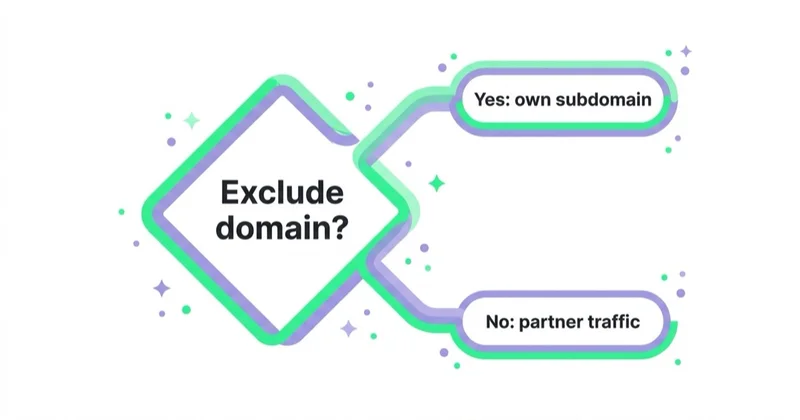
Examples:
- a bank runs a partner article and sends genuine referral traffic;
- a marketplace sends qualified leads outside the checkout flow;
- an affiliate uses PayPal or another brand domain in a legitimate campaign path;
- a fintech partner has separate marketing and payment domains;
- a coupon site or comparison site is being paid for traffic.
If a partner both sends marketing traffic and acts as payment infrastructure, separate the use cases with UTMs, landing pages, path analysis and domain-level rules where possible.
E-commerce checklist
For an online store, check:
- all payment methods enabled in production;
- all payment methods enabled during promotions;
- PayPal, Stripe, Klarna, PayU, Przelewy24, Tpay, BNPL and bank flows where relevant;
- mobile checkout and in-app browser behavior;
- order confirmation page URL;
purchaseevent firing once per transaction;- transaction ID uniqueness;
- item data quality;
- backend order revenue vs GA4 revenue;
- Google Ads and Meta Ads attribution differences;
- whether refunds and cancellations are handled in reporting.
This work should be repeated after changing payment provider, checkout plugin, consent platform, ecommerce platform, GTM container or server-side tagging setup.
SaaS, courses, tickets and services
Payment-referral problems are not limited to retail stores.
For SaaS:
- test trial-to-paid upgrades;
- test Stripe Checkout or customer portal returns;
- connect CRM and subscription events;
- separate signup source from payment source.
For courses and events:
- test checkout and registration confirmation;
- confirm email links use UTMs where needed;
- check ticketing platform referrals;
- track both purchase and attendance where relevant.
For services and local businesses:
- test deposits and booking payments;
- verify appointment confirmation pages;
- keep lead source separate from payment provider source;
- compare GA4 with booking system data.
How we approach this at Space Ads
This is one of the commonest silent attribution bugs we see on new e-commerce accounts. When a customer comes back from a payment gateway — PayU, Przelewy24, PayPal, a bank's own page — GA4 can read that gateway as the source of the purchase and strip the credit from the channel that actually brought them in. The result: ads look weaker than they are, while a mysterious "referral" source that sells nothing swells in the reports. So taking over an account, we check this almost first and add the gateways to the referral-exclusion list. It's a small change that can reset the entire attribution picture: suddenly it's campaigns, not the payment provider, that are clearly driving the sales. Without it, a bad budget call on distorted data is all too easy.
Common mistakes
| Mistake | Why it hurts | Better approach |
|---|---|---|
| Copying a huge exclusion list | Can hide real partner traffic | Start from your own GA4 reports and checkout tests |
| Excluding only the main payment brand | 3-D Secure or bank domains may still appear | Test every payment method actually used |
| Ignoring cross-domain measurement | Users can become two users/two sessions across owned domains | Configure domains and verify _gl |
| Expecting old reports to change | GA4 configuration affects future data | Use new data or create adjusted historical reporting separately |
| Not testing purchase events | Attribution may improve while revenue tracking is broken | Test purchase, value, currency and transaction ID |
| Removing UTMs or click IDs | Original acquisition context can be lost | Preserve campaign parameters before payment |
| Treating GA4 as the only source of truth | GA4 can be affected by consent, blockers and attribution logic | Compare GA4 with backend, CRM and payment provider data |
FAQ
What are payment referrals in GA4?
Payment referrals are referral sources created when GA4 sees a payment processor, bank, hosted checkout or wallet domain as the source of a returning user after payment.
Are payment referrals wrong?
They are usually wrong for acquisition reporting. The payment provider helped complete the transaction, but it usually did not create the original visit or demand. It should normally not receive marketing credit.
Does List unwanted referrals delete transactions?
No. It changes how matching referrers are treated as traffic sources. It should not remove the purchase event, but the checkout flow should still be tested after configuration.
Does the fix work retroactively?
No. GA4 referral and collection changes affect future data. Historical reporting needs a separate adjustment in BigQuery, Looker Studio or another reporting layer.
Should every bank domain be excluded?
No. Add only domains that appear in real reports or test transactions as payment infrastructure. A generic bank list can hide legitimate partner traffic.
What if checkout is on a subdomain?
If it is the same business and should be measured as one journey, check tag coverage, cookie domain settings and cross-domain or subdomain behavior. Do not rely only on unwanted referrals without testing.
What if checkout is on a different domain controlled by the business?
Use cross-domain measurement and verify that the _gl linker parameter is present during navigation. Also check that redirects do not remove it.
Should UTMs be added to payment return URLs?
Usually no. Payment return URLs should not invent a new campaign source. The better approach is to preserve the original acquisition data and prevent the payment domain from overwriting it.
How should success be measured after the fix?
Look for fewer payment-provider rows in referral reports, more revenue attributed to the original channels, stable purchase event counts, matching transaction IDs and reasonable alignment with backend revenue.
Key takeaways
Payment gateways, banks and hosted checkout tools should usually not receive marketing credit in GA4. They are part of the transaction infrastructure. If they appear as referral sources, attribution reports can become misleading.
The correct fix is careful and evidence-based: find real payment domains in GA4, add only those domains to unwanted referrals, configure cross-domain measurement for owned domains, preserve campaign parameters, verify ecommerce events and compare GA4 with backend revenue. This produces cleaner reports without hiding legitimate referral traffic.
Sources and further reading
- Google Analytics Help - Identify unwanted referrals
- Google Analytics Help - Set up cross-domain measurement
- Google Analytics Help - Campaigns and traffic sources
- Google Analytics Help - Set up ecommerce events
- Google Analytics Campaign URL Builder - GA4 campaign URL builder
Continue learning
Continue reading

How to fix googleads.g.doubleclick.net sources and tpc.googlesyndication.com in Google Analytics
Fix googleads.g.doubleclick.net and tpc.googlesyndication.com referrals in GA4 by checking auto-tagging, gclid redirects, Google Ads linking and unwanted referrals in the right order.
ChatGPT Ads Conversion Tracking: Measurement Pixel and the Conversions API
ChatGPT Ads conversion tracking combines a browser pixel with the server-side Conversions API, which OpenAI describes as the more reliable source. This guide covers 12 standard events plus custom, deduplication, oppref and obref attribution identifiers, SHA-256 normalization, consent, CSP, attribution and oCPC testing.

What Is a Google Analytics Audit and Is It Worth Doing?
A Google Analytics audit checks whether GA4 data is reliable enough for marketing, product and budget decisions. This guide explains how to review events, ecommerce tracking, Consent Mode, referrals, UTMs, cross-domain journeys, reconciliation and reporting so fixes are prioritized by business impact.