Display & Video 360, usually shortened to DV360, is Google Marketing Platform's enterprise platform for planning, buying, managing, optimizing and measuring digital media. It is built for reservation, programmatic and programmatic guaranteed campaigns across display, video, TV, audio and other channels. It is not simply a larger version of Google Ads. DV360 is most useful when a brand or agency needs greater control over inventory, deals, audiences, frequency, creative workflows and cross-channel measurement.
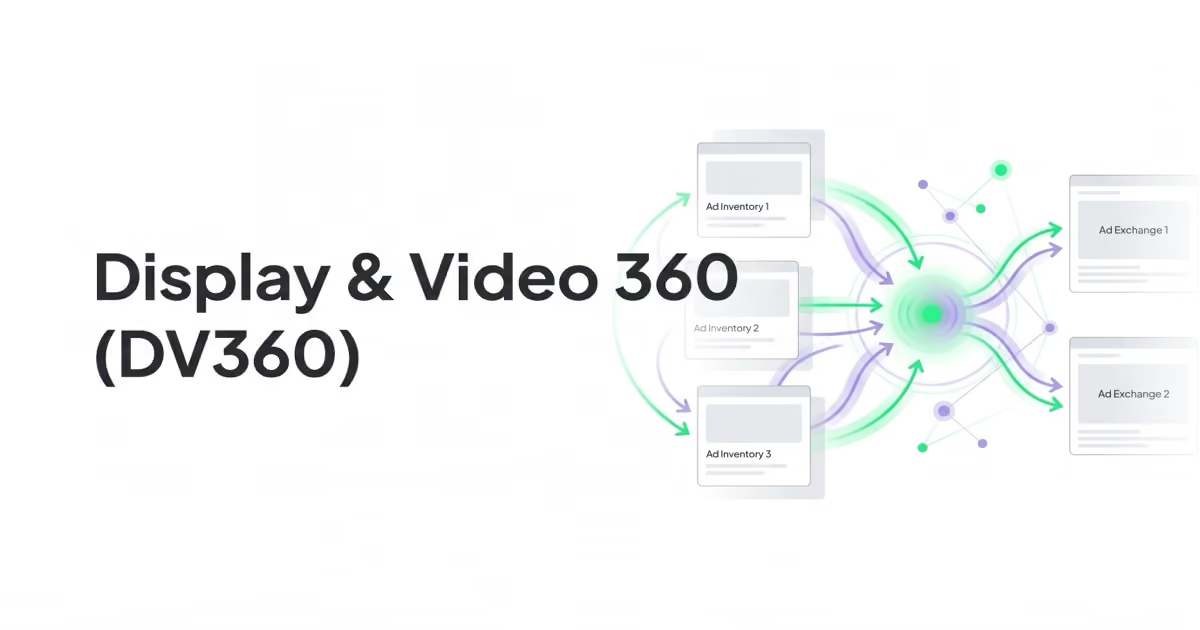
For many businesses, Google Ads is the better first choice. DV360 starts to make sense when media buying is complex enough to require enterprise workflows: multiple markets, premium publisher deals, connected TV, strict brand safety, first-party data, Campaign Manager 360, Floodlight and specialist programmatic expertise.
TL;DR
- DV360 means Display & Video 360. It is part of Google Marketing Platform and supports reservation, programmatic and programmatic guaranteed media buying.
- It is designed for enterprise buying. DV360 fits advertisers and agencies that need advanced control over inventory, audiences, creative delivery, reporting and governance.
- DV360 is not a Search or Shopping tool. Google Ads remains the core platform for Search, Shopping, Performance Max and many lower-funnel campaigns.
- The main value is control. DV360 helps manage open auction buys, private deals, programmatic guaranteed activity, CTV, video, audio, display and broader programmatic inventory.
- Measurement matters. The platform becomes more useful when connected with Campaign Manager 360 and Floodlight for conversion tracking, audience building and bidding signals.
- CTV is a major use case. DV360 supports connected TV workflows, including CTV line items and YouTube & partners on CTV line items.
- Custom bidding is powerful but not universal. It can use Floodlight, GA4 and impression signals, but Google documents support limitations for some inventory types.
- Small accounts should be careful. If the real problem is weak tracking, weak creative, poor landing pages or a small media budget, DV360 will add complexity before it adds value.
What is Display & Video 360?
Display & Video 360 is an enterprise advertising platform in Google Marketing Platform. Google describes it as a consolidated tool that lets marketers manage reservation, programmatic and programmatic guaranteed campaigns across display, video, TV, audio and other channels in one place.
In practical terms, DV360 is used to buy media programmatically, manage deals with publishers, control where ads appear, coordinate creative assets, build audiences and report on performance. It is usually used by larger advertisers, in-house media teams and agencies that run campaigns across multiple formats, markets and inventory sources.
The keyword here is programmatic. Programmatic advertising means media is bought through automated systems rather than only through manual insertion orders with publishers. The advertiser still defines the strategy: budgets, audiences, inventory rules, brand safety settings, frequency, creatives, bids and measurement. The platform then executes that buying at scale.
DV360 can be used for:
- display campaigns;
- online video campaigns;
- YouTube and video partner activity where eligible;
- connected TV campaigns;
- audio campaigns;
- digital out-of-home and other programmatic formats where available;
- private marketplace deals;
- programmatic guaranteed deals;
- audience-based prospecting and remarketing;
- brand awareness, reach, consideration and selected performance use cases.
It is not a replacement for every advertising platform. It is a media buying layer for programmatic channels. Search campaigns, Shopping campaigns, many Performance Max campaigns and standard lead generation campaigns are still usually managed in Google Ads.
DV360 vs Google Ads
The most common question is whether DV360 is "better" than Google Ads. The better framing is different: DV360 and Google Ads solve different media buying problems.
| Area | Google Ads | Display & Video 360 |
|---|---|---|
| Main role | Search, Shopping, YouTube, Display, Demand Gen, Performance Max and app campaigns | Enterprise programmatic buying across display, video, TV, audio and other channels |
| Best fit | Capturing demand, e-commerce performance, lead generation, local campaigns, Search and Shopping | Larger programmatic, CTV, premium inventory, private deals, multi-market media buying |
| Access | Self-serve for most advertisers | Enterprise access, often through Google sales or a Google Marketing Platform partner |
| Inventory control | Simpler, campaign-type dependent controls | More granular inventory, deal, placement, audience and frequency controls |
| Measurement | Google Ads conversions, GA4, platform reporting | Often connected with Campaign Manager 360 and Floodlight for broader measurement |
| Buying model | CPC, CPA, ROAS, CPM, CPV and automated bidding depending on campaign type | Primarily programmatic media buying, including open auction, reservation and guaranteed workflows |
| Complexity | Lower | Higher |
| Team requirement | Can be run by a small specialist team | Usually needs programmatic, analytics and creative operations experience |
Google Ads is often the better choice when there is clear search demand, a product feed, a simple lead funnel or limited budget. DV360 is more relevant when the account needs more control over where ads run, how premium inventory is purchased, how audiences are managed and how media is measured across channels.
How DV360 works
DV360 brings media, audience, creative, inventory and reporting workflows into one platform. A simplified workflow looks like this:
- Define the business goal, market, audience and media role.
- Set the campaign structure.
- Choose the relevant inventory and deal types.
- Configure audiences, exclusions, brand safety and frequency.
- Upload or connect creative assets.
- Connect measurement through Floodlight, Campaign Manager 360 or other supported tools.
- Launch line items and monitor delivery.
- Optimize bids, budgets, inventory, creative and audience logic.
- Report on media performance, reach, frequency and business outcomes.
The platform is organized for teams that need governance. That means more controls, more setup work and more operational responsibility. It can create a stronger media system, but only when the team has the skills and data discipline to use it properly.
The five DV360 modules
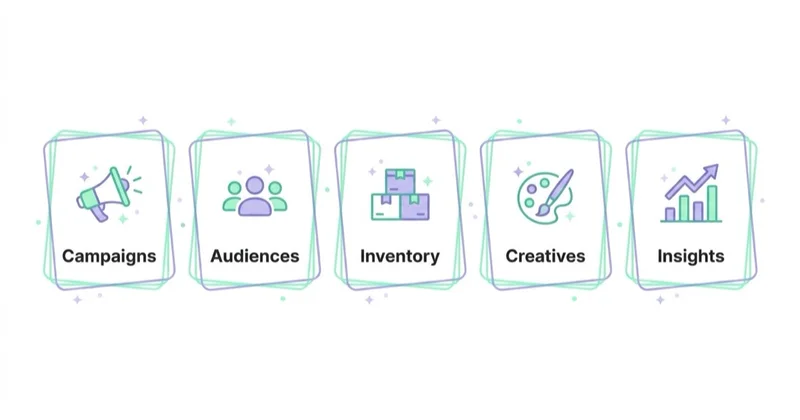
Google describes DV360 around five integrated modules: Campaigns, Audiences, Creatives, Inventory and Insights.
Campaigns
The Campaigns module is where campaign execution happens. Teams create, optimize and monitor campaigns, insertion orders and line items. This is where budget pacing, bidding, flights, goals, frequency and targeting settings become operational.
The hierarchy is important:
- a partner or advertiser account defines access and ownership;
- a campaign groups a strategic initiative;
- insertion orders define budgets, flights and goals;
- line items define inventory, targeting, bidding and creatives;
- creatives are attached to eligible line items.
This structure is more detailed than many Google Ads accounts. It helps larger teams separate budgets, markets, products, publishers and tactics without losing control.
Audiences
The Audiences module supports audience planning and management. It can work with available first-party data, Google data and, where available, other audience sources. It also supports audience analysis, activity-based audience building and frequency controls across audiences.
For modern programmatic campaigns, first-party data is especially important. CRM data, site behavior, customer value, consent status and offline outcomes can all shape smarter media buying when they are collected and governed correctly.
Creatives
The Creatives module connects creative strategy with media execution. DV360 can support rich media, display, video, native and other eligible formats. It also includes workflows for creative previewing, rules and data-driven creative variation.
This matters because programmatic performance is not only a targeting problem. The same audience can respond differently to different messages, formats, lengths, product angles and proof points. DV360 is strongest when creative testing is planned as part of the media strategy rather than treated as a last-minute upload.
Inventory
The Inventory module is where DV360 differs most from standard Google Ads workflows. Teams can discover and manage inventory opportunities, including open auction buying and publisher deals where available.
In practice, inventory strategy may include:
- open auction inventory;
- private marketplace deals;
- programmatic guaranteed arrangements;
- direct relationships with selected publishers;
- CTV and premium video opportunities;
- audience or contextual exclusions;
- brand safety and suitability controls.
The point is not to buy the widest possible reach. The point is to buy the right reach with a clear view of quality, price, context and measurement.
Insights
The Insights module supports reporting and analysis. Teams use it to understand delivery, performance, reach, frequency, inventory, creative and audience outcomes. For enterprise teams, this reporting often connects with Campaign Manager 360, Floodlight, BigQuery, BI dashboards or internal marketing analytics.
Good DV360 reporting should not stop at platform metrics. It should connect spend to the business question: did the campaign increase qualified reach, assisted demand, incremental conversions, pipeline, revenue or another agreed outcome?
What DV360 is best for
DV360 is strongest when the campaign needs more than basic ad delivery. The most common strategic use cases are below.
Programmatic display and video at scale
DV360 can help manage display and video campaigns across many inventory sources, audience segments, markets and creative variants. This is useful when a brand needs consistent governance across a large media plan.
Connected TV
Connected TV is any TV used to stream video over the internet, including streaming devices, smart TVs, set-top boxes and gaming consoles. Google documents dedicated connected TV workflows in DV360, including connected TV line items and YouTube & partners on CTV line items.
CTV can be valuable for reach, brand awareness and consideration, but it should be measured differently from Search or Shopping. The buying logic, creative expectations, frequency management and reporting windows are different.
Private deals and premium inventory
DV360 can be useful when a brand wants to work with specific publishers, broadcasters or marketplace deals rather than relying only on open auction buying. This can support brand safety, premium context, guaranteed delivery and negotiated access.
Multi-market campaign governance
Large brands often run campaigns across countries, brands, business units or agencies. DV360 gives more structure for budget control, shared audiences, naming conventions, creative approvals and reporting.
First-party data activation
When consent, CRM quality and measurement are handled properly, DV360 can help activate first-party audiences and conversion signals across programmatic media. This can include remarketing, customer segments, value-based signals and audience exclusions.
Brand safety and suitability
Programmatic buying needs controls. DV360 allows teams to manage inventory quality, exclusions, categories, frequency and other settings that reduce the risk of ads appearing in unsuitable environments.
DV360 and Campaign Manager 360
DV360 is often used together with Campaign Manager 360. Campaign Manager 360 is the ad serving and measurement platform in Google Marketing Platform, while DV360 is the buying platform.
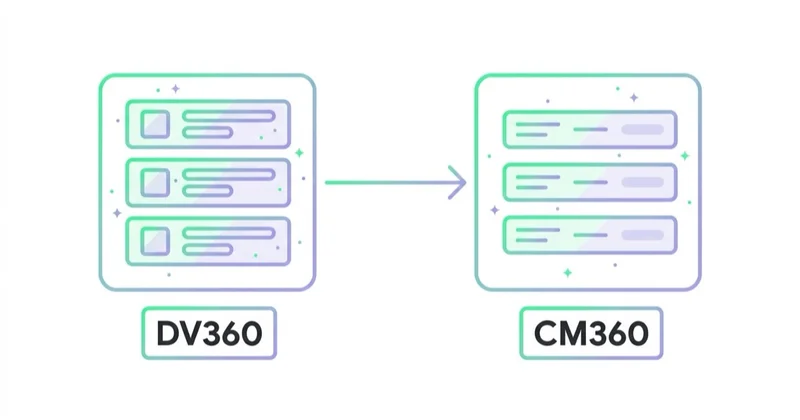
This combination is important because it can support:
- consistent ad serving;
- cross-channel campaign measurement;
- Floodlight conversion tracking;
- audience creation based on measured activity;
- deduplicated reporting across eligible media;
- more advanced reporting and QA workflows.
Without a clear measurement setup, DV360 can become an expensive delivery tool. With Campaign Manager 360 and Floodlight configured correctly, it can become part of a more reliable media measurement system.
Floodlight: why it matters in DV360
Floodlight is the conversion tracking system for Google Marketing Platform. It acts as a shared data layer across Campaign Manager 360, Display & Video 360 and Search Ads 360. It can track conversions and user events through a single set of tags.
In DV360, Floodlight is important for three reasons.
First, it supports conversion tracking. The platform needs reliable signals to understand which impressions, clicks and users are connected with meaningful actions.
Second, it supports audience building. Site actions such as product views, cart additions, form submissions, demo requests or purchases can become audience signals when tracking and consent allow it.
Third, it supports bidding optimization. Floodlight data can feed automated bidding and custom bidding strategies, helping the platform optimize toward actions that matter.
For e-commerce, Floodlight should not only count purchases. Revenue, product category, margin proxy, new-customer status and return patterns may matter for business-level decisions. For B2B, form submissions are rarely enough. CRM stage, qualified pipeline and closed revenue should be connected wherever possible.
Custom bidding in DV360
Custom bidding is one of the reasons advanced teams consider DV360. Google describes custom bidding as a way to use business insights and Google's AI technology to automate toward campaign goals and maximize return on ad spend.
Custom bidding can use signals such as:
- Floodlight events;
- custom Floodlight variables;
- Google Analytics 4 data where shared and eligible;
- impression signals.
There are two main ways to create custom bidding logic:
- rules-based custom bidding goals;
- custom bidding scripts.
This does not mean every campaign should use custom bidding. Google documents support limitations, including that custom bidding is not available on YouTube, Programmatic Guaranteed and Demand Gen inventory. It also needs enough impression and positively scored event data to train. For smaller campaigns, standard automated bidding or simpler structures may be more reliable.
The practical rule is simple: use custom bidding when the business has a clear scoring model that the default platform goals cannot express. Examples include prioritizing high-value lead stages, specific product categories, quality-weighted conversions or brand exposure signals.
When DV360 makes sense
DV360 is worth considering when several of the following are true:
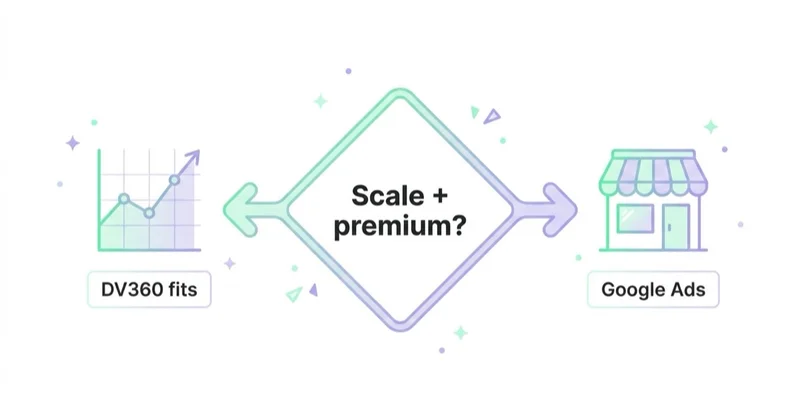
- media buying includes programmatic display, video, CTV or audio at meaningful scale;
- the team needs private deals or programmatic guaranteed activity;
- campaigns run across several markets, brands or agencies;
- brand safety and suitability controls are strict;
- Campaign Manager 360 and Floodlight are part of the measurement stack;
- first-party data is clean, consented and useful;
- creative operations can produce multiple format-specific assets;
- reporting needs to combine reach, frequency, inventory, conversions and business metrics;
- the team has programmatic expertise or a specialist agency partner.
DV360 is not a shortcut to better results. It is a more advanced operating system for media buying. If the media plan is simple, the extra controls can slow the team down.
When Google Ads is the better choice
Google Ads is usually the better starting point when:
- the main opportunity is Search or Shopping;
- the campaign budget is limited;
- the business needs leads or sales quickly from existing demand;
- the team does not have a programmatic specialist;
- conversion tracking is still unreliable;
- the landing page or product feed is weak;
- the account does not need private publisher deals;
- CTV and premium video are not part of the plan;
- reporting can be handled in Google Ads, GA4 and CRM dashboards.
For many e-commerce businesses, the priority should be Merchant Center quality, product feed structure, Performance Max, Shopping, Search, conversion values, server-side tagging and profit-aware reporting. DV360 can support upper-funnel and programmatic growth later, but it should not be used to compensate for a weak commercial foundation.
For many B2B businesses, the priority should be Search intent, LinkedIn or Meta testing where relevant, landing pages, lead qualification, CRM feedback and offline conversion imports. DV360 becomes more attractive when the brand needs larger-scale awareness, account-based media, publisher deals or video/CTV reach.
DV360 setup checklist
Before launching DV360 activity, check the foundation:
- Define the campaign role: reach, awareness, consideration, demand creation, remarketing or performance support.
- Decide whether DV360 is necessary or whether Google Ads, Meta Ads, TikTok Ads or LinkedIn Ads would solve the problem more simply.
- Confirm access, contracts and ownership through Google or a Google Marketing Platform partner.
- Define the advertiser, campaign, insertion order and line item structure.
- Prepare a naming convention for markets, goals, audiences, deals, creatives and tests.
- Configure Campaign Manager 360 and Floodlight where relevant.
- Map conversion events, revenue values, lead stages and offline outcomes.
- Prepare first-party audiences and consent documentation.
- Define inventory strategy: open auction, private deals, programmatic guaranteed, CTV or selected publishers.
- Set brand safety, suitability, frequency and exclusion rules.
- Prepare format-specific creative assets.
- Define reporting before launch, not after the campaign is live.
The most expensive DV360 mistakes usually happen before the first impression is served. Poor measurement, vague objectives and weak creative cannot be fixed by a more advanced DSP.
Common DV360 mistakes
| Mistake | Why it hurts | Better approach |
|---|---|---|
| Treating DV360 like Google Ads | The workflows, inventory and measurement logic are different | Plan for programmatic operations from the start |
| Buying open auction only | The account may miss the reason DV360 was chosen | Build an inventory strategy, including deals where they add value |
| No Floodlight plan | Optimization and reporting become weaker | Define events, values and ownership before launch |
| Measuring only last-click conversions | Upper-funnel, video and CTV are undervalued | Use reach, frequency, assisted demand and business metrics |
| Weak creative adaptation | Display, video, CTV and audio require different assets | Build creative by format and funnel role |
| Over-segmenting audiences | Delivery becomes thin and learning slows | Start with a clear structure and expand based on evidence |
| Ignoring frequency | Users may be overexposed across campaigns | Manage frequency at audience and campaign level |
| No QA process | Complex setups create more room for errors | QA tags, creatives, deals, budgets and reporting before launch |
How we approach this at Space Ads
At Space Ads, we evaluate DV360 by the media problem it needs to solve, not by whether it sounds more advanced than Google Ads. We first check the role of programmatic activity: reach, CTV, premium context, private deals, remarketing, first-party data activation or cross-channel measurement. Then we review Floodlight, consent, audience sources, creative formats, frequency rules, brand safety, naming and reporting before line items are built. For ecommerce, DV360 only makes sense after product feed, conversion value, margin and retention data are mature enough to support programmatic decisions. For B2B and services, we look for CRM feedback and a clear reason to buy awareness or consideration inventory at scale. The output should be a controlled media system, not a complex way to spend a simple budget.
FAQ
What does DV360 stand for?
DV360 stands for Display & Video 360. It is Google's enterprise platform for managing reservation, programmatic and programmatic guaranteed campaigns across display, video, TV, audio and other channels.
Is DV360 the same as Google Ads?
No. Google Ads is a self-serve advertising platform used for Search, Shopping, Performance Max, YouTube, Display, Demand Gen and other campaign types. DV360 is an enterprise programmatic platform used for more advanced media buying, inventory control and measurement workflows.
Is DV360 a DSP?
Yes, DV360 is commonly described as a demand-side platform because advertisers use it to buy digital media programmatically. It also includes broader planning, creative, audience, inventory and reporting workflows.
Can small businesses use DV360?
In most cases, small businesses should start with Google Ads and other self-serve platforms. DV360 usually requires enterprise access, stronger operational expertise and enough media scale to justify the complexity.
Does DV360 include YouTube?
DV360 can support eligible YouTube and video partner activity, including selected connected TV workflows. However, not every DV360 feature applies to every inventory type. For example, Google documents that custom bidding is not available on YouTube inventory.
Is DV360 good for e-commerce?
It can be useful for larger e-commerce brands that already have strong product feeds, conversion tracking, first-party audiences and a clear upper-funnel or programmatic strategy. For smaller stores, Google Shopping, Performance Max, Search, remarketing and feed optimization are usually higher-priority.
Is DV360 good for B2B?
DV360 can support B2B awareness, consideration, account-based media and publisher-led campaigns. It works best when the business has strong measurement, clear audience logic and CRM feedback. For simple lead generation, Google Ads or LinkedIn Ads may be easier to operate.
What should be ready before using DV360?
At minimum: campaign objectives, measurement, Floodlight or equivalent tracking, audience strategy, creative assets, naming conventions, reporting logic, brand safety rules and a team that understands programmatic buying.
Key takeaways
Display & Video 360 is not a magic upgrade from Google Ads. It is an enterprise programmatic platform for advertisers that need more control over media buying, inventory, audiences, creative workflows and measurement. It becomes valuable when the media plan is complex enough to justify that control.
The safest way to evaluate DV360 is to ask a practical question: what can this platform do for the media plan that simpler platforms cannot do well enough? If the answer is premium inventory, CTV, private deals, cross-channel measurement, stronger governance or first-party data activation at scale, DV360 deserves consideration. If the answer is only "we want better performance", the foundation should probably be fixed first.
Sources and further reading
- Google Marketing Platform - Display & Video 360 product overview
- Google Display & Video 360 Help - Display & Video 360 overview
- Google Display & Video 360 Help - About Connected TV in Display & Video 360
- Google Display & Video 360 Help - Custom bidding overview
- Google Display & Video 360 Help - About Floodlight and Floodlight activities
Continue learning
Continue reading

What Are Programmatic Campaigns and Are They Worth Using?
Programmatic campaigns automate digital media buying across display, video, CTV, audio and more. Learn when they make sense, how buying models work and what risks to control.

What Are RTB Campaigns (Real-Time Bidding)?
RTB is automated auction-based buying of individual ad impressions. Performance depends on inventory quality, supply paths, privacy signals, creative, frequency and measurement.

What Are Banner Ads and How to Launch Them?
Banner ads are visual online ads for awareness, remarketing and campaign support, but they only work when creative, audience, placement quality, frequency and landing page fit match the funnel role. This guide explains formats, Google Ads options, ecommerce and B2B use cases, measurement and launch steps.