
UTM parameters are short tracking parameters added to URLs so Google Analytics can identify where campaign traffic came from. They help separate traffic from newsletters, paid social, organic social, partner links, QR codes, PDFs, webinars and other marketing activity that would otherwise be hard to evaluate.

UTMs are simple, but they can damage reporting when they are used without a naming convention. A campaign tagged as facebook / social, Facebook / Social, fb / paid-social and meta / paid_social may represent one channel in reality, but in analytics it becomes several fragmented rows.
The goal is not to tag every possible link. The goal is to create clean, consistent campaign data that makes decisions easier. In Google Analytics 4, UTMs should be used for external campaign links, while internal links should be tracked with events, not campaign parameters.
TL;DR
- UTM parameters are URL parameters used to identify campaign source, medium, campaign name and creative variants in analytics.
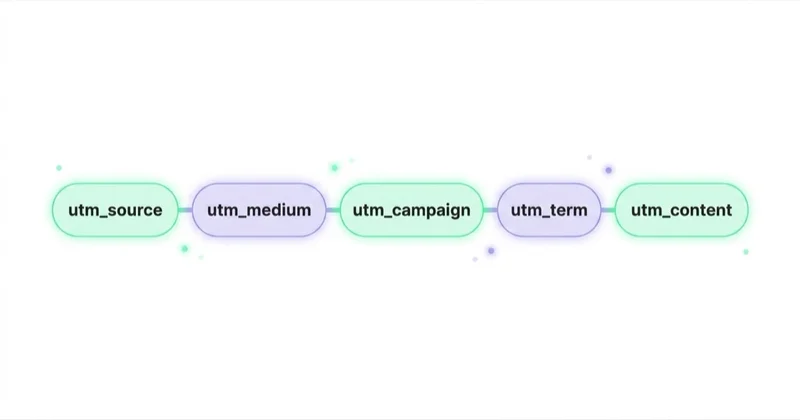
- The core parameters are utm_source, utm_medium and utm_campaign.
- utm_content helps compare links, creatives, placements or buttons within the same campaign.
- utm_term is mainly useful for keyword or targeting detail when manual tagging is needed.
- Google recommends using utm_source, utm_medium and utm_campaign together for custom campaign URLs.
- UTM values are case sensitive, so Google and google are treated as different values.
- Do not use UTMs on internal website links because this can overwrite the original acquisition source.
- For Google Ads, auto-tagging with GCLID is usually preferred because it gives Analytics and Google Ads richer click data.
- A shared naming convention is more important than a sophisticated UTM generator.
- Every tagged URL should be tested before it is used in a live campaign.
What are UTM parameters?
UTM parameters are campaign-tracking values appended to a destination URL. When a user clicks a tagged link, Google Analytics reads the parameters and uses them to populate traffic acquisition and campaign dimensions.
A simple tagged URL can look like this:
This URL tells analytics:
- the traffic came from newsletter;
- the medium was email;
- the campaign was black-friday-2026;
- the clicked element was button-main.
The page itself may be the same for every visitor, but the appended parameters explain which campaign generated the visit.
The main UTM parameters
| Parameter | Purpose | Example |
|---|---|---|
| utm_source | Identifies the platform, publisher or traffic source | newsletter, linkedin, meta, partner-name |
| utm_medium | Identifies the channel or marketing medium | email, paid_social, organic_social, referral, cpc |
| utm_campaign | Identifies the campaign, launch or promotion | spring-sale, q2-webinar, demand-gen-guide |
| utm_content | Differentiates links, creatives, placements or CTAs | hero-button, footer-link, video-a, carousel-2 |
| utm_term | Identifies keyword, audience or targeting detail when needed | brand-keyword, remarketing, cmo-audience |
For most marketing teams, the minimum practical set is source, medium and campaign. Content should be added when there are multiple links or creative variants inside one campaign. Term should be used only when it adds reporting value and will be maintained consistently.
Google also documents additional parameters such as utm_id, utm_source_platform, utm_creative_format and utm_marketing_tactic. They can be useful in more advanced measurement setups, but most small and mid-sized teams should first make the basic five parameters reliable.
When to use UTM links
UTMs should be used when the click starts outside the measured website and the business needs to know which campaign generated the session.
Good use cases include:
- newsletter links;
- lifecycle email campaigns;
- partner links;
- affiliate links;
- paid social campaigns when manual tagging is required;
- organic social posts;
- influencer campaigns;
- QR codes on printed material;
- links in PDFs and downloadable files;
- webinar invitations and post-event follow-ups;
- email signatures when they are part of a campaign;
- links from press releases or sponsored articles.
UTMs are especially useful when traffic would otherwise appear as direct, referral or a vague social source. They make campaign performance easier to compare across sources, mediums and landing pages.
When not to use UTMs
The most common UTM mistake is tagging internal links. For example, adding UTMs to a homepage banner, navigation item or blog CTA can overwrite the original session source in analytics. A user who arrived from organic search may click an internal banner and suddenly appear as campaign traffic.
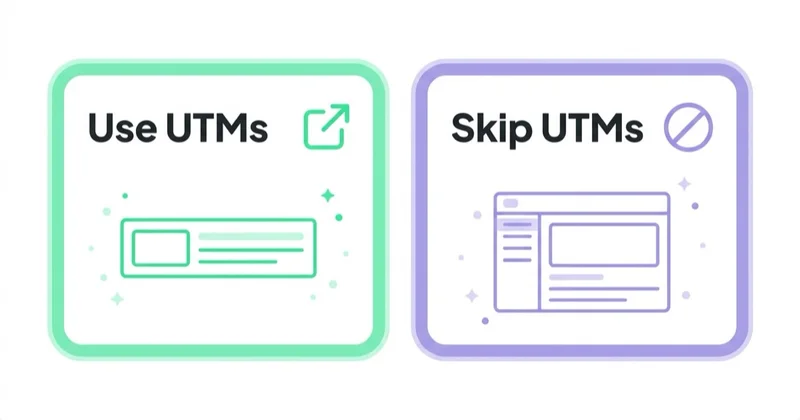
Internal interactions should be measured with events, not UTM parameters. Examples include:
- banner clicks;
- menu clicks;
- product tile clicks;
- homepage section clicks;
- checkout step interactions;
- form interactions;
- content recommendation clicks.
This matters because acquisition data answers the question "where did the user come from?", while internal event data answers the question "what did the user do on the website?". Mixing the two makes both reports less useful.
For more on checking analytics quality, see Google Analytics audit.
UTM vs Google Ads auto-tagging
For Google Ads, auto-tagging is usually the default recommendation. Auto-tagging adds a Google Click Identifier, known as GCLID, to ad URLs. This allows Google Analytics and Google Ads to connect click, cost, campaign and conversion data more reliably than basic manual UTMs.
Manual UTMs can still be useful in specific cases:
- a non-Google analytics platform also needs campaign labels;
- reporting must use a specific cross-channel naming taxonomy;
- a platform does not support auto-tagging;
- a partner or affiliate network needs fixed tracking values;
- a temporary test requires manually controlled labels.
However, Google Ads traffic should not be manually tagged casually. In GA4, Google Ads auto-tagging is prioritised over manual tagging, and manual labels can create confusion if the team expects them to override Google Ads data. The clean approach is to keep auto-tagging enabled, document any manual tracking requirement and test how the data appears in GA4 before scaling it.
If Google Ads data looks wrong, review the setup as part of a broader Google Ads audit and analytics check.
How to create a UTM URL
Use this practical workflow for every campaign link.
1. Start with a clean landing page URL
Use the final URL that should open after all redirects. Avoid tagging temporary redirect URLs if the redirect may strip parameters. If the website uses language, checkout or campaign redirects, test whether parameters are preserved.
2. Define the source
Source should identify where the traffic comes from. Examples:
- newsletter;
- linkedin;
- instagram;
- tiktok;
- partner-name;
- webinar-platform;
- qr-poster.
Choose one spelling and keep it. Do not switch between linkedin, LinkedIn, linked-in and li unless the difference is intentional and documented.
3. Define the medium
Medium should identify the channel type. Examples:
- email;
- paid_social;
- organic_social;
- cpc;
- referral;
- affiliate;
- display;
- qr;
- pdf.
Medium values should be standardised because they influence channel grouping and reporting. One team should not use paid-social while another uses paid_social for the same channel.
4. Define the campaign name
Campaign should describe the actual initiative, not only the platform. A campaign value such as may-newsletter is usually weak because it describes a send date, not the business context.
Better campaign examples:
- q2-demand-gen-webinar;
- black-friday-2026;
- brand-awareness-uk;
- product-launch-ga4-template;
- spring-retention-offer.
Campaign names should be readable, lowercase and stable. If the same campaign runs across email, LinkedIn and Meta, keep the same campaign value and change source and medium.
5. Add content when there are variants
Use utm_content to compare variations inside the same campaign:
- hero-button vs footer-link;
- image-a vs image-b;
- carousel-1 vs carousel-2;
- short-copy vs long-copy;
- creator-video-1 vs creator-video-2.
This helps identify which creative, placement or CTA drove traffic without creating separate campaign names for every variation.
6. Add term only when useful
Use utm_term when keyword, audience or targeting detail is meaningful and will be analysed. For search advertising outside Google Ads, this can describe the keyword. For paid social, it may identify an audience or targeting cluster if the naming convention supports it.
Do not use utm_term as a dumping ground for random notes. If a field will not be used in reporting, it usually should not be added.
7. Build and test the URL
A Campaign URL Builder can reduce syntax mistakes. After creating the link, click it and check:
- the page opens correctly;
- the URL parameters are not stripped by redirects;
- no spaces or special characters break the link;
- GA4 Realtime or DebugView receives the expected traffic data;
- the final URL does not contain personal data.
Testing is important because a technically valid URL can still produce poor analytics data if values are inconsistent.
Naming convention for UTM parameters
A good UTM convention is short enough that people actually use it.
Recommended rules:
- use lowercase values;
- use hyphens or underscores consistently;
- avoid spaces;
- avoid Polish or local characters in URLs when a simpler ASCII value works better;
- use one source value per platform or partner;
- use one medium value per channel type;
- keep campaign names stable across channels;
- use content for creative and placement differences;
- never include personal data such as email addresses, names or phone numbers;
- document every active campaign URL in one shared place.
The last point is often the most important. A spreadsheet or tracking table with campaign, source, medium, content, owner, launch date and landing page prevents duplicates and makes audits faster.
UTM examples
Newsletter campaign
Use this when an email campaign has a main CTA button and maybe another text link with a different content value.
LinkedIn organic post
Use this for organic social activity where the source is the platform and the medium is organic social.
Partner campaign
Use this when a partner sends traffic from a blog post, newsletter or resource page.
QR code
Use this when offline material needs to be separated from direct traffic.
How UTMs work for different business models
For B2B and lead generation, UTMs help connect campaigns with qualified leads, pipeline and CRM sources. The important part is not only tracking sessions, but passing the right source and campaign data into forms and CRM fields where possible.
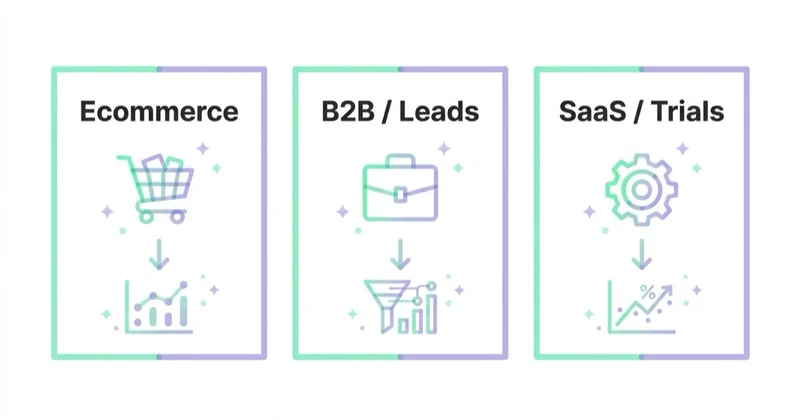
For ecommerce, UTMs help compare promotional emails, creator campaigns, paid social traffic, affiliate links and QR campaigns. They should be analysed alongside revenue, conversion rate, new customer rate and margin, not only sessions.
For SaaS, UTMs help identify which campaigns drive trials, demos, signups and product-qualified leads. The naming convention should align with lifecycle stages, not just acquisition campaigns.
For publishers and content websites, UTMs help compare distribution sources such as newsletters, social posts, syndicated content and partner links. Content teams can then see which distribution activity brings engaged readers, not only visits.
For practical sales optimisation beyond tracking, see how to increase online sales.
How we approach this at Space Ads
UTMs look like a detail until half the channel report turns out to be unreadable. That's why we run one strict naming convention, lowercase with fixed source and medium values, and everyone attaching links sticks to it. GA4 reads "Facebook" and "facebook" as two different sources, so without that discipline a single campaign scatters across a dozen variants you can't compare. Where the platform allows it we lean on auto-tagging (Google, Meta) and keep manual UTMs for the rest: the newsletter, partners, banners. Internal links we never tag, since that can wipe the session source mid-journey. With UTMs the winner is consistency, not cleverness.
Common UTM mistakes
Inconsistent source and medium names
This is the biggest reporting problem. One campaign can fragment into many rows if values are not standardised.
Tagging internal links
Internal UTMs can overwrite the original acquisition source and make campaign reporting misleading.
Using campaign names that are too generic
Values such as sale, newsletter or campaign1 do not provide enough context for analysis.
Creating links without testing redirects
Redirects, CMS rules and payment flows can strip parameters. Always test the final URL.
Adding personal data to URLs
UTM values should never contain email addresses, phone numbers, names or other personal data. URLs can be stored in browser history, analytics tools, server logs and third-party systems.
Relying only on sessions
Sessions alone do not prove campaign quality. Combine UTMs with conversions, lead quality, revenue, retention and assisted performance.
No owner for the naming convention
If nobody owns the taxonomy, every campaign manager creates their own format. This makes reports harder to trust.
UTM checklist
Before publishing a tagged link, check:
- Is this an external campaign link, not an internal website link?
- Is the landing page the final URL?
- Are source, medium and campaign filled in?
- Does the campaign name match the shared convention?
- Is content used when there are multiple links or creative variants?
- Are all values lowercase and consistent?
- Does the URL avoid personal data?
- Does the link work after redirects?
- Does GA4 receive the expected source, medium and campaign?
- Is the URL saved in the campaign tracking sheet?
FAQ
What does UTM stand for?
UTM is commonly understood as Urchin Tracking Module, a legacy name from Urchin, the analytics product that became part of Google Analytics history. In day-to-day marketing, UTM means campaign tracking parameters added to URLs.
Which UTM parameters are required?
For practical campaign reporting, use utm_source, utm_medium and utm_campaign. Google documentation recommends using these together, and missing fields can lead to unclear or not set values in reports.
Are UTM parameters case sensitive?
Yes. Parameter values are case sensitive. Google and google can appear as different values, so lowercase naming is usually the safest convention.
Should Google Ads use UTMs?
Usually Google Ads should use auto-tagging with GCLID. Manual UTMs can be used for specific reporting needs, but they should be documented and tested because auto-tagging is prioritised in GA4.
Can UTMs be used for internal links?
They should not be used for internal links. Internal clicks should be tracked with events so the original acquisition source remains intact.
How can UTM performance be checked in GA4?
Campaign data can be reviewed in acquisition reports using dimensions such as session source, session medium, session source / medium and session campaign. For testing, Realtime and DebugView are useful.
Conclusion
UTM parameters are one of the simplest ways to improve campaign reporting, but only when they are used with discipline. The parameters themselves are easy; the real work is building a naming convention, testing links and keeping campaign data consistent across teams.
Use UTMs for external campaign links, not internal navigation. Keep source, medium and campaign consistent. Use content for variants, avoid personal data and prefer Google Ads auto-tagging where it gives richer data. A clean UTM process makes GA4 reporting easier to trust and turns campaign traffic into information that can actually support decisions.
Sources and further reading
- Google Analytics Help: URL builders and campaign data
- Google Campaign URL Builder
- Google Ads Help: About auto-tagging
- Google Analytics Help: Check if Google Ads auto-tagging works
- Google Analytics Help: Traffic-source dimensions
Continue learning
Continue reading
What Is Ecommerce Analytics and Why Is It So Important?
Ecommerce analytics should connect GA4 events, backend orders, ad costs, product margin, refunds, stock, retention and LTV so decisions are based on profit quality, not only revenue. This guide explains what to measure, how to QA data and how to turn ecommerce reports into budget, UX, feed and merchandising actions.

Source / Medium and Traffic Sources in GA4, Explained
Source and medium describe traffic origin in GA4, but their meaning changes with user, session and event scope. Learn how UTMs, auto-tagging, channel groups, Direct, Unassigned and cross-domain tracking work.
Google Analytics MCP Server: Connect AI to GA4 Safely
Google Analytics MCP is Google's official read-only server for connecting AI to GA4 through the Admin API and Data API. This guide explains when it speeds up ad-hoc analysis, how to verify model answers and why clean events, UTM discipline and consent-aware measurement still decide whether the output is usable.


































