
Google Merchant Center MCP sounds like a tool that should let an AI assistant manage products, diagnose disapprovals and fix the catalogue that powers Google Shopping. That is why the phrase creates so much confusion. The official Google tool exists, but it does not do that job.
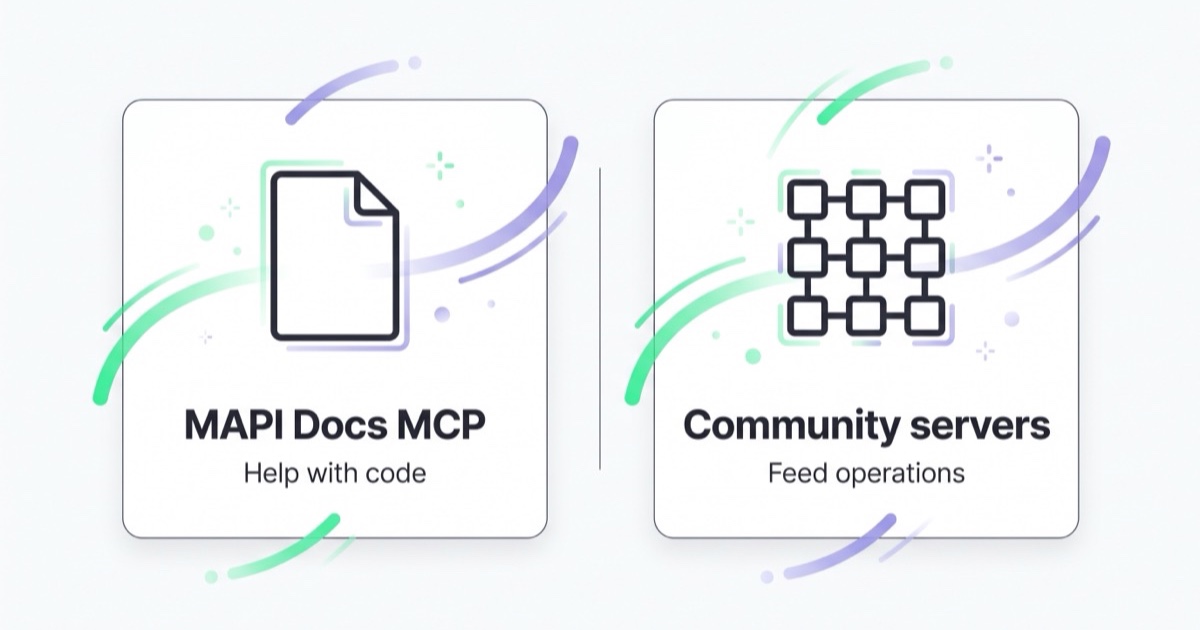
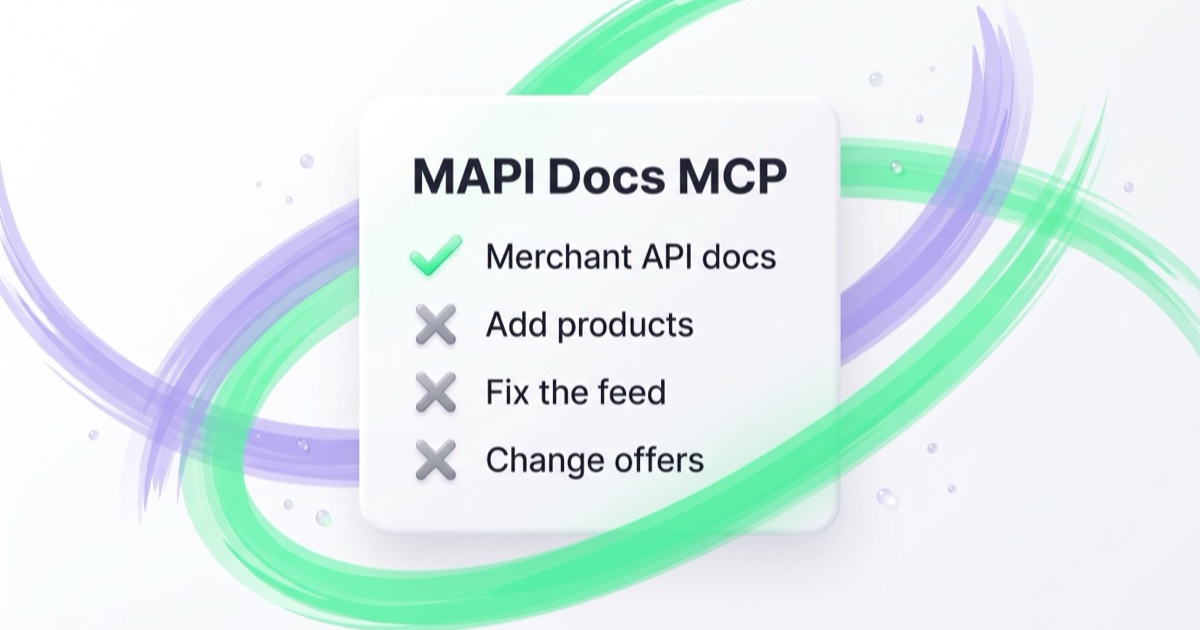
Google has an official Merchant API MCP service called MAPI Docs MCP. It gives coding assistants reliable context from Google's Merchant API documentation. It helps developers build or migrate Merchant API integrations. It does not access your Merchant Center account, edit products, fix feed errors or manage inventory.
For global e-commerce teams, that distinction matters. A product feed is not just a technical file. It controls whether products are eligible for Shopping ads, Performance Max, free listings and market-specific catalogues across regions such as the United States, the United Kingdom, Canada, Australia and the EU. The wrong type of MCP access can touch revenue directly.
TL;DR
- Google Merchant Center MCP is official only in one narrow sense: MAPI Docs MCP is an official documentation and code-assist service for the Merchant API.
- It runs at
https://merchantapi.googleapis.com/devdocs/mcp/and uses HTTP. - It is public and does not require authentication.
- It is designed for developers working inside an IDE, especially when migrating from the Content API for Shopping to the Merchant API.
- It does not manage a Merchant Center account, upload products, fix feed errors, change prices or update inventory.
- Servers that operate on a live catalogue are currently community or custom implementations, not Google's official MAPI Docs MCP.
- For serious e-commerce catalogues, write access to the feed should be handled with staging, validation, approval and logs.
What people usually mean by "Merchant Center MCP"
The same phrase is being used for two different needs.
| Need | What the official Google service does | What operational/community servers try to do |
|---|---|---|
| Get current Merchant API documentation into an AI coding assistant | Yes | Sometimes |
| Help migrate API code | Yes | Sometimes |
| Access your Merchant Center account | No | Yes, if configured |
| Add, update or remove products | No | Sometimes |
| Diagnose feed and product issues from account data | No | Sometimes |
| Require account credentials | No | Yes |
| Maintained by Google | Yes | No, unless it is your own controlled implementation |
If you are a developer building an integration, the official service is useful. If you are a marketer, merchandiser or agency operator expecting AI to repair a product feed, you are looking for a different class of tool.
What the official Merchant API MCP actually is
Google describes MAPI Docs MCP as an API integration and code-assist toolkit. It is a retrieval layer for official Merchant API resources. When a coding assistant asks a question about the Merchant API, the service retrieves relevant snippets from Google's documentation, guides, code samples and client-library material, then returns them as context.
In practice, it helps with questions such as:
- "How do I migrate this old Content API product insert to the Merchant API?"
- "Which Merchant API resource replaces this deprecated method?"
- "What fields do I need to update inventory?"
- "How should I authorize this integration?"
- "Where is a current Python or Java sample for this task?"
That is valuable because Merchant API migrations are detail-heavy. Field names, resource structures and batch patterns changed from the older Content API model. A documentation-grounded assistant can reduce wrong guesses.
How it works inside a development workflow
The useful workflow is simple:
- A developer asks a Merchant API question inside an MCP-capable IDE or coding assistant.
- The assistant sends a context request to the MAPI Docs MCP endpoint.
- The service searches indexed official Google documentation and examples.
- The assistant receives authoritative snippets and uses them to answer or generate code.
The important word is context. The service gives your assistant better documentation context. It does not run your Merchant Center operation.
Where the official service stops
MAPI Docs MCP does not:
- sign in to Merchant Center,
- read your products,
- check your feed diagnostics,
- update product titles or descriptions,
- change prices, availability or shipping settings,
- submit product data,
- resolve disapprovals,
- compare market-specific catalogue quality.
It knows public documentation. It does not know your account.
What you need if you want AI to manage product-feed work
If the goal is operational feed work, the tool needs a very different design. It needs authenticated access to account data and a controlled path to making changes.
At minimum, a serious setup should include:
- scoped credentials with the minimum account and API access required;
- read-first workflows so the assistant explains what it found before proposing edits;
- staging or dry-run mode for product updates before they reach live Merchant Center;
- validation rules for required attributes, currency, availability, GTINs, shipping and market rules;
- change diffs showing exactly which products and fields will change;
- human approval before writes;
- audit logs by user, account, product ID and timestamp;
- rollback paths when a bulk edit creates unexpected impact.
That is why official vs community matters more for Merchant Center than for a simple reporting tool. Feed edits can remove products from auctions. On a large catalogue, one bad automated change can affect paid search, Shopping, free listings and cross-border expansion at the same time.
Why the difference matters in global e-commerce
Merchant Center is often the operational bridge between commerce data and media buying. A single product can be interpreted differently by country, language, currency, shipping promise, tax logic and destination.
For a brand selling across English-speaking markets, the same product may need:
- different pricing and currency rules in the US, UK, Canada and Australia;
- different shipping labels or delivery promises;
- country-specific availability;
- localized product titles without changing the core product identity;
- separate diagnostics for Shopping, free listings and remarketing destinations;
- clean feed labels for campaign segmentation.
AI can help find patterns in that complexity. But the safer workflow is not "let the model edit the feed." It is: let the model detect, explain, propose and document changes, then apply them through a controlled system.
Official MAPI Docs MCP vs Google Ads and GA4 MCP
The Merchant API service is also different from Google's other official MCP servers.
| Server | Main purpose | Reads account data? | Writes account data? |
|---|---|---|---|
| Google Merchant API MAPI Docs MCP | Documentation context for developers | No | No |
| Google Ads MCP | Reporting and diagnostics from Google Ads data | Yes | No |
| Google Analytics MCP | Reporting from GA4 data | Yes | No |
| Meta Ads MCP | Meta Ads analysis and campaign operations | Yes | Yes |
This is the most common source of wrong expectations. People see "Google Ads MCP" and "Google Analytics MCP" connecting to real account data, then assume Merchant Center MCP must do the same. It does not.
For the other official Google servers, read our guides to Google Ads MCP and Google Analytics MCP.
How to decide what to use
Use MAPI Docs MCP if:
- you are building or migrating a Merchant API integration;
- you want a coding assistant to use official Google documentation;
- you need help understanding Merchant API resources, methods and examples;
- you do not need the assistant to see your actual account.
Use a custom or community operational server only if:
- you understand exactly what credentials it needs;
- you can review the source or trust the vendor;
- you can limit the accounts it reaches;
- you can test on a low-risk account first;
- you can block unsupervised writes.
Use a feed management platform or controlled internal system if:
- the catalogue has meaningful revenue impact;
- multiple markets, currencies or product lines are involved;
- non-technical people will trigger changes;
- clients or finance teams need auditability.
Common mistakes
Assuming "official" means operational. In this case official means "official documentation context." It does not mean "official AI feed manager."
Giving feed credentials to a random server. A community MCP can be useful, but it may also receive access to products, diagnostics and settings that affect revenue.
Letting AI rewrite product titles at scale. Product titles are commercial assets and policy-sensitive data. A rewrite that looks better in English can still damage eligibility, relevance or conversion rate.
Treating feed errors as only technical. A product disapproval can be caused by policy, landing pages, price mismatch, shipping, availability or structured data. The fix is often cross-functional.
Skipping market context. Global catalogues need rules by destination. A fix that works in one country can be wrong in another.
A safer operating model
For e-commerce teams using AI around Merchant Center, the safest pattern is:
- Use the official MAPI Docs MCP for developer documentation and integration work.
- Keep operational feed analysis separate from live write access.
- Ask AI to identify issues, group products, write explanations and propose a change set.
- Validate the proposed changes against feed rules, policy risk and market requirements.
- Apply changes only after review, ideally through a system that records a diff.
How we approach this at Space Ads
At Space Ads, we separate Merchant API documentation from the live product catalogue before any AI workflow is designed. The official MAPI Docs MCP can help a developer find endpoints, understand Merchant API resources and plan an integration, but it cannot see prices, availability, diagnostics, margin or commercial priorities. For Merchant Center work, AI is most useful first as a read, diagnosis and draft layer: it can group errors, surface patterns and prepare proposed changes. Writes to a catalogue should go through validation, logs, restricted permissions and human approval, because one wrong price, availability value, GTIN, category or image URL can affect Shopping and Performance Max eligibility. With product feeds, operational safety matters more than speed.
For the wider operating model behind this approach, see Space Ads OS.
FAQ
Is Google Merchant Center MCP official?
Yes, but only as a documentation and code-assist service for the Merchant API. The official service is called MAPI Docs MCP.
Can it manage my Merchant Center feed?
No. The official service does not access your account and cannot add, edit or remove products.
Does it need authentication?
No. The official MAPI Docs MCP endpoint is public and does not require sign-in because it serves public documentation context.
Is it useful for marketers?
Indirectly. It helps the developers or technical operators building Merchant API integrations. It is not a no-code feed management assistant.
Are community Merchant Center MCP servers unsafe?
Not automatically. But they should be treated like any tool with access to a commercial catalogue. Review credentials, scope, logs, support and the write path before using one on a live account.
What is the safest first use case?
Documentation help, migration planning and read-only diagnostics. Avoid bulk writes until the workflow includes validation and approval.
Key takeaways
- The official Google Merchant Center MCP is MAPI Docs MCP, a documentation assistant for Merchant API developers.
- It is useful for coding and migration work, not for feed operations.
- Operational product-feed MCP servers are community or custom tools and require much stronger governance.
- Global e-commerce catalogues need market-aware validation before AI-generated changes go live.
- Treat product-feed write access as a revenue-critical permission, not a convenience feature.
Sources and further reading
- Google Merchant API: API integration and code assist toolkit using MCP
- Model Context Protocol official standard site
- Space Ads: Google Ads MCP server
- Space Ads: Google Analytics MCP server
- Space Ads: Meta Ads MCP and AI Connectors
- Space Ads: What Google Merchant Center is and how to manage it
- Space Ads: How to use Google Shopping campaigns effectively