Merchant Center disapproved products are not a small admin issue. They remove products from eligible Google surfaces, including Shopping ads, free listings and Performance Max campaigns that rely on a Merchant Center feed. A store can have active campaigns, enough budget and a sensible bidding strategy while the products that matter most are not allowed to serve.
The cost is not always proportional to the number of affected items. One disapproved bestseller can matter more than hundreds of low-priority warnings. That is why the right workflow is not "clear every issue in the order Google shows it." The right workflow is to understand the cause, estimate the commercial impact and fix the source of the problem so it does not return during the next feed sync.
TL;DR
- A disapproved product cannot serve in the Google destinations affected by the issue, so Shopping and feed-based Performance Max coverage can shrink immediately.
- Common causes include price mismatch, availability mismatch, missing required data, wrong GTIN, image problems, unavailable landing pages, shipping gaps, policy issues and account setup problems.
- Prioritise by business impact: margin, revenue, seasonality, stock, product role and click potential.
- The feed and the landing page need to match. Google compares submitted product data with what it can see on the product page, checkout flow and structured data.
- Some fixes resolve after the feed is reprocessed. Policy or review-based issues may require a review request after the actual fix is live.
What a Merchant Center disapproval means
Google separates product warnings from product disapprovals. A warning may still allow the product to show, sometimes with limited performance or future risk. A disapproval stops the product from showing in the affected Google destination until the issue is fixed and the product becomes eligible again.
Product-level issues are usually isolated to individual items. That means one product can be disapproved while another remains eligible. Account-level issues are more serious because they can affect the whole catalogue, especially when the problem relates to policy, business verification, website trust, shipping, tax, checkout or store information.
For ecommerce teams, this distinction matters. A product-level feed error needs product data work. An account-level issue may need legal, store, checkout, policy or operations work before paid media can scale again.
Start with the issue list, not a single example
The first step is to export the affected product list for a specific issue. Do not diagnose the whole catalogue from one sample item.
A practical review sequence:
- Open
ProductsandNeeds attentionin Merchant Center. - Filter by issue type: disapproval, warning, limited eligibility or account setup.
- Open the Issue Details Page for the issue.
- Export the affected product list.
- Match the list with business data: revenue, gross margin, stock, seasonality and campaign role.
- Decide whether the cause sits in the feed, product page, image, identifier, shipping settings, policy, account setup or platform integration.
Google's Issue Details Page consolidates issue descriptions, suggested actions, product samples and business impact indicators such as affected products and click potential. Use that information as the starting point, then layer it with store economics. Merchant Center knows product eligibility; the business still needs to decide which fixes protect profit first.
Common causes of product disapprovals
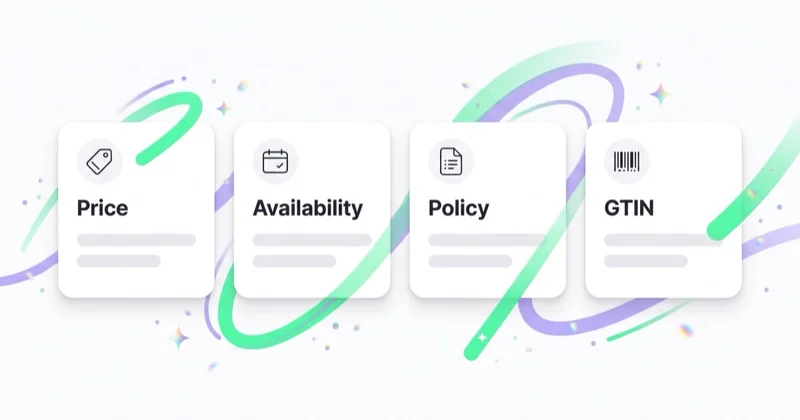
| Issue | Typical source | Fix direction |
|---|---|---|
| Price mismatch | slow feed sync, sale price logic, variant pricing, currency issues | align price, sale_price, landing page, checkout and structured data |
| Availability mismatch | stock updates lag behind the feed or product page | align availability, product page, cart state and schema.org markup |
| Wrong or missing identifiers | ERP imports, manufacturer data, private-label products | verify GTIN, brand, MPN and identifier_exists logic |
| Image issue | overlays, watermarks, blocked image URL, thumbnail, wrong variant | replace the main image and make it crawlable |
| Landing page unavailable | broken URL, redirect, robots.txt block, slow server, generic page | fix URL, crawlability, status code and product specificity |
| Policy or account issue | unclear returns, missing business details, restricted products, trust signals | update store information, policies and Merchant Center settings |
These are different classes of problems. A price mismatch is not solved the same way as a misrepresentation warning. A missing identifier needs a different decision from a blocked image. Start by grouping the issue correctly.
Price and availability mismatches
Price and availability are the most common operational causes because they change often. Google expects product data to match the landing page, checkout flow and structured data. If the feed says a product is in stock but the product page or checkout says it is unavailable, eligibility can be lost. If the feed submits one price and the landing page shows another, the same risk applies.
This often happens when a store:
- changes sale prices more frequently than the feed refreshes;
- has different prices by variant, market or currency;
- uses a separate pricing tool, ERP or promotion engine;
- shows the regular price in one place and sale price in another;
- updates stock in the ecommerce platform later than in the warehouse system;
- uses JavaScript to render availability in a way that is not consistently readable.
Do not treat this as a one-line feed edit. Find the source of truth. For Shopify, Magento, WooCommerce or a custom stack, that source may be the ecommerce platform, ERP, feed tool, pricing engine or marketplace connector. If the source remains wrong, the disapproval will return.
GTIN, brand and identifier_exists
Product identifiers help Google understand what is being sold. For products with official manufacturer identifiers, send the correct GTIN, brand and, where relevant, MPN. Problems appear when stores send internal SKUs as GTINs, reuse the same GTIN across variants, omit identifiers that exist or mark identifier_exists as no when the product does have official identifiers.
Private-label products need a different treatment. If a product genuinely has no manufacturer GTIN or MPN, the feed should describe that accurately. The issue is not always the absence of a GTIN. The issue is often the wrong declaration. The dedicated guide on GTIN and identifier_exists in Merchant Center covers that decision in more detail.
Images and landing pages
The main product image needs to show the actual product, be crawlable by Google and meet Merchant Center image requirements. Risky patterns include watermarks, promotional text, borders, placeholders, thumbnails, low-quality images, blocked image URLs and images that show a different variant from the one submitted in the feed.
Landing pages are just as important. Google expects the landing page to match the product listing and support a confident shopping experience. Common issues include:
- product URLs returning errors;
- redirects to category pages or the homepage;
- product pages blocked by robots.txt;
- price visible only after login;
- unavailable products still submitted as in stock;
- missing delivery or returns information;
- product variant URL not matching the feed item;
- structured data showing a different price or availability from the visible page.
This is where Merchant Center work overlaps with ecommerce SEO, CRO and development. The campaign team cannot fix a product page that Google cannot crawl or trust.
Prioritise fixes by commercial impact
Large catalogues need a priority model. Fixing everything is ideal, but order matters when the store is losing eligible impressions today.
| Priority | Products | Why they come first |
|---|---|---|
| 1 | bestsellers, high-margin products, seasonal products | lost eligibility immediately affects revenue or profit |
| 2 | products with high click potential or historical ad spend | the issue blocks existing demand |
| 3 | strategic products in new categories or markets | eligibility decides whether the test can run |
| 4 | long-tail catalogue items | unit impact is usually lower |
| 5 | low-margin, low-stock or end-of-line products | the fix may not justify immediate effort |
This prevents the team from spending hours on items that do not matter while a high-margin category remains blocked.
Repair workflow
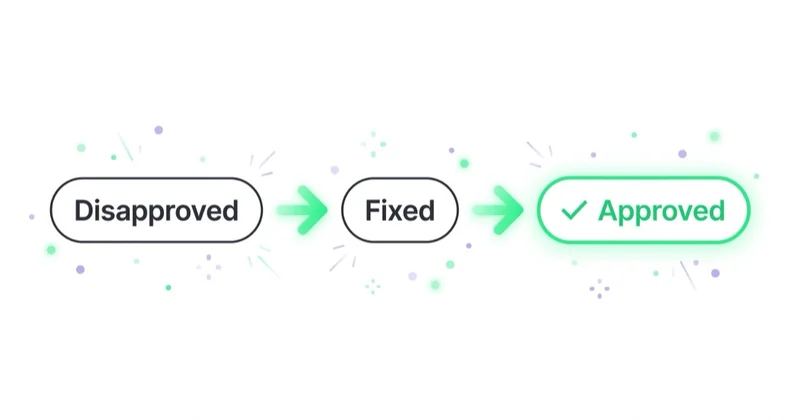
- Export affected products for one issue. Work from the full affected set, not isolated examples.
- Classify the cause. Feed, landing page, image, identifier, shipping, policy, account setup or platform integration.
- Add business priority. Margin, revenue, stock, seasonality, campaign role and country.
- Fix the source system. A Merchant Center edit is often temporary if the next feed sync overwrites it.
- Validate the product page. Price, availability, variant, image, shipping, checkout and structured data should agree.
- Reprocess the feed. Confirm that the corrected data reaches Merchant Center.
- Request a review where needed. Do this after the fix is live, not before.
- Watch for recurrence. If the same issue returns, the root cause was not removed.
For recurring issues, create a standing feed health process. A weekly export is better than discovering disapprovals after the campaign has already lost the week.
When the cause is outside the feed
Merchant Center may show the problem on a product, but the actual source can sit elsewhere:
- the cart calculates a different price than the product page;
- the promotion only appears for logged-in users;
- the product page loads stock through a script that Google reads inconsistently;
- variant URLs change without updating the feed;
- delivery or returns policies are unclear;
- product images are blocked from Googlebot or Googlebot-image;
- structured data differs from visible HTML;
- a market is targeted before shipping, currency or language is ready.
In these cases, the fix needs more than PPC work. It needs coordination across ecommerce operations, analytics, development and paid media.
How we approach it at Space Ads
At Space Ads, we treat Merchant Center disapprovals as a revenue problem, not a housekeeping task. We start by identifying which products are blocked and how much they matter: gross margin, seasonality, stock, click potential, campaign role and contribution to category growth. Then we separate the cause into feed data, product pages, identifiers, images, shipping, policies and account settings.
For ecommerce accounts, this diagnostic work connects directly to Google Ads management, broader performance marketing and the deeper review process described in our ecommerce store audit guide. Merchant Center is part of the sales system. If a bestseller is disapproved, media spend cannot fully represent the catalogue.
Common mistakes
| Mistake | Result | Better approach |
|---|---|---|
| Fixing one product without fixing the source | the issue returns after the next sync | correct the feed rule, platform value or integration |
| Treating all issues equally | low-impact items consume time while important SKUs stay blocked | prioritise by margin, revenue and season |
| Ignoring warnings | warnings can limit performance or become disapprovals | review warning trends before they become urgent |
| Editing the feed without checking the page | Google still sees a mismatch | compare feed, HTML, checkout and structured data |
| Requesting a review before the fix is live | the rejection remains and review opportunities are wasted | fix first, then request review |
FAQ
Can a disapproved product still be sold on the website?
Yes. Merchant Center disapproval does not remove the product from the store. It limits the product's eligibility across the affected Google destinations.
Can one disapproval suspend the whole account?
One product-level issue usually affects the individual item. Account-level policy or setup issues are different because they can affect all products. Always separate item issues from account issues.
How long does a product review take?
It depends on the issue. Some fixes resolve after feed processing or recrawling. Others require a review request. Google notes that some recrawls usually resolve within 24-48 hours, while more complex reviews can take longer.
Are automatic fixes enough?
Automatic fixes can reduce the impact of eligible issues such as price, availability, condition or image overlays. They are not a substitute for clean source data. If the store keeps sending inconsistent information, automation is only a patch.
Can Performance Max serve a disapproved product anyway?
No. If Performance Max uses Merchant Center products, disapproved items are not eligible product inputs for the affected destinations. PMax does not repair product data quality.
Key takeaway
Merchant Center disapprovals should be treated as lost commercial reach. Identify which products are blocked, estimate the business impact, classify the cause and fix the source system before requesting review. The goal is not to silence an error message. The goal is to make the catalogue eligible, reliable and useful for Shopping and Performance Max.
If Merchant Center issues are limiting your ecommerce growth, our Google Ads team can audit the feed, restore eligibility and connect Shopping or Performance Max work to product-level profitability.
Sources and further reading
- Google Merchant Center Help: Issues in Merchant Center
- Google Merchant Center Help: Product data specification
- Google Merchant Center Help: About the Issue Details Page
- Google Merchant Center Help: About landing page requirements
- What is Google Merchant Center and how to manage it
- What is a product feed and how to use it
Continue reading
Performance Max vs Standard Shopping: What Should an Ecommerce Store Use?
Performance Max and Standard Shopping can both advertise Merchant Center products, but they give very different levels of automation, control and reporting. This guide explains when to use PMax, when to use Standard Shopping and when both can work together.
Custom Labels in Google Shopping and Performance Max: How to Segment Products
Custom labels let ecommerce teams segment Merchant Center products by margin, season, stock, bestseller status, lifecycle and return risk. Used well, custom_label_0-4 make Shopping, Performance Max and Demand Gen easier to report, filter and optimise by business priority.
GTIN and identifier_exists in Merchant Center: When to Use Each Field
GTIN, brand, MPN and identifier_exists help Google understand the exact product in Merchant Center. This guide explains when to send a GTIN, when to use brand and MPN, when identifier_exists should be set to no and why a store SKU is not a GTIN.