GTIN and identifier_exists look like small product feed fields, but they have a real effect on Merchant Center eligibility and Google Shopping performance. If a store sends the wrong GTIN, uses an internal SKU as a global identifier or marks identifier_exists as no when manufacturer identifiers exist, Google may limit visibility, show warnings or disapprove the product.
The issue is usually not technical difficulty. It is classification discipline. Product identifiers help Google understand what the product is, connect it with known catalogue information and match it to the right Shopping queries. For ecommerce, identifiers are not just feed hygiene. They are part of how the catalogue becomes readable to Google Ads.
TL;DR
- GTIN is a global trade item number, including UPC, EAN, JAN, ISBN and ITF-14 formats.
- If a manufacturer has assigned a GTIN to the product, send the correct GTIN and do not guess.
- A store SKU is not a GTIN and should not be submitted in the
gtinfield. - Use
identifier_exists=noonly when the product has no available unique product identifiers: GTIN, MPN or brand. - Private-label, handmade, custom, vintage and some replacement products need a different decision from widely manufactured products with barcodes.
- Product variants, such as sizes and colours, often have their own GTINs.
What is a GTIN?
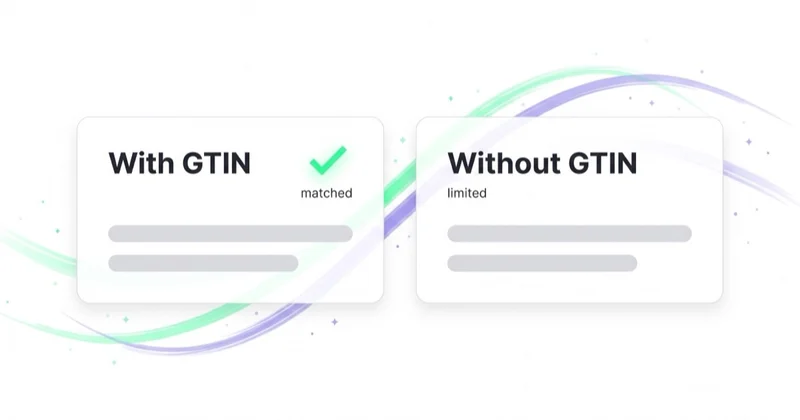
GTIN means Global Trade Item Number. In Merchant Center feeds it usually appears as UPC in North America, EAN in Europe, JAN in Japan, ISBN for books or ITF-14 for some multipacks. Google says products without unique product identifiers can be harder to classify and may not be eligible for all Shopping programs or features.
The core rule is simple: if the product has an official manufacturer-assigned GTIN, send the correct one. If the product does not have a GTIN, do not invent one. A made-up identifier is worse than a blank field because it gives Google the wrong product signal.
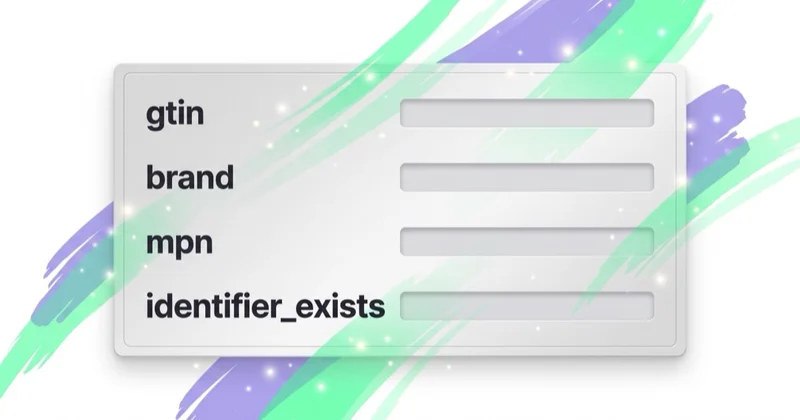
GTIN, brand and MPN
| Feed field | Meaning | Typical source | Common risk |
|---|---|---|---|
gtin |
global trade item number such as EAN or UPC | manufacturer, packaging, GS1, product documentation | submitting SKU or a guessed value |
brand |
product brand | packaging, manufacturer, brand owner | using the retailer name for a third-party branded product |
mpn |
manufacturer part number | manufacturer catalogue, ERP, technical documentation | using an internal store ID instead of the manufacturer number |
identifier_exists |
whether unique identifiers exist for the product | product-level decision | setting no even though GTIN, MPN or brand exists |
Electronics, cosmetics, books, fashion, footwear, parts and distributed retail products often have identifiers. Handmade goods, custom products, antiques and some private-label lines may not.
When to submit a GTIN
Submit a GTIN when the manufacturer assigned one to the exact product being sold. This matters most for widely distributed products that other retailers may also sell. The GTIN helps Google recognise the item and reduces the risk of weak or incorrect classification.
Typical examples:
- a beauty product with an EAN on the packaging;
- footwear with separate codes by size and colour;
- consumer electronics with a UPC or EAN;
- a book with ISBN-13;
- a replacement part with manufacturer identifiers;
- a packaged food or beverage product.
Variants are a frequent source of errors. A colour, size, pack size or configuration may have its own GTIN. Do not reuse one GTIN across the whole product family unless that is genuinely how the manufacturer identifies the item. The feed item should represent the exact variant the shopper lands on.
When not to submit a GTIN
Do not send a GTIN when the product genuinely does not have one. Google is explicit that merchants should not guess or make up a GTIN.
This can apply to:
- handmade products;
- custom or personalised products;
- vintage or antique products;
- products created before modern identifiers were common;
- private-label products that have no assigned GTIN;
- one-of-a-kind products.
The absence of a GTIN is not automatically a problem. The wrong declaration is the problem. If a product has a GTIN and the feed omits it, visibility can be limited. If a product does not have a GTIN and the feed sends a random number, the product can receive warnings or disapprovals.
What identifier_exists means
The identifier_exists field tells Google that unique product identifiers are not available for the product. Set it to no or false only when the product has no GTIN, MPN or brand that meets the requirement.
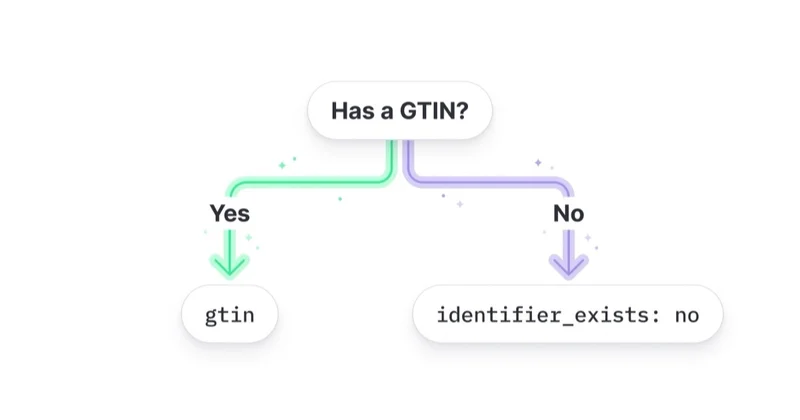
This field is not a way to hide missing data. If a product has GTIN, brand or MPN, setting identifier_exists=no is inaccurate. Google says products with identifier_exists incorrectly set to no may receive warnings when evidence shows that an identifier exists.
Practical decision table
| Situation | gtin |
brand |
mpn |
identifier_exists |
|---|---|---|---|---|
| Distributed product with EAN or UPC | send the code | manufacturer brand | send if available | omit or yes |
| Variant with its own GTIN | send variant GTIN | brand | variant MPN if available | omit or yes |
| Private-label product without GTIN but with internal manufacturer number | blank | store or product brand | unique MPN | usually omit |
| Handmade product with no brand, GTIN or MPN | blank | blank or store brand if relevant | blank | no |
| Vintage product without identifiers | blank | send if clearly associated | send if available | no only if identifiers do not exist |
| Store only has SKU | do not use SKU as GTIN | depends on product | do not use SKU as manufacturer MPN | depends on real identifiers |
The decision should start from the product reality, not from the feed template. First determine whether official manufacturer identifiers exist. Then decide which fields should be sent.
Why SKU is not a GTIN
SKU is a retailer's internal stock keeping unit. It helps with inventory, ERP, fulfilment, customer service and internal reporting. GTIN is a global product identifier. They are not interchangeable.
If a store puts SKU values in the gtin field, Google may treat them as invalid GTINs. Even when the SKU is stable, it only identifies the product inside that store. It does not help Google match the product globally. Keep SKU in the id field or internal data layer, not as a GTIN substitute.
Private-label and store brand products
Private-label products need careful handling because they may or may not have GTINs. If the brand owner has assigned a GTIN, send it. If there is no GTIN, keep the field blank and use brand and MPN where appropriate.
Common private-label problems include:
- some products use the store name as brand while others are blank;
- MPN is sometimes SKU and sometimes supplier code;
- variants do not have stable identifiers;
identifier_exists=nois applied to the whole catalogue;- the feed does not distinguish private-label products from third-party branded products.
Those shortcuts make the catalogue harder to interpret. Even if products stay eligible, Google receives weaker product information.
How to audit identifiers in the feed
Audit GTIN and identifier_exists from an export, not from a few examples in the interface. The working table should include:
id;title;brand;gtin;mpn;identifier_exists;item_group_id;condition;- product category;
- Merchant Center status;
- revenue and gross margin where available.
Look for patterns: invalid GTIN lengths, duplicated GTINs, SKUs inside gtin, products with identifier_exists=no but a known brand, variants sharing one identifier, private-label products with inconsistent brand naming and categories where identifiers usually exist.
How identifiers affect campaigns
Identifiers are not the only driver of Shopping performance, but they influence how confidently Google can understand and classify a product. A wrong GTIN can lead to warnings, limited visibility or disapproval. Missing identifiers where they should exist can weaken matching and make comparisons with other offers harder.
The impact is most visible in:
- Shopping campaigns;
- Performance Max campaigns with a Merchant Center feed;
- products sold by multiple retailers;
- categories with strong price comparison;
- fashion and footwear variants;
- electronics, cosmetics, books and replacement parts.
That is why identifier work belongs inside broader product feed optimisation, Merchant Center management and disapproved product diagnostics.
How we approach it at Space Ads
At Space Ads, we do not check GTIN as an isolated column. We connect it with product category, variants, brand, MPN, Merchant Center status, gross margin and campaign performance. First we separate distributed products from private-label, custom and no-identifier products. Then we fix the source: ecommerce platform, ERP, feed tool or export rules.
For Google Ads management in ecommerce, identifiers are part of catalogue quality. If a store wants to scale Shopping or Performance Max, the feed needs to be reliable for both Google's systems and the business decisions behind media spend.
Common mistakes
| Mistake | Result | Better decision |
|---|---|---|
| SKU submitted as GTIN | invalid global identifier | keep SKU in id; send GTIN only from an official source |
| One GTIN reused across variants | weak variant recognition | use the variant GTIN where assigned |
Catalogue-wide identifier_exists=no |
warnings and weaker product trust | use no only when GTIN, MPN and brand are genuinely unavailable |
| Missing GTIN for a distributed product | limited visibility or feed issue | get the identifier from manufacturer or supplier |
| Guessing a number | disapproval or incorrect matching risk | leave the field blank if the number is not certain |
FAQ
Does every product need a GTIN?
No. Not every product has a GTIN. If a manufacturer assigned one, send it. If no GTIN exists, do not submit a substitute value.
Are EAN and GTIN the same thing?
EAN is a type of GTIN. In Europe, EAN-13 is one of the most common GTIN formats.
Can SKU be used as MPN?
Usually no. SKU is a retailer identifier. MPN is a manufacturer part number. If the store is the manufacturer and only seller of a product without an assigned MPN, it can create a unique product number, but that should be a consistent product identifier rather than a random operational SKU.
When should identifier_exists be set to no?
Only when the product has no GTIN, no MPN and no brand that meets the requirements. Typical cases include some handmade, custom, one-of-a-kind, vintage or antique products.
Can an incorrect GTIN disapprove a product?
Yes. Incorrect, invalid or unsupported GTIN values can lead to warnings, limited visibility or disapproval. Fix the source data rather than only editing one product manually.
Key takeaway
GTIN and identifier_exists should tell Google the truth about product identifiers. For distributed products, send the correct GTIN, brand and MPN where available. For products without identifiers, leave GTIN blank rather than using SKU or a guessed value. The highest-risk pattern is using identifier_exists=no as a blanket workaround for missing data.
If product feed quality is limiting your ecommerce campaigns, our Google Ads team works across Merchant Center, Shopping, Performance Max and product-level profitability.
Sources and further reading
Continue reading

Merchant Center Disapproved Products: How to Find and Fix the Cause
Merchant Center disapprovals usually come from a mismatch between the feed, product page, price, availability, identifiers, images, shipping or Google policy requirements. This guide shows how to diagnose the issue, prioritise fixes by business impact and restore Shopping or Performance Max eligibility.

Google Merchant Center MCP: What Is Official and What Is Not
Google Merchant Center MCP usually means Google's official MAPI Docs MCP: a documentation assistant for Merchant API developers, not a tool for editing product feeds. This guide explains where official support stops, when custom integration is needed and how to use AI around catalogue data, diagnostics and controlled writes without putting feed quality at risk.
Performance Max vs Standard Shopping: What Should an Ecommerce Store Use?
Performance Max and Standard Shopping can both advertise Merchant Center products, but they give very different levels of automation, control and reporting. This guide explains when to use PMax, when to use Standard Shopping and when both can work together.