
Push notifications are short messages sent to a user's device by an app, browser or web app. They can support sales, customer service, product updates and retention, but they require careful implementation: clear permission, relevant timing, segmentation, frequency limits and an easy way to opt out.
Push should not become another mass-spam channel. It is more immediate and more interruptive than email. That means it should be used only when the message is timely, useful and expected. A message that would be acceptable in a weekly newsletter can feel intrusive as a notification on a lock screen.
In 2026, push strategy should include both commercial rules and technical realities. Native app push, web push on desktop and Android, and web push for iOS Home Screen web apps do not behave exactly the same. The channel is useful, but only when expectations and platform limitations are understood.
TL;DR
- Push notifications can come from native apps, browsers or web apps.
- Web push works through browser and service worker technology; platform support differs.
- On iOS and iPadOS, web push is available for web apps added to the Home Screen from iOS 16.4 onward.
- The best use cases are order status, abandoned cart, back-in-stock, price drop, booking reminders and important account updates.
- Push permission should be requested after value is clear, not immediately on first page load.
- Marketing push needs privacy governance, preference management and opt-out.
- Frequency capping matters because push is interruptive.
- Measure incremental impact, not only clicks after a notification.
What are push notifications?
Push notifications are short messages delivered to a user's device even when the user is not actively viewing the website or app.
They usually include:
- title;
- short message;
- icon;
- destination URL or app screen;
- sometimes an image or action buttons;
- delivery trigger;
- segment or audience rule.
Push is the delivery mechanism. Notification is the visible message shown to the user. In everyday marketing language, "push notification" usually means both.
Push vs web push
| Area | Native app push | Web push |
|---|---|---|
| Requires native app | Yes | No, for supported browsers and web apps |
| Works on desktop | Usually no | Yes, in supported browsers |
| Works on Android | Yes | Yes, in supported browsers |
| Works on iOS | Yes | Yes for eligible Home Screen web apps from iOS 16.4 |
| Best for | Apps, loyalty, logged-in experiences | Websites, ecommerce, content and web apps |
| Technical base | Mobile OS push services | Push API, Notifications API, service worker |
Native app push makes sense when the business has an app that users actually use. Web push can be useful for websites that do not have a native app but need timely communication.
When push notifications make sense
Push works best when the message is:
- short;
- current;
- personal or context-aware;
- useful;
- time-sensitive;
- easy to act on.
Strong use cases:
- order shipped;
- delivery status changed;
- appointment reminder;
- abandoned cart reminder;
- product back in stock;
- price drop alert;
- booking confirmation;
- account security update;
- limited-time offer for a relevant segment;
- renewal or subscription reminder;
- new message or support response.
Weak use cases:
- generic promotions to everyone;
- daily sales blasts;
- vague "new products are here" messages;
- clickbait;
- messages unrelated to user behaviour;
- repeated reminders after the user ignored the first one.
Push notification use case matrix
| Use case | User value | Better timing | Risk |
|---|---|---|---|
| Order status | Knows what happened after purchase | immediately after status change | low if accurate |
| Booking reminder | Avoids missed appointment | hours or day before event | annoying if too frequent |
| Back-in-stock | Product is available again | when stock is confirmed | bad if product sells out instantly |
| Price drop | Relevant item is cheaper | after tracked item changes price | margin damage if overused |
| Abandoned cart | Reminder to finish purchase | after reasonable delay | can feel pushy |
| Account alert | Security or account change | immediately | must be clear and trustworthy |
| Content update | New useful content | based on user interest | weak if generic |
| Flash sale | Time-sensitive offer | only for opted-in segments | high fatigue risk |
| Product adoption | Helps use an app or service | after behavior trigger | intrusive if not helpful |
The best push campaigns start with user value. If the message exists only because the business wants traffic, it is probably too weak for push.
For cart recovery strategy, see abandoned carts.
Transactional vs marketing push
Separate transactional and marketing notifications.
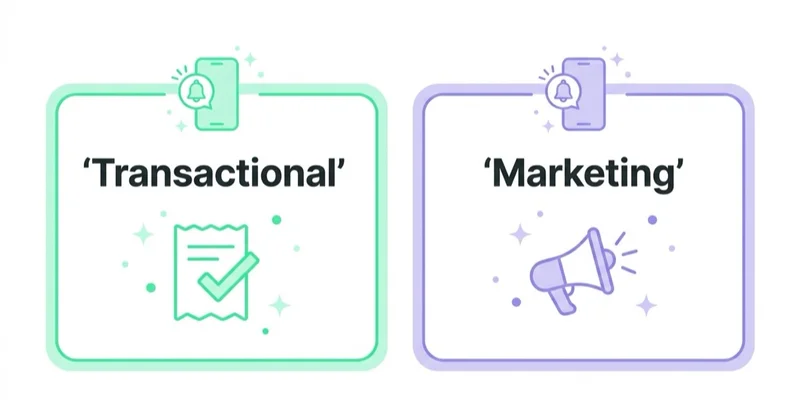
Transactional push:
- order status;
- delivery updates;
- booking reminders;
- security alerts;
- payment confirmation;
- account activity;
- support update.
Marketing push:
- price drop;
- product back in stock;
- sale alert;
- new collection;
- personalised offer;
- loyalty reminder;
- cross-sell recommendation.
This distinction matters for user trust, consent and preference management. A user who wants delivery updates may not want promotional notifications.
Permission and opt-in strategy
The worst time to request push permission is often the first second of the first visit.
The user does not yet know the site, the value or the type of messages. Many users reject the permission prompt immediately, and browsers may make repeated poor permission requests harder to recover from.
Better sequence:
- Show value first.
- Use a soft prompt that explains the notification type.
- Let the user choose the topic where possible.
- Trigger the system permission only after intent.
- Provide a preference centre or clear opt-out.
Examples of better triggers:
- "Notify when this size is back."
- "Send a price drop alert."
- "Get delivery status updates."
- "Remind before the appointment."
- "Notify when the order is ready."
Permission should be tied to value, not forced as a generic request.
Preference management
Push works better when users can choose what they want.
Useful preference options:
- order and delivery updates;
- account and security alerts;
- back-in-stock notifications;
- price drop alerts;
- appointment or booking reminders;
- content updates by topic;
- limited-time offers;
- product recommendations;
- quiet hours;
- maximum notification frequency.
Preference management protects trust. A user may want delivery updates but not promotions. Another user may want back-in-stock alerts but not daily content updates. Treating all permissions as one generic subscription makes the channel less useful over time.
Web push and iOS
Web push support differs by platform.
Apple's documentation states that web push works for web apps added to the Home Screen in iOS 16.4 or later and for webpages in Safari 16 for macOS 13 or later. WebKit's iOS 16.4 announcement also describes push support for Home Screen web apps.
Practical implications:
- an ordinary website visit in mobile Safari is not the same as an installed Home Screen web app;
- the web app needs the right manifest and service worker setup;
- users still need to grant notification permission;
- push behaviour and notification UI can vary by platform;
- testing should include real iOS, Android, desktop Chrome, desktop Safari and other target browsers.
Do not promise universal web push behaviour without platform testing.
Technical checklist
A web push implementation usually needs:
- HTTPS;
- service worker;
- Push API support;
- Notifications API support;
- permission request flow;
- subscription storage;
- server-side push sender;
- VAPID keys or provider setup where applicable;
- unsubscribe handling;
- event tracking;
- delivery and click reporting;
- privacy documentation;
- fallbacks for unsupported browsers.
For many marketing teams, this will be handled through a push provider. Even then, the team should understand the consent, segmentation and measurement logic.
Technical testing should include:
- desktop browsers;
- Android browsers;
- iOS Home Screen web app behaviour;
- logged-in and logged-out users;
- redirects after clicking a notification;
- deep links or app links;
- unsubscribe and resubscribe flows;
- quiet hours;
- duplicate notifications on multiple devices;
- analytics events after click.
The implementation is not finished when the first notification arrives. It is finished when the full subscription, delivery, click, opt-out and reporting loop works reliably.
Segmentation
Push should be segmented.
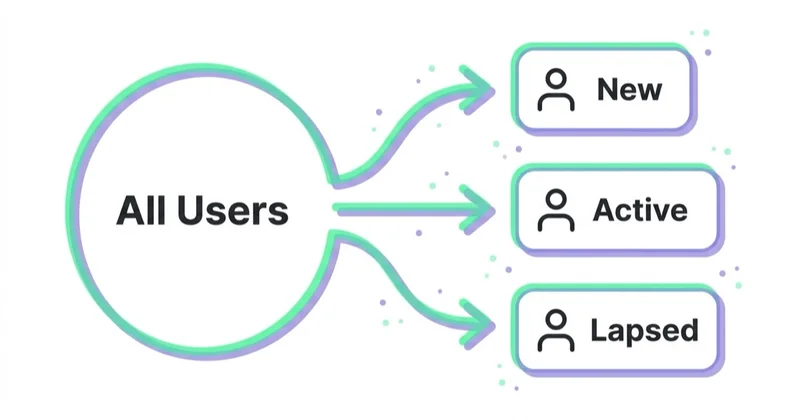
Useful segments:
- abandoned cart users;
- product viewers;
- back-in-stock subscribers;
- price watchers;
- recent purchasers;
- high-value customers;
- lapsed customers;
- users interested in a category;
- appointment holders;
- support ticket users;
- users who opted into specific topics.
Avoid sending the same message to the whole database unless the message genuinely applies to everyone.
Frequency capping
Push fatigue appears quickly.
Set limits such as:
- maximum notifications per day;
- maximum notifications per week;
- quiet hours;
- no repeated message after no engagement;
- separate caps for marketing and transactional messages;
- suppression after purchase;
- suppression after opt-out from a topic.
Frequency capping protects the channel. It is better to send fewer useful notifications than train users to disable everything.
Copywriting for push notifications
A good push message is short and specific.
Better patterns:
- "The jacket in size M is back in stock."
- "Your order has been shipped."
- "The price of your watched item dropped by 15%."
- "Your appointment is tomorrow at 10:00."
- "Your cart is saved for 24 hours."
Weak patterns:
- "You will not believe this."
- "Huge news."
- "We miss you."
- "Last chance" when it is not true.
- "New products are here" with no relevance.
Good push copy should answer: why is this message being sent now?
Ecommerce use cases
In ecommerce, push can support:
- cart recovery;
- browse abandonment;
- back-in-stock alerts;
- price drop alerts;
- order status;
- delivery updates;
- wishlist changes;
- loyalty rewards;
- replenishment reminders;
- flash sale alerts for interested segments.
Push should complement email, SMS, remarketing and on-site messages. It should not replace the full lifecycle strategy.
For ecommerce growth context, see how to increase online sales.
Services, SaaS and content use cases
Push can also support non-ecommerce models.
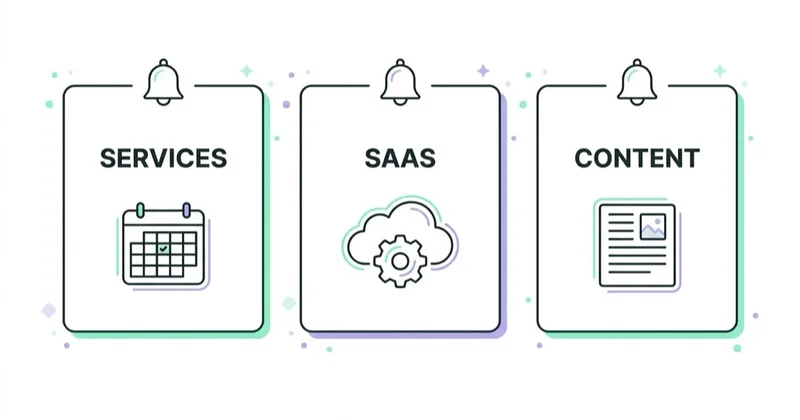
Services:
- appointment reminders;
- quote status;
- document reminders;
- consultation reminders;
- local availability.
SaaS:
- task reminders;
- account alerts;
- collaboration updates;
- trial activation nudges;
- billing alerts;
- feature adoption.
Content:
- breaking updates;
- saved topic alerts;
- new episode alerts;
- webinar reminders;
- community replies.
The rule is the same: timely and useful beats frequent and generic.
Push vs email vs SMS
| Channel | Best for | Risk |
|---|---|---|
| Push | Timely, short, action-oriented updates | Feels intrusive if overused |
| Rich content, receipts, offers, education | Inbox competition | |
| SMS | Urgent, high-value, short messages | Cost and privacy sensitivity |
| In-app message | Contextual nudges while active | Only works during session |
Use channels together. A price drop can use push for immediacy and email for detail. An abandoned cart can use email first and push only for users who opted in to cart reminders.
Measuring push performance
Track:
- permission prompt view rate;
- opt-in rate;
- subscription rate;
- delivery rate;
- open rate;
- click-through rate;
- conversion rate after click;
- unsubscribe rate;
- notification disable rate;
- revenue or leads;
- incremental lift;
- time to conversion;
- impact on email or remarketing;
- complaints or support responses.
Click rate alone is not enough. A push campaign can get clicks and still annoy users, lower trust or cannibalise orders that would have happened anyway.
Use holdout groups where possible.
For ecommerce, compare push results with total orders, margin and repeat purchase, not only notification-click revenue. For SaaS or apps, compare activation, feature adoption, churn risk and account reactivation. For services, compare booked appointments, no-show rate and qualified enquiries.
The question is not "did someone click?". The better question is "did the notification create a useful action that probably would not have happened without it?".
How we approach this at Space Ads
Push is one of the few channels that's practically free and lands instantly — and one of the easiest to wreck. The quickest way to lose it is blasting everyone the same thing: one irritating notification and the permission goes off for good, taking the channel with it. So we use it surgically and in context: an abandoned cart, a product back in stock, a price drop on something viewed, never mass announcements. We segment and cap frequency, on the principle that less but on-point wins. And we judge it by real effect — returning customers and revenue per send, not reach. A push that travels wide while unsubscribing people is a channel quietly eating itself.
Common mistakes
| Mistake | Impact | Better approach |
|---|---|---|
| Asking permission immediately | Low opt-in | Ask after value is clear |
| Sending generic promos | Opt-outs | Segment by intent |
| No frequency cap | Notification fatigue | Limit volume |
| No preference centre | All-or-nothing opt-out | Let users choose topics |
| Marketing disguised as transactional | Trust and compliance risk | Separate message types |
| No iOS testing | Broken expectations | Test real devices and Home Screen web apps |
| Measuring only clicks | Overstated value | Use incremental measurement |
| No unsubscribe handling | Frustration | Make opt-out easy |
Implementation roadmap
Phase 1: Define use cases
Choose two or three high-value scenarios such as order status, back-in-stock and cart reminders.
Phase 2: Design permission flow
Create a soft prompt and topic-specific opt-in moments.
Phase 3: Implement technical setup
Set up service worker, subscription storage, provider, tracking and unsubscribe process.
Phase 4: Launch transactional messages
Start with high-value messages users expect.
Phase 5: Add marketing automation
Add price alerts, cart recovery, category updates and lifecycle campaigns with frequency caps.
Phase 6: Measure incrementality
Use control groups and review opt-out signals, not only revenue.
FAQ
What are push notifications?
Push notifications are short messages sent to a user's device by an app, browser or web app, often to deliver timely updates or prompts.
What is web push?
Web push is push messaging for websites or web apps using browser technologies such as service workers, Push API and Notifications API.
Does web push work on iPhone?
Yes, but with limitations. Apple supports web push for web apps added to the Home Screen from iOS 16.4 onward. Standard website visits and installed web app behaviour should be tested separately.
Are push notifications good for ecommerce?
They can be useful for order updates, back-in-stock alerts, price drops, abandoned carts and replenishment reminders when users opt in and messages are relevant.
Do push notifications replace email?
No. Push is short and immediate. Email is better for longer content, receipts, education and detailed offers. They should work together.
How often should push notifications be sent?
As rarely as possible while still being useful. Set frequency caps, quiet hours and topic preferences to avoid fatigue.
What should be measured?
Measure opt-in rate, delivery, clicks, conversions, opt-outs, incremental revenue or leads and user complaints. Incrementality matters more than raw clicks.
Should push notifications be used outside ecommerce?
Yes. Push can work for SaaS, apps, booking systems, education, events, marketplaces, media sites and local services. The message still needs to be timely and useful.
What is the biggest mistake with push notifications?
The biggest mistake is treating push like a cheap broadcast channel. Too many generic notifications can reduce trust, increase opt-outs and make future important alerts less effective.
Conclusion
Push notifications can be a strong retention and conversion channel when they are timely, relevant and permission-based. They work best for moments where immediacy matters: delivery status, cart recovery, price drops, back-in-stock alerts and important reminders.
The channel should be implemented with restraint. Ask for permission after showing value, segment messages, cap frequency, respect privacy and measure incremental impact. Push is powerful because it interrupts; that is also why it must be used carefully.
Sources and further reading
- web.dev: Push notifications overview
- web.dev: Notifications
- MDN: Web Push API notifications best practices
- Apple Developer: Sending web push notifications
- WebKit: Web Push for Web Apps on iOS and iPadOS
Continue learning
Continue reading
Are Product Recommendations Important?
Product recommendations can improve discovery, cross-selling, upselling and AOV when they are relevant, measured and privacy-aware.
How to Use Upselling and Cross-Selling
Upselling and cross-selling can increase revenue when recommendations are relevant, well-timed, margin-aware and measured for incremental impact.
Email vs SMS vs Push: Which Owned Channel for Which Message
Email, SMS, and push differ in permission, identity, reach, cost, format, and interruption. Use this decision framework to choose a channel by customer need, separate service from promotion, and measure incremental value.


































