
An abandoned cart happens when a shopper adds one or more products to a basket but leaves before completing the purchase. In ecommerce, this is one of the most visible conversion leaks because the customer has already shown intent: a product was selected, the basket was created, and the next step should have been checkout or payment.
Cart abandonment is not always a problem that can be fixed. Some shoppers are browsing, comparing prices, saving products for later, checking delivery fees, or using the cart as a planning tool. The real opportunity is to separate natural behaviour from avoidable friction: unexpected costs, forced account creation, weak trust signals, unclear delivery information, poor mobile UX, payment failures, slow pages or a checkout that asks for too much too soon.
TL;DR
- Abandoned carts are unfinished ecommerce purchases. A shopper adds a product to the cart but does not complete the order.
- Cart abandonment is normal, but not all abandonment is equal. Browsing and price comparison are natural; hidden fees and broken checkout steps are fixable.
- The benchmark is high. Baymard reports an average cart abandonment rate around 70%, so the goal is not zero abandonment but lower avoidable abandonment.
- Prevention usually beats recovery. A clearer cart, guest checkout, faster mobile UX, visible delivery costs and better payment options can reduce abandonment before a message is needed.
- Recovery flows still matter. Email, SMS, web push, paid remarketing and onsite reminders can recover part of the demand that already exists.
- Discounts should not be the default first move. Frequent cart discounts train shoppers to wait and can destroy margin.
- Measurement must distinguish cart abandonment from checkout abandonment. GA4 events such as add_to_cart, begin_checkout and purchase help locate the drop-off.
- The same logic applies beyond ecommerce. In services, SaaS and lead generation, the equivalent issue is often abandoned forms, trials, quotes or bookings.
What is an abandoned cart?
An abandoned cart is a shopping session where the user places an item in the cart but does not complete the order. Depending on the platform, this may be recorded at different points:
| Stage | What happened | Typical event or signal |
|---|---|---|
| Product interest | Product page viewed | view_item |
| Cart creation | Product added to cart | add_to_cart |
| Cart review | Cart page opened | view_cart |
| Checkout intent | Checkout started | begin_checkout |
| Payment intent | Delivery or payment selected | checkout step events or custom events |
| Purchase | Order completed | purchase |
This distinction matters. A user who adds a product to cart and leaves is not the same as a user who enters checkout, selects shipping, tries to pay and fails. The first case may need remarketing or product education. The second case may reveal a broken payment method, unclear shipping cost or trust issue.
Abandoned cart vs abandoned checkout
The terms are often used interchangeably, but they are not identical.
| Term | Meaning | Why it matters |
|---|---|---|
| Abandoned cart | Product added to cart, order not completed | Wider audience, more browsing behaviour |
| Abandoned checkout | Checkout started, order not completed | Higher intent, stronger UX and payment diagnosis |
| Browse abandonment | Product viewed, no cart action | Earlier funnel, weaker purchase signal |
| Form abandonment | Form started, not submitted | Similar issue in lead generation or services |
Recovery tools also behave differently. Some ecommerce platforms can only send an abandoned checkout email when an email address is available. Anonymous cart abandoners may only be reachable through onsite prompts, paid remarketing, logged-in sessions, browser push or later product recommendations.
How to calculate cart abandonment rate
The basic formula is:
`Cart abandonment rate = (created carts - completed purchases) / created carts x 100`
Example:
| Metric | Value |
|---|---|
| Carts created | 10,000 |
| Orders completed | 3,000 |
| Carts abandoned | 7,000 |
| Cart abandonment rate | 70% |
That number is useful, but it is not enough. A proper ecommerce funnel should also track:
- add-to-cart rate,
- cart-to-checkout rate,
- checkout completion rate,
- payment failure rate,
- purchase rate by device,
- purchase rate by traffic source,
- recovery revenue,
- recovered margin, not only recovered revenue,
- time from cart creation to purchase,
- repeat purchase rate after recovery.
Google Analytics 4 ecommerce measurement should include events such as `add_to_cart`, `begin_checkout` and `purchase`, with consistent item IDs, value, currency and transaction data. Without reliable events, the business may see that carts are being abandoned but not know where the problem starts.
Why shoppers abandon carts
Baymard separates unavoidable browsing behaviour from checkout friction. This is the right mental model: a large share of cart abandonment comes from people who were not ready to buy, while the recoverable part comes from barriers that can be removed.
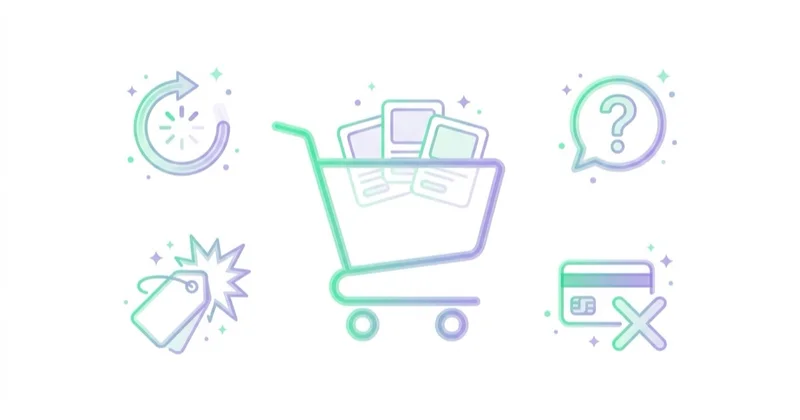
Common causes include:
| Cause | What it looks like | Fixable? |
|---|---|---|
| Just browsing | Shopper uses the cart as a shortlist | Partly |
| Price comparison | Shopper checks competitors before deciding | Partly |
| Unexpected costs | Shipping, tax or fees appear late | Yes |
| Forced account creation | Checkout blocks guest purchase | Yes |
| Slow delivery | Delivery date is unclear or too late | Partly |
| Long checkout | Too many fields or steps | Yes |
| Missing payment method | Preferred payment option unavailable | Yes |
| Weak trust | No returns, reviews, security or contact signals | Yes |
| Mobile friction | Small fields, poor autofill, layout shifts | Yes |
| Technical errors | Broken coupon, payment failure, validation loop | Yes |
The key is not to treat every abandoned cart as a remarketing problem. Many abandoned carts are checkout problems, pricing-transparency problems or trust problems. Recovery flows work better after the main friction is reduced.
How to diagnose the real reason
Start with data, then add qualitative evidence.
Useful diagnostic steps:
- Build a GA4 funnel from product view to purchase.
- Split cart and checkout abandonment by device.
- Compare paid traffic, organic, email, direct and returning users.
- Check abandonment by country, shipping zone and currency.
- Review payment method failures and gateway declines.
- Watch session recordings for the checkout path.
- Review form validation errors and coupon errors.
- Compare new customers and returning customers.
- Check whether delivery cost appears too late.
- Look at support tickets, chat logs and onsite search queries.
This helps avoid generic fixes. If the biggest drop happens after delivery cost appears, an email discount may recover some sales, but early delivery transparency may solve more of the problem. If the drop happens after payment selection, a better checkout page will not fix a payment processor issue.
How to reduce abandoned carts before recovery
1. Show total costs earlier
Unexpected shipping, tax and fees are among the most common reasons for cart abandonment. A strong cart page should show estimated delivery cost, free-shipping thresholds, tax logic where relevant and any extra fees before the last step.
For international ecommerce, this also means being clear about duties, delivery regions, currency and returns. A UK shopper, a US shopper and an EU shopper may all evaluate the same product differently if delivery, tax and returns are unclear.
2. Offer guest checkout
Forced account creation adds friction at the exact moment when the shopper wants to complete the purchase. Guest checkout usually reduces friction, while account creation can be offered after purchase when the customer already sees value.
A good compromise is:
- allow guest checkout,
- offer login for returning customers,
- create the account after purchase with one click,
- explain the benefit of an account instead of making it mandatory.
3. Shorten the checkout form
Every unnecessary field creates a chance for error. The checkout should ask only for what is needed to fulfil the order, comply with legal requirements and process payment.
High-impact improvements include:
- address autocomplete,
- clear field labels,
- visible error messages,
- browser autofill support,
- fewer optional fields,
- phone number only when operationally needed,
- delivery address same as billing by default,
- order summary visible throughout checkout.
4. Improve mobile checkout
Most ecommerce journeys include mobile touchpoints, even when the final purchase happens on desktop. Mobile checkout should have large tap targets, stable layout, fast loading, keyboard-friendly fields and payment methods that work well on phones.
Mobile checks:
- no layout shift when payment widgets load,
- sticky order summary or accessible summary link,
- fast cart and checkout pages,
- Apple Pay, Google Pay or local wallet options where relevant,
- readable coupon and error states,
- no popups blocking checkout,
- no forced account wall on small screens.
5. Add trusted payment methods
Payment preferences differ by market. Cards may be enough in one market, while PayPal, Apple Pay, Google Pay, Klarna, Clearpay, Afterpay, iDEAL, Bancontact or local bank transfers may influence conversion elsewhere.
The goal is not to add every provider. The goal is to offer the payment methods expected by the target market and product price point, then measure payment selection and payment failure rates.
6. Make delivery and returns clear
Delivery date, shipping options, returns, exchanges, warranty and support information should be visible near the decision. Hiding this information in policy pages forces the shopper to pause, search or leave.
Useful trust elements include:
- delivery date or range,
- free-shipping threshold,
- returns window,
- return cost clarity,
- support contact option,
- reviews and ratings,
- secure payment indicators,
- stock availability,
- size, fit or compatibility guidance where relevant.
7. Avoid coupon-code traps
A visible empty coupon field can trigger shoppers to leave the checkout and search for a discount code. If coupon usage is important, consider a less prominent design, auto-applied promotions or clear messaging such as "No code needed" for current offers.
Abandoned cart recovery channels
Once prevention is in place, recovery can bring shoppers back. The best recovery system usually combines owned channels and paid channels.
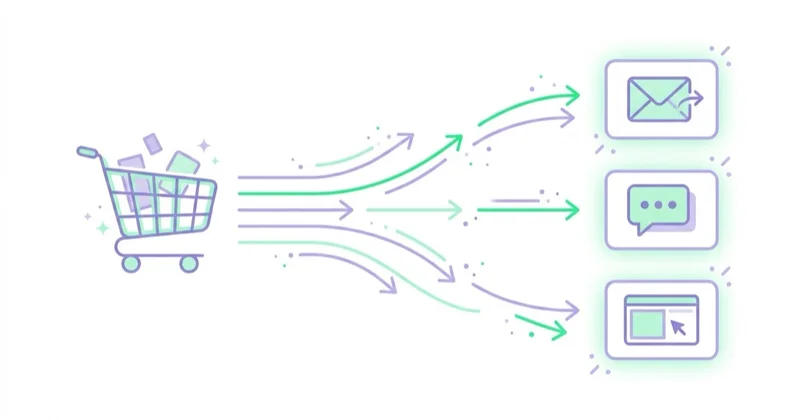
| Channel | Best use | Watch out for |
|---|---|---|
| Known users, checkout abandoners, longer decision cycles | Consent, deliverability, over-discounting | |
| SMS | Urgent, high-intent carts, delivery updates | Consent, frequency, intrusive tone |
| Web push | Returning visitors with opt-in | Limited reach, message fatigue |
| Paid remarketing | Anonymous visitors and cross-device reminders | Audience quality, attribution overlap |
| Customer Match | Existing customers and email-based audiences | Consent and list quality |
| Onsite reminders | Returning visitors with saved carts | Session logic, personalisation errors |
| Support outreach | High-ticket products or B2B ecommerce | Cost, relevance, timing |
Recovery should be segmented. A cart with a low-margin accessory does not deserve the same incentive as a high-value cart from a returning customer. A shopper who failed payment needs a different message from a shopper who left immediately after seeing shipping cost.
A practical abandoned cart email flow
A simple recovery flow can start like this:
| Timing | Main message | Incentive logic |
|---|---|---|
| 30-90 minutes | Reminder and easy return to cart | No discount by default |
| 12-24 hours | Answer objections: delivery, returns, reviews, payment | Free shipping or reassurance if relevant |
| 48-72 hours | Final nudge, alternatives or limited incentive | Discount only when margin allows |
| 5-7 days | Product alternatives or category education | Useful for high-consideration products |
Shopify recommends a common three-message structure: first email after about one hour, second after one day and third after three days. That is a good starting point, but timing should be tested by category, price point and purchase cycle.
The first message should usually avoid a discount. It can show the products left behind, the cart total, delivery promise, returns information, customer reviews and a clear return-to-cart CTA. Discounts can be reserved for later steps, specific cart values or known price-sensitive segments.
What to include in an abandoned cart email
A good abandoned cart email should be easy to scan and easy to act on.
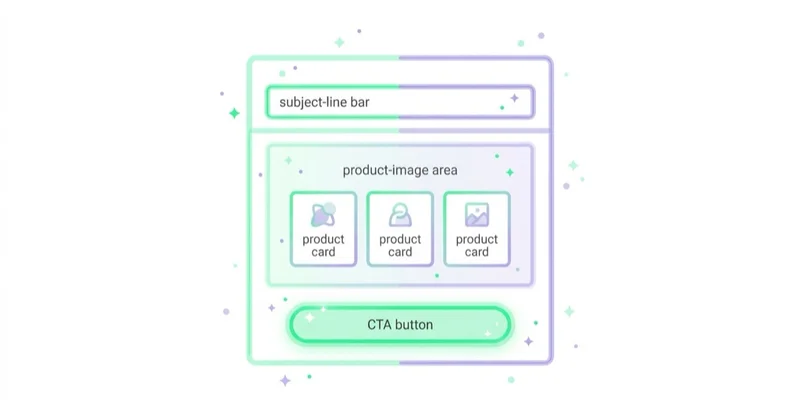
Useful elements:
- product image and name,
- cart contents and price,
- direct return-to-cart button,
- delivery or free-shipping reminder,
- return policy reassurance,
- customer review or rating,
- support contact,
- alternative products where relevant,
- urgency only when real,
- unsubscribe link and compliant sender details.
Avoid fake scarcity, aggressive tone and unnecessary pressure. The message should reduce uncertainty, not make the brand feel desperate.
Measurement: what should be reported
Recovered revenue is only one metric. A better report shows whether cart recovery is growing profitable orders or simply discounting orders that would have happened anyway.
Track:
| Metric | Why it matters |
|---|---|
| Cart abandonment rate | Shows the size of the leak |
| Checkout abandonment rate | Reveals high-intent friction |
| Recovery rate | Shows how many abandoned carts convert later |
| Recovery revenue | Shows revenue impact |
| Recovery margin | Prevents over-discounting |
| Discount dependency | Shows whether users wait for incentives |
| Time to recover | Helps set flow timing |
| Unsubscribe and complaint rate | Protects email health |
| Assisted conversions | Helps evaluate paid remarketing and email overlap |
| Incrementality | Separates true recovery from natural delayed purchases |
A recovery flow can look successful in revenue while hurting margin. For that reason, discount cost, shipping subsidy, returns and repeat purchase behaviour should be part of the analysis.
Ecommerce examples by category
| Category | Common abandonment reason | Better response |
|---|---|---|
| Fashion and footwear | Sizing uncertainty, returns anxiety, shipping cost | Size guide, fit reviews, clear returns, product images |
| Beauty and cosmetics | Shade uncertainty, bundle comparison | UGC, reviews, shade guides, routine education |
| Electronics | Price comparison, warranty concerns | Specs, warranty, comparison table, support access |
| Home and furniture | Delivery cost, delivery time, dimensions | Delivery estimator, dimensions, room images, returns clarity |
| Food and beverage | Subscription hesitation, delivery timing | Clear frequency, pause options, freshness guarantee |
| B2B ecommerce | Approval process, quote needs, invoice/payment terms | Save cart, request quote, account terms, sales support |
This is why one abandoned cart template rarely works across every store. The reason for hesitation changes with product type, price, risk and purchase frequency.
Beyond ecommerce: abandoned forms and bookings
Strictly speaking, abandoned carts belong to ecommerce. Similar behaviour appears in other business models:
- lead forms started but not submitted,
- demo bookings abandoned before calendar selection,
- SaaS trials started but not activated,
- quote requests abandoned after seeing required fields,
- event registrations left before payment,
- application forms abandoned on mobile.
The same principles apply: measure the funnel, identify the exact friction, reduce unnecessary steps, answer objections earlier and recover only when there is a meaningful signal.
How we approach this at Space Ads
With abandoned carts we begin with diagnosis, not with firing off discounts. The first question is where exactly the funnel leaks: at the cart, at the shipping details, or only at payment, because an "abandoned cart" is often a checkout problem wearing a remarketing costume. The usual causes are mundane — shipping cost revealed at the end, forced account creation, too few payment methods, a slow mobile page. Recovery comes only once those holes are patched: an email reminder and remarketing, in that order. Discounts we handle with care, because if every abandoned cart ends in a coupon, you teach people that walking away is how you get the lower price. Friction goes first; a discount is the last resort, not the opening move.
Common mistakes
| Mistake | Why it hurts | Better approach |
|---|---|---|
| Treating every abandoned cart as lost revenue | Many shoppers were never ready to buy | Segment by intent and funnel depth |
| Leading every flow with a discount | Trains shoppers to wait and reduces margin | Start with reassurance and convenience |
| Ignoring checkout UX | Recovery becomes a bandage over the real issue | Fix costs, forms, speed, trust and payments |
| Not separating cart and checkout abandonment | Weak diagnosis | Track add_to_cart, view_cart, begin_checkout and purchase |
| Sending too many messages | Damages trust and deliverability | Cap frequency and monitor complaints |
| Measuring only revenue | Hides margin loss and cannibalisation | Track recovered margin and incrementality |
| Forgetting consent | Creates legal and brand risk | Align email/SMS/push with consent requirements |
| Using one flow for every product | Misses category-specific objections | Segment by value, margin, category and customer type |
FAQ
What is an abandoned cart?
An abandoned cart is an ecommerce session where a shopper adds a product to the cart but leaves before completing the order. It shows purchase intent, but it does not always mean the shopper was ready to buy immediately.
What is a good cart abandonment rate?
There is no universal good rate. Baymard reports an average around 70%, but the right benchmark depends on industry, traffic source, device, product price, delivery promise and checkout design. The better goal is to reduce avoidable abandonment and improve checkout completion.
What is the difference between cart abandonment and checkout abandonment?
Cart abandonment starts after a product is added to the basket. Checkout abandonment starts after the user begins checkout. Checkout abandonment usually indicates stronger purchase intent and is more useful for diagnosing delivery, payment, form and trust issues.
Do abandoned cart emails work?
They can work when the shopper can be identified, consent rules are respected and the message solves the likely hesitation. They work best as part of a wider system that also improves checkout UX, payment reliability and delivery transparency.
Should the first abandoned cart email include a discount?
Usually not. A first message can simply remind the shopper, show the cart and answer objections. Discounts should be tested later in the flow or reserved for specific cart values, margins and customer segments.
How quickly should an abandoned cart message be sent?
A common starting point is the first message after roughly 30-90 minutes, followed by 12-24 hours and 48-72 hours. The final timing should be tested by product category, purchase cycle and consented channel.
Can abandoned cart recovery work without email?
Yes. If the shopper is anonymous or no email consent exists, recovery may use onsite saved-cart reminders, paid remarketing, push notifications, logged-in customer data or product recommendations. Prevention in the checkout is still the highest-leverage work.
Are abandoned carts only a problem for online stores?
In the strict sense, yes. The same pattern appears in other funnels as abandoned forms, quote requests, trial signups, booking flows or applications. The measurement and recovery logic is similar, but the language should match the business model.
Key takeaways
Abandoned carts are not just an email marketing problem. They are a signal that purchase intent exists but something stopped the order from being completed. The right response starts with diagnosis: where the drop-off happens, which users are affected, which devices suffer, which payment methods fail and which objections appear too late.
The best results usually come from combining checkout prevention with segmented recovery. Clear total costs, guest checkout, short forms, trusted payment methods, visible delivery and returns, fast mobile UX and accurate analytics reduce avoidable abandonment. Email, SMS, remarketing and onsite reminders then recover part of the remaining demand without training shoppers to wait for discounts.
Sources and further reading
- Baymard Institute: Reasons for Cart Abandonment
- Baymard Institute: How to Reduce Cart Abandonment
- Shopify: Abandoned Cart Emails - Examples and Best Practices
- Google Analytics Help: About ecommerce metrics
- Google Analytics for Developers: Measure ecommerce
Continue learning
- The latest trends in designing websites / e-commerce platforms
- The e-mail marketing secrets. How to make a mailing campaign that will convince customers to buy.
- Enhanced Conversions in Google Ads: What They Are and How to Set Them Up
- Customer Match in Google Ads: What It Is and How to Use It
- Referrals from banks and payment intermediaries in Google Analytics - solution
Continue reading
Conversion Optimization: A Complete Guide for E-commerce, B2B, SaaS and Services
Conversion optimization improves the percentage and quality of visitors who become customers, leads, users or booked appointments. This guide explains how to diagnose friction before scaling paid ads.
How to Use Push Notifications
Push notifications can support sales, retention and service journeys when they are timely, permission-based, segmented, preference-aware and measured for incremental impact.

Are Product Recommendations Important?
Product recommendations can improve discovery, cross-selling, upselling and AOV when they are relevant, measured and privacy-aware.


































