
Messenger Ads are Meta advertising formats that can place ads in Messenger or send users from Facebook, Instagram or Messenger into a conversation with a business. Their value is not the click itself. Their value comes from what happens after the click: a fast, useful conversation that helps the user choose, book, buy or qualify their need.
Messenger campaigns can work well for services, local businesses, higher-consideration products, appointments, consultations, B2B enquiries and ecommerce products that often require pre-purchase questions. They work poorly when the business treats the inbox as an afterthought.
In 2026, Messenger should usually be considered as part of a wider Meta messaging strategy that can also include Instagram Direct and WhatsApp. The right destination depends on audience behaviour, market, operations, automation, sales process and privacy requirements.
TL;DR
- Messenger Ads make sense when a conversation helps the user decide.
- Ads that click to Messenger can send users directly into a Messenger conversation with a business.
- Click-to-message campaigns can also use Instagram Direct or WhatsApp depending on setup and market.
- The campaign does not end at the click. Response time, conversation flow and follow-up decide lead quality.
- Automation can help, but it should not block access to a human when the issue is complex.
- The best metrics are not only cost per conversation. Track qualified leads, purchases, bookings, response time and sales outcomes.
- Ecommerce can use Messenger for product questions, sizing, premium purchases, availability and support.
- If the product is simple and low-cost, a product page, lead form or sales campaign may be better.
What are Messenger Ads?
Messenger Ads can refer to two related concepts:
- Ads shown in Messenger placements.
- Ads that click to Messenger and open a conversation with a business.
Meta also uses the broader term "ads that click to message" for ads that send people into Messenger, Instagram Direct or WhatsApp.
The practical goal is to start a conversation. That conversation can then support:
- lead qualification;
- product advice;
- booking;
- quote requests;
- customer support;
- purchase assistance;
- order questions;
- remarketing;
- relationship building.
Messenger Ads are not a replacement for a website or CRM. They are a conversational entry point.
When do Messenger Ads make sense?
Messenger Ads are useful when:
- users need consultation;
- the offer is complex;
- price depends on context;
- the business sells locally;
- appointment booking matters;
- the product has variants;
- pre-purchase questions are common;
- the sales team needs to qualify leads quickly;
- response speed can create an advantage;
- the business already gets valuable questions in social inboxes.
Examples:
- beauty clinic consultations;
- local services;
- real estate enquiries;
- automotive leads;
- training and courses;
- high-ticket ecommerce;
- custom products;
- B2B services;
- event bookings;
- travel and hospitality.
If the product is simple, inexpensive and self-service, a landing page or product page may convert more efficiently.
Messenger Ads vs lead forms vs landing pages
| Route | Best when | Main risk |
|---|---|---|
| Messenger | User needs conversation or advice | Slow response kills intent |
| Lead form | Lead data can be collected quickly | Low-quality leads if form is too easy |
| Landing page | User can decide from page content | Page friction or weak mobile UX |
| Market prefers WhatsApp communication | Operational and policy complexity | |
| Instagram Direct | Audience is highly active on Instagram | Harder CRM governance |
The right choice depends on user intent and operational capacity. A click-to-message campaign with no response process is weaker than a simple landing page that answers the question clearly.
For lead-form context, see Facebook Lead Ads.
Messenger, Instagram Direct or WhatsApp?
Meta click-to-message ads can direct people to different messaging apps depending on availability and setup.
Messenger may be stronger when:
- the Facebook Page has an active audience;
- customers already contact the business on Messenger;
- the market still uses Facebook heavily;
- the team manages conversations in Meta Business Suite.
Instagram Direct may be stronger when:
- the audience interacts with the brand on Instagram;
- products are visual;
- creator or influencer traffic is important;
- the profile already receives sales questions.
WhatsApp may be stronger when:
- the market strongly prefers WhatsApp;
- the business has a structured WhatsApp Business process;
- phone-number-based customer support is normal;
- post-click conversation is expected.
The best setup is operational, not fashionable. Use the channel customers actually use and the team can actually manage.
Channel decision matrix
| Decision factor | Messenger | Instagram Direct | |
|---|---|---|---|
| Existing demand | Strong when Facebook Page messages already produce sales questions | Strong when comments, Stories and Reels generate DMs | Strong when customers already expect phone-number-based chat |
| Typical buying context | Local services, appointments, support, higher-consideration products | Visual products, creators, lifestyle brands, launches | Service, local commerce, consultative sales, markets where WhatsApp is default |
| Operational fit | Fits teams already using Meta Business Suite Inbox | Fits social teams already handling Instagram community and sales | Fits teams with WhatsApp Business processes, templates and phone-based support |
| Main strength | Lower-friction conversation from Facebook or Messenger environments | Native to discovery and visual inspiration | High user familiarity in WhatsApp-first markets |
| Main risk | Treating the inbox like a passive notification stream | Losing commercial intent in a busy social inbox | Starting without governance, consent rules and clear ownership |
This decision should be made before campaign setup, not after launch. If the same ad is sent to multiple messaging apps, reporting should still separate outcomes by destination. A cheap conversation in one app can be less valuable than a more expensive qualified lead in another.
For ecommerce, the channel often depends on where product discovery happens. If Instagram drives product questions, Instagram Direct may be natural. If Facebook comments and Page messages drive enquiries, Messenger may be easier. If customers usually contact the business through phone-based chat, WhatsApp may be the right destination.
For services, the channel should match the sales team's workflow. A campaign that creates conversations outside the team's normal operating rhythm usually produces delayed replies, repeated questions and weak follow-up.
How to prepare a Messenger Ads campaign
1. Define the conversation goal
The conversation can aim to:
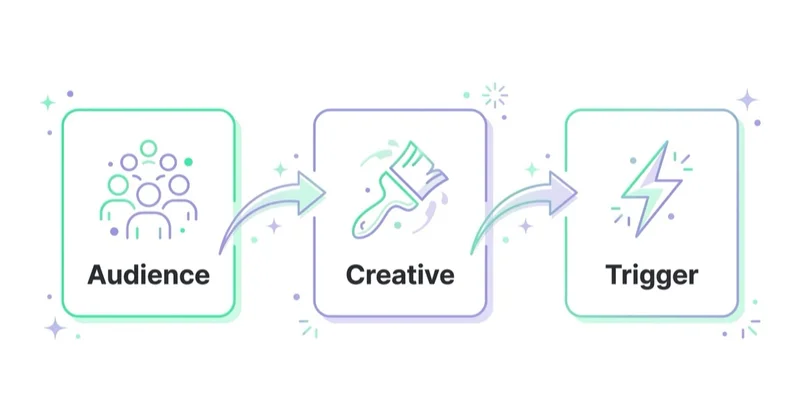
- qualify a lead;
- book an appointment;
- recommend a product;
- answer pre-purchase questions;
- collect requirements;
- send a quote;
- guide to checkout;
- solve a support issue;
- recover an abandoned intent.
One campaign should have one primary conversation goal.
2. Write the ad promise
The ad should set the right expectation.
Bad promise: "Message us."
Better promise: "Message us to check size availability", "Get a quote in Messenger", "Ask which plan fits your business" or "Book a consultation".
The user should know why the conversation is worth starting.
3. Prepare the first response
The first response should:
- acknowledge the user's intent;
- explain what can be done in chat;
- offer quick replies;
- ask the minimum necessary question;
- avoid long blocks of text;
- give a human route when needed.
The first response is part of the ad experience.
4. Define response ownership
Decide:
- who replies;
- during which hours;
- expected response time;
- when to escalate;
- which questions can be automated;
- which questions need a person;
- how leads move to CRM;
- how sales outcomes are recorded.
If no one owns the inbox, the campaign should not scale.
5. Set a response-time SLA
Messaging traffic decays quickly. A user who starts a conversation after seeing an ad usually expects a near-term answer, not a callback several days later. The campaign should therefore have a response-time SLA before budget is increased.
A practical SLA can include:
- first automated acknowledgement immediately;
- first human review within a defined number of minutes during working hours;
- clear away message outside working hours;
- escalation rule for pricing, complaints, technical questions or sensitive topics;
- daily review of unanswered conversations;
- alerts when conversation volume exceeds team capacity;
- weekly check of lead-to-sale outcomes.
The SLA does not need to promise instant human support at all times. It needs to set expectations honestly and protect user intent. If replies are available only Monday to Friday, the first response should say that clearly and offer the next best step.
Slow response is not only a service issue. It affects advertising economics. Media spend can produce many low-cost conversations while sales receives leads too late to convert them. For that reason, response time should be visible in the same reporting discussion as cost per conversation.
Conversation flow example
For a service business:
- User clicks the ad.
- Messenger opens with a pre-filled or suggested message.
- Auto-reply asks what service is needed.
- User chooses a quick reply.
- Bot asks for location, deadline or budget range.
- Human reviews the conversation.
- Appointment or call is booked.
- Lead is recorded in CRM.
- Outcome is marked after sales follow-up.
For ecommerce:
- User asks about a product from an ad.
- Auto-reply offers size, availability, delivery or product advice.
- Human or automation answers.
- User receives product link or checkout guidance.
- Purchase event or CRM outcome is captured where possible.
- User can be retargeted based on engagement.
Automation and chatbots
Automation can help when questions are repetitive.
Useful automation:
- welcome messages;
- quick replies;
- category routing;
- opening hours;
- FAQs;
- booking links;
- product finder questions;
- lead qualification;
- handoff to human;
- status updates;
- CRM tagging.
Bad automation:
- pretending to be human;
- asking too many questions;
- blocking support;
- repeating irrelevant answers;
- failing to escalate;
- collecting unnecessary personal data;
- ignoring regional privacy requirements.
The best bot is often a routing assistant, not a full replacement for service.
Lead qualification in Messenger
Messenger should not become a long form disguised as chat. The goal is to collect enough context to route the user, answer properly and decide whether sales follow-up is justified.
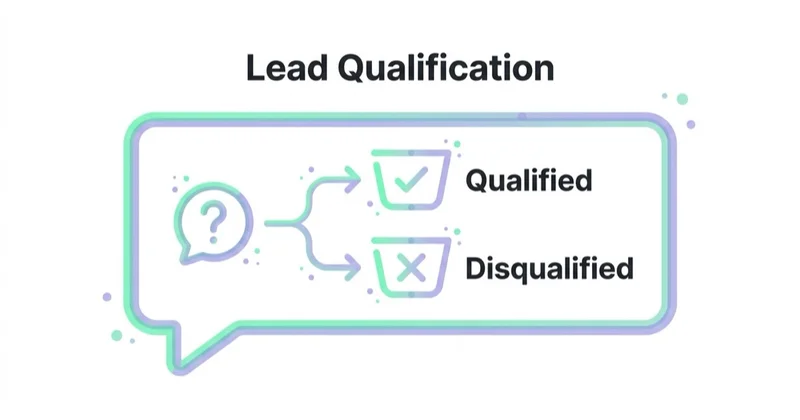
Good qualification questions are short and useful:
- What product, service or problem is the conversation about?
- Where is the user located, if location affects availability?
- What is the approximate deadline?
- Is there a preferred budget range or package?
- Is the user asking for advice, a quote, a booking or support?
- Which contact method should be used if the conversation needs follow-up?
For B2B campaigns, useful fields often include company size, market, existing setup, monthly ad spend, decision timeline and the main business problem. For local services, useful fields often include location, date, service type and photos or measurements where relevant. For ecommerce, useful fields are usually product model, size, use case, availability, delivery deadline and order status.
The qualification flow should stop when the next action is clear. Asking unnecessary questions reduces completion rate and can make the conversation feel like a barrier. The best experience often combines two or three quick replies, one open question and a human handoff for higher-value cases.
Measuring Messenger Ads
Do not measure only clicks or message starts.
Useful metrics:
- cost per conversation;
- response rate;
- average response time;
- conversation completion rate;
- qualified lead rate;
- booking rate;
- purchase rate;
- cost per qualified lead;
- sales value;
- lead-to-sale rate;
- lost conversations;
- unanswered messages;
- customer satisfaction;
- CRM outcome;
- repeat conversation rate.
Meta also supports ways to connect business chat events and purchases through tools such as Conversions API and messaging events, depending on setup and eligibility. That matters because meaningful optimization requires meaningful outcome data.
For technical measurement context, see Meta Conversions API.
Reporting model for Messenger Ads
A useful report should connect three layers:
| Layer | What to check | Why it matters |
|---|---|---|
| Media | spend, reach, CPM, CTR, cost per conversation | Shows whether the ad can generate interest efficiently |
| Conversation | response time, completion rate, unanswered messages, common questions | Shows whether the inbox experience protects intent |
| Business outcome | qualified leads, bookings, purchases, revenue, lead-to-sale rate | Shows whether conversations create value |
Reporting only the media layer is not enough. A campaign can have a strong cost per conversation and still produce weak revenue if conversations are unqualified, unanswered or disconnected from sales. The reverse can also happen: a campaign can look expensive at conversation level while producing valuable bookings or high-margin purchases.
The practical dashboard should therefore include both paid media metrics and operational metrics. Sales or support teams should be part of the review, because they see objections, repeated questions, pricing friction and fulfilment problems that are invisible inside Ads Manager.
Messenger Ads for ecommerce
Messenger can help ecommerce when customers need guidance.
Good use cases:
- sizing advice;
- product availability;
- premium product consultation;
- custom products;
- gift selection;
- product bundles;
- delivery questions;
- return policy clarification;
- post-purchase support;
- remarketing after product questions.
Poor use cases:
- simple low-cost products with no questions;
- stores that cannot reply quickly;
- products with unclear fulfilment process;
- campaigns with no product links;
- manual support teams already overloaded.
For online sales strategy, see how to increase online sales.
When ecommerce should avoid Messenger Ads
Messenger is not automatically better than sending traffic to a product page. Avoid making it the primary destination when:
- the product is cheap and self-explanatory;
- the purchase decision can be completed faster on-site;
- inventory, shipping or returns information is clearer on the website;
- the team cannot reply during peak traffic periods;
- the store has no process for sending product links and recording outcomes;
- users frequently need order support rather than pre-purchase advice;
- attribution depends only on message starts.
In those cases, Messenger may still be useful for remarketing, support or high-value product advice. It should not interrupt a purchase path that already works well.
Messenger Ads for local services and B2B
Messenger can work well when speed matters and the user has a clear question.
Examples:
- "Is there an appointment this week?"
- "How much does this service cost?"
- "Do you work in my area?"
- "Which package should be chosen?"
- "Can a quote be prepared from photos?"
- "Can this be delivered before Friday?"
For B2B, Messenger may work better as an early conversation or event follow-up channel than as the entire sales process. Leads should move into CRM quickly.
Privacy, consent and trust
Messaging is personal. Treat it carefully.
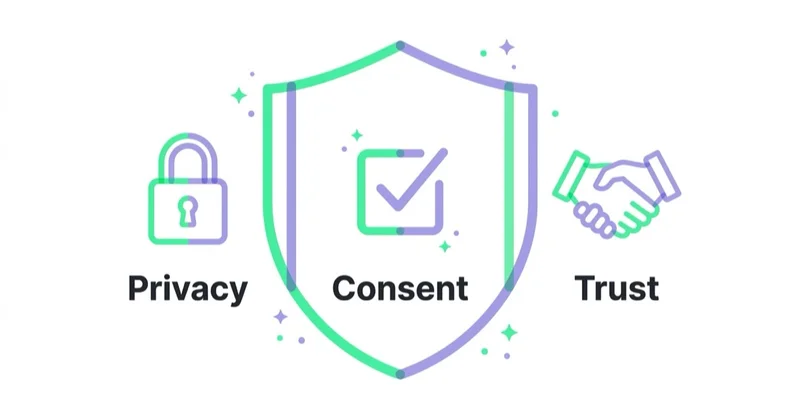
Principles:
- collect only the information needed;
- explain what happens next;
- link to privacy information where relevant;
- avoid sensitive data unless necessary and compliant;
- do not send irrelevant follow-ups;
- respect platform messaging policies;
- make human escalation clear;
- use CRM access responsibly.
Trust is part of performance. A pushy or unclear conversation can damage the brand even if the ad is efficient.
When Messenger Ads are not the right format
Messenger Ads should not be used just because the format is available. They are a poor fit when:
- the business cannot answer quickly;
- the offer requires a full landing page explanation;
- users need documents, calculators or comparison tables before deciding;
- legal, medical, financial or sensitive advice cannot be handled safely in chat;
- the sales team refuses to work inside the inbox or CRM;
- the campaign goal is pure reach or brand awareness;
- the business wants automation but has no escalation path;
- the product page already converts better than conversation traffic.
In these situations, a landing page, lead form, phone call extension, search campaign or remarketing campaign may be more reliable. Messenger can still support the funnel, but it should not carry the whole conversion path.
How we approach this at Space Ads
A Messenger ad turns a click into a conversation, which is powerful — but only when the offer truly gains from a dialogue: qualification, a pricier or considered purchase, booking a visit. Without that, the chat adds nothing a plain form wouldn't. We use it selectively, and never without a back end that answers instantly: a bot for the first line, a fast handover to a human. An ad that pulls people into a chat and leaves them on read is worse than no ad — it sours the impression and spends budget on conversations that lead nowhere. Response time is the whole game: in a channel promising a conversation, a few hours of silence kills conversion more surely than any targeting slip. So the answering back end goes in first; only then does the traffic come on.
Common mistakes
| Mistake | Impact | Better approach |
|---|---|---|
| No inbox owner | Leads go cold | Assign response ownership |
| Measuring only message starts | Low-quality success signal | Track qualified outcomes |
| Slow response | Intent disappears | Set SLA and alerts |
| Bot blocks users | Frustration | Add human escalation |
| No CRM connection | Conversations disappear | Tag and export leads |
| Vague ad CTA | Low-intent chats | State what the chat solves |
| Too many questions | Drop-off | Ask only what is needed |
| Wrong channel choice | Poor user fit | Compare Messenger, Instagram Direct and WhatsApp |
Setup checklist
Before launch:
- Page and Messenger access confirmed.
- Business inbox ownership assigned.
- Opening hours defined.
- First response written.
- Quick replies prepared.
- Human escalation ready.
- CRM or lead process ready.
- Privacy information reviewed.
- Campaign objective chosen.
- Messaging destination selected.
- UTMs and naming conventions prepared.
- Quality metric defined.
- Follow-up process documented.
After launch:
- Check message volume.
- Check response time.
- Review conversation quality.
- Identify repeated questions.
- Improve quick replies.
- Review lead quality.
- Compare with landing page and lead form campaigns.
FAQ
What are Messenger Ads?
Messenger Ads are Meta advertising formats that either appear in Messenger or send users into a Messenger conversation with a business.
Are Messenger Ads good for every business?
No. They are best when conversation helps the user decide, book, ask, qualify or buy. For simple self-service purchases, a product page or landing page may work better.
What is the difference between Messenger Ads and click-to-message ads?
Messenger Ads focus on Messenger specifically. Click-to-message ads are broader and can direct users to Messenger, Instagram Direct or WhatsApp depending on setup.
Is a chatbot required?
No. For lower volume, saved replies and fast human support can work. Automation helps when questions are repetitive or volume is high.
What should Messenger Ads measure?
Measure cost per conversation, response time, qualified leads, bookings, purchases, lead-to-sale rate, sales value and unanswered messages.
Can Messenger Ads drive purchases?
Yes, especially when a conversation helps the user choose or complete the purchase. Measurement and optimization depend on setup and event data.
How fast should a business reply to Messenger Ads leads?
The exact SLA depends on opening hours and team capacity, but the user should receive an immediate acknowledgement and a clear expectation for the next human response. Response time should be tracked alongside media metrics.
Should Messenger Ads replace a landing page?
Usually not. Messenger is strongest when conversation adds value. If the page already explains the offer and lets the user convert easily, Messenger should support the funnel rather than replace it.
When is WhatsApp better than Messenger?
WhatsApp may be better in markets where customers naturally prefer WhatsApp for business conversations and where the company has a proper WhatsApp Business process.
Conclusion
Messenger Ads work when messaging is treated as a sales or service process, not just an ad destination. The format can generate useful conversations, but only if the business responds quickly, qualifies intent, answers clearly and records outcomes.
Before scaling Messenger campaigns, prepare the inbox, first response, automation, handoff, CRM process and measurement. The strongest campaigns connect advertising, conversation and sales operations into one workflow.
We run Messenger-placement ads as part of Facebook and Instagram ads.
Sources and further reading
- Meta for Business: Messenger ads
- Meta for Business: Ads that click to message
- Meta for Business: Purchases through messaging
- Messenger Help Center: Meta Business Suite Inbox
- WhatsApp Business: Ads that click to WhatsApp
Continue learning
Continue reading
What Is a Sales Campaign and How to Plan It?
A sales campaign needs a clear offer, conversion goal, tracking, creative, landing page and optimisation plan across Meta, Google and owned channels.
Is Video Marketing Worth Using Online?
Video marketing can build awareness, explain offers, support sales and improve retention when every video has a clear brief, channel fit and measurement plan.
How to Use Dynamic Creative on Facebook and Instagram
Dynamic creative in Meta Ads can accelerate creative learning when the inputs are distinct concepts, not random asset variations. This guide explains how to plan asset matrices, control Advantage+ Creative enhancements, read results beyond CPA and keep Pixel, CAPI and landing-page signals clean enough for useful learning.


































