
Meta Conversions API, still often searched as Facebook Conversions API or CAPI, is a server-side way to send marketing events to Meta. It complements Meta Pixel, which runs in the browser. A strong setup usually uses both: browser Pixel for front-end behaviour and Conversions API for more reliable server-side events, with deduplication so the same conversion is counted once.
CAPI is not a shortcut around privacy rules, consent or weak campaign strategy. It is measurement infrastructure. When configured correctly, it can improve signal quality for Meta Ads, reduce dependence on browser-only tracking, support better attribution and make optimization more stable. When configured poorly, it can inflate purchases, corrupt ROAS, lower trust in reporting and feed the algorithm noisy events.
TL;DR
- Meta Conversions API sends events from a server, ecommerce platform, CRM, app or partner integration to Meta. It is not limited to website purchases.
- CAPI usually works best with Meta Pixel, not instead of it. The browser and server paths should send the same important events where relevant.
- Deduplication is mandatory when Pixel and CAPI send the same event. Use a shared
event_idwith the same event name. - Event Match Quality matters. Meta can optimize and attribute better when events include allowed customer information parameters, click identifiers and browser identifiers.
- Consent still matters. Server-side tracking must respect consent, privacy policy, data minimization and regional law.
- The most important events are business-value events. Purchase, Lead, CompleteRegistration, InitiateCheckout and qualified CRM events are usually more useful than low-intent signals.
- CAPI should be tested against backend truth. Purchase count, value, currency, event names, event IDs and deduplication must be verified before scaling budget.
- For 2026 Meta Ads, CAPI is baseline infrastructure. It supports better signal quality for Advantage+, broad targeting and creative-led delivery systems.
What is Meta Conversions API?
Meta Conversions API is a direct data connection between a business data source and Meta advertising systems. The source can be a website server, ecommerce platform, CRM, app, data warehouse, point-of-sale system, server-side tag manager or approved partner integration.
The API can send events such as:
| Event type | Examples | Common use case |
|---|---|---|
| Website events | PageView, ViewContent, AddToCart, Purchase | Ecommerce and lead generation |
| Lead events | Lead, CompleteRegistration, Schedule | Services, B2B, education, SaaS |
| Offline events | Store purchase, qualified lead, closed deal | Omnichannel and CRM feedback |
| Messaging events | Conversations, business chat actions | Lead follow-up and support journeys |
| App events | Installs, subscriptions, in-app purchase | App promotion and retention |
The key difference from Pixel is where the event is sent from. Meta Pixel fires in the browser. CAPI sends from a server or another backend source. That makes CAPI less dependent on browser loading, ad blockers, connection issues and front-end implementation details, but it also makes governance more important.
Meta Pixel vs Conversions API
| Area | Meta Pixel | Meta Conversions API |
|---|---|---|
| Runs from | Browser | Server, platform, CRM or partner |
| Main strength | Fast front-end behaviour and page events | More controlled conversion and backend events |
| Main weakness | More exposed to browser limits and blockers | More technical governance required |
| Typical events | PageView, ViewContent, AddToCart | Purchase, Lead, qualified CRM events, offline events |
| Data control | Limited by browser context | Better control over event payload and timing |
| Privacy requirement | Consent and policy alignment | Consent and policy alignment |
| Best setup | Pixel alone for simple early tests | Pixel plus CAPI for serious performance work |
CAPI should not be described as a universal replacement for Pixel. Pixel still captures front-end behaviour that can be useful for audiences, diagnostics and fast browser-side signals. CAPI strengthens the events that matter most for optimization and reporting.
Why Conversions API matters for Meta Ads
Modern Meta Ads relies heavily on signal quality. Broad targeting, Advantage+ automation and creative-led delivery systems need conversion feedback to understand which users, creatives, placements and contexts produce valuable outcomes.
CAPI can help in four areas:
1. More reliable event delivery
Browser-only tracking can fail because of ad blockers, browser privacy restrictions, page loading errors, slow scripts, cookie limits or redirect issues. Server events are not immune to mistakes, but they can be more resilient when the backend has a confirmed order, lead or customer action.
2. Better event matching
Meta needs to match an event to a person or ad interaction. Customer information parameters, browser identifiers and click identifiers can improve the probability of a match when they are allowed, normalized and sent correctly.
Examples include:
- hashed email,
- hashed phone,
- first name and last name where appropriate,
- city, state, ZIP or country where appropriate,
- client IP address,
- user agent,
fbpbrowser ID,fbcclick ID,- external ID or customer ID when permitted.
More data is not automatically better. The right approach is to send allowed, useful and normalized match keys, not every possible field.
3. Stronger optimization events
For ecommerce, the Purchase event can include order value, currency, content IDs, quantity and product metadata. For lead generation, a CRM can send a qualified lead or closed opportunity rather than treating every form submission as equal.
This matters because campaign optimization should learn from events that reflect business value, not only easy actions.
4. Better resilience for full-funnel measurement
CAPI can send website, offline, CRM and messaging events into a more unified Meta event dataset. That helps when the buying journey is not a simple same-session website purchase.
How Pixel and CAPI deduplication works
When the same conversion is sent by both Pixel and Conversions API, Meta needs to know that both signals describe one event. This is deduplication.
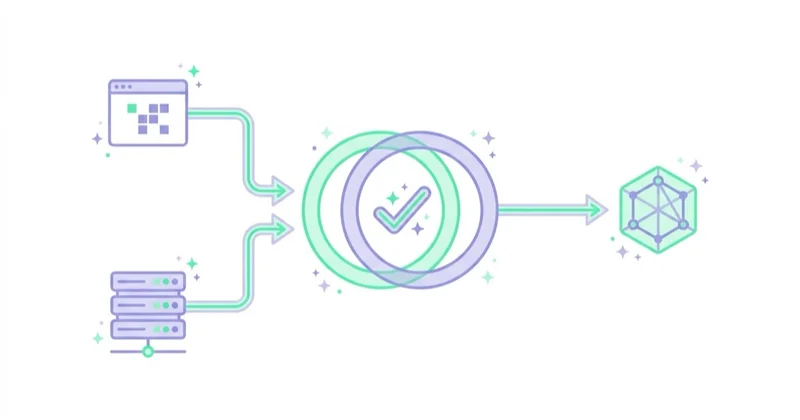
Deduplication requires two things to match:
| Requirement | Meaning |
|---|---|
| Same event name | For example Purchase in Pixel and Purchase in CAPI |
| Same event ID | The same unique event_id for the same transaction or lead |
Example:
| Source | Event name | Event ID | Result |
|---|---|---|---|
| Browser Pixel | Purchase | order_12345 | Meta receives browser event |
| Server CAPI | Purchase | order_12345 | Meta recognises the same event |
| Reporting | Purchase | order_12345 | One purchase should be counted |
If the event name differs, Meta may treat the events as separate actions. If the event ID differs, Meta may count duplicates. If server events are delayed too long or missing key fields, diagnostics may show deduplication or event coverage issues.
What events should be sent through CAPI?
The right event map depends on the business model.
| Business model | High-priority events |
|---|---|
| Ecommerce | ViewContent, AddToCart, InitiateCheckout, AddPaymentInfo, Purchase |
| Lead generation | Lead, CompleteRegistration, Schedule, Contact, qualified CRM lead |
| SaaS | CompleteRegistration, StartTrial, Subscribe, qualified demo, paid conversion |
| Education | Lead, application start, application submit, enrolment |
| Local services | Contact, Schedule, call lead, booked appointment |
| Omnichannel retail | Website events, store purchase, loyalty ID event, offline order |
Not every event deserves the same importance. PageView can be useful for diagnostics, but Purchase, Lead, subscription, application and qualified CRM signals usually carry more optimization value.
A practical event hierarchy:
- Final business event: Purchase, qualified lead, subscription, booked consultation.
- Strong intent event: InitiateCheckout, Schedule, application submit, demo request.
- Mid-funnel event: AddToCart, pricing page, lead form start.
- Weak signal: PageView, content view, low-intent click.
Event Match Quality: what to improve
Event Match Quality is Meta feedback on how effectively event information may be matched to Meta accounts. It is not the only metric of implementation quality, but it is a useful diagnostic.
To improve match quality:
- pass
fbpandfbcwhen available, - include hashed email or phone where permitted,
- normalize values before hashing,
- send IP address and user agent for web events where appropriate,
- keep event names consistent,
- avoid missing currency and value on Purchase,
- avoid sending anonymous server events with no useful match keys,
- test different event types separately, because PageView and Purchase may have different match quality.
A high score does not guarantee perfect attribution. A low score does not automatically mean the whole setup is broken. The score should be interpreted with event coverage, deduplication, backend reconciliation and campaign performance.
Privacy, consent and data governance
CAPI is server-side tracking, not consent bypass. This point is important in the EU, UK and other regulated markets.

A responsible implementation should define:
- which events are allowed before and after consent,
- which data fields are sent to Meta,
- how personal data is normalized and hashed,
- when events are blocked server-side,
- how user choices are respected,
- how privacy policy and cookie notices describe the setup,
- who owns the integration and monitoring,
- how data retention and vendor access are handled.
Server-side tracking can actually improve governance because the business has more control over what is sent. That benefit disappears if the server forwards everything without a consent model.
Implementation options
There are several ways to implement CAPI.
| Method | Best fit | Trade-off |
|---|---|---|
| Native ecommerce integration | Shopify, WooCommerce or platform-led setups | Fast but less flexible |
| Partner app | Stores that need better event coverage quickly | Vendor dependency |
| Meta Conversions API Gateway | Teams wanting a Meta-supported server layer | Still needs governance and testing |
| Server-side Google Tag Manager | Teams already using GTM and server containers | Requires technical setup and monitoring |
| Direct backend integration | Custom sites, enterprise, complex CRM logic | Most control, highest engineering effort |
| Customer data platform | Businesses already routing events through a CDP | Cost and implementation complexity |
The best option depends on scale, stack and risk. A small ecommerce store may start with a native platform integration. A larger advertiser may need server-side GTM or direct backend logic to handle event IDs, order values, refunds, CRM quality and regional consent.
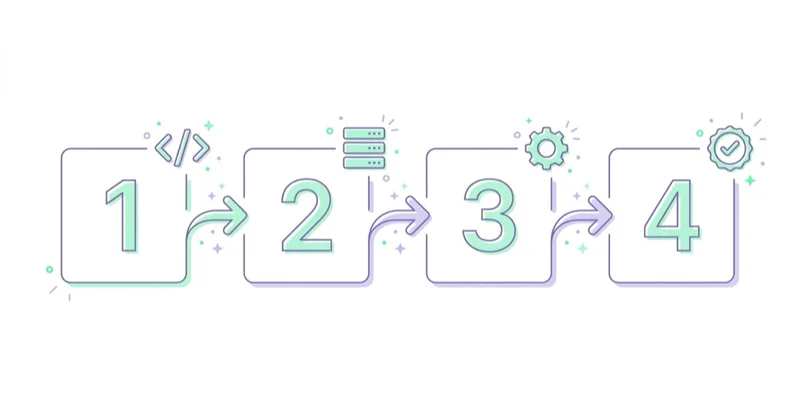
Step-by-step implementation plan
1. Audit the current Pixel
Before adding CAPI, confirm that Pixel events are correct. If Pixel fires Purchase twice, sends wrong values or misses checkout steps, CAPI may duplicate the same problems.
Check:
- event names,
- value and currency,
- content IDs,
- firing rules,
- duplicate browser events,
- domain and dataset configuration,
- events visible in Events Manager.
2. Define the event map
List the events that matter for reporting and optimization. Include event name, trigger, source, parameters, consent condition and deduplication logic.
Example:
| Event | Browser Pixel | Server CAPI | Main fields |
|---|---|---|---|
| ViewContent | yes | optional | content ID, category |
| AddToCart | yes | optional or yes | content ID, value, currency |
| InitiateCheckout | yes | yes | value, currency, content IDs |
| Purchase | yes | yes | order ID, value, currency, content IDs |
| Lead | yes | yes | lead ID, form type, match keys |
| QualifiedLead | no | yes | CRM status, value, source |
3. Generate a shared event ID
For each duplicated event, generate one unique ID and use it in both the browser event and server event. For ecommerce, the order ID can sometimes be used for Purchase, but earlier events usually need a separate event ID generated during the user journey.
4. Add customer information parameters
Add match keys that are allowed and useful. Email and phone should be normalized and hashed according to Meta requirements where applicable. Browser identifiers such as fbp and fbc should be captured when available and permitted.
5. Respect consent on both sides
Consent checks must exist in the browser and server flow. If the browser blocks marketing storage but the server still sends full marketing events, the implementation is not aligned.
6. Test in Events Manager
Use Meta Events Manager and test events before launch. Check whether events appear as browser, server or both; whether deduplication works; and whether diagnostics show missing fields or event quality warnings.
7. Reconcile with backend data
Compare Meta Events Manager with backend orders, CRM leads and GA4. Perfect equality is not expected because platforms use different attribution rules, but obvious mismatches must be understood.
8. Monitor continuously
CAPI is not a one-time switch. Releases, checkout changes, payment provider updates, cookie banner changes and plugin updates can break event quality. Add periodic checks.
Ecommerce checklist
For ecommerce, the Purchase event is the critical path.
Check that:
- Purchase fires once per order,
- Pixel and CAPI share the same event ID,
- value matches the reporting definition,
- currency is correct,
- content IDs match catalogue IDs where catalog ads are used,
- tax, shipping and discounts are handled consistently,
- refunds and cancellations are considered outside Meta where needed,
- payment gateway redirects do not create duplicate purchases,
- consent state is respected,
- order count roughly reconciles with the store backend.
If Meta reports twice as many purchases as the store, deduplication or duplicate triggers are likely broken. If Meta receives very few server purchases, event routing, consent gating or backend triggers may be too restrictive.
Lead generation checklist
For lead generation, the biggest risk is teaching Meta to optimise for weak leads. CAPI should help connect quality feedback, not only send more form submissions.
Useful signals:
- Lead from website form,
- qualified lead from CRM,
- scheduled consultation,
- attended appointment,
- sales accepted lead,
- closed won deal,
- lead value where modeled responsibly.
This is especially important for B2B and services. A high volume of cheap form submissions can look good in Ads Manager while sales receives poor leads. Server-side CRM events can help Meta learn from downstream quality.
How CAPI fits with Advantage+ and Andromeda
Meta Ads has moved toward broader automation, fewer manual audience constraints and more creative-driven matching. That makes conversion data quality more important, not less important.
For Advantage+ and modern Meta delivery, CAPI helps by:
- sending stronger conversion events,
- supporting value-based optimization,
- improving audience and event matching where permitted,
- helping broad targeting learn from real buyers or qualified leads,
- reducing reliance on fragile browser-only signals.
CAPI does not replace creative strategy. It gives the system better feedback after a person interacts with the ad. Creative, offer, landing page and checkout quality still decide whether people convert.
How we approach this at Space Ads
We implement CAPI almost by default now, because the browser Pixel alone loses events: blockers, consent and Safari restrictions mean not everything that actually happened reaches Meta. So the key events go a second way, from the server, tied to the Pixel by a shared event_id so nothing double-counts. Event Match Quality stays under watch along the way — the more purchases Meta can attribute to a specific user, the better it optimises. This isn't cosmetic reporting: the algorithm learns from whatever reaches it, so a fuller signal simply means smarter decisions about who sees the ads. After going live we always verify deduplication, since badly wired events can inflate the numbers.
Common mistakes
| Mistake | Impact | Better approach |
|---|---|---|
| Treating CAPI as a Pixel replacement | Loss of front-end behaviour signals | Use Pixel plus CAPI where relevant |
Missing event_id |
Duplicate purchases or leads | Share one ID across browser and server |
| Different event names | Deduplication fails | Keep names consistent |
| Sending every event as high priority | Noisy optimization | Prioritize business-value events |
| No consent gating on server | Privacy and compliance risk | Apply consent rules to server events |
| Poor match keys | Low event matching | Send allowed, normalized customer parameters |
| Wrong value or currency | Bad ROAS and bidding decisions | Reconcile with backend orders |
| No post-launch monitoring | Silent data quality decay | Check Events Manager regularly |
| Optimising to raw leads only | Cheap low-quality leads | Import qualified CRM events |
FAQ
What is Meta Conversions API?
Meta Conversions API is a server-side method for sending website, app, offline, CRM or messaging events to Meta advertising systems. It is used for measurement, attribution and ad optimization.
Is Facebook Conversions API the same as Meta Conversions API?
In practice, yes. Many marketers still search for Facebook Conversions API or Facebook CAPI, but the current naming is Meta Conversions API because it supports advertising across Meta technologies.
Does CAPI replace Meta Pixel?
Usually no. The strongest setup for website events is often Pixel plus CAPI with deduplication. Pixel captures browser behaviour, while CAPI strengthens server-side conversion signals.
What is event deduplication?
Deduplication prevents the same conversion from being counted twice when it is sent by both Pixel and CAPI. The browser event and server event should use the same event name and the same event_id.
What is Event Match Quality?
Event Match Quality is Meta feedback on how effectively the information sent with an event may help match that event to a Meta account. It can be improved with allowed customer information parameters, browser identifiers and click identifiers.
Is CAPI legal under GDPR?
CAPI can be implemented in a privacy-aligned way, but it is not automatically compliant. Consent, data minimization, hashing, privacy disclosures, vendor terms and regional requirements must be handled correctly.
Which CAPI events matter most?
Events close to business value matter most: Purchase, Lead, CompleteRegistration, subscription, booked appointment, qualified CRM lead or offline sale. Low-intent events are useful for diagnostics but weaker for optimization.
How should CAPI be tested?
Test in Events Manager, compare browser and server sources, verify deduplication, check event values and currency, inspect Event Match Quality and reconcile final conversions with backend orders or CRM records.
Key takeaways
Meta Conversions API is not an advanced extra for mature accounts only. For serious Meta Ads work, it is part of the measurement foundation. It helps send more reliable conversion events, improves event matching where permitted and gives the delivery system better feedback.
The implementation must be precise. Pixel and CAPI should share event names and event IDs for duplicate events. Purchase and lead values must match backend truth. Consent must be enforced on the server, not only in the browser. Events Manager diagnostics should be monitored after launch, not only during setup.
When those conditions are met, CAPI supports better measurement, stronger optimization and more resilient Meta Ads operations across ecommerce, lead generation, SaaS, local services and omnichannel businesses.
We implement CAPI with deduplication and high EMQ within Facebook and Instagram ads — because good measurement is the foundation of performance.
Sources and further reading
- Meta Business Help Center: About Conversions API
- Meta for Developers: Conversions API
- Meta for Developers: Customer information parameters
- Meta Business Help Center: Best practices for Conversions API
- Meta Business Tools Terms
Continue learning
- Meta Andromeda - What It Is and How to Adapt Your Meta Ads in 2026
- Meta Advantage+: What It Is and How It Works After the Changes
- How to Hide FBCLID From Your URL & Why It’s Actually Important?
- Facebook Lead Ads: What They Are and How to Launch Instant Forms
- Enhanced Conversions in Google Ads: What They Are and How to Set Them Up
Continue reading
What Is Meta Pixel and How to Use It?
Meta Pixel is browser-side tracking for Meta Ads, but a useful setup depends on event design, parameters, consent, CAPI and deduplication. This guide explains which events to configure for ecommerce and lead generation, how to test them, and why Pixel data should be checked against GA4, CRM or backend results before campaigns rely on it.

How to Hide FBCLID From Your URL & Why It’s Actually Important?
FBCLID is not just URL clutter: it can be useful for Meta measurement while also making GA4 page reports and shared URLs messy. This guide explains how to clean fbclid from analytics and canonical URLs without breaking Meta Pixel, Conversions API, UTMs, CRM attribution or other click IDs.
Why Your Meta Ads Stopped Working (and How to Diagnose It)
When Meta performance changes, diagnose the affected layer before editing campaigns. This guide covers delivery status, billing, event quality, funnel metrics, activity history, creative, offer, website and controlled recovery.


































