
Product photography helps users evaluate a product without touching it. Good product images show appearance, scale, material, texture, colour, details, variants and use context. They are not only decorative assets. They influence trust, comparison, product understanding, advertising performance, support questions, conversion rate and returns.

For ecommerce, product photography is one of the most important commercial assets on the website. For marketplaces and Google Shopping, the main image can decide whether a user clicks at all. For premium products, weak photography can make a strong offer look cheap. For technical products, missing detail shots can block the decision completely.
This guide explains how to plan product photos, packshots, lifestyle images, detail shots and technical image optimisation for SEO, Merchant Center and Core Web Vitals.
TL;DR
- Product photography should answer the questions users would ask if they could hold the product.
- The core image set usually includes packshot, side angles, detail shots, scale, lifestyle context and variants.
- The main product image is critical for listings, product pages, Shopping ads and free product listings.
- Packshots help comparison. Lifestyle images explain use. Detail shots build confidence.
- AI can support background cleanup, lighting correction and scene creation, but it must not misrepresent the real product.
- Image SEO requires descriptive filenames, useful alt text, crawlable files, structured data and fast image delivery.
- Product images affect Core Web Vitals when they are large, uncompressed or loaded incorrectly.
- In ecommerce, image quality should be treated as a CRO, SEO and feed quality issue, not only a design task.
What is product photography?
Product photography is the process of creating visual assets that show a product accurately and persuasively.
It can include:
- packshots;
- white-background product images;
- side angles;
- close-up detail shots;
- lifestyle images;
- scale images;
- product-in-use images;
- model shots;
- variant photos;
- swatches;
- 360-degree views;
- comparison images;
- packaging photos;
- technical documentation images.
The right set depends on product complexity, category, price point and user risk.
Start with a product photography brief
Before shooting, define what the images need to achieve.
A useful brief includes:
- product category and variants;
- target buyer;
- main use case;
- key objections;
- required marketplaces or feed rules;
- main image standard;
- background and crop rules;
- required angles;
- detail shots;
- lifestyle scenes;
- model or scale requirements;
- colour accuracy requirements;
- file naming convention;
- delivery formats and sizes;
- products that need priority because of revenue, margin or traffic.
This brief prevents the most common production problem: beautiful images that do not answer buying questions. Product photography should be creative, but it also has a job to do in listings, ads, product pages, social content and customer support.
A simple low-cost item may need only a few clear photos. A sofa, jewellery item, premium cosmetic, technical device or B2B component may need many more images because users need to assess material, dimensions, compatibility or quality.
Why product photos affect sales
Users cannot touch the product online. Images replace part of the physical buying experience.
Strong product photography helps users understand:
- what the product looks like;
- how large it is;
- what material or texture it has;
- what colour it really is;
- how it fits a person or space;
- what is included in the package;
- how it works;
- which variant is selected;
- whether quality matches the price.
Weak photography creates uncertainty. Uncertainty creates hesitation, support questions, comparison shopping and returns.
For broader conversion context, see conversion rate optimization.
Packshot vs lifestyle vs detail photography
Packshot
A packshot is a clean product image, usually on a neutral or white background. It shows the product without visual distraction.
Packshots are useful for:
- category listings;
- marketplace listings;
- Google Shopping;
- product cards;
- comparison pages;
- technical catalogues;
- product feeds.
Good packshots are sharp, consistent and accurately cropped. They should show the actual product, not an icon, generic illustration or misleading rendering.
Lifestyle image
A lifestyle image shows the product in context. It explains use, scale, mood or audience.
Lifestyle images are useful for:
- fashion;
- furniture;
- beauty;
- home decor;
- sports;
- children's products;
- premium goods;
- products where use case matters.
They help the user imagine ownership, but they should not hide the product or create unrealistic expectations.
Detail shot
A detail shot focuses on material, finish, texture, mechanism, label, connector, stitching, component or other decision-making detail.
Detail shots are especially important for:
- apparel;
- accessories;
- jewellery;
- cosmetics;
- electronics;
- furniture;
- B2B parts;
- tools;
- technical products.
They reduce risk by showing quality and compatibility.
What photos should a product page include?
A strong product page often uses this sequence:

- Main product image.
- Front, back and side angles.
- Close-up details.
- Scale reference.
- Product in use.
- Variant images.
- Packaging or included accessories.
- Size, dimensions or fit visuals.
- Comparison or bundle image where useful.
- Short product video or 360 view for complex products.
Not every product needs all ten. The point is to answer the buyer's questions visually.
Shot list by commercial goal
| Goal | Useful shots | Why they help |
|---|---|---|
| Improve product card CTR | clean main image, strong crop, correct variant | makes listings easier to scan |
| Reduce returns | scale, fit, dimensions, colour in realistic light | reduces expectation mismatch |
| Increase trust | details, material, packaging, reviews or UGC | proves quality and completeness |
| Support premium pricing | macro details, consistent lighting, model/lifestyle context | makes value visible |
| Answer compatibility questions | connectors, labels, included parts, use examples | reduces support friction |
| Support ads | vertical lifestyle, product in use, comparison, detail crop | gives creative options beyond packshots |
The shot list should be tied to business questions. If a product has many returns because customers misunderstand size, another lifestyle image may be less useful than a clear scale photo.
Product photography by category
| Category | Image priorities |
|---|---|
| Fashion | model shots, fit, fabric, details, movement, colour variants |
| Beauty | texture, swatches, packaging, application, realistic result |
| Electronics | ports, scale, screen, included accessories, labels |
| Furniture | room context, dimensions, material, texture, scale |
| Jewellery | macro details, shine, scale on body, packaging |
| Food | freshness, portion, packaging, serving context |
| B2B products | technical details, installation, compatibility, documentation |
| DIY and tools | product in use, grip, size, included parts, safety details |
The image strategy should follow the questions users ask before buying.
Main image requirements for ecommerce
The main image has a special role. It appears in product cards, ads, listings and feeds.
For ecommerce, the main image should usually:
- show the actual product;
- show the correct variant;
- show the whole product clearly;
- use enough resolution for zoom;
- avoid watermarks;
- avoid promotional overlays;
- avoid text-heavy graphics;
- avoid showing multiple variants as the selected product;
- be crawlable;
- match the landing page and feed data;
- load quickly.
Google Merchant Center has specific image requirements for product data. Its image link attribute is required for products and the image must be accessible, valid and representative of the product. Google also recommends high-quality images and gives minimum size requirements by product type.
For product data context, see Google Merchant Center.
Product feeds and ad platforms
Product images are not used only on the product page. They can appear in:
- Google Shopping ads;
- free product listings;
- Performance Max asset and feed contexts;
- Meta catalog ads;
- marketplace listings;
- email product blocks;
- onsite recommendations;
- affiliate feeds;
- price comparison engines.
This means image consistency affects paid media and feed quality. If the main image is cropped poorly, uses a wrong variant or includes promotional text where a platform does not allow it, the problem can spread across many channels.
Feed QA should check image URL availability, variant match, image size, crawlability, background consistency and whether the same product image is being used for the correct SKU.
Technical setup: file formats, size and performance
Product photos need to look good and load fast.
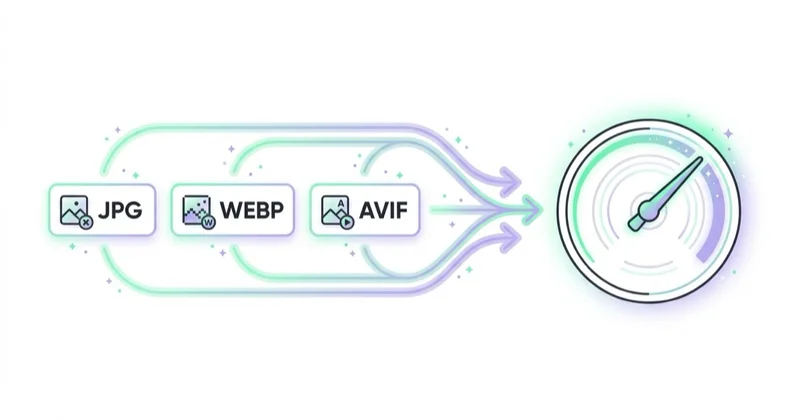
Practical rules:
- export photographic images in modern formats where possible;
- use WebP or AVIF for strong compression when supported;
- keep fallback formats where needed;
- resize images to the dimensions actually used;
- serve responsive images for different screens;
- compress without visible quality loss;
- avoid using huge PNG files for photos;
- do not lazy-load the hero image if it is the main LCP element;
- lazy-load images below the first screen;
- set width and height to avoid layout shifts;
- use a CDN or image optimisation pipeline for large catalogues.
The main product image is often the Largest Contentful Paint element on a product page. If it is heavy or loaded late, Core Web Vitals and user experience suffer.
Image SEO for product photos
Product images can support Google Images, product-rich results, free listings and user accessibility.
Image SEO basics:
- use descriptive filenames;
- write useful alt text;
- place images near relevant product content;
- make images crawlable;
- avoid blocking images in robots.txt;
- include Product structured data;
- keep image URLs stable where possible;
- use image sitemaps where relevant;
- ensure the image matches the product and variant;
- use clear thumbnails;
- avoid keyword stuffing in alt text.
Alt text should describe the image for a person who cannot see it. It should not be a list of keywords.
Example:
Good: "Black leather shoulder bag with gold buckle, front view."
Weak: "Bag, black bag, leather bag, best leather bag, handbag sale."
Structured data and product images
Product structured data can help Google understand product information on the page. Images can be included as part of Product markup.
Structured data should be consistent with:
- product title;
- price;
- availability;
- brand;
- reviews where eligible;
- product image;
- variant information;
- shipping and return data where relevant.
Structured data does not replace image quality. It helps search systems interpret the page, but the image still needs to be useful, accurate and accessible.
AI in product photography
AI tools can speed up image workflows.
Useful AI-supported tasks:
- background removal;
- shadow cleanup;
- light correction;
- image extension;
- simple scene generation;
- catalogue image cleanup;
- consistency across long-tail products;
- mockups for planning;
- colour correction support.
Risks:
- AI changes the product colour;
- AI changes material texture;
- AI creates unrealistic scale;
- AI removes important details;
- AI adds accessories not included in the product;
- AI over-smooths surface texture;
- generated lifestyle context misleads the user;
- platform policies or metadata requirements are ignored.
The rule is simple: AI can improve production efficiency, but it should not make the product look different from what the customer receives.
Smartphone vs professional product photography
Smartphone photos can work for early-stage catalogues, small shops and quick tests when lighting, composition and consistency are good.
Professional photography is more valuable when:
- the product is a bestseller;
- the category is competitive;
- the product is premium;
- colour accuracy matters;
- texture matters;
- ads rely heavily on visuals;
- marketplace listings are crowded;
- return risk is high;
- multiple variants need consistency;
- the product page gets meaningful traffic.
The practical approach is to prioritise. Start with bestsellers, high-margin products, high-traffic categories and products where photos create the most uncertainty.
Workflow for creating product photos
1. Define commercial priorities
List bestsellers, new launches, high-margin products and products with high traffic but weak conversion.
2. Build a shot list
Define packshot, angles, detail shots, scale, lifestyle and variant requirements.
3. Create a visual standard
Set background, crop, shadow, angle, lighting and file naming rules.
4. Shoot core images
Capture the main product image and required angles first.
5. Add detail and lifestyle images
Prioritise images that answer purchase objections.
6. Edit accurately
Correct lighting and background without changing product truth.
7. Optimise for web
Resize, compress, create responsive versions and validate page speed.
8. Add SEO and feed data
Write alt text, set filenames, update structured data and check Merchant Center image links.
9. Measure impact
Review CTR, product page conversion rate, add-to-cart rate, support questions, return reasons and ad performance.
How to measure image quality commercially
Look beyond subjective taste.
Metrics to review:
- product card click-through rate;
- product page conversion rate;
- add-to-cart rate;
- checkout conversion;
- Shopping ad CTR;
- free listing performance;
- return reasons;
- customer support questions;
- scroll depth on product pages;
- use of image zoom;
- variant selection errors;
- revenue per product page session.
If users frequently ask about size, texture, packaging or compatibility, the image set may be incomplete.
Product image QA checklist
Before publishing a product image set, check:
- the main image shows the correct product and variant;
- images are sharp at zoom level;
- colours are close to the real product;
- scale is clear where size matters;
- all included accessories are shown accurately;
- lifestyle images do not imply unavailable items are included;
- filenames are descriptive;
- alt text is useful and not keyword-stuffed;
- image URLs are crawlable;
- responsive sizes are generated;
- LCP image is not lazy-loaded;
- product feed image links are valid;
- images match structured data and product information;
- old images are replaced or redirected where needed.
QA should include marketing, ecommerce and customer support perspectives. A photographer may judge lighting; support may know which details customers ask about; paid media may know which crop works best in ads.
How we approach this at Space Ads
Product photos are a performance asset for us, not shop decoration. In Shopping the image is one of the strongest levers on click-through; it's the first thing a customer compares in the results grid, often before the price. A clean, well-lit packshot that stands out from the field can outperform a discount, and the same shots then work in catalogue ads on Meta. So we judge photography by how it'll really be seen: small, on a phone, beside ten rival products. The packshot has to read as a thumbnail and stay consistent across the feed, while lifestyle shots are kept for social and ad creative. Good photos pay back not just on the product page but in the cost per click of shopping campaigns.
Common mistakes
| Mistake | Impact | Better approach |
|---|---|---|
| One image per product | Unanswered questions | Add angles, details and scale |
| Main image shows wrong variant | User confusion and feed risk | Match selected product and feed |
| Heavy uncompressed images | Slow pages and weak UX | Resize and compress responsibly |
| AI changes product reality | Trust and returns risk | Use AI for cleanup, not deception |
| No alt text | Accessibility and SEO gap | Describe the image naturally |
| Watermarks on main images | Merchant Center risk | Use clean main images |
| Inconsistent cropping | Poor listing quality | Define a visual standard |
| Lifestyle only, no packshot | Hard comparison | Combine packshot and context |
FAQ
What is product photography?
Product photography is the creation of images that show a product clearly, accurately and persuasively for ecommerce, advertising, catalogues, marketplaces and product pages.
What is a packshot?
A packshot is a clean product photo, usually on a neutral background, designed to show the product without distraction.
How many photos should a product page have?
Use as many as needed to answer the buyer's questions. Many products need a main image, angles, details, scale, lifestyle context and variant images.
Are smartphone product photos good enough?
They can be good enough for small catalogues and tests if lighting, sharpness and consistency are strong. Professional photography is usually better for bestsellers, premium products and competitive categories.
Can AI be used for product photos?
Yes, but carefully. AI is useful for background cleanup, lighting and production support. It should not alter product colour, shape, texture, size or included accessories.
Do product images help SEO?
Yes. Product images can support Google Images, product-rich results, accessibility and user engagement when they are crawlable, descriptive, optimised and connected with structured data.
What is the biggest product image mistake?
The biggest mistake is using images that look attractive but do not answer purchase questions or do not match the real product.
Do better product photos reduce returns?
They can help when returns are caused by misunderstanding size, colour, fit, material, included items or compatibility. Images cannot fix product quality, but they can reduce expectation gaps.
Should product photos be created for ads separately?
Often yes. Product page packshots are important, but paid social, Shopping and email may need different crops, lifestyle scenes, vertical formats and product-in-use shots.
Conclusion
Product photography is a sales asset, not only a visual asset. Strong photos reduce uncertainty, improve product understanding, support ads, help SEO, improve feed quality and make product pages easier to trust.
The best image sets combine packshots, details, scale, variants and lifestyle context. They are accurate, technically optimised, accessible and consistent with product data. AI can support the workflow, but product truth must remain the priority.
Sources and further reading
- Google Search Central: Image SEO best practices
- Google Search Central: Product structured data
- Google Merchant Center Help: Image link attribute
- web.dev: Image performance
- web.dev: Largest Contentful Paint
Continue learning
Continue reading

How to Use Push Notifications
Push notifications can support sales, retention and service journeys when they are timely, permission-based, segmented, preference-aware and measured for incremental impact.

Are Product Recommendations Important?
Product recommendations can improve discovery, cross-selling, upselling and AOV when they are relevant, measured and privacy-aware.

How to Use Upselling and Cross-Selling
Upselling and cross-selling can increase revenue when recommendations are relevant, well-timed, margin-aware and measured for incremental impact.


































