
TikTok Smart+ is no longer best understood as one campaign type that takes every control away. In the upgraded 2026 creation flow, eligible advertisers can combine automated, partially automated and manual settings across budget, placement, targeting, catalogue and creative modules. Availability varies by objective, account and market, and some advertisers still see the earlier flows.
The strategic question is therefore not "Smart+ or manual?" It is which decisions have enough trustworthy signal for automation, and which constraints still require human control? Smart+ can allocate and optimize quickly, but the advertiser remains responsible for the business objective, event quality, economics, creative claims, brand safety, customer experience and experiment design.
TikTok Smart+: the short answer
- The upgraded Smart+ experience currently supports Sales, Lead Generation and App Promotion objectives for eligible advertisers, with a separate Smart+ Traffic flow documented for traffic campaigns.
- Advertisers can use full automation, partial automation or switch relevant modules to manual settings where the account and objective support it.
- Automatic targeting can use audience controls and suggestions; custom targeting remains available in the upgraded experience, but tighter constraints can limit delivery.
- Smart+ can combine videos and ad text, recommend assets and, in supported flows, generate or auto-select creative. These capabilities supplement—not replace—brand strategy and approval.
- Web campaigns need trustworthy events. TikTok recommends Pixel plus Events API with deduplication when the same event is sent through both.
- TikTok's current guidance uses at least six assets for Smart+ Web and four to six for Smart+ App at launch, but asset count is not a substitute for distinct, high-quality concepts.
- Use TikTok's split-testing tools to compare Smart+ and manual approaches. Two ordinary overlapping campaigns are not a controlled test.
- Evaluate qualified leads, contribution or retained app value in addition to the platform optimization event.
What Smart+ can automate in 2026
The exact modules visible in Ads Manager depend on objective and rollout. The upgraded experience can automate or assist with:
Budget allocation
Automatic campaign budget can distribute budget across eligible ad groups with compatible optimization settings. Spend targets and scheduling features may be available, but delivery is not a business-profit guarantee. The advertiser still chooses the total exposure and must protect inventory, cash flow and lead capacity.
Placement
Automatic placement can extend beyond TikTok to surfaces such as Lemon8 or TikTok Pangle where available. A manual campaign may be necessary when a brand must exclude a placement or meet a strict media requirement. Review placement reports, brand-safety controls, landing-page behavior and market availability.
Audience
Automatic targeting looks for people likely to complete the optimization goal. Audience controls can set baseline restrictions such as location, minimum age, language and exclusions, while suggestions guide rather than fully constrain the system. Custom targeting is still possible in supported upgraded flows.
Use controls for real requirements—service geography, age eligibility, existing-customer exclusions or legal restrictions—not to recreate an over-segmented audience because it feels familiar.
Bidding and optimization
Available strategies differ by objective and can include Maximum Delivery, Cost Cap, Target CPA or Minimum ROAS. The platform learns from the event and value it receives. A lower reported CPA can still be unprofitable if the event is duplicated, low quality or valued incorrectly.
Catalogue and product selection
Sales campaigns can use catalogue signals and dynamic product creative where supported. Catalogue health becomes part of campaign health: item IDs, price, availability, landing URL, image, policy status and event content IDs need to align.
Creative assembly and selection
Smart+ can combine approved videos and text, recommend existing assets, use eligible creator or account content, and offer AI generation in supported flows. Controls and availability vary. Human review remains necessary because a technically generated asset may use the wrong claim, product state, language, offer or brand expression.
Which Smart+ objective fits the business goal?
| Objective / flow | Optimizes for | Required business check |
|---|---|---|
| Sales: website | Web conversion or value | Does the event reflect a valid order and correct contribution/value? |
| Sales: catalogue | Product conversion or value using catalogue assets | Are feed IDs, stock, price and event IDs consistent? |
| App Promotion | Install or in-app event/value | Is MMP/SDK and privacy-preserving attribution configured, and is the event predictive of retained value? |
| Lead Generation | Form, website conversion, conversation or supported lead action | Does CRM data show qualification, contact and sale rates by campaign? |
| Traffic | Click or landing-page view | Is traffic genuinely the goal, or is missing conversion tracking being hidden? |
Traffic can be appropriate for content distribution or a deliberate upper-funnel test. It is not a substitute for Sales merely because purchase volume is low. Optimizing for landing-page views tells the system to find visitors, not buyers.
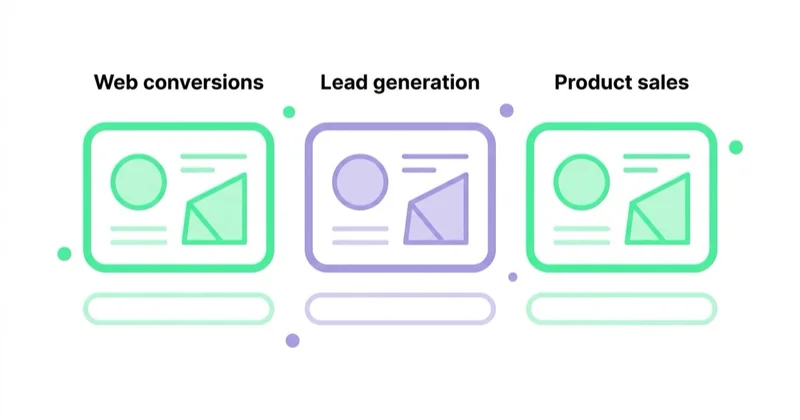
Lead Generation requires particular care. An instant-form submission can be cheap because it is easy, while a website form may create more intent or context. Compare cost per contacted, qualified and closed lead—not cost per form alone.
The readiness test before adding automation
1. The optimization event is commercially meaningful
Choose the deepest event that has enough reliable volume and a stable definition. For ecommerce, Purchase should exclude test, duplicate, canceled or otherwise invalid orders where the integration can do so and should carry the correct value and currency. For leads, a qualified offline stage may ultimately be more useful than a raw form.
Do not optimize to Add to Cart indefinitely because Purchase is inconvenient to implement. A higher-volume proxy is useful only when analysis shows that it predicts the desired business outcome.
2. Data is technically reliable
For web measurement, reconcile TikTok events with analytics, ecommerce and backend orders. TikTok recommends Pixel and Events API together for web conversion advertisers. When both send the same conversion, they need the same event_id so TikTok can deduplicate it.
Check:
- event names and trigger conditions;
- unique event ID across browser and server copies;
- value, currency, content ID and content type;
- click ID and permitted match keys;
- consent behavior and legal approval for shared data;
- test-order exclusion, refunds and offline status updates;
- Diagnostics and normal daily event ranges.
An Events API connection is not automatically accurate. A duplicated Purchase event gives the algorithm and dashboard a confidently wrong target.
3. The budget can generate learning signal
TikTok's own recommendations are expressed as multiples of historical CPA and vary by objective and bid strategy. Smart+ Web guidance recommends at least seven days and, for comparable objectives, a starting daily budget of at least 10 times historical CPA; some target-bid recommendations are higher. Smart+ App and Lead guidance also uses substantial CPA multiples.
Treat these as platform guidance, not a promise and not an obligation to risk money the business cannot afford. If the required test budget is uneconomic, choose a shallower validated event, a longer test, a simpler structure or another channel. Do not set an unrealistically low bid and call non-delivery a verdict on TikTok.
4. There is enough differentiated creative
TikTok currently recommends at least six assets when creating Smart+ Web campaigns and four to six for Smart+ App. Count is the minimum operational input, not the strategy.
A useful library varies:
- audience problem or job to be done;
- product proof and demonstration;
- creator, founder, expert or customer perspective;
- first two to three seconds and visual opening;
- offer and objection;
- length, pacing and format;
- product, use case or price point.
Several crops of one video add format coverage; they do not add several market hypotheses. Our TikTok Ads campaign guide covers hooks, Spark Ads and native production.
5. The destination can convert
Automation cannot repair a slow page, unclear offer, broken mobile form, unavailable product or delayed sales response. Verify landing-page speed, message match, consent, checkout, call routing, stock, CRM assignment and lead-response capacity before increasing delivery.
6. Controls and approvals are documented
Confirm geography, age, exclusions, placement, catalogue, creator permissions, regulated claims, brand-safety settings and AI-generation policy. Decide which modules may be automated and which require approval.
Creative remains the main growth input
"Creative is the targeting" is a useful shorthand on TikTok, but it is not a literal description of the delivery system. Targeting, bidding, event data, placement, competition and predicted response all affect delivery. Creative has outsized importance because it influences who watches, understands, clicks and converts.
Smart+ can discover which supplied combination performs. It cannot guarantee that the underlying claim is persuasive or true. Even AI-generated and auto-selected assets originate from available product pages, app-store material, creator content or uploaded libraries and need governance.
Build a creative system around hypotheses:
- collect questions, objections, reviews, search language and sales insight;
- turn them into distinct messages and demonstrations;
- produce multiple hooks per concept without confusing hook variants with new concepts;
- name assets so result data can be read by concept, hook and format;
- refresh based on fatigue and learning, not a fixed weekly quota;
- carry winning messages into landing pages and other channels;
- keep rights, creator authorization and claims evidence attached to each asset.
Spark and non-Spark formats cannot always be mixed within one Smart+ campaign. Check the current flow before designing the test and obtain creator authorization for the intended use and duration.
How to use AI-generated and auto-selected creative safely
TikTok's Generate with AI and auto-selected creative features roll out by objective, industry, account and region. Depending on availability, Smart+ may recommend existing videos, explore eligible creator content or generate an asset from a product page or app-store elements.
Before enabling these features, set rules for:
- permitted source pages and up-to-date product information;
- price, promotion and inventory claims;
- prohibited health, financial, environmental or comparative claims;
- logos, product appearance and brand voice;
- creator and music usage rights;
- languages and required disclosures;
- human preview and approval;
- exclusion of creators, captions, dates or individual videos where supported;
- archiving the asset and approval evidence.
TikTok labels AI-generated videos in the creation flow, but platform labeling does not replace an advertiser's legal or sector-specific obligations. If the asset cannot be edited in the active flow, reject it rather than publish a nearly correct claim.
Learning phase: what to leave alone and what to fix
TikTok's current general guidance says volatility often declines after about 25 campaign results or seven days. Objective-specific guides commonly recommend avoiding significant bid, audience or creative edits during the first seven days because they can affect learning.
That does not mean a campaign must run untouched regardless of harm. Intervene immediately for:
- wrong URL, offer, price or conversion event;
- overspend or billing risk;
- policy, legal, brand-safety or creator-rights problem;
- broken checkout, form or app deep link;
- out-of-stock product;
- obviously duplicated or invalid conversion data.
For ordinary volatility, use agreed guardrails and a review calendar. Log changes so the team does not attribute a performance shift to Smart+ while ignoring a budget, creative or landing-page change made the same day.
How to test Smart+ against manual campaigns
Do not compare two ordinary campaigns that launched at different times, used different creative, received different budgets and reached overlapping audiences. That comparison contains too many explanations.
TikTok's Split Testing tools can separate audience groups so each sees only one version and can compare Smart+ with another setup. The platform recommends at least seven days for a split test and reports a winner only when its criteria for statistical significance are met.
For a clean Smart+ test:
- choose one primary variable—automation approach—not several strategic changes;
- keep goal, optimization event, bid logic, landing page, offer, creative and dates equivalent where the test design requires it;
- set a business-relevant primary metric and diagnostic metrics;
- size the budget and duration for useful power;
- freeze unrelated account changes;
- evaluate platform results alongside backend orders, qualified leads or retained app events;
- record confidence, limitations and next action even if there is no significant winner.
TikTok's Experiment Manager also supports eligible campaign-level tests. Availability is rolling out, so use the tool visible in the account and follow its current requirements.
Read results at three levels
Delivery and creative
Review spend, CPM, reach, frequency, opening retention, watch time, click-through, landing-page views and asset distribution. These explain what the system delivered but do not establish profit.
Optimization event
Review CPA or ROAS for the selected event, event delay, attribution settings and the share of modeled or view-through conversions. Keep attribution windows consistent when comparing.
Business outcome
For ecommerce, reconcile valid orders, contribution margin, new-customer mix, refunds and repeat value. For leads, use contact, qualification, appointment and sale. For apps, use retained payer or subscription cohorts—not installs alone.
The platform can optimize only against the feedback available within a useful time. If qualified-lead or profit data returns too late, create a staged feedback system and test whether earlier signals predict the outcome.
When Smart+ is a good fit
Smart+ deserves a controlled test when:
- conversion definitions and values are stable;
- the account has enough budget and events for the selected objective;
- creative supply covers several meaningful concepts;
- audience restrictions are limited to genuine business requirements;
- catalogue or app signals are accurate;
- the destination and sales operation can handle more volume;
- the team can leave ordinary learning volatility alone;
- backend data can validate quality and economics.
Partial automation is often the right starting point. Keep a necessary placement, audience or creative control while automating allocation elsewhere, then test the next module rather than treating control as all-or-nothing.
When not to hand over more control
Stay more manual—or fix foundations first—when:
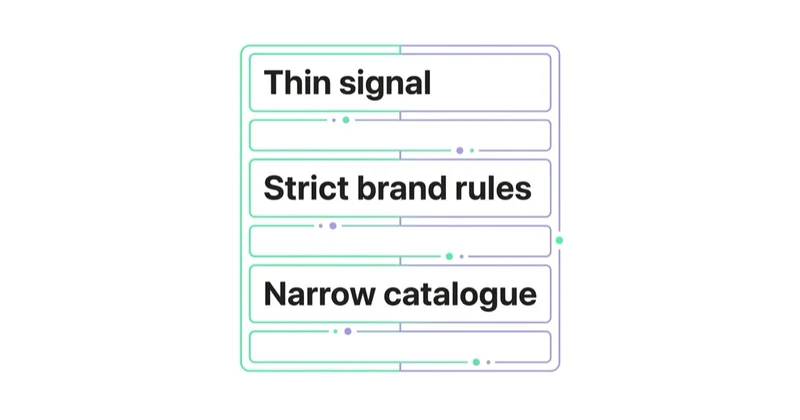
- Purchase or lead events are duplicated, missing or valued incorrectly;
- each conversion has very different quality and the platform receives no feedback;
- geography, age, placement or compliance restrictions cannot be represented safely;
- the business cannot fund a valid test or fulfill additional demand;
- one or two recycled videos are the entire creative library;
- catalogue stock, price or item IDs are unreliable;
- the offer is so new that the team needs diagnostic audience learning before scaling;
- AI or auto-selected creative cannot pass brand and legal review;
- a manual setup already meets the objective and there is no testable reason to change.
Smart+ is a tool, not a maturity badge. Keeping control where the business has information the platform does not is rational.
A practical launch checklist
- Define the business outcome, acceptable acquisition cost and value method.
- Choose Sales, App, Lead or Traffic based on that outcome.
- Reconcile Pixel, Events API, MMP, CRM and backend events.
- Deduplicate overlapping browser/server events with matching event IDs.
- Validate value, currency, content IDs, consent and privacy review.
- Check landing page, app deep link, form routing, stock and lead capacity.
- Prepare the recommended asset volume with several distinct concepts.
- Review placement, targeting, catalogue, creator and AI controls.
- Select bidding and budget from historical data and downside tolerance.
- Set learning guardrails, urgent-stop conditions and review dates.
- Use a platform split test when comparing with manual delivery.
- Report both platform events and confirmed business outcomes.
Our TikTok Ads audit guide provides the wider pre-launch and diagnostic framework.
Common mistakes
| Mistake | Better approach |
|---|---|
| Describing Smart+ as four fixed modules with no control | Check the upgraded modular flow and account-specific availability |
| Calling creative the only targeting input | Treat creative as crucial while governing event, audience and placement signals |
| Sending Pixel and Events API purchases without deduplication | Share the same event ID for duplicate browser/server copies |
| Optimizing lead forms without CRM quality | Return qualified stages or evaluate them outside the platform |
| Counting six near-identical cuts as six concepts | Vary message, proof, audience problem and hook deliberately |
| Accepting every generated asset automatically | Apply human claims, rights and brand review |
| Running ordinary overlapping campaigns as an A/B test | Use TikTok Split Testing or Experiment Manager |
| Making daily edits for normal volatility | Set guardrails and allow learning unless a real risk requires action |
| Reporting platform ROAS as profit | Reconcile valid revenue, margin, refunds and customer quality |
| Moving to Smart+ because automation is fashionable | Define a hypothesis and testable commercial benefit |
FAQ
What is TikTok Smart+? Smart+ is TikTok's AI-assisted campaign experience. In the upgraded flow, eligible advertisers can automate or manually control modules such as budget, placement, targeting, catalogue and creative for supported Sales, Lead Generation and App Promotion objectives.
Is TikTok Smart+ fully automated? It can be, but it does not have to be. TikTok's upgraded experience supports full, partial and manual configurations. Availability varies by account, objective and market.
What is the difference between Smart+ Web and Smart+ Traffic? Smart+ Web under Sales optimizes toward website conversion or value using a data connection. Smart+ Traffic optimizes toward clicks or landing-page views and does not require a pixel. Use Traffic only when visits are the intended result, not as a shortcut around conversion measurement.
Does Smart+ need TikTok Pixel and Events API? Web conversion campaigns need Pixel or Events API, and TikTok recommends using both. When both send the same event, deduplicate with the same event ID. Traffic campaigns can run without a pixel because they use TikTok-side click or load signals.
How many creatives should a Smart+ campaign use? TikTok currently recommends at least six assets for Smart+ Web and four to six for Smart+ App at creation. Use that as a starting condition, then ensure the library contains distinct concepts rather than only minor edits.
How long is the TikTok learning phase? TikTok says volatility often starts to decline after about 25 results or seven days, while objective guides commonly recommend avoiding significant edits during the first seven days. Actual stability depends on volume, budget, event and market.
Can Smart+ generate ads? Supported flows can combine supplied assets and text, recommend content and offer AI-generated or auto-selected assets. Availability differs, and the advertiser must approve claims, rights, brand fit and destination accuracy.
Can you run Smart+ and manual campaigns together? Yes, but an uncontrolled side-by-side comparison can be biased. To compare approaches, use TikTok's Split Testing tools, which divide audiences and hold the test design more consistently.
Why is Smart+ getting cheap leads but few sales? The system may be optimizing the easiest submitted form because it does not receive qualification or revenue feedback. Inspect form friction, source quality, sales response and CRM stages, then connect a signal closer to commercial value where feasible.
Does Smart+ replace a TikTok Ads specialist? No. Automation changes campaign operation, but humans still set economics, measurement, creative strategy, permissions, experiments, risk controls and cross-channel decisions.
Sources and further reading
- TikTok Business Help Center — upgraded Smart+ creation flow
- TikTok Business Help Center — targeting in upgraded Smart+
- TikTok Business Help Center — Smart+ Web campaigns
- TikTok Business Help Center — Smart+ Web best practices
- TikTok Business Help Center — Smart+ Lead Generation
- TikTok Business Help Center — learning phase
- TikTok Business Help Center — event deduplication
- TikTok Business Help Center — split testing
Key takeaways
- TikTok Smart+ now supports modular automation rather than a simple all-or-nothing handover.
- Choose the objective and optimization event from the business outcome, then validate data before increasing automation.
- Creative quality and variety remain critical, but targeting, bidding, placement and event signals also shape delivery.
- Pixel and Events API events need correct value and deduplication when both report the same conversion.
- Use human review for generated, recommended and creator assets.
- Compare Smart+ with manual delivery through a controlled split test, not ordinary overlapping campaigns.
- Scale based on confirmed orders, qualified leads or retained app value—not platform CPA alone.
How we combine TikTok creative, campaign operation and measurement is described on our TikTok Ads page.
Continue reading
How Much Does TikTok Advertising Cost? Budgets, Minimums and CPM in 2026
TikTok advertising has no fixed price, and its technical minimums do not define a useful test. Learn how to budget for media, creative and measurement, calculate qualified CPA and read Spark Ads or GMV Max without confusing attributed GMV with incremental profit.
TikTok GMV Max: What It Is, When to Use It and How to Measure It
TikTok GMV Max is an automated campaign type for TikTok Shop that optimizes toward gross merchandise value and target ROI. This guide explains Product and LIVE GMV Max, readiness requirements, creative inputs, automation risks, measurement and when manual control still matters.
What is a TikTok Ads audit and how to do it?
A TikTok Ads audit in the Smart+ and GMV Max era — 10 areas, a 5-day plan, hard 2026 thresholds (EMQ ≥ 6, hook rate ≥ 25%, 50 conv/7d). Measurement before automation, creative as lever number one.


































