
Keyword match types in Google Ads define how closely a user's search query must relate to a keyword before an ad can enter the auction. They are one of the main control levers in Search campaigns, alongside bidding, negative keywords, ad relevance, landing pages and conversion measurement.
Google Ads currently uses three main positive keyword match types: broad match, phrase match and exact match. The wider the match type, the more scale and discovery potential. The narrower the match type, the more control and less exploration.
TL;DR
- Google Ads has three main keyword match types: broad, phrase and exact.
- Broad match gives the widest reach and can match related intent beyond the exact words.
- Phrase match targets searches that include the meaning of the keyword phrase.
- Exact match gives the most control, but it can still include close variants and same-intent searches.
- Negative keywords are a separate control layer and should be reviewed continuously.
- Broad match works best with reliable conversion tracking, Smart Bidding, strong landing pages and search term review.
- Exact and phrase are useful when control, limited budget or high CPC matter more than scale.
- The right match type depends on account maturity, data quality, business model and tolerance for exploration.
What are keyword match types?
A Google Ads keyword is not the same thing as a user's search query.
- Keyword: the targeting input added to a campaign.
- Search query: the actual words typed or spoken by the user.
- Match type: the rule that decides how broadly Google can connect the keyword to the search query.
| Match type | Syntax | Main role |
|---|---|---|
| Broad match | winter shoes | Widest reach and intent discovery |
| Phrase match | "winter shoes" | Middle ground between scale and control |
| Exact match | [winter shoes] | Highest control for same-intent queries |
Match types do not work like old literal text matching. Google Ads uses meaning, intent, close variants and other signals, especially with broad match.
Broad match
Broad match is the widest match type. Ads can show for searches related to the keyword, even when the query does not contain the same words.
Example keyword:
winter shoes
Possible related searches may include:
- snow boots;
- warm boots for women;
- waterproof hiking shoes;
- shoes for cold weather;
- insulated boots.
Google explains that broad match can use signals such as keyword meaning, landing page content, other keywords in the ad group and Smart Bidding signals. This is why broad match can find demand that would be hard to build manually.
When broad match makes sense
Use broad match when:
- conversion tracking is reliable;
- Smart Bidding is active;
- the campaign has enough conversion data or strong value signals;
- search term review is regular;
- negative keyword lists are maintained;
- landing pages clearly describe the offer;
- the account needs scale beyond known keywords;
- the business can tolerate exploration.
When to be careful with broad match
Be careful when:
- tracking is weak;
- every lead is counted as equal;
- budget is very limited;
- CPC is high;
- the offer is narrow or ambiguous;
- similar terms have very different meanings;
- there is no time to review search terms;
- landing pages are generic.
Broad match is not bad. Uncontrolled broad match is bad.
Phrase match
Phrase match shows ads for searches that include the meaning of the keyword.
Example keyword:
"winter shoes"
Possible searches:
- women's winter shoes;
- leather winter shoes;
- warm winter shoes for city walking;
- winter shoes for kids.
Phrase match is useful when the advertiser wants more control than broad match but does not want to build every variant manually.
When phrase match makes sense
Use phrase match when:
- the budget is moderate;
- the campaign needs controlled scale;
- the topic has many variants with similar intent;
- the account is still building conversion history;
- broad match feels too exploratory;
- the keyword represents a product or service category;
- the team wants cleaner search term data.
Phrase match is often a good starting point for new Search campaigns.
Exact match
Exact match gives the most control. It can still show for searches with the same meaning or intent, including close variants, reordered words or similar expressions.
Example keyword:
[winter shoes]
Possible matches may include:
- winter shoes;
- shoes winter;
- winter footwear where Google treats the intent as equivalent.
Exact match is strongest when the advertiser knows the query is valuable and wants tighter control.
When exact match makes sense
Use exact match for:
- brand terms;
- high-value converting queries;
- expensive CPC keywords;
- product names;
- service names;
- high-intent transactional searches;
- competitor terms where legally and strategically appropriate;
- testing specific landing pages;
- protecting important intent.
Exact match is not only for small campaigns. Large accounts often use exact match to protect their most valuable queries while using phrase or broad for exploration.
Negative keywords
Negative keywords tell Google when ads should not show. They are a separate control mechanism from broad, phrase and exact positive keywords.

Examples:
- free, when the offer is paid;
- jobs, when the campaign is not about recruitment;
- used, when only new products are sold;
- DIY, when the business sells a done-for-you service;
- locations outside the service area;
- products or services the business does not offer.
Negative keywords can be applied at different levels:
- account;
- campaign;
- ad group;
- shared negative keyword list.
Use the highest level that matches the issue. If a term is irrelevant to the whole business, exclude it broadly. If it is only irrelevant in one ad group, keep it local.
Negative keyword hierarchy
| Negative level | Best use | Example |
|---|---|---|
| Account | universal exclusions | jobs, free, torrent, login |
| Campaign | budget or intent protection | exclude competitor terms from generic campaign |
| Ad group | prevent overlap or wrong service match | exclude "training" from an agency service ad group |
| Shared list | reusable themes | recruitment, support, irrelevant locations |
Negative keywords should protect relevance, but overuse can block useful discovery. Always check whether a query is truly irrelevant, low value, or simply needs a better landing page.
Match type comparison
| Area | Broad | Phrase | Exact |
|---|---|---|---|
| Reach | Highest | Medium | Lowest |
| Control | Lowest | Medium | Highest |
| Discovery | Strong | Moderate | Limited |
| Risk of irrelevant queries | Highest if unmanaged | Medium | Lowest |
| Best with Smart Bidding | Usually yes | Helpful | Helpful but not always required |
| Best for new accounts | Only carefully | Often yes | Yes for known high-intent terms |
| Search term review need | High | Medium | Medium |
The best structure often uses more than one match type, but each should have a clear role.
Campaign structure and match types
There is no single correct structure, but match types should support account logic.
Common approaches:
- separate brand from non-brand;
- separate exact high-value terms from broader discovery;
- separate competitor campaigns for control and legal review;
- separate local campaigns when service areas or budgets differ;
- keep broad match in campaigns with strong conversion signals;
- avoid splitting every tiny keyword variation into separate ad groups.
The structure should make reporting easier. If exact, phrase and broad are all mixed without a reason, it becomes harder to see whether performance comes from known demand or exploratory matching.
For many accounts, a practical setup is:
- exact match for protected high-value intent;
- phrase match for controlled category coverage;
- broad match for selected themes where Smart Bidding and tracking are reliable;
- shared negatives for universal exclusions;
- local negatives for ad-group-specific conflicts.
How to choose a match type
New account with little data
Start with exact and phrase around the most important intents. Add negatives early. Do not launch broad match across every keyword without tracking quality.
Mature account with reliable conversion value
Test broad match with Smart Bidding. Use search term reports, n-gram analysis, conversion value and lead quality to control exploration.
Brand campaign
Use exact and phrase. Brand terms usually need control, budget protection and clean reporting.
B2B lead generation
Start with exact and phrase for high-intent service terms. Test broad only when CRM feedback or offline conversions can distinguish good leads from weak leads.
Ecommerce
Use Search match types alongside Shopping, Performance Max and feed strategy. Exact can protect high-value queries, phrase can cover long-tail categories and broad can explore when conversion value and negatives are strong.
Local services
Phrase and exact are often safer at first. Broad can mix unrelated local intent if locations, services and negatives are weak.
Match types and Smart Bidding
Smart Bidding changes how match types should be evaluated. With automated bidding, the system uses auction-time signals and conversion data to decide bids.

Broad match plus Smart Bidding can work well when:
- conversion events represent real value;
- conversion values are reliable;
- lead quality is imported or evaluated;
- enough data exists;
- search terms are monitored;
- negative keywords are maintained.
If conversion tracking is wrong, Smart Bidding can learn the wrong behaviour. Match type decisions cannot fix bad measurement.
For value and tracking context, see Enhanced Conversions in Google Ads.
Broad match testing protocol
Broad match should be tested deliberately.
Before testing:
- confirm conversion actions are meaningful;
- check that Smart Bidding is using the right primary goal;
- add obvious negative keywords;
- choose one or a few high-intent themes;
- define the test budget and period;
- document baseline performance;
- decide how lead or order quality will be reviewed.
During the test:
- review search terms frequently;
- watch spend by query theme;
- compare conversion quality, not only volume;
- add negatives for repeated waste;
- identify valuable recurring queries;
- avoid changing too many variables at once.
After the test:
- keep broad where it adds profitable volume;
- move important queries into exact or phrase where control is useful;
- pause broad where it only creates noise;
- update landing pages if good query patterns lack a strong destination.
Search terms report workflow
The search terms report is the main feedback loop for match types.
Review:
- irrelevant queries;
- high-cost non-converters;
- valuable long-tail queries;
- repeated words and phrases;
- brand vs generic split;
- competitor queries;
- informational vs commercial intent;
- lead quality by query type;
- product attribute patterns;
- queries that deserve new landing pages.
For larger accounts, keyword n-gram analysis helps identify repeated waste and opportunity patterns.
How match types affect ad copy and landing pages
Match types influence how broad the intent range is.
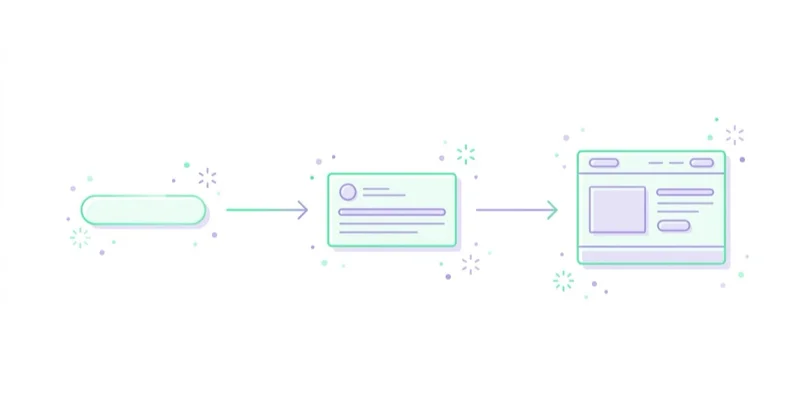
Broad match may bring varied queries, so the landing page and ad group must be clear. Phrase match may keep closer intent but still requires relevant copy. Exact match can support more specific ads and landing pages.
Poor alignment can hurt:
- click quality;
- conversion rate;
- ad relevance;
- landing page experience;
- Quality Score;
- cost efficiency.
For relevance and copy, see Quality Score in Google Ads and ad copy guide.
Ecommerce examples
| Query pattern | Recommended thinking |
|---|---|
| exact product model | exact or phrase, strong product page |
| category with attribute | phrase, Shopping/PMax support, category page |
| broad product category | broad only with strong value data and negatives |
| cheap/free modifiers | review margin and intent before excluding |
| used/refurbished | exclude if not sold |
| size/colour/material | feed and category optimization opportunity |
Ecommerce match type work should connect with Merchant Center feed quality, Shopping campaigns and product margins.
B2B examples
| Query pattern | Recommended thinking |
|---|---|
| service + price | high commercial intent, landing page or FAQ |
| service + agency | phrase/exact with strong proof |
| jobs/salary/course | negative if not relevant |
| software vs agency | separate intent, separate ad groups |
| competitor alternatives | strategic test, not automatic |
| free template | content lead magnet or negative depending on strategy |
B2B match type decisions should be checked against CRM quality, not only form count.
30-day optimization plan
Week 1: Audit structure
List keywords, match types, campaigns, ad groups, landing pages, conversion actions and negative keyword lists.
Week 2: Review search terms
Identify waste, repeated intent patterns, high-value queries and queries that need new negatives or new ad groups.
Week 3: Adjust match types
Move known high-value queries into exact or phrase. Test broad only where tracking, Smart Bidding and budget are ready.
Week 4: Measure quality
Review CPA, ROAS, conversion value, lead quality, query relevance, Quality Score signals and landing page conversion rate.
How we approach this at Space Ads
We're cautious with broad match — deliberately. Broad can work, but only when it has something to steer by: solid conversion data, smart bidding, and a tightly maintained negative list. Without that it burns budget on queries that have little to do with the offer. So by default we start with phrase and exact, where we know what we're paying for, and we add broad only once an account has a stable conversion signal and real control over exclusions. We treat negatives not as a one-off filter but as ongoing work — we read the search-terms report regularly and cut whatever doesn't deliver. It's dull, but that discipline is exactly what keeps cost under control.
Common mistakes
| Mistake | Impact | Better approach |
|---|---|---|
| Broad match without reliable tracking | Algorithm optimizes to weak signals | Fix conversion measurement first |
| Duplicating every keyword in all match types | Reporting noise and complexity | Give each match type a role |
| No negative keyword process | Budget leaks into irrelevant queries | Review search terms regularly |
| Judging by CTR only | Clicks may not convert | Include conversion value and lead quality |
| Excluding too aggressively | Valuable long-tail traffic disappears | Check context and sample size |
| Mixing brand and generic campaigns | Performance is misread | Separate brand governance |
| Same landing page for every intent | Conversion rate suffers | Map intent to landing pages |
FAQ
What are the keyword match types in Google Ads?
The three main positive keyword match types are broad match, phrase match and exact match. Negative keywords control when ads should not show.
Is exact match really exact?
No. Exact match is the most controlled match type, but it can still include close variants and searches with the same meaning or intent.
Is broad match bad?
No. Broad match can be effective with Smart Bidding, reliable conversion tracking, good landing pages and active search term review. It is risky when used without those controls.
Should all match types be used in one campaign?
Not automatically. Each match type should have a role. Exact can protect known queries, phrase can scale controlled intent and broad can explore additional demand.
How often should search terms be reviewed?
After launch or major changes, review them several times per week if spend is meaningful. Stable campaigns can be reviewed weekly, biweekly or monthly depending on volume.
Do negative keywords use the same logic as positive match types?
No. Negative keyword matching behaves differently and should be managed carefully. A negative keyword can block valuable traffic if applied too broadly.
Which match type is best for ecommerce?
There is no universal best type. Ecommerce often combines Search exact/phrase/broad with Shopping, Performance Max, feed optimization and negative keyword control.
Should phrase and exact keywords be duplicated?
Sometimes, but only with a clear reason. Duplicating every keyword in every match type can create complexity without adding control. Use duplication when reporting, bidding or protection requires it.
When should a query become its own keyword?
When it is valuable, repeatable, strategically important or needs specific ad copy and landing page control. Search terms should feed the keyword roadmap.
Conclusion
Keyword match types are a control system. Broad match increases scale and discovery. Phrase match balances reach and control. Exact match protects high-value intent. Negative keywords prevent waste.
The best choice depends on data quality, budget, business model and campaign goal. Match types should be managed with search term analysis, conversion quality, landing page relevance and clear campaign roles.
This ongoing work with match types and negatives is part of running Google Ads campaigns that we can take off your plate.
Sources and further reading
- Google Ads Help: About keyword matching options
- Google Ads Help: About negative keywords
- Google Ads Help: About search terms reports
- Google Ads Help: Use broad match with Smart Bidding
Continue learning
Continue reading
What Are Dynamic Search Ads (DSA) and Are They Worth Using?
Dynamic Search Ads use website content to match searches, generate headlines and choose landing pages. In 2026, DSA strategy should focus on AI Max migration and URL control.

What Are Programmatic Campaigns and Are They Worth Using?
Programmatic campaigns automate digital media buying across display, video, CTV, audio and more. Learn when they make sense, how buying models work and what risks to control.

What Are RTB Campaigns (Real-Time Bidding)?
RTB is automated auction-based buying of individual ad impressions. Performance depends on inventory quality, supply paths, privacy signals, creative, frequency and measurement.


































