
An SEO audit is a structured diagnosis of how well a website can be crawled, indexed, understood, trusted and converted into organic business value. A useful audit does not stop at a list of errors from a tool. It explains which problems block visibility, which pages deserve priority and what should be fixed first.

In 2026, an SEO audit should cover technical SEO, indexation, content quality, search intent, internal linking, structured data, Core Web Vitals, authority signals, local visibility where relevant and how the site appears in answer-led search experiences. The goal is not to chase every possible score. The goal is to build a clear improvement roadmap.
TL;DR
- An SEO audit checks whether a site is technically accessible, useful to searchers and aligned with business goals.
- The most important areas are crawlability, indexation, site architecture, content quality, intent match, internal links, page experience, structured data and trust.
- A good audit separates critical issues from low-impact noise. Not every warning in an SEO tool deserves action.
- Core Web Vitals should be reviewed with field data where possible, especially LCP, INP and CLS.
- E-E-A-T is not a single technical tag. It is shown through experience, expertise, author transparency, sources, policies, proof and helpful content.
- AI Search and AEO do not require tricks. Clear answers, source-backed explanations, schema where appropriate and strong topical coverage matter more.
- Ecommerce, B2B, local businesses and content sites need different audit priorities.
- The final deliverable should be a prioritized roadmap, not a long PDF that nobody implements.
What is an SEO audit?
An SEO audit is a detailed review of the factors that influence organic search performance. It combines technical checks, content analysis, search data, user experience review and business prioritization.
The audit should answer practical questions:
- Can search engines crawl the important pages?
- Are the important pages indexed?
- Are the right pages ranking for the right intent?
- Is the site structure clear?
- Are there duplicate, thin or competing pages?
- Does the content provide a complete and trustworthy answer?
- Are pages fast and usable on mobile devices?
- Do internal links guide users and search engines to important URLs?
- Are titles, descriptions and headings aligned with intent?
- Are structured data and canonical signals implemented correctly?
- Which fixes are likely to affect traffic, leads, sales or authority?
The last question is the most important. Without prioritization, an audit becomes a screenshot collection.
SEO audit vs SEO checklist
An SEO checklist confirms whether specific items exist. An SEO audit explains how those items affect performance.
| Area | Checklist mindset | Audit mindset |
|---|---|---|
| Title tags | Are title tags present? | Are titles aligned with intent, differentiation and CTR opportunity? |
| Crawl errors | Are there 404s? | Which broken URLs have traffic, backlinks, revenue or internal links? |
| Content | Does the page have enough words? | Does the page satisfy intent better than competing results? |
| Internal links | Are there links? | Do links support topic clusters and business-critical pages? |
| Core Web Vitals | Is the score green? | Which templates, devices and traffic segments create real UX friction? |
| Schema | Is structured data present? | Does it match visible content and eligible rich result guidelines? |
A checklist can support an audit, but it should not replace judgement.
The main areas of an SEO audit
1. Crawlability and indexation
The first question is simple: can Google access the pages that matter?

Review:
- robots.txt rules;
- accidental
noindextags; - XML sitemap coverage;
- HTTP status codes;
- redirect chains;
- canonical tags;
- blocked resources;
- server errors;
- crawl stats;
- index coverage in Google Search Console.
Important commercial pages should be crawlable and indexable unless there is a deliberate reason to exclude them. If an important service page, category page or article is blocked, content improvements will not solve the problem.
Robots.txt should not be used as a canonicalization tool. If duplicate URL variants exist, canonical signals, consistent internal links and clean sitemap URLs are usually better options.
2. Site architecture
A site architecture audit checks whether the structure helps both users and search engines understand what matters.
Look at:
- top-level navigation;
- category and subcategory logic;
- breadcrumbs;
- hub pages;
- topic clusters;
- URL depth;
- orphan pages;
- pagination;
- filter and faceted navigation;
- internal search results;
- relationships between blog, service and product pages.
The goal is to make priority pages easy to discover. A key landing page that is five clicks deep, unlinked from relevant articles and missing from the sitemap will usually struggle more than it should.
3. Content quality and search intent
Content should be evaluated page by page and cluster by cluster.
Questions to ask:
- What query intent does this URL target?
- Is the page informational, commercial, transactional, navigational or mixed?
- Does the opening answer the main question quickly?
- Are examples, definitions, comparisons and next steps clear?
- Is the content current?
- Does the page add original experience, data or practical judgement?
- Is the content written for people, not just for keyword coverage?
- Are there pages competing for the same intent?
Thin content is not only a word-count issue. A 4,000-word page can still be thin if it repeats generic advice and avoids the real decision points. A shorter page can perform well if it answers a narrow intent completely.
4. On-page SEO
On-page SEO connects search intent with page structure.
Review:
- title tags;
- meta descriptions;
- H1 and heading hierarchy;
- opening paragraphs;
- image alt text where useful;
- internal anchors;
- topical entities;
- semantic coverage;
- table of contents where helpful;
- FAQ sections;
- calls to action;
- content freshness.
Titles and meta descriptions should describe the page accurately and encourage the right click. They do not need to repeat the exact keyword awkwardly. Google can rewrite snippets, but strong metadata still helps communicate relevance.
5. Internal linking
Internal links distribute context and help users continue the journey.
A strong audit identifies:
- important pages with too few internal links;
- pages linked with vague anchors such as "read more";
- articles that do not link to relevant service or category pages;
- orphan URLs;
- excessive boilerplate links;
- clusters that do not connect logically;
- outdated internal links;
- broken internal links.
Internal links should use descriptive anchors and connect related topics. For example, an article about SEO auditing can naturally link to guides about digital marketing strategy, content marketing and conversion rate optimization.
6. Structured data
Structured data can help search engines understand page entities and may make pages eligible for rich results. It should describe visible content and follow Google guidelines.
Common audit checks:
- Organization schema;
- BreadcrumbList;
- Article or BlogPosting;
- Product where relevant;
- FAQPage where eligible and visible;
- LocalBusiness for local entities;
- Review markup only when compliant;
- duplicate or invalid schema;
- schema that describes hidden or misleading content.
Structured data is not a ranking shortcut. It is a clarity layer. If the visible page is weak, schema will not make it useful.
7. Core Web Vitals and page experience
Core Web Vitals should be audited with real user data where possible, not only lab scores. The main metrics are:
| Metric | What it measures | Good threshold |
|---|---|---|
| LCP | Loading performance | 2.5 seconds or faster |
| INP | Responsiveness to user interaction | 200 milliseconds or faster |
| CLS | Visual stability | 0.1 or lower |
These thresholds are evaluated at the 75th percentile of page loads. In practice, that means the audit should look at templates and device types, not only one homepage test.
Typical issues include heavy hero images, render-blocking scripts, third-party tags, unstable ad slots, late-loading fonts, large JavaScript bundles and slow server response.
8. E-E-A-T and trust
E-E-A-T stands for experience, expertise, authoritativeness and trustworthiness. It is especially important for topics where poor information can harm a person, business or financial decision, but trust signals matter across most sites.
Audit for:
- clear author or editorial responsibility;
- evidence of first-hand experience;
- current information;
- source links;
- case studies or examples;
- company details;
- contact information;
- privacy and legal pages;
- transparent claims;
- clear update dates;
- expert review where needed.
For an agency blog, experience can be shown through practical campaign observations, implementation caveats, examples from analytics or advertising work and honest trade-offs.
9. AI Search, AEO and answer visibility
AI Search optimization and answer engine optimization are not separate from good SEO. They add pressure to make content clearer, more complete and easier to extract accurately.
Useful patterns:
- direct definitions near the top of the page;
- concise summaries;
- FAQ answers that stand alone;
- comparison tables;
- step-by-step processes;
- named tools and entities;
- visible sources;
- updated dates;
- original examples;
- internal links that explain related concepts.
Avoid writing unnatural blocks "for AI". The article still has to be useful to a person.
Audit priorities by website type
Service business or B2B site
For service and B2B sites, the audit should connect SEO with lead quality.

Focus on:
- service pages;
- location pages where relevant;
- industry pages;
- case studies;
- lead forms;
- CRM tracking;
- trust signals;
- comparison and decision-stage content;
- internal links from educational articles to service pages.
The audit should not judge success only by sessions. Qualified leads, consultation requests and pipeline quality matter more.
Ecommerce site
For ecommerce, SEO auditing is more complex because categories, filters, products, feeds and availability all interact.
Focus on:
- category pages;
- product pages;
- faceted navigation;
- canonical rules;
- pagination;
- product schema;
- stock handling;
- discontinued products;
- duplicate descriptions;
- internal links from guides to categories;
- Core Web Vitals on listing and product templates;
- revenue by organic landing page.
Ecommerce audits should include conversion and merchandising logic. A page may bring organic traffic but still fail because stock, pricing, shipping or product UX is weak.
Blog or publisher
For a content site, the audit should focus on topical authority and content quality.
Review:
- topic clusters;
- stale articles;
- overlapping articles;
- author pages;
- source quality;
- internal links;
- SERP intent changes;
- long-tail visibility;
- content pruning opportunities;
- article templates and schema.
The priority is not publishing more posts blindly. Often the largest gains come from consolidating, updating and internally linking existing content.
Local business
For a local business, technical SEO is only one part of the work.
Review:
- Google Business Profile;
- local landing pages;
- NAP consistency;
- reviews;
- local schema;
- map embeds where useful;
- local citations;
- service-area clarity;
- local intent keywords;
- phone and direction interactions.
Local SEO audits should connect the website, map presence and reputation signals.
Step-by-step SEO audit workflow
Step 1: Define the business goal
Start with the business objective. A SaaS site, local clinic, ecommerce store and content publisher do not need the same audit.
Clarify:
- target markets;
- priority products or services;
- conversion goals;
- sales cycle;
- seasonality;
- current SEO investment;
- known technical changes;
- competitors;
- constraints on development resources.
Step 2: Collect data
Useful inputs include:
- Google Search Console;
- GA4;
- server logs where available;
- a crawler export;
- XML sitemaps;
- CMS page list;
- backlink data;
- rank tracking;
- revenue or CRM data;
- page speed data;
- previous migration or redirect documents.
Without data, the audit becomes opinion-led. Search Console is especially important because it shows real queries, impressions, pages and indexation signals.
Step 3: Crawl the site
Use a crawler to map pages, status codes, titles, descriptions, canonical tags, headings, depth, links, images and schema. Then compare the crawl with the sitemap, Search Console and CMS.
Look for mismatches:
- pages in sitemap but blocked from indexing;
- indexable pages absent from internal links;
- important pages missing from sitemap;
- duplicate URLs with different parameters;
- redirected URLs still linked internally;
- canonical tags pointing to wrong pages.
Step 4: Review indexation and crawl budget
For small sites, crawl budget is rarely the main issue. For large ecommerce and publisher sites, wasted crawl can matter.
Audit:
- indexed vs submitted pages;
- discovered but not indexed URLs;
- crawled but not indexed URLs;
- duplicate without user-selected canonical;
- alternate pages with canonical tags;
- soft 404s;
- parameter URLs;
- thin tag or search pages;
- low-value filtered pages.
Do not try to index every possible URL. The goal is to make the right pages indexable.
Step 5: Map intent and content gaps
Build a simple URL-to-intent map:
| URL type | Intent | Audit question |
|---|---|---|
| Homepage | Brand and broad positioning | Does it explain what the company does clearly? |
| Service page | Commercial investigation | Does it prove capability and guide conversion? |
| Category page | Product or service selection | Does it help compare and choose? |
| Blog article | Informational or problem-solving | Does it answer the question completely? |
| Case study | Proof and trust | Does it show evidence, process and result? |
Then check whether multiple URLs target the same intent. If they do, decide whether to merge, redirect, differentiate or link them more clearly.
Step 6: Prioritize issues
A practical audit groups recommendations by impact and effort.
| Priority | Examples | Action |
|---|---|---|
| Critical | noindex on key pages, broken templates, wrong canonicals | Fix immediately |
| High | missing service content, severe duplicate categories, slow product templates | Plan this month |
| Medium | weak metadata, missing internal links, outdated articles | Batch into content sprints |
| Low | minor heading formatting, isolated image alt issues | Fix when touching pages |
This is where many audits fail. A list of 300 issues without impact scoring creates confusion.
30-day SEO audit action plan
Days 1-5: Discovery and data
Collect Search Console, GA4, crawl data, sitemap, CMS export, analytics goals and business priorities. Identify priority templates and revenue or lead-driving pages.
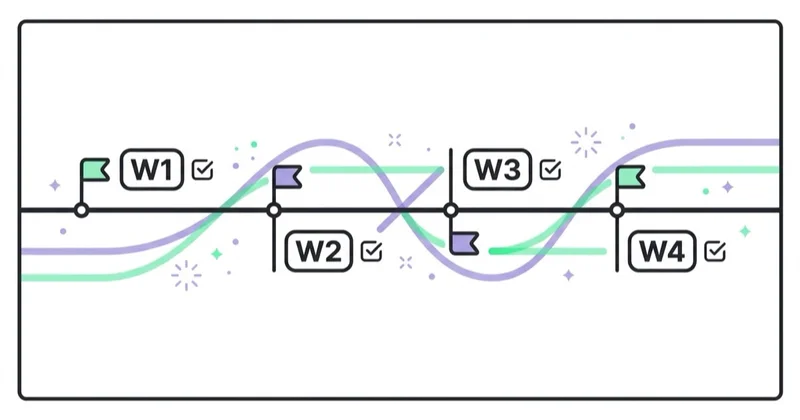
Days 6-10: Technical and indexation review
Check crawlability, indexation, canonical tags, redirects, sitemap quality, duplicate URL patterns, mobile usability, Core Web Vitals and structured data.
Days 11-15: Content and intent review
Review top landing pages, articles, service pages and categories. Map intent, identify cannibalization, mark outdated content and locate missing sections or weak answers.
Days 16-20: Internal linking and authority
Review link depth, orphan pages, topic clusters, anchors, breadcrumbs, author signals, source quality and trust pages.
Days 21-25: Roadmap
Group fixes into critical, high, medium and low priority. Estimate difficulty, owner and expected impact.
Days 26-30: Implementation sprint
Fix critical technical problems, update the highest-impact pages, improve internal links, add sources where needed and prepare the next sprint.
How we approach this at Space Ads
We order an SEO audit by impact, not by the length of the checklist. First we check what actually blocks Google: indexing, crawl, technical errors — there's no point polishing a page the search engine can't read. Then intent match and the on-page layer, and finally speed and Core Web Vitals. Increasingly we add one more area: visibility in AI answers. Some traffic is shifting to AI Overviews, ChatGPT and Perplexity, so we check whether the content can be cited from there — whether it has a clear structure and concrete, extractable facts, not just nice paragraphs. From the whole list we fix the few things that will actually move visibility first, rather than ticking off two hundred details that change nothing.
Common SEO audit mistakes
| Mistake | Why it is a problem | Better approach |
|---|---|---|
| Exporting tool warnings without judgement | Creates noise | Prioritize by traffic, revenue, indexation and effort |
| Starting with metadata only | Ignores bigger blockers | Start with crawl, indexation, architecture and intent |
| Treating all pages equally | Wastes time | Focus on business-critical URLs first |
| Ignoring Search Console | Misses real query and indexation data | Use GSC as a core source |
| Auditing only desktop | Misses mobile UX issues | Review mobile templates and field data |
| Adding schema to weak content | Does not solve quality | Improve visible content first |
| Ignoring conversion | Traffic may not become value | Connect SEO with CRO and analytics |
| No owner or deadline | Recommendations do not ship | Build a roadmap with responsibility |
FAQ
What is an SEO audit?
An SEO audit is a structured review of a website's organic search health. It checks technical SEO, indexation, content, intent, links, structured data, UX, trust signals and business impact.
How often should an SEO audit be done?
Small sites often need a deeper audit once or twice a year and after major changes. Larger ecommerce, publisher or international sites should use continuous monitoring plus regular focused audits.
What should be fixed first after an SEO audit?
Fix issues that block crawling, indexation, important templates, conversion paths or high-value pages first. Metadata cleanup and minor formatting should come after critical technical and content problems.
Is an SEO audit only technical?
No. Technical SEO is important, but a complete audit also covers content quality, search intent, internal links, E-E-A-T, user experience, analytics and business priorities.
Does an SEO audit include AI Search optimization?
Yes, when done properly. The audit should check whether pages provide clear answers, structured sections, sources, FAQ content, topical coverage and entity clarity that can work in search results and answer-led discovery.
How long does an SEO audit take?
A focused audit for a small site can take a few days. A serious audit for a large ecommerce, marketplace or publisher site can take several weeks because templates, logs, product rules and content clusters need deeper review.
Are SEO tools enough to perform an audit?
No. Tools collect useful data, but they do not fully understand business value, intent, sales process, competitive positioning or whether a recommendation is worth implementing.
Conclusion
An SEO audit should connect technical reality, content quality, user needs and business priorities. The best audit is not the longest one. It is the one that identifies what matters, explains why it matters and creates a realistic path to implementation.
For modern SEO, that means looking beyond title tags and broken links. Crawlability, indexation, helpful content, structured data, Core Web Vitals, E-E-A-T, internal linking, conversion paths and answer visibility all need to be reviewed together.
SEO is one half of visibility — paid campaigns are the other. If you run ads in parallel, consider a paid-media audit (Google, Meta, TikTok) that turns findings into a concrete plan.
Sources and further reading
- Google Search Central: SEO Starter Guide
- Google Search Central: Creating helpful, reliable, people-first content
- Google Search Central: General structured data guidelines
- Google Search Central: Crawling and indexing
- Google Search Central: Canonicalization and duplicate URLs
- web.dev: Core Web Vitals thresholds
Continue learning
Continue reading

Are Category Descriptions Useful for Ecommerce SEO?
Category descriptions can help ecommerce SEO when they guide shoppers, support commercial intent and work with filters, internal links, canonical URLs and structured data.

What to Write Blog Posts About?
Strong blog topics come from user questions, business goals, expertise, Search Console, sales conversations and topic clusters, not only keyword volume.

Shopify SEO: The Checklist That Matches How the Platform Actually Works
Shopify handles several SEO basics automatically, but rankings still depend on the decisions it cannot make for you. Use this checklist to audit indexation, collections, products, filters, variants, performance and international stores in the right order.


































