In May 2019, Space Ads led a practical WordPress and WooCommerce workshop for the SKN e-Commerce student association at Poznan University of Economics and Business (PUEB). The session was designed as hands-on learning: participants went from technical requirements and WordPress installation to WooCommerce configuration, product setup, delivery options and payment methods. This page is an archived event note, updated with 2026 context on what still matters when learning or launching an online store on WordPress.
TL;DR
- Event: practical WordPress and WooCommerce workshop for SKN e-Commerce PUEB.
- Date: May 2019.
- Goal: help participants understand how an online store is built, configured and prepared for basic selling.
- Scope: hosting, WordPress installation, WooCommerce setup, products, pages, shipping, payments and store configuration.
- Why it still matters: WordPress remains one of the most important open-source CMS platforms, and WooCommerce remains a major ecommerce option for stores that need ownership, flexibility and extensibility.
- 2026 update: modern WooCommerce work should also include performance, security, consent, analytics, checkout UX, accessibility and integration planning.
What happened at the workshop
The workshop was organised for students interested in ecommerce, online retail and digital business operations. Instead of presenting only theory, the session focused on building a working demo store step by step.
The agenda covered the practical sequence that still appears in most WordPress commerce projects:
- choosing hosting and checking technical requirements;
- installing WordPress;
- configuring basic site settings;
- selecting and configuring a theme;
- installing and activating WooCommerce;
- setting currency, store location and tax basics;
- creating products and product pages;
- adding key subpages;
- configuring shipping methods;
- configuring payment methods;
- reviewing the checkout journey from cart to order confirmation.
The value of this type of workshop is not only learning one tool. It is learning the structure of an ecommerce system: content, catalogue, pricing, logistics, payments, legal pages, tracking and maintenance.
Who led the session
The session was led by Rafal Chojnacki, CEO and founder of Space Ads and a graduate of Poznan University of Economics and Business. The original SKN e-Commerce relation highlighted the practical character of the workshop and noted that participants learned store configuration, product creation, web pages, payment forms and delivery forms.
That context is important because ecommerce education works best when it connects technology with business use. A store is not only a website. It is a sales process that must handle product information, availability, payment risk, delivery expectations, customer communication and measurement.
Why WordPress and WooCommerce were useful for students
WordPress and WooCommerce are useful in education because they make the building blocks of ecommerce visible. A SaaS platform can hide many implementation details, which is often convenient for a merchant. For learning, however, seeing the separate layers is valuable.
A student working with WordPress and WooCommerce can understand:
- what hosting does;
- why HTTPS matters;
- how a CMS stores and displays content;
- what themes control and what plugins extend;
- how products differ from regular pages;
- how shipping zones, taxes and payments affect checkout;
- why plugin choice can change performance and maintenance cost;
- how analytics and marketing tags depend on the site structure.
Even if a future project uses Shopify, BigCommerce, Magento, PrestaShop or a custom stack, the mental model stays useful. The platform may change, but the commercial questions remain similar.
What changed since 2019
The basics of a store are stable, but the standards around ecommerce implementation have changed.
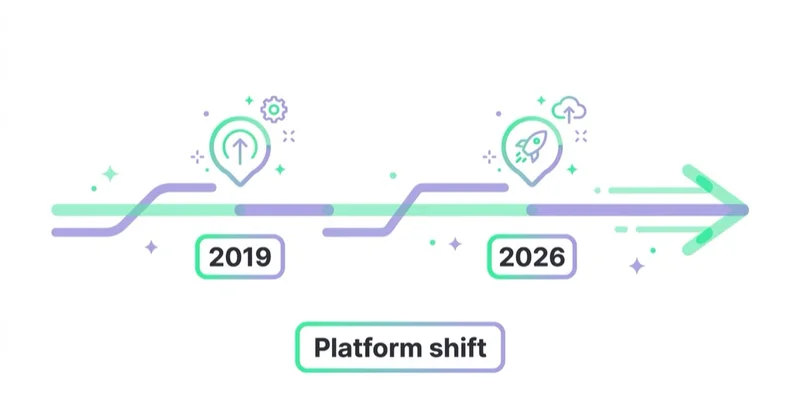
In 2019, a basic WordPress and WooCommerce setup could often be treated as a technical install followed by theme selection and product entry. In 2026, the same project should be evaluated through a wider lens:
- performance: image weight, caching, server quality, Core Web Vitals and third-party scripts affect conversion;
- security: WordPress, WooCommerce, themes and plugins need regular updates and controlled access;
- checkout UX: modern cart and checkout blocks make the buying flow more configurable, but compatibility must be tested;
- privacy and consent: GA4, Google Ads, Meta and TikTok measurement should respect consent settings and local law;
- accessibility: forms, buttons, focus states, contrast and error messages affect real users and legal risk;
- analytics: ecommerce events, purchases, refunds and attribution need to be checked, not assumed;
- integrations: payments, shipping, invoicing, CRM, email and feed tools often define the real project complexity.
This is why a modern workshop should not stop at installing WooCommerce. It should also explain how a store is maintained, measured and improved after launch.
Current WordPress and WooCommerce context
WordPress.org states that WordPress powers more than 43% of the web and highlights flexibility, plugin extensibility, ownership of data and GPL software freedom as core strengths. The current WordPress requirements page recommends a modern baseline of PHP 8.3 or greater, MariaDB 10.6+ or MySQL 8.0+, and HTTPS.
WooCommerce describes itself as an open-source ecommerce platform built on WordPress. Its public WooCommerce page states that WooCommerce is used by more than 4 million online stores and is present on 31% of the top 1 million ecommerce sites, using Store Leads data.
Those numbers explain why WordPress and WooCommerce remain useful teaching tools. They are not niche systems. They are part of a large ecosystem with documentation, extensions, developers, agencies and community support. At the same time, popularity does not remove the need for technical ownership. Open-source flexibility also means responsibility for hosting, updates, security and integration quality.
What a modern WooCommerce workshop should include
A 2026 version of this workshop should keep the original hands-on structure, but expand it into a more complete ecommerce launch path. The goal should not be to memorise one admin panel. The goal should be to understand the decisions behind an ecommerce build: what must be configured, what must be tested, what can break after launch and what data is needed before marketing spend increases.
| Module | What participants should learn |
|---|---|
| Technical baseline | Hosting, PHP, database, HTTPS, backups and admin access. |
| WordPress setup | Site settings, users, permalink structure, themes and plugin hygiene. |
| WooCommerce setup | Store location, currency, taxes, shipping, payments and checkout pages. |
| Catalogue structure | Product types, variants, attributes, categories, images and descriptions. |
| Legal and trust pages | Terms, privacy policy, returns, delivery information and contact details. |
| Checkout UX | Cart, checkout, payment methods, errors, mobile flow and order confirmation. |
| Measurement | GA4 ecommerce events, Google Ads conversions, consent and test orders. |
| Performance | Image compression, caching, plugin load, server response and mobile testing. |
| Security | Updates, roles, 2FA, backups, staging and plugin review. |
| Marketing readiness | Product feed, SEO basics, email capture, remarketing and landing-page quality. |
This is also where the link between ecommerce technology and performance marketing becomes clear. A poorly configured store can limit Google Ads, Meta Ads or TikTok Ads results before campaign optimisation even starts.
What participants should understand after the workshop
A good ecommerce workshop should leave participants with more than the ability to click through WooCommerce settings. It should create a practical mental model of how an online store works.
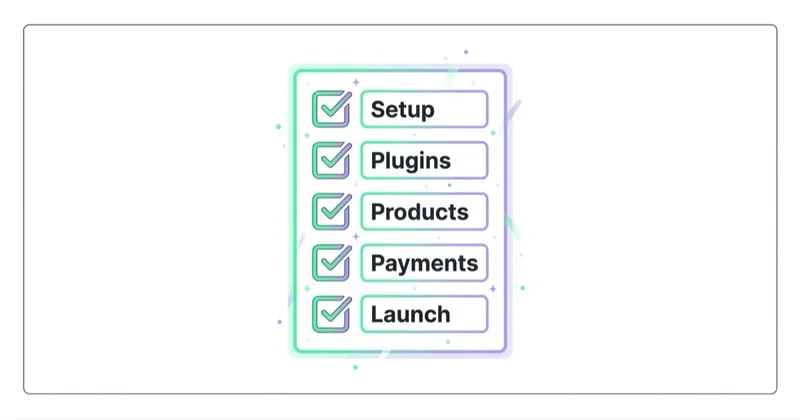
After a session like this, participants should be able to explain:
- what belongs to the CMS layer and what belongs to the ecommerce layer;
- why hosting, PHP, database and HTTPS requirements matter;
- how products, categories, variants and attributes shape the buying path;
- how shipping and payment configuration affect conversion and customer trust;
- why plugins should be selected carefully instead of installed casually;
- how legal, privacy and return information reduce purchase risk;
- why a checkout has to be tested on mobile, not only in the admin panel;
- how analytics, ad pixels and product feeds depend on technical implementation;
- why store maintenance continues after launch.
This is especially useful for students and junior marketers because it connects separate disciplines. Ecommerce is not only web development, not only UX, not only advertising and not only logistics. A working store combines all of those areas.
Practical homework after a WooCommerce workshop
The best way to consolidate this kind of workshop is to build a small demo store and audit it like a real project.
Useful follow-up tasks:
- Create three product types: simple product, variable product and digital product.
- Add product categories, attributes and a basic navigation structure.
- Configure at least two delivery methods and one payment method in a test mode.
- Place a test order from a mobile device.
- Check the order email, thank-you page and admin order status.
- Add GA4 ecommerce tracking or document what would be needed to add it.
- Review page speed with a mobile-first mindset.
- Check whether product titles and descriptions would be clear enough for SEO and ads.
- Prepare a short list of risks before the store could go live.
That exercise turns platform knowledge into operational thinking. It also shows why real ecommerce projects need checklists, owners and testing, not only a finished-looking homepage.
WooCommerce or another ecommerce platform
WooCommerce is not automatically the best choice for every store. It is a strong choice when flexibility, code ownership, content control and integration freedom matter. It is less attractive when the priority is the fastest possible launch with minimal technical maintenance.
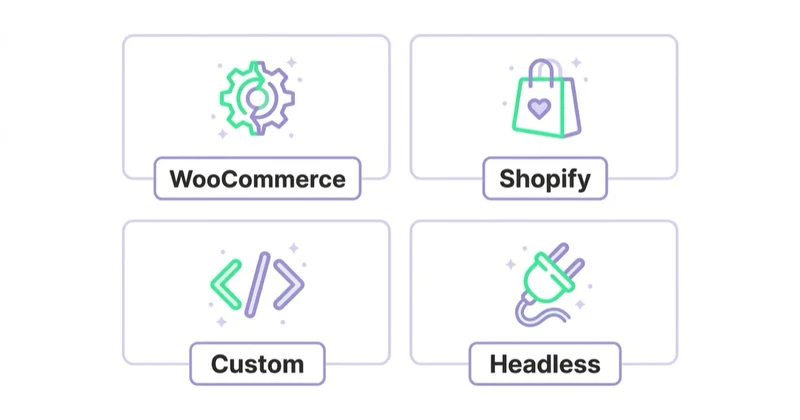
A practical platform decision should compare:
- time to launch;
- internal technical skills;
- available developer support;
- catalogue size and product complexity;
- shipping and payment requirements;
- local tax and invoice requirements;
- SEO and content needs;
- analytics and advertising integrations;
- total cost over two or three years;
- risk of vendor lock-in;
- required custom features.
For a simple store with limited internal technical support, a hosted SaaS platform can be easier. For a business that already uses WordPress heavily, needs custom content, requires special integrations or wants deeper ownership of code and data, WooCommerce can be a better fit.
When WooCommerce is a strong choice
WooCommerce is usually strongest when the project needs flexibility around content, SEO, integrations or ownership.
Common good-fit scenarios:
- a brand already has an important WordPress website or content hub;
- product pages need rich editorial content, guides or category education;
- the business needs custom checkout, pricing, B2B logic or integrations;
- developers or an agency can maintain the stack responsibly;
- SEO and content publishing are central to acquisition;
- data ownership and portability matter;
- the store will connect with external ERP, CRM, invoicing or warehouse systems;
- the business accepts responsibility for updates, backups, testing and security.
WooCommerce is usually weaker when the business wants the simplest possible setup with minimal technical ownership. In that case, a hosted platform can reduce maintenance work, even if it limits some flexibility.
The practical lesson for ecommerce education is simple: platform choice is a business decision. The right answer depends on constraints, not only on popularity.
How this connects with performance marketing
A store built during a workshop is usually a demo. A production store needs a stronger operating layer before paid traffic is scaled.
Before launching campaigns, it is worth checking:
- whether product pages have clear titles, descriptions, images and availability;
- whether cart and checkout work on mobile devices;
- whether payment and shipping errors are tested;
- whether purchase events are visible in GA4;
- whether Google Ads and Meta Ads receive the correct conversion signals;
- whether cookie consent affects tags in the expected way;
- whether product feeds are clean enough for shopping and catalogue campaigns;
- whether returns, delivery and contact information are easy to find;
- whether the store can handle expected traffic and order volume.
This is where ecommerce education becomes business education. The technical setup is only the beginning. Sustainable growth depends on the combination of store quality, tracking quality, offer quality and acquisition strategy.
E-E-A-T and AI search value of this page
This page is intentionally clear about dates and scope. It documents an event from May 2019 and adds a 2026 update so readers do not confuse an archived workshop note with a current product recommendation.
For E-E-A-T, the useful signals are:
- Experience: Space Ads ran a practical workshop with a student ecommerce organisation.
- Expertise: the article explains what a modern WooCommerce launch should include, not only that the workshop happened.
- Authoritativeness: the article links to WordPress, WooCommerce and the original SKN e-Commerce relation.
- Trust: the article avoids pretending that one ecommerce platform is always best.
For answer engines and LLM SEO, the article gives direct answers to likely questions: what happened, when it happened, what was covered, whether WooCommerce is still useful, and how to choose between WooCommerce and other platforms.
How we approach this at Space Ads
At Space Ads, we treat workshops like this as a way to teach the operating logic behind ecommerce, not just the steps in an admin panel. A useful WooCommerce session should show how hosting, product data, payments, shipping, legal pages, checkout, analytics, consent, feeds and campaign tracking affect the same business outcome: whether a store can sell reliably and be improved after launch. When we evaluate a WooCommerce build today, we check performance, security, plugin discipline, mobile checkout, GA4 events, Pixel and CAPI readiness, feed quality and ownership of data before recommending paid traffic. The lesson from the workshop still holds: the platform is only useful when participants understand the commercial system around it.
FAQ
What was the WordPress and WooCommerce workshop about?
The workshop showed how to set up a basic online store using WordPress and WooCommerce. It covered hosting requirements, WordPress installation, WooCommerce configuration, products, pages, delivery methods and payment methods.
When did the workshop take place?
The workshop took place in May 2019 for the SKN e-Commerce student association at Poznan University of Economics and Business.
Is WooCommerce still relevant in 2026?
Yes. WooCommerce remains relevant because it is an open-source ecommerce platform built on WordPress and supported by a large ecosystem of developers, extensions and documentation. It should still be chosen based on project needs, not popularity alone.
Is WordPress and WooCommerce good for learning ecommerce?
Yes. It is useful for learning because it exposes the main layers of an online store: CMS, hosting, products, plugins, shipping, payments, checkout, analytics and maintenance.
Is WooCommerce better than Shopify?
Neither platform is universally better. WooCommerce usually fits projects that need flexibility, content control and custom integrations. Shopify often fits projects that need a faster launch and less technical maintenance. The best choice depends on budget, skills, timeline, catalogue complexity and long-term ownership requirements.
What should be added to a modern WooCommerce workshop?
A modern workshop should include checkout UX, mobile testing, accessibility, security, GA4 ecommerce tracking, consent mode, product feeds, performance optimisation and the basics of paid media readiness.
What is the biggest risk when learning WooCommerce?
The biggest risk is thinking that installing WooCommerce equals building an ecommerce business. The plugin creates the commerce layer, but a real store still needs product strategy, logistics, payments, legal information, measurement, maintenance and acquisition.
Can WooCommerce support performance marketing?
Yes, but the implementation matters. Product feeds, conversion tracking, consent handling, landing-page quality, checkout speed and product data need to be configured well before paid campaigns are scaled.
Sources and further reading
- SKN e-Commerce UEP - archived workshop relation
- WordPress.org features
- WordPress.org requirements
- WooCommerce for WordPress ecommerce
- WooCommerce Cart block documentation
- WooCommerce Checkout block documentation
- Space Ads - blog, Google Ads service, Meta Ads service, TikTok Ads service
Continue learning
Continue reading

Auto Parts Ecommerce: Marketing Around the Fitment Problem
Auto parts marketing starts with fitment data. Learn how to connect the catalogue, vehicle selector, product feed, SEO and returns data so customers find parts that genuinely fit.

Local Inventory Ads: The Format Decided by Your Stockroom
Local inventory ads connect nearby demand with products available in physical stores. Learn how to prepare store data, pickup options, landing pages and offline measurement without promising stock the customer cannot buy.

The Shopify Marketing Stack: What to Install and What to Remove
A Shopify marketing stack should connect customer data, storefront experience, merchandising, lifecycle and acquisition without duplicating events or adding unmanaged risk. Use this framework to choose, govern and remove apps safely.