
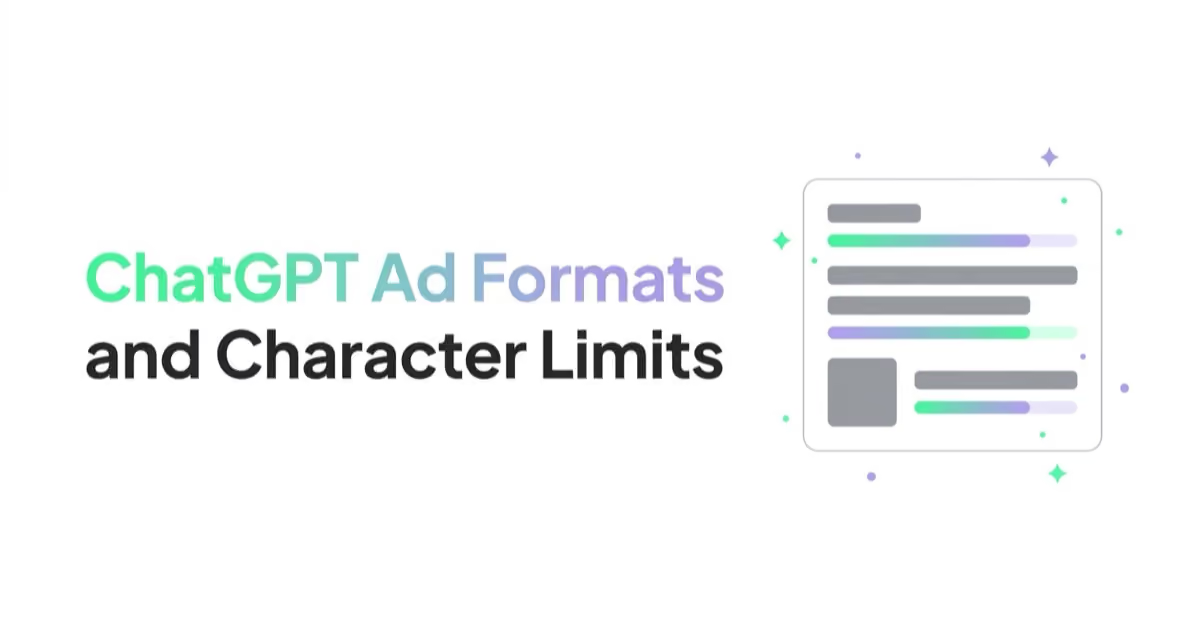
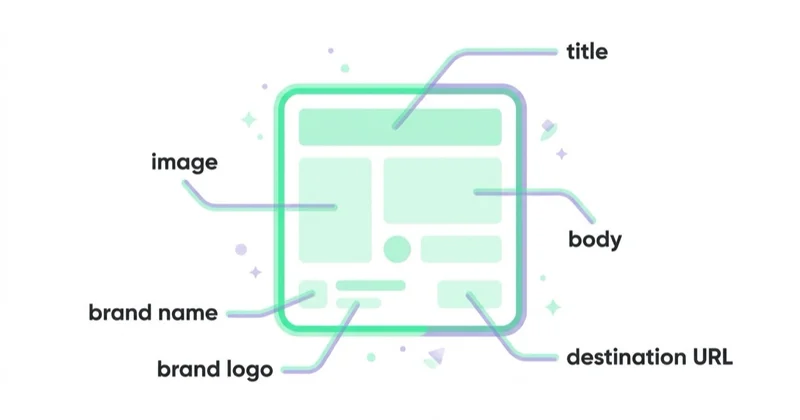
A ChatGPT ad appears below the response, not inside it, and carries six elements: advertiser name, favicon, title, body copy, destination URL and an image. The limits in the Ads API documentation are specific: title 3 to 50 characters, body up to 100, destination URL up to 2,048.
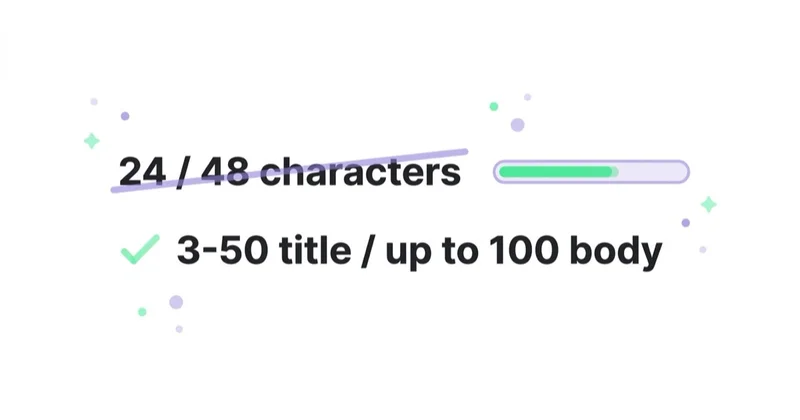
That first pair deserves emphasis, because a different pair circulates in trade coverage — "24 characters for the title, 48 for the body". Those figures do not match OpenAI's documentation. Creative built to them uses less than half the available body copy.
This guide gives the full limits table, shows how to fit a useful message into 50 and 100 characters, and covers the requirements around the image, product ads and end-to-end consistency with the landing page — because review looks at the whole path, not just the text.
TL;DR
- Ads appear below a ChatGPT response, labeled as sponsored and visually separated from it.
- Title: 3 to 50 characters. Body: up to 100. Destination URL: up to 2,048. These come from the Ads API documentation.
- The "24 / 48 character" figures in trade write-ups do not match the documentation. Creative built to them wastes more than half the body limit.
- Campaign and ad group names: 3 to 1,000 characters, and a name must contain a non-space character.
- One ad unit may carry more than one item, from a single advertiser or from several.
- The image is uploaded as a file and referenced by file ID. That upload endpoint handles static creative assets only, not a product catalog.
- Product ads fill a template from the selected product in a catalog delivered through a supported hosted-URL or SFTP connection.
- Ads must be consistent end to end — an approved creative may not link to a destination that introduces disallowed content.
- Every ad goes through review, and a pre-launch preview expires after 24 hours.
- OpenAI recommends a high volume of genuinely different variants. Each should test another benefit, use case or audience rather than paraphrasing one claim.
What an Ad Contains
| Element | Role |
|---|---|
| advertiser name | identifies who is advertising |
| favicon | brand icon beside the name |
| title | the main message |
| body copy | the condition, qualifier or audience |
| destination URL | where the click goes |
| image | the visual asset |
The ad is labeled as sponsored and visually separated from the response. That is worth reading literally: the ad does not enter the answer text, and there is no way to influence what ChatGPT writes through it. These are separate systems.
One ad unit may show more than one item, including items from several different advertisers. For longer conversations the system also weighs overall context and user experience, so the number of units shown is not fixed.
The Full Limits Table
| Element | Limit |
|---|---|
| Ad title | 3–50 characters |
| Ad body | up to 100 characters |
| Destination URL | up to 2,048 characters |
| Campaign name | 3–1,000 characters, non-space character required |
| Ad group name | 3–1,000 characters, non-space character required |
| Locations per campaign | up to 2,500 IDs |
| Context hints per ad group | up to 2,000 |
| Custom event name | 1–64 characters |
One rule applies when updating creative: the change requires sending all four fields together — title, body, destination URL and image file ID. Swapping the title alone is not possible.
About the Incorrect Figures
Two cases are worth separating, because their status differs.
The "24 / 48 character" limits recur across industry publications and do not match the Ads API documentation, which specifies 3–50 for the title and up to 100 for the body. There is no passage in the documentation those numbers could have come from.
The "$60 default CPM bid" figure, by contrast, does trace to a specific documented sentence — just not for the reason it is usually cited. The documentation explains micros arithmetic there: a $60 CPM, meaning $0.06 per impression, is passed as 60000. That is a unit-conversion example, not a default or recommended bid. The only bid recommended outright applies to click campaigns and is $3–$5 per click.
The practical takeaway for working with this channel: check numbers against the documentation rather than against write-ups. The channel is new, a great deal has been published about it, and the published pieces cite each other.
Fitting a Title into 50 Characters
Fifty characters leaves no room for a run-up. A title that restates the category name spends the limit without adding information.
| Spends the limit | Says something specific |
|---|---|
CRM software for business (25) |
CRM for teams of 5–15, live in a week (37) |
Professional online training (28) |
Excel for analysts — 12 hours, certified (40) |
Project management software (27) |
Project plans your clients can approve (38) |
The pattern in the right-hand column is the same each time: name the outcome or the decision, not the category. Where a full message runs long, splitting works better than truncating:
Plans your clients can approve(30) in the title,One link for scope, feedback and sign-off. No client account required.(70) in the body.
Two pieces of information beat one that gets cut off.
Fitting the Body into 100 Characters
The body adds what the title could not hold: a condition, an audience, a price or a limitation. This is where creative built to an incorrect 48-character limit loses the most.
Three patterns that work in a conversational context:
- Qualification condition —
For stores handling 500+ orders a month. Quote follows a short call.(68) - Comparison verdict —
Cheaper than two separate tools below 20 seats. Calculator on the page.(70) - Risk removal —
No data migration. The old account runs in parallel for the first month.(72)
What to avoid in this context: time pressure and discount slogans. The ad appears alongside a conversation in which someone is comparing options, not while browsing a list of offers. A helpful message is better aligned with that decision context and carries less review risk, since the ads policies exclude misleading claims and unsupported promises.
How Many Variants to Create
OpenAI does not prescribe one mandatory number. It does recommend a high volume and diverse set of ads, with multiple title and body variants for each offer. Diversity means covering distinct reasons to choose the product, not making cosmetic edits to one sentence.
Use a separate decision angle as the unit of the test:
| Angle | Question it answers |
|---|---|
| problem | what specific problem does the offer solve? |
| use case | when is the product particularly useful? |
| audience | who was it designed for? |
| selection criterion | when does it beat an alternative? |
| risk reduction | what makes adoption or purchase easier? |
Five ads that repeat the same benefit give the system one idea. Five ads grounded in different, truthful use cases offer more relevant matches and produce a more useful creative test.
Ads Manager may also show a suggested ad draft. OpenAI says this feature pulls the image, title and description from metadata already present on the advertiser's website. It does not use AI to generate new copy or imagery. The draft still needs human review, editing and deliberate assignment to the right campaign and ad group.
The Image Asset
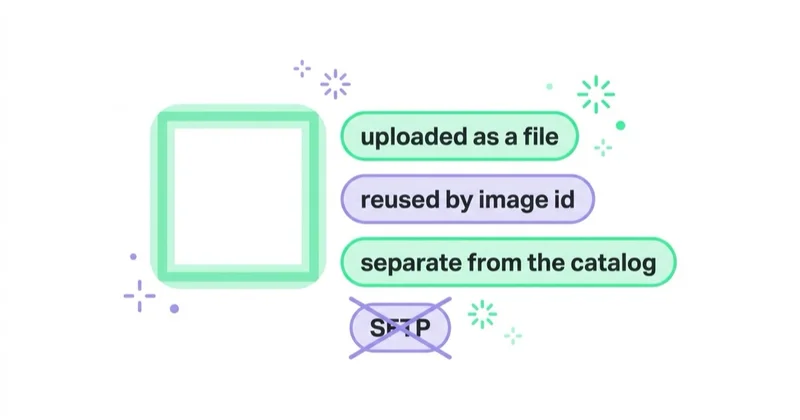
The image is uploaded as a file, and the ad then references its file ID. Keep one distinction straight, because it is easy to conflate:
- the file upload endpoint handles static creative assets only,
- a product catalog is delivered separately through a supported hosted-URL or SFTP connection in the Feeds area.
The file endpoint used for an ad image is not a catalog-ingestion endpoint. Feed onboarding and catalog refresh follow the dedicated product-feed workflow.
Images are reviewed exactly as text is. The ads policies apply to all ad assets — copy, images or video, and landing pages.
OpenAI recommends simple, legible imagery that relates directly to the message. The account favicon is a separate asset; when uploaded through the Files API for the favicon purpose, it must be at least 128 × 128 pixels.
Product Ads
In a product-feed campaign there is no separate ad per item. The feed supplies the current catalog, and the system selects an eligible product when the ad serves.
The split of responsibility:
| Element | Role |
|---|---|
| product feed | supplies the merchant's current catalog |
| campaign | budget, schedule, targeting, product-feed mode |
| product set | selects one linked feed and optionally filters which products can serve |
| product-ad template | defines how the selected product's values appear in the ad |
A product set can be narrowed with filters on catalog attributes — among them title, body, item ID, offer ID, price, destination URL, image URL, product category, brand, seller name, external seller ID, star rating, condition and age group. Greater-than and less-than operators work only on price and star rating, and the same field must not be repeated within one product set.
After the initial catalog connection, the Delta Feeds API updates prices, availability and titles for existing variants without sending the entire catalog again. That matters operationally: product data and the landing page must stay consistent, and stale items expire if the feed is not refreshed.
End-to-End Consistency
Review covers the whole path, not only the creative. The ads policies require ads to be consistent from start to finish: an approved creative may not link to a destination that introduces disallowed content. The documentation gives a concrete example — a food delivery ad may not link to alcohol delivery.
One technical requirement and one quality recommendation apply to the landing page:
- the page must not block
OAI-AdsBotorOAI-SearchBot, - OpenAI recommends the most relevant product, category or content page rather than a generic homepage.
Crawler access is a hard eligibility requirement; destination relevance is a creative and conversion best practice. Configuration is covered in AI crawlers explained.
Review and Rejections
An ad returns one of three review statuses: in_review, approved or rejected. A rejection means an ads policy violation and requires an edit, after which the ad returns to review.
A pre-launch preview is available and expires 24 hours after creation.
On a rejection, check in this order:
- whether the category sits inside the allowed set, which is narrow at launch,
- whether the landing page introduces disallowed content absent from the creative,
- whether
OAI-AdsBotcan reach the landing page, - whether the copy contains unsupported claims, false endorsements or any suggestion that OpenAI recommends the advertiser,
- only last — whether the image or the phrasing itself is the problem.
How we approach this at Space Ads
Our creative process starts with the current documented limits. The title names a benefit, use case or decision; the body adds a selection condition, concrete offer detail or risk reducer. We do not build a batch of paraphrases: each variant represents another truthful reason to choose the offer, so the test can lead to a decision. Before review, we check consistency across copy, image and destination, access for both required crawlers and the tracking parameters. Preview is used to verify the information hierarchy and whether the ad makes sense without access to the preceding conversation.
Common Mistakes
- Building creative to the incorrect "24 / 48 character" limits and losing more than half the body.
- Repeating from write-ups that the default CPM bid is $60, when that is a micros conversion example.
- A title that restates the category name without a decisive piece of information.
- Time pressure and discount slogans in a comparison conversation.
- Trying to swap the title alone, when a creative update requires all four fields.
- Uploading a product catalog through the creative file endpoint instead of the dedicated feed workflow.
- A price mismatch between ad and page after skipping Delta Feeds API updates.
- Pointing an ad at the homepage instead of the most relevant subpage.
- Hunting for a rejection cause in the creative when the landing page blocks the verifying crawler.
FAQ
What are the character limits for a ChatGPT ad?
Title 3 to 50 characters, body up to 100, destination URL up to 2,048. Campaign and ad group names run 3 to 1,000 characters. These values come from the Ads API documentation.
Is the title limit 24 characters and the body 48?
No. Those figures appear in industry write-ups but do not match OpenAI's documentation, which specifies 3–50 characters for the title and up to 100 for the body.
What does a ChatGPT ad contain?
Advertiser name, favicon, title, body copy, destination URL and an image. The ad appears below the response, labeled as sponsored and visually separated from the answer text.
Where exactly does the ad appear?
Below the end of a ChatGPT response. One ad unit may contain more than one item, including items from several advertisers. During the test, ads do not appear in the ChatGPT Atlas browser.
How is the ad image uploaded?
As a file, with the ad then referencing its file ID. That endpoint handles static creative assets only — a product catalog uses the separate feed workflow and a supported hosted-URL or SFTP connection.
Why was an ad rejected when the copy looks compliant?
Review covers creative, image, advertiser and landing page together. Check category eligibility, consistency between the promise and destination, URL validity and access for OAI-AdsBot and OAI-SearchBot; compliant copy alone does not guarantee approval of the whole path.
Key Takeaways
ChatGPT Ads creative limits are short, but not as short as parts of the coverage suggest: title 3–50 characters, body up to 100. The gap between the documentation and the circulating figures is more than half the body — which is the difference between stating a qualification condition and not.
What the limits say nothing about matters just as much: review covers the entire path, including the landing page and crawler access to it. Compliant creative on its own is not enough.
The channel's full mechanics are covered in ChatGPT Ads, and running it as a managed service on the ChatGPT Ads page.
Sources and further reading
- OpenAI Developers — Ads
- OpenAI Developers — Bulk API
- OpenAI Developers — Product Feeds
- OpenAI Developers — Delta Feeds API
- OpenAI Developers — Files
- OpenAI Help Center — Ads in ChatGPT: The Basics
- OpenAI Help Center — Create Ads for ChatGPT Ads
- OpenAI Help Center — Ads in ChatGPT
- OpenAI — Ads Content Policies
Continue Learning
Continue reading
OpenAI Ads Manager: How to Set Up Your First ChatGPT Ads Campaign
OpenAI Ads Manager has three campaign levels, but launch also requires advertiser verification, billing, landing-page checks, measurement and deliberate choices for settings that cannot be changed later. This guide covers the setup sequence, budgets, context hints, oCPC, targeting, review and Ads API workflows.
ChatGPT Ads: What They Are, How to Buy Them and What They Cost
ChatGPT Ads are paid placements below a ChatGPT response, matched to conversation context rather than keywords. This guide explains CPM, CPC and oCPC, creative limits, measurement requirements, product feeds, landing-page checks and when the channel makes business sense.
ChatGPT Ads Conversion Tracking: Measurement Pixel and the Conversions API
ChatGPT Ads conversion tracking combines a browser pixel with the server-side Conversions API, which OpenAI describes as the more reliable source. This guide covers 12 standard events plus custom, deduplication, oppref and obref attribution identifiers, SHA-256 normalization, consent, CSP, attribution and oCPC testing.


































