
The LinkedIn Insight Tag is JavaScript added to approved pages of a website to support LinkedIn conversion tracking, website retargeting, Website Actions and aggregated professional audience insights. It can help connect LinkedIn ad exposure with actions on the site—but only when the conversion definition, privacy design and implementation are correct.
Installing the snippet is the easy part. The important work is deciding which pages may be tagged, which business outcomes should be measured, when the tag is permitted to load, how browser and server events are deduplicated, and how reported conversions will be reconciled with the CRM.
TL;DR
- The tag supports website conversion tracking, website audiences, Website Actions and aggregated Audience Insights.
- It is not required for every LinkedIn campaign. Native Lead Gen Forms and offline/CRM conversion paths can provide outcomes without a website conversion.
- LinkedIn recommends one Insight Tag per website; it can be shared across eligible ad accounts.
- Do not install it on pages that collect or contain sensitive data, and do not send data about children under 16 under LinkedIn's Ads Agreement.
- Website Actions automatically captures page visits, button interactions and form submissions on tagged pages; privacy and conversion review must precede activation.
- A button click is not a lead unless it confirms the intended outcome. Prefer verified success, qualified lead or pipeline events where feasible.
- Conversions API can send online and offline events. If the same event is sent by browser and server, use the same event ID and configure deduplication.
- Apply consent and notice requirements for the actual markets and data flows. LinkedIn makes the advertiser responsible for necessary permissions/consents.
What the LinkedIn Insight Tag enables
Website conversion tracking
A conversion rule connects an eligible page visit or event with LinkedIn ad interactions under the selected settings and attribution windows. Examples include a completed demo request, webinar registration, purchase or another verified site outcome.
The tag does not decide which action matters. If a campaign counts a generic button click as a conversion, Campaign Manager will report that click even when the form fails or the lead is irrelevant.
Website retargeting audiences
The tag can match eligible website visitors to LinkedIn member accounts and build audiences using URL rules or Website Actions. Matching is incomplete: not every visitor is a recognised member account, and privacy choices affect available data.
LinkedIn currently requires at least 300 member accounts for an ad set audience to activate. A low-traffic site or narrowly defined segment may remain in “building” status even when the tag works.
Website retargeting is only one Matched Audiences source. Contact/company lists, engagement audiences, Lead Gen Forms and other eligible sources can support campaigns without tagging every visitor.
Website Actions
Website Actions automatically captures and classifies actions on pages where the Insight Tag is installed:
- page visits;
- button clicks/views;
- form submissions.
LinkedIn says Website Actions normally appears within 24 hours after installation, though it can take up to 72 hours; new actions may take up to 48 hours to appear. It can then be used to create conversion rules and retargeting audiences without adding new event code for every action.
This convenience expands the privacy and QA scope. LinkedIn documents that Website Actions can collect limited HTML DOM information such as button text and page name, the button action and a session-unique hash. Review page content, button labels and forms before enabling the tag.
Audience Insights
LinkedIn can provide aggregated professional insights about member accounts interacting with the website or campaigns. Depending on data availability and the current interface, categories may help assess company, industry, seniority or job-function mix.
Use the report as aggregated directional evidence. It does not identify individual visitors, and it does not prove that a particular job title submitted a form or became a customer. Compare it with CRM account/role data rather than using it as a substitute.
When the Insight Tag is not the whole measurement plan
Native LinkedIn Lead Gen Forms
Lead Gen Forms are completed on LinkedIn. The platform can report form submissions without a website conversion tag. The tag may still be useful when those users later visit the site, but “no Insight Tag means campaigns optimise only for clicks” is not generally true.
For lead quality, connect downstream qualified or converted outcomes through an approved CRM/Conversions API path rather than treating every submitted form as equivalent.
Conversions API and offline outcomes
LinkedIn Conversions API can send online and offline events, including actions completed by phone, in person or later in a sales process. It can complement the Insight Tag or serve use cases that do not happen in the browser.
Possible events include:
- qualified lead;
- sales-accepted opportunity;
- booked meeting;
- completed order;
- closed customer;
- value/revenue event with the required fields.
Do not send a CRM stage merely because it exists. Define the event, eligible records, timestamp, identifiers, consent/notice, value and correction process.
Product and CRM analytics
Campaign Manager attribution answers which outcomes LinkedIn credits under its rules. CRM and finance systems answer whether the lead qualified, progressed and generated contribution. A complete measurement plan needs both.
Privacy and sensitive-data assessment comes first
LinkedIn's current documentation says the advertiser is responsible for obtaining any necessary permissions or consents before sharing data with LinkedIn. Its Ads Agreement requires clear notice and valid consent where applicable law requires it.
Pages that must not be tagged
LinkedIn states that the Insight Tag should not be installed on pages that collect or contain sensitive data. Its examples include certain consumer health/medication pages, financial account/transaction pages and medical appointment pages.
The Ads Agreement also prohibits transferring data that the advertiser knows or reasonably should know:
- was collected from or about children under 16; or
- is sensitive data under LinkedIn's terms or applicable law.
“Install on every page” is therefore unsafe advice. Build an approved-page inventory with legal/privacy and technical owners. A generic B2B service page may be appropriate while a customer portal, health-specific page or student/minor journey is excluded.
Data the tag sends
LinkedIn documents collection including URL, referrer, IP address, device/browser characteristics and timestamp. It says direct identifiers are removed within seven days to make data pseudonymous, with remaining pseudonymised data deleted within 180 days. Website Actions adds the limited interaction/DOM data described above.
Enhanced matching is an optional feature that can send hashed email addresses associated with visits. Hashing does not remove the need for a lawful, disclosed and policy-compliant data flow. Treat enhanced matching as a separate privacy and technical decision—not a default checkbox.
Consent architecture
Requirements vary by jurisdiction, technology and purpose. In markets where prior consent is required for advertising tags/cookies, the consent-management platform should prevent the LinkedIn tag and related identifiers from operating until the relevant choice is granted and should respond to withdrawal.
Test more than the banner:
- first visit with no choice;
- reject all/non-essential;
- accept relevant advertising category;
- change or withdraw choice;
- returning visitor with stored choice;
- each region-specific configuration;
- tag manager preview and live production behaviour.
This is not legal advice. Review LinkedIn's Ads Agreement, DPA/controller terms, cookie information and local requirements with appropriate counsel.
Design the conversion map
Create a table before building any LinkedIn rule.
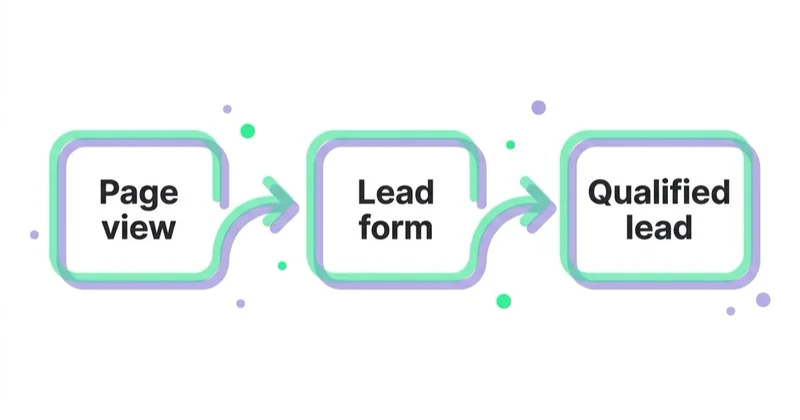
| Business outcome | Browser evidence | CRM/server evidence | Use in bidding? |
|---|---|---|---|
| Demo request submitted | Verified success event/page | Lead record with stable ID | Initially, if meaningful and sufficient volume |
| Qualified lead | Usually none at submission | Qualification timestamp and reason | When reliable and timely enough |
| Opportunity | Usually none | Opportunity ID, stage and value | Reporting/optimisation when viable |
| Purchase | Confirmed order, not button click | Order/payment status, value/currency | Yes if the event is accurate |
| Newsletter signup | Verified subscription | Subscriber record | Usually secondary reporting, unless it is the true objective |
For each event define:
- exact trigger and excluded cases;
- conversion name/category;
- value and currency;
- count behaviour;
- attribution windows;
- ad sets that should use it;
- browser/server source;
- deduplication ID;
- owner and diagnostic alert;
- CRM/finance reconciliation.
Do not combine demo requests, downloads and purchases into a single “conversion” just to increase volume. Their commercial values differ and the bidding system cannot infer a distinction that the setup removed.
Choose the conversion implementation method
Website Actions conversion
Select captured buttons, form submissions or page visits and apply page filters. This is fast and does not require event-specific code.
Use it when the automatically captured action maps reliably to the business outcome. Review LinkedIn's automatic suggestions before approval; auto-created conversions remain inactive until reviewed and approved.
Risks:
- identical button text grouped across different contexts;
- several URLs with the same page title grouped in the Website Actions view;
- a “Submit” interaction recorded although backend validation failed;
- single-page app navigation not behaving like a full page load;
- iframe buttons not appearing in Website Actions;
- sensitive information in page names or button text.
URL/page-load conversion
Use a unique success URL after a completed action. It is simple when the page cannot be reached or refreshed in a way that creates false conversions.
Avoid generic /thank-you pages shared across unrelated actions. Prevent indexing/navigation where appropriate and validate that failed forms never reach the success state.
Event-specific Insight Tag conversion
LinkedIn can generate an event-specific code for a page or button. Use an event when the outcome has no unique URL or needs precise application logic.
Trigger it from confirmed success—not from the initial click. In a single-page application, the developer/data layer should emit one stable success event after the backend accepts the action.
Conversions API
Use server events for business outcomes held in backend or CRM systems and to strengthen online measurement. LinkedIn recommends browser plus server signals for a more complete journey where both are suitable.
Server-side does not mean consent-free, unblockable or automatically accurate. It still depends on permitted identifiers, event logic, API delivery, timestamp, matching, diagnostics and privacy governance.
Browser/server deduplication
If the same conversion is sent through Insight Tag and Conversions API, create the required conversion rules for both sources and pass the same stable eventId for the same real-world event.
LinkedIn's documented logic discards the duplicate Conversions API record when it receives a matching Insight Tag and CAPI event for the same account/event ID. Without consistent IDs, reports can double count.
Good event IDs
- order ID for a completed purchase;
- immutable form-submission/lead ID;
- booking ID;
- UUID created once when the outcome succeeds and stored with the record.
Poor event IDs
- current timestamp generated separately in browser and server;
- email address;
- session ID reused for several outcomes;
- random value created independently for each delivery method.
Monitor source counts and diagnostics after release. LinkedIn notes that the Insight Tag count will often be higher than the Conversions API count when redundant events are correctly deduplicated, because duplicate server events are removed from the CAPI count.
Implementation methods
| Method | Best fit | Governance requirement |
|---|---|---|
| Direct site code | Stable template and developer-owned deployment | Approved-page logic, consent and release QA |
| Tag manager | Existing governed data layer/CMP integration | Permissions, environments, versioning and duplicate prevention |
| CMS/platform integration | Supported integration with limited development | Verify pages, consent, feature coverage and updates |
| Server/API integration | CRM/backend outcomes | Authentication, identifiers, deduplication, retries and monitoring |
LinkedIn recommends only one Insight Tag per website. If several ad accounts need the same website data, use the supported tag-sharing approach rather than installing several snippets without a design.
Suggested implementation sequence
- Identify the correct LinkedIn ad account and internal account owner.
- In Campaign Manager, open the data/signals area and create or access the Insight Tag.
- Decide whether the tag will be shared with other ad accounts.
- Approve the page inventory and explicitly exclude sensitive/minor/account areas.
- Configure consent and notice behaviour.
- Install through the governed method.
- Verify one network request on an approved test page after the permitted choice.
- Confirm no request on excluded pages and non-consented states.
- Wait for Campaign Manager status and Website Actions to populate.
- Review captured actions before creating conversion/audience rules.
- Implement and test event-specific/CAPI outcomes.
- Reconcile Campaign Manager with backend records and document expected differences.
QA checklist
Tag coverage
- correct partner/tag ID;
- one intended tag instance;
- present on all approved templates;
- absent from sensitive and under-16 pages;
- production, not only staging;
- correct behaviour after SPA route changes.
Consent and privacy
- blocked or permitted according to the approved regional rule;
- withdrawal updates behaviour;
- privacy/cookie notice names purpose and third party as required;
- Website Actions DOM/button content reviewed;
- enhanced matching off unless separately approved;
- no sensitive fields, URLs or values are sent.
Conversion correctness
- form error does not convert;
- successful test creates exactly one browser event;
- direct/duplicate thank-you visit does not inflate where preventable;
- correct category, value, currency and timestamp;
- correct ad sets associated with the conversion;
- backend/CRM record exists;
- test excluded/internal traffic handling documented.
CAPI and deduplication
- authentication and connection healthy;
- stable matching identifiers sent only when permitted;
- browser/server event IDs match exactly;
- retries do not create new IDs;
- failed API deliveries are queued/alerted;
- data-source counts and diagnostics reviewed.
Audiences and insights
- URL/action rules match intended visitors;
- exclusions prevent customer/recruitment/internal journeys where required;
- audience has enough matched members to activate;
- membership duration suits the sales cycle;
- Audience Insights interpreted only at aggregate level.
Common implementation failures
| Failure | Why it happens | Fix |
|---|---|---|
| Several Insight Tags on one site | Multiple agencies/accounts install separately | Share one supported tag where appropriate and remove duplicates |
| Tag on every page, including sensitive areas | “Site-wide” taken literally | Deploy only to an approved page inventory |
| Conversion on submit-button click | Easy GTM trigger | Fire only after verified success |
| Every Website Action activated | Automatic capture mistaken for business value | Review and approve only meaningful rules |
| Same event sent twice | Browser/CAPI lack common event ID | Implement persistent deduplication key |
| Audience remains below 300 | Low traffic, poor matching or narrow rule | Validate tag/rule, wait or use another eligible audience source |
| Tag status active but no business data | Technical request mistaken for correct measurement | Reconcile conversion records with CRM/backend |
| Server-side called “cookie-free compliance” | Architecture confused with legal basis | Apply the same privacy and purpose review to CAPI |
How to use the data responsibly
Optimisation
Choose the deepest reliable event with enough timely volume. A qualified-lead goal can be better than a form submission only when qualification is consistent, passed promptly and numerous enough for the campaign to learn.
Reporting
Separate:
- LinkedIn-attributed website/native conversions;
- matched qualified leads/opportunities;
- pipeline and closed contribution;
- browser versus server sources;
- consented/measurable share;
- attributed results versus incremental evidence.
Audience analysis
Use aggregated professional insights to challenge targeting assumptions. If website visitors skew toward roles outside the buying group, investigate campaign mix, content, recruitment traffic and non-paid sources before changing paid targeting.
Space Ads implementation approach
Space Ads starts with the conversion and data-flow map, not the tag template. We define the business events, approved pages, privacy dependencies, CRM feedback and account ownership before implementation.
QA covers consent states, sensitive-page exclusions, successful and failed user journeys, Website Actions, browser/server deduplication and CRM reconciliation. Campaign reporting then separates form activity from qualified pipeline so LinkedIn is evaluated on the outcome it is meant to create.
FAQ
What is the LinkedIn Insight Tag?
It is LinkedIn's website JavaScript tag for conversion tracking, website retargeting, Website Actions and aggregated audience insights. It sends documented visit and interaction signals from approved pages under the advertiser's privacy and policy responsibilities.
Do I need the Insight Tag to run LinkedIn Ads?
No. Ads can run without it, and native Lead Gen Forms can record on-platform submissions. The tag is needed for its website-specific capabilities. CRM Sync/Conversions API can provide certain downstream or offline outcomes separately.
Should the tag be installed on every page?
Install it on every approved and relevant page needed for the defined use cases, not literally every page. LinkedIn prohibits installation on pages containing/collecting sensitive data and prohibits data about children under 16 under its Ads Agreement.
What does Website Actions collect?
It automatically captures page visits, button interactions and form submissions on tagged pages, plus limited classification data such as page/button DOM text and a session-unique hash. Review privacy and event meaning before using actions as conversions or audiences.
Does the Insight Tag require consent?
LinkedIn makes the advertiser responsible for necessary notices, permissions and consents under applicable law. In jurisdictions where prior consent is required for the planned advertising technology, gate it accordingly and test refusal/withdrawal. Obtain market-specific advice.
Can Conversions API replace the Insight Tag?
It can send eligible online/offline conversion events without providing all browser-tag functions. The Insight Tag remains relevant for website audiences, Website Actions and browser signals. Use either or both according to the measurement design.
How do I prevent duplicate conversions?
When the same event is sent by Insight Tag and CAPI, configure both data-source rules and pass the same stable event ID. Verify source counts and diagnostics after launch.
Why is my website audience not running?
It may have fewer than LinkedIn's required 300 matched member accounts, the tag may be absent from the intended pages, URL/action rules may be wrong, or privacy choices may reduce matching. Check signal status, page coverage and audience rule before broadening it.
Is a button click a valid conversion?
Only when the click itself is the business outcome. For forms, purchases and bookings, trigger conversion after verified success. Use CRM/server events for qualified outcomes that occur later.
Key takeaways
- Implement the Insight Tag from a business-event and privacy design.
- Use one tag per website where appropriate and share it across accounts through supported controls.
- Tag approved pages only; exclude sensitive and under-16 data contexts.
- Review Website Actions before turning captured interactions into conversions.
- Combine browser and server events only with stable deduplication IDs.
- Reconcile LinkedIn attribution with CRM and finance outcomes.
- Native Lead Gen Forms and offline paths mean the tag is valuable, not universally mandatory.
See how Space Ads approaches LinkedIn Ads and web analytics.
Sources and further reading
Continue reading

ChatGPT Ads Conversion Tracking: Measurement Pixel and the Conversions API
ChatGPT Ads conversion tracking combines a browser pixel with the server-side Conversions API, which OpenAI describes as the more reliable source. This guide covers 12 standard events plus custom, deduplication, oppref and obref attribution identifiers, SHA-256 normalization, consent, CSP, attribution and oCPC testing.
adclick.g.doubleclick.net: What It Is and When to Worry
adclick.g.doubleclick.net is part of Google's advertising click infrastructure, not software installed on a device. Learn why it appears in browser history, network logs or GA4, which findings are harmless, and how to diagnose genuine attribution loss without hiding the symptom.
SKAdNetwork and AdAttributionKit: What You Can and Cannot Measure
Apple's attribution frameworks can connect eligible ads with app installs and reengagement without exposing user-level tracking data. Learn what postbacks contain, why detail changes with crowd anonymity and how to design useful iOS measurement.


































