
adclick.g.doubleclick.net is a host used in Google's advertising click infrastructure. Google Ad Manager documentation lists URLs on this host as click strings that record an ad interaction before sending the browser to the advertiser's destination. An entry in browser history or a network log is therefore usually evidence of an ad redirect, not software installed on the device.

Seeing the domain as a source in an analytics report deserves investigation, but it does not prove a single cause. The original campaign information may have been lost, a click identifier may not have reached the landing page, the report may be using the wrong attribution scope, or the click may have come through a Google advertising product other than the linked Google Ads account. A useful diagnosis establishes which of these happened before changing referral settings.
TL;DR
- The domain is used for Google advertising click redirects, including click strings documented for Google Ad Manager and Campaign Manager 360.
- Finding it in browser history usually means the browser followed an ad click. The entry alone is not evidence of malware.
- Finding it in security or firewall logs can be normal ad traffic. A security decision should still consider the full URL, destination, process and surrounding events rather than allowlisting a hostname blindly.
- Finding it as a GA4 referral source means Analytics received or retained the redirect host as the referrer. It is a symptom to diagnose, not proof that one specific setting is broken.
- Common causes include a lost GCLID or DCLID, missing manual campaign tags, an unlinked advertising product, a redirect that drops query parameters, incomplete cross-domain measurement or a tag firing after the URL has been rewritten.
- Adding the host to GA4's unwanted-referrals list can hide the visible referrer without recovering the original campaign. Restore campaign information first.
- A related but distinct symptom involves
googleads.g.doubleclick.netandtpc.googlesyndication.com, covered separately.
What the domain actually does
Many ad systems use a click-tracking URL between the ad and its destination. The intermediate request records the interaction and then redirects the browser to the advertiser's page.
adclick.g.doubleclick.net is one of the hosts used for that step. The visitor typically never notices it — the redirect resolves in milliseconds — but it leaves traces in three places: the browser's history, any network monitoring in the path, and occasionally analytics.
The hostname is part of Google's advertising infrastructure. A hostname alone is not a security verdict, but its presence does not mean an application called "DoubleClick" has been installed on the device.
Where people encounter it, and what each case means
In browser history
The browser followed an advertising click URL. The redirect appears in history because it was a real navigation on the way to the destination.
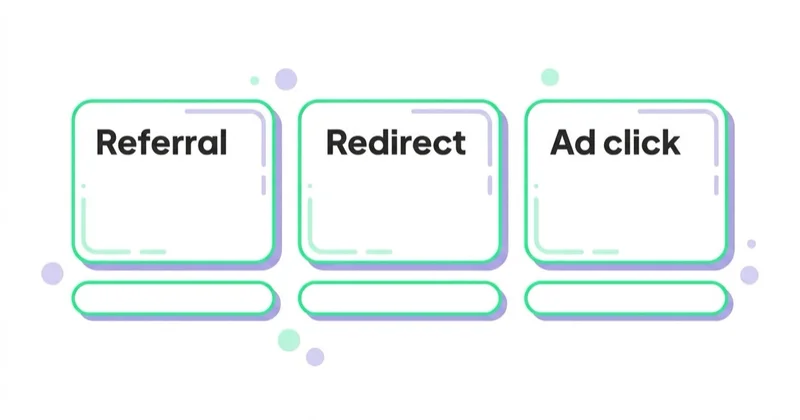
This is the most common reason people search for the string — the entry looks unfamiliar and alarming. There is nothing to fix. If ad-related redirects are unwanted for privacy reasons, the answer is browser or extension-level controls, not treating the domain as a threat.
In security software or firewall logs
This can also be normal. Network monitoring records intermediate ad requests that a user may never see in the address bar.
Organisations that block advertising infrastructure may see the request in denied-traffic logs. Whether to block it is a policy decision: doing so can prevent tracked ad links from reaching their destinations and may affect websites or applications that rely on advertising services. The full request path, redirect destination, initiating browser process and nearby events provide more evidence than the hostname alone.
As a referral source in your own analytics
This is the case worth investigating. If adclick.g.doubleclick.net appears as a session source with the referral medium, GA4 has not attributed that session to the intended advertising source. First confirm that the report actually uses session-scoped dimensions such as Session source / medium. First-user and event-scoped attribution dimensions answer different questions and can show different values for the same person or conversion.
Consequences:
- sessions and key events may be credited to Referral instead of the intended paid channel;
- campaign and channel reports may disagree because only one integration or identifier worked;
- budget decisions can be distorted if the issue is material rather than an isolated browser or consent case.
Why the referral appears
Advertising platforms can pass campaign context through click identifiers and manually added parameters. Google Ads commonly uses gclid; Display & Video 360 and Campaign Manager 360 can use dclid. GA4 can also use aggregate identifiers in some consent scenarios when the relevant product is linked. Losing a visible GCLID therefore does not guarantee a referral in every case, and preserving it does not guarantee that every integration is configured correctly.
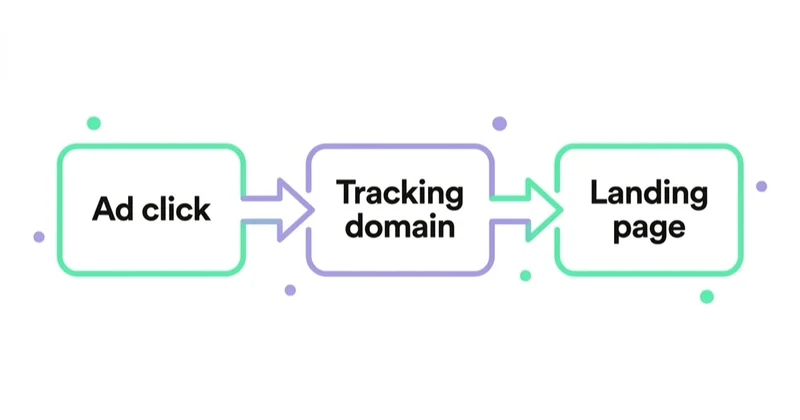
Common causes include:
No usable campaign identifier or manual tags. Auto-tagging is the standard approach for supported Google advertising integrations. If it is disabled and no valid UTM parameters are present, Analytics has less information with which to classify the visit. The exact identifier depends on the advertising product.
A redirect strips the query string. Site-level redirects — forcing HTTPS, adding or removing a trailing slash, routing to a country subfolder — frequently drop parameters unless configured to preserve them. The visitor arrives; the identifier does not.
The landing page rewrites the URL before measurement. A framework, routing rule or privacy implementation may remove query parameters before the Google tag reads them.
Cross-domain measurement is incomplete. When a journey spans domains that belong to the same measurement scope, GA4 uses the _gl linker parameter to preserve user and session information. Redirects that remove _gl, inconsistent tags or missing domain configuration can split the journey.
The relevant advertising product is not linked. A Google Ads link does not substitute for every Campaign Manager 360 or Display & Video 360 integration. The click path and identifiers should be matched to the product that served or tracked the ad.
A third-party tracker changes the chain. An agency tracker, affiliate platform, ad server or URL shortener may introduce another redirect, encode the destination incorrectly or remove parameters.
The GA4 tag fires too late or not at all. Consent logic, tag sequencing or a client-side redirect can mean the first measurable page view occurs only after useful acquisition information has disappeared.
Glossary
- Click identifier: a parameter, such as GCLID or DCLID, used to associate an ad interaction with advertising information.
- Auto-tagging: the setting that appends that parameter automatically.
- Unwanted referral: a GA4 condition that adds
ignore_referrer=trueto matching events so the domain is not displayed as the traffic source. It does not recreate missing campaign data. - Self-referral: traffic incorrectly attributed to the measured site's own domain or subdomain.
- Redirect chain: the sequence of hops between the ad click and the final page.
- Cross-domain measurement: configuration that allows one GA4 user and session to continue across owned domains.
Diagnosis, in order
- Confirm the report and scope. In GA4, inspect Session source / medium, Session campaign, Session source platform and landing page. Quantify the affected sessions and dates before changing configuration.
- Identify the advertising product. Determine whether the click came from Google Ads, Campaign Manager 360, Display & Video 360, Google Ad Manager inventory or another tracker. Do not assume every DoubleClick hostname represents a Google Ads Search click.
- Inspect the landing URL and identifiers. Check whether the final page receives GCLID, DCLID, UTMs or another expected parameter. Use the platform's preview or testing tools where available rather than repeatedly clicking a paid live ad.
- Test parameter preservation. Append a harmless test parameter to the landing-page URL, follow every server redirect and confirm that the query string survives. Then repeat in a browser to detect client-side URL rewriting.
- Review product links and auto-tagging. Confirm the relevant advertising account is linked to the correct GA4 property and that the tagging method matches the reporting requirement.
- Check tag timing and consent behaviour. Use Tag Assistant or browser developer tools to see which page sends the first GA4 request, what the document referrer contains and whether the URL was changed beforehand.
- Validate cross-domain measurement. If the organisation owns both domains, confirm the same web stream and Google tag are used, the domains are configured, and
_glsurvives navigation and redirects. - Review unwanted referrals only after the chain works. Payment processors and other third parties in a normal return journey can belong on the list. An ad click host usually should not be added merely to make a report cleaner.
Fixes
| Cause | Fix |
|---|---|
| No usable click ID or manual tags | Enable the supported tagging method and preserve required parameters |
| Redirect strips parameters | Configure each redirect to preserve the query string |
| Browser rewrites the URL before the tag fires | Correct routing or tag sequencing so acquisition data is read first |
| Relevant product is not linked | Link the correct advertising account to the intended GA4 property |
| Third-party return journey creates a referral | Add a genuine intermediary, such as a payment provider, to unwanted referrals after validating the flow |
| Journey spans owned domains | Configure cross-domain measurement and preserve _gl |
| Tracking template or click tracker is malformed | Correct URL encoding and test the complete redirect chain |
The related symptom involving googleads.g.doubleclick.net and tpc.googlesyndication.com has overlapping causes and its own specifics — covered in how to fix those sources in Google Analytics.
How Space Ads approaches the diagnosis
The professional standard is to preserve evidence before applying a reporting filter. We first record the affected GA4 dimensions, dates, volume and landing pages. We then map the real click path, identify the advertising product and compare what reaches the browser with what the first analytics request sends.
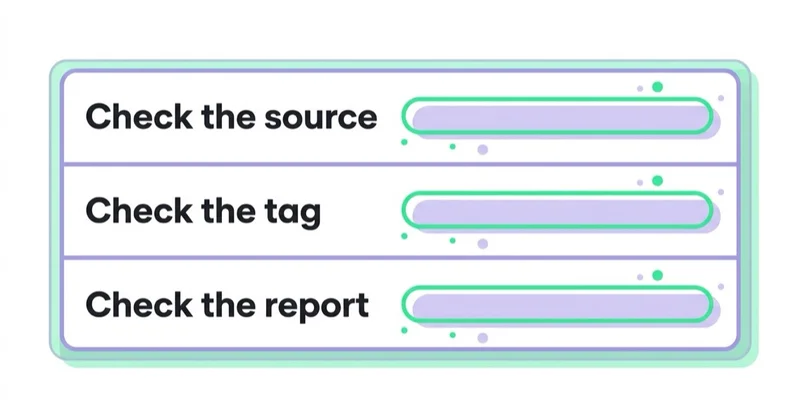
Server-side and browser-side tests are both necessary. A server request can reveal the redirect that drops a query string, while browser developer tools can reveal a routing script, consent implementation or delayed tag that changes the URL after the page loads. Only after the acquisition chain is understood do we change auto-tagging, product links, cross-domain settings or unwanted referrals.
This approach avoids two costly errors: hiding a valid external referral that should remain visible, and suppressing the DoubleClick hostname while the original paid campaign is still unrecoverable.
Common mistakes
| Stop doing | Do instead |
|---|---|
| Treating the hostname alone as proof of malware | Recognise the documented ad-click use, then assess the complete request if security risk is suspected |
| Adding it to unwanted referrals and stopping | Restore the campaign signal, then decide whether any intermediary should be ignored |
| Assuming the Google Ads account is responsible | Identify which Google advertising product and tracker created the click string |
| Testing only server-side | Also check whether the browser rewrites the URL on load |
| Ignoring it because traffic still arrives | Check whether attribution is lost and whether the affected volume can distort budget decisions |
The unwanted-referrals setting deserves emphasis. In GA4, matching events receive ignore_referrer=true, so the domain is no longer shown as their traffic source. This can be appropriate for payment providers and other normal intermediaries. It cannot reconstruct a GCLID, DCLID, UTM campaign or cross-domain linker that was lost earlier in the journey. The report may look cleaner while the original source remains unknown.
FAQ
Is adclick.g.doubleclick.net a virus? No. The host is documented by Google as part of advertising click strings. Seeing it in browser history usually means the browser followed an ad redirect. It is not software installed on the device, although any security investigation should still assess the complete request and destination rather than trust a hostname in isolation.
Why does it appear in my browser history? Because the browser genuinely passed through it on the way to an advertiser's page after an ad click. The redirect is fast enough to be invisible in use, but it is a real navigation and gets recorded.
Why does it show as a referral in Google Analytics? GA4 received or retained the host as the document referrer and did not assign the intended advertising source to that session. Possible causes include missing or unusable click identifiers, absent manual tags, a product-linking mismatch, stripped query parameters, tag timing and incomplete cross-domain measurement. The report scope and original advertising platform should be checked before selecting a fix.
Should I add it to GA4's unwanted-referrals list? Not as the first response. The setting prevents the matching referrer from being displayed, but it does not restore lost campaign information. Diagnose the identifier, redirect and product-linking chain first. Use unwanted referrals for genuine intermediaries in an expected journey, such as a payment processor returning a customer to the site.
Can I block it? Browser or network controls can block the host, but tracked advertising links may then fail to reach their destinations and some ad-supported experiences may be affected. In a managed network, the decision should follow the organisation's security and privacy policy rather than a blanket assumption that every request is malicious or harmless.
How do I confirm the fix worked? Confirm that the expected identifier or campaign tags reach the final landing page, that the first analytics request contains the intended acquisition context and that later processed GA4 reports assign test traffic to the correct source, medium and source platform. Recheck the affected volume over a comparable period; a single test does not rule out device-, consent- or route-specific failures.
Key takeaways
- The host is part of Google's documented advertising click infrastructure; it is not an application installed on the device.
- In browser history or security logs it is usually an expected ad-related request, but the full context still determines security risk.
- As a GA4 referral, it signals that the intended advertising source was not assigned to that session and requires diagnosis.
- GCLID loss is one possible cause; DCLID, UTMs, product links, aggregate identifiers, tag timing and cross-domain measurement also matter.
- Test both the server redirect chain and the first browser analytics request.
- GA4's unwanted-referrals list suppresses a referrer; it does not recreate lost campaign data.
How we set up and verify measurement is on our web analytics page.
Sources and further reading
- About auto-tagging — Google Ads Help
- Find a click string from a live ad — Google Ad Manager Help
- Troubleshoot website redirects losing click data — Google Ads Help
- Link Google Ads and Google Analytics — Analytics Help
- Traffic-source dimensions and advertising identifiers — Analytics Help
- Identify unwanted referrals — Google Analytics Help
- Set up cross-domain measurement — Google Analytics Help
- Fixing googleads.g.doubleclick.net sources in Google Analytics
- Source, medium and traffic sources in GA4
Continue reading

ChatGPT Ads Conversion Tracking: Measurement Pixel and the Conversions API
ChatGPT Ads conversion tracking combines a browser pixel with the server-side Conversions API, which OpenAI describes as the more reliable source. This guide covers 12 standard events plus custom, deduplication, oppref and obref attribution identifiers, SHA-256 normalization, consent, CSP, attribution and oCPC testing.

LinkedIn Insight Tag: What It Enables and How to Implement It
The LinkedIn Insight Tag supports website conversion tracking, retargeting, Website Actions and audience insights. Implement it only on approved pages, with consent, conversion and QA rules defined first.
SKAdNetwork and AdAttributionKit: What You Can and Cannot Measure
Apple's attribution frameworks can connect eligible ads with app installs and reengagement without exposing user-level tracking data. Learn what postbacks contain, why detail changes with crowd anonymity and how to design useful iOS measurement.


































