
A Facebook Ads audit, more accurately called a Meta Ads audit, is a structured review of an advertising account across Facebook, Instagram, Messenger, Audience Network and Meta's automated campaign products. It checks whether campaigns are measured correctly, structured sensibly, supplied with enough creative, aligned with business economics and compliant with Meta policies.
A useful audit should not stop at "ROAS is down". It should explain whether the problem is measurement, attribution, offer, creative fatigue, audience quality, campaign fragmentation, catalogue quality, landing page friction or unrealistic expectations.
In 2026, Meta Ads audits should be more data-led and more creative-led than older Facebook Ads reviews. Meta's delivery systems are increasingly automated, so performance depends heavily on conversion signals, account hygiene, creative diversity, product data and the quality of business feedback sent back to the platform.
TL;DR
- A Meta Ads audit should start with measurement quality, not campaign aesthetics.
- The key areas are Pixel, Conversions API, event setup, deduplication, campaign structure, audiences, Advantage+ settings, creative, catalogue, attribution, policies and business economics.
- A good audit separates platform reporting from real business performance.
- Creative quality and creative volume matter more than they did in older manual targeting workflows.
- Ecommerce audits must include catalogue, product sets, content IDs, checkout tracking and feed consistency.
- Lead generation audits must include lead quality, CRM feedback, response time and conversion-to-sale rate.
- Findings should be prioritised by business impact and implementation difficulty.
- The final output should be an action plan, not a long slide deck with no ownership.
What is a Facebook Ads audit?
A Facebook Ads audit is a systematic analysis of the setup, performance and risks inside a Meta advertising account.
It usually covers:
- business portfolio ownership;
- user access and security;
- ad account health;
- Pixel and event setup;
- Conversions API;
- attribution settings;
- campaign objectives;
- budget distribution;
- campaign and ad set structure;
- audiences and exclusions;
- creative quality and fatigue;
- placement coverage;
- catalogue and Commerce Manager;
- landing pages;
- UTMs and analytics consistency;
- policy compliance;
- reporting quality;
- commercial outcomes.
The goal is to identify what blocks performance and what should be fixed first.
When is a Meta Ads audit needed?
An audit is useful when:
- performance drops despite similar spend;
- campaigns have been running for months without a structural review;
- a new agency or internal team takes over;
- the website, shop or CRM has changed;
- Conversions API has been implemented or needs implementation;
- Meta reports and GA4 differ significantly;
- lead volume is high but lead quality is poor;
- spend is about to increase;
- the account enters a seasonal sales period;
- ad rejections or account restrictions appear;
- creative fatigue is visible;
- Advantage+ campaigns behave unpredictably;
- product catalogue issues affect dynamic ads.
Even healthy accounts benefit from a lighter monthly review and a deeper quarterly audit.
The right audit mindset
The main mistake is auditing only visible campaign settings.
Meta Ads performance is shaped by several layers:
- Measurement: are the right events recorded and matched?
- Business economics: are reported conversions profitable?
- Offer: is the proposition strong enough?
- Creative: are ads diverse and persuasive?
- Delivery: does the structure help Meta learn?
- Landing page: can users complete the next step?
- Retention: are acquired users worth the cost?
If the audit ignores any of these layers, recommendations can be wrong. For example, an account may look inefficient because attribution is broken, or it may look profitable because Meta overcredits purchases that include low-margin or returning customers.
Area 1: ownership, access and security
The first check is operational.
Review:
- who owns the business portfolio;
- who owns the ad account;
- who owns the Pixel;
- who owns the catalogue;
- whether partner access is correct;
- whether old users still have permissions;
- whether two-factor authentication is required;
- whether payment methods are current;
- whether the domain is verified;
- whether account restrictions exist;
- whether important assets are owned by the business, not a private profile.
This is not administrative detail. Poor ownership can block tracking, catalogue work, agency transition, account recovery and long-term governance.
Area 2: Pixel and event quality
The audit should confirm that the Meta Pixel fires correctly and that standard events match the business model.
For ecommerce, common events include:
- PageView;
- ViewContent;
- AddToCart;
- InitiateCheckout;
- Purchase;
- Search;
- Lead where relevant.
For lead generation, events may include:
- PageView;
- ViewContent;
- Lead;
- CompleteRegistration;
- Schedule;
- Contact;
- custom qualified lead events where CRM feedback is available.
Check whether:
- events fire once, not multiple times;
- purchase value is correct;
- currency is correct;
- event names are consistent;
- important events are not missing on mobile;
- thank-you pages are not indexed or triggered accidentally;
- test submissions are filtered where needed;
- privacy and consent requirements are respected.
Measurement is the foundation. Without it, campaign conclusions are unreliable.
Area 3: Conversions API and Event Match Quality
Conversions API sends server-side events to Meta. It can improve resilience when browser signals are limited, but it must be implemented carefully.
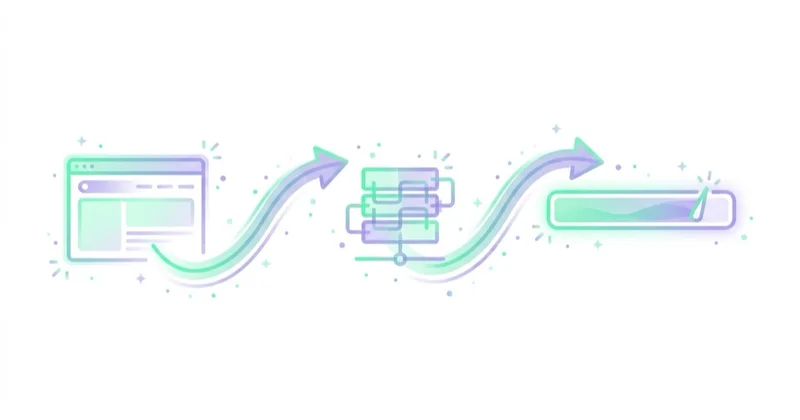
Audit checks:
- Is CAPI active for the most important events?
- Are browser and server events deduplicated?
- Is the same event ID used where needed?
- Are customer information parameters sent correctly and hashed where required?
- Are server events delayed?
- Are duplicate purchases appearing?
- Are Pixel-only and server-only event volumes reasonable?
- Is Event Match Quality acceptable for the event type?
- Are diagnostics warnings ignored or resolved?
Event Match Quality is not a vanity metric. It indicates whether Meta receives enough useful information to match events to people and improve attribution and delivery. It should be reviewed by event, because PageView and Purchase naturally have different available identifiers.
For a full technical overview, see Meta Conversions API.
Area 4: campaign objectives and optimization events
Meta campaigns should optimise for the action that reflects business value.
Common problems:
- traffic campaigns used when sales or leads are the goal;
- lead campaigns optimised for volume while sales quality is weak;
- purchase campaigns with too little purchase volume;
- campaigns optimising for AddToCart because Purchase tracking is broken;
- mixed objectives competing for the same users;
- historical tests left running without a clear purpose.
The audit should answer:
- What is the business goal?
- Which campaign objective supports it?
- Which event has enough volume and quality?
- Does the chosen event reflect profit or only activity?
- Is the campaign learning from the right signal?
For lead generation, low-cost leads can be a trap if CRM data shows low close rates. For ecommerce, purchase value and margin matter more than order count alone.
Area 5: account structure
Old Facebook Ads accounts often contain too many campaigns, duplicated ad sets and overlapping tests.
Review:
- number of active campaigns;
- budget split by objective;
- prospecting vs remarketing;
- manual campaigns vs Advantage+ campaigns;
- duplicated audiences;
- ad sets with too little budget;
- ad sets stuck in learning;
- old tests with no end date;
- campaigns targeting the same funnel stage with different logic;
- naming conventions.
A clean structure helps budget concentration, learning and reporting. That does not always mean one campaign only. It means every campaign has a clear job.
Area 6: audiences and exclusions
Meta targeting has moved away from heavy manual micro-segmentation. Advantage+ audience, broader targeting and automated delivery play a larger role, but audience governance still matters.
Audit:
- Custom Audiences;
- customer lists;
- website audiences;
- engagement audiences;
- lookalike audiences;
- exclusions;
- geographic limits;
- age limits where legally or commercially required;
- prospecting vs returning customer logic;
- audience overlap;
- list freshness;
- CRM quality.
Manual targeting should not be preserved only because it used to work. The question is whether it improves delivery now.
For more detail, see Meta Ads audiences.
Area 7: Advantage+ setup
Meta Advantage products automate parts of targeting, placements, creative and budget allocation.
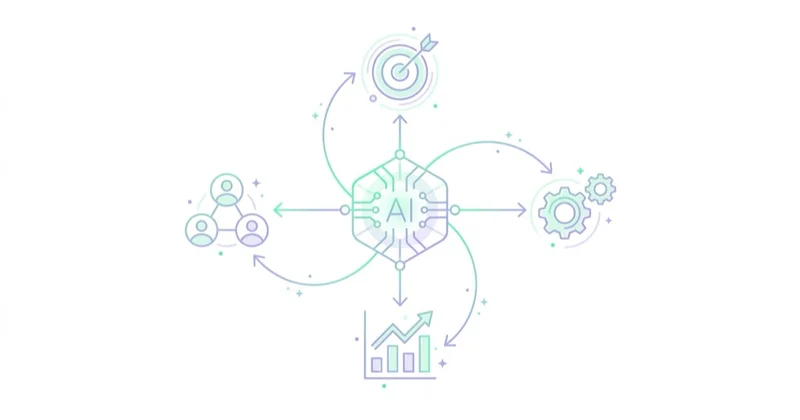
Audit questions:
- Are Advantage+ sales or shopping campaigns used where relevant?
- Are existing customer controls configured correctly?
- Are Advantage+ placements enabled or restricted for a reason?
- Are Advantage+ creative enhancements reviewed, not blindly accepted?
- Are automated text, image or format changes acceptable for the brand?
- Are reports separated for new and returning customers where possible?
- Are manual campaigns and Advantage+ campaigns competing unnecessarily?
Automation is not a substitute for strategy. It works best when the account supplies good data, enough creative and clear commercial constraints.
For a broader explanation, see Meta Advantage+.
Area 8: creative quality and creative volume
Creative is often the biggest performance bottleneck.
Audit:
- number of active concepts;
- hook variety;
- offer clarity;
- visual diversity;
- formats for Feed, Reels, Stories and placements;
- UGC-style assets;
- product demos;
- proof and testimonials;
- message-market fit;
- asset-level results;
- creative fatigue;
- frequency by audience;
- thumb-stop rate or early video retention where available;
- landing page consistency.
Small variations of the same ad do not equal creative diversity. A strong account tests different angles: problem, outcome, proof, comparison, objection handling, demonstration, offer, urgency and audience-specific pain points.
For a related guide, see dynamic creative on Facebook and Instagram.
Area 9: catalogue and ecommerce setup
For ecommerce, catalogue quality is critical.
Check:
- product feed freshness;
- product availability;
- prices;
- product images;
- titles;
- product sets;
- content IDs;
- Pixel event product IDs;
- catalogue match rate;
- Commerce Manager diagnostics;
- rejected products;
- low-quality product images;
- variant handling;
- dynamic ads eligibility;
- shipping and return consistency.
Catalogue problems weaken dynamic ads, Advantage+ sales campaigns and remarketing. If product IDs do not match between website events and catalogue items, dynamic product ads cannot work properly.
Area 10: landing pages and post-click journey
Meta can find interested users, but the website must convert them.
Audit:
- mobile load speed;
- first-screen clarity;
- consistency between ad and page;
- product or offer information;
- form length;
- checkout friction;
- delivery and returns;
- payment options;
- page trust signals;
- broken URLs;
- tracking after redirects;
- cookie banners blocking events;
- thank-you page behavior.
For lead generation, check whether the form asks for information that the sales team actually uses. For ecommerce, check whether delivery cost appears too late and whether checkout works smoothly on mobile.
Area 11: attribution and business performance
Meta Ads Manager is not the full truth. It is one reporting view.
Compare:
- Meta Ads;
- GA4;
- ecommerce platform data;
- CRM data;
- call tracking;
- payment data;
- refund and return data;
- margin;
- new vs returning customers;
- LTV;
- sales team feedback.
The audit should not try to force every system to match exactly. Different systems use different attribution logic. The goal is to understand whether Meta spend is creating incremental and profitable demand.
For broader sales funnel context, see how to increase online sales.
Area 12: policy, quality and brand safety
Policy risk can damage delivery and account continuity.

Review:
- rejected ads;
- account quality;
- restricted assets;
- landing page claims;
- before-and-after claims;
- sensitive personal attributes;
- financial, health or employment claims;
- prohibited products;
- misleading countdowns;
- exaggerated results;
- missing disclaimers;
- comments and user feedback where visible.
Ad copy should be persuasive without crossing policy lines. This is especially important in health, beauty, finance, employment, real estate and regulated categories.
Meta Andromeda and the practical audit implication
Advertisers increasingly discuss Meta delivery in the "Andromeda era", meaning an environment where Meta's AI systems evaluate far more creative and delivery signals than older manual targeting workflows.
The practical audit takeaway is straightforward:
- weak creative cannot be saved by excessive audience tinkering;
- too little event quality limits optimization;
- too little creative diversity limits learning;
- over-segmented campaigns can restrict delivery;
- business feedback is needed to optimise for quality, not only volume.
For a dedicated explanation, see Meta Andromeda.
How to report audit findings
Each finding should include:
- issue;
- evidence;
- affected campaigns or assets;
- business impact;
- recommendation;
- implementation difficulty;
- owner;
- deadline;
- expected signal to monitor.
A useful format:
| Priority | Finding | Evidence | Recommendation |
|---|---|---|---|
| Critical | Purchase event duplicated | Pixel and server both count without deduplication | Fix event ID deduplication before scaling |
| High | Creative fatigue | Frequency rising, CTR falling, same angle repeated | Add new concepts and placement-specific assets |
| High | Catalogue mismatch | Event product IDs do not match catalogue IDs | Fix product ID mapping |
| Medium | Too many ad sets | Budget split across low-volume segments | Consolidate structure |
| Medium | Weak lead quality | CRM close rate below target | Send qualified lead feedback to Meta |
5-day Meta Ads audit plan
Day 1: Access and measurement
Review ownership, permissions, Pixel, events, CAPI, deduplication, diagnostics and consent.
Day 2: Performance and business data
Compare Meta, GA4, CRM, ecommerce platform, margin and customer quality.
Day 3: Structure and audiences
Review campaign objectives, budgets, learning status, audience overlap, exclusions and Advantage+ setup.
Day 4: Creative and landing pages
Analyse asset performance, creative fatigue, concept diversity, placement fit and post-click experience.
Day 5: Prioritised roadmap
Create an action plan with critical fixes, experiments, owners and monitoring metrics.
How we approach this at Space Ads
In a Meta audit we open with measurement, not creative. If the Pixel and CAPI aren't wired correctly and Event Match Quality is low, every judgment that follows — which ad set works, which ad delivers — sits on distorted data. Structure comes next: too many ad sets on small budgets splinter the system's learning, so we consolidate more often than we add campaigns. Creative comes last, and here we resist the reflex to switch off low-spend ads. Under Andromeda an uneven budget split across creatives is the norm, not a fault — a handful of ads usually take most of the spend, and that's exactly as intended. An audit is there to repair the foundations, not to kill ads that simply haven't had their shot yet.
Common audit mistakes
| Mistake | Result | Better approach |
|---|---|---|
| Auditing only ROAS | Misses tracking and margin issues | Compare platform data with business data |
| Ignoring CAPI | Weak signal quality | Review browser and server events together |
| Rebuilding account immediately | Creates disruption without diagnosis | Fix critical issues first |
| Blaming targeting for every issue | Creative and offer problems remain | Audit creative concepts and landing pages |
| No prioritisation | Report does not get implemented | Use impact vs effort |
| No CRM feedback | Lead quality stays invisible | Track qualified leads and sales |
| Ignoring catalogue | Dynamic ads underperform | Audit feed and product ID matching |
FAQ
What is a Facebook Ads audit?
A Facebook Ads audit is a structured review of a Meta advertising account, including measurement, campaigns, audiences, creative, catalogue, attribution, policies and business performance.
What should be checked first?
Measurement should be checked first: Pixel, Conversions API, events, deduplication, values, UTMs and consistency with GA4, CRM or ecommerce platform data.
How often should a Meta Ads audit be done?
A lighter performance review can happen monthly. A deeper audit is useful quarterly, after major website changes, before scaling spend, after performance drops or when a new team takes over.
Does an audit always mean rebuilding campaigns?
No. Sometimes the best first step is fixing tracking, catalogue quality, creative volume, exclusions or landing pages. Rebuilding structure should follow evidence.
Is ROAS enough to judge Meta Ads?
No. ROAS should be reviewed with margin, new customer share, LTV, returns, cancellations, lead quality and incremental impact.
Why is creative so important in Meta Ads now?
Meta delivery relies heavily on automated systems. Creative provides signals about audience, intent, message and offer. Weak or repetitive creative limits what the system can learn.
Is Conversions API necessary?
For many serious advertisers, especially ecommerce and lead generation accounts, CAPI is strongly recommended because it improves server-side event delivery and can support better matching and attribution when implemented correctly.
Conclusion
A Meta Ads audit should identify what actually blocks performance. In most accounts, the answer is not one setting. It is a combination of measurement quality, campaign structure, creative supply, audience logic, catalogue hygiene, landing page experience and business economics.
The strongest audits start with data integrity, move through delivery and creative, then connect Meta reporting with real revenue or lead quality. The final output should be a prioritised implementation plan that the team can execute, measure and revisit.
If you would rather have an external team review the account and return a ready action plan, see our marketing audit of Google, Meta and TikTok accounts.
Sources and further reading
- Meta Business Help Center
- Meta Developers: Conversions API
- Meta Developers: Conversions API best practices
- Meta for Business: Advantage+ creative
- Meta for Business: Advantage+ audience
- Meta AI: AI advancements in ads systems
Continue learning
Continue reading
Static vs Video Ads: Which Converts, and When to Use Each
Static and video ads can both sell. The useful question is which format communicates a specific idea in a specific placement at an acceptable total cost. This guide shows how to choose and test them fairly.
Why Your Meta Ads Stopped Working (and How to Diagnose It)
When Meta performance changes, diagnose the affected layer before editing campaigns. This guide covers delivery status, billing, event quality, funnel metrics, activity history, creative, offer, website and controlled recovery.
Scaling Meta Ads Without Killing ROAS
Scaling Meta ads is a commercial decision, not a promise to preserve the same ROAS at a higher spend. Learn how to set a profitable ceiling, diagnose constraints and increase budget through controlled tests.


































