Social media advertising tools manage paid spend across platforms like Meta (Facebook and Instagram) and TikTok — running campaigns, optimizing delivery, tracking creative and reporting on return. They're a distinct category from the better-known "social media tools" that schedule organic posts and manage community: a scheduler decides when a post goes out, an advertising tool decides where money goes and what it returns. Conflating the two is the most common confusion in this space, and it leads teams to buy a publishing calendar when they needed something that touches the ad account.
TL;DR
- Two different categories share a name. Post schedulers manage organic content; advertising tools manage paid spend. Don't buy one expecting the other.
- An advertising tool touches the ad account. It connects to Meta and TikTok ad APIs to manage campaigns, creative, budgets and reporting — not the content calendar.
- Paid social is creative-led now. With delivery automated by Advantage+ and TikTok's Smart+, the main lever is creative volume and angle rotation.
- Cross-platform is the point. Running Meta and TikTok together needs reconciled reporting, not two separate dashboards.
- Signal quality decides outcomes. Pixels, server-side events and clean conversion data shape what the platforms' AI can learn.
- Scale is an operations problem. Many accounts or both platforms need one standard, continuous auditing and reconciled reporting.
- The new layer is the AI workspace — analyze and act on paid social through chat, with guardrails.
For the wider category, see the pillar on ad management software.
A quick glossary
- Social media advertising tool — software that manages paid campaigns on social platforms (Meta, TikTok), connecting to their ad APIs.
- Post scheduler — software that publishes and plans organic content; it does not manage ad spend.
- Paid social — advertising on social platforms, as opposed to organic posting.
- Advantage+ / Smart+ — Meta's and TikTok's native automation that handles much of delivery and targeting.
- Creative fatigue — declining performance as an audience repeatedly sees the same creative; managed by rotating angles.
- Reconciliation — comparing platform-reported conversions against a neutral source (GA4) for one consistent number.
Scheduler vs advertising tool: the distinction that matters
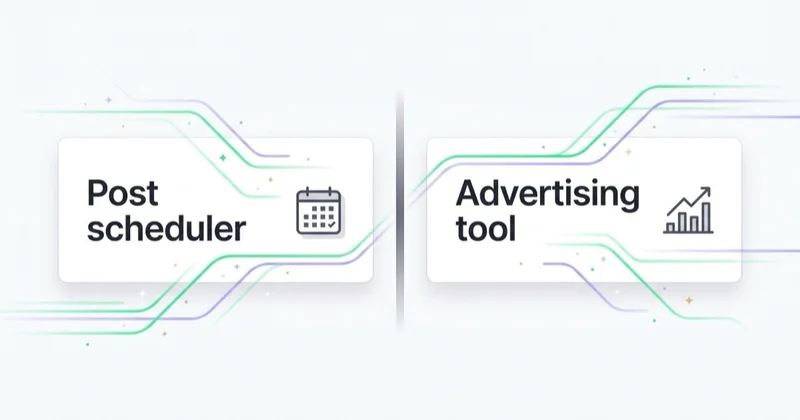
The word "tool" hides a category split. On one side are publishing and community tools — they plan a content calendar, schedule posts, manage replies, and report on organic reach and engagement. On the other are advertising tools — they connect to the ad platforms' APIs to manage campaigns, budgets, creative testing and paid performance.
They rarely overlap well. A publishing tool that bolts on "boost post" is not an advertising tool; it's a scheduler with a button. A real advertising tool is built around the ad account: campaign structure, budget pacing, creative performance, conversion tracking and reconciled ROAS. If your problem is "we post inconsistently," you want a scheduler. If your problem is "we're spending on Meta and TikTok and can't see what's working," you want an advertising tool.
| Post scheduler | Social media advertising tool | |
|---|---|---|
| Manages | Organic content calendar | Paid ad spend |
| Connects to | Publishing APIs | Ad platform APIs |
| Key metric | Reach, engagement | ROAS, CPA, conversions |
| Main lever | Posting cadence | Creative + signal + budget |
| Who it's for | Social/content team | Performance/paid team |
What a social media advertising tool should actually do
Stripped to essentials, an advertising tool for paid social should:
- Unify Meta and TikTok in one view rather than two separate panels, reconciled against GA4 so the ROAS is the business number, not two platform-reported ones.
- Track creative performance — which angles and formats are working, and flag fatigue before it drags the account.
- Watch signal quality — pixels, server-side events and conversion data across both platforms.
- Audit continuously — catch a broken pixel, a disapproved ad or a stalled campaign before the client does.
- Support action — at minimum surface what to change; at most, propose and apply it with guardrails.
Notice what's not on the list: manual bid micro-management. With Advantage+ and TikTok's Smart+ running delivery, the tool's job is feeding the system and judging the output, not pulling levers the platforms moved inside the box.
Paid social in 2026 is creative-led
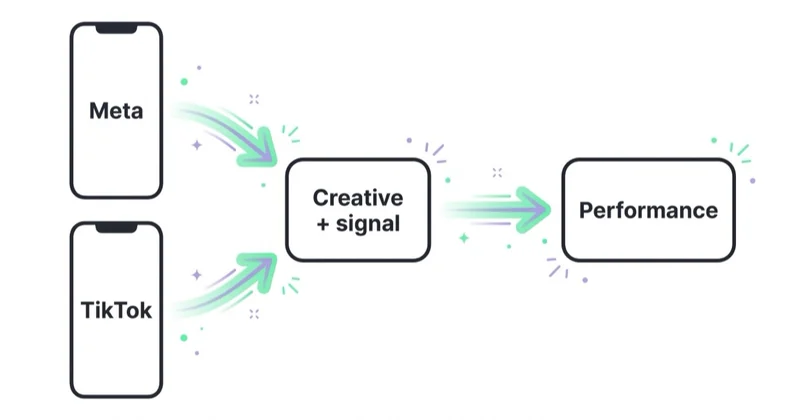
The biggest shift in managing paid social is that creative is now the primary variable. When the platforms' AI handles targeting, placement and delivery, the thing that most changes outcomes is the volume and quality of creative you feed it — angles, hooks, formats, rotated before fatigue sets in.
This reframes what a good advertising tool is for. The valuable capability isn't a cleverer bid; it's a clear read on creative — what's working, what's fatiguing, what to test next — plus the signal quality that lets the platforms' AI learn. A tool that helps you run more, better creative tests and tells you honestly which are working is worth more than one promising to out-bid the auction.
What we see running paid social at scale
Across the portfolio — and roughly 500+ creative tests a month — the teams that win at paid social treat it as a creative-and-measurement discipline, not a delivery-tuning one. The most common failure we see is a team with a beautiful organic presence and a scheduler, wondering why their boosted posts don't perform — because boosting is not advertising, and a content calendar isn't an ad account. The second is creative starvation: running the same three ads for two months, then blaming the platform when performance decays, when the real issue is nothing fresh was fed to a system that's hungry for it. The tools that matter are the ones that make creative iteration and honest measurement faster, because that's where paid social is actually won.
A 30-day plan to get paid social under control
- Week 1 — fix measurement. Confirm pixels and server-side events on both Meta and TikTok, and set up reconciliation against GA4 so ROAS is the business number.
- Week 2 — separate the tools. Audit what you're using. If a scheduler is doing "advertising," move paid management to a tool built for the ad account.
- Week 3 — build the creative pipeline. Establish a cadence of new angles and a way to track which are working, so both platforms stay fed.
- Week 4 — unify and automate the routine. Put cross-platform auditing and reconciled reporting on a fixed cadence so problems get caught everywhere, not just where someone looked.
Stop doing / do instead
| Stop doing | Do instead |
|---|---|
| Boosting posts and calling it advertising | Run structured campaigns in an ad-account tool |
| Using a scheduler to manage paid spend | Use a tool built around the ad APIs |
| Running the same creative for months | Feed a steady pipeline of fresh angles |
| Micro-managing delivery the platforms automate | Feed signals and creative; judge the output |
| Reporting Meta and TikTok separately | Reconcile both against GA4; one blended number |
| Checking accounts ad hoc | Continuous cross-platform auditing |
Where Space Ads OS fits
Space Ads OS sits firmly on the advertising side of the scheduler/advertising split — it manages paid spend across Meta and TikTok (plus Google and GA4) from one chat, not a content calendar. Practically, it watches pixel and signal health, creative fatigue and disapprovals across both platforms at once, surfaces the exceptions, and reports ROAS reconciled against GA4 rather than adding up two platforms' self-reported numbers. Changes run through limits, a preview and a logged reason.
Because it's cross-platform, it answers the real question paid-social teams have — "across Meta and TikTok together, what's working and what's leaking?" — instead of forcing two separate dashboard reviews. The judgement (which creative to push, where to spend) stays with the team; the tireless cross-account watching is the system's job. If you're running paid social at scale, you can see how it works here.
FAQ
What is a social media advertising tool?
A social media advertising tool is software that manages paid campaigns on social platforms like Meta (Facebook and Instagram) and TikTok. It connects to those platforms' ad APIs to handle campaign management, budgets, creative tracking, conversion measurement and reporting. It's distinct from a post scheduler, which manages organic content and doesn't touch ad spend.
What's the difference between a social media advertising tool and a scheduler?
A scheduler plans and publishes organic content and reports on reach and engagement; it manages the content calendar. An advertising tool connects to the ad platforms and manages paid spend — campaigns, budgets, creative performance and ROAS. They serve different teams and solve different problems; a scheduler with a "boost" button is not an advertising tool.
What should I look for in a paid social tool?
Look for one that unifies Meta and TikTok in a reconciled view (against GA4, not just platform-reported numbers), tracks creative performance and fatigue, watches signal quality across pixels and server-side events, and audits continuously. Manual bid control matters less now that the platforms automate delivery — prioritize creative insight and honest measurement instead.
Can one tool manage both Meta and TikTok ads?
Yes — cross-platform advertising tools connect to both Meta's and TikTok's ad APIs and present one interface. The value is a reconciled view of both platforms together rather than reviewing two separate dashboards, plus consistent creative tracking and reporting across them. The caveat, as with any tool that can change accounts, is that it needs proper limits and an audit trail.
Why do my boosted posts underperform paid campaigns?
Boosting optimizes a post for engagement on simple settings; a structured campaign in the ad platform optimizes for a business objective with full targeting, placement and creative control, and feeds the platform's AI properly. Boosting is closer to amplifying organic content than running performance advertising — which is why teams serious about return manage campaigns in an ad-account tool, not a scheduler.
Is creative really the main lever in paid social now?
Largely, yes. With Advantage+ on Meta and Smart+ on TikTok automating targeting, placement and delivery, the variable most under your control — and most predictive of performance — is the creative you feed the system: volume, angles, formats, rotated before fatigue. Signal quality (pixels and server-side events) is the close second. Manual delivery tuning matters far less than it used to.
In short
- Social media advertising tools manage paid spend; post schedulers manage organic content — different categories, same word.
- An advertising tool touches the ad account; a scheduler with a boost button doesn't.
- Paid social is creative-led now — volume and angle rotation are the main lever.
- Signal quality (pixels, server-side events) decides what the platforms' AI can learn.
- At scale, unify Meta and TikTok in a reconciled view rather than two dashboards.
- AI workspaces add tireless cross-platform watching; the creative and spend judgement stays human.
Sources and further reading
- Meta Business Help — About Advantage+ shopping campaigns
- TikTok for Business — Help Center
- Google Analytics Help — About attribution modeling
- Space Ads — Ad management software in 2026
- Space Ads — Marketing reporting in 2026
Continue learning
Continue reading

UGC Ads: How to Brief, Source and Run Creator Content That Performs
Creator-led ads can make a product easier to understand, but paid content must not masquerade as an independent customer opinion. Learn how to source, brief, contract, disclose and test creator content responsibly.
An Ad Creative Testing Framework That Actually Finds Winners
Creative testing should separate finding an ad that can scale from proving why it works. This framework covers hypotheses, controls, randomised experiments, primary metrics, sample size, conversion delay, decision rules, and iteration.
One Creative Won't Fit All: Ad Creative for Meta vs TikTok vs Google
A strong concept can travel across Meta, TikTok, and Google, but the same file may not suit every placement. Learn what to preserve, what to adapt, which specifications matter, and how to test cross-platform creative without relying on stereotypes.