
Meta Catalog Ads are ads that use a product or inventory catalog to show relevant items to people across Meta placements. They are often associated with ecommerce and dynamic product ads, but catalogs can also support real estate listings, travel inventory, vehicle inventory, hotels, local offers and lead generation campaigns where structured inventory matters.

Catalog campaigns work only as well as the data behind them. A weak feed, mismatched product IDs, missing Pixel events or poor creative rules can make an advanced Meta setup behave like a generic product carousel. A strong setup connects the catalog, Meta Pixel, Conversions API, product sets, audience strategy and creative testing into one measurable sales system.
TL;DR
- Meta Catalog Ads use structured catalog data to create product, listing or inventory-based ads.
- They are useful for dynamic remarketing, prospecting, cross-selling, collection ads and Advantage+ sales setups.
- The catalog must match website events, especially product IDs passed through Meta Pixel or Conversions API.
- Feed quality affects delivery, approval, user trust and conversion rate.
- Catalog Ads do not replace creative strategy. They need good images, overlays, copy, product sets and offer logic.
- Advantage+ catalog ads and Advantage+ sales campaigns use more automation, but the account still needs clean data and measurement.
- Catalogs are not only for retail ecommerce. They can also support hotels, destinations, vehicles, property listings and service inventory.
- Before scaling spend, test diagnostics, event matching, product availability and reporting reconciliation.
What are Meta Catalog Ads?
Meta Catalog Ads are ads created from a catalog in Meta Commerce Manager. The catalog contains structured information about products or inventory: item ID, title, description, price, availability, image URL, product URL, brand, category and other attributes depending on the vertical.
When the catalog is connected to Meta Ads, the platform can automatically select items from the catalog and show them in ad formats such as carousel, collection, product cards or dynamic placements. The system can show a product someone viewed, an item similar to one they considered, a bestseller from a product set, or an item likely to match a new prospect's interests.
Older marketers may still call these Dynamic Product Ads or DPA. Meta also uses terms such as catalog ads, Advantage+ catalog ads, sales ads with a catalog and Advantage+ sales campaigns depending on the setup and interface.
How catalog ads work
Catalog ads depend on three data layers.
The first layer is the catalog. It tells Meta what can be advertised. If the catalog says a product is in stock, costs 49 dollars and has a certain image, that is the data Meta can use in ads.
The second layer is website or app behaviour. Meta Pixel and Conversions API send events such as ViewContent, AddToCart, InitiateCheckout and Purchase. These events should include product IDs that match the catalog.
The third layer is campaign logic. Ads Manager decides which objective, audience, budget, placements, optimisation event, creative format and product set should be used.
When these layers match, Meta can do useful things:
- show viewed products to recent visitors;
- exclude recent purchasers;
- promote complementary items after purchase;
- test product cards across placements;
- prioritise products with better conversion signals;
- match new users to relevant catalog items;
- build seasonal product sets;
- support collection ads and shop experiences.
When the layers do not match, reporting becomes unreliable and dynamic ads lose their main advantage.
Catalog Ads vs Advantage+ sales campaigns
Catalog Ads and Advantage+ sales campaigns are related, but they are not the same decision.
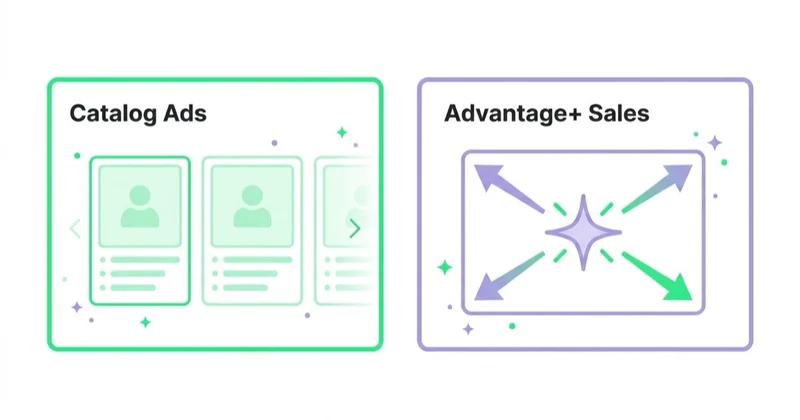
| Area | Catalog Ads | Advantage+ sales campaigns |
|---|---|---|
| Main idea | Use catalog inventory in ads | Automate sales campaign setup and delivery |
| Data needed | Catalog, product IDs, events | Pixel/CAPI, creative, catalog or website/shop setup where relevant |
| Control level | Can be more manual | More automated |
| Common use | Dynamic remarketing, product sets, collection ads | Scalable sales acquisition and remarketing in one automated structure |
| Risk | Feed or ID mismatch | Too much automation without clean inputs |
Meta has moved many products toward Advantage+ naming and automation. That does not make feed work less important. Automation needs clean inputs. A catalog with bad product names, broken image links and inconsistent IDs gives the system poor raw material.
For the wider Meta interface context, read What Is Facebook Ads Manager and How to Use It?.
What is needed before launch?
A practical launch requires:
- a Meta Business account with correct access;
- a Commerce Manager catalog;
- a product feed, platform integration or API connection;
- current prices, availability and product URLs;
- image URLs that meet ad quality requirements;
- clear product IDs;
- Meta Pixel installed on the website;
- Conversions API for high-value events where appropriate;
- product events with matching content IDs;
- product sets or rules for campaign structure;
- privacy and consent setup;
- a testing plan before spend is scaled.
The most important technical requirement is ID consistency. The item ID in the catalog should match the product ID sent in Pixel and CAPI events. If a website sends SKU-123 but the catalog uses 123-blue-size-m, dynamic matching may fail or become inaccurate unless mapping is handled correctly.
For the tracking layer, read What Is Meta Pixel and How to Use It? and Meta Conversions API: Integration and Benefits.
How to prepare the catalog
Catalog preparation should be treated as performance marketing work, not only as a technical export.
Product IDs
IDs must be stable. Changing IDs every time a product syncs can break historical signals, remarketing logic and reporting. Variants should be handled consistently, especially for size, colour, material and bundle differences.
Titles
Product titles should be readable and specific. A title such as "Dress" is too vague. A title such as "Black Linen Midi Dress" gives the system and user more context. For catalog ads, the title must still make sense when separated from the category page.
Images
Images carry much of the performance. White-background packshots may work for clarity, while lifestyle images may work better for discovery. The best approach depends on category, price point and placement. Avoid tiny text, heavy borders, inconsistent crops and images that do not match the landing page.
Prices and availability
Catalog data should update often enough to prevent out-of-stock ads and price mismatch. Broken trust is expensive: a user who clicks an ad and sees a different price may leave immediately.
Descriptions and attributes
Descriptions, brand, condition, category, gender, colour, size, material and custom labels can support segmentation and filtering. They also help create product sets for campaign logic.
For a broader feed checklist, read What Is a Product Feed and How to Use It?.
Product sets and campaign structure
Product sets are subsets of the catalog. They can be based on category, brand, price, margin, availability, season, bestseller status, custom labels or manual selection.
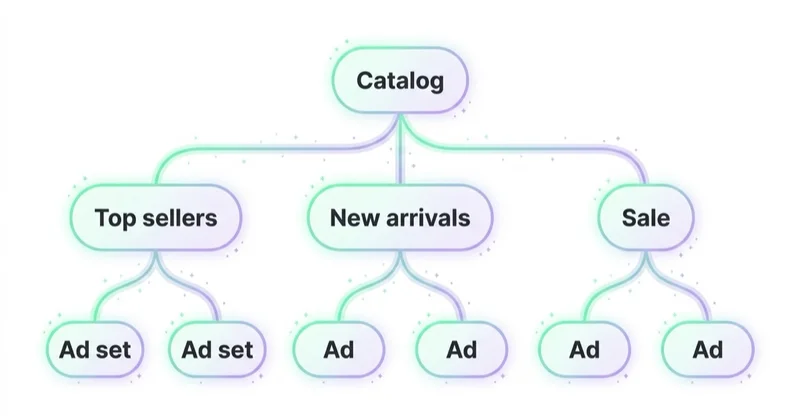
Useful product sets include:
- bestsellers;
- new arrivals;
- high-margin products;
- sale items;
- seasonal products;
- products with strong stock;
- premium items;
- accessories;
- products viewed but not purchased;
- category-specific sets such as shoes, coats, furniture or supplements.
Product sets help avoid one common problem: giving the algorithm a catalog that is too broad for the campaign goal. If the objective is to sell premium running shoes, the campaign should not spend heavily on low-margin socks unless that is intentional.
Main use cases
Dynamic remarketing
Dynamic remarketing shows products based on previous behaviour. Someone who viewed a jacket can see the same jacket, related jackets or products from the same category. Cart abandoners can see the items left behind.
This works best when event data is clean and audiences are segmented by recency and intent. A cart abandoner from yesterday should not always receive the same message as a casual visitor from 60 days ago.
For strategy details, read Facebook Remarketing: How Meta Retargeting Works and Why Use It.
Prospecting
Catalogs can also support acquisition. Meta can use catalog inventory to show relevant products to people who have not visited the site before. This is useful when a brand has many SKUs, categories or price points and one static ad cannot represent the offer.
Prospecting still needs creative. Catalog cards can introduce products, but broader video, UGC, creator content, collection ads and offer-led creative often help create demand before a user is ready to click a product card.
Cross-selling and upselling
Catalog rules can promote accessories, refills, complementary products or premium variants. This is useful for ecommerce, but also for subscriptions, events, travel and services where customers may buy add-ons.
The logic should be tied to margin and customer value. Selling a low-margin add-on at a high cost per purchase may look active in reporting but fail commercially.
Collection ads and storefront experiences
Collection ads combine a hero creative with catalog items. They can work well when users need context before browsing products. For example, a furniture brand can show a room scene and then individual products from that room.
The hero creative should explain the collection, not merely repeat a product image already visible in the catalog cards.
Lead generation catalogs
Catalogs are not only for checkout-based ecommerce. Meta's own materials describe catalog use for lead generation examples such as real estate listings, hotels, flights or vehicle inventory. In these cases, the conversion may be a lead, booking inquiry or contact request rather than a direct product purchase.
The catalog still needs structured inventory and measurement. Instead of AddToCart and Purchase, the funnel may rely on ViewContent, Contact, Lead or custom events that reflect inquiry quality.
Launch checklist
Use this sequence before going live:
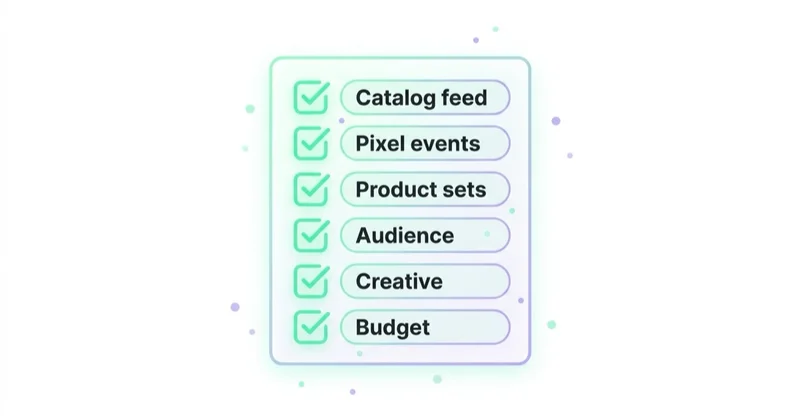
- Create or connect the catalog in Commerce Manager.
- Upload inventory through platform integration, feed, API or manual source.
- Review diagnostics for rejected items, broken URLs and missing fields.
- Confirm product IDs and variants.
- Install Meta Pixel and configure product events.
- Add Conversions API for high-value events where needed.
- Check that content IDs match catalog item IDs.
- Create product sets for the first campaigns.
- Choose the Sales objective or the relevant campaign setup.
- Select the catalog and optimisation event.
- Build ads with enough creative diversity.
- Test events and preview ads before scaling.
- Compare Meta reporting with ecommerce or CRM data after launch.
Do not skip diagnostics. Catalog issues often look like campaign issues until the feed is checked.
Measurement and optimisation
Catalog ads should be measured at several levels.
At the campaign level, review spend, purchases, revenue, CPA, ROAS, conversion value and incrementality where testing allows it. At the product set level, review which categories, margins and stock groups absorb spend. At the feed level, review disapprovals, missing fields, image quality, price mismatches and out-of-stock products. At the creative level, review whether product cards, collection ads, videos or lifestyle assets drive better assisted and direct outcomes.
ROAS alone is not enough. A catalog campaign can produce high ROAS by targeting only recent cart abandoners who were likely to buy anyway. That may be useful, but it should not be confused with scalable new customer acquisition.
How we approach this at Space Ads
Catalogue campaigns are usually the most effective layer on Meta: they show the exact product someone viewed. Like Shopping, though, they live on the feed, so the catalogue comes first: correct IDs, availability, prices. Feed it badly and a dynamic ad surfaces an out-of-stock or simply wrong product, turning all that personalisation against you. We exclude recent buyers so we're not paying to remind people of what they already own, and we keep the arithmetic honest — DPA on retargeting is small in volume but punches above its weight. That's why we don't grade a whole account by it or push it past the size of the warm audience; do that and ROAS slides while you buy colder and colder people under a "catalogue" label. It's the layer that closes, not the one that scales.
Common mistakes
| Mistake | Result | Better approach |
|---|---|---|
| Product IDs do not match events | Dynamic matching breaks | Align catalog IDs with Pixel and CAPI content IDs |
| Feed updates too slowly | Ads show wrong price or stock | Sync availability and price frequently |
| All products are placed in one campaign | Budget flows to easy or low-margin items | Use product sets and margin logic |
| Catalog cards replace creative strategy | Ads look generic | Combine catalog ads with video, UGC and offer-led creative |
| No purchase value or currency | Revenue reporting is weak | Pass value and currency consistently |
| Recent purchasers are not handled | Wasted spend or poor experience | Exclude or cross-sell based on intent |
| Diagnostics are ignored | Rejections and mismatches persist | Check Commerce Manager before and after launch |
| Lead catalogs use ecommerce assumptions | Wrong events and poor optimisation | Map catalog inventory to inquiry or lead quality |
FAQ
Are Meta Catalog Ads the same as Dynamic Product Ads?
They are closely related. Dynamic Product Ads is the older common term, especially in ecommerce. Meta now uses catalog-based and Advantage+ naming across different campaign and automation surfaces.
Are catalog ads only for ecommerce stores?
No. Ecommerce is the most common use case, but catalogs can also support structured inventory such as vehicles, hotels, flights, property listings, destinations and service packages.
Is Meta Pixel required for catalog ads?
For dynamic website behaviour and remarketing, Pixel or another event path is essential. Catalog ads can use catalog data, but performance is much stronger when Meta receives matching product events.
Why are products not showing correctly in ads?
Common causes include rejected catalog items, missing images, broken URLs, out-of-stock status, unsupported fields, incorrect product sets or product IDs that do not match event data.
Should every product be advertised?
No. Some products may be low-margin, out of season, poorly stocked, too cheap for paid acquisition or weak as first-touch offers. Product sets should reflect commercial priorities.
Can catalog ads be used with Advantage+ sales campaigns?
Yes, where the account and setup support it. Advantage+ sales campaigns can use automation across sales delivery, while catalogs provide the structured item data used in product-based creative and shopping experiences.
Summary
Meta Catalog Ads are powerful when the catalog, tracking and campaign logic work together. The feed defines what can be shown. Pixel and CAPI explain what users do. Product sets decide what should be promoted. Creative and offers turn product data into a persuasive ad experience.
The safest way to launch is to start with clean data, a small number of commercially meaningful product sets, tested events and a reporting plan. Scaling should come after diagnostics, not before them.
We implement catalog and dynamic ads — with a correct feed and Pixel — within Facebook and Instagram ads.
Sources and further reading
- Meta for Business: Sales ads objective
- Meta for Business: Advantage+ sales campaigns
- Meta for Business: Automating ads on Facebook and Instagram
- Meta for Business: Advantage+ leads campaigns and catalog ads for lead generation
- Meta for Developers: Marketing API catalog documentation
Continue learning
Continue reading
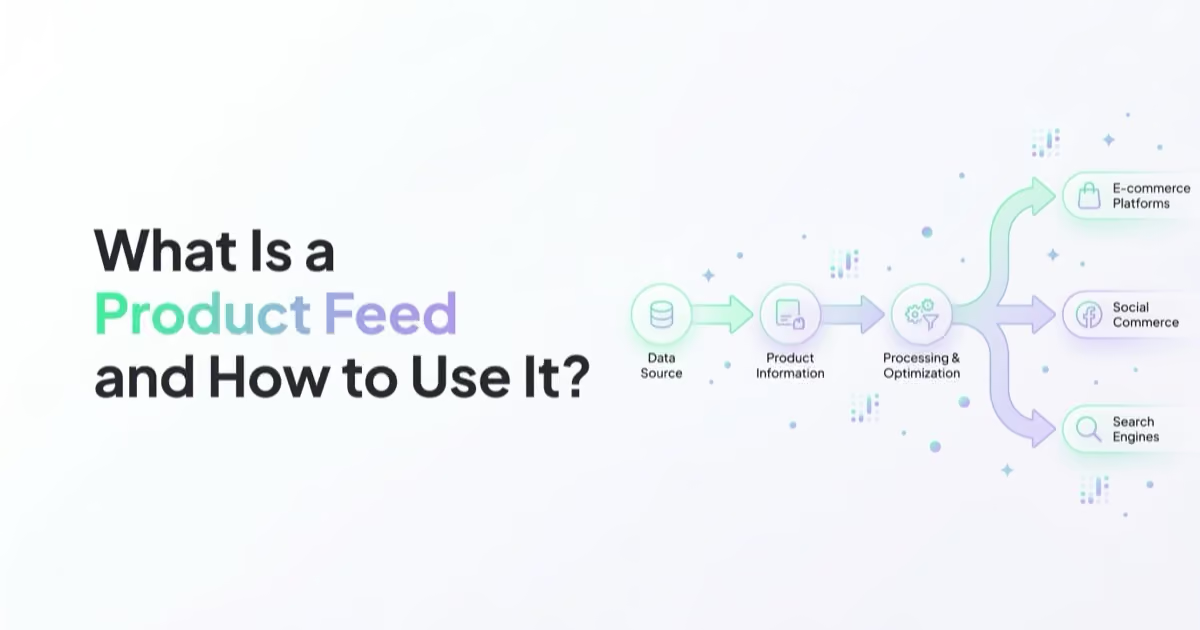
What Is a Product Feed and How to Use It?
A product feed is the structured product data behind Google Shopping, Performance Max, Meta catalog ads, TikTok catalogs and dynamic remarketing. Learn fields, errors and optimisation.

What Is a Sales Campaign and How to Plan It?
A sales campaign needs a clear offer, conversion goal, tracking, creative, landing page and optimisation plan across Meta, Google and owned channels.

Messenger Ads: What You Need to Know
Messenger Ads can generate valuable conversations, but performance depends on channel fit, response speed, automation, CRM handoff and business outcomes.


































