
Facebook Shop is Meta's commerce storefront for showing products on Facebook and, when connected, across the wider Meta commerce ecosystem. In 2026, the practical value is rarely the shop tab alone. The real value is a clean product catalog in Commerce Manager, policy-compliant product data, strong creative, reliable measurement and the ability to use catalog data in Meta ads.
For most brands, Facebook Shop should support the main website or ecommerce platform rather than replace it. It can make product discovery easier inside Facebook, help people browse collections, support messages and product questions, and give Meta Ads Manager structured product data for sales campaigns, remarketing and catalog-based creative. Availability, checkout options and specific shop surfaces can vary by market, account eligibility and Meta's current rules, so every setup should be checked directly in Commerce Manager before launch.
TL;DR
- Facebook Shop starts with the product catalog. Without accurate product IDs, names, images, prices, availability and links, the shop and ads will both be weak.
- Commerce Manager is the operating hub. It is used to manage commerce assets, catalog diagnostics, product approvals, shop configuration and policy issues.
- Feature availability is not identical in every market. Checkout, shop visibility and commerce options can depend on country, account status, product category and current Meta policy.
- The shop should usually support the website, not replace it. Own the checkout, customer data, analytics, fulfilment logic and customer experience on the primary site whenever possible.
- Catalog quality affects paid performance. Meta catalog ads, Advantage+ sales workflows and dynamic remarketing need stable product IDs and matching event data.
- Policy compliance matters before media spend. Products must comply with Meta Commerce Policies and, separately, ad creative must comply with Meta advertising rules.
- The launch is operational, not just technical. Someone needs to manage product data, rejected items, messages, promotions, stock changes and measurement.
What Facebook Shop is
Facebook Shop is a storefront and product discovery layer inside Meta's ecosystem. It lets a business display products from a catalog, organize them into collections and connect them with commerce surfaces on Facebook. Depending on account setup and market availability, the user journey may continue to a website, a messaging flow or another supported checkout path.
That distinction is important. A Facebook Shop is not just a mini ecommerce website inside Facebook. It is one visible part of a larger Meta commerce setup that may include:
- a Facebook Page;
- an Instagram business or creator account;
- a Meta Business Portfolio;
- Commerce Manager;
- a product catalog;
- product sets and collections;
- Meta Pixel and Conversions API;
- Ads Manager campaigns;
- customer service through messages;
- product and account reviews.
The strongest setups treat Facebook Shop as a product discovery and advertising asset. The catalog feeds the shop, the shop gives users a convenient browsing path, and the same catalog can support product-level ads, remarketing and sales campaigns.
Facebook Shop, Commerce Manager and product catalog: what is the difference?
The terms are often mixed together, but they are not the same thing.
| Element | Role | Why it matters |
|---|---|---|
| Facebook Shop | The storefront or product browsing surface on Facebook | Helps users discover and browse products in a native Meta environment |
| Commerce Manager | The control panel for commerce assets | Manages catalog, shop setup, product status, diagnostics and commerce settings |
| Product catalog | The structured product database | Supplies product data to the shop, product tags and catalog ads |
| Product feed | The file or integration that updates catalog data | Keeps prices, availability, images and URLs fresh |
| Catalog ads | Paid ads using products from the catalog | Can support remarketing, prospecting, cross-selling and product promotion |
In practice, the product catalog is the foundation. If the catalog is messy, every layer above it becomes unreliable. A beautiful shop layout will not fix missing prices, broken product URLs, rejected products, low-quality images or product IDs that do not match website events.
When Facebook Shop is worth using
Facebook Shop is worth considering when products can be clearly represented with images, prices and short descriptions, and when the business already has or wants to build a Meta commerce presence.
It is especially useful for:
- ecommerce brands that want to connect product discovery with Meta ads;
- local retailers that want a simple product showcase for nearby customers;
- fashion, beauty, home, lifestyle, accessories and consumer goods brands;
- creators or small brands selling merchandise;
- businesses that receive many product questions through Facebook or Instagram messages;
- advertisers planning to use catalog ads or dynamic remarketing.
It is less useful when the offer is highly customized, quote-based, regulated, unavailable for direct purchase, or difficult to represent as product listings. In those cases, lead generation, landing pages, Messenger workflows or classic conversion campaigns may be more practical than building a shop-first setup.
For B2B companies, Facebook Shop is usually not the main conversion path. Still, a catalog-style structure can sometimes help show spare parts, product ranges, samples or downloadable product families, as long as the buyer journey is designed honestly around enquiry rather than instant purchase.
What is needed before creating a Facebook Shop?
Before opening Commerce Manager, the business should prepare the operational basics. A shop can be technically created faster than it can be run well.
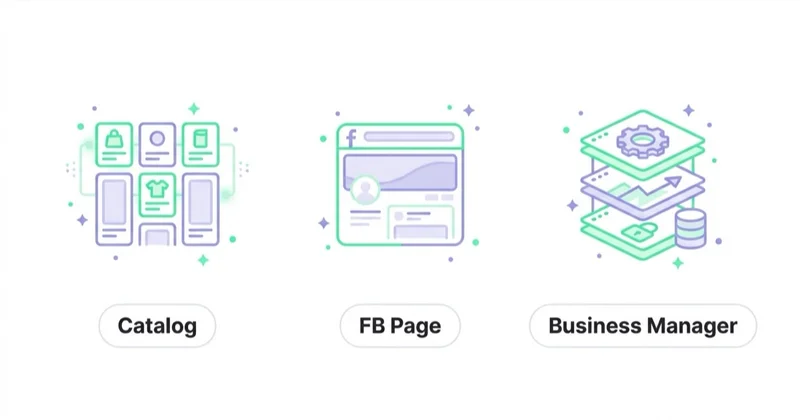
The usual requirements and inputs include:
- a Facebook Page controlled by the business;
- a Meta Business Portfolio with correct permissions;
- an ad account if paid promotion will be used;
- a product catalog or ecommerce platform integration;
- a domain and product URLs;
- clear product names, descriptions, images, prices and availability;
- shipping, return and customer contact information;
- compliance with Meta Commerce Policies;
- Meta Pixel and, ideally, Conversions API for measurement;
- a person or team responsible for feed quality and messages.
For ecommerce brands, the cleanest model is usually to keep the ecommerce platform as the system of record. Product data should be updated in Shopify, WooCommerce, Magento, BigCommerce or another core platform, then synchronized into Meta. Manual catalog updates can work for a tiny catalog, but they become risky as soon as prices, variants or stock change often.
How to create a Facebook Shop step by step
The exact interface can change, but the logic of the setup stays fairly consistent.
1. Organize Meta assets and access
Start with ownership and permissions. The Facebook Page, Instagram account, ad account, Pixel, catalog and domain should sit under the right Meta Business Portfolio. Avoid building a shop on personal ownership, old agency access or disconnected assets.
This step matters because commerce problems are often permission problems. A catalog may exist, but the person launching ads cannot access it. A Pixel may be installed, but it belongs to another business. An Instagram account may be connected to the wrong Page. These issues are easier to fix before product review and campaigns begin.
2. Prepare the product catalog
The catalog should include complete, consistent data. At minimum, each product needs a stable ID, title, description, image, price, availability, condition and destination URL. For variants, the catalog should distinguish sizes, colors and other options without creating confusing duplicates.
Useful catalog rules:
- keep product IDs stable over time;
- match catalog IDs with website event IDs where possible;
- use clear product names rather than internal codes;
- keep prices identical to the website;
- remove or hide unavailable products;
- use high-resolution images with the product clearly visible;
- avoid promotional text inside product images where it hurts clarity;
- separate categories into product sets when campaigns need more control.
Stable IDs are particularly important for remarketing and catalog ads. If a user views product A on the website, Meta needs to recognize product A in the catalog. If the website event sends one ID format and the catalog uses another, dynamic product ads can fail or become much less precise.
3. Check Commerce Policies before publishing
Meta restricts or prohibits some product categories in commerce surfaces. Policy issues can cause item rejection, catalog limitations or shop approval problems. This should be checked before uploading a large catalog and before planning a launch campaign.
The policy review should cover:
- whether the product category can be sold through Meta commerce surfaces;
- whether claims in product names and descriptions are acceptable;
- whether before-and-after imagery, health claims or sensitive attributes create risk;
- whether products match what appears on the website;
- whether shipping and return information is clear;
- whether landing pages are functional and consistent.
Compliance is not only a legal or platform issue. It also affects user trust. A shop with rejected items, inconsistent product details or unclear delivery information will struggle even if the ads generate traffic.
4. Configure the shop and collections
Once the catalog is ready, configure the shop in Commerce Manager. Collections should be simple and commercially meaningful: best sellers, new arrivals, seasonal products, gift ideas, category groups, bundles or margin-priority product sets.
Avoid turning the shop into a copy of the full website navigation. Social commerce users often browse quickly. The first view should highlight products that are easy to understand and attractive in-feed. If the catalog contains hundreds or thousands of products, curation matters.
Good collections answer practical buying questions:
- What is popular now?
- What is new?
- What fits a specific use case?
- What is available immediately?
- What products work together?
- What is suitable as a gift?
5. Connect measurement
For shops that support a website purchase path, Meta Pixel and Conversions API should be configured before serious paid traffic starts. Events such as ViewContent, AddToCart, InitiateCheckout and Purchase should pass consistent product identifiers where possible.
Measurement should be checked in three places:
- the website analytics platform;
- Meta Events Manager;
- Ads Manager reporting.
No single report should be treated as the full truth. Platform attribution, consent settings, browser limitations and server-side tracking choices can all affect reported performance. The practical goal is not perfect attribution. The goal is a measurement setup reliable enough to make budget, catalog and creative decisions.
For a deeper measurement setup, read Meta Conversions API: Integration and Benefits.
How Facebook Shop works with Meta ads
The main business value of a Facebook Shop setup often appears in advertising. A product catalog can support campaigns where Meta automatically uses product data in ad creative and delivery.
Common paid use cases include:
- retargeting users who viewed products but did not buy;
- showing complementary products after a purchase;
- promoting best sellers to broader audiences;
- testing category-level demand;
- supporting Advantage+ sales campaigns;
- creating carousel or collection-style product ads;
- reconnecting users with abandoned carts when tracking and consent allow it.
Meta's Advantage+ products use automation across areas such as audience, placement, budget, creative or campaign setup depending on the product and objective. For ecommerce advertisers, this makes the quality of the inputs more important. Automation can distribute and combine assets, but it cannot turn a poor feed, weak offer or unclear product page into a strong buying experience.
For broader context, read Meta Advantage+: What It Is and How It Works After the Changes and Meta Andromeda: What It Is and How to Adapt Your Meta Ads in 2026.
Facebook Shop and Instagram Shop
Facebook Shop and Instagram Shop are closely related because both can rely on Meta commerce assets and catalogs. A business may use the same product catalog to support product discovery across Facebook and Instagram, depending on eligibility and available features.
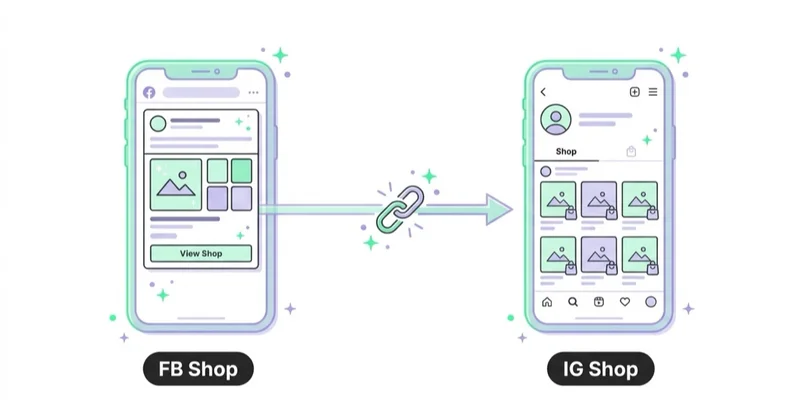
The important operational point is consistency. Product names, images, prices, availability and destination URLs should not tell different stories in different places. If a product appears in Instagram content, Facebook Shop, a catalog ad and the website, the user should see the same offer and a coherent path to purchase.
For brands active on Instagram, product presentation often depends on content quality more than shop configuration. Lifestyle images, short product videos, creator content, Reels and product demonstrations can create demand before the user ever opens the shop surface.
Product catalog quality checklist
A strong Facebook Shop setup should pass this checklist before launch:
| Area | What to check | Why it matters |
|---|---|---|
| Product IDs | IDs are stable and match event data where possible | Supports remarketing and product-level reporting |
| Titles | Names are clear, searchable and user-friendly | Helps browsing and ad comprehension |
| Descriptions | Benefits, materials, sizes and use cases are clear | Reduces uncertainty before clicking |
| Images | Main product is visible, sharp and not misleading | Improves trust and click-through rate |
| Price | Catalog price matches the website price | Avoids rejection, frustration and wasted spend |
| Availability | Out-of-stock products are hidden or updated quickly | Prevents poor user experience |
| URLs | Links lead to the correct product page | Protects conversion rate |
| Variants | Sizes, colors and versions are mapped cleanly | Avoids confusion and feed duplication |
| Policy | Products comply with Commerce Policies | Reduces rejected items and account risk |
| Events | Website events pass useful product data | Helps catalog ads and measurement |
This checklist should be repeated after ecommerce platform changes, feed plugin updates, migrations, sale periods and major stock changes.
30-day launch plan
Days 1-5: audit assets and policy fit
Review Business Portfolio ownership, Page access, Instagram connection, ad account access, domain setup, Pixel, Conversions API and product category eligibility. Identify any policy-sensitive products before uploading the full catalog.
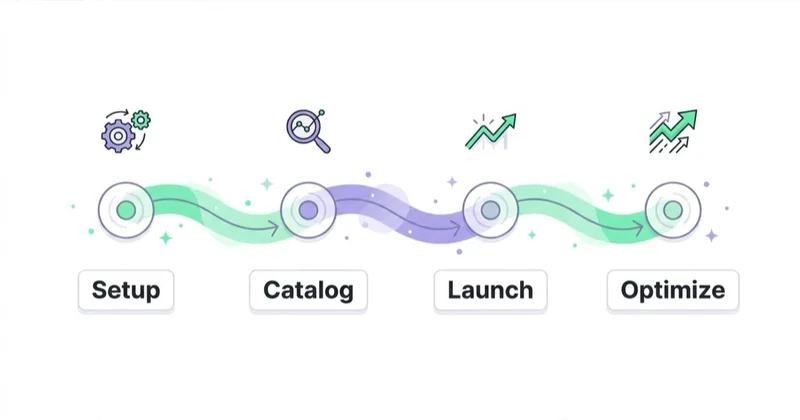
Days 6-10: build or clean the catalog
Create the catalog or connect the ecommerce platform feed. Fix missing fields, weak images, variant problems, outdated prices and broken URLs. Create product sets for best sellers, high-margin products, seasonal products and categories that may need separate campaign control.
Days 11-15: configure the shop
Set up the shop, collections and visible product groups. Keep the first version focused. A smaller shop with accurate, attractive products is better than a large shop full of weak listings.
Days 16-20: test tracking and user journeys
Click through products from Facebook, Instagram and ads previews where available. Check whether the user reaches the right page, whether prices match, whether cart and purchase events fire, and whether message handling is ready.
Days 21-30: launch controlled promotion
Start with a controlled budget and clear campaign structure. Test best sellers, retargeting pools, category product sets and selected creative formats. Watch diagnostics, rejected products, conversion rate, average order value, cost per purchase and assisted revenue.
The first month should be treated as a calibration period. The goal is to learn which products, creative angles and audiences show commercial traction, not to scale every catalog item at once.
How we approach this at Space Ads
A Facebook and Instagram shop rarely replaces a brand's main store; its real value sits elsewhere. We use it mainly to unlock shopping formats — product tagging in posts and Reels, and catalogue ads that need a connected catalogue — which is where a cleaner signal flows back into the campaigns. The purchase itself we leave where it closes best, usually the store's own site, with full control over checkout, measurement and remarketing. So a Facebook shop is plumbing for social commerce, not a standalone storefront: set up so content is clickable and the catalogue stays consistent, but never the forced buying path if it converts worse than the brand's own site. The tool should serve sales, not a fashion for a "shop in the app".
Common mistakes
| Mistake | What happens | Better approach |
|---|---|---|
| Manual catalog updates for a changing store | Prices and stock become outdated | Use platform sync or scheduled feed updates |
| Treating the shop as a separate website | Product data and messaging drift from the main store | Keep the ecommerce platform as the source of truth |
| Ignoring rejected items | Large parts of the offer never become visible | Review diagnostics and policy issues regularly |
| Weak product photos | Users do not understand the offer quickly | Invest in clear packshots and lifestyle images |
| No Pixel or Conversions API | Remarketing and optimization lose signal | Configure measurement before scaling |
| Product IDs do not match events | Dynamic ads cannot reliably match viewed products | Align catalog IDs and event content IDs |
| Too many collections at launch | The shop becomes hard to browse | Start with a few useful commercial collections |
| No inbox process | Product questions are missed | Assign responsibility for messages and response time |
For visual quality, see Product Photography: How to Take Product Photos and Packshots. For broader ecommerce merchandising, see Are Product Recommendations Important?.
How to measure success
Facebook Shop should not be judged only by shop visits. Its value may appear across product discovery, assisted conversions, remarketing efficiency and catalog ad performance.
Useful metrics include:
- product clicks from shop surfaces;
- product approval rate;
- feed error rate;
- click-through rate on catalog ads;
- add-to-cart and purchase events by product set;
- cost per purchase;
- return on ad spend;
- conversion rate on product landing pages;
- message volume and response time;
- revenue from retargeting and cross-selling campaigns;
- share of spend wasted on unavailable or low-margin products.
For ecommerce teams, margin matters. A catalog campaign that produces strong revenue but mostly sells low-margin discounted products may not be a good result. Product sets should separate best sellers, margin leaders, seasonal products, bundles and clearance items so reporting can support business decisions.
FAQ
Is Facebook Shop the same as Marketplace?
No. Facebook Shop is a business commerce storefront connected to Meta commerce tools and a product catalog. Marketplace is a broader marketplace environment. The setup, policies, visibility and business use cases are different.
Does Facebook Shop replace an online store?
Usually no. A Facebook Shop can help with discovery, browsing and advertising, but the main ecommerce website should normally remain the core system for checkout, analytics, fulfilment, customer accounts, merchandising and long-term SEO.
Is Facebook Shop available in every country?
No. Commerce features can vary by country, account, product category and current Meta rules. The safest approach is to check eligibility and available checkout options directly in Commerce Manager for the specific business account.
What is the most important part of the setup?
The product catalog. A clean catalog with accurate prices, availability, images, links and stable IDs supports the shop, product tags, catalog ads and remarketing. A poor catalog weakens the whole setup.
Can Facebook Shop be used without paid ads?
It can be used as a product showcase, but paid ads often create most of the measurable business value. Organic reach is unpredictable, while catalog-based campaigns can actively bring users back to relevant products.
Do catalog ads need a Facebook Shop?
Not always. Catalog ads need a product catalog and the right campaign setup. A shop can be part of the commerce ecosystem, but the catalog is the core asset for catalog-based advertising.
How often should the catalog be updated?
As often as product data changes. For active ecommerce stores, scheduled or real-time synchronization is usually better than manual updates. Prices, availability and URLs should stay aligned with the website.
What should be checked before scaling spend?
Check catalog diagnostics, rejected products, product ID matching, event quality, landing page speed, mobile checkout, stock levels, margins and customer service readiness. Scaling traffic before fixing these basics usually wastes budget.
Conclusion
Facebook Shop is most effective when it is treated as part of a Meta commerce and advertising system, not as a standalone magic sales channel. The shop surface can help users browse products, but the foundation is the catalog: accurate product data, strong images, current prices, working links, policy compliance and matching measurement events.
For ecommerce brands, the best approach is to keep the main store as the commercial center and use Facebook Shop to support discovery, product browsing, remarketing and catalog-based campaigns. For retailers, creators and product-led brands, it can become a useful social commerce layer, provided the operational work is done properly.
Once the shop is live, traffic and sales are driven by Facebook and Instagram ads — we run them around your catalog and Pixel.
Sources and further reading
- Meta - Commerce Manager
- Meta - Commerce Policies
- Meta - Advantage+ shopping campaigns
- Meta - Advantage+ solutions
- Meta Business Help Center
Continue learning
- Meta Conversions API: Integration and Benefits
- Facebook Remarketing: How Meta Retargeting Works and Why Use It
- Meta Advantage+: What It Is and How It Works After the Changes
- Meta Andromeda: What It Is and How to Adapt Your Meta Ads in 2026
- Product Photography: How to Take Product Photos and Packshots
- TikTok Shop: What It Is and How It Works
Continue reading

What Are Meta Catalog Ads and How to Launch Them?
Meta Catalog Ads use structured product or inventory data to create dynamic ads. Learn how catalogs, Pixel, CAPI, product sets and creative work together.
What Is a Product Feed and How to Use It?
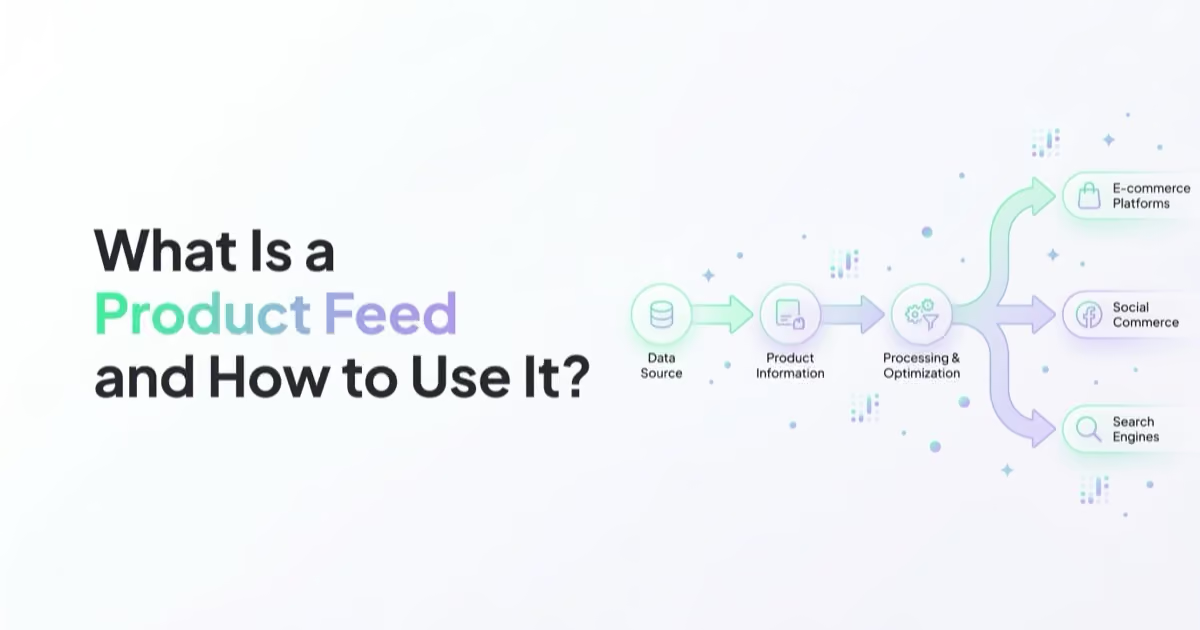
A product feed is the structured product data behind Google Shopping, Performance Max, Meta catalog ads, TikTok catalogs and dynamic remarketing. Learn fields, errors and optimisation.

Why Your Meta Ads Stopped Working (and How to Diagnose It)
When Meta performance changes, diagnose the affected layer before editing campaigns. This guide covers delivery status, billing, event quality, funnel metrics, activity history, creative, offer, website and controlled recovery.


































