
A product feed is a structured file or API connection that sends product data to advertising platforms, marketplaces, comparison engines and ecommerce tools. It usually includes product ID, title, description, price, availability, product URL, image URL, brand, category, identifiers such as GTIN or MPN, variant data and custom labels.
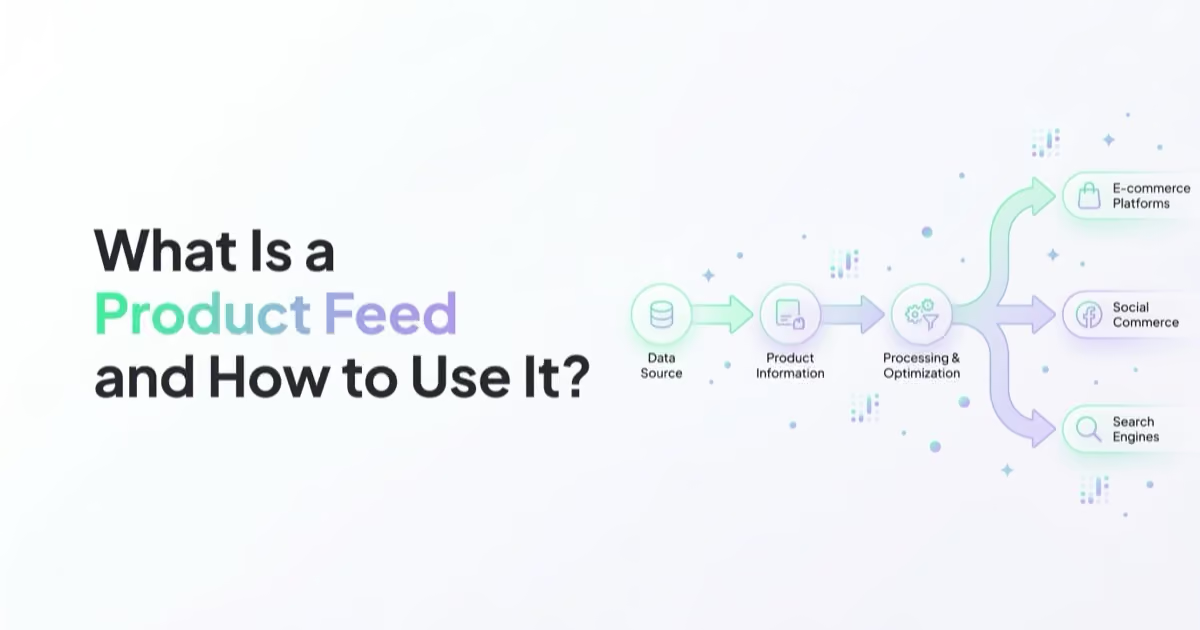
A product feed is not just a technical export from an online store. It is the product data layer behind Google Shopping, Performance Max, Merchant Center free listings, Meta catalog ads, TikTok catalog campaigns, dynamic remarketing, marketplaces, affiliate feeds and product recommendation systems. When the feed is inaccurate, campaigns can show wrong prices, promote out-of-stock items, fail product review or match users to the wrong products.
TL;DR
- A product feed is structured product data used by marketing and commerce platforms.
- Core fields usually include ID, title, description, link, image link, price, availability, brand, condition, category and product identifiers.
- Feed quality affects Shopping ads, Performance Max, Meta catalog ads, TikTok catalogs, dynamic remarketing and marketplace visibility.
- The product ID must stay stable and match tracking events, especially for dynamic remarketing and catalog ads.
- Price and availability must stay aligned with the landing page. Mismatches can cause disapprovals and poor user experience.
- Product titles should describe the product clearly, not stuff keywords or promotional claims.
- Feed optimisation is ongoing. It needs diagnostics, automation, naming rules, custom labels and regular QA.
What a product feed is
A product feed is a structured dataset that describes products in a format a platform can process.
Common formats include:
- XML;
- CSV;
- TSV;
- Google Sheets;
- scheduled URL fetch;
- platform connector;
- API integration;
- ecommerce plugin;
- product information management system.
The feed tells platforms what the product is, where it can be found, whether it is available, how much it costs and how it should be grouped or categorised.
In practical terms, a product feed connects the store catalogue with marketing activation.
What a product feed is used for
Product feeds are used in:
- Google Merchant Center;
- Google Shopping ads;
- Performance Max retail campaigns;
- free product listings;
- Meta Commerce Manager;
- Meta catalog ads;
- dynamic product ads;
- TikTok catalogs;
- TikTok Shop and shopping-related ad formats where available;
- product recommendation engines;
- comparison shopping services;
- marketplaces;
- affiliate networks;
- email product blocks;
- onsite search and merchandising tools;
- price monitoring and product intelligence systems.
The same store can need more than one feed because each platform has its own requirements, field names, validation logic and optimisation opportunities.
Product feed vs product catalog
The terms are related but not identical.
| Term | Meaning |
|---|---|
| Product feed | The data source: file, URL, API or connector that sends product information |
| Product catalog | The product collection inside a platform after the feed is imported |
| Product data | The actual attributes, values and identifiers describing products |
For example, a store may export a feed from Shopify, WooCommerce, Magento or a PIM. Google Merchant Center imports that feed and creates items. Meta Commerce Manager imports a feed and builds a catalog. TikTok Ads Manager imports a feed into a catalog where catalog-based ads can use it.
Core product feed fields
Every platform has its own specification, but most product feeds include the same foundation.
| Field | Why it matters |
|---|---|
| ID | Stable unique identifier for the product or variant |
| Title | Product name used for matching and display |
| Description | Product detail and context |
| Link | Landing page URL |
| Image link | Main product image |
| Price | Current product price and currency |
| Sale price | Promotional price if supported |
| Availability | In stock, out of stock, preorder or equivalent |
| Condition | New, used, refurbished or platform-specific value |
| Brand | Manufacturer or brand |
| GTIN | Global trade item number where applicable |
| MPN | Manufacturer part number where applicable |
| Category | Platform or store category |
| Product type | Internal category hierarchy |
| Item group ID | Groups variants such as size or colour |
| Custom labels | Business segmentation for campaigns |
The most dangerous fields are often the boring ones: ID, price, availability and link. When they are wrong, campaign performance and platform approval suffer immediately.
Why feed quality matters
A campaign can have strong bidding, creative and budget, but still underperform because the feed is weak.
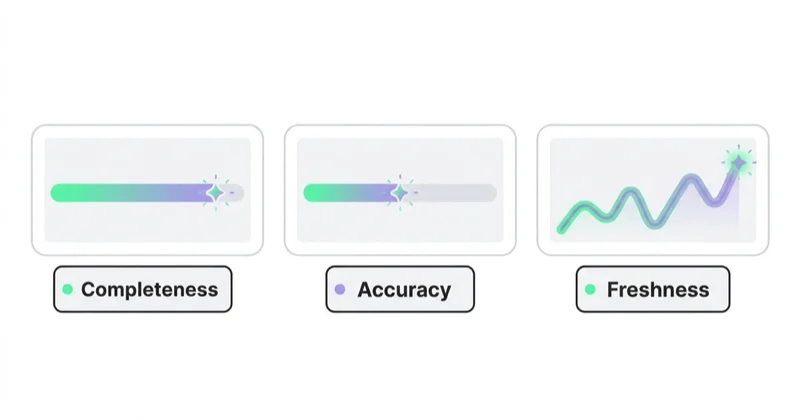
Feed quality affects:
- product approval;
- matching to search queries;
- ad relevance;
- dynamic remarketing accuracy;
- catalog event matching;
- product group segmentation;
- automated campaign learning;
- CTR;
- conversion rate;
- user trust;
- reporting by product, category and margin.
In Google Merchant Center, product data must be accurate and correctly formatted. Google's product data specification explains that incorrect, inaccurate or missing product information can cause disapprovals, limited eligibility and incorrect product displays.
That principle applies across platforms. Product data is the raw material that automation uses.
Product IDs and event matching
The product ID is one of the most important fields in a feed.
Good product IDs should be:
- unique;
- stable across feed updates;
- consistent across countries where appropriate;
- variant-aware when variants matter;
- identical to IDs passed in pixel, app or server events;
- not recycled for different products.
Dynamic remarketing depends on the platform understanding that a viewed product, cart product or purchased product is the same item as an item in the catalog. If the feed uses SKU-123 but the pixel sends 123-SKU, the platform may not match the event to the catalog correctly.
This is why feed work should be connected with tracking work. Product feeds, Meta Pixel, Conversions API, TikTok Pixel, Google tags and ecommerce events must speak the same product-ID language.
For tracking context, read Meta Conversions API: Integration and Benefits and TikTok Pixel: What It Is and How to Set It Up.
How to optimise product titles
Product titles should help both users and platforms understand the product.
A useful title formula depends on the category.
Examples:
| Category | Possible title pattern |
|---|---|
| Apparel | Brand + product type + model + colour + size/gender |
| Electronics | Brand + model + product type + key specification |
| Furniture | Brand/product line + item type + material + size + colour |
| Beauty | Brand + product type + line + volume + key benefit |
| B2B supplies | Brand + part type + specification + compatibility |
Good titles are:
- descriptive;
- readable;
- specific;
- aligned with landing page content;
- free from promotional text;
- not written in all caps;
- not overloaded with repeated keywords.
Google's product data specification warns against promotional text and gimmicky formatting in titles. The same logic is useful beyond Google: a feed title should describe the item, not behave like an ad headline.
Description, images and category data
Titles get much of the attention, but other fields matter too.
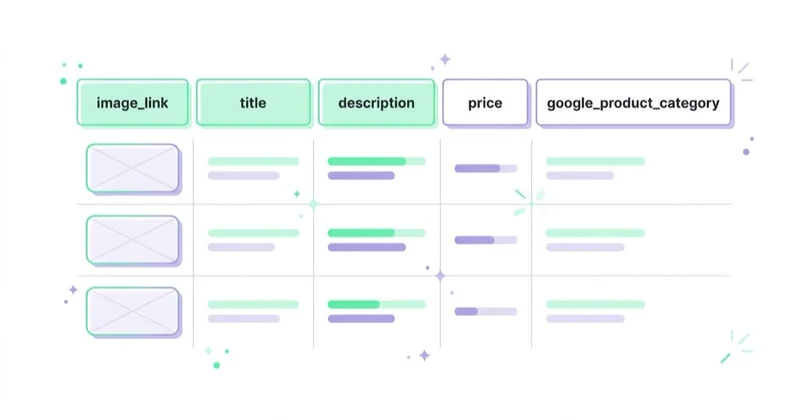
Descriptions should:
- describe the product accurately;
- include material, use case, compatibility or main features where relevant;
- avoid store policies, shipping text and competitor references;
- match what the landing page says;
- use clean text without broken HTML where the platform expects plain text.
Images should:
- show the actual product clearly;
- be crawlable;
- avoid placeholders;
- avoid watermarks or promotional overlays where prohibited;
- match the variant when possible;
- use enough resolution for the platform.
Categories should:
- reflect the real product type;
- follow platform taxonomy where required;
- use internal product type for campaign grouping;
- avoid putting too many products into generic categories.
Product data should help a machine and a person reach the same conclusion: this is the right item for this query, audience or product set.
Google Merchant Center and Shopping
Google Merchant Center uses product data for Shopping ads, free listings and retail campaigns such as Performance Max.
Important Google feed areas include:
- required product attributes;
- price and availability accuracy;
- landing page consistency;
- image requirements;
- GTIN and brand where applicable;
- product category;
- item group ID for variants;
- shipping and returns;
- automatic item updates;
- diagnostics and issue details;
- supplemental feeds;
- feed rules or data source rules.
Google can use automatic item updates for certain temporary price, availability and condition mismatches by reading landing page data, but this is not a replacement for regular accurate feed updates. A feed should still be refreshed frequently enough for the business model.
For more Google context, read What Is Google Merchant Center and How to Manage It?, Google PLA / Shopping Campaigns in Google Ads: What to Know and Performance Max Campaigns: What to Know and How to Create Them.
Meta product catalogs
Meta catalogs are used for Facebook and Instagram shopping experiences, catalog ads, dynamic ads and product sets.
Important Meta feed areas include:
- stable product ID;
- title and description;
- price and availability;
- product URL;
- image URL;
- brand and identifiers;
- item group ID for variants;
- product sets;
- catalog diagnostics;
- pixel and Conversions API event matching.
Meta catalog performance depends heavily on the relationship between catalog items and events. If ViewContent, AddToCart and Purchase events cannot match product IDs in the catalog, dynamic ads and product-level reporting become weaker.
This is also where product sets matter. A catalog can be segmented by margin, category, season, bestseller status, stock position, discount level or lifecycle stage.
For related campaign context, read Dynamic Remarketing: What It Is and How It Works and What Is Remarketing and How to Launch Retargeting Ads?.
TikTok catalogs
TikTok catalogs are used for shopping and catalog-based advertising workflows where available by market and account eligibility.
TikTok's catalog product parameter documentation lists product fields such as SKU/product identifiers, title, description, availability, image link, price, product page URL, brand and Google product category depending on the setup.
Practical TikTok feed checks:
- product titles should work for short-form discovery;
- images or video assets should be strong enough for visual browsing;
- product page URLs should load quickly on mobile;
- prices and availability should stay current;
- catalog data should align with TikTok Pixel events;
- unavailable products should not remain active in ads.
TikTok is a visual and entertainment-led environment. A technically valid feed is not always a strong TikTok catalog. Product imagery, hooks, creator assets and landing page speed matter.
For channel context, read TikTok Ads: How to Start and Run Campaigns.
Custom labels and business data
Custom labels are one of the most useful feed optimisation tools because they let marketers segment products by business logic.
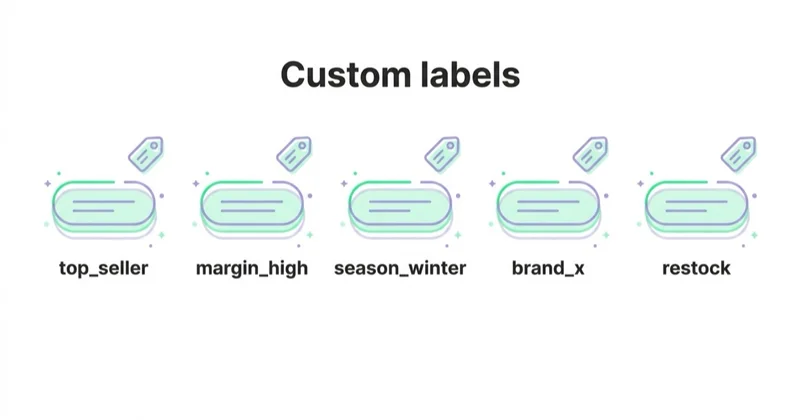
Examples:
- margin tier;
- bestseller;
- season;
- clearance;
- new arrival;
- stock depth;
- price band;
- brand priority;
- product lifecycle;
- promotion status;
- shipping speed;
- return-risk category.
Platform automation can optimise toward revenue, but it does not automatically understand margin, stock strategy or merchandising priorities unless those signals are added through feed structure, campaign structure or external data.
For example, two products may both sell for 100. One has 55 margin and stable stock. Another has 8 margin and high return risk. Treating them equally in campaigns can be a business mistake.
Feed automation and update frequency
A product feed should update as often as the product data changes.
Fast-changing stores need more frequent updates when:
- prices change often;
- stock changes often;
- promotions start and end daily;
- variants sell out quickly;
- products are seasonal;
- marketplace data changes;
- multiple currencies or markets are involved.
Common automation options:
- ecommerce platform connector;
- scheduled feed URL;
- direct API integration;
- PIM export;
- feed management platform;
- supplemental feed for marketing fields;
- rules inside Merchant Center or feed tool;
- custom data pipeline.
Manual spreadsheet feeds can work for very small catalogs. They become risky when prices, availability and variants change frequently.
30-day product feed audit plan
Week 1: data inventory
- list all feed destinations;
- export current feed fields;
- check required fields by platform;
- identify missing identifiers;
- map product IDs to tracking events;
- check product variants and item group IDs;
- review current disapprovals and warnings.
Week 2: accuracy and compliance
- compare feed prices with landing pages;
- compare availability with checkout;
- review image quality;
- check product URLs and redirects;
- validate GTIN, brand and MPN where applicable;
- check shipping and returns data;
- remove products that should not be advertised.
Week 3: optimisation
- rewrite weak titles by category;
- improve descriptions for priority products;
- add custom labels;
- create product sets;
- split products by margin or business priority;
- review category taxonomy;
- add supplemental data where useful.
Week 4: activation and monitoring
- refresh the feed;
- resolve diagnostics;
- QA pixel or event product IDs;
- review campaign product groups;
- monitor disapprovals;
- check CTR and conversion changes;
- document feed rules and ownership.
The goal is not to make a feed perfect once. The goal is to create a repeatable feed governance process.
How we approach this at Space Ads
In e-commerce the product feed is the highest-leverage asset there is: one solid file powers Google Shopping, Performance Max and the Meta catalogue together, so a single fix lifts every product campaign at once. We don't treat it as a one-off export from the store, but as ongoing work — titles written the way people search, a complete set of attributes, custom labels by margin and season, supplemental feeds wherever the store won't expose a field. Most weak results in product ads, on Google and Meta alike, trace back to the feed rather than the campaign settings. Hence the rule: get the feed right before touching bids, because the feed decides which queries a product can even appear for.
Common problems
| Problem | Impact | Better approach |
|---|---|---|
| Unstable product IDs | Dynamic remarketing and reporting break | Keep IDs stable |
| Price mismatch | Disapprovals and poor trust | Sync feed and page frequently |
| Out-of-stock products in ads | Wasted spend | Automate availability updates |
| Weak titles | Poor matching and low CTR | Use category-specific title formulas |
| Missing GTIN or brand | Weaker product identification | Add valid identifiers where they exist |
| Broken image URLs | Product rejection or weak ads | QA crawlable, high-quality images |
| Feed not connected to events | Catalog ads lose relevance | Match feed IDs with pixel/CAPI IDs |
| No custom labels | Campaign control is limited | Add business segmentation |
FAQ
Is a product feed only for Google Shopping?
No. Product feeds are used by Google Merchant Center, Meta catalogs, TikTok catalogs, marketplaces, comparison engines, dynamic remarketing systems and product recommendation tools.
What is the most important product feed field?
There is no single field, but product ID, title, price, availability, link and image link are critical. ID is especially important because it connects catalog items with tracking events and reporting.
How often should a product feed update?
It should update as often as price, availability and product data change. Stores with fast stock movement or frequent promotions usually need automated scheduled updates or API-based updates.
Should product titles include keywords?
They should include descriptive product information that users and platforms need, such as brand, product type, model, size, colour or material. They should not be stuffed with repeated keywords or promotional text.
Do GTINs matter?
Yes, when a valid GTIN exists for the product. Product identifiers help platforms understand and match products. Do not invent GTINs; use valid identifiers from the manufacturer or GS1 system where applicable.
What is a supplemental feed?
A supplemental feed adds or overrides selected attributes without replacing the main feed. It is useful for custom labels, campaign segmentation, title tests or business data that is not available in the ecommerce platform.
Why do catalog ads show the wrong product?
Common causes include mismatched product IDs between the feed and pixel events, old catalog data, incorrect item group IDs, broken variant mapping, wrong product sets or unavailable products still active in campaigns.
Conclusion
A product feed is the data foundation for modern product marketing. It powers Shopping ads, Performance Max, catalog ads, dynamic remarketing, marketplaces and product discovery systems.
The best feed work combines technical accuracy with marketing judgment. Prices, availability, IDs and links must be correct. Titles, descriptions, images, categories and custom labels should help platforms understand the product and help users choose it.
Treat the product feed as a strategic marketing asset, not a background export. The stronger the product data, the more useful the automation around it becomes.
A good feed powers dynamic ads — we run catalog campaigns within Facebook and Instagram ads.
Sources and further reading
- Google Merchant Center Help: Product data specification
- Google Merchant Center Help: Automatic item updates
- Meta Developers: Catalog fields reference
- Meta Business Help Center: About Conversions API
- TikTok Business Help Center: Catalog product parameters
- Google Search Central: Product structured data
Continue learning
- What Is Google Merchant Center and How to Manage It?
- Google PLA / Shopping Campaigns in Google Ads: What to Know
- Performance Max Campaigns: What to Know and How to Create Them
- Dynamic Remarketing: What It Is and How It Works
- How to Write a Product Description That Sells and What It Must Include
- Product Photography: How to Take Product Photos and Packshots
- TikTok Pixel: What It Is and How to Set It Up
Continue reading

What Are Meta Catalog Ads and How to Launch Them?
Meta Catalog Ads use structured product or inventory data to create dynamic ads. Learn how catalogs, Pixel, CAPI, product sets and creative work together.

Scaling Meta Ads Without Killing ROAS
Scaling Meta ads is a commercial decision, not a promise to preserve the same ROAS at a higher spend. Learn how to set a profitable ceiling, diagnose constraints and increase budget through controlled tests.
Meta Advantage+ vs Manual Campaigns: When to Trust the Automation
Meta Advantage+ can automate audience expansion, placements and budget allocation, while manual settings preserve selected controls. This guide explains what each label actually means and how to test the right configuration for a business goal.


































