
Apple Search Ads — now officially called Apple Ads — is Apple's advertising platform for promoting apps inside the App Store. Apple Ads Advanced offers four placements: Search Results, Search Tab, Today Tab and Product Pages. All use cost-per-tap pricing, but they reach people at different stages of discovery and should not be evaluated as if they were interchangeable.
Search Results is usually the natural starting point because it responds to an explicit query. Apple says almost 65% of App Store downloads happen directly after a search. Yet placement alone does not make a campaign profitable: the keyword or matching strategy earns the impression, the ad earns the tap, the product page earns the download, and the app must turn that download into business value.
TL;DR
- Start with the business model. Define the target cost for an activated, paying or retained user before deciding what an install is worth.
- Treat the four placements separately. Search Results captures declared intent; Search Tab and Today Tab create discovery; Product Pages reaches people comparing apps.
- Choose the right level of control. Basic automates search-result promotion and charges per install. Advanced supports all placements, detailed reporting and either managed keyword bids or automated conversion-maximising search campaigns.
- For manually managed search campaigns, separate brand, category, competitor and discovery traffic. This makes bids, budgets and search-term decisions easier to interpret.
- The product page is part of the media funnel. Relevant screenshots, previews and messaging can improve tap-to-install conversion without increasing the bid.
- Measure beyond downloads. New downloads, redownloads, trial starts, purchases and retention answer different questions; a low acquisition cost is useful only if those users create value.
How Apple Ads differs from other paid channels
Three structural differences change how the channel should be run.
It sits inside a store, not on the open web. The click does not land on a site you control end to end; it lands on an App Store product page. That page is the conversion step, and it is governed by App Store rules rather than by your CMS.
Advanced is priced per tap. The advertiser pays for a tap whether or not a download follows. The economics therefore depend on the price of the tap, the product page's conversion rate and the value created after installation. Basic works differently: it automates promotion in Search Results and charges per install up to the maximum CPI set by the advertiser.
Paid and organic results share the App Store journey. The same search can expose both an ad and an organic listing. That does not mean every paid brand install would otherwise have happened organically. Brand defence, incremental reach and organic cannibalisation need to be tested rather than assumed.
Apple Ads Basic vs Advanced
The right product depends on how much control and analysis the advertiser needs.
| Apple Ads Basic | Apple Ads Advanced | |
|---|---|---|
| Placement | Search Results | Search Results, Search Tab, Today Tab and Product Pages |
| Pricing | Cost per install, up to a chosen max CPI | Cost per tap |
| Optimisation | Automated matching and delivery | Managed keyword bids or Maximize Conversions in Search Results; placement-level control |
| Budget | Monthly budget, up to USD 10,000 per app | Daily campaign budget with no stated maximum |
| Reporting and APIs | Simplified dashboard; AdServices Attribution API available | Detailed dashboards and Insights; AdServices Attribution API and Campaign Management API |
Basic is suitable when a developer wants a controlled first test without managing keywords. Advanced is the appropriate choice when the team needs to separate markets, placements and intent, align creative with keyword themes, or optimise using post-install value. Basic is not inherently cheaper, and Advanced is not inherently better: compare the quality and economics of the users each setup produces.
The four placements
| Placement | Where it appears | Intent level | Typical role |
|---|---|---|---|
| Search Results | In relevant search results after a query | Explicit | Capture existing demand with keywords or automated matching |
| Search Tab | On the Search tab before a query is typed | Medium | Reach for people about to search but not yet specific |
| Today Tab | The App Store's front page | Discovery | Broad reach, launches and major seasonal or product moments |
| Product Pages | On other apps' product pages, in the "You Might Also Like" area | Comparison | Intercepting people evaluating alternatives |
Apple describes the Today Tab as its most prominent placement and says more than half a billion visitors begin discovering apps there each week. This is reach rather than a declared search need, so its impact should be judged with placement-specific expectations, including view-through as well as tap-through performance.
Each campaign uses one placement, which naturally keeps delivery separate. Reporting should stay separate too: a blended account-level CPA can hide the fact that one placement captures demand while another assists later searches and downloads.
Campaign structure by intent
For Manage Bids campaigns in Search Results, Apple recommends organising traffic into four keyword themes. They can be separated at campaign or ad-group level, although campaign-level separation is useful when budgets, markets or goals differ.
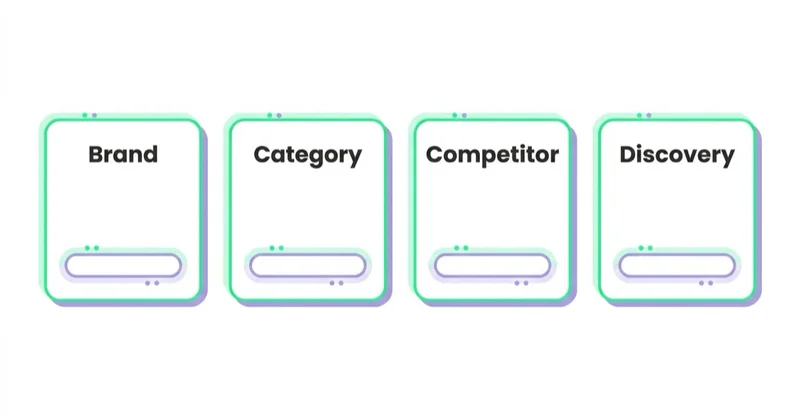
Brand. Exact-match terms containing the app or company name. They reveal how paid activity performs against existing demand. Whether brand advertising adds incremental downloads should be tested with impression share, organic position and controlled changes — not decided from a low CPA alone.
Category. Non-brand terms describing what the app does or the need it solves. These searches can open access to new users, but volume, competition and value vary by category and country. Start with terms that are closely aligned with the app's core use case.
Competitor. Names of similar apps, normally on exact match. The searcher already has another product in mind, so relevance and product-page persuasion matter. Judge these terms on downstream value, not on the assumption that high intent will automatically convert.
Discovery. Broad-match keywords and Search Match uncover queries the team did not anticipate. Apple's recommended structure uses one broad-match ad group and a separate Search Match ad group, with exact-match negatives for terms already managed elsewhere.
Review the Search Terms report regularly. Move relevant, proven queries into the appropriate exact-match group and add them as exact-match negatives in discovery. Exclude irrelevant or consistently uneconomic terms. This turns discovery into a repeatable learning loop instead of an uncontrolled pool of spend.
Manage Bids or Maximize Conversions?
Apple Ads Advanced now offers two strategies for Search Results:
- Manage Bids gives the advertiser keyword, match-type and max-CPT control. It suits teams that need transparent query management, different value targets by theme or close coordination with ASO.
- Maximize Conversions uses Search Match and an auto-bidder to seek downloads around a target CPA. Apple recommends allowing at least two weeks for learning and enough daily budget to generate conversion volume. It is intended for post-launch campaigns, not pre-orders.
Automation should still be evaluated against business outcomes. A campaign can meet a target CPA while acquiring users who rarely activate or pay. If post-install value differs materially by market or user cohort, feed those differences into budget decisions even when the bidding itself is automated.
Keywords, match types and Search Match
Broad match expands beyond the literal keyword to relevant variants and related terms. It can surface useful language and current search behaviour, but the Search Terms report must show whether that reach remains commercially relevant.
Exact match gives tighter control, but it is not character-for-character matching: Apple may include common misspellings and plural forms. It is the default choice for brand, category and competitor terms in Apple's recommended structure.
Search Match automatically connects the app with relevant searches using product-page metadata, information about similar apps and other search data. In a Manage Bids structure, keep it in a dedicated discovery ad group so its search terms and economics remain visible. Maximize Conversions also uses Search Match, but manages the matching and bids automatically.
Negative keywords prevent ads from matching unwanted searches. Exact negatives are useful for routing a query to one intended campaign; broad negatives exclude a wider set and therefore require more caution.
Bidding: what CPT actually means
In Manage Bids campaigns, max CPT is the most the advertiser is prepared to pay for a tap. The actual amount can be lower. Apple considers both relevance and bid, so raising a bid cannot force an irrelevant app into an auction.
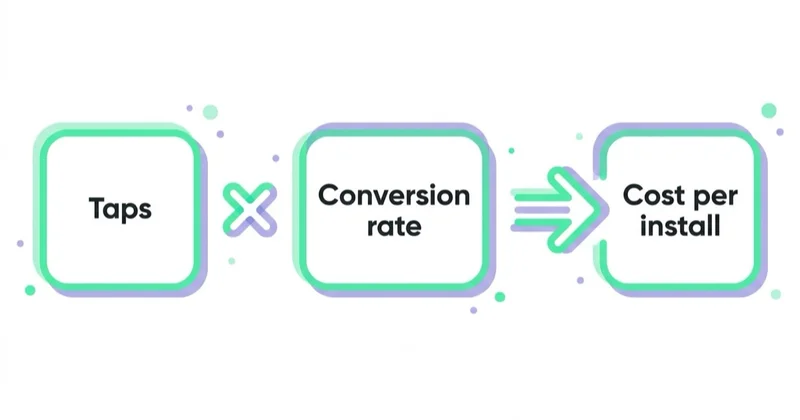
The maximum affordable CPT can be estimated from the funnel:
Break-even CPT = product-page conversion rate × install-to-paying-user rate × contribution per paying user
If 40% of taps download, 8% of those users become paying customers and each contributes GBP 50 after variable costs, the break-even CPT is GBP 1.60 before overhead and profit margin. This is a planning model, not a bidding instruction; use cohort data rather than optimistic assumptions.
Three layers determine the result:
- Tap-through rate on the ad, influenced by placement, relevance and the assets available in the ad unit.
- Tap-to-install conversion, driven by the product page.
- Install-to-value conversion, driven by the app itself — activation, trial start, subscription, repeat purchase.
Apple's reporting covers impressions, taps, spend, tap-through and view-through installs, new downloads and redownloads. Post-install events such as activation, purchase, subscription renewal and retention require app analytics or an attribution/measurement setup.
Two advertisers paying the same CPT can therefore have very different economics. Improving the page-to-download rate lowers effective CPA without increasing the bid, while improving activation or retention increases what the business can afford to pay.
Creative and custom product pages
Apple builds default ads from assets already approved in App Store Connect. For Search Results, custom product pages can be used to create ad variations aligned with a keyword theme. A travel app, for example, can show hotel-focused screenshots for hotel searches and flight-focused screenshots for flight searches.
Custom product pages are not, by themselves, a randomised test. To establish causality, use a controlled App Store product-page test where available or design a campaign experiment that limits other differences. Compare more than tap-through rate: the relevant outcome is whether a more specific message improves downloads and valuable post-install behaviour.
Today Tab requires an approved custom product page. Today Tab, Search Tab and Search Results can also use a custom product page with a deep link to relevant in-app content on supported operating-system versions. This can reduce the distance between the promise in the ad and the first useful action in the app.
Glossary
- CPT (cost per tap): the pricing model in Apple Ads Advanced — payment is triggered by a tap on the ad, not by an install.
- Search Match: Apple's automated matching feature, using product page metadata and similar-app data to match ads to searches.
- Custom product page: an alternative version of the App Store product page with different screenshots and messaging, usable as an ad destination.
- TTR (tap-through rate): taps divided by impressions for an ad placement.
- AdAttributionKit: Apple's privacy-preserving framework for measuring app conversions across registered ad platforms.
- SKAdNetwork (SKAN): Apple's earlier privacy-preserving attribution framework, still widely used alongside AdAttributionKit.
- MMP (mobile measurement partner): a third-party platform that can combine attribution and post-install measurement across ad channels.
Apple Ads and App Store Optimization are one system
This is where most programmes leave money behind.
Apple Ads and App Store Optimization use many of the same assets and search themes. Managing them together creates a more complete evidence base: organic ranking shows where the listing already has visibility, while paid Search Terms data shows the language that generates taps and downloads.
The workable sequence is:
- Establish where the app already ranks organically, and for what.
- Set hypotheses for paid coverage: incremental brand reach, category expansion, competitor comparison or keyword discovery.
- Use paid search term data to identify vocabulary worth adding to the listing metadata.
- Re-check organic position and paid impression share, then test reductions rather than assuming that an organic rank makes the ad unnecessary.
Because Search Match uses product-page metadata among its inputs, accurate positioning also helps Apple understand relevance. Paid query data can guide ASO research, but metadata changes still need to respect App Store rules and should reflect what the app genuinely delivers.
Measurement: what you can and cannot see
Apple's privacy model constrains attribution, and working within it is part of running the channel competently.
- Apple Ads reporting provides placement, campaign, ad-group and keyword views where applicable. It distinguishes tap-through and view-through installs, new downloads and redownloads.
- The AdServices Attribution API returns privacy-centric attribution when the advertised app opens. It can support campaign, placement, ad-group and keyword-level analysis without identifying a user or device. The available payload detail depends partly on tracking permission.
- AdAttributionKit/SKAdNetwork measurement provides a complementary privacy-preserving view across registered ad platforms, subject to its own thresholds and attribution logic.
- An MMP or internal analytics stack can connect acquisition to events such as onboarding completion, trial, purchase and retention across channels.
Apple Ads and an MMP can report different install totals without either system being broken. Apple counts an App Store-verified download, whereas an MMP commonly counts first open; their attribution windows and redownload handling may also differ. Document which source governs invoicing, bidding and business reporting instead of trying to force every dashboard to match.
Use a measurement hierarchy:
- Validate spend, impressions, taps and App Store downloads in Apple Ads.
- Separate new downloads from redownloads and tap-through from view-through results.
- Reconcile attribution windows and definitions with the MMP or internal stack.
- Evaluate cohorts on activation, revenue, contribution margin and retention.
- Make bid and budget decisions only after the relevant conversion window has matured.
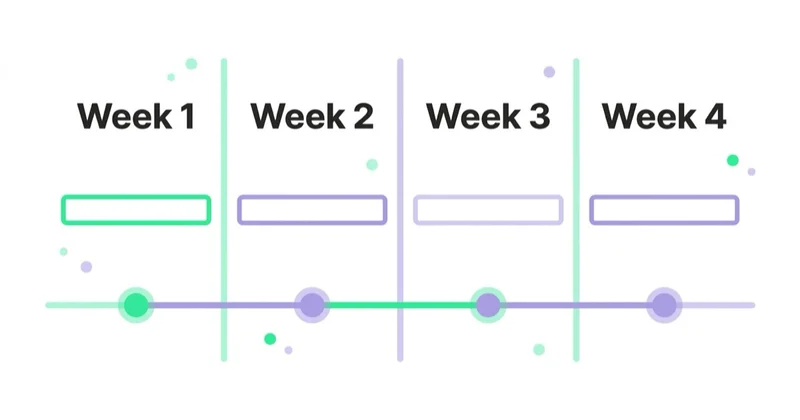
A 30-day launch plan
Days 1–7: prepare the listing and the measurement. Audit the product page — screenshots, first lines of description, ratings, metadata. Establish current organic rankings. Wire attribution and at least one downstream event. Do not launch into a listing you would not send paid traffic to.
Days 8–14: launch a controlled baseline. Start with the search themes closest to the product's value proposition and a discovery layer if the budget can support learning. Brand may be included when there is enough search demand to measure incrementality. Use separate markets where language, economics or regulation differ.
Days 15–21: classify the evidence. Review Search Terms, move qualified queries into exact-match groups and add routing negatives. Expand category or competitor coverage only where the app and product page can answer the search intent. Do not mistake a handful of installs for a stable CPA.
Days 22–30: diagnose and reallocate. Review by market, placement, campaign role and new-download status. If impressions are scarce on relevant terms, investigate relevance, bids and budget. If taps are plentiful but downloads are weak, inspect the promise-to-page match. If downloads are healthy but activation is poor, the constraint is likely onboarding, audience quality or the product itself. Build a controlled creative test for the strongest theme rather than changing bids, metadata and screenshots at once.
How Space Ads approaches Apple Ads
Our working standard is to define the commercial event before scaling acquisition. Depending on the app, that may be onboarding completion, an activated account, a trial that converts, a first order or retained subscription revenue. Cost per install remains a useful diagnostic, but it is not a substitute for unit economics.
We also review Apple Ads, product-page conversion and ASO as one system. The account structure should make intent visible; the product page should continue the promise behind each important theme; and measurement definitions should be agreed before dashboards disagree. Where we lack enough evidence, we state a hypothesis and design a test rather than presenting an assumption as a result.
Common mistakes
| Stop doing | Do instead |
|---|---|
| Comparing all placements on one blended CPA | Evaluate each placement's role, tap-through and view-through contribution separately |
| Optimising toward cost per install | Wire downstream events and optimise toward retained value |
| Using Search Match without reviewing queries | Isolate discovery, route proven terms and exclude irrelevant searches |
| Assuming brand traffic is automatically incremental | Test brand coverage against organic position and impression share |
| Sending paid traffic to an unoptimised product page | Fix screenshots, first lines and ratings before scaling bids |
| Managing Apple Ads separately from ASO | Read organic rankings first, then bid where the listing cannot reach |
| Forcing Apple Ads and MMP installs to match | Reconcile download vs first-open definitions, attribution windows and redownloads |
FAQ
What is Apple Search Ads? Apple Search Ads, officially Apple Ads, is Apple's platform for promoting apps in the App Store. Advanced offers Search Results, Search Tab, Today Tab and Product Pages placements on a cost-per-tap basis. Apple says almost 65% of App Store downloads happen directly after a search, making Search Results particularly important for intent-led acquisition.
What is the difference between Apple Ads Basic and Advanced? Basic automates Search Results promotion and charges per install, with a monthly budget limit of USD 10,000 per app. Advanced uses cost-per-tap pricing, supports all four placements and provides detailed reporting. In Search Results, advertisers can manage keywords and bids or use the automated Maximize Conversions strategy.
How much do Apple Search Ads cost? There is no universal price. In Advanced, the advertiser sets a maximum CPT and pays for taps; auction outcomes depend on relevance, competition, country and bid. The affordable price should be calculated from the app's own product-page conversion, activation rate, customer value and margin rather than from a generic CPI benchmark.
Do Apple Search Ads work alongside ASO? Yes. Paid search-term data can inform ASO research, while the listing's metadata and assets influence organic discovery, Search Match and conversion. Monitor both together, but test incrementality before concluding that every paid download replaced an organic one.
How is performance measured under Apple's privacy rules? Use Apple Ads reporting and the AdServices Attribution API alongside AdAttributionKit/SKAdNetwork and, where appropriate, an MMP or internal analytics. Align definitions first: Apple Ads counts verified downloads, while an MMP commonly counts first opens and may use different windows and redownload rules.
What should the campaign structure look like? For manually managed Search Results campaigns, Apple's recommended themes are brand, category, competitor and discovery. Use exact match for the focused themes, broad match and Search Match for discovery, then move proven queries into the appropriate focused group and add routing negatives.
Key takeaways
- Apple Ads Advanced offers four App Store placements; only Search Results uses keywords.
- Advanced charges per tap. Basic automates Search Results promotion and charges per install.
- For managed search campaigns, brand, category, competitor and discovery themes make performance and query routing easier to control.
- Product-page relevance affects how many paid taps become downloads. Custom product pages can align creative and destination with important themes.
- Paid search and ASO should share evidence, but brand incrementality must be tested rather than assumed.
- Evaluate new downloads, redownloads and post-install value. The lowest CPI is not necessarily the best investment.
How we run this channel, including the structure and the measurement setup, is on our Apple Search Ads page.
Sources and further reading
- Ad placements — Apple Ads best practices
- Compare Apple Ads Basic and Advanced — Apple Ads
- Campaign structure — Apple Ads best practices
- Keywords — Apple Ads best practices
- Reporting definitions — Apple Ads
- Measuring performance on the App Store — Apple Ads
- Ads on the App Store — Apple Ads
- AdAttributionKit — Apple Developer
- Mobile game and app user acquisition
Continue reading
ChatGPT Ad Formats and Character Limits: What Actually Fits
A ChatGPT ad appears below the response and carries six elements, with specific limits: title 3–50 characters, body up to 100. The "24 / 48 character" figures in trade coverage do not match the documentation, so this guide gives the full limits table, shows how to fit a useful message, and covers the image, product ads and end-to-end consistency with the landing page.
OpenAI Ads Manager: How to Set Up Your First ChatGPT Ads Campaign
OpenAI Ads Manager has three campaign levels, but launch also requires advertiser verification, billing, landing-page checks, measurement and deliberate choices for settings that cannot be changed later. This guide covers the setup sequence, budgets, context hints, oCPC, targeting, review and Ads API workflows.
Switching Marketing Agencies Without Losing the Account
A safe agency switch protects client-owned accounts, billing, conversion signals, creative rights and operating knowledge. Use this transition plan to assign responsibility, validate access and change partners without avoidable disruption.


































