
Google tag gateway for advertisers lets a website load the Google tag or Google Tag Manager through first-party infrastructure on its own domain. In the standard setup, the browser loads the tag from a Google domain and sends measurement directly to Google products. With the gateway, the site loads the tag from a reserved path on its own domain and some measurement requests also pass through that first-party path.
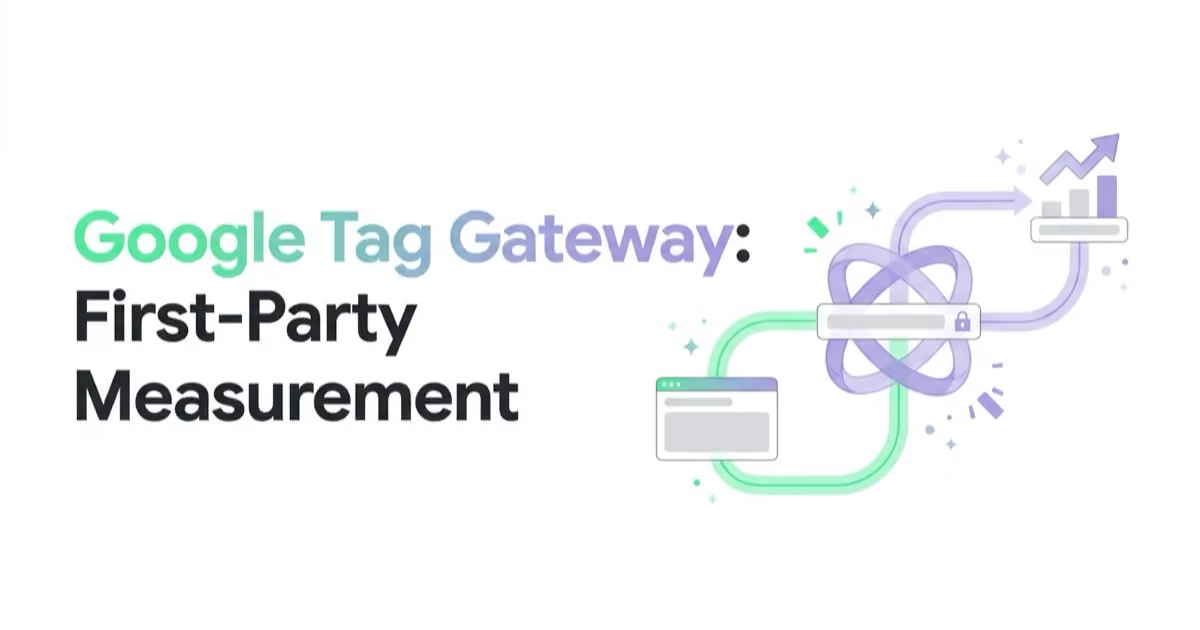
The infrastructure sits between the website and Google's services. Google currently supports setup through an existing CDN, load balancer, web server or server-side tagging environment.
This is not a consent workaround and it does not make data “owned” by the advertiser in a new legal sense. It is a routing and delivery architecture. The organisation still needs correct tags, lawful consent handling, security controls, documentation and a test plan.
TL;DR
- Google tag gateway serves Google scripts—and routes some measurement requests—through a first-party path on the website's domain.
- The site needs an existing Google tag or GTM web container plus infrastructure able to forward requests to an external endpoint.
- Current setup routes include supported in-product/CDN integrations and self-service configuration on CDNs or load balancers. An existing server-side tagging setup can also serve the scripts first-party.
- Gateway and server-side tagging overlap at the routing layer but are not equivalent. A full sGTM implementation receives events into a server container, runs clients/tags and controls onward requests; Gateway focuses on Google-script and supported measurement routing.
- Google recommends completing both a custom-domain server-side setup and first-party script loading for its “most durable” tagging configuration.
- Do not claim guaranteed speed, conversion uplift or ad-blocker recovery. Establish a baseline and test delivery, performance and measurement under real conditions.
- Consent choices and legal obligations remain. First-party routing does not convert prohibited collection into permitted collection.
- Validate the reserved path, geolocation headers, Google Tag Manager requests, event duplication, values, regional consent states and rollback.
What exactly changes
Standard Google tag setup
The page normally loads gtag.js or gtm.js from a Google-owned domain. When tags fire, measurement requests are sent to the relevant Google product endpoints.
Gateway setup
The page requests the script through an unused path on the site's own domain, for example https://example.com/metrics/. The CDN, load balancer, web server or tagging server routes that path to Google's gateway endpoint. Google states that some measurement requests then also use the first-party domain.
From the site's perspective, the route becomes:
browser → first-party domain path → Google gateway/services
The Google tag and product configuration still determine which events are sent. Gateway does not repair an incorrect purchase event, invent a consent signal or validate the business meaning of a conversion.
Why Google recommends it
Google presents three benefit areas: potential conversion uplift, fewer third-party interactions and privacy by default. Treat these as product claims to evaluate, not guaranteed advertiser outcomes.
First-party delivery
The tag and supported requests use the site's domain path rather than beginning with a direct browser request to the usual Google script domain. This can make the architecture more resilient to changes affecting third-party delivery, but the exact effect depends on browsers, networks, implementation and user controls.
Measurement continuity
Google describes the gateway as a way to “better measure your website” and recommends it for a durable configuration. More reliable delivery can improve the data available to reporting and bidding, provided the underlying events and consent state are correct.
Infrastructure consistency
Organisations can integrate the route with an existing CDN, load balancer or tagging server rather than adding an unrelated script-hosting service. That also means infrastructure teams must own availability, change control and incident response.
Performance must be measured
Serving through an established edge can reduce some connection overhead, but proxying and misconfigured caching/routing can also add latency or fail. Google does not provide a universal page-speed guarantee in its setup documentation. Measure script load, page metrics and request success before and after.
What Google tag gateway does not do
It does not bypass consent
The technical classification of a request does not determine whether processing is lawful. Consent Mode and the organisation's consent-management platform still need to communicate the user's choice before relevant tags act.
Review:
- the legal basis and purposes for each destination;
- regional defaults and consent updates;
- privacy and cookie notices;
- data-processing agreements and retention;
- whether the gateway path is included in technical and security documentation;
- whether a user can withdraw consent effectively.
First-party delivery should not be designed or described as a way to ignore a browser, network or user privacy decision.
It does not fix tracking semantics
If a lead event fires on form view, a purchase fires twice or revenue includes the wrong tax/currency treatment, Gateway can route the same bad data. Validate event definitions first.
It does not provide complete server-side governance
Gateway routes supported Google scripts and measurement. It does not, by itself, provide the full server-container logic used to validate, enrich, redact and forward events to multiple destinations.
It does not guarantee more conversions
An increase in recorded conversions can mean improved measurement rather than additional customer behaviour. To claim commercial uplift, use a design that distinguishes measurement recovery from actual incremental purchases or leads.
It does not make third-party systems disappear
The organisation still sends data to Google services according to tag configuration. “First-party context” describes the website-domain route, not a promise that no external recipient processes the data.
Google tag gateway versus server-side tagging
The two can be used together, and Google explicitly recommends both steps for its most durable setup.
| Capability | Google tag gateway | Server-side Google Tag Manager |
|---|---|---|
| Load Google scripts from a first-party path | Yes | Yes, when dependency serving/Gateway is configured |
| Route supported Google measurement through first-party infrastructure | Yes, for some requests | Yes, through the tagging endpoint when configured |
| Run a Tag Manager server container | No requirement | Yes |
| Parse incoming events with server clients | No | Yes |
| Apply server-side validation, transformation or enrichment | Limited to gateway behaviour | Possible through server-container configuration |
| Send to multiple supported vendor endpoints | Not the gateway's purpose | Possible through server tags/templates |
| Infrastructure and operations | CDN/load balancer/web server or tagging server route | Tagging server, custom domain, container and ongoing operations |
| Consent obligation | Unchanged | Unchanged |
The distinction is architectural:
- Gateway-only: first-party path forwards Google tag and supported measurement to Google.
- sGTM: the browser or another source sends events to a tagging endpoint; server-container clients parse them and server tags decide what to send onward.
- Combined: a custom-domain tagging server handles events, while Google scripts are also loaded through the first-party gateway/dependency-serving configuration.
Read our full guide to server-side tagging before choosing the broader architecture.
Current setup routes
Google's July 2026 setup guide presents in-UI and self-service methods. Provider options shown in the guide include Cloudflare, Akamai, Fastly and Google Cloud, while the manual documentation also covers Amazon CloudFront and a generic CDN/load-balancer pattern. Availability, plan requirements and automation differ.
In-UI or provider integration
Where supported, the interface helps configure the first-party route with the CDN provider. This can reduce manual infrastructure work, but it still needs review and testing by someone who understands the domain and existing rules.
Self-service CDN or load balancer
The infrastructure team reserves a path, configures an origin/backend for the Google endpoint, forwards requests and required metadata, gives the route appropriate precedence and updates the site snippet.
Existing server-side tagging
For teams already running a server container on a custom domain, Google's dependency-serving guide explains how to load Google scripts from the first-party infrastructure. Google currently labels CDN serving as the recommended option within that guide, while also supporting the tagging server route.
Do not copy configuration fragments from an article without using the current provider-specific documentation. Header, routing and product requirements can change and an incorrect rule can affect other website traffic.
Technical prerequisites
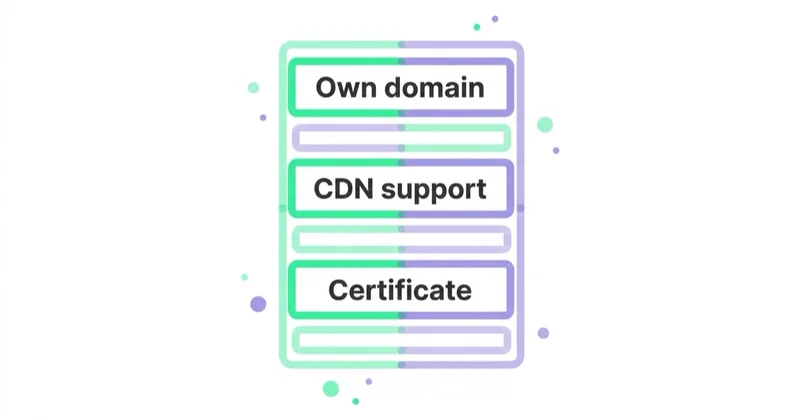
Before implementation, confirm:
- a working Google tag or Google Tag Manager web container;
- administrative access to the relevant Google tag/GTM property;
- control of the website snippet or deployment pipeline;
- a CDN, load balancer, web server or custom-domain tagging server capable of forwarding external requests;
- DNS and TLS ownership where the method requires it;
- an unused path for each standalone tag or separate container;
- infrastructure logging and rollback access;
- consent-platform and regional test cases;
- security, privacy and change approval.
One path per separate tag or container
Google's manual guide requires a unique reserved measurement path for each standalone tag or separate container. If Google Ads, GA4 and other Google tags already sit inside one GTM web container, configuring that container is sufficient for the tags inside it.
The path:
- must not already be used;
- cannot be the root
/; - must be no longer than 100 characters;
- needs higher routing priority than the site's default rule.
Routing the root or a used application path could break real site content. Check production routes, redirects and application frameworks before reserving it.
Security and privacy review
Gateway is infrastructure. Apply the same controls as any production reverse-proxy route.
Limit the route
Match only the reserved path and the documented origin. Avoid a general-purpose open proxy. Verify host-header rewriting, allowed methods, query strings and cookies against Google's current provider guide.
Understand forwarded location information
Google's self-service instructions include country/region or geolocation headers for supported behaviour. Review what the CDN derives, what is forwarded, how it aligns with the privacy notice and whether the configuration is necessary for the selected route.
Protect the deployment
- use peer review and infrastructure-as-code where available;
- restrict who can edit CDN/DNS rules;
- log configuration changes without logging sensitive payloads unnecessarily;
- monitor response failures and latency;
- maintain a tested rollback;
- include the path in incident response and ownership documentation.
Check content security policy
Review script, connect and frame directives for the new first-party path and any remaining Google endpoints. Do not weaken the policy broadly merely to make the tag work.
Preserve consent order
Test that default consent is established before tags send requests, and that updates propagate correctly. The path change should not cause the tag to load in an order that bypasses the intended consent-management sequence.
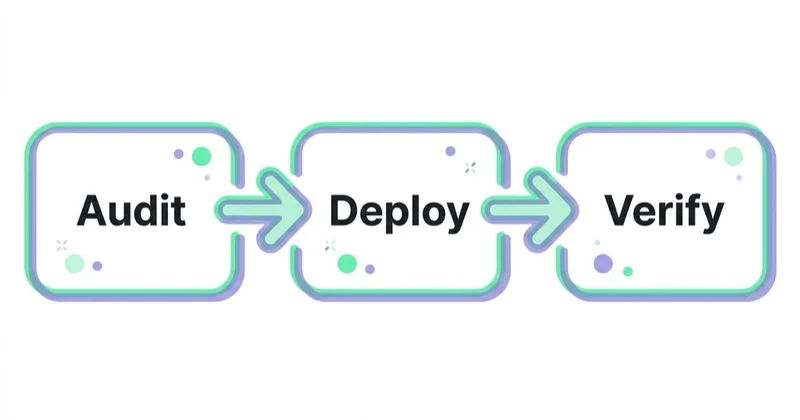
A safe implementation plan
Phase 1: baseline and design
- Inventory Google tag IDs, GTM containers, destinations and current snippets.
- Document conversion definitions, expected event counts, transaction IDs, values and consent behaviour.
- Measure current script/request success and page performance on key templates.
- Choose the route and identify CDN, web, analytics, security and privacy owners.
- Select an unused path and write the routing, validation and rollback plan.
Phase 2: non-production validation
- Configure the path in a safe environment or staged provider version where possible.
- Use Google's health endpoint and geolocation validation described in the current setup guide.
- Update the tag snippet to use the measurement path.
- Use Tag Assistant Preview and inspect its Summary → Output → Hits Sent view to confirm hits use the expected path.
- Test consent accepted, denied, withdrawn and region-specific states.
- Verify content security policy, page behaviour and infrastructure logs.
Phase 3: controlled production release
- Release to a limited domain, template or traffic group if the stack permits.
- Monitor HTTP status, latency, script load and error rate.
- Confirm GA4 and Google Ads events, transaction IDs, values and deduplication.
- Compare business transactions with observed measurement using the same definitions and conversion lag.
- Expand only after the route remains stable.
Phase 4: ongoing operations
- Add synthetic health monitoring for the reserved path.
- Re-test after CDN, consent platform, GTM, site or domain changes.
- Review Google documentation and provider requirements periodically.
- Maintain named technical and analytics owners and a rollback runbook.
Validation checklist
Infrastructure
- The documented
/healthyendpoint returns the expected response. - Geolocation validation succeeds where required.
- Only the reserved path routes to Google's endpoint.
- TLS, DNS and host-header behaviour are correct.
- Cache behaviour follows the provider guide.
- Latency and error rates remain within agreed limits.
Browser and tag
- The page loads the intended Google tag/GTM script through the first-party path.
- Tag Assistant sees the container and routes supported hits correctly.
- Existing data-layer events remain unchanged.
- The standard script has not been left alongside the new script unintentionally.
- For the self-service GTM setup, the standard
<noscript>behaviour is understood: Google's current guide says Gateway does not support the<noscript>snippet, so the standard Google-hosted fallback remains if it is required.
Measurement
- Each real conversion fires the intended number of times.
- Transaction or lead identifiers support deduplication.
- Values, currency and product details remain correct.
- Google Ads primary/secondary conversion status has not changed accidentally.
- Enhanced conversions or downstream imports still diagnose correctly.
- Reporting differences are evaluated after expected processing and conversion lag.
Consent and privacy
- Region-specific default consent behaves as designed.
- Accept, reject and withdrawal scenarios have been tested.
- No prohibited event or identifier is sent in denied states.
- Notices and records reflect the actual routing architecture.
How to measure the impact responsibly
Create three separate evaluations.
1. Technical delivery
Compare script/request success, response codes, latency and client errors. This answers whether the gateway route works more reliably—not whether advertising created more sales.
2. Measurement coverage
Compare observed conversions, event completeness and reconciliation with orders or CRM outcomes. Control for consent rate, traffic mix, promotions, releases and attribution delay. An increase may indicate recovered measurement.
3. Business performance
Automated bidding may improve if signal becomes more complete, but simultaneous demand and campaign changes can produce the same result. Use a staged rollout or credible experiment where practical, and report uncertainty rather than attributing every post-launch improvement to Gateway.
Do not set “more tracked users” as the goal without a privacy and business reason. The objective is reliable, consent-aware measurement of defined outcomes.
When to prioritise Gateway
It is a reasonable priority when:
- Google Ads or GA4 measurement is commercially important;
- event definitions and consent handling are already stable;
- the organisation controls suitable edge infrastructure;
- monitoring shows material delivery loss or the business needs a more durable configuration;
- server-side tagging exists and first-party dependency serving is the next architecture step;
- the team can operate and verify the route.
Prioritise other work first when:
- purchase or lead events are wrong or duplicated;
- consent defaults are not implemented correctly;
- billing and conversion settings optimise to the wrong outcome;
- there is no infrastructure owner or rollback ability;
- the expected benefit is based only on a generic uplift promise;
- basic reconciliation between platform and business systems has never been done.
Common mistakes
| Avoid | Do instead |
|---|---|
| Describing Gateway as script hosting only | Explain that some supported measurement also uses the first-party path |
| Calling it the same as server-side GTM | Distinguish routing from server-container processing and onward tags |
| Promising that it defeats ad blockers | Test delivery and respect user/browser/network controls |
| Treating first-party routing as consent | Keep legal basis, Consent Mode and notices independent |
| Reserving a common application path | Inventory routes and choose a unique, prioritised path |
| Copying old CDN rules | Use the current Google and provider-specific guide |
| Deploying without event validation | Test tags, consent, values, transaction IDs and deduplication |
| Calling more recorded conversions business uplift | Separate technical coverage from incremental behaviour |
| Leaving it without an owner | Monitor health and retest after infrastructure or site changes |
How Space Ads approaches the implementation
We begin with conversion and consent correctness, then map the current tag, container and infrastructure architecture. The recommended route depends on whether the site already has a supported CDN, load balancer or server-side tagging environment and on who can operate it safely.
The implementation plan includes a baseline, reserved-path review, current provider documentation, staged deployment, Tag Assistant and network validation, consent-state tests, deduplication, performance monitoring and rollback. We separate the technical change in request delivery from any claim about commercial uplift.
Where the broader requirement is multi-platform processing, event validation or server integrations, we scope server-side tagging separately rather than presenting Gateway as a substitute.
FAQ
What is Google tag gateway for advertisers?
It is a Google-supported setup that loads the Google tag or GTM web container through first-party infrastructure on the site's domain. Some measurement requests also use that first-party path before reaching Google services.
Is Google tag gateway the same as first-party mode?
Google's current product name is “Google tag gateway for advertisers”; earlier materials and practitioners may refer to first-party mode. Use the current name in implementation and documentation to avoid confusing it with other first-party collection patterns.
Is Google tag gateway the same as server-side tagging?
No. Gateway focuses on serving Google scripts and routing supported measurement first-party. Server-side GTM receives events into a server container, where clients and tags can process and forward them. Gateway can be added to an sGTM architecture, and Google recommends both steps for durability.
Does Google tag gateway bypass cookie consent or GDPR requirements?
No. It changes technical routing, not the purpose or legal basis of processing. Consent Mode, the consent-management platform, privacy notices and applicable law still govern what may be collected and sent. Obtain qualified legal advice for the relevant markets.
Does it bypass ad blockers?
Google's setup documentation does not promise that every blocker or privacy tool will allow Gateway traffic. First-party routing may change delivery conditions, but advertisers should not design it to evade user choices or promise recovered coverage. Test the real implementation.
Does it improve website speed?
It may change connection and edge behaviour, but there is no universal performance guarantee. CDN configuration, caching, proxy latency and the existing site all matter. Measure script loading and page metrics before and after.
What infrastructure is required?
The site needs an existing Google tag/GTM container and a CDN, load balancer, web server or custom-domain tagging server capable of forwarding the reserved path to Google's endpoint. Current Google guides cover several provider-specific and generic routes.
How do I know the setup works?
Use Google's health and geolocation validation endpoints for the selected method, inspect the route in browser developer tools, and use Tag Assistant to confirm supported hits use the path. Then validate consent states, event counts, IDs, values and reporting.
Can Google tag gateway replace enhanced conversions?
No. Gateway changes delivery. Enhanced conversions supply consented, hashed first-party data to improve conversion matching. They address different parts of measurement and each needs its own implementation and governance.
Key takeaways
- Gateway loads Google scripts and routes some measurement through a path on the website's domain.
- It can use a CDN, load balancer, web server or existing server-side tagging infrastructure.
- It complements server-side GTM but does not provide the same processing and multi-destination control.
- First-party routing does not replace consent, privacy documentation or security review.
- Use current provider documentation, reserve a unique path and maintain rollback.
- Validate infrastructure, browser delivery, event semantics, consent and performance separately.
- Distinguish measurement coverage from actual business uplift.
Learn more about our web analytics and Google Analytics 4 work.
Sources and further reading
- Google tag gateway for advertisers — Google for Developers
- Set up Google tag gateway for advertisers — Google for Developers
- Load Google scripts first-party with server-side tagging — Google for Developers
- Server-side tagging overview — Google for Developers
- Consent Mode overview — Google Analytics Help
- Server-side tagging with sGTM
Continue reading
ChatGPT Ads Conversion Tracking: Measurement Pixel and the Conversions API
ChatGPT Ads conversion tracking combines a browser pixel with the server-side Conversions API, which OpenAI describes as the more reliable source. This guide covers 12 standard events plus custom, deduplication, oppref and obref attribution identifiers, SHA-256 normalization, consent, CSP, attribution and oCPC testing.

adclick.g.doubleclick.net: What It Is and When to Worry
adclick.g.doubleclick.net is part of Google's advertising click infrastructure, not software installed on a device. Learn why it appears in browser history, network logs or GA4, which findings are harmless, and how to diagnose genuine attribution loss without hiding the symptom.

LinkedIn Insight Tag: What It Enables and How to Implement It
The LinkedIn Insight Tag supports website conversion tracking, retargeting, Website Actions and audience insights. Implement it only on approved pages, with consent, conversion and QA rules defined first.


































