
Pinterest Performance+ is a family of Pinterest advertising automation features. It includes a simplified campaign mode, automated bidding, expanded targeting and creative tools. These components are related, but they are not interchangeable: Performance+ bidding and targeting can appear in campaign types beyond the full Performance+ campaign workflow.
The campaign-level mode is currently available for Consideration, Leads and Sales objectives. Pinterest says it uses about 50% fewer setup inputs. In return, advertisers accept a more prescribed structure and fewer manual controls. For a Performance+ Sales campaign, that can include an All Products catalogue group, automatically created prospecting and dynamic-retargeting ad groups, and no control during setup over the spend split between them.
The real question is not whether automation is inherently better. It is whether the account has reliable conversion data, a suitable catalogue and enough creative variety — and whether the controls given up matter to the commercial strategy.
TL;DR
- A full Performance+ campaign is currently available for Consideration, Leads and Sales. Performance+ bidding and targeting have broader availability, so check which feature the interface is describing.
- Full Performance+ campaigns limit additional targeting to country, simplified age settings and customer-list inclusion or exclusion.
- Performance+ Sales uses All Products rather than a manually selected product group and automatically adds prospecting and dynamic-retargeting structure.
- Pinterest’s current setup does not let advertisers opt out of the dynamic-retargeting ad group or control the initial spend split between Sales ad groups.
- Performance+ ROAS bidding requires a supported objective, Checkout optimisation and valid checkout values. It can also be available in traditional campaigns.
- Pinterest recommends Tag and/or Conversions API measurement, deduplicated with
event_idwhen the same event is sent through multiple sources. - Creative automation can resize images, create Shopping and Collections formats, optimise calls to action and generate backgrounds. Every output still needs brand, product and landing-page QA.
- Test against a clear counterfactual. Avoid uncontrolled before-and-after comparisons and avoid running overlapping campaigns as if they were a clean A/B test.
Performance+ is a suite, not one switch
| Component | What it automates | Where it can appear |
|---|---|---|
| Performance+ campaign | Campaign setup, ad-group structure, targeting and bidding | Consideration, Leads and Sales objectives |
| Performance+ bidding | Auction bids toward the selected result or value goal | Several manual and Performance+ campaign objectives |
| Performance+ ROAS bidding | Predicts checkout value and adjusts bids to maximise conversion value | Eligible Sales and Leads setups using Checkout and valid value data |
| Performance+ targeting | Expands reach using visual and written signals from the ad | Available across campaign types and objectives; behaviour depends on other targeting |
| Performance+ creative | Resizing, background generation, format and CTA optimisation | Sales and other eligible campaign workflows; some features do not require a full Performance+ campaign |
This distinction prevents a common reporting problem. A campaign may use Performance+ bidding without using the simplified Performance+ campaign structure. Likewise, a manual campaign can use Performance+ targeting or eligible creative features. Record the components separately in naming and change logs.
What the full Performance+ campaign changes
Simplified campaign creation
Pinterest creates an ad group as part of the workflow and uses Performance+ bidding. Budget choices are limited to supported lifetime and flexible or average daily options. The objective determines the available optimisation events and creative source.
Fewer fields reduce setup time, but they also reduce the number of levers available for diagnosis. The account still needs a documented objective, KPI, product and market scope, attribution view and stop conditions.
Restricted additional targeting
Full Performance+ campaigns currently allow country, simplified age targeting and customer lists for inclusion or exclusion. They do not expose the same interest, keyword, language and other controls as a manual setup.
Do not confuse this with the separate Performance+ targeting option in manual campaigns. In a manual campaign, Performance+ targeting can broaden beyond selected interests and keywords using visual and written signals, while other constraints such as location, gender, language, placement or age may remain in place.
Automated Sales structure
Pinterest’s current documentation says a Performance+ Sales campaign creates:
- a prospecting ad group using the All Products product group;
- a dynamic-retargeting ad group;
- and, when customer lists are added, an additional ad group for those users.
During creation, the advertiser cannot opt out of dynamic retargeting or decide what percentage of spend each ad group receives. This is more than a targeting change. It can affect product-margin control, stock management, category budgets, regional assortment and the reporting split between prospecting and returning demand.
If the whole catalogue is not commercially suitable for one optimisation target, fix the feed or use a structure that supports the required product control. Do not rely on the algorithm to infer margin, inventory risk or legal restrictions that are absent from the data.
What Performance+ bidding actually needs
Standard Performance+ bidding adjusts bids automatically toward the selected objective while attempting to use the budget. Pinterest warns that cost can fluctuate, especially early in delivery.
Performance+ ROAS bidding is a specific value-based option. Pinterest’s current requirements include:
- a Sales or Leads objective;
- Checkout as the supported conversion event;
- valid checkout value data;
- and accurate Tag and/or Conversions API signals.
It is intended for businesses where checkout values vary and maximising value matters more than maximising the number of conversions. A target ROAS should reflect margin, refunds, new versus returning customer economics and cash-flow requirements — not simply the highest number that looks desirable.
Pinterest recommends Performance+ Leads and Sales campaigns when an advertiser has more than 50 conversion events per week and suggests a daily budget of at least five times the cost-per-result goal. These are Pinterest’s platform recommendations, not guarantees or universal profitability thresholds. Use them to judge whether a test is operationally viable, then make the commercial decision from your own data.
Measurement comes before automation
Pinterest Tag and Conversions API
Pinterest supports browser-side Tag events, server-to-server Conversions API events and supported mobile measurement integrations. Using browser and server signals together can improve coverage, but the same commercial event must not be counted twice.
When Pinterest receives the same conversion through the Tag and Conversions API or another source, pass a consistent event_id for deduplication. Validate in Events Manager and with the Pinterest Tag Helper.
For a Checkout event, verify:
- one unique order ID per order;
- one event per intended conversion;
- revenue excluding or including tax and shipping according to a documented rule;
- correct currency code;
- product IDs matching the catalogue;
- refund and cancellation treatment in business reporting;
- consent behaviour by market;
- event freshness and missing-event rate;
- browser/server deduplication.
Pinterest asks direct Conversions API integrations to send data in real time, within one hour, to support optimisation and measurement. Treat that as an engineering service-level requirement and monitor it.
Choose the right optimisation event
The deepest event is not always the best starting event if it is too sparse or unreliable. At the same time, optimising to Add to cart when the commercial goal is profitable Checkout can reward users who never buy.
Use the deepest event that has enough accurate signal for the chosen campaign and validate whether it predicts the business outcome. Document any move from Add to cart to Checkout so performance changes are not mistaken for a targeting effect.
Catalogue readiness for Performance+ Sales
The catalogue becomes a major source of targeting and creative information. Audit it before launch:
| Feed area | What to check |
|---|---|
| Product ID | Exact match with Tag/CAPI event IDs and stable across updates |
| Title and description | Clear product meaning, important attributes and natural language |
| Images | High resolution, correct crop, no misleading composites, enough negative space for resizing |
| Price and sale price | Accurate, current and consistent with the landing page |
| Availability | Exclude unavailable or non-deliverable products promptly |
| Landing page | Mobile speed, correct variant, price and stock continuity |
| Category and product type | Enough structure for reporting and feed governance |
| Brand and GTIN | Present and correct where applicable |
| Commercial labels | Margin, season, stock or category data retained internally even if the Performance+ campaign cannot select a group |
Because Performance+ Sales uses All Products, feed exclusions and catalogue hygiene become governance controls. Items that should not be advertised need to be removed or made ineligible through a supported, deliberate process before the campaign can select them.
Performance+ creative: useful production tools, not a brand strategy
Pinterest’s current suite can:
- turn eligible product Pins into Shopping and Collections ads;
- crop and resize images;
- generate backgrounds for eligible product images;
- optimise calls to action in supported workflows.
These features can expand coverage, but each transformation creates a QA obligation. Check whether the result:
- preserves product shape, colour, scale and material accurately;
- follows brand and retailer guidelines;
- avoids impossible usage contexts or misleading product claims;
- keeps text and logos legible after cropping;
- matches the price, variant and destination page;
- complies with category and market-specific advertising rules.
AI-generated backgrounds should be treated as advertising creative, not neutral decoration. Establish an approval process and retain examples of what was allowed, rejected and corrected.
Pinterest currently recommends at least 10 ads per ad group for Performance+ optimisation and adding fresh creative after learning. Use that as a platform operating recommendation, while maintaining distinct concepts rather than uploading many near-identical variants.
What remains the advertiser’s responsibility
Automation does not decide:
- which business outcome is profitable;
- whether returning-customer revenue should be valued like new-customer revenue;
- which products have adequate margin and stock;
- whether a generated image is accurate and on-brand;
- whether the landing page fulfils the Pin’s promise;
- whether attribution reflects incrementality;
- whether the campaign fits privacy, legal and internal governance requirements.
Pinterest can optimise only from signals available to it. Margin, return probability, call-centre quality or offline fulfilment cannot influence bidding unless they are represented through an eligible measurement and value design.
Glossary
- Performance+ campaign: Pinterest’s simplified campaign-level automation for eligible objectives.
- Performance+ bidding: automated auction bidding available in Performance+ and eligible traditional campaigns.
- Performance+ targeting: automated reach expansion using creative and Pinterest behaviour signals.
- ROAS bidding: automated bidding optimising toward return on ad spend rather than volume.
- Customer list: a first-party audience uploaded by the advertiser.
- Dynamic retargeting: catalogue advertising to people who have viewed or added relevant products.
- Event ID: a shared identifier used to deduplicate the same conversion sent from multiple sources.
- Learning period: the interval after launch or a change during which automated bidding calibrates.
- All Products: the complete eligible catalogue product group used by Performance+ Sales.
When Performance+ is a strong test candidate
It is a credible candidate when:
- the chosen event is accurate, deduplicated and timely;
- conversion volume and budget can support a meaningful learning period;
- broad discovery fits the offer and market;
- the eligible catalogue can share one economic objective;
- the business can supply varied, high-quality creative;
- the campaign does not require strict keyword, interest, language, placement or product-group control;
- the team can tolerate less control over prospecting versus dynamic-retargeting spend.
Use manual or more segmented structures when legal eligibility, product margin, territory, inventory or distinct business units require controls the Performance+ workflow does not expose.
Testing it properly
The original temptation is to run a Performance+ and manual campaign concurrently and “separate their audiences”. That is not a clean method here. Full Performance+ targeting is deliberately broad, and auction systems can change delivery in response to the competing campaign. A customer-list exclusion does not create a randomised prospecting test.
Use the strongest design available:
- Platform experiment: use a Pinterest-supported randomised experiment if available for the account and comparison.
- Geographic split: assign comparable non-overlapping regions when there is enough volume and no material spillover.
- Time-based switchback: alternate defined periods only when seasonality, promotions and lag can be controlled sufficiently.
- Operational pilot: if causal testing is impossible, launch a limited budget and describe the result as directional rather than an A/B-test conclusion.
Hold constant where possible:
- offer, market and product eligibility;
- attribution setting and reporting cut;
- creative concepts and landing pages;
- optimisation event and value definition;
- budget opportunity;
- promotions, stock and site changes.
Pre-register the primary metric and decision window. Pinterest says learning mode takes around two weeks on average but can vary with spend, events and engagement. Do not use “two weeks” as a universal stopping rule: wait for the relevant conversion lag, minimum sample and any learning status, then assess both Pinterest-attributed and blended business results.
Where the question is whether Pinterest adds revenue at all, use an incrementality design rather than a campaign-type comparison. See our guide to geo experiments and incrementality testing.
A practical implementation plan
Phase 1: tracking audit
- Validate PageVisit, AddToCart, Checkout and relevant lead events.
- Check value, currency, order ID and product ID parameters.
- Confirm Tag/CAPI deduplication and event freshness.
- Review consent and data-processing requirements.
Phase 2: catalogue and creative audit
- Reconcile eligible products, stock, price and landing pages.
- Identify products that should not share the same goal.
- Prepare distinct creative concepts and required aspect ratios.
- Define approval rules for generated backgrounds, cropping and CTAs.
Phase 3: campaign design
- Choose Consideration, Leads or Sales based on the actual outcome and available volume.
- Document the controls surrendered in full Performance+ mode.
- Decide whether customer-list inclusion or exclusion is appropriate.
- Define budget, primary KPI, secondary diagnostics and stop conditions.
Phase 4: controlled launch
- Check the automatically created ad groups and All Products scope.
- Verify that dynamic retargeting prerequisites and product IDs work.
- Avoid unnecessary edits during learning.
- Monitor spend split, delivery, creative and product coverage.
Phase 5: commercial evaluation
- Allow for conversion lag and learning.
- Compare checkout value, contribution, new-customer mix and blended performance.
- Investigate product, audience and creative concentration.
- Scale gradually only when marginal results remain within the business threshold.
How Space Ads manages Performance+ campaigns
We treat Performance+ as an operating mode within a wider Pinterest strategy, not as permission to remove strategy from the account.
Our process is to:
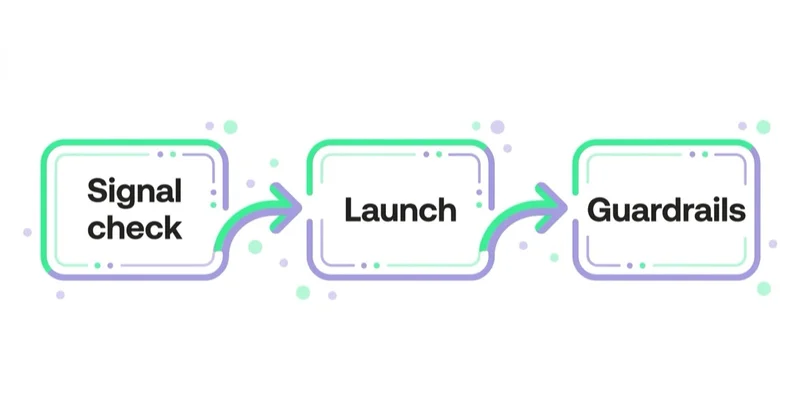
- audit the conversion signal and deduplication;
- translate the commercial target into a valid optimisation event and value;
- review whether All Products and automated retargeting fit the catalogue economics;
- build concept-level creative variety and QA automated transformations;
- choose a test design that can answer the stated question;
- monitor product, creative and spend concentration alongside aggregate ROAS;
- compare platform reporting with analytics, finance and incrementality evidence.
If the business needs controls the full Performance+ campaign removes, we use eligible Performance+ components inside a more manual structure or retain a manual campaign. Automation is selected at the level where it adds value.
Common mistakes
| Mistake | Better practice |
|---|---|
| Calling any automated bid a Performance+ campaign | Record campaign, bidding, targeting and creative components separately |
| Sending Tag and CAPI events without deduplication | Pass a shared event_id and validate Events Manager |
| Launching Performance+ Sales without reviewing All Products | Fix eligibility, stock, pricing and commercial scope first |
| Assuming prospecting and retargeting budgets are controlled manually | Monitor the automatic allocation and choose another structure if control is mandatory |
| Treating overlapping campaigns as an A/B test | Use a platform experiment, geo split or clearly labelled directional pilot |
| Editing repeatedly during learning | Bundle necessary changes and respect the campaign’s decision window |
| Accepting generated assets without review | Check product accuracy, brand, claims, crop and destination continuity |
| Optimising reported ROAS without margin context | Evaluate contribution, customer mix and incremental effect |
FAQ
What is Pinterest Performance+? It is Pinterest’s automation suite for campaign setup, bidding, targeting and creative. The full simplified campaign mode is currently available for Consideration, Leads and Sales, while individual Performance+ components can have wider availability.
What targeting is available in Performance+ campaigns? Full Performance+ campaigns allow country, simplified age settings and customer-list inclusion or exclusion as additional controls. Manual campaigns using the separate Performance+ targeting feature can retain other constraints and behave differently.
Is Performance+ better than manual Pinterest campaigns? There is no universal winner. Performance+ may be suitable when data, volume, catalogue and broad reach support automation. Manual structures remain useful when the business needs product, audience, market or spend controls the full workflow does not provide.
Does Performance+ need good conversion tracking? Yes. Verify event timing, deduplication, order IDs, product IDs, currency and checkout value. For ROAS bidding, Pinterest requires valid Checkout values and relies on Tag and/or Conversions API data.
How should Performance+ be tested? Prefer a Pinterest-supported randomised experiment. If that is unavailable, use a sufficiently powered geographic design or a carefully controlled pilot. Running broad Performance+ and manual campaigns together does not by itself create a clean test.
Does automated creative replace good assets? No. It can resize images, build eligible formats, optimise CTAs and generate backgrounds. The source imagery, product data, offer, brand rules and landing page still determine whether the result is accurate and persuasive.
Can I choose product groups in Performance+ Sales? Pinterest’s current documentation says Performance+ Sales uses the All Products group and does not provide a product-group picker. Manage eligibility in the catalogue or use another campaign structure if category-level control is essential.
Can I control the split between prospecting and retargeting? Not during the current Performance+ Sales creation flow. Pinterest automatically creates prospecting and dynamic-retargeting ad groups and says advertisers cannot control the spend percentage allocated to each.
Key takeaways
- Distinguish the full Performance+ campaign from Performance+ bidding, targeting and creative.
- Full campaigns simplify setup but restrict manual targeting and prescribe more of the structure.
- Performance+ Sales currently uses All Products and an automatic prospecting-plus-retargeting setup without manual spend allocation.
- ROAS bidding needs Checkout optimisation and trustworthy value data.
- Tag and Conversions API events must be accurate, timely and deduplicated.
- Automated creative expands production, but product accuracy and brand QA remain human responsibilities.
- Use controlled experiments or clearly labelled directional pilots rather than assuming overlapping campaigns provide causal evidence.
How we run Pinterest campaigns, including catalogue and creative work, is on our Pinterest Ads page.
Sources and further reading
- Pinterest Performance+ — Pinterest Business Help
- Pinterest Performance+ bidding — Pinterest Business Help
- Pinterest Performance+ targeting — Pinterest Business Help
- Pinterest Performance+ creative — Pinterest Business Help
- Pinterest Conversions API — Pinterest Business Help
- Pinterest Ads in 2026: when visual discovery beats search and social
Continue reading
How Much Do LinkedIn Ads Cost?
LinkedIn Ads have no fixed CPC or CPM. Cost is set by the audience auction, objective, bidding and relevance. Use this framework to model an affordable CPL, opportunity cost and test budget.
Social Media Management Cost: What Drives the Price
Social media management can mean scheduling client-supplied posts or running strategy, production, publishing and community care. This guide gives practical budget ranges and shows how to compare proposals on the work and outcomes included.
Video Ads: What You Are Actually Buying on Each Platform
A YouTube view, a Meta ThruPlay and a TikTok focused view are different events. Learn how to compare video delivery, attention, outcomes and creative without letting platform labels mislead you.


































