
Google Ads extensions are now called Google Ads assets. They are additional ad elements such as sitelinks, callouts, structured snippets, calls, locations, prices, promotions, images and lead forms. Their job is to make the ad more useful, larger, more specific and easier to act on. They do not show in every auction, and they should not be treated as decoration. Good assets answer practical questions before the click: where to go, what is offered, why trust the business, what it costs, how to contact the company and whether the offer is relevant.
Google Ads assets are one of the easiest areas to improve in an account, but also one of the easiest to neglect. Many accounts run strong keywords and responsive search ads while using generic sitelinks, outdated promotions, weak callouts or automated assets that do not match the brand. A proper asset strategy improves usefulness for users and gives Google Ads more combinations to test across Search, Performance Max, Demand Gen and other eligible formats.
TL;DR
- Google Ads extensions are now called assets. Many advertisers still use both terms.
- Assets add useful information to ads. Examples include sitelinks, callouts, structured snippets, call buttons, locations, prices, promotions, images and lead forms.
- Assets are not guaranteed to show. Google decides which eligible assets to show based on auction context, Ad Rank, available space and predicted usefulness.
- Clicks on assets are charged like normal ad clicks. A click on a sitelink, headline or image is still a paid click under Google Ads rules.
- Use assets by goal, not by habit. A local service business, ecommerce store and B2B lead campaign need different asset sets.
- Manual assets need regular maintenance. Promotions, prices, opening hours, URLs and seasonal messages can become outdated.
- Automated assets can help, but they need supervision. They can create extra coverage, but the advertiser is still responsible for accuracy and brand fit.
Assets vs extensions: what changed?
For years, advertisers called these elements "ad extensions." Google now uses the broader term "assets." The change matters because the modern Google Ads system does not only attach a few extra links to text ads. It assembles many types of advertiser-created and automatically generated assets across formats, campaigns and placements.
In practical language:
- Extensions is the legacy term many marketers and clients still use.
- Assets is the current Google Ads term.
- Both usually refer to additional creative or informational elements that can appear with ads.
For SEO and communication, it is worth using both terms at least once: "Google Ads assets, formerly known as extensions." In day-to-day account work, use the platform's current terminology.
How Google Ads assets work
Assets are created at different levels of a Google Ads account and can be associated with:
- the account;
- campaigns;
- ad groups;
- asset groups in eligible campaign types.
Google Ads then decides whether to show assets with an ad. Adding an asset does not guarantee visibility. Assets can be eligible, approved and still not appear in every impression.
Factors that influence whether assets show include:
- Ad Rank;
- ad and landing page quality;
- expected impact of assets;
- query and user context;
- device;
- available space on the results page;
- campaign type;
- asset eligibility and approval status;
- other assets available in the same auction.
This is why an asset audit should not only ask "does the account have assets?" It should ask whether the right assets exist, are approved, are associated at the right level and are useful enough to appear.
Why assets matter
Assets improve ads in several ways.
They can:
- increase the visible footprint of an ad;
- direct users to more specific landing pages;
- communicate benefits before the click;
- qualify traffic by showing prices, services or requirements;
- support calls, store visits, app downloads or lead capture;
- improve consistency between query, ad and landing page;
- give Google's systems more relevant combinations to test.
The user benefit is the main point. If someone searches for a brand, a sitelink to "Pricing", "Book a demo" or "Contact" can save time. If someone searches for a product category, price or promotion assets can make expectations clearer. If someone searches on mobile for a local service, a call asset may be more useful than a generic landing page.
Main types of Google Ads assets
| Asset type | Best use | Main caution |
|---|---|---|
| Sitelink assets | Send users to specific pages | Do not send every sitelink to the same generic URL |
| Callout assets | Highlight short benefits or facts | Avoid vague claims such as "high quality" |
| Structured snippet assets | List service types, categories or features | Use real categories, not slogans |
| Call assets | Encourage phone calls | Schedule them only when calls can be answered |
| Location assets | Promote stores, offices or local branches | Keep location data accurate |
| Price assets | Show product or service price ranges | Prices must match the landing page |
| Promotion assets | Highlight sales and time-limited offers | Remove expired promotions quickly |
| Image assets | Add visual context to Search ads | Use real, relevant images |
| Lead form assets | Capture leads directly from the ad | Lead quality can be lower without landing page qualification |
| App assets | Drive app downloads | Use only when the app is central to the journey |
| Business name and logo assets | Improve brand recognition | Ensure branding is approved and consistent |
| Automated assets | Fill gaps and expand coverage | Review for accuracy and brand fit |
Not every campaign needs every asset type. The goal is complete relevance, not maximum clutter.
Sitelink assets
Sitelinks are additional links that can take users to specific pages on a website. They are usually the highest-priority asset type for Search campaigns because they help users choose the right path before clicking.
Good sitelinks may point to:
- pricing;
- contact;
- product categories;
- service pages;
- case studies;
- reviews;
- delivery information;
- returns policy;
- booking pages;
- calculators;
- buying guides;
- comparison pages.
Google's guidance recommends building strong sitelink coverage, including multiple sitelinks with descriptions for important campaigns, ad groups or asset groups. In practice, high-volume Search campaigns should not rely on two generic sitelinks. They need a useful set of destinations.
Poor sitelinks:
- repeat the same message as the headline;
- all point to the homepage;
- lead to outdated pages;
- use vague labels such as "Learn more";
- send users to pages unrelated to the query.
Strong sitelinks reduce friction. They help the user skip unnecessary navigation.
Callout assets
Callouts are short, non-clickable text snippets that highlight business benefits, service features or offer details. Google describes callouts as extra ad text that can promote offers such as free delivery or customer support.
Useful callouts are specific:
- "Free returns";
- "24/7 support";
- "Same-day dispatch";
- "No setup fee";
- "Certified technicians";
- "GDPR-ready setup";
- "Monthly reporting";
- "Family-owned since 1998".
Weak callouts are generic:
- "Best quality";
- "Great prices";
- "Professional service";
- "Trusted company";
- "Customer satisfaction".
Callouts should not try to do everything. They work best as concise proof points and practical differentiators.
Structured snippet assets
Structured snippets show a predefined header and a list of items. They help users understand the scope of the offer.
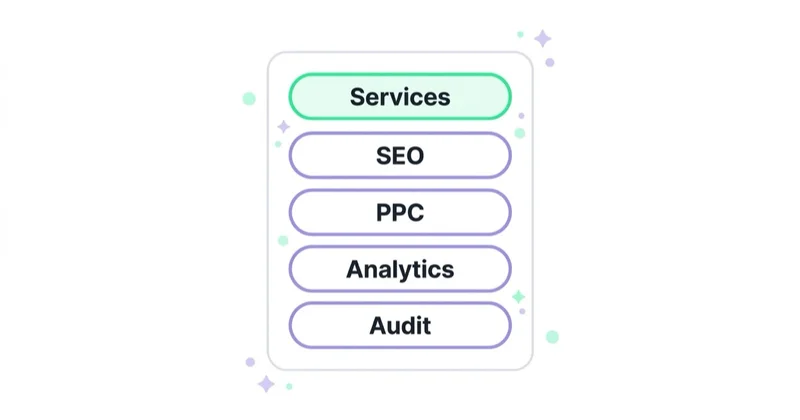
Examples:
- Services: PPC, SEO, CRO, Analytics
- Brands: Nike, Adidas, Puma, Asics
- Courses: Beginner, Advanced, Corporate, Private
- Destinations: London, Manchester, Birmingham, Leeds
- Styles: Minimalist, Industrial, Classic, Scandinavian
The key is structure. A structured snippet is not a sentence and not a slogan. It should list categories, types, brands, models, services or destinations that the business genuinely offers.
Call assets
Call assets add a phone number or call button to ads. They are valuable when phone contact is a natural part of the conversion path.
They are especially useful for:
- local services;
- emergency services;
- B2B enquiries;
- healthcare appointments;
- legal consultations;
- trades;
- high-consideration products;
- branches or showrooms.
Call assets should be scheduled around real availability. If calls are only answered from 9:00 to 17:00, the asset should not push calls at midnight unless voicemail is part of the process.
Measure call quality, not only call volume. A campaign that creates many short, irrelevant calls may look active but waste sales time.
Location assets
Location assets help users find a physical business location. They can show address information, directions or business details depending on format and context.
They are relevant for:
- retail stores;
- restaurants;
- clinics;
- car dealerships;
- gyms;
- showrooms;
- professional offices;
- local service branches.
Location assets depend on accurate business data. Opening hours, addresses, phone numbers and branch availability should be kept current, especially during holidays, relocations and seasonal campaigns.
Price assets
Price assets show products, services or categories with prices. They help qualify users before the click.
They are useful when:
- pricing is competitive;
- users compare options;
- the business wants to reduce irrelevant clicks;
- packages or service tiers are clear;
- products have stable starting prices.
Examples:
- "SEO Audit - From GBP 750";
- "Consultation - GBP 95";
- "Running Shoes - From GBP 59";
- "Monthly Plan - From GBP 49/mo".
Price assets should match the landing page. If the price shown in the ad is not visible or understandable after the click, trust drops and policy risk increases.
Promotion assets
Promotion assets highlight discounts, sales and limited-time offers. They are useful for seasonal campaigns, launches, Black Friday, clearance sales and event-based offers.
Good promotion assets:
- match a real promotion on the landing page;
- include accurate dates;
- use clear discount language;
- are removed or updated after expiry;
- support a relevant campaign or ad group.
Bad promotion assets create confusion. An expired sale or a promotion that is hard to find on the landing page can increase bounce rate and user frustration.
Image assets
Image assets add visual context to eligible ads. They can be powerful when the image communicates the product, outcome or setting better than text alone.
Use images that show:
- the real product;
- the service outcome;
- the team or location;
- the use case;
- the category;
- the before-and-after context where appropriate and compliant.
Avoid images that are:
- generic stock visuals;
- heavily cropped;
- hard to understand on mobile;
- inconsistent with the landing page;
- misleading;
- too text-heavy;
- unrelated to the query.
For ecommerce, product images should align with the landing page and product feed. For services, images should build trust rather than add decoration.
Lead form assets
Lead form assets allow users to submit information directly from the ad. They can reduce friction, especially on mobile, but they can also reduce qualification.
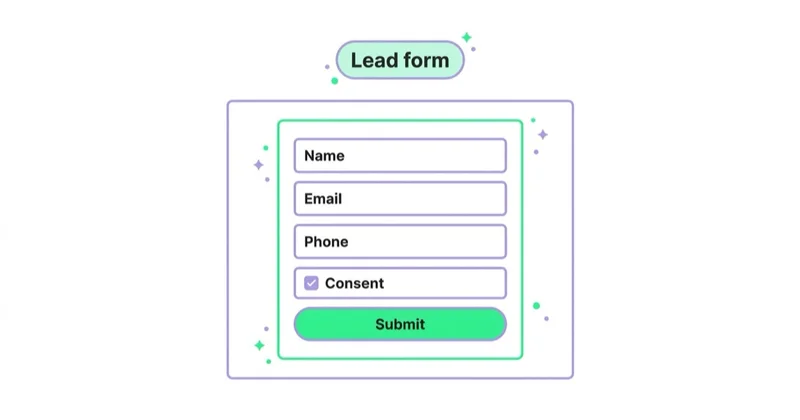
They can work for:
- simple enquiries;
- quote requests;
- appointment requests;
- brochure downloads;
- webinar registrations;
- early-funnel lead capture.
They need careful handling:
- ask only for information needed at that stage;
- add qualifying questions where available and useful;
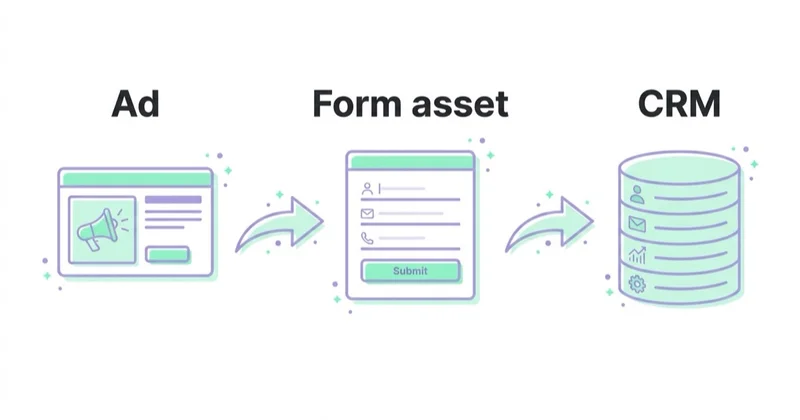
- connect leads to CRM quickly;
- measure lead quality after sales follow-up;
- compare against landing page form leads;
- check consent and privacy requirements.
Lead forms are not automatically better than landing pages. They are better only when they produce qualified leads at an acceptable cost.
Automated assets
Google Ads can create some assets automatically when the system predicts that they may improve performance. Automatically created assets can also generate headlines and descriptions for responsive search ads when enabled at the campaign level.
Automation can help with scale and coverage, but it should not replace strategy.
Review automated assets for:
- factual accuracy;
- brand tone;
- legal or compliance risk;
- landing page consistency;
- duplicate or weak messaging;
- outdated claims;
- irrelevant URLs;
- images pulled from unsuitable pages.
Automated assets are most useful when the website is accurate, well structured and current. If the site contains old promotions, vague claims or weak page titles, automation may amplify those weaknesses.
Assets and Responsive Search Ads
Responsive search ads use headlines and descriptions that Google combines dynamically. Assets extend the same principle: more relevant components give the system more options.
For Search campaigns, a strong setup usually includes:
- responsive search ads with diverse headlines and descriptions;
- relevant final URLs;
- strong sitelinks;
- callouts that add proof points;
- structured snippets that clarify scope;
- call, location, price, promotion or image assets where relevant;
- landing pages that match the promise.
Assets cannot compensate for weak ad copy or poor landing pages. They work best when the whole chain is coherent.
For more on Search ads, see What Are Responsive Search Ads in Google Ads? and Quality Score in Google Ads: What It Is and How to Improve It.
Assets and Performance Max
In Performance Max, assets are central to delivery across channels. Asset groups use combinations of text, images, logos, videos, final URLs and other signals to serve across available inventory.
The key difference is that Performance Max is more creative-system-dependent than classic Search. Weak or thin assets can limit where campaigns serve and how well the system can match messages to placements.
For Performance Max:
- provide enough image variety;
- use clear headlines and long headlines;
- upload brand-safe logos;
- add videos where possible;
- keep final URLs aligned with asset group intent;
- separate asset groups by meaningful audience or product themes;
- monitor asset performance labels carefully;
- avoid feeding the system generic creative.
Read Performance Max Campaigns: What to Know and How to Create Them for a broader campaign setup guide.
Assets and ecommerce
In ecommerce, assets can shorten the route to the right product, category or offer.
Useful ecommerce assets include:
- sitelinks to bestsellers, categories, sale pages and delivery information;
- callouts for delivery, returns, payment options and guarantees;
- structured snippets for brands, product types or collections;
- price assets for stable category ranges;
- promotion assets for real sales;
- image assets using product or lifestyle visuals;
- location assets for click-and-collect or stores;
- app assets where the app is a meaningful shopping channel.
Ecommerce accounts must keep assets consistent with Merchant Center, product feeds and landing pages. If an ad highlights a promotion while the product feed or landing page shows something else, users receive a mixed signal and performance can suffer.
For shopping infrastructure, read What Is Google Merchant Center and How to Manage It? and Google PLA / Shopping Campaigns in Google Ads: What to Know.
Assets for lead generation
Lead generation campaigns need assets that clarify trust, fit and next steps.
Useful assets:
- sitelinks to case studies, pricing, process, industries and contact pages;
- callouts for response time, certifications, guarantees and reporting;
- structured snippets for services, industries or technologies;
- call assets for high-intent enquiries;
- lead form assets for simple first-contact flows;
- image assets where real people, projects or outcomes build trust.
The most important rule is qualification. More leads are not always better. Assets should help attract the right enquiries and filter out poor-fit users.
Assets for local businesses
Local campaigns and Search campaigns for local intent should prioritise practical information.
Strong local assets include:
- location assets;
- call assets;
- sitelinks to services, booking pages and directions;
- callouts for opening hours, emergency service, warranties or coverage area;
- structured snippets for service types;
- promotion assets for local offers.
Local users often want an immediate answer: where, when, how much, how fast and how to contact the business. Assets should make those answers visible.
How to write better asset copy
Good asset copy is specific, useful and aligned with the landing page.
Use:
- numbers where they help;
- real offer details;
- concrete benefits;
- service names users recognise;
- short labels for sitelinks;
- proof points;
- user-intent language;
- landing page terminology.
Avoid:
- exaggerated claims;
- filler adjectives;
- duplicated messages across every asset type;
- internal jargon;
- outdated dates;
- unsupported discounts;
- slogans that do not help the user choose.
Think of assets as micro-navigation and micro-proof, not as extra space for generic marketing language.
Account-level, campaign-level and ad group-level assets
Assets can be added at different levels. The right level depends on relevance.
Account-level assets are efficient for messages that apply everywhere, such as broad brand sitelinks, general support information or company-wide callouts.
Campaign-level assets work for campaign-specific offers, categories, regions or goals.
Ad group-level assets work when messaging must match a narrow theme or query group.
The common mistake is placing very specific assets too high in the hierarchy. If a promotion applies only to one product category, it should not appear across the whole account.
Measurement: how to judge asset performance
Asset reporting should be read carefully. Not all assets are designed to generate direct clicks. Some assets improve ad usefulness, trust or qualification.
Measure:
- asset approval status;
- impressions and visibility;
- clicks on clickable assets;
- click-through rate;
- conversion rate after asset clicks;
- assisted impact on ad performance;
- lead quality;
- call quality;
- promotion performance;
- asset-level performance labels where available;
- differences by campaign, device and audience.
Avoid deleting an asset only because it has fewer clicks than a sitelink. A callout may not be clickable but can still communicate an important trust signal.
Asset audit checklist
Use this checklist during a Google Ads audit:
- Are all active Search campaigns using relevant assets?
- Are sitelinks specific and useful?
- Do sitelinks lead to different, relevant URLs?
- Do important sitelinks include descriptions?
- Are callouts specific rather than generic?
- Do structured snippets use real categories or services?
- Are phone numbers and schedules correct?
- Are location assets accurate?
- Are price assets still valid?
- Are promotion assets current?
- Are images real, useful and policy-safe?
- Are lead forms connected to CRM or a lead handling process?
- Are account-level assets too broad or too specific?
- Are automated assets reviewed regularly?
- Are disapproved assets fixed?
- Are assets aligned with landing pages?
- Are ecommerce assets consistent with Merchant Center and product feeds?
- Are assets segmented by goal, campaign and user intent?
For a wider account review, see What Is a Google Ads Audit and How to Do It?.
How we approach this at Space Ads
Assets (the old extensions) are free screen space, and leaving it unused is just waste. We add every type that fits a campaign — sitelinks, callouts, prices, images — because a bigger, richer ad tends to earn higher CTR and compete harder in the auction. Space isn't the whole story, though. Well-chosen assets double as a filter: a visible price or delivery term pulls more clicks from people ready to buy and fewer from those who never would. That's why we write them to the specific case rather than in generalities, and refresh them often: prices and promotions above all, so the ad never advertises something that's already gone.
Common mistakes
| Mistake | Why it hurts | Better approach |
|---|---|---|
| No assets in active Search campaigns | Ads lose useful context and space | Add relevant sitelinks, callouts and snippets |
| Generic callouts | Users learn nothing useful | Use specific proof points |
| Sitelinks all going to the homepage | Navigation value disappears | Link to distinct useful pages |
| Expired promotions | Trust and policy risk | Schedule and remove promotions |
| Unreviewed automated assets | Brand and accuracy issues | Audit automated assets regularly |
| Too many broad account-level assets | Irrelevant combinations can show | Use campaign or ad group level where needed |
| Lead forms without qualification | More low-quality leads | Add qualifying logic and CRM review |
| Images used as decoration | Weak relevance | Use real product, service or outcome images |
| No measurement by lead quality | Optimisation follows volume only | Connect paid leads to sales outcomes |
FAQ
Are Google Ads extensions still available?
Yes, but Google now calls them assets. Sitelinks, callouts, structured snippets, prices, promotions, calls, images and lead forms still exist as asset types.
Do Google Ads assets always show?
No. Google Ads decides whether to show assets based on eligibility, auction context, Ad Rank, available space, expected usefulness and other factors.
Do assets cost extra?
There is no separate charge for simply adding an asset. When a user clicks an ad element such as a headline, sitelink or image, the click is charged according to normal Google Ads billing rules.
Which assets should every Search campaign have?
Most Search campaigns should start with relevant sitelinks, callouts and structured snippets. Then add call, location, price, promotion, image or lead form assets when they match the campaign goal.
Are automated assets safe to use?
They can be useful, but they need monitoring. Automated assets should be checked for accuracy, landing page consistency, brand tone and compliance.
How many sitelinks should be added?
Use enough sitelinks to cover real user paths. Important campaigns should usually have more than the bare minimum, with useful descriptions where relevant. Avoid adding weak sitelinks just to increase the count.
Should ecommerce stores use price and promotion assets?
Yes, when prices and promotions are accurate and visible on the landing page. They are risky when feed data, landing page pricing and ad assets are inconsistent.
Are lead form assets better than landing pages?
Not always. Lead form assets can reduce friction, but they may also reduce qualification. Compare lead quality, close rate and revenue, not only cost per lead.
Conclusion
Google Ads assets are a practical way to make ads more useful, more specific and easier to act on. They help users navigate, compare, call, visit, download, submit a lead or understand an offer before clicking.
The best asset strategy is not to add every available asset. It is to match assets to the user's intent and the campaign's goal. Sitelinks should guide users to the right page. Callouts should communicate real proof. Structured snippets should clarify scope. Promotions and prices should be accurate. Calls and lead forms should match the sales process. Automated assets should be supervised.
Assets are small elements, but they carry important commercial information. Treating them as part of the offer, not as an afterthought, can improve both user experience and campaign quality.
We handle asset selection and ongoing updates within Google Ads campaigns.
Sources and further reading
- Google Ads Help: About assets
- Google Ads Help: About sitelink assets
- Google Ads Help: About callout assets
- Google Ads Help: About lead form assets
- Google Ads Help: About automatically created assets
- Google Ads Help: Use as many asset types as possible
- Google Ads Help: Performance Max Ad Strength
Continue learning
- What Are Responsive Search Ads in Google Ads?
- Quality Score in Google Ads: What It Is and How to Improve It
- Performance Max Campaigns: What to Know and How to Create Them
- What Is a Demand Gen Campaign in Google Ads and How to Launch One
- What Is Google Merchant Center and How to Manage It?
- What Is a Google Ads Audit and How to Do It?
Continue reading

What Are RLSA Campaigns? Remarketing Lists for Search Ads
RLSA uses audience lists in Google Search campaigns so previous visitors can be treated differently when they search again. Learn Observation vs Targeting, use cases and setup.

Margin-Based Conversion Value in Google Ads: When Ecommerce Should Use It
If Google Ads receives gross revenue as conversion value, value-based bidding optimises toward gross revenue. For ecommerce stores with different product margins, a value closer to gross margin or contribution margin can give Shopping and Performance Max a better signal.

Returns and Conversion Adjustments in Google Ads for Ecommerce
Returns, cancellations and partial refunds change the real value of ecommerce orders after the purchase. If Google Ads only sees gross revenue from the conversion day, campaigns can optimise toward products that look efficient before returns but weak after them.


































