
Google Tag Manager (GTM) is a tag management system that helps manage analytics, advertising and marketing tags from one interface instead of editing website code for every tracking change. It can deploy GA4 events, Google Ads conversions, Meta Pixel, remarketing tags, consent logic, ecommerce events and many other scripts. It does not replace a measurement strategy, developer support or privacy compliance. It is the execution layer.

GTM is valuable because it gives marketing and analytics teams more control over tracking while keeping implementation organised. It can also create chaos if tags are added without a plan. The best GTM setups start with a measurement plan, use a stable data layer, respect consent, test every change and document what each tag does.
TL;DR
- Google Tag Manager manages tags, triggers, variables and the data layer.
- A tag sends data or runs code. Examples include GA4 event tags and Google Ads conversion tags.
- A trigger decides when a tag fires. Examples include page views, clicks, form submissions or custom data layer events.
- A variable stores a value used by tags or triggers. Examples include page URL, transaction value or product ID.
- The data layer is the stable way to pass structured information from the website to GTM.
- Consent Mode and a consent management platform should control which tags can fire and how Google tags behave.
- Server-side tagging can improve control, but it should come after clean client-side tracking and consent QA.
What Google Tag Manager is
Google Tag Manager is a system for managing measurement and marketing tags on websites and apps. Instead of placing every tracking script directly in the website source code, the site loads a GTM container. Inside that container, tags, triggers and variables are managed through the GTM interface.
Common uses:
- GA4 page views and events;
- Google Ads conversion tracking;
- Google Ads remarketing;
- Meta Pixel;
- Meta Conversions API workflows;
- ecommerce tracking;
- form submissions;
- phone and email clicks;
- file downloads;
- scroll tracking;
- video engagement;
- consent mode logic;
- third-party analytics or UX tools.
GTM is not an analytics platform. It does not analyse data by itself. It sends data to tools that analyse or use it.
How GTM works
Google Tag Manager is built around four core concepts.
Tags
A tag is a piece of code or configuration that sends data or performs an action.
Examples:
- GA4 event tag;
- Google Ads conversion tag;
- Conversion Linker tag;
- Meta Pixel base tag;
- custom HTML tag;
- Floodlight tag;
- remarketing tag.
Tags should have a clear business purpose. "Because someone asked for a pixel" is not a measurement strategy.
Triggers
A trigger decides when a tag fires.
Examples:
- all pages;
- some page views;
- click on a button;
- form submission;
- scroll depth;
- custom event from the data layer;
- purchase confirmation;
- consent initialization;
- timer event.
Poor trigger design is one of the most common GTM problems. A tag that fires too often can duplicate data. A tag that fires too late or too narrowly can miss conversions.
Variables
A variable stores a value that can change.
Examples:
- page URL;
- click text;
- form ID;
- transaction value;
- currency;
- product ID;
- page category;
- user type;
- consent state.
Variables make tags flexible. Instead of creating many tags for small changes, one tag can use dynamic values.
Data layer
The data layer is a structured way for the website to pass information to GTM.
It is especially important for ecommerce, lead generation and custom applications. It can pass data such as:
- product ID;
- product name;
- category;
- price;
- quantity;
- cart value;
- currency;
- transaction ID;
- user status;
- form type;
- checkout step;
- lead value.
Without a data layer, tracking often depends on fragile page elements such as CSS selectors or button text. Those can break when the website design changes.
Why GTM is useful
GTM helps teams:
- deploy tags faster;
- reduce direct code edits;
- organise marketing scripts;
- test changes in Preview mode;
- control firing rules;
- use version history;
- manage permissions;
- standardise event names;
- route data to multiple platforms;
- support consent and privacy workflows;
- improve collaboration between marketing, analytics and development.
The value is governance. GTM should make measurement cleaner, not just easier to add more scripts.
GTM vs Google tag vs GA4
These tools are related but not the same.
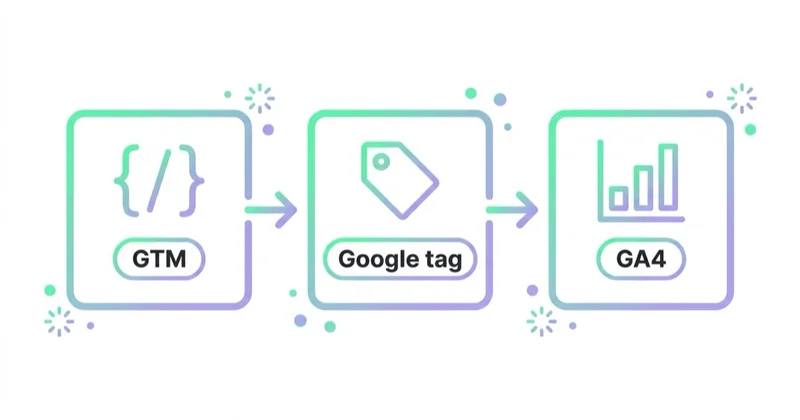
| Tool | What it does |
|---|---|
| Google Tag Manager | Manages tags, triggers, variables and data layer logic |
| Google tag | A Google tag used for Google products such as GA4 and Google Ads |
| GA4 | Analytics platform that receives and reports event data |
| Google Ads conversion tracking | Ad conversion measurement used for bidding and reporting |
GTM can deploy GA4 and Google Ads tags, but it is not GA4. GA4 stores and reports analytics data. GTM controls when and how data is sent.
What to measure with GTM
Before configuring tags, define what matters.
For ecommerce:
- view_item;
- add_to_cart;
- begin_checkout;
- add_shipping_info;
- add_payment_info;
- purchase;
- refund;
- product list views;
- internal search;
- filter usage;
- coupon usage.
For lead generation:
- form starts;
- form submissions;
- qualified lead events;
- phone clicks;
- email clicks;
- booking completions;
- file downloads;
- demo requests;
- newsletter signups.
For content:
- scroll depth;
- video engagement;
- outbound clicks;
- content downloads;
- CTA clicks;
- author or category interactions.
Every event should have a reason. More events do not automatically mean better analytics.
Data layer for ecommerce
Ecommerce tracking should use a data layer whenever possible.
A purchase event should usually include:
- transaction ID;
- value;
- currency;
- items array;
- product IDs;
- product names;
- categories;
- prices;
- quantities;
- coupon or discount where relevant.
This data supports GA4 ecommerce reports, Google Ads conversion value, product-level analysis and feed-related reporting.
For ecommerce measurement, read What Is Ecommerce Analytics and Why Is It So Important?.
Consent Mode in GTM
Consent Mode helps Google tags adjust behavior based on users' consent choices. GTM includes features such as the Consent Initialization trigger, consent settings for tags and consent overview tools.
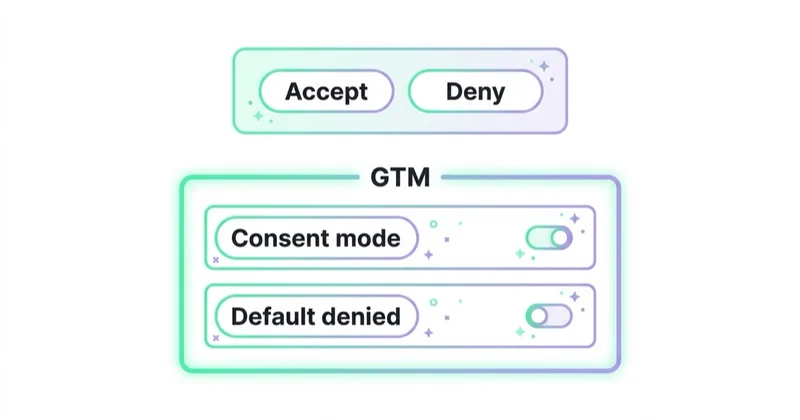
A proper consent setup should answer:
- What consent banner or CMP is used?
- What happens before consent is chosen?
- What happens after consent is granted?
- What happens after consent is denied?
- Which tags have built-in consent checks?
- Which tags need additional consent checks?
- Are Google Ads and GA4 tags behaving correctly?
- Are marketing pixels blocked or adjusted as required?
- Is the setup documented?
Consent requirements vary by jurisdiction. GTM is not a legal compliance tool by itself. It executes the consent logic configured by the team.
For deeper context, read Consent Mode v2: What It Is and How to Implement It.
Client-side vs server-side tagging
Google Tag Manager supports client-side and server-side tagging.
Client-side tagging
Client-side GTM runs in the user's browser. It is the standard starting point.
Pros:
- easier setup;
- wide template support;
- fast deployment;
- good for most standard tracking;
- familiar to marketers and analysts.
Cons:
- browser restrictions;
- ad blockers;
- script performance concerns;
- limited data control;
- more third-party requests from the browser.
Server-side tagging
Server-side tagging uses a server container between the website and analytics or advertising vendors.
Potential benefits:
- more control over outgoing data;
- fewer direct vendor requests from the browser;
- ability to transform or enrich events;
- improved governance;
- support for some conversion API workflows;
- better separation between browser collection and vendor delivery.
Risks:
- extra hosting cost;
- technical complexity;
- poor setup can create duplicate or missing data;
- consent still needs to be respected;
- developers are usually needed;
- server-side does not fix bad event design.
Server-side tagging should be considered after the measurement plan, client-side events, consent logic and QA process are already solid.
GTM and Meta Conversions API
GTM can support Meta tracking workflows, including Meta Pixel and server-side or conversion API implementations through appropriate templates, server-side containers or partner tools.
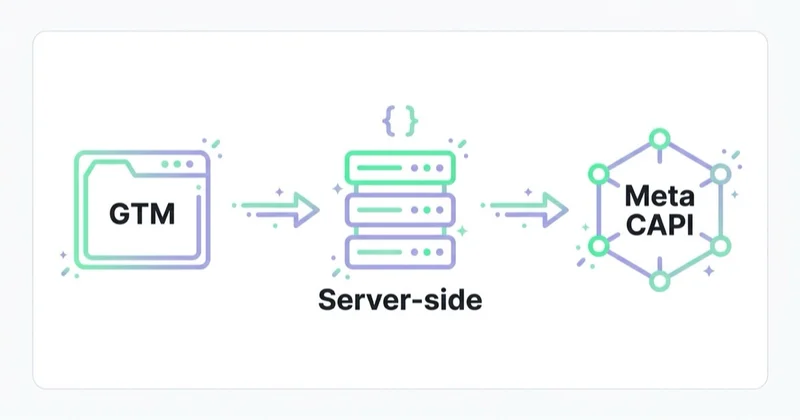
Important points:
- browser Pixel and server events should be deduplicated;
- event names should be consistent;
- event IDs should be passed correctly;
- consent and data processing rules must be respected;
- CRM or ecommerce data may be needed for better matching;
- testing should include Meta Events Manager and GTM Preview.
For details, read Meta Conversions API: Integration and Benefits.
Naming conventions
GTM containers become difficult to manage without naming rules.
Example convention:
- Tag: GA4 - Event - generate_lead
- Tag: GAds - Conversion - Purchase
- Trigger: CE - generate_lead
- Trigger: Click - Phone Link
- Variable: DL - transaction_id
- Variable: DL - ecommerce.value
- Folder: GA4 Ecommerce
- Folder: Consent
- Folder: Meta
Good naming makes audits faster and reduces mistakes.
GTM QA checklist
Before publishing a container:
- Use Preview mode.
- Check that tags fire only once.
- Check that conversion tags do not fire on page refresh incorrectly.
- Check data layer values.
- Check transaction ID.
- Check value and currency.
- Test consent states.
- Test mobile and desktop.
- Test multiple browsers where needed.
- Check GA4 DebugView.
- Check Google Ads conversion diagnostics.
- Check Meta Events Manager if Meta tags are used.
- Document the change.
- Publish with a clear version name.
Never publish critical conversion tracking without testing.
A 30-day GTM cleanup plan
Days 1-5: Audit
- export current container;
- list all tags;
- identify owners;
- check duplicate tags;
- review naming;
- review triggers;
- review consent settings;
- compare active tags with business needs.
Days 6-10: Measurement plan
- define key events;
- map events to platforms;
- define parameters;
- define conversion status;
- define naming rules;
- define consent requirements;
- define data layer needs.
Days 11-20: Implementation
- clean redundant tags;
- build data layer events;
- configure GA4 events;
- configure Google Ads conversions;
- configure Meta events;
- add consent checks;
- test server-side scope if needed.
Days 21-30: QA and documentation
- run full checkout or lead tests;
- compare backend and analytics;
- test consent states;
- fix duplicate events;
- document tags and triggers;
- train team members;
- publish stable version.
How we approach this at Space Ads
GTM is the backbone of measurement for us, not a drawer to toss scripts into. Tags kept in one place and wired to consent mode survive site rebuilds, and the dataLayer is a contract we insist on from the start, because without it any change to the site can quietly break tracking. The most important tags increasingly move server-side, since browser measurement keeps shedding signal to blockers and declined consent. The classic failure is a GTM turned into a dumping ground for random scripts — then nobody knows what fires or why, and debugging one conversion eats days. Ours stays tidy and documented, because everything downstream leans on it: value-based bidding, attribution, reporting. Broken measurement isn't a technical nuisance; it's bad budget decisions.
Common mistakes
| Mistake | Why it hurts | Better approach |
|---|---|---|
| No measurement plan | Tag chaos | Define events before implementation |
| Tracking based only on CSS selectors | Breaks after design changes | Use data layer events |
| Duplicate GA4 tags | Inflated data | Audit firing rules |
| No consent testing | Compliance and data quality risk | Test all consent states |
| Publishing without Preview mode | Production errors | QA before publish |
| Too many Custom HTML tags | Security and maintenance risk | Use trusted templates where possible |
| No naming convention | Container becomes unreadable | Standardise names and folders |
| No version notes | Changes cannot be traced | Name versions clearly |
| Treating server-side as a shortcut | Expensive complexity | Fix basics first |
FAQ
What is Google Tag Manager used for?
Google Tag Manager is used to manage analytics, advertising and marketing tags such as GA4 events, Google Ads conversions, remarketing tags, Meta Pixel and custom tracking events.
Is Google Tag Manager the same as Google Analytics?
No. GTM manages and fires tags. Google Analytics receives and reports data. GTM can send data to GA4, but it does not replace GA4.
Does GTM replace developers?
No. GTM reduces the need for code changes for some tracking tasks, but data layer work, ecommerce tracking, server-side tagging and complex integrations often require developer support.
Can GTM slow down a website?
Yes, if many heavy tags are loaded or poorly controlled. The problem is usually the scripts deployed through GTM, not only GTM itself.
What is the data layer?
The data layer is a structured object or event stream that passes website data to GTM. It is the recommended foundation for stable ecommerce and custom event tracking.
What is server-side GTM?
Server-side GTM uses a server container to process and forward events before they reach analytics or advertising platforms. It can improve control, but it adds cost and technical complexity.
Is Consent Mode configured in GTM?
It can be. GTM supports consent features, but the setup needs a consent banner or CMP, correct default and update states, tag settings and proper testing.
Should every website use GTM?
Not necessarily. A very simple website with one analytics tag may not need it. GTM becomes useful when multiple tools, events, conversions, consent logic or ecommerce tracking are involved.
Conclusion
Google Tag Manager is one of the most important tools in a modern measurement stack, but it is only as good as the plan behind it. It can make analytics and advertising tracking faster, cleaner and easier to test. It can also create poor data if tags are added without governance.
The right order is simple: define what should be measured, build a stable data layer, configure tags with consent in mind, test carefully, document changes and review the container regularly.
GTM is not the strategy. It is the control panel that helps execute the strategy reliably.
Sources and further reading
- Google Tag Manager Help: Components of Google Tag Manager
- Google Tag Manager Help: Client-side tagging vs server-side tagging
- Google Analytics Help: Tag Manager consent mode support
- Google Developers: Consent mode overview
- Google Developers: Set up consent mode on websites
- Google Analytics Developers: Ecommerce measurement
Continue learning
- What Is Ecommerce Analytics and Why Is It So Important?
- Google Analytics 4 (GA4): Why Implement It and What Are the Benefits?
- Consent Mode v2: What It Is and How to Implement It
- Enhanced Conversions in Google Ads: What They Are and How to Set Them Up
- Meta Conversions API: Integration and Benefits
- How to Use Google Data Studio (Looker Studio)
Continue reading
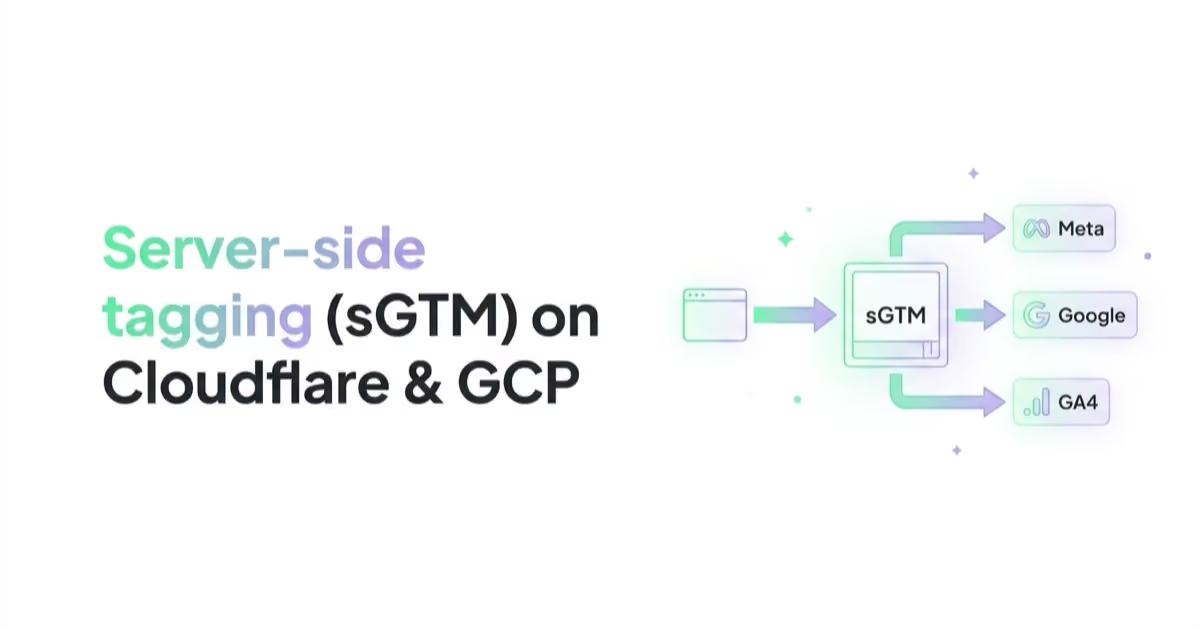
Server-Side Tagging in 2026: sGTM, Cloudflare, CAPI and Enhanced Conversions
A practical server-side tagging guide for performance teams: what sGTM really does, when to use Google Cloud or Cloudflare, how it supports Meta CAPI, Enhanced Conversions, Consent Mode and first-party measurement.

What Is Ecommerce Analytics and Why Is It So Important?
Ecommerce analytics should connect GA4 events, backend orders, ad costs, product margin, refunds, stock, retention and LTV so decisions are based on profit quality, not only revenue. This guide explains what to measure, how to QA data and how to turn ecommerce reports into budget, UX, feed and merchandising actions.

What Are UTM Parameters and How to Create UTM URLs for Google Analytics?
UTM parameters help Google Analytics identify campaign traffic from email, social, partners, QR codes and other external links when they are used with a clear naming convention.


































