
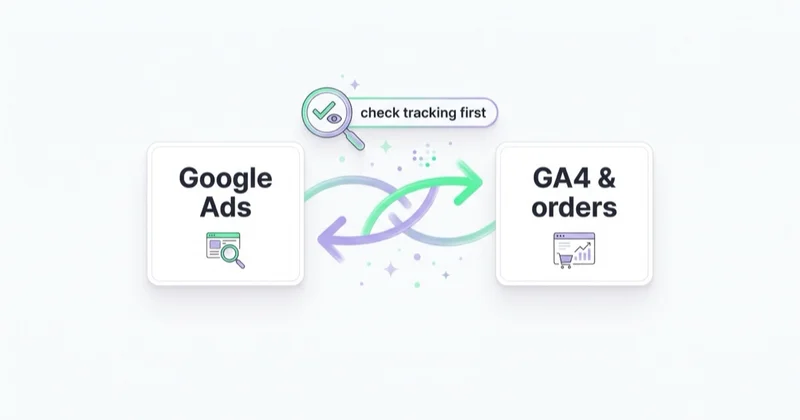
If your Google Ads are not converting, the first conclusion should not be "the campaign is bad." In many accounts, the problem starts before campaign optimization: conversions are not measured, the wrong action is counted, conversion value is missing, consent or tags are incomplete, or Google Ads cannot see leads and sales that the business actually receives.
Only after measurement is verified can you judge the campaign. If conversions are genuinely low, the usual causes are wrong-intent traffic, broad match without enough guardrails, missing negative keywords, weak ad-to-page fit, poor landing-page experience, an uncompetitive offer, low-quality conversion signals for Smart Bidding, budget spread too thin or sales and ecommerce problems after the click.
The order matters. Changing bids will not help if the conversion tag is broken. Rewriting ads will not help if the landing page does not continue the promise. Increasing budget will not help if the budget buys searches with no buying intent.
TL;DR
- Check whether conversions are really missing. Compare Google Ads with GA4, CRM, orders, call tracking and actual inbox or checkout data.
- Fix tracking before optimization. Google Ads uses conversion data for reporting and Smart Bidding, so wrong signals can make the account learn the wrong behavior.
- Review search intent next. The search terms report shows actual searches that triggered ads; use it to find irrelevant, informational or low-value queries.
- Check ad-to-page fit. The search term, ad and landing page should answer the same user intent.
- Audit the landing page and offer. Speed, mobile UX, trust, price, proof, form friction and CTA clarity often decide conversion rate.
- Do not judge only by CPC. Cheap clicks can be expensive if they never become qualified leads or profitable orders.
- Smart Bidding needs quality signals. If the account optimizes toward weak leads or micro-conversions, automation can scale bad outcomes.
- Diagnose by layer. Measurement, intent, page, offer, bidding, settings and post-click quality should be checked in sequence.
The diagnostic order
Use this order before making changes:
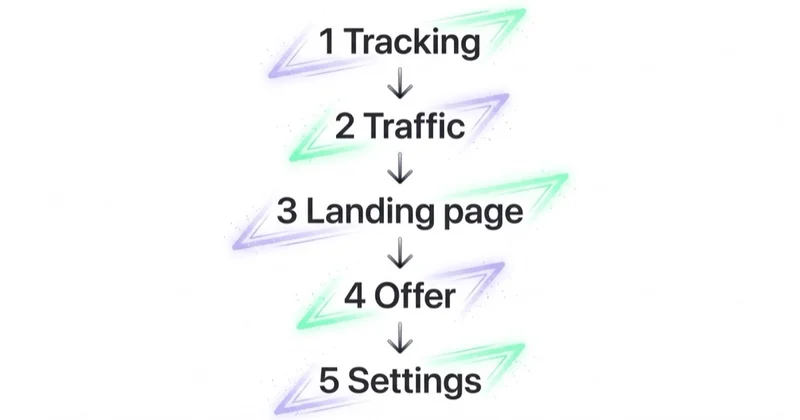
| Order | Layer | Main question | Typical fix |
|---|---|---|---|
| 1 | Measurement | Are conversions happening but not tracked correctly? | Fix tags, conversion actions, values, consent, CRM import |
| 2 | Conversion value | Is Google optimizing toward the right action and value? | Use meaningful primary conversions, values and qualified lead signals |
| 3 | Traffic intent | Are ads buying searches that can convert? | Search terms, negatives, match types, brand/non-brand split |
| 4 | Ad-to-page fit | Does the landing page match the search and ad promise? | Better page mapping, tighter ad groups, clearer message |
| 5 | Landing page | Can the user trust and complete the next step? | Speed, mobile, form, CTA, proof, friction reduction |
| 6 | Offer | Is the product, service or price compelling enough? | Value proof, pricing clarity, guarantees, bundles, differentiation |
| 7 | Bidding and settings | Is automation learning from useful data and spending in the right places? | Bid strategy, target CPA/ROAS, budgets, locations, devices, schedule |
| 8 | Business follow-up | Are leads/orders handled well after conversion? | CRM feedback, sales response, stock, returns, qualification |
This prevents the most common mistake: optimizing the visible ad account while the real leak sits in measurement, landing page or sales quality.
Step 1: confirm whether conversions are really missing
"No conversions" can mean three different things:
| Situation | What it means | Action |
|---|---|---|
| No conversions in Google Ads, but leads or orders exist | Tracking or attribution problem | Fix conversion measurement |
| Conversions exist, but they are weak quality | Signal quality problem | Import qualified outcomes or values |
| No conversions anywhere | Performance or offer problem | Continue through the diagnostic order |
Start by comparing:
- Google Ads conversions;
- GA4 events and purchases;
- CRM leads and pipeline;
- ecommerce orders;
- call tracking;
- form submissions;
- email enquiries;
- payment provider data;
- server logs or booking system data where relevant.
Google Ads conversion measurement is built around actions the advertiser defines as valuable, such as purchases, sign-ups or calls. If the account is counting the wrong action, missing the real action or double-counting a weak action, all later optimization becomes distorted.
Common measurement problems:
- tag missing from the thank-you page or purchase event;
- conversion set to button click rather than successful form submission;
- duplicate tags counting one action twice;
- purchase tracked without transaction value or currency;
- lead form sends data to CRM but not Google Ads;
- phone calls counted without minimum duration;
- consent mode or user consent setup implemented incorrectly;
- GA4 and Google Ads using different definitions;
- offline conversions from CRM not imported;
- enhanced conversions for leads not configured where useful;
- primary and secondary conversion actions mixed without intent.
If real leads or sales exist outside Google Ads, fix measurement before touching bids.
Step 2: check conversion quality and value
An account can "convert" and still fail commercially. This is common in lead generation, where the easiest form fills are not always the best prospects.
Ask:
- Is the primary conversion a real business outcome?
- Are micro-conversions marked as primary when they should be secondary?
- Are all leads assigned the same value even when quality differs?
- Are qualified leads, opportunities or closed deals imported back from CRM?
- Does ecommerce pass transaction value, currency, product IDs and return-adjusted value where possible?
- Are new customers separated from returning customers when that matters?
Google's documentation on transaction-specific values explains that conversions can have different values, such as purchases of different prices or leads for different services. That idea matters strategically: Google Ads should learn from value, not only volume.
For lead generation, a quote request from the right company may be worth much more than a newsletter signup. For ecommerce, a high-revenue product may be poor after returns and margin. If Google sees both as equally valuable, Smart Bidding can optimize toward the wrong mix.
Step 3: inspect search intent
If measurement is sound, check whether the campaign is buying traffic that can realistically convert.
The search terms report shows the actual searches that triggered ads. Google describes it as a way to understand how ads perform when triggered by real searches and to find ideas for creative and landing page content. It is one of the first reports to inspect when Google Ads are getting clicks but no conversions.
Red flags:
- "free," "jobs," "salary," "course," "template," "PDF," "DIY" queries in a sales campaign;
- informational searches bought as if they were transactional;
- unsupported locations;
- B2C searches in a B2B account, or the reverse;
- competitor research searches without a strategy;
- brand and non-brand mixed in one performance view;
- broad match spending heavily without strong conversion data;
- Search Partner or Display traffic mixed into a Search diagnosis.
Fixes:
- add negative keywords;
- separate brand, non-brand, competitor and remarketing campaigns;
- use match types according to risk;
- split ad groups by intent;
- move informational demand into SEO, remarketing or education rather than direct-response Search;
- align landing pages with query intent.
The goal is not more clicks. The goal is more clicks from people with a reason to convert.
Step 4: check ad-to-page message match
The user has a search in mind, clicks an ad and lands on a page. If those three elements do not match, trust breaks immediately.
Check:
| Element | Diagnostic question |
|---|---|
| Search term | What did the user actually want? |
| Keyword/ad group | Did the campaign group this intent cleanly? |
| Ad | Did the ad promise the right thing? |
| Landing page | Does the first screen confirm the promise? |
| CTA | Is the next step appropriate for this intent? |
Examples:
- A user searches "Google Ads audit cost" but lands on a generic agency homepage.
- A user searches "emergency dentist near me" but lands on a page with no phone CTA or location clarity.
- A user clicks an ad for "women's waterproof trail shoes" but lands on all footwear.
- A B2B user clicks "CRM integration consultant" but the page only says "digital transformation."
Google's Quality Score guidance emphasizes that landing pages should give people what they are looking for and keep messaging consistent from ad to landing page. That is not only an ad-quality issue. It is a conversion issue.
Step 5: audit the landing page
If traffic intent is right and the page matches the ad, the next layer is conversion friction.
Common landing-page problems:
- slow loading, especially on mobile;
- unclear headline;
- CTA below the fold or competing CTAs;
- form too long for the user's stage of decision;
- no visible phone number for urgent services;
- no reviews, case studies, proof or trust signals;
- unclear price, scope, delivery or next step;
- poor product imagery or missing fit/size/shipping information;
- weak mobile layout;
- checkout or form errors;
- intrusive popups;
- page asks for commitment before building trust.
For lead generation, ask whether the page earns the right to request the form. For ecommerce, ask whether product pages answer the questions that block purchase: size, material, shipping, returns, availability, reviews, use case and visual proof.
Page speed is not the only landing-page factor, but it is a practical one. Web Vitals and PageSpeed Insights can help diagnose loading, responsiveness and visual stability issues that make paid traffic leak before the user can act.
Step 6: evaluate the offer
Sometimes tracking, intent and landing page are acceptable and conversions are still weak. Then the issue may be the offer.
Offer problems include:
- price is higher than competitors without clear value proof;
- terms are worse than alternatives;
- shipping, returns or delivery time are unclear;
- product is out of stock or lacks key variants;
- service scope is too vague;
- the brand lacks trust in a high-risk category;
- discount dependence has trained customers to wait;
- the CTA asks for too much commitment too soon;
- the page does not explain why this option is better.
Paid ads amplify an offer. They do not make an uncompetitive offer compelling. If competitors show clearer proof, better availability, easier contact and a stronger value proposition, Google Ads will expose that weakness quickly.
Step 7: review Smart Bidding and data volume
Smart Bidding can be powerful, but it is not magic. Google describes Smart Bidding as conversion-based automated bid strategies that use machine learning to optimize for conversions or conversion value in each auction. That means the strategy depends on the conversion signal and volume available.
Common problems:
- Maximize Conversions optimizing toward low-value micro-conversions;
- target CPA set below what the auction and offer can realistically achieve;
- target ROAS too aggressive for a new or volatile ecommerce campaign;
- not enough conversion volume for stable learning;
- several unrelated goals mixed in one campaign;
- value data missing or misleading;
- lead quality never imported from CRM;
- major changes made before the learning period stabilizes.
Fixes:
- define primary and secondary conversions properly;
- import qualified leads or offline conversions where possible;
- pass transaction values and product IDs for ecommerce;
- loosen unrealistic targets temporarily;
- separate campaigns with different economics;
- give automated strategies enough stable data before judging.
Smart Bidding cannot optimize for a conversion it cannot see, and it cannot distinguish lead quality unless the account sends better signals.
Step 8: check campaign settings and budget allocation
After measurement, intent, page, offer and bidding, review settings.
Check:
- location targeting and matched locations;
- language settings;
- ad schedule;
- device performance;
- Search Partners and Display expansion;
- campaign budget limits;
- budget split across too many campaigns;
- Performance Max asset and feed quality;
- product-level spend and stock;
- audience exclusions;
- brand exclusions where relevant;
- conversion goal selection at account and campaign level.
Settings can absolutely block conversions. But if settings are reviewed before measurement and intent, the account may be optimized around bad data.
Lead generation vs ecommerce diagnosis
The same framework applies, but the details differ.
| Area | Lead generation | Ecommerce |
|---|---|---|
| Conversion risk | Many form fills are unqualified | Gross revenue hides margin and returns |
| Tracking priority | CRM stages, qualified leads, calls, offline imports | Purchase value, product IDs, feed, returns |
| Landing page risk | Form friction, unclear service, no proof | Product detail, size, stock, shipping, reviews |
| Offer risk | Wrong audience, weak promise, slow response | Price, availability, delivery, return policy |
| Bidding risk | Optimizing to cheap leads | Optimizing to high revenue but low profit |
| Best fix | Lead quality feedback loop | Product-level profitability and feed control |
For ecommerce, product feed quality can be a conversion issue, not only a Shopping setup issue. If titles, variants, images, price, availability or product categorization are weak, Google may show products poorly or send demand to pages that cannot convert. See what is a product feed and how to use it.
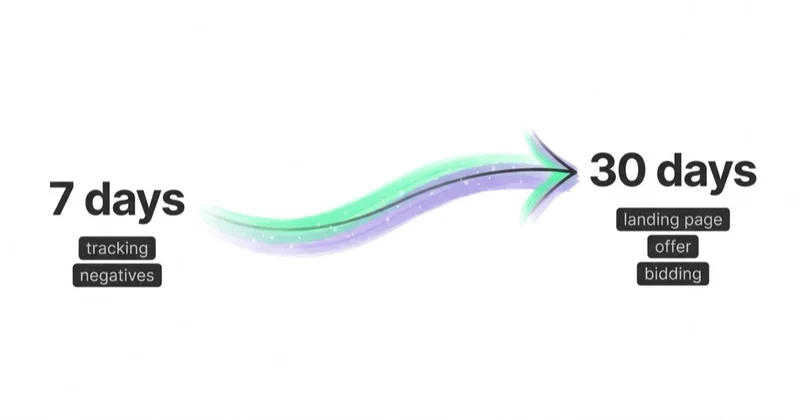
A 7-day and 30-day repair plan
| Timeframe | Work |
|---|---|
| Day 1 | Compare Google Ads, GA4, CRM/orders and actual submissions. Identify tracking gaps. |
| Days 2-3 | Review conversion actions, values, primary/secondary goals, consent, duplicate tags and offline data. |
| Days 3-4 | Analyze search terms, match types, brand/non-brand split, locations, devices and campaign types. |
| Days 5-7 | Map top spend queries to ads and landing pages. Fix obvious page mismatch, CTA and form issues. |
| Days 8-14 | Rebuild or split campaigns where intent is mixed. Add negatives, clean budgets and improve conversion goals. |
| Days 15-30 | Test landing pages, import better lead or value data, improve creative/assets and review Smart Bidding targets. |
Do not change everything at once. If tracking, keywords, page and bidding all change on the same day, it becomes harder to know what fixed or worsened performance.
How Space Ads approaches non-converting Google Ads
At Space Ads, accounts with low or missing conversions are diagnosed from the data path outward: click, landing page, event, Google Ads conversion, GA4 event, CRM lead or ecommerce order, and finally business quality. Only when that path is consistent does it make sense to judge campaign structure, search terms, bidding and budget.
The usual diagnostic questions are:
- Is Google Ads seeing the same reality as the business?
- Are primary conversions valuable enough to optimize toward?
- Which search terms are spending without commercial intent?
- Does the landing page answer the exact promise from the ad?
- Are forms, calls or checkout steps creating friction?
- Is Smart Bidding learning from qualified outcomes or weak signals?
- Is the issue in Google Ads, or in the offer, sales process, stock, delivery or page?
This is the logic behind our Google Ads, performance marketing, what does a PPC agency do and marketing audit work. The aim is not to make cosmetic changes in the ad account. The aim is to find the conversion leak that actually blocks revenue.
Common mistakes
| Mistake | Why it hurts | Better approach |
|---|---|---|
| Changing bids first | Bids cannot fix broken tracking or weak pages | Verify measurement and intent first |
| Trusting "zero conversions" blindly | Real conversions may exist outside Google Ads | Compare with GA4, CRM, orders and calls |
| Optimizing to micro-conversions | Automation learns cheap, weak actions | Use meaningful primary conversions |
| Ignoring the search terms report | Budget may be buying irrelevant queries | Add negatives and split intent |
| Sending traffic to the homepage | The page does not continue the ad promise | Use focused landing pages |
| Judging Smart Bidding too quickly | Conversion lag and learning periods distort results | Use stable windows and enough data |
| Ignoring lead quality | CPL can look good while sales rejects leads | Import qualified lead or pipeline data |
| Ignoring returns and margin | ROAS can look good while profit falls | Measure net revenue and contribution |
FAQ
Why are my Google Ads getting clicks but no conversions?
The most common causes are broken or incomplete conversion tracking, low-intent search terms, broad match without enough negative keywords, landing pages that do not match the ad promise, weak offers, poor mobile experience, unrealistic Smart Bidding targets or campaign settings that spend in the wrong locations, devices or times. Start with measurement before changing bids.
How do I know if Google Ads conversion tracking is broken?
Compare Google Ads with GA4, CRM, ecommerce orders, call tracking and actual form submissions. If leads or sales exist outside Google Ads but are missing in Google Ads, the issue is tracking, attribution, consent, event setup or conversion action configuration. Also check whether the conversion is firing on the right event and whether duplicate tags are inflating results.
Can bad keywords stop Google Ads from converting?
Yes. Keywords and match types can trigger searches that are too informational, irrelevant or low value. Review the search terms report for queries such as "free," "jobs," "course," "template," unsupported locations or wrong product categories. Add negative keywords, split intent and align campaigns to commercial queries.
Why is my landing page not converting Google Ads traffic?
Common reasons include message mismatch, slow loading, poor mobile UX, unclear CTA, long forms, missing proof, weak product information, no pricing or scope clarity, and sending users to a generic homepage. The landing page should immediately confirm the search intent and make the next step obvious.
Can Smart Bidding cause fewer conversions?
Smart Bidding can struggle when conversion data is weak, volume is too low, the target CPA or ROAS is unrealistic, or the campaign optimizes toward micro-conversions instead of valuable outcomes. The fix is usually better conversion definitions, values, CRM imports, campaign segmentation and realistic targets, not simply switching automation off.
Why do my Google Ads leads not turn into sales?
The account may be optimizing toward easy form fills rather than qualified prospects. Check search intent, form fields, CRM stages, sales response time, lead source quality and whether qualified or closed-won outcomes are imported back into Google Ads. A low CPL is not useful if the sales team rejects the leads.
Why do my ecommerce Google Ads get sales but no profit?
Gross revenue can hide discounting, returns, shipping, fees, low-margin products and repeat-customer mix. Review product-level ROAS, contribution margin, return rate, feed quality, stock and new customer value. For ecommerce, conversion value should be as close to business value as the data allows.
What should I fix first if Google Ads are not converting?
Fix measurement first. Then diagnose traffic intent, ad-to-page fit, landing-page friction, offer strength, Smart Bidding signals, settings and post-click quality. This order prevents wasted work on symptoms while the real leak remains.
Key takeaways
- Google Ads not converting is often a measurement problem before it is a campaign problem.
- Conversion quality and value matter as much as conversion count.
- Search terms reveal whether the campaign is buying real commercial intent.
- Landing pages must continue the promise from the query and ad.
- Smart Bidding needs clean, valuable conversion signals.
- Lead generation and ecommerce require different quality checks.
- Diagnose in layers before increasing budget or changing bids.
Sources and further reading
- Google Ads Help - About conversion measurement
- Google Ads Help - Track transaction-specific conversion values
- Google Ads Help - About the search terms report
- Google Ads Help - About Smart Bidding
- web.dev - Web Vitals
Continue learning
Continue reading
Google Ads Benchmarks by Industry (CTR, CPC, Conversion Rate)
Google Ads benchmarks can provide context, but only when the campaign type, market, conversion action, attribution and time period match. Learn how to make a valid comparison and turn it into a useful decision.
Gemini Ad Formats: When the Ad Is Generated, Not Written
Google is testing and announcing Gemini-powered ad experiences across AI Mode and Search. Learn what each format does, what remains uncertain and how to prepare data, content and measurement.
Google Ads Experiments: Testing That Produces a Decision
A useful Google Ads experiment starts with a decision, an effect worth detecting and enough statistical power. Learn how to choose the test, split, metric and interpretation.


































