
Hotjar is a user behavior analytics and feedback tool that helps show how people experience a website. It uses heatmaps, session replays, funnels, surveys and feedback tools to reveal what users click, where they scroll, where they hesitate and what they say is blocking them. It does not replace GA4, Search Console or ad platform reporting. It explains the "why" behind patterns those tools often show only as numbers.

Hotjar is most useful when there is a specific question: why users abandon a form, why a landing page gets traffic but not leads, why mobile users miss the main CTA, why checkout drop-off increased, or why a product page has strong views but weak add-to-cart rate. Without a hypothesis, session recordings can turn into random watching. With a clear question, Hotjar can become one of the fastest ways to find UX, messaging and conversion problems.
TL;DR
- Hotjar adds qualitative context to quantitative analytics. GA4 can show where users drop off; Hotjar can help show what they did before dropping off.
- The core features are heatmaps, session replays, funnels, surveys and feedback. They are useful for CRO, UX research, landing page analysis and ecommerce optimization.
- Hotjar is not a replacement for GA4. Use GA4 for traffic sources, events, conversions and reporting; use Hotjar to understand behavior and friction.
- Microsoft Clarity is a strong free alternative for heatmaps and session recordings. It is often enough for basic behavior analysis.
- Privacy setup matters. Session replay tools can capture sensitive context if suppression, masking, consent, retention and access control are not configured properly.
- The best workflow starts with a hypothesis. Use analytics to find the problem area, then use Hotjar to inspect behavior, gather feedback and decide what to test.
- The output should be an action. A finding is useful only when it becomes a UX fix, copy change, test idea, tracking correction or research question.
What Hotjar is
Hotjar is a product experience and behavior analytics platform. Its purpose is to show how users interact with a website or app and to collect feedback that helps explain user motivation, confusion and friction.
The most common Hotjar use cases are:
- heatmaps for clicks, scrolling and attention;
- session replays that reconstruct user journeys;
- funnels that show where users leave a defined path;
- surveys that ask users direct questions;
- feedback widgets for quick reactions;
- integrations with analytics, product and workflow tools.
Hotjar is now part of Contentsquare, and its public product messaging still highlights the classic Hotjar capabilities: heatmaps, session replay, funnels, surveys and feedback. For a marketing or ecommerce team, that means the tool remains focused on experience insights rather than only reporting visits and conversions.
Hotjar vs GA4: what is the difference?
GA4 and Hotjar answer different questions.
| Question | GA4 | Hotjar |
|---|---|---|
| Where did users come from? | Strong | Limited |
| Which channel converted? | Strong, if tracking is correct | Not the main use case |
| Where does a funnel drop happen? | Strong | Useful with visual context |
| Why did users stop? | Indirect | Stronger, through replays and surveys |
| Did users see the CTA? | Limited | Stronger through heatmaps and scroll maps |
| Did a form cause friction? | Possible with events | Stronger through replays and feedback |
| What words do users use to describe the problem? | No | Strong through surveys |
The best setup uses both. GA4 identifies the "where": a landing page with weak lead rate, a checkout step with high drop-off, a product category with low engagement, a mobile segment that underperforms desktop. Hotjar helps investigate the "why": users miss the button, rage-click a non-clickable element, scroll past the offer, do not understand delivery costs, or leave when a form error appears.
For the quantitative side, read Google Analytics 4: Why Implement It and What Are the Benefits? and What Is a Google Analytics Audit and Is It Worth Doing?.
Key Hotjar features
Heatmaps
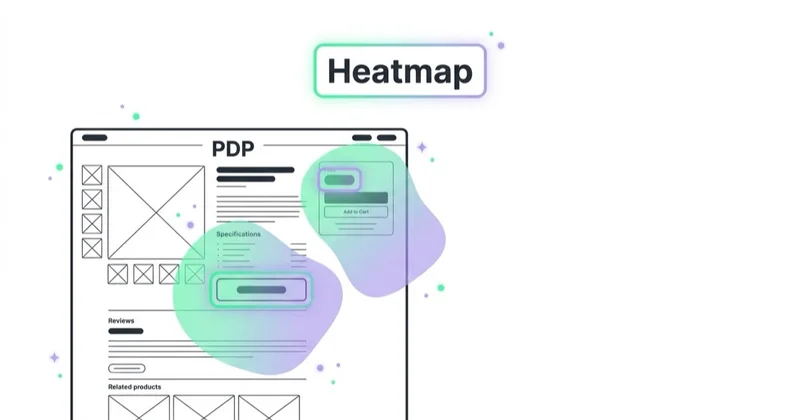
Heatmaps visualize user interaction on a page. Depending on the setup and plan, they can show clicks, taps, scrolling and attention patterns.
Use heatmaps to check:
- whether users notice the primary CTA;
- whether important content appears too low on the page;
- whether non-clickable elements look clickable;
- whether users interact with navigation, filters or accordions;
- whether mobile users see the same value as desktop users;
- whether a page section is ignored.
Heatmaps are useful for spotting patterns, but they can be misleading when used alone. A heavily clicked element might be important, confusing or simply placed in the way. A section with low interaction might be unnecessary, or it might answer a question without requiring a click. Heatmaps should lead to questions, not final conclusions.
Session replays
Session replays reconstruct user behavior on the site. They can show mouse movement, scrolling, taps, page navigation and moments where users appear stuck.
Useful signals include:
- rage clicks;
- dead clicks;
- repeated scrolling;
- form hesitation;
- field errors;
- users returning to shipping or pricing sections;
- mobile layout problems;
- checkout confusion;
- clicks on elements that are not interactive.
Do not make a major decision from one recording. A single replay is a clue. A repeated pattern across many similar sessions is evidence. The best review process filters recordings by page, device, traffic source, event or funnel step, then looks for recurring behavior.
Funnels
Funnels show how users move through a defined path. In ecommerce, this can be product page to cart to checkout to purchase. In lead generation, it can be landing page to form start to form submission. In SaaS, it can be pricing page to signup to activation.
Funnels become more useful when connected with session replays and surveys. If a funnel shows that mobile users abandon the delivery step, replays can show whether the issue is a hidden field, a confusing cost, a slow script or a payment method problem.
Surveys and feedback
Surveys are often the most underused part of behavior analytics. Watching behavior shows what users do, but asking a short question can reveal what they think.
Useful website survey questions include:
- What nearly stopped this purchase?
- What information is missing from this page?
- Was anything unclear about pricing or delivery?
- What were you hoping to find today?
- Why did you choose not to continue?
- How could this page be more useful?
Keep surveys short. One focused question at the right moment is often better than a long questionnaire that interrupts the journey.
Hotjar vs Microsoft Clarity
Microsoft Clarity is a popular alternative because it offers free heatmaps, session recordings and machine-learning insights. Microsoft describes Clarity as a free service and its documentation explains that session recordings are not video streams; they are reconstructed animations based on page information and user actions.
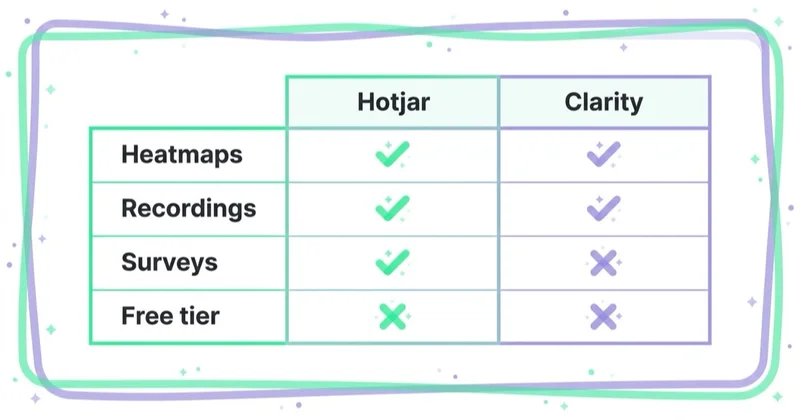
Hotjar and Clarity can both be useful, but they fit different needs.
| Need | Hotjar | Microsoft Clarity |
|---|---|---|
| Basic heatmaps | Yes | Yes |
| Session recordings | Yes | Yes |
| Free behavior monitoring | Limited by plan | Strong fit |
| Surveys and feedback workflows | Stronger | More limited |
| UX research process | Stronger | More limited |
| Team workflow and integrations | Stronger for many teams | Depends on setup |
| Low-cost first step | Good if free plan fits | Very strong |
For many small websites, Microsoft Clarity is enough to start. It can reveal dead clicks, rage clicks, scroll behavior and session problems without adding another paid tool. Hotjar becomes more attractive when the team needs surveys, feedback, research workflows, deeper collaboration, integrations or a more mature CRO process.
The practical recommendation is simple: use Clarity when the goal is broad, low-cost behavior monitoring. Use Hotjar when the goal is structured UX research, feedback collection and conversion improvement tied to a defined workflow.
When Hotjar is worth using
Hotjar is worth using when there is meaningful traffic and a decision to make. It is not needed on every small brochure site.
Good use cases include:
- a landing page gets traffic but few leads;
- paid campaigns send users to a page with weak conversion rate;
- a product page has high views but low add-to-cart rate;
- checkout abandonment increases;
- a form has unexplained drop-off;
- users search for products but do not click results;
- mobile conversion is much lower than desktop;
- customer support repeatedly hears the same questions;
- a redesign or migration is planned;
- a test idea needs qualitative evidence.
Hotjar is less useful when the site has too little traffic, no clear conversion path, no one available to analyze findings, or no development capacity to implement changes. More data is not valuable when no one acts on it.
How to analyze Hotjar data properly
The biggest mistake is opening recordings and watching random sessions. That feels productive, but it rarely produces reliable decisions.
Use this workflow instead:
- Find the problem in quantitative data. Use GA4, CRM, ad data or ecommerce reports to identify a page, segment or funnel step.
- Write a hypothesis. Example: mobile users abandon the checkout because delivery cost appears too late.
- Filter sessions. Look only at relevant recordings, such as mobile users who reached checkout and did not purchase.
- Check heatmaps. See whether key information or CTAs are noticed.
- Ask users if needed. Add a short survey on the relevant page or exit moment.
- Group patterns. Look for repeated behaviors, not isolated odd sessions.
- Define an action. Change UX, copy, layout, tracking, offer, speed or form behavior.
- Measure after release. Compare results in GA4 and business data.
This process keeps Hotjar connected to decision-making. The purpose is not to collect recordings. The purpose is to reduce uncertainty before making a change.
Hotjar for ecommerce
In ecommerce, Hotjar is most useful on pages close to revenue:
- product listing pages;
- search results;
- product detail pages;
- cart;
- checkout;
- delivery and payment steps;
- returns and shipping pages;
- landing pages from paid campaigns.
Common ecommerce findings include:
- users do not see size or delivery information;
- filters are hard to use on mobile;
- variant selection is unclear;
- product images do not answer key questions;
- add-to-cart feedback is too subtle;
- coupon fields distract users;
- delivery cost appears too late;
- payment redirects confuse users;
- error messages do not explain what to fix;
- trust information appears below the point where users need it.
For broader ecommerce diagnosis, read How to Audit an Ecommerce Store and How to Increase Online Sales.
Hotjar for landing pages and lead generation
For lead generation, Hotjar can help explain why traffic does not become enquiries. The most important pages are campaign landing pages, service pages, pricing pages, contact forms and quote forms.
Look for:
- users scrolling back to pricing or proof sections;
- CTA buttons that are ignored;
- form fields where users pause or leave;
- confusion around what happens after submitting;
- trust proof placed too late;
- copy that users skim without engaging;
- mobile users missing the form;
- repeated clicks on visual elements that are not links.
Hotjar is especially useful when combined with message match analysis. If an ad promises one thing and the landing page opens with another, behavior tools may show quick scrolling, low engagement or immediate exits. The solution is not always a new design. Sometimes it is clearer copy.
For funnel thinking, read What Is a Sales Funnel and How to Use It?.
Privacy, consent and data suppression
Session replay tools need careful privacy configuration. Even when a tool suppresses input fields by default, personal data can still appear in page content, confirmation messages, account areas, search queries, chat widgets or custom components.
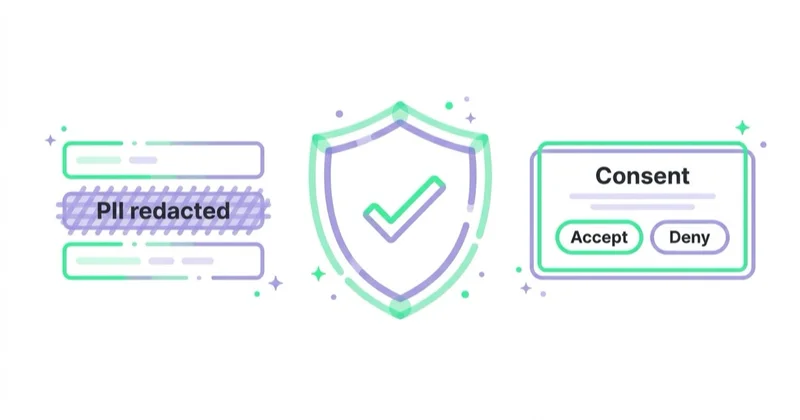
Before collecting recordings, check:
- whether the tool is listed in the privacy and cookie policy;
- whether consent is required in the markets where the site operates;
- whether sensitive pages should be excluded;
- whether form inputs are masked;
- whether page content, images or specific elements need suppression;
- how long recordings are retained;
- who can access recordings;
- whether public share links are disabled or controlled;
- whether data processing terms are in place;
- whether the team has a rule for not recording unnecessary sensitive journeys.
Hotjar documentation explains that user input is suppressed by default and that additional suppression can be configured for page content, images, videos, user input, pages or specific elements. It also notes that suppression changes do not apply retroactively to sessions already sent. That makes pre-launch configuration important.
This is not legal advice. For regulated sectors, healthcare, finance, children, employee portals, logged-in account areas or cross-border data transfers, privacy and legal review should happen before installing any session replay tool.
How to turn findings into CRO actions
A behavior insight should become an implementation decision. Examples:
| Observation | Possible interpretation | Action |
|---|---|---|
| Users click a product image expecting zoom | Product detail is important | Add image zoom or clearer gallery behavior |
| Users abandon after seeing delivery step | Cost or timing may be unclear | Show delivery estimates earlier |
| Users rage-click a disabled button | Required field or validation is unclear | Improve button state and error copy |
| Users scroll past the CTA | Page hierarchy is weak | Move CTA or add contextual CTA |
| Users repeatedly open returns policy | Purchase risk is high | Summarize returns near the buy box |
| Users type into internal search and get no results | Search coverage is weak | Improve synonyms, redirects and product naming |
| Users ignore a long section | Content may be irrelevant or poorly placed | Shorten, restructure or test removal |
Some findings should become A/B tests. Others should be fixed directly because they are usability defects, tracking problems or accessibility issues. Not everything needs a test. A broken form error, unreadable mobile layout or misleading clickable element can be corrected as a quality issue.
For CRO process, read What Is Conversion Rate Optimization (CRO) and How to Increase Sales?.
Implementation checklist
Before launching Hotjar or Clarity, use this checklist:
- define the business question;
- decide which pages and funnels matter;
- configure privacy settings before data collection;
- exclude sensitive pages if needed;
- document consent behavior;
- connect analytics context where possible;
- tag key events or user segments if available;
- create a review schedule;
- assign one owner for insights;
- define how findings become tickets or tests;
- compare changes against GA4 and business outcomes.
The best implementation is intentionally narrow at first. Start with one funnel, one landing page group or one product category. Learn how the team will use the tool before expanding tracking everywhere.
How we approach this at Space Ads
Analytics tells you where people drop off, never why — Hotjar closes that gap. The two work as a pair for us: GA4 flags that the funnel leaks at a given step, while recordings and heatmaps show the cause — a confusing layout, a hidden button, an element that won't tap on mobile. The number says "60% drop at the cart"; only watching a dozen sessions reveals they drop because the delivery cost appears at the very end. We pay special attention to frustration signals — rapid clicking on a dead element, going back, circling the page. Hypothesis from the data first, confirmation on real recordings second, and only then a change to the page, because guessing from bars alone usually ends in fixing the wrong thing.
Common mistakes
| Mistake | Why it hurts | Better approach |
|---|---|---|
| Watching random recordings | Creates anecdotal conclusions | Start from a hypothesis and filter sessions |
| Treating one session as proof | One user may be unusual | Look for repeated patterns |
| Ignoring GA4 | Behavior lacks scale and context | Use GA4 to quantify the issue |
| Recording sensitive journeys | Creates privacy risk | Suppress, exclude or avoid recording |
| Installing the tool everywhere | Adds noise and governance risk | Start with key journeys |
| No owner for insights | Findings never become changes | Assign ownership and workflow |
| No post-change measurement | Improvements are not validated | Compare before and after metrics |
FAQ
Does Hotjar replace GA4?
No. Hotjar and GA4 are complementary. GA4 is better for traffic sources, events, attribution and conversion reporting. Hotjar is better for visual behavior, qualitative feedback and UX friction.
Is Microsoft Clarity enough instead of Hotjar?
Often yes for basic heatmaps and session recordings. Hotjar is usually more useful when the team needs surveys, feedback workflows, research operations, collaboration and a structured CRO process.
Are session recordings legal?
They can be used lawfully, but the answer depends on market, consent setup, data collected, suppression, retention and the type of website. Privacy review is important, especially when personal data, sensitive journeys or regulated sectors are involved.
How many recordings should be reviewed?
Enough to identify a repeated pattern in a specific segment. Reviewing 20 relevant sessions from the same funnel step is usually more useful than watching 100 random sessions from the whole site.
What pages should be analyzed first?
Start with money pages: landing pages from paid traffic, high-traffic product pages, forms, cart, checkout, pricing pages and pages where GA4 shows unexpected drop-off.
Can Hotjar slow down a website?
Any third-party script should be monitored. The impact depends on implementation, page complexity and the rest of the tag stack. Include Hotjar or Clarity in regular performance and tag governance checks.
What is the best first Hotjar project?
Choose one measurable problem, such as checkout drop-off, low form completion or weak add-to-cart rate. Define the segment, review behavior, collect feedback if needed, implement one change and measure the result.
Conclusion
Hotjar is valuable because it adds human context to digital analytics. It helps show what users actually do on a page, where they hesitate, what they miss and what they say is unclear. That context is especially useful for CRO, landing page improvement, ecommerce checkout analysis and UX research.
The tool is not magic. It becomes useful only when connected to a question, a segment, a decision and a measurement plan. GA4 shows the scale of the problem. Hotjar or Clarity can help explain the behavior behind it. The business value appears when those insights become better pages, clearer forms, faster journeys and fewer reasons to abandon.
Sources and further reading
- Hotjar - Website Heatmaps and Behavior Analytics Tools
- Hotjar Help - What is Hotjar?
- Hotjar Help - Suppress text, images, videos and user input
- Hotjar Help - Privacy FAQs
- Microsoft Clarity - Official product page
- Microsoft Learn - Clarity FAQ
Continue learning
- What Is Conversion Rate Optimization (CRO) and How to Increase Sales?
- Google Analytics 4: Why Implement It and What Are the Benefits?
- What Is a Google Analytics Audit and Is It Worth Doing?
- How to Audit an Ecommerce Store
- How to Increase Online Sales
- What Are UTM Parameters and How to Create UTM URLs for Google Analytics?
Continue reading

How Much Does a Landing Page Cost?
A landing page can cost a few hundred dollars or more than $10,000 because the scope may cover only implementation—or research, copy, design, tracking, integrations and optimisation. Compare deliverables, not just quotes.

Website Audit: What to Check Before You Spend More on Ads
More ad spend magnifies both a website's strengths and its leaks. Use this evidence-led audit to find measurement, speed, accessibility, message and conversion constraints before scaling.

WCAG 2.2 and Conversion: Where Accessibility Pays for Itself
Many WCAG 2.2 criteria address the same barriers a sound usability review finds in forms, checkout and login: invisible focus, missing labels, unclear errors and controls that are hard to operate. Learn how to test them, prioritise remediation and understand the EAA context.


































