
An ecommerce store audit is a structured review of everything that can limit sales, trust, visibility and profitable growth in an online store. It should cover the buying journey, product pages, checkout, SEO, Core Web Vitals, analytics, advertising tracking, merchandising, customer service, accessibility and legal risk. A good audit does not end with a long list of observations. It ends with a prioritized action plan.
The best ecommerce audits combine data and manual review. Analytics can show where users drop off, but it will not always explain why they hesitate. PageSpeed tools can flag performance problems, but they will not tell whether the product proposition is clear. A crawler can find missing titles, but it will not judge whether category pages answer buyer questions. The audit needs evidence, judgement and commercial prioritization.
TL;DR
- An ecommerce audit should find growth blockers, not just technical errors. The goal is higher revenue, better conversion quality, stronger trust and cleaner decision-making.
- The main areas are UX, product pages, checkout, SEO, performance, analytics, ads tracking, operations, accessibility and compliance.
- Core Web Vitals matter because they measure real user experience signals such as loading, responsiveness and visual stability.
- Measurement must be audited before scaling media spend. Incorrect GA4 ecommerce events, broken pixels or consent issues can make profitable campaigns look weak and weak campaigns look profitable.
- Checkout needs manual testing. Guest checkout, delivery costs, payment methods, form errors and mobile usability often reveal problems that dashboards hide.
- Accessibility is now a commercial and legal issue. WCAG quality, keyboard access, readable forms and clear error states affect both users and risk.
- The final report should prioritize each issue by impact, effort, owner and next step.
What an ecommerce store audit is
An ecommerce store audit is a systematic evaluation of an online store from the perspective of users, search engines, analytics systems and the business itself. It looks for barriers that stop visitors from finding products, trusting the brand, adding items to the cart, completing checkout or returning later.
The audit should answer five practical questions:
- Where is revenue leaking?
- Which problems stop users from buying?
- Which technical issues limit SEO, ads or tracking?
- Which parts of the store create risk?
- What should be fixed first?
That last question is critical. Many audits fail because they document too much and prioritize too little. A store can have hundreds of small issues, but only a few will materially affect sales, measurement or risk in the next quarter.
When to audit an online store
An ecommerce audit is useful before making major decisions and whenever performance changes without a clear reason.
Typical triggers include:
- conversion rate declines;
- paid media spend is about to increase;
- revenue grows slower than traffic;
- a migration, redesign or platform change is planned;
- checkout abandonment increases;
- GA4, ad platform and ecommerce backend revenue do not align;
- organic visibility drops;
- product feed or Merchant Center issues increase;
- many products are added to the catalog;
- customer support receives repeated questions about shipping, returns or product details;
- the store starts selling into new markets.
A full audit is usually needed after a major change or before a high-risk project. A lighter health check can be done monthly or quarterly to catch tracking, feed, speed and checkout issues early.
Ecommerce audit framework
A useful audit should cover eight areas:
| Area | Main question | Typical output |
|---|---|---|
| Offer and trust | Does the store make the buying decision feel safe and clear? | Trust gaps, weak value proposition, unclear policies |
| UX and mobile | Can users browse, filter, compare and buy without friction? | Journey issues, mobile blockers, navigation fixes |
| Product pages | Do product pages answer purchase questions? | Missing content, weak media, variant problems |
| Checkout | Is the purchase path simple, transparent and reliable? | Form, payment, delivery and error fixes |
| SEO and content | Can search engines and users understand the store? | Indexation, structure, schema, content priorities |
| Performance | Is the store fast and stable on real devices? | Core Web Vitals and script optimization actions |
| Analytics and tracking | Can the business trust its data? | GA4, pixels, consent and attribution fixes |
| Operations and compliance | Can the store deliver what it promises? | Fulfilment, accessibility, legal and service risks |
The audit should not treat these areas as separate silos. For example, a product page may have weak SEO content, poor mobile layout, slow image loading, missing structured data and unclear shipping information. The solution should be coordinated, not split into unrelated tickets.
Step 1: Audit offer clarity and trust
Before testing tools, review the basic commercial story. A user should quickly understand what is being sold, why the product is worth considering, what it costs, when it can arrive and whether the business is credible.
Check whether the store clearly communicates:
- the product category and target customer;
- pricing, taxes, delivery cost and availability;
- shipping speed and return policy;
- warranty, guarantees or support options;
- reviews, ratings, testimonials or trust indicators;
- contact details and customer service channels;
- payment methods and security signals;
- brand differentiation.
Trust problems often look like UX problems in analytics. Users browse, add to cart and leave because something feels uncertain. The issue may be hidden delivery cost, unclear returns, weak product photos, no reviews, poor sizing information or a brand page that gives no reason to believe the store is legitimate.
Step 2: Audit UX, navigation and mobile experience
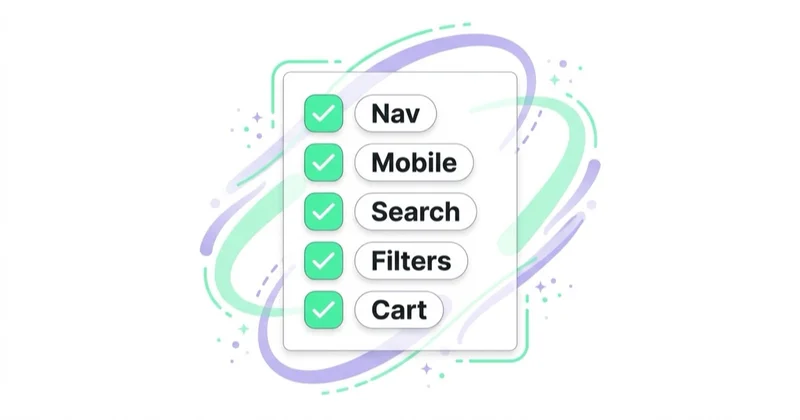
Ecommerce UX should be tested manually on desktop and mobile. Use analytics to find likely problem areas, but always walk the journey like a first-time customer.
Review:
- homepage clarity;
- navigation labels;
- category structure;
- internal search;
- filters and sorting;
- product listing pages;
- product comparison;
- cart and mini-cart behavior;
- account creation prompts;
- forms;
- error messages;
- mobile menus;
- sticky elements, chat widgets and pop-ups.
Mobile deserves special attention. A store can look acceptable in a desktop browser and still be painful on a phone. Filters may be hidden, product images may push key information below the fold, cookie banners may cover controls, chat widgets may overlap checkout buttons, and forms may require unnecessary typing.
The audit should record specific friction, not vague advice. "Improve mobile UX" is not a useful finding. "On iPhone viewport, the delivery selector is hidden below a sticky promotion bar on the cart page" is a useful finding.
Step 3: Audit product pages
Product pages are where SEO, persuasion, merchandising and conversion meet. They should answer the questions a buyer needs before adding to cart.
Review whether product pages include:
- clear product name;
- strong product images and, where useful, video;
- visible price and availability;
- delivery and returns information near the buying decision;
- size, material, dimensions or technical details;
- variants that are easy to choose;
- benefits, use cases and limitations;
- reviews or proof;
- FAQs for common objections;
- related products, bundles or accessories;
- structured data for products where relevant.
Many stores underinvest in product content because the same data is copied from the manufacturer or feed. That creates weak SEO, weak differentiation and low confidence. For competitive English-language markets, product pages usually need richer, more specific content: comparisons, compatibility notes, fit guidance, care instructions, use cases and buyer objections.
For visual improvements, see Product Photography: How to Take Product Photos and Packshots and Are Product Videos Worth Using?.
Step 4: Audit cart and checkout
Checkout is the highest-risk part of the store because users are closest to purchase. Small friction can have direct revenue impact.
Check:
- whether guest checkout is available;
- how early total cost is visible;
- whether delivery options are understandable;
- whether payment methods match user expectations in the target market;
- how coupon fields are displayed;
- whether form labels and errors are clear;
- whether address autocomplete helps or creates mistakes;
- whether account creation is optional;
- whether checkout works on mobile;
- whether payment redirects return users correctly;
- whether order confirmation and emails are reliable.
The audit should include at least one real test purchase or a full sandbox order. It should also include failed scenarios: wrong postcode, missing phone number, declined payment, out-of-stock variant, expired coupon and returning from a payment provider.
Baymard Institute's checkout research is a useful benchmark because it shows that checkout abandonment is not only a media or pricing problem. It is often connected with unexpected costs, forced account creation, delivery uncertainty, form friction, lack of trust or a process that feels too long.
Step 5: Audit SEO and content
Ecommerce SEO has more moving parts than a simple service website. A crawler check is only the start.
Review:
- indexation of categories, products and key content pages;
- robots.txt and sitemap coverage;
- canonical tags;
- faceted navigation and filter URLs;
- pagination or infinite scroll implementation;
- duplicate pages and near-duplicate product variants;
- category copy quality;
- product description uniqueness;
- internal linking depth;
- breadcrumbs;
- title tags and meta descriptions;
- heading structure;
- Product, Offer, Breadcrumb and Organization structured data;
- Merchant Center feed consistency;
- out-of-stock product handling;
- discontinued product strategy;
- international and currency URL structure if relevant.
Google's ecommerce documentation emphasizes that site navigation and cross-page links help Google understand page relationships. It also explains that Product structured data and Merchant Center feeds can help product information appear in richer search experiences, including price, availability, shipping and returns where eligible.
For a broader SEO audit process, read What Is an SEO Audit and How to Do It Properly?.
Step 6: Audit Core Web Vitals and performance
Performance should be measured with field data where possible, not only lab scores. The key Core Web Vitals are:

- LCP, which reflects loading performance;
- INP, which reflects responsiveness to user interactions;
- CLS, which reflects visual stability.
For ecommerce stores, the biggest performance issues often come from:
- oversized hero and product images;
- too many third-party scripts;
- tag managers loaded without governance;
- product recommendation widgets;
- review widgets;
- chat tools;
- pop-ups and personalization tools;
- web fonts;
- unoptimized JavaScript;
- slow server response;
- layout shifts from banners and dynamic content.
The audit should check the pages that make money: homepage, top categories, top product pages, cart, checkout start and checkout confirmation. A fast blog post does not compensate for a slow product page or unstable cart.
Performance findings should be tied to a business path. "Reduce JavaScript" is too broad. "Delay non-essential review widget scripts on product pages until after the main image and buy box are interactive" is clearer and easier to assign.
Step 7: Audit analytics, consent and advertising tracking
Bad measurement creates bad decisions. Before increasing ad budgets or changing channels, validate tracking.
Check:
- GA4 configuration;
- ecommerce events such as view item, add to cart, begin checkout and purchase;
- key events and conversions;
- transaction deduplication;
- payment providers as unwanted referrals;
- cross-domain tracking if needed;
- UTM governance;
- Meta Pixel and Conversions API;
- Google Ads conversion tracking;
- enhanced conversions where applicable;
- consent banner behavior;
- Consent Mode setup where Google tags are used in relevant markets;
- differences between platform revenue and backend revenue.
GA4 ecommerce reports are only useful when events are implemented consistently. If purchase events miss tax, shipping, coupons, item IDs or currency, product-level reporting becomes weaker. If payment redirects create self-referrals, channel reports become distorted. If consent behavior is not understood, reported performance can change even when user behavior has not.
For measurement depth, see Google Analytics 4: Why Implement It and What Are the Benefits?, What Is a Google Analytics Audit and Is It Worth Doing? and What Are UTM Parameters and How to Create UTM URLs for Google Analytics?.
Step 8: Audit merchandising, promotions and profitability
An ecommerce audit should not focus only on interface and tracking. It should also check whether the store sells the right products in the right order.
Review:
- best sellers and margin leaders;
- products with high traffic but low conversion;
- products with strong add-to-cart rate but weak purchase rate;
- category performance;
- internal search queries with no results;
- product recommendations;
- bundles;
- upselling and cross-selling;
- discount strategy;
- stock availability;
- return rate by product;
- campaign landing products.
Revenue is not always profit. A store can grow sales while pushing low-margin items, expensive returns or promotions that train users to wait for discounts. Audit outputs should separate revenue opportunities from margin opportunities.
For merchandising ideas, see How to Use Upselling and Cross-Selling and Are Product Recommendations Important?.
Step 9: Audit accessibility and legal risk
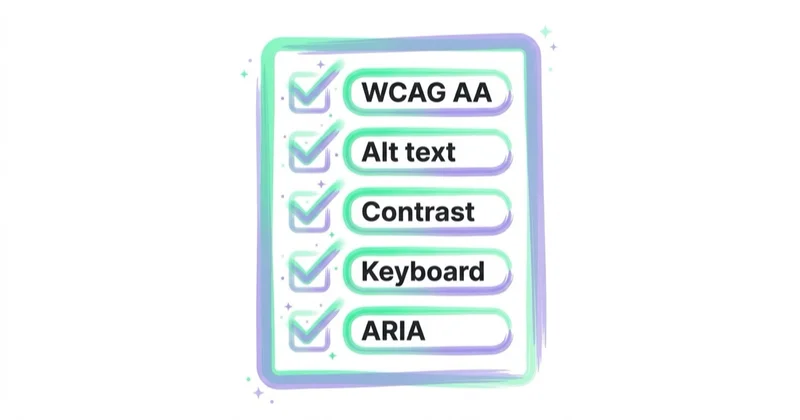
Accessibility should be part of the ecommerce audit, not a separate afterthought. Better accessibility usually improves usability for everyone: clearer forms, keyboard access, readable labels, visible focus states, better contrast and more predictable navigation.
Review:
- keyboard navigation;
- visible focus indicators;
- form labels and error messages;
- color contrast;
- alt text for meaningful images;
- accessible names for buttons and icons;
- modal, cart drawer and menu behavior;
- screen reader announcements for dynamic changes;
- touch target size;
- readable text and zoom behavior.
WCAG 2.2 is the current W3C recommendation and is a practical reference point for web accessibility work. For stores selling into the EU, the European Accessibility Act became applicable on June 28, 2025 for covered products and services, including relevant ecommerce services. UK, US, Australian and other markets also have accessibility expectations and legal frameworks, so specific legal advice may be needed for regulated or cross-border stores.
Legal and compliance checks should also include privacy policy, cookie consent, returns, terms, product claims, subscription terms, pricing transparency, customer communication and tax or shipping disclosures. This is not legal advice, but these items should be flagged for qualified review when risk appears.
Step 10: Prioritize findings
A good audit report should make decisions easier. Each finding should include:
- issue;
- evidence;
- affected page or journey;
- business impact;
- implementation effort;
- owner;
- recommended next step;
- priority.
One practical scoring model is:
| Priority | Use when | Example |
|---|---|---|
| Critical | Blocks purchase, tracking or legal compliance | Payment failure, broken purchase event, inaccessible checkout button |
| High | Likely affects revenue or major traffic | Slow product pages, unclear delivery cost, duplicate indexation |
| Medium | Improves performance but is not blocking | Better product FAQs, category copy, recommendation placement |
| Low | Nice to have or cosmetic | Minor layout polish, secondary content improvement |
Do not overload the first sprint. The best first actions are usually checkout blockers, tracking errors, product page clarity, major performance issues and trust problems that affect high-traffic journeys.
5-to-10-day ecommerce audit workflow
Day 1: collect data and access
Gather GA4, Search Console, Merchant Center, Ads Manager, ecommerce backend, heatmap/session recording tools, feed tools, customer support themes and recent deployment history.
Day 2: map the revenue journey
Identify top traffic sources, top landing pages, top products, conversion paths, drop-off points, device split and market split.
Day 3: manual UX and checkout review
Walk the buying journey on mobile and desktop. Test product discovery, filters, product pages, cart, checkout and payment flows.
Day 4: SEO and content review
Crawl the store, inspect indexation, structured data, internal linking, category content, product content and duplicate or thin pages.
Day 5: performance and accessibility review
Measure Core Web Vitals, inspect slow templates, review third-party scripts and test key accessibility interactions.
Days 6-7: tracking and advertising audit
Validate GA4 ecommerce events, pixels, server-side tracking, consent behavior, UTMs, conversion imports and revenue reconciliation.
Days 8-9: commercial analysis
Review product profitability, return rates, stock issues, promotions, recommendations, bundles and product sets used in advertising.
Day 10: prioritize and brief implementation
Create the action plan, assign owners, estimate effort and define what success will look like after fixes.
Tools for an ecommerce audit
No single tool can audit a store properly. Use a stack:
- analytics: GA4, ecommerce backend reports, BI dashboards;
- search: Google Search Console, crawlers, rich result tests;
- performance: PageSpeed Insights, Chrome DevTools, CrUX where available;
- behavior: heatmaps, session recordings, on-site surveys;
- ads: Google Ads, Meta Ads, Merchant Center, feed diagnostics;
- accessibility: automated checkers plus manual keyboard and screen reader checks;
- operations: customer support logs, return data, shipping data and product margin data.
Tools should support judgement, not replace it. A heatmap can show low clicks on a filter, but the auditor still needs to decide whether users do not need it, cannot see it or do not understand it.
How we approach this at Space Ads
When campaigns "aren't working", the culprit is very often the store, not the ad. So we run a store audit from the paid-traffic perspective: we look first where the most bought traffic lands and where the most of it leaks away. Speed and ease on mobile, friction in checkout, missing trust signals, broken conversion tracking — these are the typical places ad money leaks before it turns into an order. We order the findings not by what's easiest to fix but by impact on revenue: traffic times drop-off times order value. That simple multiplication shows that one fix on a high-traffic product page can be worth more than ten cosmetic changes elsewhere. A store audit usually finds cheaper wins than any change of bids.
Common ecommerce audit mistakes
| Mistake | Why it hurts | Better approach |
|---|---|---|
| Reporting every small issue | Teams lose focus | Prioritize by impact and effort |
| Ignoring mobile checkout | Most friction appears late in the journey | Test real mobile purchase paths |
| Auditing SEO without product data | Search visibility stays weak | Check schema, feeds, variants and category structure |
| Trusting platform attribution blindly | Budget decisions become distorted | Compare GA4, ad platforms and backend revenue |
| Treating speed as a homepage score | Money pages stay slow | Measure product, category, cart and checkout templates |
| Skipping accessibility | Users and legal risk are ignored | Include WCAG-based manual checks |
| Recommending redesign too early | Expensive work may miss root causes | Fix evidence-backed blockers first |
FAQ
How often should an ecommerce store be audited?
A full audit is useful after major changes, before a migration, before scaling paid media, after a conversion decline or at least every 12 to 18 months for active stores. Smaller health checks can be run monthly or quarterly.
Can an ecommerce audit be done without paid tools?
Yes, especially for a smaller store. Browser testing, GA4, Search Console, PageSpeed Insights, manual checkout testing and customer support review can reveal many issues. Paid tools help with scale, crawls, heatmaps, session recordings and competitive analysis.
What should be fixed first?
Start with blockers that affect purchase or measurement: checkout errors, payment problems, wrong prices, broken tracking, severe mobile issues, slow product pages, unclear delivery costs and legal or accessibility risks.
Is an ecommerce audit the same as a CRO audit?
No. A CRO audit focuses on conversion improvement. An ecommerce audit is broader and should include CRO, SEO, performance, tracking, merchandising, operations, accessibility and compliance.
Does Core Web Vitals directly guarantee better rankings or sales?
No. Passing Core Web Vitals does not guarantee rankings or revenue. It does improve a measurable part of user experience and can remove friction from key buying journeys, especially on mobile.
Should AI be used in an ecommerce audit?
AI can help summarize data, cluster customer feedback, draft checklists and identify patterns. It should not replace manual testing, analytics validation, commercial judgement or legal review.
What is the best audit deliverable?
The best deliverable is a prioritized roadmap with evidence, screenshots, affected URLs, impact, effort, owner and success metric. A 100-page PDF without prioritization is less useful than a focused implementation backlog.
Conclusion
An ecommerce store audit should make the next commercial decisions clearer. It should show where users hesitate, where search engines struggle, where data cannot be trusted, where performance damages the buying journey and where the business carries avoidable risk.
The strongest audits are practical. They connect findings to revenue, margin, trust, visibility and implementation effort. They also avoid treating ecommerce as only a design problem or only a technical problem. A store grows when offer, UX, content, checkout, performance, analytics and operations work together.
If the store lives on paid traffic, it is worth reviewing the ad accounts too. A marketing audit of Google, Meta and TikTok campaigns shows where budget leaks and what to fix first.
Sources and further reading
- Google web.dev - Web Vitals
- Google PageSpeed Insights
- Google Search Central - Product structured data
- Google Search Central - Ecommerce site structure
- Google Analytics Help - Ecommerce events
- W3C - Web Content Accessibility Guidelines 2.2
- European Commission - European Accessibility Act update
- Baymard Institute - Checkout UX research
Continue learning
Continue reading

How to Use Pop-Ups Without Hurting UX or SEO
Pop-ups can improve conversion when they are relevant, accessible, easy to close and measured against real business impact.

How Much Does a Landing Page Cost?
A landing page can cost a few hundred dollars or more than $10,000 because the scope may cover only implementation—or research, copy, design, tracking, integrations and optimisation. Compare deliverables, not just quotes.

Website Audit: What to Check Before You Spend More on Ads
More ad spend magnifies both a website's strengths and its leaks. Use this evidence-led audit to find measurement, speed, accessibility, message and conversion constraints before scaling.


































