
A Google Ads experiment compares a control with one or more treatment conditions while they run over the same period. Depending on the experiment type, Google splits budget, traffic or eligible users so advertisers can estimate how a campaign change affects selected metrics.
The tool does not make every test valid automatically. A reliable experiment still needs a clear hypothesis, an economically meaningful effect, enough statistical power, consistent measurement, controlled differences and a decision rule written before the result appears.
The most common failure is not “losing” the test. It is launching an experiment that could not answer the business question—or reading an inconclusive result as proof that nothing changed.
TL;DR
- Start with the decision, then write one falsifiable hypothesis and choose one primary outcome closely connected to business value.
- Estimate the minimum effect worth acting on and whether current volume, variability, split and duration give the test enough power to detect it.
- Google recommends a 50/50 split for custom experiments because it normally gives the strongest comparison and faster learning.
- For Search custom experiments, cookie-based assignment keeps a user in one arm; search-based assignment can place the same user in different arms on different searches. Google currently recommends cookie-based assignment by default.
- Google Ads' experiment scorecard currently uses an 80% confidence interval by default, not 95%. Users can select another interval; a blue asterisk marks significance at the selected level.
- Statistical significance is not commercial significance. Evaluate contribution, customer quality or another business outcome and relevant guardrails.
- Do not stop when the result first looks favourable. Respect the planned duration, conversion delay and learning period.
- Some experiment types can have auto-apply enabled. Check the setting before launch if a human review is required.
- Standard campaign A/B tests compare two advertising approaches. A no-ad counterfactual requires an appropriate lift study or holdout design.
What Google Ads experiments can test
The current Experiments area covers several product-specific tools. Availability depends on campaign type, account eligibility and market.
| Experiment family | Typical questions |
|---|---|
| Custom experiments | Does a change to bidding, match types, landing pages, audiences, ad groups or other supported campaign settings improve the outcome? |
| AI Max experiments | What changes when AI Max search-term matching and asset optimisation are enabled in an eligible Search campaign? |
| Ad variations | Does a text or message change improve Search ad performance? |
| Performance Max experiments | What is the effect of adding, upgrading to or changing supported Performance Max features? |
| Demand Gen experiments | Which supported creative, targeting or campaign treatment performs better? |
| Video experiments | Which video creative or treatment drives the selected response or lift outcome? |
| App asset experiments | Which text or image assets improve app campaign outcomes? |
| Lift studies | Did advertising create incremental conversions, brand response or search behaviour compared with a holdout? |
The interface may show only the experiments for which an account has eligible campaigns. Custom experiment support also has product-specific limits; Google's setup documentation currently identifies Search, Display, Video and Hotel Ads for custom experiments, while App, Performance Max and other campaign types use dedicated experiment workflows.
Choose the experiment that matches the question
Three questions that sound similar need different designs.
“Which campaign setup performs better?”
Use an A/B campaign experiment. Examples include target CPA versus target ROAS, a controlled landing-page change, broad match versus the existing match setup, or AI Max on versus off.
“Does adding or replacing a campaign type improve the account?”
Use the relevant Performance Max or campaign-type experiment where eligible. Read its design carefully: an “uplift” experiment and an “upgrade” or budget-shift experiment do not estimate exactly the same thing.
“Would these conversions have happened without the advertising?”
A standard control campaign is still advertising, so it does not provide a no-ad counterfactual. Use Conversion Lift, Brand Lift, Search Lift, a geographic holdout or another credible incrementality design. Google now groups experiments and lift studies in its Experiment Center, but their methods and conclusions remain different. See our guide to incrementality testing.
Begin with a decision, not a feature
An experiment should exist because two plausible actions lead to different allocation decisions.
Write the brief in this order:
- Decision: what will change if treatment wins, loses or remains uncertain?
- Hypothesis: why should the treatment affect the outcome?
- Primary metric: the one result that determines the decision.
- Minimum practical effect: the smallest improvement worth the implementation cost and risk.
- Guardrails: outcomes that must not deteriorate materially.
- Population and scope: campaigns, markets, devices, audiences and dates included.
- Duration and split: enough to support the expected effect and business cycle.
- Decision rule: how confidence, effect size and guardrails will be interpreted.
For example:
Enabling AI Max on the eligible non-brand Search campaign will increase conversion value by at least 8% at no worse than the agreed ROAS guardrail over six weeks. If the interval includes commercially harmful outcomes, we will not roll it out; if the result is promising but inconclusive, we will assess whether additional duration can still answer the question.
This is stronger than “test AI Max” because it states the mechanism, threshold, scope, time and action.
Select a primary metric that reflects value
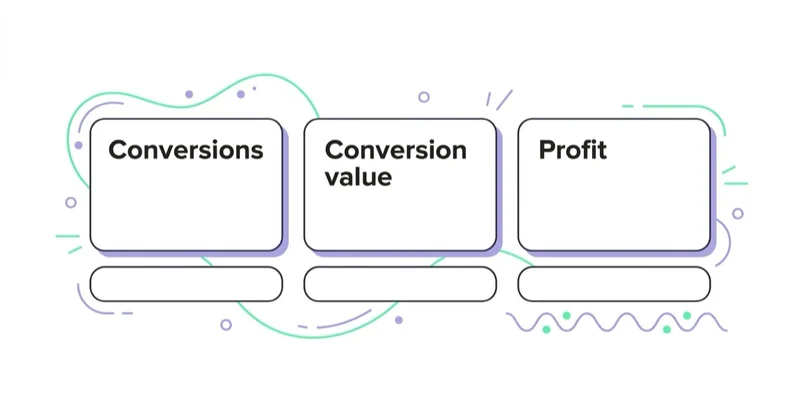
Google lets advertisers emphasise selected success metrics and inspect many others. More metrics do not create a better test. If a team searches enough combinations, one can look favourable by chance.
Choose one primary metric suited to the business question:
- conversion value or contribution proxy for ecommerce;
- qualified or converted lead value for lead generation;
- conversions at a cost guardrail when conversion values are genuinely comparable;
- a brand or search-lift measure for an eligible lift study;
- an app outcome tied to value rather than installation volume alone.
Use secondary diagnostics to explain the pathway: impressions, clicks, search terms, conversion rate or average order value. Use guardrails to detect harm: spend, ROAS/CPA, margin, new-customer mix, returns, cancellations, lead quality or brand-safety issues.
Do not switch the primary metric after seeing which one won. If a surprising secondary result matters, treat it as a hypothesis for the next test.
Statistical power: can the experiment answer the question?
Power is the probability that the experiment will detect a real effect of the size being considered. It depends on:
- baseline volume and conversion rate;
- natural variability;
- size of the effect the team wants to detect;
- allocation between control and treatment;
- test duration;
- the selected metric and experiment design.
A campaign with five weekly conversions is unlikely to distinguish a small CPA improvement after being divided into two arms. More clicks do not solve a conversion-outcome power problem if the decisive event remains rare.
Use Google's Experiment Power where available
Google's Campaign Guidance currently provides an Experiment Power score for all Performance Max experiments and Broad Match experiments in Search. It uses historical information such as spend, conversions, estimated uplift and duration.
Google labels power as:
- low: 0–49%;
- medium: 50–79%;
- high: 80–99%.
The score is an estimate, not a guarantee. It can recommend higher-volume campaigns, a longer duration, a different split or additional budget. Do not inflate budget merely to obtain a green score unless the incremental spend remains commercially justified.
For experiment types without a power score, use a statistical power calculation based on the primary metric and historical variability, or obtain specialist help. Define the minimum detectable effect from the business decision, not by asking what large number the current volume happens to detect.
What to do when power is too low
- choose a larger eligible campaign or group where the design permits;
- use a 50/50 allocation;
- extend duration if market conditions will remain comparable;
- test a more material change;
- use a more frequent outcome only if it is a validated proxy for value;
- combine low-volume changes into a deliberate treatment bundle, accepting that individual components cannot be isolated;
- do not run the test and record that the question is not experimentally answerable at present.
Avoid presenting an uncontrolled before-and-after comparison as equivalent. It can supply directional evidence, but seasonality, competition and other changes remain alternative explanations.
Traffic and budget splits are not always the same
Google supports different allocation mechanisms by experiment type.
- A budget split divides the available budget across the arms.
- A traffic split divides eligible auction participation or users across the arms.
Google's FAQ notes that certain Search, App and Display tests use budget splits, while experiment types such as Performance Max, Demand Gen and Video can use traffic splits. Review the setup screen and documentation for the selected experiment; do not assume that “50%” always means half of both spend and impressions.
Google recommends a 50% treatment allocation for custom experiments. Uneven allocation can be reasonable when risk or capacity requires it, but it usually reduces information in the smaller arm and extends the time to a conclusion. Google may scale non-50/50 results in reporting for easier comparison, while the actual split remains unchanged.
Campaigns should not be so budget constrained that one arm's delivery is shaped primarily by a different ability to enter auctions. Check budget behaviour before and during the test.
Cookie-based versus search-based assignment
For Search custom experiments, Google offers two advanced split options.
Cookie-based split
A person is randomly assigned to control or treatment and remains in that arm. Google currently marks this option as recommended. Display custom experiments use cookie splits.
This is useful when repeat exposure or journey consistency matters, such as:
- landing-page experiences;
- messaging over a considered purchase;
- audience or remarketing interaction;
- any treatment whose effect may persist into later searches.
Google cautions that cookie-based custom experiments using audience lists should have at least 10,000 users in the list; smaller lists may produce less accurate results.
Search-based split
Assignment occurs each time a search happens, so the same person may encounter both arms across different searches. Google says this option may reach statistical significance faster.
That speed comes with a trade-off: repeated exposure can contaminate a treatment whose effect persists at user level. A search-based split may suit auction-level questions where consistent experience is not central, but it is not automatically the correct choice for every bidding test.
Choose the randomisation unit based on how the treatment can affect behaviour, not on the desire to finish faster.
Control variables without making the test artificial
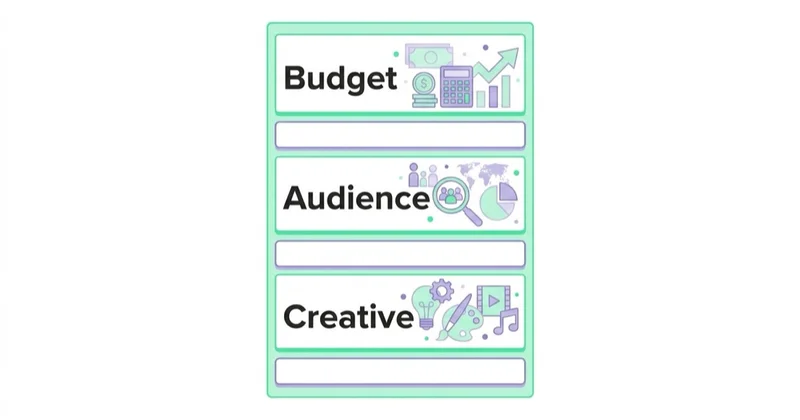
The control and treatment should differ in the planned variable. Keep other important settings aligned:
- conversion goals and value definitions;
- geography, language and schedule;
- exclusions and brand controls;
- landing-page availability;
- creative or feed changes not under test;
- budgets and targets according to the experiment design;
- tracking templates and consent implementation.
Google's custom-experiment documentation warns that changes to the original campaign do not automatically appear in the experiment unless supported sync behaviour is configured, and that editing either arm can make results harder to interpret.
Some interventions are packages by nature. Enabling AI Max can change matching and asset optimisation together, for example. Testing that package is valid when the decision is “enable the package or not”; it simply cannot establish which component caused the result.
Plan duration around business reality
Google's monitoring documentation suggests allowing two to three weeks where a winner is not yet clear, while its broader experiment overview says some undecided tests may need four to six weeks. These are operational guidelines, not universal sample-size rules.
Set duration based on:
- the power estimate and event volume;
- weekday/weekend or pay-cycle patterns;
- conversion lag from click to recorded value;
- Smart Bidding ramp-up and learning;
- seasonal or promotional discontinuities;
- inventory, sales capacity and creative fatigue;
- the risk that the market changes before the test completes.
Include full days only when interpreting the scorecard. Google states that its performance comparison uses full days that overlap the experiment and selected reporting dates.
Avoid beginning just before a major promotion unless the promotion is intentionally part of both arms. Avoid ending before delayed conversions mature. If the test would need so long that the offer, market or tracking will materially change, redesign it instead of extending indefinitely.
Understand confidence intervals and significance
Google's experiment reporting shows an estimated percentage difference and a confidence interval. The interface currently defaults to an 80% confidence interval, and users can select another level. A blue asterisk indicates that a result is statistically significant at the selected confidence setting.
This corrects a common misconception that every Google Ads experiment automatically applies a 95% threshold. If a team uses 95% as its internal standard, select and document it explicitly.
Google's published statistical methodology describes resampling and two-tailed testing. Advertisers usually do not need to reproduce the calculation, but they do need to understand the interpretation:
- a narrower interval indicates greater precision;
- if the plausible range includes no difference, the result is not significant at that level;
- a lower confidence threshold makes significance easier to reach but increases false-positive risk;
- statistical significance does not show that the effect is large enough to matter commercially.
Read the estimate and full interval, not only the asterisk. An estimated +10% effect with an interval from +1% to +19% supports a different risk decision from +10% with an interval from +9% to +11%, even if both are marked significant.
Pre-set the decision rule
Use more than “treatment has a blue asterisk”. A robust rule can produce four outcomes.
Adopt
The estimated effect and plausible range meet the commercial threshold, guardrails are acceptable and implementation risk is controlled.
Reject
The treatment is credibly harmful, fails the business threshold or breaches a critical guardrail.
Equivalent for the decision
The interval is sufficiently narrow to rule out both meaningful benefit and unacceptable harm. Simplicity, cost or strategic fit can then decide.
Inconclusive
The interval remains wide enough to include meaningful benefit and harm. “No significant difference” belongs here unless the design was an adequately powered equivalence or non-inferiority test.
Before extending an inconclusive experiment, ask whether additional time can realistically narrow the interval before market conditions change. Do not extend merely because the current point estimate is favourable.
Avoid peeking and premature stopping
Repeatedly checking results and stopping at the first favourable asterisk increases the chance of selecting noise. Even a well-designed experiment will fluctuate early.
Set:
- a minimum duration;
- a target information level or power;
- a conversion-lag allowance;
- permitted safety-stop conditions;
- a final review date.
Check delivery and tracking during the run, but distinguish operational monitoring from declaring a winner. Stop early for a genuine safety, policy, budget or customer-harm issue—not because one morning's scorecard looks attractive.
Check auto-apply before launch
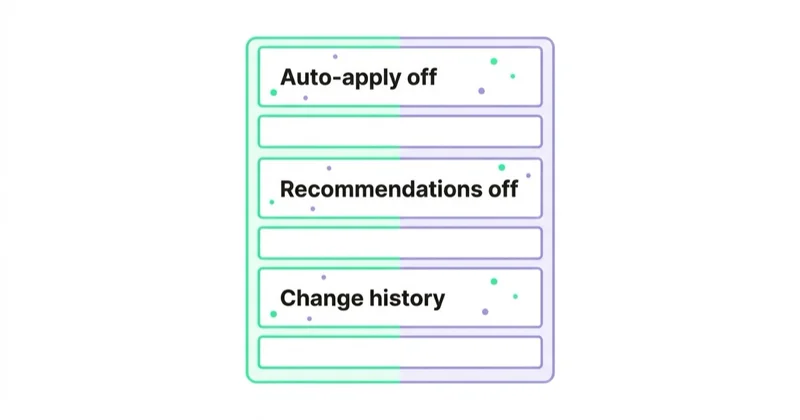
Google says favourable results can be automatically applied for some experiment types and that the setting may be enabled by default. If governance requires human approval, turn auto-apply off and record who can apply the result.
Before applying a winner:
- confirm which settings will change;
- check that conversion values and reporting remained stable;
- review guardrails and segments for hidden harm;
- preserve the experiment record;
- plan post-rollout monitoring, since the effect can change at full traffic.
Google notes that applying an experiment to the base or converting it into a new campaign preserves experiment performance data, but the resulting campaign should still be checked.
Common experiment mistakes
| Avoid | Do instead |
|---|---|
| Starting with “let's test this feature” | Start with a decision, mechanism and minimum useful effect |
| Selecting several primary metrics after the result | Pre-register one primary outcome and explicit guardrails |
| Assuming every test uses a 95% interval | Select and document the confidence level; Google defaults to 80% |
| Splitting a low-volume campaign without a power check | Use Campaign Guidance or a power calculation before launch |
| Assuming 50% means the same allocation in every test | Confirm whether the experiment splits budget, traffic or users |
| Choosing search-based assignment only for speed | Match the randomisation unit to how treatment affects the user |
| Changing both arms during the test | Freeze non-test variables and document unavoidable events |
| Stopping at the first asterisk | Use the planned duration, lag allowance and decision rule |
| Calling “not significant” proof of no effect | Report it as inconclusive unless equivalence was adequately tested |
| Forgetting auto-apply | Review the setting and require human approval where appropriate |
How Space Ads runs a testing programme
We maintain a test register containing the business question, hypothesis, scope, primary metric, expected mechanism, minimum practical effect, power assessment, split, duration, guardrails and decision. That keeps unsuccessful and inconclusive tests useful instead of allowing the same idea to return without context.
Before launch, we validate conversion definitions and check for overlapping experiments, promotions or account changes. After completion, we separate statistical evidence, commercial relevance and operational judgment. A statistically positive result can still be rejected if it harms margin or lead quality; an inconclusive result is documented rather than rewritten as a win or loss.
For tests that ask whether the advertising itself caused additional value, we use the appropriate holdout or lift methodology rather than forcing the question into a campaign-setting experiment.
FAQ
What is a Google Ads experiment?
It is a controlled comparison between an original campaign condition and a treatment. Depending on the product, Google splits budget, traffic or eligible users and reports the estimated difference in selected metrics over the same period.
What can be tested in Google Ads?
Supported tests include custom Search or Display changes, AI Max, ad variations, Performance Max, Demand Gen, video and app assets, plus product-specific campaign comparisons and lift studies. Eligibility and controls vary, so use the current Experiments page and help article for the campaign type.
Should I use a 50/50 split?
Usually yes. Google recommends 50% for custom experiments because balanced allocation generally maximises comparative information. Use an uneven split only for a documented risk, budget or capacity reason and accept that the smaller arm may require a longer test.
Should I use cookie-based or search-based splitting?
For Search custom experiments, cookie-based assignment keeps a person in one arm and is Google's recommended option. Search-based assignment occurs for each search and may produce faster significance, but one person can see both treatments. Choose based on whether exposure can have a persistent user-level effect.
What confidence level does Google Ads use?
The current scorecard defaults to an 80% confidence interval, and users can select another interval such as 95%. A blue asterisk marks significance at the selected level. Record the chosen standard before interpreting results.
How long should a Google Ads experiment run?
Long enough to reach adequate power, cover relevant business cycles, allow bidding to stabilise and include delayed conversions. Google offers general guidance from two or three weeks to four or six weeks for undecided results, but the correct duration depends on volume, variability and effect size.
What does an inconclusive result mean?
It means the data did not distinguish the treatment from the control precisely enough for the decision rule. It does not prove that the treatments are equal. Inspect the confidence interval and decide whether additional feasible data could resolve the uncertainty.
Can a Google Ads experiment prove incrementality?
A standard campaign A/B test proves only the difference between two advertising treatments. Some Google products offer lift studies or Performance Max uplift experiments designed for incremental questions. To estimate value versus no advertising, use a design with an appropriate holdout.
Can Google automatically apply the winner?
For some experiment types, yes, and Google says auto-apply may be enabled by default. Review the setting before launch and disable it if the result requires commercial, legal or brand approval.
Key takeaways
- Match the experiment type to the business question and counterfactual.
- Define one primary outcome, a minimum useful effect and guardrails before launch.
- Assess power from volume, variability, split and duration.
- Confirm whether the test allocates budget, traffic or users.
- Google's reporting defaults to an 80% confidence interval; choose and document your standard.
- Read effect size and interval, not only statistical significance.
- Preserve the planned duration and conversion lag, and check auto-apply.
- Treat inconclusive evidence honestly and record every decision.
Learn more about our Google Ads management and Google Ads audit work.
Sources and further reading
- About the Experiments page — Google Ads Help
- Set up a custom experiment — Google Ads Help
- Monitor your experiments — Google Ads Help
- The statistical methodology behind experiments — Google Ads Help
- Build better experiments with Campaign Guidance — Google Ads Help
- About Performance Max experiments — Google Ads Help
- About the Google Ads Experiment Center — Google Ads Help
Continue reading
Gemini Ad Formats: When the Ad Is Generated, Not Written
Google is testing and announcing Gemini-powered ad experiences across AI Mode and Search. Learn what each format does, what remains uncertain and how to prepare data, content and measurement.
Google Ads Account Suspended: Why It Happens and What to Do
A Google Ads suspension requires evidence, not panic. Learn how suspension differs from a hold or pause, what the strike system covers and how to diagnose and appeal safely.
How to Choose a Google Ads Agency: A Verification Protocol
Choose a Google Ads agency by verifying diagnosis, measurement, account access, commercial understanding and operating discipline—not by comparing badges, promises or dashboards.


































