
Klaviyo and Mailchimp both support campaigns, automations, segmentation and ecommerce data. The meaningful difference is not a slogan such as "specialist versus simple." It is whether the specific integration, events, workflow controls and plan available to your store can support the journeys you intend to run.
Klaviyo is strongly oriented around customer profiles, ecommerce events and lifecycle flows. Mailchimp covers a broader set of marketing use cases and also offers purchase-based segments, behavioural events and automation flows. Either platform can be the better fit. The decision should come from a requirements test using your store, markets and team—not from a generic feature table.
TL;DR
- Test your actual integration. The same platform can expose different events and features for Shopify, WooCommerce, a custom store or a point-of-sale system.
- Map required journeys before comparing tools. List the triggers, filters, branches, channels and catalogue fields each journey needs.
- Check plan and regional availability. Automation depth, segmentation, SMS and support can vary by subscription and market.
- Model the full operating cost. Include marketable or stored profiles, sends, mobile messages, implementation, QA and ongoing management.
- Do not assume a tool will improve revenue by itself. Data quality, offer, message, consent and measurement matter more than the logo.
- Plan migration as a rebuild. Exporting contacts is only one part; consent evidence, suppressions, templates, logic and integrations also need to move.
Start with the job, not the platform story
Platform positioning gives useful context, but it does not tell you what will work in your account. Klaviyo's flow builder can use data synced into the account as triggers and filters. Mailchimp can also build ecommerce automation paths, segment by purchase behaviour and accept custom behavioural events. What is possible depends on the connected commerce platform, tracking setup, subscription tier and data actually arriving.
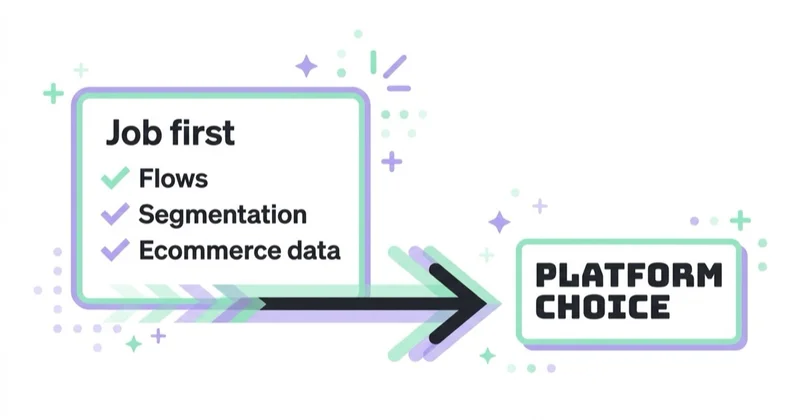
Define the job in concrete terms. For example: trigger after a fulfilled order rather than a placed order; exclude anyone who bought again; branch by product category; insert the correct catalogue item; coordinate email and SMS; and report the next purchase within an agreed window. Then confirm each step in both platforms' current documentation and, ideally, a test account. A feature called "post-purchase automation" is not enough if the required event or field is missing.
The comparison that matters for a store
| Dimension | What to verify in Klaviyo | What to verify in Mailchimp |
|---|---|---|
| Store data | Which native integration events and catalogue fields sync | Which ecommerce connection or API events are available |
| Automation | Trigger and profile filters, splits, re-entry and message controls | Available flow triggers, rules, branches and plan limits |
| Segmentation | Event, profile, predictive and catalogue conditions you actually need | Purchase, engagement and custom-event conditions available on your plan |
| Channels | Email, SMS and other channel availability by country | Email, SMS add-ons and regional availability |
| Pricing unit | Billable/active profiles, email sends and mobile-message usage | Stored contact tier, email send allowance and add-ons |
| Operations | Roles, approvals, templates, QA and reporting | Roles, approvals, templates, QA and reporting |
| Integration risk | Data latency, identity matching and event reliability | Data latency, identity matching and event reliability |
This table deliberately avoids declaring one platform "deeper" in every case. Mailchimp documents product views, add-to-cart activity, purchases, purchase-based segmentation and automation for supported connections; Klaviyo's available metrics also vary by integration. Compare the exact events your store produces. A reliable native connection can matter more than the theoretical maximum capability of either platform.
The six questions that decide the fit
Use six questions to narrow the choice:
- Which commerce system and markets must it support? Verify the exact native connection, mobile-channel availability and local consent requirements.
- Which events and properties must arrive? Include browsing, cart, checkout, placed order, fulfilment, refund, product, discount and subscription data where relevant.
- Which decisions must a flow make? Write down filters, branches, re-entry rules, delays and collision controls—not just flow names.
- Who will operate it? A capable platform is a poor fit if the team cannot QA dynamic data, analyse skips and maintain the logic.
- How will success be measured? Require consistent attribution settings, store-level outcomes and an option for holdout or cohort analysis.
- What is the 12-month cost at realistic growth? Model profiles, sends, SMS or other mobile usage, seats, integrations and implementation.
Score both platforms against the same journeys and evidence. If both meet the requirements, operational fit and total cost can decide. If only one can produce a critical event or branch without custom work, that gap deserves more weight than a long list of features you will never use. For a practical journey map, see the guide to Klaviyo flows.
Glossary
- Flow / automation — a behaviour-triggered email/SMS sequence (cart, browse, post-purchase, winback).
- Segmentation — dividing the list by behaviour and value to target relevantly.
- Store integration — how deeply the tool reads product, order and browsing data.
- Deliverability — reaching the inbox; a function of sender practices more than the tool.
- Billable profile/contact — a profile included in billing under the platform's current rules; definitions differ by provider.
- Migration — moving list, flows and integrations from one platform to another.
Things people over- and under-weight
Teams often over-weight the demo and under-weight daily operation. A polished template does not prove that the correct event enters the platform, that a completed buyer exits an abandonment path, or that finance can reconcile attributed revenue. Ask the people who will build, approve and analyse the program to test the recurring tasks.
Pricing also deserves a line-by-line model. Klaviyo's documentation describes billing around active/billable profiles and sends; Mailchimp's marketing plans use stored contact tiers and send allowances, with subscribed, unsubscribed and non-subscribed contacts generally counting until archived, cleaned or deleted. Definitions and plans change, so use each provider's live calculator and your actual database—not an old comparison table.
Deliverability is not a magic platform score. Authentication, consent, list quality, content, volume patterns and recipient response are central. Platform controls and infrastructure still matter, so review domain authentication, suppression handling, feedback data and reporting in both tools rather than assuming the provider alone will fix inbox placement.
How Space Ads approaches the platform choice
We begin with a requirements and data audit rather than a preferred vendor. The output is a journey matrix: required event, eligibility, exclusions, branches, content data, channel, owner and success measure. We then validate the matrix against the store integration and the current plan documentation for each shortlisted platform.
The recommendation includes 12-month cost, implementation effort, operating risk and migration constraints. Client-controlled accounts, domain access, consent records, suppression data, templates and documentation are part of the handover standard so a later change remains possible. The platform is infrastructure; results come from the customer strategy and execution built on top of it. This work sits across email marketing and marketing automation.
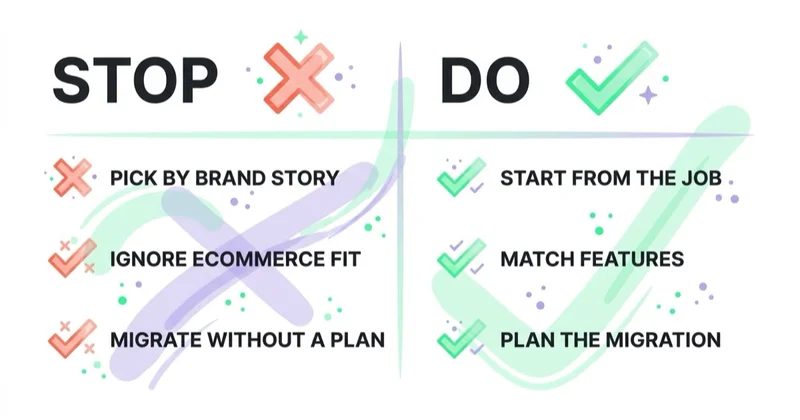
Stop doing / Do instead
| Stop doing | Do instead |
|---|---|
| Choosing from a generic winner table | Test both tools against your required events and journeys |
| Comparing flow names | Compare trigger, filter, branch, re-entry and data behaviour |
| Assuming every integration is equivalent | Validate the exact connection used by your store |
| Treating deliverability as a vendor promise | Review authentication, consent, suppression and sending practices |
| Comparing the entry price | Model realistic profiles, sends, add-ons, labour and growth |
| Migrating only the contact CSV | Move consent evidence, suppressions, templates, logic and reporting context |
FAQ
Is Klaviyo or Mailchimp better for ecommerce?
Neither is universally better. Klaviyo is a strong candidate when its ecommerce events and flow controls closely match a store's lifecycle program. Mailchimp can fit stores that can implement their required purchase, behavioural and automation journeys within its supported integration and plan. Test both against the same requirements, operating cost and team capability.
What's the main difference between Klaviyo and Mailchimp?
The practical difference is the combination of data model, commerce integration, automation controls, channel availability, pricing rules and operating experience. Klaviyo emphasises profile and ecommerce-event-driven lifecycle marketing. Mailchimp spans broader marketing use cases while also supporting ecommerce events, segments and automation. Exact capabilities vary by connection and plan.
Should I switch from Mailchimp to Klaviyo?
Consider switching only after identifying a valuable requirement the current setup cannot meet reliably or economically. Quantify the expected benefit, migration cost and operational risk. Rebuild and test integrations, consent, suppressions, templates, flow logic, tracking and reporting before changing sending systems; do not switch only because one platform is currently fashionable.
Does the email platform affect deliverability?
The platform is one factor, but it does not override sender behaviour. Authentication, permission, complaint rates, list quality, volume patterns and content all affect delivery. Compare each tool's authentication workflow, suppression controls, reporting and support, then assess your own practices. A platform change alone rarely resolves a damaged sender reputation.
How should I compare the cost of Klaviyo vs Mailchimp?
Use the providers' current pricing pages and model at least three scenarios: today's marketable database and volume, expected 12-month growth, and a seasonal peak. Include how each provider counts profiles or contacts, send allowances, mobile messages, add-ons, seats, implementation and ongoing management. Compare contribution profit, not platform-attributed revenue alone.
Can I build flows in Mailchimp like in Klaviyo?
Yes. Mailchimp documents automation flows with ecommerce triggers, rules and purchase-based segmentation for supported stores and plans. Whether it can reproduce a particular Klaviyo flow depends on the trigger event, filters, branching, dynamic content, channels and re-entry logic required. Compare the full logic, not just whether both platforms offer a template with the same name.
Key takeaways
- Neither platform is universally better; the fit depends on the exact store connection, journeys, markets and team.
- Compare events, properties and workflow logic—not template names or positioning claims.
- Check plan and regional availability before assuming a feature is usable.
- Model profiles or contacts, sends, add-ons, implementation and ongoing labour over 12 months.
- Treat migration as a controlled rebuild that includes consent and suppression data, not just subscribers.
Sources and further reading
- Klaviyo Help Center — Getting started with flows
- Klaviyo Help Center — How Klaviyo billing works
- Mailchimp Help — How Mailchimp can help an online store
- Mailchimp Help — About Mailchimp pricing plans
- Gmail — Email sender guidelines
Continue learning
Continue reading
The Welcome Email Series That Converts New Subscribers
A welcome series should deliver the signup promise, establish expectations and help an eligible subscriber take the next useful step. Learn how to design, sequence, govern and measure it without relying on a universal template.
Klaviyo Flows Every Ecommerce Store Needs (and the Order to Build Them)
Klaviyo flows automate relevant email and SMS messages around key customer actions. This guide explains which flows to prioritise, how to set their triggers and exclusions, and how to measure their real contribution to revenue.
Email vs SMS vs Push: Which Owned Channel for Which Message
Email, SMS, and push differ in permission, identity, reach, cost, format, and interruption. Use this decision framework to choose a channel by customer need, separate service from promotion, and measure incremental value.


































