
Google remarketing is the practice of re-engaging people who have already interacted with a website, app, YouTube channel, product, ad or customer relationship. In Google Ads, Google increasingly uses terms such as audience segments and your data segments rather than relying only on the older word remarketing. The strategic idea is the same: use permitted first-party and behavioural signals to improve follow-up, exclusions, bidding inputs and campaign relevance.
Remarketing is not just "show banners to people who visited the site." A mature setup can support Display, YouTube, Search, Shopping, Performance Max, Demand Gen, App campaigns, Customer Match, dynamic remarketing and exclusion strategy. It can also prevent wasted spend by excluding recent buyers, existing leads or users who already completed the target action.
TL;DR
- Google remarketing re-engages people after a previous interaction with a website, app, YouTube channel, product, ad or customer list.
- Google Ads now often uses terms such as audience segments and your data segments, including segments formerly known as remarketing.
- Data sources can include GA4 audiences, Google tag, Google Ads tag, YouTube users, app users, Customer Match and ecommerce events.
- Remarketing can support Display, YouTube, Search, Shopping, Performance Max, Demand Gen and dynamic remarketing depending on campaign type and eligibility.
- Customer Match and consent-aware first-party data are increasingly important as browser, platform and privacy rules change.
- Remarketing should use segment-specific messages, exclusions, recency windows and frequency management.
- Warm-audience ROAS can look strong, so margin, incrementality and overlap with other campaigns should be checked.
- Not every account needs a separate remarketing campaign. Sometimes audience signals, exclusions or better creative are more useful.
What is Google remarketing?
Google remarketing means reaching users again after they have had a previous relationship with a brand, website, app or content property.
Examples include:
- website visitors;
- product viewers;
- cart abandoners;
- checkout starters;
- pricing-page visitors;
- blog readers;
- YouTube viewers;
- app users;
- past customers;
- CRM contacts;
- users who completed a lead form;
- users who did not complete a conversion;
- high-value customer segments.
The goal is not to follow every user with the same ad. A good setup uses the previous interaction to decide what should happen next: educate, reassure, exclude, cross-sell, reactivate, suppress or give Google AI a better signal.
For the broader strategy, read What Is Remarketing and How to Launch Retargeting Ads?.
Google Ads terminology: remarketing, your data and audience segments
Google's interface and help materials increasingly talk about audience segments and your data. This includes what many advertisers still call remarketing lists.
The terminology matters because modern Google Ads audiences are not only website visitor lists. They can include:
- website activity;
- app activity;
- YouTube interactions;
- Customer Match lists;
- GA4 audiences;
- conversion behavior;
- product and ecommerce events;
- combinations and exclusions.
When discussing strategy, "remarketing" is still understandable. When configuring accounts, it is safer to know the current interface terms: audience segments, your data segments and audience signals.
Where can Google remarketing work?
Depending on configuration and eligibility, remarketing signals can support:
- Google Display Network;
- YouTube campaigns;
- Search campaigns through audience segments;
- Shopping campaigns;
- Performance Max;
- Demand Gen;
- App campaigns;
- dynamic remarketing;
- Customer Match-based re-engagement;
- exclusions from acquisition campaigns.
The exact options depend on campaign type, audience size, policies, consent, country, account history and data source. Some audiences may be eligible for one surface and not another.
For Display context, read What Is the Google Display Network and How to Use It?.
Main remarketing data sources
GA4 audiences
GA4 audiences can be built from website or app behavior. Examples include users who visited specific pages, completed events, started checkout, purchased, viewed content or matched a defined behavior pattern.
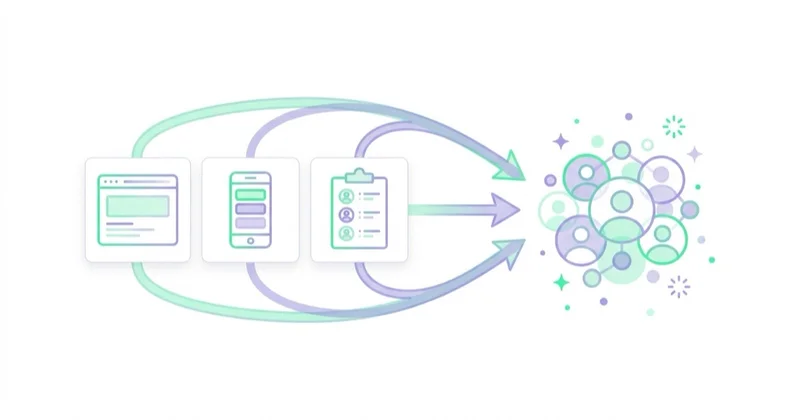
GA4 is useful because it can create audiences from event data rather than only page URLs. That makes it easier to build segments such as engaged article readers, checkout starters, high-value purchasers or users who viewed several service pages.
For setup context, read Google Analytics 4 (GA4): Why Implement It and What Are the Benefits?.
Google tag or Google Ads tag
Google tag setup can create audience segments based on website visitors and conversion behavior. Tag quality, consent behavior and event definitions affect list quality.
The tag must be implemented carefully. A tag that fires on every page but ignores consent or sends unclear events can create audience lists that are large but not strategically useful.
YouTube audiences
Users who interacted with videos or a YouTube channel can be used in eligible audience strategies. This is useful when video is part of the consideration journey.
Examples include:
- viewers of a product video;
- viewers of a brand campaign;
- users who subscribed;
- users who engaged with a channel;
- users who watched education content before visiting the website.
App users
App campaigns and app-related audiences can support re-engagement with users who installed, opened, purchased, subscribed or completed app events.
App remarketing should be tied to product value. Re-engaging inactive users is useful only when the action creates retention, revenue or meaningful activation.
Customer Match
Customer Match uses first-party customer data shared with Google according to policy. It can help reach and re-engage known customers across eligible Google surfaces.
Use cases include:
- existing customer exclusions;
- loyalty campaigns;
- cross-selling;
- win-back campaigns;
- lead nurturing;
- high-value customer signals;
- suppressing sales ads to people already converted.
For a dedicated guide, read Customer Match in Google Ads: What It Is and How to Use It.
Ecommerce and product data
For ecommerce, remarketing can use product and event data such as product views, add to cart, begin checkout and purchase. This supports dynamic remarketing when feed and event identifiers match.
For product-level setup, read Dynamic Remarketing: What It Is and How It Works.
Types of Google remarketing
Standard display remarketing
Standard display remarketing shows ads to previous users across eligible display inventory. It can be useful for brand reminders, content follow-up, service consideration and general re-engagement.
The risk is generic repetition. A display remarketing campaign that shows one banner to every visitor for 90 days rarely reflects user intent.
Dynamic remarketing
Dynamic remarketing uses a feed to show products, services or listings related to previous user behavior. It is especially useful in ecommerce, travel, real estate, automotive and other structured catalogs.
The most important technical issue is matching identifiers between events and the feed.
Search audience strategies
Search campaigns can use audience segments to adjust strategy for people who previously interacted with the business. The user still searches, but the advertiser can treat previous visitors, customers or high-value users differently.
RLSA, or remarketing lists for search ads, is one important use case. Read What Are RLSA Campaigns? Remarketing Lists for Search Ads.
YouTube remarketing
YouTube can re-engage people who watched videos, visited a channel or interacted with video content. It is useful for education, product consideration and moving users toward a website or conversion.
The creative should not assume the user is ready to buy. A person who watched 20 seconds of an explainer may need a different message from someone who started checkout.
Customer Match re-engagement
Customer Match is useful for existing customers, leads, subscribers or CRM contacts. It can support retention, reactivation, exclusions and Smart Bidding signals where eligible.
The quality of the list matters. A clean customer list with consent and useful segmentation is stronger than a large stale list with mixed intent.
Performance Max audience signals
Performance Max can use audience signals to help Google AI understand likely converters. These signals do not work like strict manual targeting in every context, but they can help guide learning when they are high quality.
Audience signals should not be treated as a substitute for conversion tracking, product data, creative quality or business value.
Segment by intent
The biggest remarketing mistake is putting everyone into one list.
Better segments include:
- all visitors;
- service page visitors;
- pricing page visitors;
- product viewers;
- category viewers;
- cart abandoners;
- checkout starters;
- blog readers by topic;
- YouTube viewers;
- past purchasers;
- high-LTV customers;
- lapsed customers;
- submitted leads;
- qualified leads;
- users who visited but bounced quickly.
Each segment needs a different message. A blog reader may need education. A pricing-page visitor may need proof. A cart abandoner may need delivery and return reassurance. A recent customer may need onboarding or accessories, not acquisition messaging.
Remarketing for ecommerce
Ecommerce remarketing can support:
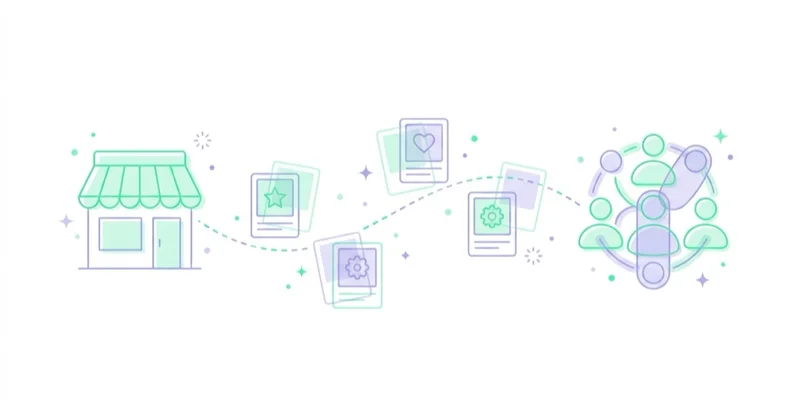
- abandoned cart recovery;
- product reminders;
- dynamic product ads;
- cross-sell;
- upsell;
- seasonal product pushes;
- replenishment;
- reactivation;
- customer exclusions;
- category education.
Important setup elements:
- Merchant Center feed;
- ecommerce events;
- item ID consistency;
- transaction value;
- Consent Mode;
- product availability;
- purchaser exclusions;
- margin-aware segmentation;
- return and cancellation reporting.
For Shopping and feeds, read Google PLA / Shopping Campaigns in Google Ads: What to Know.
Remarketing for services and B2B
In services and B2B, remarketing should support a longer decision process.
Useful sequences:
- article reader to related guide;
- service page visitor to case study;
- pricing visitor to consultation;
- webinar viewer to demo;
- form opener to lower-friction next step;
- submitted lead excluded from acquisition;
- qualified lead nurtured with proof;
- existing customer excluded from lead acquisition.
The main metric should not be raw lead volume only. Lead quality, pipeline, close rate and sales feedback matter.
For B2B, remarketing often works best as a sequence of proof and risk reduction rather than repeated "book a call" ads.
Privacy, consent and policy
Remarketing depends on user data and personalization, so consent and policy compliance are central.
Important areas:
- cookie and consent banner behavior;
- Consent Mode configuration;
- Google tag behavior;
- Customer Match policy;
- personalized advertising policies;
- sensitive category restrictions;
- privacy policy disclosures;
- list retention;
- user opt-outs;
- data minimization.
Consent Mode does not provide a banner by itself. It communicates consent states to Google tags. Read Consent Mode v2: What It Is and How to Implement It.
Not every vertical can use remarketing in the same way. Google personalized advertising policies restrict certain sensitive categories and uses. This should be checked before campaigns are built, not after disapprovals appear.
Exclusions are part of remarketing strategy
Remarketing is not only about who to reach. It is also about who not to reach.
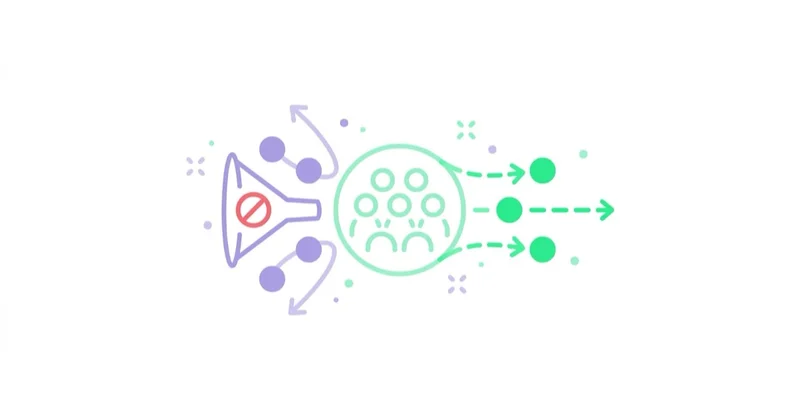
Useful exclusions include:
- recent purchasers from acquisition campaigns;
- users who already submitted a lead;
- employees and internal traffic where possible;
- users who refunded or cancelled where that changes messaging;
- low-value leads from aggressive bidding;
- audiences that are too broad or too stale;
- products or categories with low margin or stock issues.
Exclusions can protect budget and user experience. A person who just bought a product should not immediately see ads saying "Still thinking about it?".
How to measure Google remarketing
Remarketing often looks strong in Google Ads reports because it targets warm audiences. That does not automatically mean it created all the value it claims.
Track:
- conversions;
- revenue;
- margin;
- CPA;
- ROAS;
- lead quality;
- frequency;
- assisted conversions;
- new vs returning customer mix;
- overlap with other campaigns;
- audience size and eligibility;
- incremental impact where possible;
- customer retention and repeat purchase.
Use Google Ads, GA4, ecommerce platform data and CRM together. No single interface explains the whole customer journey.
For broader measurement, read What Is Ecommerce Analytics and Why Is It So Important?.
When a separate remarketing campaign is not needed
Dedicated remarketing is not always the right structure.
It may be unnecessary when:
- audience lists are too small for stable delivery;
- Performance Max or another campaign already reaches returning users effectively;
- the business has no distinct message for warm users;
- the product has a very short decision cycle;
- the budget is too small and fragmentation would slow learning;
- privacy or policy constraints limit audience use;
- conversion tracking is not reliable enough to judge results.
In those cases, audience signals, exclusions, Customer Match, better creative and improved conversion tracking may be more useful than launching another campaign.
Practical 30-day setup plan
Days 1-5: Audit data sources
Check Google tag, GA4, Google Ads conversions, consent behavior, ecommerce events, YouTube connections and Customer Match availability.
Days 6-10: Define segments
Map the funnel and define practical audiences: visitors, high-intent visitors, cart abandoners, purchasers, leads, qualified leads and lapsed customers.
Days 11-15: Build exclusions
Create suppression lists for purchasers, converted leads, internal traffic where possible and audiences that should not receive a given message.
Days 16-20: Create message logic
Write different messages for education, proof, cart recovery, reactivation, cross-sell and exclusion-supported acquisition.
Days 21-30: Launch and measure
Start with a focused structure, monitor audience eligibility and frequency, compare Google Ads with GA4/CRM, and review whether the campaign creates incremental value.
Common mistakes
| Mistake | Why it hurts | Better approach |
|---|---|---|
| One list for all visitors | Message is too generic | Segment by intent and recency |
| No purchaser exclusions | Wasted spend and poor UX | Exclude or cross-sell after purchase |
| Too long retention windows | Users see stale ads | Match windows to the buying cycle |
| No Consent Mode or poor consent setup | Measurement and compliance risk | Configure consent properly |
| Evaluating only last click | Funnel impact is misread | Use multiple data sources |
| Frequency is ignored | Ads become annoying | Monitor frequency and rotate creative |
| Customer Match list is stale | Weak match and wrong message | Keep lists clean and segmented |
| Sensitive category rules are ignored | Policy risk | Check personalized advertising policies first |
How we approach this at Space Ads
At Space Ads, we treat remarketing as audience strategy, not as a default display campaign for every visitor. We start by separating intent and recency: product viewers, cart abandoners, pricing-page visitors, past purchasers, qualified leads and lapsed customers should not receive the same message. Exclusions are just as important as audiences, because recent buyers, converted leads, low-quality contacts or low-margin products can distort both spend and reporting. We measure remarketing against GA4, CRM, ecommerce revenue, margin, frequency and incremental value, not platform ROAS alone. The question is not whether warm users convert; it is whether the remarketing setup changes what would have happened without the ads.
FAQ
What is Google remarketing?
Google remarketing is re-engaging people who previously interacted with a website, app, YouTube channel, ad, product or customer relationship using eligible Google Ads audience segments.
Does Google still call it remarketing?
The word is still widely used, but Google Ads increasingly uses terms such as audience segments and your data segments. Advertisers should understand both the old and current terminology.
Does remarketing work only on the Google Display Network?
No. Remarketing signals can support Display, YouTube, Search, Shopping, Performance Max, Demand Gen, App campaigns and Customer Match use cases depending on eligibility and setup.
Is Google remarketing the same as dynamic remarketing?
No. Dynamic remarketing is a specific type of remarketing that uses a feed or catalog to show products, services or listings related to previous user behavior.
Is GA4 required for Google remarketing?
Not always, but GA4 is very useful because it can build behavior-based audiences from events. Google Ads tags, Google tag, YouTube audiences, app data and Customer Match can also be involved.
Is Customer Match remarketing?
Customer Match can support remarketing and re-engagement because it uses first-party customer data to reach known customers or contacts across eligible Google surfaces.
How should remarketing be measured?
Measure conversions, revenue, margin, CPA, ROAS, lead quality, frequency, returning customer share, assisted conversions and incremental impact. Platform ROAS alone is not enough.
Key takeaways
Google remarketing is useful when it is treated as audience strategy, not a single display campaign. The strongest accounts build meaningful segments, respect consent, use exclusions, connect GA4 and Customer Match where appropriate, and match the message to the user's previous intent.
The goal is not to chase every visitor. The goal is to re-engage the right people with a relevant next step, while excluding users who should not see the ad and measuring whether the campaign creates real incremental value.
We set up remarketing lists and campaigns within Google Ads campaigns, with correct measurement and exclusions.
Sources and further reading
- Google Ads Help - About setting up your data segments
- Google Ads Help - About audience segments
- Google Ads Help - About dynamic remarketing
- Google Ads Help - About Customer Match
- Google Ads Policies Help - Personalized advertising
Continue learning
- What Is Remarketing and How to Launch Retargeting Ads?
- Dynamic Remarketing: What It Is and How It Works
- What Are RLSA Campaigns? Remarketing Lists for Search Ads
- Customer Match in Google Ads: What It Is and How to Use It
- Consent Mode v2: What It Is and How to Implement It
- What Is Google Tag Manager and How to Use It?
Continue reading

Dynamic Remarketing: What It Is and How It Works
Dynamic remarketing personalizes ads using previous behavior and a feed or catalog. Learn how product IDs, events, Google Ads, Meta catalog ads, exclusions and measurement work together.
What Are Dynamic Search Ads (DSA) and Are They Worth Using?
Dynamic Search Ads use website content to match searches, generate headlines and choose landing pages. In 2026, DSA strategy should focus on AI Max migration and URL control.
What Are Keyword Match Types in Google Ads and How to Choose Them?
Google Ads keyword match types control how search queries match keywords. Learn broad, phrase, exact, negatives, Smart Bidding, campaign structure and search term workflows.


































