
The Google Display Network, often shortened to GDN, is a network of websites, videos, apps and Google properties where Display campaign ads can appear. Unlike Search campaigns, Display does not wait for a user to type a query. It reaches people through audiences, content signals, placements, remarketing lists, creative assets and automated targeting.
Display is best understood as a visual and contextual channel for reach, consideration, remarketing and demand support. It can generate leads and sales, especially in remarketing, but it needs strong creative, clean measurement, audience control, placement review and realistic expectations about its role in the funnel.
TL;DR
- The Google Display Network lets ads appear outside classic search results across websites, apps, videos and selected Google surfaces.
- Display is not Search. Users are usually browsing, reading, watching or using an app rather than actively searching for a product at that moment.
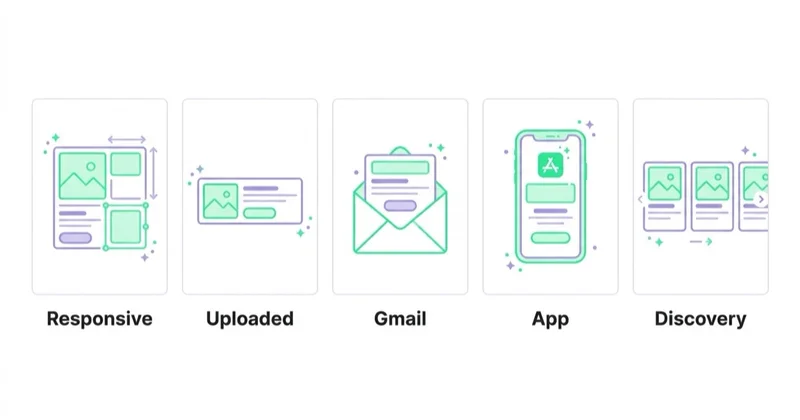
- Responsive display ads are the default flexible format, using images, logos, videos, headlines and descriptions to create combinations across placements.
- Uploaded display ads give more design control, but they need the right dimensions and may have less flexible reach.
- Display works well for remarketing, awareness, launches, education and assisted conversions.
- Optimized targeting can expand beyond selected signals, so it must be understood and monitored.
- Display performance should be evaluated with GA4, conversion paths, placement quality, frequency, creative fatigue and business outcomes, not only CTR.
What the Google Display Network is
The Google Display Network is the inventory environment behind Google Display campaigns. Google describes Display campaigns as a way to reach people across millions of websites, videos and apps with different ad formats and sizes.
In practice, Display campaigns can show ads while users:
- read articles;
- browse websites;
- use mobile apps;
- watch videos;
- check Gmail where eligible;
- interact with YouTube or other Google surfaces where the campaign type supports it.
The important difference from Search is intent. In Search, the user expresses intent through a query. In Display, intent is inferred from audience, content, context, behaviour, remarketing and automation.
Display vs Search
| Area | Search campaigns | Display campaigns |
|---|---|---|
| User intent | Active query | Browsing, viewing or app usage |
| Main signal | Keyword/search term | Audience, content, placement, remarketing, automation |
| Format | Text ads and assets | Image, text, video, responsive formats |
| Typical role | Capture existing demand | Create, remind or support demand |
| Measurement | Often closer to last-click action | Often assistive and upper/mid-funnel |
| Risk | Wrong keywords or match types | Low-quality placements, weak creative or broad targeting |
Search and Display should not be judged by the same expectations. Display can influence users before they search, return or convert later.
For search-specific strategy, read What Is Search Ads 360? and What Are Keyword Match Types in Google Ads and How to Choose Them?.
Main use cases for Display campaigns
Remarketing
Remarketing is one of the clearest Display use cases. Ads can re-engage people who visited a site, viewed products, started a form, abandoned a cart, read content or interacted with specific pages.
Remarketing needs segmentation. A pricing page visitor and a casual blog reader should not always see the same message.
For strategy, read What Is Remarketing and How to Launch Retargeting Ads?.
Awareness
Display can introduce a brand or offer to a defined audience. This works best when creative is clear, the audience is relevant and the campaign is not judged only by last-click conversions.
Awareness campaigns should still have measurement: reach, frequency, engaged visits, assisted conversions, brand search changes, landing page behaviour and creative lift where available.
Content promotion
Display can promote guides, webinars, reports, calculators and educational content. This is useful in B2B, SaaS, finance, education and other categories with longer decision cycles.
The landing page should match the content promise. A cold user may not be ready for a hard sales form immediately.
Launches and seasonal campaigns
Display can support:
- new product launches;
- event reminders;
- seasonal promotions;
- limited offers;
- local campaigns;
- collection launches;
- brand refreshes.
The creative should carry the message quickly because Display attention is limited.
Ecommerce support
Display can support product discovery, dynamic remarketing, category reminders and seasonal offers. It is usually not a replacement for Shopping, Performance Max or product feed work.
For feed and retail context, read What Is a Product Feed and How to Use It? and Performance Max Campaigns: What to Know and How to Create Them.
Display ad formats
Responsive display ads
Responsive display ads use assets such as images, logos, headlines, descriptions and videos. Google AI then creates ad combinations that fit different available spaces.
Benefits:
- broad reach;
- easier asset testing;
- flexible sizing;
- faster setup;
- automatic combinations;
- ability to use several headlines, descriptions and images.
Risks:
- less design control;
- awkward cropping if assets are weak;
- generic-looking ads if copy is vague;
- poor performance when all assets say the same thing;
- brand inconsistency if asset guidelines are loose.
For more detail, read How Responsive Display Ads Work in Google Ads.
Uploaded display ads
Uploaded display ads are custom creatives built outside Google Ads and uploaded in supported formats and dimensions.
Benefits:
- stronger design control;
- exact layout;
- custom animation where allowed;
- better brand consistency;
- useful for campaign-specific artwork.
Risks:
- more production work;
- each size must be created;
- some inventory may not fit the uploaded sizes;
- lower flexibility than responsive ads;
- mistakes in specs can block upload or limit serving.
Many advertisers test both: responsive display ads for reach and learning, uploaded ads for high-control creative.
Targeting in Display
Display targeting can use several types of signals.
Audience segments
Audience segments can include:
- remarketing lists;
- customer data segments where eligible;
- in-market segments;
- affinity segments;
- custom segments;
- demographic segments;
- similar or expanded logic where available through current Google systems.
Audience targeting works best when the segment is connected to the campaign message.
Content targeting
Content signals can include:
- topics;
- placements;
- keywords used as content or audience signals depending on setup;
- website or app context.
Placement targeting gives more control but less scale. Broad content signals give more scale but need stronger review.
Optimized targeting
Optimized targeting uses Google AI to look beyond manually selected targeting signals to find people likely to meet the campaign goal. Google's documentation explains that it can use targeting signals and may serve beyond selected signals when it finds better-performing traffic.
This can be useful for conversion-focused campaigns. It can also surprise advertisers who expected strict remarketing or strict placement targeting.
Practical rule: understand whether optimized targeting is on, what signals are used and whether the traffic quality matches the campaign goal.
Display creative principles
Display ads must work quickly.
Good creative:
- communicates one idea;
- shows the product, outcome or problem clearly;
- uses readable text;
- avoids tiny details;
- has strong contrast;
- includes a clear brand cue;
- matches the landing page;
- uses different messages by funnel stage;
- includes a natural CTA;
- works on mobile and small placements.
Weak creative:
- tries to say everything;
- uses unreadable small text;
- hides the product;
- relies only on a logo;
- uses generic stock imagery;
- promises something the landing page does not deliver;
- sends all audiences the same message.
Display is visual, but design alone is not enough. The message must match the audience and stage.
Display campaign structure
A simple Display setup may separate:
- remarketing;
- prospecting;
- customer list expansion;
- content promotion;
- seasonal promotion;
- high-intent placements;
- market-specific campaigns.
Avoid mixing too many roles in one campaign. Remarketing, cold prospecting and content promotion usually need different budgets, expectations and creative.
Measurement and attribution
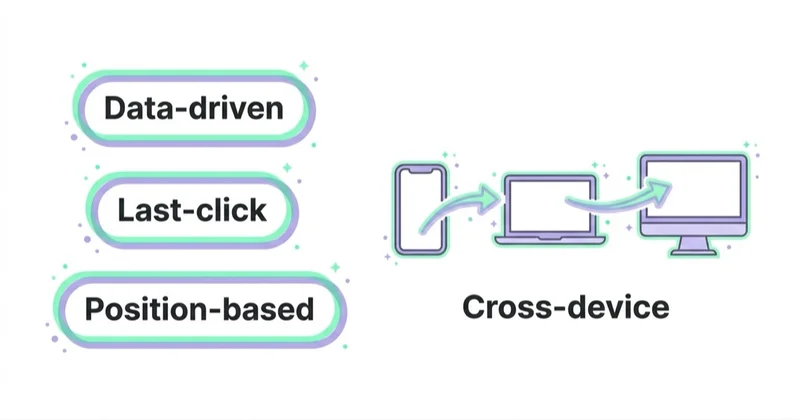
Display often influences users before the final conversion. Measuring it only by last click can understate its value, but accepting all platform-reported conversions without scrutiny can overstate it.
Review:
- conversions;
- conversion value;
- cost per conversion;
- view-through conversions where relevant;
- assisted conversions;
- reach;
- frequency;
- placement performance;
- engaged sessions;
- landing page engagement;
- branded search trends;
- remarketing list growth;
- creative fatigue;
- incrementality tests where possible.
Use GA4 and business data to check whether Display traffic is useful after the click.
For analytics context, read Google Analytics 4: Why Implement It and What Are the Benefits? and What Are UTM Parameters and How to Create UTM URLs for Google Analytics?.
Placement quality
Display campaigns need placement and traffic quality checks.
Look for:
- apps or sites with high spend and no value;
- accidental clicks;
- poor engagement;
- irrelevant content context;
- unusual CTR spikes;
- weak conversion quality;
- placements unsuitable for the brand;
- mobile app traffic that does not match the goal.
Placement exclusions can help, but they should be based on evidence. Over-excluding can reduce learning and scale.
Frequency and fatigue
Display can become annoying when the same user sees the same ad too often.
Watch:
- frequency;
- declining CTR;
- rising CPA;
- negative brand feedback;
- falling conversion rate;
- repeated exposure to converted users;
- small remarketing list with too much budget.
Fixes:
- refresh creative;
- segment audiences;
- exclude converters;
- reduce budget;
- adjust audience duration;
- use frequency controls where available;
- change the message by stage.
Display vs Demand Gen, Performance Max and DV360
Display campaigns are not the only visual ad option in Google's ecosystem.
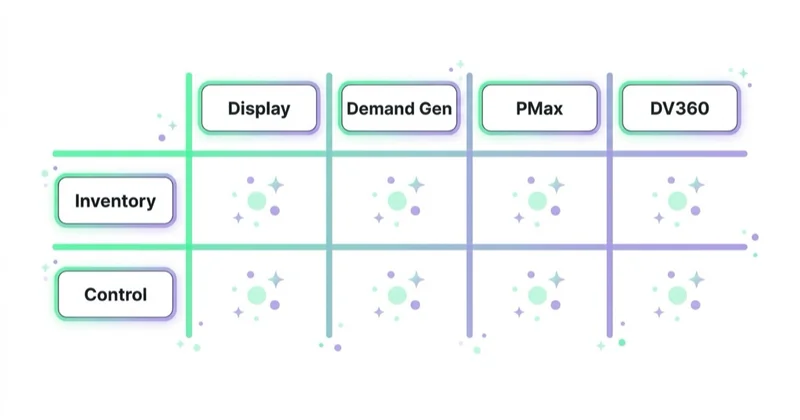
| Option | Best fit |
|---|---|
| Display campaigns | Controlled display reach, remarketing, responsive display, uploaded ads |
| Demand Gen | Visual demand creation across YouTube, Discover and Gmail style surfaces |
| Performance Max | Goal-based automation across Google inventory including Search, Shopping, YouTube, Display and more |
| DV360 | Enterprise programmatic buying, inventory control and GMP workflows |
The right choice depends on goal, scale, control, creative, data and measurement maturity.
For related context, read What Is a Demand Gen Campaign in Google Ads and How to Launch One and Google Marketing Platform's DV360: Everything You Need to Know.
Display for B2B and services
For B2B, Display rarely works as a pure last-click lead machine. It can support:
- content promotion;
- webinar signups;
- remarketing;
- account or segment awareness;
- case study distribution;
- brand recall;
- retargeting pricing or service page visitors.
Measure lead quality, not only lead count. A cheap lead from a broad Display campaign can be expensive if sales cannot use it.
Display for ecommerce
For ecommerce, Display can support:
- dynamic remarketing;
- category reminders;
- sale announcements;
- new collection launches;
- seasonal promotions;
- high-margin product pushes;
- customer reactivation.
Do not separate Display from merchandising reality. Product availability, price, feed quality, margin and landing page speed affect results.
Common mistakes
| Mistake | Why it hurts | Better approach |
|---|---|---|
| Treating Display like Search | Intent is different | Use funnel-specific expectations |
| Mixing remarketing and prospecting | Results become hard to interpret | Separate by role |
| Ignoring optimized targeting | Delivery can expand beyond expected signals | Review settings and traffic quality |
| Judging only by CTR | Clicks can be low quality | Review conversions and engagement |
| Weak creative | Users ignore or misunderstand the ad | Build clear, stage-specific assets |
| No placement review | Budget may go to poor contexts | Review placements and exclude carefully |
| No frequency control | Audience fatigue increases | Refresh creative and manage exposure |
| Same message for all users | Warm and cold users need different context | Segment message by stage |
How we approach this at Space Ads
At Space Ads, we treat the Google Display Network as a support channel with a defined job, not a source of cheap traffic. Before launch, we separate remarketing, prospecting, content promotion and seasonal support, because each role needs different creative, audiences, placements, frequency and success metrics. We review placement quality, engaged sessions, assisted paths, remarketing list growth, creative fatigue and post-click lead or order quality instead of judging Display only by CTR or last-click CPA. For ecommerce, Display works best when the feed, availability, offer and landing page are accurate. For B2B and services, it is usually stronger as proof, education and return-visit support than as a cold lead channel.
FAQ
What is the Google Display Network?
The Google Display Network is a network of websites, apps, videos and Google surfaces where Display campaign ads can appear.
Is Display better than Search?
No. Display and Search serve different roles. Search captures active demand. Display can build awareness, support consideration and re-engage users.
Do Display ads work for sales?
They can, especially in remarketing and when the offer, creative, targeting and measurement are strong. Cold Display often needs a longer evaluation window.
What are responsive display ads?
Responsive display ads are asset-based ads. Advertisers upload images, logos, videos, headlines and descriptions, and Google AI creates combinations for available placements.
Should uploaded banners still be used?
They can be useful when design control matters. Responsive display ads usually provide more flexibility, while uploaded ads provide more precise creative control.
What is optimized targeting?
Optimized targeting uses Google AI to find additional people likely to meet the campaign goal beyond the selected targeting signals. It should be monitored carefully.
How should Display be measured?
Measure conversions, cost, reach, frequency, placement quality, GA4 engagement, assisted conversions, creative performance and business outcomes. Do not rely only on CTR.
Conclusion
The Google Display Network is useful when it has a clear job. It can re-engage warm users, introduce offers, promote content, support ecommerce campaigns and keep a brand visible during longer decision journeys.
The channel fails when it is treated as cheap traffic. Strong Display work requires clear creative, relevant audiences, controlled structure, placement review, realistic attribution and landing pages that match the ad promise.
Use Display as part of a system with Search, remarketing, Demand Gen, Performance Max, email, content and analytics. Its value is strongest when its role in the funnel is defined before the campaign launches.
We run display network campaigns — with placement and exclusion control — within Google Ads campaigns.
Sources and further reading
- Google Ads Help: About ads for Display campaigns
- Google Ads Help: About responsive display ads
- Google Ads Help: Uploaded display ads specifications
- Google Ads Help: About optimized targeting
- Google Ads Help: How to plan a Display campaign
- Google Ads API: Uploaded Display Ads
Continue learning
- How Responsive Display Ads Work in Google Ads
- What Is Remarketing and How to Launch Retargeting Ads?
- What Is a Demand Gen Campaign in Google Ads and How to Launch One
- Performance Max Campaigns: What to Know and How to Create Them
- Google Marketing Platform's DV360: Everything You Need to Know
- What Are UTM Parameters and How to Create UTM URLs for Google Analytics?
Continue reading
What Are Banner Ads and How to Launch Them?
Banner ads are visual online ads for awareness, remarketing and campaign support, but they only work when creative, audience, placement quality, frequency and landing page fit match the funnel role. This guide explains formats, Google Ads options, ecommerce and B2B use cases, measurement and launch steps.

What Are RLSA Campaigns? Remarketing Lists for Search Ads
RLSA uses audience lists in Google Search campaigns so previous visitors can be treated differently when they search again. Learn Observation vs Targeting, use cases and setup.
How Responsive Display Ads Work in Google Ads
Responsive display ads combine images, logos, headlines, descriptions and videos into flexible Google Display creatives. Learn how they work and how Demand Gen changes the context.


































