
A Facebook Page is the official public presence of a business, brand, organisation or public figure on Facebook. It is not the same as a personal profile or a group. A well-managed Page helps people verify the brand, contact the business, see updates, read reviews, discover events, interact through Messenger and connect with the wider Meta ecosystem, including Instagram, Meta Business Suite, ads, catalogues and remarketing.
A Facebook Page should not be treated only as a free reach channel. Organic reach can be limited and unpredictable. The real value is often in credibility, customer service, community signals, content distribution, advertising infrastructure and integration with Meta tools.
TL;DR
- A Facebook Page is a business asset, not a private profile.
- It should be owned and managed by the business, with access assigned through proper permissions.
- A complete Page builds trust. Name, category, bio, profile image, cover image, CTA, contact details, opening hours and website link matter.
- Meta Business Suite is the main management layer for content, Inbox, insights and cross-channel Facebook/Instagram operations.
- Organic posting still has value, but it should be realistic. Reels, useful updates, community content and paid support often work together.
- Fast responses to messages and comments can create real commercial value.
- For ecommerce and lead generation, the Page supports ads, remarketing, catalogue activity, social proof and Messenger conversations.
Facebook Page vs profile vs group
A Facebook Page is built for public communication by a business, brand, organisation or public figure. A profile represents an individual person. A group is a community space where members interact around a shared interest or topic.
Use a Page when the goal is to:
- represent a company or brand publicly;
- publish official updates;
- run ads;
- manage customer messages;
- connect Facebook with Instagram;
- use Meta Business Suite;
- connect a catalogue or shop-related tools;
- collect social proof;
- support local discovery;
- create events;
- analyse Page and content insights.
Use a group when the goal is community discussion. Use a profile for personal identity. Avoid running a business only from a personal profile if the brand needs professional access, advertising, reporting and team management.
Is a Facebook Page still worth creating?
Yes, for most businesses.
The Page may not be the highest organic reach channel in every market, but it still plays important roles:
- users check whether the business is real;
- people search for contact details and opening hours;
- customers send messages through Messenger;
- Instagram may need to be connected to a Page for some business workflows;
- ads, audiences and Business Suite rely on business assets;
- reviews, comments and posts create public signals;
- events and local content can support discovery;
- ecommerce brands can connect catalogue and shop-related workflows;
- remarketing and paid campaigns need proper Meta infrastructure.
The mistake is expecting a Page to generate growth by posting randomly. A Page works best as part of a system: website, content, ads, Messenger, Instagram, customer service and analytics.
How to create a Facebook Page
Meta's current Facebook Help guidance says a Page can be created from a Facebook profile by going to the Page creation flow, entering a Page name and category, optionally adding a bio, then creating the Page and customising it.
The practical setup process:
- Choose a Page name that matches the brand.
- Select the most accurate category.
- Add a short bio that explains what the business does.
- Add a profile picture, usually the logo.
- Add a cover image that supports the brand or offer.
- Add website, phone, email and address where relevant.
- Add opening hours or service area.
- Add the right action button.
- Create a username or handle if available.
- Connect the Page to Meta Business Suite or a business portfolio.
- Connect Instagram and WhatsApp if needed.
- Assign access to trusted people.
Do not treat setup as a one-time task. Page details should be reviewed whenever the offer, location, opening hours, website, phone number or brand visuals change.
What to complete before publishing seriously
A Page can technically exist with minimal information, but a business Page should look trustworthy before it starts driving traffic.
Complete:
- profile image;
- cover image;
- short bio;
- contact details;
- website link;
- action button;
- category;
- address or service area;
- opening hours;
- services or products where relevant;
- pinned or featured post;
- basic content history;
- Page access and ownership;
- Instagram connection;
- Messenger response process.
The goal is simple: a person landing on the Page should understand who the business is, what it offers and how to take the next step.
Page access and ownership
Access is one of the most important parts of Page management.
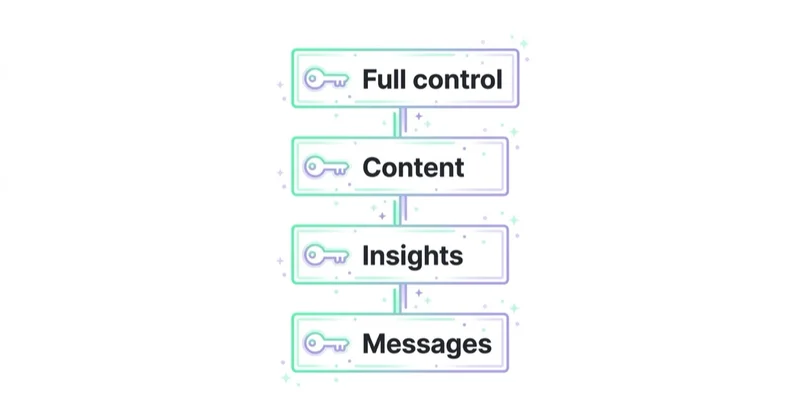
Meta uses Page access and task access rather than the old simple "admin role" model in many workflows. People can be given full or partial Facebook access, or task access for specific functions such as content, messages, ads or insights.
Good practice:
- the business should control the Page, not only one employee or freelancer;
- at least two trusted people should have appropriate access;
- external agencies should get task-based access where possible;
- access should be removed when a person stops working on the account;
- full control should be limited;
- Page access should be documented.
Losing access to a Page can create serious operational problems, especially when the Page is connected to Instagram, ads, catalogues or customer conversations.
Meta Business Suite
Meta Business Suite helps manage Facebook and Instagram activity in one place. It is used for content, messages, comments, insights and some ad-related workflows.
Use it to:
- publish posts;
- schedule content;
- save drafts;
- manage Facebook and Instagram comments;
- respond to messages;
- review Page insights;
- connect Instagram;
- manage business assets;
- coordinate team access;
- see content performance.
For a small business, Business Suite can be enough for day-to-day social media operations. For larger teams, it should be combined with a documented content calendar, escalation process and paid media setup.
Connect Instagram and WhatsApp
Connecting a Facebook Page to Instagram can unlock useful business workflows, including cross-posting, Meta Business Suite management, ads and shared inbox features.
Before connecting:
- ensure the Instagram account is a professional account where required;
- verify the correct Page is being connected;
- confirm who has access to both assets;
- check whether the Page belongs to the right business portfolio;
- document ownership.
WhatsApp can also be connected where messaging is important. This is useful for local services, appointment-based businesses, ecommerce support and high-intent enquiries.
Choose the right action button
The action button should match the business goal.
Examples:
- Book now;
- Contact us;
- Send message;
- Call now;
- Shop now;
- Sign up;
- Learn more;
- Get quote.
Do not choose a CTA because it looks strong. Choose the CTA that matches the user's likely intent. A clinic may need "Book now". A local service may need "Call now". A B2B service may need "Contact us". An ecommerce brand may need "Shop now".
What to post on a Facebook Page
A Page needs content pillars, not random posts.
Useful content pillars:
- product or service explanations;
- customer questions;
- short educational videos;
- Reels;
- testimonials and reviews;
- behind-the-scenes content;
- team and process content;
- events;
- local updates;
- case studies;
- seasonal offers;
- FAQ posts;
- community posts;
- recruitment updates;
- user-generated content.
Each post should have a job:
- inform;
- educate;
- build trust;
- answer a question;
- start a conversation;
- direct users to a page;
- support a campaign;
- show proof;
- reduce purchase risk.
Posting only promotions usually underperforms. Posting without commercial intent can also waste effort. The balance depends on the brand and audience.
Reels and video
Short-form video is important across Meta platforms. Reels can help a Page reach people beyond existing followers, but the content must be native to the platform.
Good Reels ideas:
- before-and-after examples;
- quick tips;
- product demonstrations;
- mistakes to avoid;
- behind-the-scenes process;
- customer questions;
- founder or team commentary;
- event snippets;
- product comparisons.
Avoid treating Reels as resized TV ads. The format rewards clarity, pace and a simple idea.
For more, read What You Need to Know About Instagram Reels and Is Video Marketing Worth Using Online?.
Messenger and customer service
The Inbox can be one of the most commercially important parts of a Facebook Page.
People may message to ask about:
- availability;
- price;
- delivery;
- appointments;
- opening hours;
- product fit;
- returns;
- complaints;
- collaboration;
- local service areas.
A good Inbox process includes:
- fast response times;
- saved replies for common questions;
- escalation rules;
- clear ownership;
- tone-of-voice guidelines;
- links to relevant pages;
- CRM follow-up where needed;
- a rule for complaints and sensitive topics.
If messages are ignored, the Page can lose leads even if content performs well.
For paid messaging context, see Messenger Ads: What You Need to Know.
Organic and paid: how they work together
Organic content helps maintain credibility, communicate with followers and test messages. Paid campaigns help reach specific audiences at scale.
A practical split:
- use organic posts to learn what people engage with;
- turn proven topics into ads;
- use ads to reach new audiences;
- use remarketing to re-engage visitors and engagers;
- use lead forms or Messenger where the user journey fits;
- use Page content as social proof.
Organic reach should not be the only growth plan. For many businesses, the Page becomes more valuable when connected to a proper paid social strategy.
For paid setup, read Meta Ads Audiences: How to Build Facebook Audiences, Facebook Remarketing: How Meta Retargeting Works and Why Use It and Facebook Lead Ads: What They Are and How to Launch Instant Forms.
Facebook Page for ecommerce
For ecommerce, a Facebook Page can support:
- brand credibility;
- Meta Ads;
- catalogue workflows;
- remarketing;
- Messenger support;
- product announcements;
- launches and drops;
- reviews and user-generated content;
- promotions;
- seasonal campaigns;
- connection with Instagram Shop.
The Page should not replace the online store. The store remains the controlled environment for product pages, checkout, analytics, SEO and conversion optimisation. The Page supports discovery, trust and communication.
For commerce workflows, read What Is Facebook Shop and How to Set It Up? and How to Set Up and Manage an Instagram Shop.
Facebook Page for local businesses
Local businesses should pay special attention to practical details:
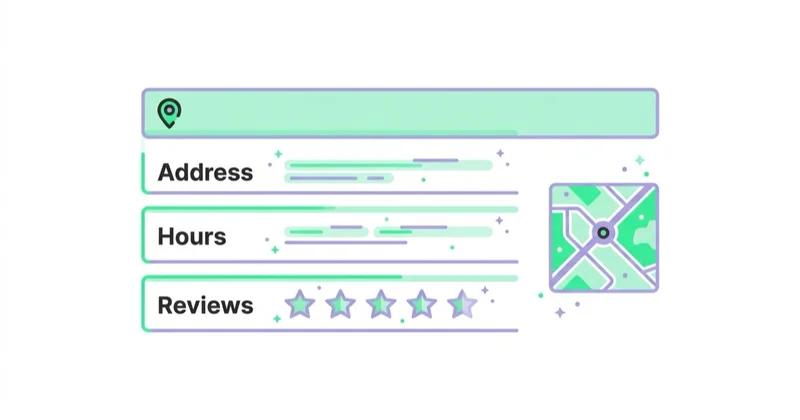
- address;
- map and service area;
- opening hours;
- phone number;
- booking link;
- parking or access notes;
- local photos;
- events;
- community posts;
- reviews;
- Messenger response time.
Local users often visit a Page because they need a quick answer. If the Page is outdated, the business loses trust.
Facebook Page for B2B and services
B2B and service businesses should use a Page to build credibility and support demand generation.
Useful content:
- case studies;
- expert commentary;
- industry insights;
- webinar announcements;
- recruitment content;
- client questions;
- process explainers;
- team expertise;
- event recaps;
- testimonials.
In B2B, the Page may not close deals directly. It can still support trust during the research process.
How to measure Page performance
Do not measure only follower count.
Track:
- reach;
- engagement;
- link clicks;
- video views and retention;
- messages;
- response time;
- profile actions;
- website visits;
- lead quality;
- ad engagement audiences;
- post topics that create saves, shares or enquiries;
- assisted impact on paid campaigns.
Meta Page insights and Business Suite can show how content performs. Combine platform metrics with website analytics, CRM data and sales results where possible.
A simple weekly management routine
Weekly:
- review notifications;
- respond to comments and messages;
- check Page details for accuracy;
- publish or schedule planned content;
- review content performance;
- save repeated questions for future posts;
- check access and security alerts;
- review ad comments if campaigns are active;
- collect useful customer feedback.
Monthly:
- review best and worst posts;
- update content pillars;
- check Page CTA;
- review competitor activity;
- clean access where needed;
- audit organic-to-paid opportunities;
- update pinned content.
Common mistakes
| Mistake | Why it hurts | Better approach |
|---|---|---|
| Using a profile instead of a Page | Weak business tools and access control | Create a proper Page |
| One person controls everything | Risk of losing access | Use business ownership and access rules |
| Incomplete Page info | Low trust | Complete details and CTA |
| Ignoring messages | Lost enquiries | Build an Inbox process |
| Posting only promotions | Low engagement | Use content pillars |
| Expecting free reach only | Growth becomes unreliable | Combine organic and paid |
| No Instagram connection | Broken cross-channel workflow | Connect assets correctly |
| No review of insights | Content decisions become guesswork | Review performance regularly |
| No comment moderation | Brand risk | Monitor comments and ad comments |
How we approach this at Space Ads
At Space Ads, we audit a Facebook Page as part of Meta infrastructure before we judge content output. We check ownership, access, Instagram connection, Business Suite setup, CTA, contact details, Messenger process, comment moderation and whether Page activity can support paid audiences or lead flows. For ecommerce, the Page should reinforce catalogue, shop, remarketing and customer-service workflows without replacing the store. For local businesses, current hours, address, reviews and fast replies matter more than decorative posting. For B2B and services, we connect content pillars with proof, objections, lead quality and sales follow-up. A useful Page is maintained as an operational asset, not as a feed filled because a calendar needs posts.
FAQ
What is a Facebook fanpage?
"Fanpage" is a common informal term for a Facebook Page. The current platform language is usually Facebook Page. It is a public page for a business, brand, organisation or public figure.
Is a Facebook Page free?
Creating a Facebook Page is free. Running ads, producing content, using external tools or hiring support can create costs.
Does a business still need a Facebook Page?
In most cases, yes. Even when organic reach is limited, a Page supports brand verification, messaging, ads, Instagram connection, remarketing and customer service.
Can a Facebook Page replace a website?
No. A Page is controlled by Meta's platform rules and interface. A website is still the main controlled place for offers, SEO, analytics, conversion tracking and checkout.
How often should a Facebook Page post?
There is no universal frequency. It is better to publish useful, consistent content than to post daily without a purpose. The right rhythm depends on the audience, content resources and business goals.
Who should have access to a Page?
Only trusted people who need access. Use full control carefully, assign task access where appropriate and remove access when people leave the project.
Should Facebook and Instagram be connected?
Usually yes for businesses using both platforms. It can simplify management, inbox workflows, cross-posting and advertising setup. Make sure the correct assets and owners are connected.
What should be measured first?
Start with Page actions that match business value: messages, calls, website clicks, bookings, leads, shop clicks, content engagement and ad audience growth.
Conclusion
A Facebook Page is still useful when treated as a business asset rather than a casual posting channel. It supports trust, communication, paid media, remarketing, Instagram workflows and customer service.
The strongest Pages are complete, properly owned, actively monitored and connected to a clear content and advertising strategy. The weakest Pages are incomplete, controlled by one person, updated randomly and measured only by follower count.
Create the Page carefully, protect access, keep information current, respond to people and use content with a clear role. That is what makes a Facebook Page valuable in the modern Meta ecosystem.
Sources and further reading
- Facebook Help Center: Create a Facebook Page
- Facebook Help Center: Create and manage a Facebook Page
- Facebook Help Center: About Facebook Page access
- Meta for Business: Manage your Facebook Page
- Facebook Help Center: Connect or disconnect an Instagram account and your Page
- Facebook Help Center: See insights for your Facebook Page posts
Continue learning
- Meta Ads Audiences: How to Build Facebook Audiences
- Facebook Remarketing: How Meta Retargeting Works and Why Use It
- Facebook Lead Ads: What They Are and How to Launch Instant Forms
- Messenger Ads: What You Need to Know
- What Is Facebook Shop and How to Set It Up?
- How to Set Up and Manage an Instagram Shop
Continue reading
How to Engage Fans and Increase Reach with Facebook Posts
Facebook posts can still build reach and community when they are native, useful and measured properly. Learn Reels, video, groups, organic reach, boosting and engagement strategy.
How to Run Facebook Contests and What to Know
Facebook contests can build engagement, UGC and leads, but they need clear rules, Meta policy compliance, privacy discipline and relevant prizes.
How to Use Instagram Hashtags?
Instagram hashtags support discovery, classification and campaigns, but they are not a magic reach lever. Learn how to use precise tags with social SEO, captions and measurement.


































