
A WordPress store with WooCommerce is worth building when a business needs ownership, content flexibility, SEO control and a customizable commerce stack. It is not the best option when the team wants a fully hosted, low-maintenance ecommerce platform with fewer technical decisions. WooCommerce can be powerful and cost-efficient, but the real decision is not "free plugin vs paid SaaS." It is total cost of ownership: hosting, security, performance, updates, plugins, development, payments, analytics and ongoing maintenance.
WooCommerce works especially well for brands that already use WordPress, publish buying guides or educational content, need flexible landing pages, sell a mix of products and services, or want more control over the checkout and data model. It becomes risky when the store depends on cheap hosting, too many plugins, untested updates or no technical owner.
TL;DR
- WooCommerce is a customizable, open-source ecommerce platform built on WordPress.
- It is strongest when SEO, content, ownership and flexibility matter.
- It is not maintenance-free. Hosting, backups, security, plugin updates and performance are the store owner's responsibility.
- The plugin can be free, but the store is not free. Budget for hosting, development, paid extensions, payment processing, analytics, consent tooling, maintenance and support.
- Shopify is usually simpler operationally. WooCommerce usually offers more flexibility and ownership.
- WooCommerce can scale, but scale requires architecture. Caching, database health, search, checkout performance and integrations need active management.
- For content-led ecommerce, WooCommerce can be an excellent choice. For a team that wants the least technical overhead, a hosted platform may be better.
What WooCommerce is
WooCommerce is a WordPress ecommerce plugin that adds products, carts, checkout, orders, payments, shipping, taxes, coupons, customer accounts, reports and extensions to a WordPress site. Because it runs inside WordPress, it combines commerce with the publishing, page-building and content architecture that many teams already know.
That combination is the main advantage. A WooCommerce store is not just a product catalogue. It can also be a content hub, SEO asset, landing page system, lead-generation layer, educational library and campaign destination.
It also means the store inherits the responsibilities of a self-hosted WordPress site. The business or its agency must care about hosting, caching, plugin quality, theme quality, updates, backups, security, database size and technical monitoring.
When WooCommerce is worth it
WooCommerce is a strong option when the store needs more than a standard hosted storefront.
It is worth considering when:
- the business already uses WordPress;
- organic search and content marketing are core acquisition channels;
- product pages need rich educational content;
- category pages need custom copy, FAQs, comparison tables or guides;
- landing pages have to be flexible and fast to create;
- the catalogue has custom fields or non-standard product data;
- the store sells physical products, digital products, subscriptions, bookings, services or mixed offers;
- the team needs control over code, hosting, database and integrations;
- the business wants to avoid being locked into one hosted platform's admin model;
- a developer or WordPress partner is available for maintenance.
For a small or mid-sized business with content-led acquisition, WooCommerce can be a practical long-term platform. The key is to treat it as a maintained ecommerce system, not as a quick plugin installation.
When WooCommerce is not the best choice
WooCommerce is often a poor choice when the business wants the platform to remove as many technical decisions as possible.
Be careful when:
- there is no person responsible for updates and maintenance;
- the launch deadline is very tight and requirements are standard;
- the store will rely on the cheapest shared hosting available;
- every feature is solved by installing another plugin;
- the team has no process for staging and testing updates;
- the catalogue, search, filters or integrations are already complex;
- checkout uptime and support need enterprise-level guarantees;
- the brand wants a managed ecosystem more than ownership;
- internal teams are more comfortable with SaaS tools than WordPress.
In those cases, Shopify, BigCommerce, Adobe Commerce, a local SaaS platform or another specialist ecommerce system may be more suitable. WooCommerce can still work, but only if the technical model is designed properly.
WooCommerce vs Shopify
The most common comparison is WooCommerce vs Shopify. The right answer depends on the business model, team and tolerance for technical ownership.
| Area | WooCommerce | Shopify |
|---|---|---|
| Hosting | Self-hosted or managed WordPress hosting | Hosted by Shopify |
| Ownership | More control over code, database and hosting | More platform-managed structure |
| Maintenance | Store owner manages updates, backups and compatibility | Platform manages core infrastructure |
| Content flexibility | Very strong because of WordPress | Good, but less native content depth |
| App ecosystem | WordPress plugins and WooCommerce extensions | Shopify App Store |
| Checkout control | Flexible, but needs careful maintenance | Strong hosted checkout; deeper checkout customization depends on plan and features |
| SEO/content | Strong if implemented well | Strong for many stores, but less flexible for content-heavy builds |
| Technical risk | Depends heavily on hosting, plugins and maintenance | Lower infrastructure burden, platform dependency remains |
| Best fit | Content-led, custom, ownership-focused stores | Teams prioritising speed, simplicity and hosted operations |
Shopify is often better for teams that want to start quickly and avoid infrastructure management. WooCommerce is often better when the website is also a serious content, SEO and brand experience asset.
The decision should not be ideological. It should be based on requirements, operational capacity and future roadmap.
Total cost of ownership
WooCommerce is sometimes described as free because the core plugin is available without a subscription fee. That framing is incomplete.
A real WooCommerce budget can include:
- WordPress hosting or managed WooCommerce hosting;
- domain, DNS and email infrastructure;
- SSL and security tooling if not included by the host;
- premium theme or custom frontend development;
- paid WooCommerce extensions;
- payment gateway fees;
- shipping integrations;
- tax/VAT tooling;
- consent management;
- analytics and server-side tracking;
- backup tooling;
- staging environment;
- performance optimisation;
- developer maintenance;
- design and CRO work;
- SEO content and technical SEO;
- feed management for Google Merchant Center;
- customer support and admin training.
The question is not whether WooCommerce is cheap. The question is whether the business gets better strategic control for the money spent.
For a simple catalogue with standard requirements, Shopify may have a clearer cost structure. For a content-rich store with custom pages, SEO workflows and integrations, WooCommerce can become cost-effective because WordPress removes many content and publishing constraints.
Hosting and technical requirements
Hosting is one of the biggest WooCommerce success factors.
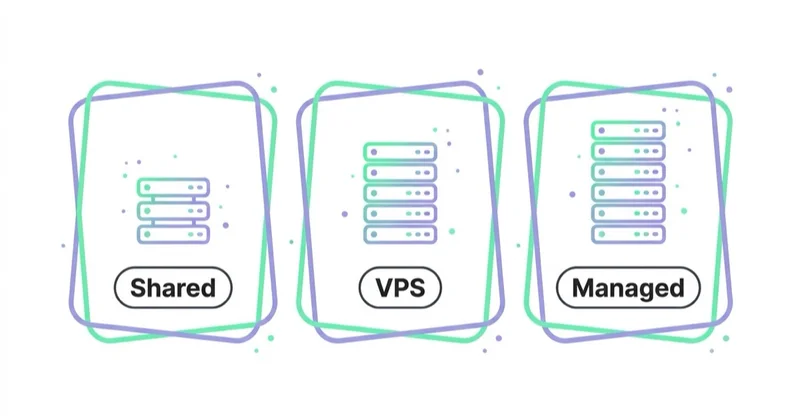
WooCommerce can run on many environments, but the official server recommendations for current WooCommerce versions are more demanding than old shared-hosting assumptions. The documentation for WooCommerce 10.8 and later recommends checking support for modern WordPress, PHP, MySQL or MariaDB, HTTPS and a sufficient WordPress memory limit.
In practical terms, a serious WooCommerce store should have:
- fast managed WordPress or WooCommerce hosting;
- PHP and database versions aligned with current WooCommerce recommendations;
- HTTPS everywhere;
- at least a staging environment;
- object caching where appropriate;
- full-page caching with ecommerce-safe exclusions;
- reliable backups;
- CDN support;
- image optimisation;
- monitoring for uptime and errors;
- a rollback process after problematic updates.
Cheap hosting can make WooCommerce look worse than it is. Slow database queries, overloaded servers, heavy themes and poor caching often create the real problem.
Performance and Core Web Vitals
WooCommerce stores need performance discipline because ecommerce pages usually contain product images, scripts, tracking tags, filters, reviews, recommendations, cart fragments, payment logic and third-party apps.
Core Web Vitals should be treated as a practical user experience framework:
- LCP checks whether the main content loads quickly enough;
- INP checks whether the page responds quickly to user interactions;
- CLS checks whether the layout stays visually stable.
For WooCommerce, common performance risks include:
- oversized product images;
- heavy page builders;
- too many plugins loading scripts site-wide;
- unoptimised product filters;
- slow database queries;
- no object cache;
- poor mobile layout;
- cart and checkout scripts loading where they are not needed;
- third-party tags delaying interaction;
- recommendation or review widgets shifting layout.
Performance work should start before launch. A store that is slow from day one becomes harder to fix after adding products, ads, tracking, reviews and integrations.
SEO advantages of WooCommerce
WooCommerce can be very strong for SEO because it sits inside WordPress.
That makes it easier to build:
- detailed category pages;
- product guides;
- comparison content;
- buying guides;
- use-case pages;
- FAQ sections;
- internal linking hubs;
- blog content that supports commercial pages;
- custom landing pages;
- long-form educational resources;
- schema-enhanced product and article pages.
This is valuable when users do research before they buy. Many ecommerce categories are not won only with product pages. They are won with helpful content that explains options, trade-offs, compatibility, sizing, use cases and buying criteria.
WooCommerce also gives control over URL structure, templates, metadata, internal linking and structured data. That control is useful only when used carefully. A messy WordPress site with thin categories, duplicated filters and slow pages will not perform just because it uses WooCommerce.
For technical SEO foundations, see What Is an SEO Audit and How to Do It Properly? and Meta Tags in SEO: How to Write Meta Title and Meta Description.
Content commerce use cases
WooCommerce is especially useful when content directly supports sales.
Examples:
- a skincare brand publishing ingredient guides and routines;
- a supplement brand explaining use cases and contraindications;
- a B2B supplier creating technical guides and compatibility pages;
- a furniture store publishing room inspiration and buying guides;
- a digital product business selling courses, templates or memberships;
- a niche brand using educational articles to reduce support questions;
- a local retailer combining service pages, advice content and ecommerce.
In these cases, the store is not just a checkout. It is a knowledge base and sales assistant. WordPress gives the editorial flexibility; WooCommerce adds the transaction layer.
Analytics, consent and measurement
A WooCommerce store should be built with measurement from the start.
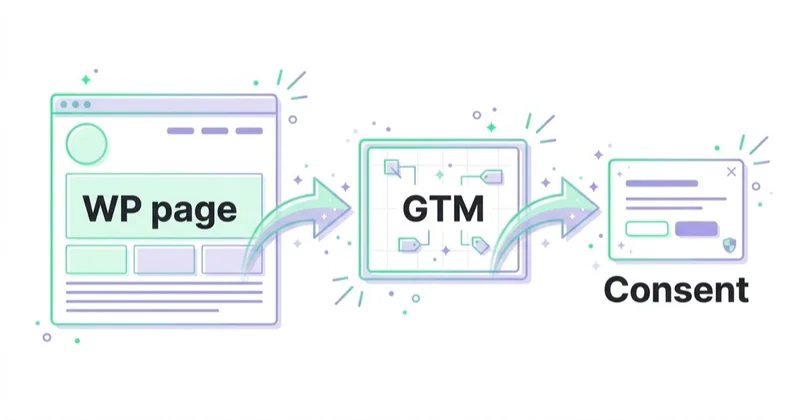
At minimum, prepare:
- GA4 ecommerce events;
- Google Ads conversion tracking;
- Meta Pixel and, where appropriate, server-side events;
- Consent Mode and a compliant consent management platform;
- product feed tracking;
- UTM discipline;
- checkout funnel reporting;
- revenue, margin and return data;
- separate reporting for new vs returning customers;
- dashboarding for acquisition, conversion and revenue.
The goal is not just to count orders. The goal is to understand which channels, pages, products and customer journeys create profitable growth.
For analytics setup, read Google Analytics 4 (GA4): Why Implement It and What Are the Benefits?, Consent Mode v2: What It Is and How to Implement It and How to Use Google Data Studio (Looker Studio).
Payments, shipping and tax
WooCommerce can support many payment, shipping and tax scenarios through extensions and integrations. This flexibility is useful, but it also creates implementation risk.
Before choosing WooCommerce, define:
- payment methods by market;
- refund process;
- invoice and tax requirements;
- VAT or sales tax logic;
- shipping zones;
- free shipping thresholds;
- courier integrations;
- pickup or local delivery needs;
- subscriptions or recurring payments;
- B2B pricing or wholesale rules;
- marketplace or ERP integration requirements.
Each requirement should be mapped to a reliable extension, custom integration or operational process. Avoid building a store where critical revenue logic depends on unknown plugin combinations.
Plugin strategy
WooCommerce's ecosystem is one of its strengths, but plugin sprawl is one of its biggest risks.
A healthy plugin strategy:
- chooses fewer, better-maintained plugins;
- checks update history and support quality;
- avoids overlapping features;
- tests updates on staging;
- documents what each plugin does;
- removes unused plugins;
- avoids plugins that load heavy scripts on every page;
- prefers official or reputable extensions for critical checkout functions;
- separates "nice to have" features from revenue-critical features.
Every plugin is also a dependency. A store with 60 plugins may work today and become fragile after a few update cycles. This does not mean plugins are bad. It means they need governance.
Security and maintenance
WooCommerce security is an operating model, not a single setting.
Important practices include:
- keep WordPress, WooCommerce, themes and plugins updated;
- use a staging environment before major updates;
- maintain daily backups;
- use strong admin access controls;
- remove unused accounts and plugins;
- protect login pages and admin access;
- monitor malware and file changes;
- use secure payment providers;
- keep PHP and database versions current;
- document rollback steps;
- check order emails, checkout and payment flows after updates.
The business should know who owns this work. If nobody owns it, WooCommerce becomes risky.
Migration considerations
Moving from another platform to WooCommerce can make sense, but migration should be planned carefully.
Key migration areas:
- product data;
- product variants;
- images and alt text;
- customer accounts;
- orders;
- coupons;
- reviews;
- URLs and redirects;
- metadata;
- structured data;
- product feeds;
- tracking and conversion history;
- email templates;
- checkout settings;
- payment and shipping rules.
The SEO risk is usually in URLs, metadata, internal links, canonicals, indexation, structured data and page speed. Migration should include a redirect map and post-launch monitoring in Search Console, GA4 and paid media accounts.
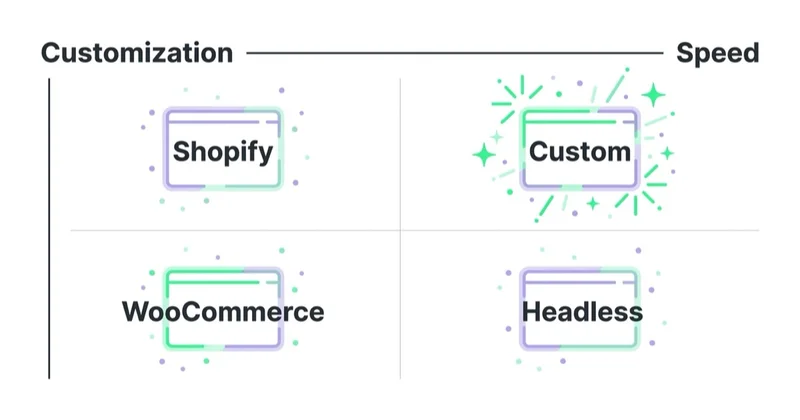
A practical decision framework
Use this framework before choosing WooCommerce.
| Question | If yes, WooCommerce is stronger | If no, consider another route |
|---|---|---|
| Is content a major sales driver? | WordPress is a strong advantage | Hosted ecommerce may be simpler |
| Is technical ownership acceptable? | Flexibility is worth it | SaaS may reduce operational burden |
| Are requirements custom? | WooCommerce can adapt | Standard platform templates may be enough |
| Is there a maintenance budget? | Long-term stability is realistic | Risk grows over time |
| Is SEO a serious acquisition channel? | WordPress can support deep content | Ads-first stores may not need that depth |
| Are integrations unusual? | Custom development is possible | Managed apps may be easier if standard |
| Is checkout scale very high? | Architecture must be planned | Enterprise or hosted platforms may be safer |
The best platform is the one that matches the operating reality of the business.
WooCommerce launch checklist
Before launch, check:
- hosting meets current WooCommerce recommendations;
- staging environment exists;
- backups are configured and tested;
- SSL works across the site;
- theme is compatible and lightweight;
- checkout works on mobile and desktop;
- payments, refunds and failed payments are tested;
- shipping zones and tax rules are tested;
- transactional emails are delivered correctly;
- GA4 ecommerce events are firing;
- ad conversion tracking is tested;
- consent mode and CMP behavior are checked;
- product feed is prepared for Merchant Center;
- category pages have useful content;
- product pages include clear copy and images;
- schema output is checked;
- XML sitemap is clean;
- robots and canonical logic are correct;
- redirects are ready if migrating;
- Core Web Vitals are reviewed;
- support process is documented.
For shopping feed work, see What Is Google Merchant Center and How to Manage It?.
How we approach this at Space Ads
We like WooCommerce for the control: we get full access to the site, plug in tracking and dataLayer easily, and build custom feeds without trouble. That same openness has a trap, though — it's easy to pile on plugins and put the store on cheap hosting, which quietly kills speed. And a slow site hits ads (worse Quality Score, lower conversion) and SEO at the same time. So with Woo we're strict about hygiene: as few plugins as possible, solid hosting, a lightweight theme. The freedom to instrument everything is also the freedom to slow everything down — and the latter happens more often than store owners think. Woo is a great choice when someone watches performance; it can become an anchor when the store turns into a patchwork of twenty plugins. We judge a platform by whether it keeps up with the pace paid traffic demands.
Common WooCommerce mistakes
| Mistake | Why it hurts | Better approach |
|---|---|---|
| Choosing the cheapest host | Slow store, poor checkout reliability | Use quality managed hosting |
| Installing too many plugins | Conflicts, bloat and update risk | Keep a controlled plugin stack |
| Skipping staging | Updates can break checkout | Test updates before production |
| Treating WooCommerce as free | Hidden maintenance costs appear later | Budget for total cost of ownership |
| Ignoring mobile performance | Most shoppers experience the site on mobile | Design and test mobile first |
| Thin category pages | Weak SEO and low helpfulness | Add useful, non-generic buying guidance |
| No analytics plan | Growth decisions become guesswork | Implement GA4, ads tracking and dashboards |
| No backup process | Recovery becomes slow or impossible | Use automated backups and restore tests |
| Copying platform defaults | Store feels generic and underspecified | Build templates around buying decisions |
Is WooCommerce good for small businesses?
Yes, WooCommerce can be a good fit for small businesses, especially when the business wants a website, blog and store in one flexible system. It is often attractive because entry costs can be controlled and the site can grow gradually.
However, small businesses should avoid underestimating maintenance. A small store still needs backups, updates, secure payments, performance checks and legal compliance. The smaller the team, the more important it is to keep the build simple.
Is WooCommerce good for larger stores?
WooCommerce can support larger stores, but the implementation must be engineered properly.
Large-store considerations include:
- database size;
- product variations;
- search and filtering;
- checkout load;
- caching strategy;
- ERP or warehouse integrations;
- queue processing;
- image scale;
- product feed scale;
- customer account performance;
- deployment process;
- monitoring and support SLAs.
For larger ecommerce operations, WooCommerce should be evaluated against Shopify Plus, BigCommerce, Adobe Commerce and custom commerce stacks. The decision should include both platform capabilities and the team's ability to maintain the architecture.
FAQ
Is WooCommerce free?
The core WooCommerce plugin can be used without a subscription fee, but a real store has costs. Hosting, premium extensions, development, maintenance, payment processing, analytics, security and support should be included in the budget.
Is WooCommerce better than Shopify?
Not universally. WooCommerce is usually better for ownership, WordPress content, flexible templates and custom requirements. Shopify is usually simpler for hosted operations, standard ecommerce workflows and teams that want less technical maintenance.
Is WooCommerce good for SEO?
Yes, WooCommerce can be very good for SEO because it uses WordPress and allows flexible content structures. SEO performance still depends on technical implementation, page speed, internal linking, product content, category content, structured data and indexation control.
Can WooCommerce handle a large store?
Yes, but scale requires planning. Hosting, caching, database optimisation, plugin governance, search, checkout performance and integrations need professional handling. WooCommerce should not be scaled casually on weak infrastructure.
What is the biggest WooCommerce risk?
The biggest risk is unmanaged complexity. Too many plugins, poor hosting, untested updates and unclear technical ownership can turn a flexible store into an unstable one.
Who should choose WooCommerce?
WooCommerce is a good fit for businesses that want control, content depth, SEO flexibility and a customizable ecommerce stack. It is especially strong for content-led ecommerce and stores that already rely on WordPress.
Who should avoid WooCommerce?
Teams with no technical support, no maintenance budget and no desire to manage hosting or updates should consider hosted ecommerce platforms first.
Does WooCommerce work with Google Ads and Merchant Center?
Yes. WooCommerce stores can use product feeds, conversion tracking, GA4 ecommerce events and Merchant Center integrations. The quality of the feed, tracking setup and product landing pages still determines how well the advertising system performs.
Conclusion
Building a WordPress store with WooCommerce is worth it when flexibility, content, SEO and ownership are strategic advantages. It can be an excellent choice for content-led ecommerce, specialist retailers, B2B stores, digital products and brands that want more control than a standard hosted platform provides.
It is not the easiest platform to run without technical support. WooCommerce needs good hosting, disciplined plugin choices, security processes, performance work and ongoing maintenance. When those elements are in place, it can be a strong long-term ecommerce foundation. When they are ignored, the store may become slow, fragile and expensive to fix.
The practical answer is simple: choose WooCommerce when the extra control creates business value and the organisation is ready to maintain it properly. Choose a hosted platform when operational simplicity matters more than deep customization.
Sources and further reading
- WooCommerce Documentation
- WooCommerce: WordPress Ecommerce
- WooCommerce Server Recommendations
- WooCommerce: Update PHP and WordPress
- Shopify Help Center: Pricing Plans and Billing Overview
- Shopify Help Center: Choosing the Right Plan
- web.dev: Web Vitals
Continue learning
Continue reading
How to Start an Online Store and What You Need to Know
Starting an online store takes more than a platform. Learn how to plan offer, products, payments, shipping, legal pages, analytics, Merchant Center and traffic.
What Is Q-Commerce and Why Is It Growing?
Q-commerce is quick commerce: fast local fulfilment built on nearby inventory, dense demand, mobile UX and last-mile economics that actually work.
What Is M-Commerce and How to Use It in Your Business?
M-commerce is the full commercial journey shaped by mobile behavior: mobile pages, apps, payments, checkout, social traffic, lead forms and interrupted multi-session decisions. This guide explains how to improve speed, UX, measurement and paid-media landing paths so mobile traffic can create real revenue or qualified demand.


































