
Shopify gives merchants a sound technical starting point: it generates canonical tags and sitemap files, provides an editable robots.txt.liquid template and lets you change page titles, descriptions, handles and image alt text. It does not decide which pages deserve to rank, how the catalogue should be linked, whether a filter creates useful search inventory or whether a product page answers a buyer's questions. That is where Shopify SEO begins.
This checklist is designed for a live store, not a theoretical platform comparison. It starts with indexation and commercial opportunity, then moves through collections, products, filters, structured data, international versions and performance. The objective is not to make every field in Shopify green. It is to help search engines discover the right pages and help shoppers make a confident decision when they arrive.
Shopify SEO checklist: the short version
- Confirm that important products, collections, pages and articles are crawlable, indexable and linked with standard HTML links.
- Map each valuable search intent to one primary page. Do not make several collections compete for the same query.
- Treat collections as buying guides, not containers for product cards. Add useful selection criteria, clear copy and deliberate merchandising.
- Use consistent product URLs in internal links, canonical tags and sitemaps. Check whether the theme creates collection-scoped product links.
- Decide which filtered views should be discoverable. Turn recurring, valuable filter demand into stable landing pages rather than indexing every parameter combination.
- Give priority products original evidence: specifications, use cases, sizing, compatibility, delivery, returns and genuinely helpful images or video.
- Keep product price, availability, identifiers, variants and structured data consistent with what shoppers can see.
- Measure Core Web Vitals with real-user data and attribute problems to specific theme code, apps, media or third-party tags.
- For Shopify Markets, verify market URLs, localized content, canonicals, hreflang and a submitted sitemap for every relevant domain.
- Track qualified organic sessions, non-brand visibility, product discovery, revenue and assisted conversions—not rankings alone.
What Shopify handles—and what still needs a decision
Shopify automates several foundations that would otherwise require development work. It creates a sitemap at the domain root, adds canonical tags to pages and provides a default robots file. With correctly configured Shopify Markets, the platform also manages market-specific canonicals, hreflang and sitemap entries.
Automation does not guarantee that the chosen canonical is the URL used throughout the theme, that every product is reachable by crawling or that a generated page has enough value to be indexed. Separate the platform's output from the store's strategy:
| Shopify can provide | The store still has to decide |
|---|---|
| Canonical tags | Which URLs internal links consistently point to |
| Generated sitemap files | Which submitted URLs should actually be indexable |
| Product and collection templates | Which intent belongs to each template and page |
| Native storefront filters | Which filtered views deserve organic visibility |
| Theme or app markup | Which system owns accurate structured data |
| Markets SEO automation | Whether each market has genuinely localized content and an indexable URL |
That distinction prevents a common audit failure: reporting that a feature exists without checking whether it supports the commercial objective.
1. Establish a crawl and index baseline
Before changing copy, determine what Google can find and what it has chosen to index. Export or record data from Google Search Console, the Shopify sitemap and a crawl of the storefront. Segment URLs by template rather than reviewing one undifferentiated list:
- home, product, collection, page and article URLs;
- localized market URLs;
- pagination and filtered URLs;
- redirected, canonicalized,
noindex, soft-404 and genuine 404 URLs; - products that receive impressions but few clicks;
- pages with organic sessions or revenue that must be protected.
The sitemap is a discovery aid, not proof of indexation. Important products should also be reachable through crawlable <a href> links from navigation, collections, related-product modules or editorial content. Google generally does not use a store's internal search box to discover the catalogue. If a product exists only in a sitemap, its internal prominence is weak even when it can technically be indexed.
This baseline also protects against accidental damage. Record organic clicks, impressions, average position, indexed-page patterns and revenue by landing page before consolidating collections or changing handles. A before-and-after comparison is far more useful than a generic claim that the site is now "SEO optimized."
2. Map search intent to the right Shopify page
The page type should match what the searcher wants to do. A broad product-type query often belongs to a collection because the visitor wants to compare options. A model name, SKU or highly specific attribute combination may belong to a product. An educational question belongs to a guide that can lead naturally to a relevant collection.
Build a simple page map for commercially meaningful queries:
| Search intent | Likely destination | Page must help the visitor do |
|---|---|---|
| Browse a product type | Collection | Compare, filter and narrow the choice |
| Find a known model or SKU | Product | Verify fit, value, availability and delivery |
| Shop by use case or recipient | Collection or curated landing page | Translate the need into suitable options |
| Resolve a pre-purchase question | Guide, FAQ or product section | Understand trade-offs and move to the right product |
| Find a brand, store or policy | Brand, About, delivery or returns page | Verify identity and reduce purchase risk |
Do not assume collections always outrank or matter more than products. Prioritize the combination of demand, business value, current visibility and the page type already represented in the results. The goal is one strong destination per intent, not a collection for every keyword variation.
3. Build a useful collection architecture
Shopify's own guidance recommends a logical path from the home page to collections and from collections to products. In practice, collection architecture should reflect how customers choose: category, use case, material, compatibility, audience, brand or another attribute that changes the buying decision.
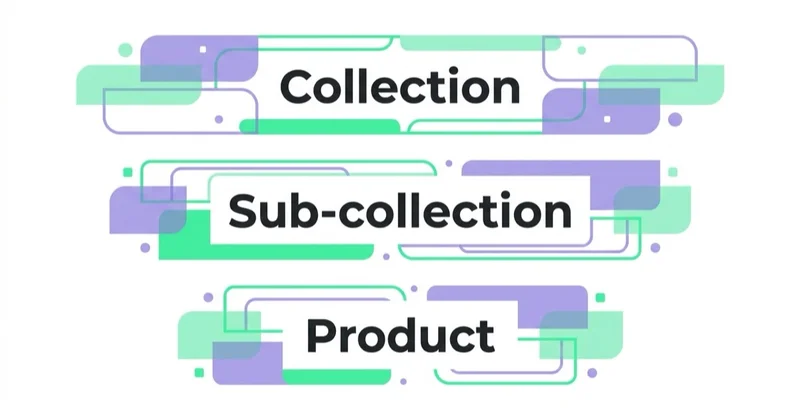
A collection deserves an indexable landing page when it has recurring demand, a stable product set and a distinct purpose. Temporary campaign collections, empty collections and near-duplicates should not automatically remain in the search inventory after their merchandising role ends.
For each priority collection, check:
- a specific title and description aligned with the page's actual range;
- one clear H1 and a readable introduction that does not bury the products;
- filters and sorting options that match real selection criteria;
- product cards with meaningful names, prices, availability and useful imagery;
- guidance on differences, sizing, compatibility or use cases where it helps the choice;
- links to relevant subcollections, products and supporting guides;
- a defined treatment for empty and expired collections;
- a canonical tag and indexability that match the decision for that page.
Collection copy has to earn its space. A short decision guide, comparison table or buying criteria may help more than 800 words of generic category text. Our detailed approach is covered in are category descriptions useful for ecommerce SEO.
/collections/all also needs a conscious role. It can support browsing and discovery, but it is not automatically the best organic landing page for a large catalogue. Assess its links, metadata, indexation and overlap with intentional collections rather than applying a universal keep-or-block rule.
4. Make product URLs and internal links consistent
Shopify uses fixed route prefixes such as /products/, /collections/, /pages/ and /blogs/. Standard store settings do not remove them, and there is rarely a business case for engineering around them. Clear handles, stable URLs and correct redirects matter more than cosmetically shorter paths.
Some Shopify themes can generate collection-scoped product paths such as /collections/shoes/products/example-shoe while the preferred product URL is /products/example-shoe. The alternate path may resolve correctly and canonicalize to the product URL, but it is still worth auditing what the theme links to.
Google recommends using the same URL in internal links, sitemaps and canonical tags. Consistency reduces unnecessary crawling and makes the preferred destination unambiguous. Check collection cards, predictive search, recommendations, breadcrumbs, editorial modules and language or market switchers—not just the main navigation.
When changing a handle:
- confirm the new URL improves clarity or reflects a lasting change;
- create and test a direct 301 redirect from the old URL;
- update internal links rather than relying indefinitely on redirects;
- update campaign, feed and canonical destinations where relevant;
- monitor 404s, indexing and traffic after release.
Avoid redirect chains and bulk handle changes made solely to insert keywords. A stable, well-linked URL is usually more valuable than a marginally "cleaner" replacement.
5. Control faceted navigation without harming shopping UX
Filters help people narrow a catalogue, but parameter combinations can create a very large URL space. Colour, size, material, availability and price filters may each be useful; every possible combination is not necessarily a useful search landing page.
Classify filtered states into three groups:
- Shopper-only filters. They improve on-site browsing but do not need organic visibility.
- Search-worthy combinations. They reflect stable demand and have enough products and distinct value to justify a dedicated collection or landing page.
- Invalid or empty combinations. They provide no useful result and should not become crawl targets.
For search-worthy combinations, prefer a stable, internally linked page with deliberate metadata, copy and product selection. Do not depend on an accidental parameter URL as a strategic landing page.
For shopper-only filters, choose crawl controls from evidence. A robots.txt disallow can reduce crawling, but it does not itself remove a URL already indexed, and a blocked crawler cannot see a page-level noindex or canonical signal. Canonicals and nofollow may be less effective at controlling a very large faceted space. Review the current URL patterns, index state and theme behavior before changing directives, then test the outcome in Search Console and server or crawl data.
Shopify permits edits to robots.txt.liquid, but a copied rule from another store can block valuable collections or products. Treat robots changes as code: define the target pattern, test examples that should and should not match, document the reason and monitor after deployment.
6. Keep pagination and incremental loading crawlable
Infinite scroll can improve browsing while hiding products from crawlers if loading depends only on a JavaScript interaction. Every product that should be indexed needs a discoverable URL, and paginated collection states need crawlable links with real href attributes.
Test the rendered collection without relying on scrolling or button clicks. Confirm that crawlers can move through the sequence, that each page returns the intended products and that canonical handling does not collapse genuinely different paginated content incorrectly. Sitemaps and feeds are valuable backups, but they should not replace navigational links throughout the catalogue.
7. Decide how variants and split products should work
Many Shopify products keep variants such as size or colour on one product page and use a ?variant= URL to preselect an option. Some catalogues instead create separate product pages for colours, bundles or configurations, and Shopify capabilities continue to evolve. The right structure depends on whether each variant has distinct search demand and enough unique information to justify a separate destination.
Use a single product page when variants are primarily choices within one offer and the buyer benefits from comparing them together. Use separate indexable pages only when a variation behaves like a distinct product—with its own demand, imagery, specifications, availability and useful content. If separate pages merely repeat supplier copy with a different colour name, consolidation is usually stronger.
Variant data also has to stay aligned across the page, URL, structured data and feed. A directly accessible variant state should show the correct image, price, availability and selection. Google supports ProductGroup and variant Product structured data for both single-page and multi-page models, but the implementation requirements differ. Do not install schema merely because an app advertises variant support; validate the rendered output against the actual storefront.
8. Improve the product pages that can change a decision
Original product copy is useful when it answers questions the manufacturer feed does not. Rewriting thousands of descriptions with synonyms is not a strategy. Prioritize products with demand, margin, inventory depth, emerging impressions or a clear differentiation opportunity.
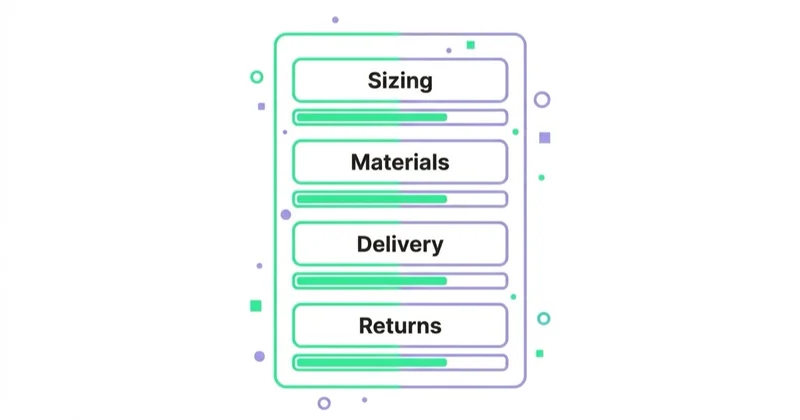
A strong product page can include:
- a precise name and summary of who the product is for;
- first-party specifications, dimensions, materials and compatibility;
- benefits connected to observable features rather than unsupported superlatives;
- original photography, video, diagrams or comparison assets;
- sizing, care, assembly, warranty or safety information where relevant;
- price, availability, delivery timing and returns information near the decision;
- authentic reviews and answers to recurring customer questions;
- related accessories, alternatives and a path back to the appropriate collection.
This content improves more than conventional rankings. Clear entities, attributes, evidence and concise answers make a page easier for search systems and AI interfaces to interpret and cite. That does not require writing robotic FAQ blocks for every phrase. It requires consistent facts, clear headings and claims that the business can substantiate.
For discontinued products, make a commercial decision before an SEO one. If an equivalent replacement or category genuinely satisfies the same need, a redirect may help. If the old product still has demand, links, support value or useful alternatives, keeping an informative unavailable page can be better than sending every discontinued SKU to a generic collection. Return a 404 or 410 when the page has no continuing value and no relevant substitute.
9. Give structured data one reliable source of truth
Product structured data can make price, availability, ratings, shipping and returns eligible for richer search presentations. Eligibility is not a guarantee that Google will show a rich result, and markup must match the content visible to the shopper.
On Shopify, markup may come from the theme, an SEO app, a reviews app or custom code. Multiple blocks are not automatically wrong: a page can legitimately describe related entities. The problem is duplicate or conflicting claims—for example two prices, two availability states or reviews attached to the wrong product.
Audit the rendered HTML and decide which component owns each entity. For a purchasable product, review Product or ProductGroup, Offer, identifiers such as SKU or GTIN, brand, price, currency, availability, reviews and breadcrumb markup. Also consider organization-level shipping and returns policy markup where the business can provide accurate data.
Validate representative templates and edge cases in Google's Rich Results Test and Search Console: products on sale, out of stock, with multiple variants, with and without reviews, and in different markets. Re-test after theme releases and app changes. The best schema implementation is the one that remains correct when catalogue data changes.
10. Share accurate product data beyond the page
On-page structured data and a Merchant Center feed complement each other. The page helps Google understand the storefront; the feed supplies structured product inventory for shopping surfaces and can expose discrepancies that damage both paid and organic product visibility.
Keep identifiers, titles, variant URLs, images, price, sale price, currency, availability, shipping and returns consistent. Diagnose mismatches at their source rather than patching them separately in several tools. Our guides to Shopify, Google Shopping and Performance Max and product feeds explain the paid and feed layers in more detail.
11. Optimize images without weakening merchandising
Product imagery has to sell the item and remain usable on a mobile connection. Use descriptive filenames where practical, concise alt text that communicates the image's purpose and dimensions that fit the rendered slot. Do not stuff every alt attribute with the same category keyword; decorative images can have empty alt text.
Check oversized hero assets, unnecessary autoplay video, offscreen media loading and layout shifts caused by missing dimensions. Compression should preserve the detail a buyer needs to inspect. The goal is not the smallest possible file at the cost of the product presentation—it is the right format, dimensions and loading behavior for each placement.
12. Measure theme, app and third-party performance
App count alone does not diagnose performance. Some apps do not add storefront code; others load substantial JavaScript, styles, pixels or widgets. Theme logic, fonts, media, consent tools and advertising tags may be equally important.
Shopify's Web Performance reports provide real-user Core Web Vitals for Largest Contentful Paint, Interaction to Next Paint and Cumulative Layout Shift. Use that field data to find affected templates and time periods, then use controlled tests to attribute the cause. Lab tools are useful for diagnosis but should not be presented as proof of what every customer experiences.
For each suspected app or component, ask:
- where and when does it load;
- what user or business function does it provide;
- could it load only on relevant templates or after interaction;
- is there a lighter native or theme implementation;
- what changed in field and conversion data after the release?
Remove unused integrations through the correct process and inspect the theme for obsolete custom snippets or manually added tags. Modern app pixels and theme app extensions are designed to reduce direct theme modification, so do not assume every uninstall leaves code—or that every app is harmless. Verify the actual implementation.
13. Configure international Shopify SEO by market
Shopify Markets can automate hreflang, self-referencing canonicals and sitemap entries when domains, languages and localized content are configured correctly. That removes repetitive technical work; it does not turn a translated template into a competitive local proposition.
For every target market, verify:
- an accessible market-specific domain, subdomain or subfolder;
- localized language, currency, product availability and commercial information;
- a self-referencing canonical and correct reciprocal hreflang relationships;
- internal links and selectors that preserve the user's market context;
- an XML sitemap submitted for each international domain or subdomain where required;
- no forced redirect that prevents known search crawlers from accessing alternatives;
- local delivery, returns, contact and legal information where applicable.
Research the market rather than translating the source keywords literally. Product terminology, units, category expectations and search-result competition differ. A market should be indexable when the business can serve it and the page provides a genuinely relevant experience.
14. Build trust that can be verified
E-E-A-T is not a Shopify setting or a schema type. For an ecommerce store, useful trust evidence includes transparent company identity, contact routes, delivery and return terms, warranty information, secure checkout, accurate product claims and clear authorship or review processes for expert content.
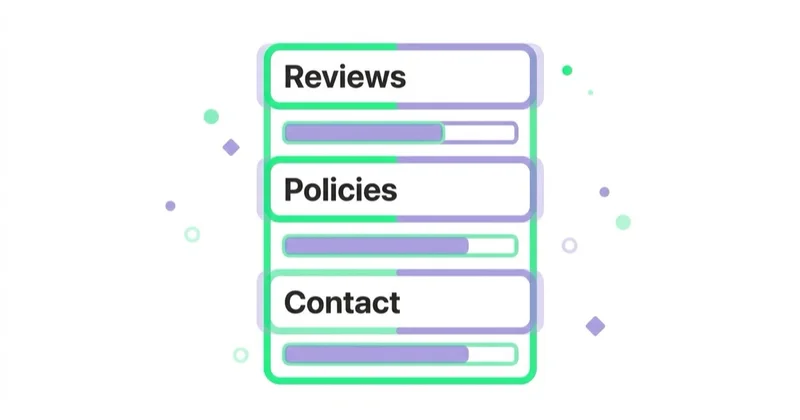
Show evidence close to the claim it supports. If a product requires expertise, explain how it was selected, tested or specified. If a guide makes health, safety, financial or environmental claims, reference authoritative evidence and review it appropriately. Avoid inventing testing processes, customer results or operational practices merely to make a page sound experienced.
This is also good conversion work. The same information that helps a search system understand who stands behind a page reduces uncertainty for a customer deciding whether to buy.
A practical order of work
Trying to optimize every URL at once usually produces metadata activity rather than measurable improvement. Use this sequence:
- Protect the baseline. Record organic performance, revenue pages, indexation and current Core Web Vitals.
- Fix discovery and control. Resolve broken links, redirect chains, accidental
noindexrules, canonical inconsistency and crawl traps. - Map opportunity to pages. Decide which collections, products and guides should own valuable intents.
- Strengthen priority templates. Improve collection selection support, priority product evidence and internal linking.
- Align machine-readable data. Reconcile page facts, structured data, variants and product feeds.
- Improve international and performance layers. Work from market demand and measured real-user bottlenecks.
- Measure by cohort. Compare changed pages with an appropriate baseline and annotate releases.
If the store is moving platforms, redirects, parity checks and launch monitoring need their own plan. See ecommerce replatforming without losing search visibility.
How to measure Shopify SEO
Rankings are diagnostic, not the final business outcome. Build reporting from page groups and search intent so that a change can be evaluated properly.
Track:
- non-brand clicks and impressions for priority categories and products;
- valid indexed pages versus the intended index inventory;
- organic landing-page sessions, product views, add-to-cart rate and revenue;
- assisted conversions where research and purchase happen in different sessions;
- rich-result and Merchant Center errors;
- crawl patterns for filters, alternate URLs and redirects;
- Core Web Vitals by template and device;
- performance by market and language;
- changed-page cohorts against untouched or historical baselines.
Annotate theme releases, app installs, navigation changes, product migrations and major content updates. Without release context, a report can describe movement but cannot explain it.
Common Shopify SEO mistakes
| Mistake | Better approach |
|---|---|
| Optimizing every product before mapping demand | Prioritize the pages with commercial opportunity and a clear role |
| Creating a collection for every campaign or filter | Create indexable pages for stable, distinct buyer intents |
| Assuming a canonical tag fixes all URL inconsistency | Link internally to the preferred URL and keep sitemap and canonical signals aligned |
| Blocking parameters to remove them from the index | Separate crawl control from de-indexation and validate the current index state first |
| Adding long collection copy for keyword density | Add concise selection help that improves the shopping decision |
| Rewriting supplier copy with synonyms | Add first-party facts, expertise, images, comparison and service information |
| Installing another schema or SEO app without inspection | Assign ownership and validate the rendered output |
| Blaming all performance issues on app count | Attribute real-user problems to specific code and business functionality |
| Translating one store into several languages | Localize the offer, terminology, service information and market architecture |
FAQ
Is Shopify good for SEO? Yes. Shopify supplies a solid technical base and can support strong organic visibility. Results depend on catalogue architecture, content quality, internal linking, storefront performance and demand—not on removing every platform-specific URL convention.
Can you remove /products/ or /collections/ from Shopify URLs?
Not through standard Shopify routing. These prefixes are part of the platform's structure. Stable handles, direct internal links and correct redirects are more valuable than attempting to remove them for appearance alone.
Do Shopify products always have duplicate collection URLs? Themes can create collection-scoped product paths, but the links a shopper and crawler encounter depend on the theme implementation. Audit rendered links and canonical tags on the actual store instead of assuming every theme behaves identically.
Should Shopify filter pages be indexed? Only selected filtered intents may deserve organic landing pages. When demand is stable and the product set is useful, create a controlled collection or landing page. Most arbitrary combinations should remain shopping tools rather than search inventory.
Do variants cause duplicate content? Not automatically. Variants commonly share one product page, while some stores use distinct URLs or split products. Choose the model based on buyer experience, search demand and the amount of distinct information, then keep canonicals, structured data and feeds consistent.
How much text should a collection page have? There is no universal word count. Use enough content to explain the range and help someone choose without pushing the catalogue out of view. A clear introduction, decision criteria and relevant internal links usually matter more than length.
How many Shopify apps are too many? There is no useful threshold based on count. Measure what each app loads, where it loads, the function it provides and its effect on real-user performance and conversion.
Does Shopify handle structured data automatically? Themes commonly provide some markup, and apps can add more. Coverage and quality vary. Inspect and validate the rendered data rather than assuming Shopify or an app has completed the job.
How long does Shopify SEO take? Technical fixes can be released quickly, but recrawling, index consolidation and ranking changes take time. The schedule depends on store size, crawl frequency, competition and the scale of the change. Set checkpoints for implementation, recrawl and commercial impact rather than promising a fixed ranking date.
Sources and further reading
- Shopify Help Center — SEO overview
- Shopify Help Center — finding and submitting your sitemap
- Shopify Help Center — editing robots.txt.liquid
- Shopify Help Center — international SEO for markets
- Shopify Help Center — Web Performance reports
- Google Search Central — ecommerce site structure
- Google Search Central — ecommerce URL structure
- Google Crawling Infrastructure — managing faceted navigation
- Google Search Central — product structured data
- Google Search Central — product variant structured data
Key takeaways
- Shopify automates important foundations, but the store must still decide which pages deserve visibility and how they connect.
- Start with crawlability, indexation and intent mapping before rewriting descriptions.
- Use collections for distinct, recurring buyer needs and make them useful comparison environments.
- Keep internal links, canonicals and sitemap URLs consistent; audit theme-generated product paths rather than relying on assumptions.
- Control filters, variants and split products according to user value and search demand, not a blanket rule.
- Align visible product facts, structured data and feeds, then validate representative edge cases.
- Measure real-user performance and commercial outcomes by template, market and changed-page cohort.
Continue reading

What an ASO Service Should Deliver (and When You Do Not Need One)
ASO should deliver research, store-specific metadata, creative tests and a reusable learning system—not a promised ranking. Here is the scope, evidence and ownership to expect.

App Store Optimization (ASO): How It Works and How It Differs From SEO
ASO improves app discovery and product-page conversion, but Apple and Google use different metadata, behavioural signals and testing tools. Learn what is officially documented, what remains an operating hypothesis, and how to coordinate store work with paid acquisition.

AI SEO Tools and Visibility Platforms: What They Do Not Fix
Six categories of AI SEO tools, what each one genuinely solves, and the decisions no visibility platform can make on your behalf.


































