
Google Keyword Planner is a research and forecasting tool inside Google Ads. It suggests keywords related to products, services or websites, reports historical search estimates and advertiser competition, and forecasts clicks, impressions, cost or conversions for a proposed Search campaign.
It is useful because the underlying estimates come from Google's advertising system. It is easy to misuse because it was built to plan paid Search campaigns—not to measure SEO difficulty, interpret customer intent or guarantee future traffic.
Use it as one evidence source. Combine it with the live search results, Search Console, advertising search terms, customer language and commercial economics before deciding what to bid on or publish.
TL;DR
- Complete Google Ads account setup and enter billing information to access basic Keyword Planner features. Google does not say that you must launch a campaign merely to discover ideas.
- The main workflows are Discover new keywords and Get search volume and forecasts. Google also offers Organize keywords into ad groups in English.
- Average monthly searches are historical exact-match statistics that include close variants. They are rounded, default to a 12-month average and are calculated for selected location and Search Network settings—but Google says the term count is averaged regardless of language.
- Competition describes how many advertisers showed for a keyword relative to keywords across Google. It is not organic ranking difficulty.
- Top-of-page bid low/high are approximately the 20th and 80th percentiles of historical bids that resulted in top-of-page ads, currently based on the last 30 days. They provide auction context, not proof of conversion intent or the CPC you will pay.
- Forecasts are refreshed daily using recent data, currently the previous 7–10 days, adjusted for seasonality. Actual results still depend on bids, budget, ad quality, targeting, customer behaviour and market change.
- Very low-volume and sensitive keywords may be unavailable. A missing estimate does not prove no customer need, but it also does not justify a traffic forecast.
- Use Keyword Planner for demand sizing and campaign planning; use SERP analysis, first-party data and business research to understand intent and value.
What Keyword Planner is—and is not
Google describes the tool as a way to research keywords for Search campaigns. It can help you:
- discover related terms from words or a website;
- estimate historical search demand;
- inspect advertiser competition and top-of-page bid ranges;
- group ideas into categories or ad groups;
- forecast campaign traffic and cost under selected assumptions;
- compare demand by location and time;
- move selected keywords into a plan or campaign.
It does not directly tell you:
- how hard an organic result will be to outrank;
- which searcher persona used the query;
- whether a click will become revenue or a qualified lead;
- how much incremental demand the campaign will create;
- which page format deserves to rank;
- what every long-tail variation is worth;
- what actual CPC, impression share or conversion rate your account will achieve.
Those are separate research, auction and business questions.
How to access Google Keyword Planner
In Google Ads, go to Tools → Planning → Keyword Planner. Google currently requires the account setup to be completed with billing information before basic functions such as keyword suggestions become available.
The interface, columns and data precision can vary with account configuration, market and eligibility. Some users may see broad search-volume ranges rather than a single rounded value. Do not assume that starting or increasing spend will automatically unlock a specific display mode unless the current account guidance states it.
Before researching, verify:
- the client or child account being used;
- billing currency;
- location and Search Network settings;
- date range;
- whether Google or search partners are included;
- login route through a manager versus direct child-account access.
Google notes that logging directly into a child account versus entering through a manager account can produce data discrepancies in Keyword Planner. Record the setup so repeated research remains comparable.
The three Keyword Planner workflows
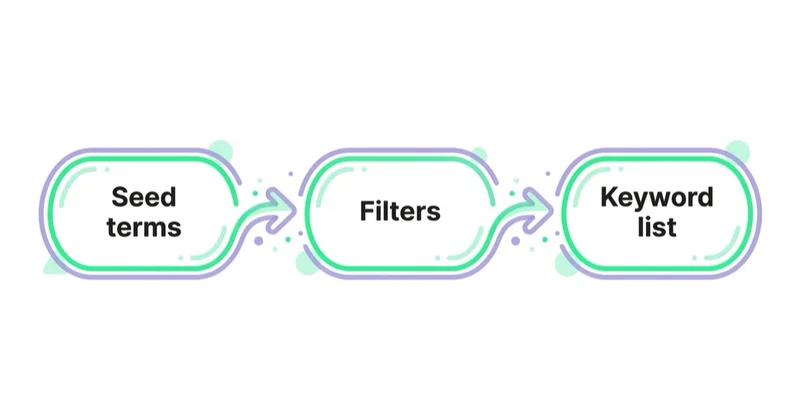
1. Discover new keywords
Use this when the team needs to expand the vocabulary around an offer.
You can start with:
- words or phrases describing the product or service;
- seed phrases plus your domain, which helps Google exclude irrelevant ideas;
- a website or specific page, from which Google derives ideas based on page content.
Google notes that hyperlink contents are not used to generate ideas. A keyword plus a URL can produce more ideas than the URL alone.
Discovery results can be filtered by competition, text, bid and other columns, or refined through categories such as brands and attributes. Treat the output as candidates for review—not a campaign ready to upload.
2. Get search volume and forecasts
Use this when you already have a shortlist. Paste the terms or upload a CSV. Historical metrics describe past searches; forecasts estimate future advertising outcomes under a chosen budget, bid strategy, date range and match-type setup.
This workflow is better for:
- comparing a cleaned list;
- estimating a Search campaign budget;
- exploring different locations;
- checking seasonality;
- testing how bid or budget assumptions change forecast traffic;
- avoiding duplicate counting from an unfiltered idea export.
Google accounts for overlap among similar keywords within a plan to some extent, but says cross-campaign competition is not included in the same way. A spreadsheet sum of all keyword volumes is not a reliable unique-audience estimate.
3. Organize keywords into ad groups
Google currently offers automatic keyword organisation in English. You can provide words, a website or an uploaded list, and the tool proposes ad groups that can be reviewed and edited before upload.
Use the groupings as a draft. Check whether each group can share:
- the same search intent;
- a relevant landing page;
- a coherent ad message;
- similar economics and conversion goal;
- appropriate negatives and match types.
Semantic similarity alone is not enough. “Free accounting template” and “accounting software for enterprises” may be topically related but require different offers, pages and economics.
How to use Discover new keywords step by step
Step 1: frame the commercial decision
Write down whether the research supports a campaign launch, market comparison, content architecture, product naming or forecast. The same keyword list is interpreted differently for each purpose.
Step 2: choose several independent seeds
Use:
- customer language rather than internal product names only;
- problem, category, feature and outcome phrases;
- a strong page from the site;
- modifiers such as service, supplier, price, near me, software, agency or alternative when relevant.
Do not seed only the wording the business wants customers to use. The tool is valuable precisely because it can reveal different market vocabulary.
Step 3: set location, network and period deliberately
A nationwide average may hide whether local demand supports a branch campaign. Combining countries can hide language, price and competition differences. Pull markets separately when budgets, landing pages or economics will be separate.
Check the network selection. Google Search and search-partner settings can change the volume basis, and not every partner accepts every advertising category.
Step 4: refine before exporting
Use category filters to remove irrelevant brands, products or attributes. Apply negative semantic filters carefully; over-filtering can hide unexpected customer language.
Export the remaining ideas with the settings and date noted. This preserves the source evidence when the interface updates later.
Step 5: classify intent manually
At minimum, distinguish:
- direct product or service demand;
- comparison and evaluation;
- informational research;
- troubleshooting or support;
- employment, education or do-it-yourself intent;
- existing-customer navigation;
- irrelevant homonyms, brands and acronyms.
Read the actual search results for ambiguous and high-priority queries. The mix of ecommerce pages, local results, videos, publishers, tools or forums shows what Google believes current users want. It can change over time and by location.
What each metric really means
Average monthly searches
Google defines this as the average number of searches for the keyword and its close variants based on the chosen month range, location and Search Network settings. The default average covers 12 months and, according to Google's help page, is calculated regardless of language.
Important limitations:
- the number is rounded;
- close variants are grouped;
- historical statistics use exact-match volume regardless of the match type chosen in the plan;
- averages flatten seasonal peaks and troughs;
- locations may not add up exactly because of rounding;
- current events and market change can make the past unrepresentative.
Use the monthly trend, not only the average, for seasonal categories.
Competition: Low, Medium or High
This is the number of advertisers that showed for the keyword relative to keywords across Google, specific to the selected location and Search Network settings.
It measures advertising competition, not:
- organic ranking difficulty;
- number of strong SEO pages;
- keyword intent;
- likely conversion rate;
- the competitiveness of another platform.
A low-competition term can be difficult to rank for if organic results are dominated by authoritative sources. It can also be easy to rank for and commercially worthless.
Top-of-page bid: low and high range
Google describes these values as historical bids that resulted in an ad appearing at the top of the first results page:
- low range: approximately the 20th percentile;
- high range: approximately the 80th percentile.
The current help page says bid-range statistics use the last 30 days. They depend on selected location and network and may be absent when bid history is limited.
These ranges are valuable context about the auction, but do not equal:
- the actual CPC the account will pay;
- the bid required for a specific ad position;
- a conversion rate;
- customer lifetime value;
- proof of commercial intent.
Bid and ad quality interact. High bids may suggest that advertisers perceive value, but they can also reflect expensive lead economics, aggressive competition or inefficient behaviour. Validate with your conversion and margin data.
Three-month and year-over-year change
These columns help identify direction and unusual movement. Low-volume terms can show volatile percentages from small bases. Inspect the monthly chart and related business events before calling a term a durable trend.
Organic impression share
Where available and when Search Console is connected, this indicates the percentage of web searches for a keyword in which a listing from the site appeared. It is not the site's organic click share or ranking position.
Ad impression share
Keyword Planner calculates this from the account's impressions divided by total exact-match searches for the selected location and network in the last calendar month. Google notes that it differs from campaign-management impression-share columns, which use eligible impressions.
Currency
Bid and cost estimates use the Google Ads account's currency. Confirm it before comparing countries or exporting figures to a commercial plan.
Historical volume and forecasts answer different questions
Historical search volume asks how often a term and its close variants were searched under the selected settings. A forecast estimates what a proposed campaign might receive.
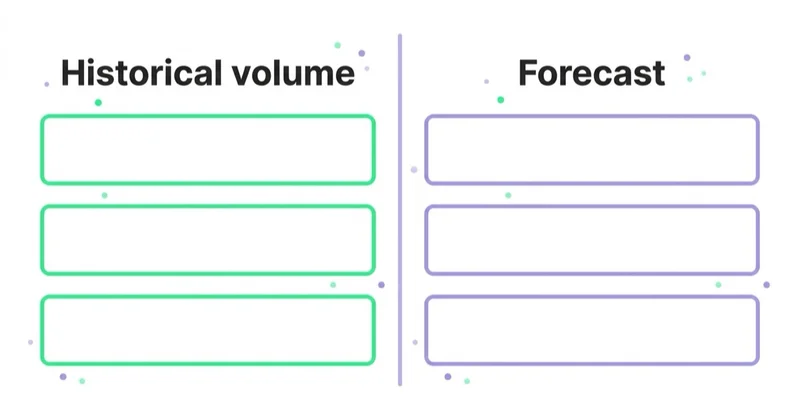
Google says forecasts are refreshed daily, use the previous 7–10 days and are adjusted for seasonality. Forecasted impressions account for:
- bid and budget;
- seasonality;
- historical ad quality;
- selected match types;
- recent market behaviour;
- location and network settings.
New accounts may receive a rough average based on historical advertiser data because Google lacks sufficient account-specific performance. Forecasts for small geographic areas can also be less accurate.
A responsible forecast should be a range
Do not copy one forecast number into a board plan as a promise. Create scenarios:
- conservative click and conversion rate;
- central case;
- stronger performance case;
- budget- or demand-constrained case.
Then connect forecast clicks to landing-page conversion, qualified outcome, sales rate and contribution. Keyword Planner does not know whether the sales team will follow up or whether the product margin supports the predicted CPC.
During unstable markets, Google recommends planning weekly rather than monthly or quarterly. Even in stable markets, refresh the forecast before major seasonal or budget decisions.
Where Keyword Planner can mislead
1. Reading advertising competition as SEO difficulty
This is the clearest error. Use the competition column for paid-market context. Assess organic competition by reviewing the results, page types, content quality, relevance and the site's ability to satisfy the intent.
2. Treating bid ranges as an intent score
A high range can prompt closer commercial investigation, but cannot prove that the query converts. A low range can reflect little advertiser competition, a difficult business model, policy limits or mainly informational intent. Read the query and results before assigning a funnel stage.
3. Adding volumes as if every keyword were unique
Close variants, semantic overlap and the same user making multiple searches make spreadsheet totals larger than addressable people. Keyword Planner attempts to account for overlap in forecasts, but raw historical volume sums remain easy to overstate.
4. Ignoring exact-match versus forecast match types
Historical average monthly searches use exact-match statistics even when broad or phrase match is selected. Forecast clicks and impressions do take match type into account. Do not compare the two as if they use identical reach logic.
5. Averaging away seasonality
A 12-month mean does not show whether most demand occurs in six weeks. View monthly history, align it with the buying cycle, and plan budgets and creative before the peak.
6. Assuming a missing estimate means no need
Google says very low-volume or sensitive keywords may not be discoverable or forecastable. Health and finance queries are explicit examples. Long and specific questions can also fall below reporting thresholds.
Use customer calls, on-site search, Search Console, support tickets and sales data to decide whether the need deserves content. But do not convert “people ask sales this question” into an unsupported search-traffic forecast.
7. Using keyword ideas without reading the searcher
Head terms often combine different audiences. “Affiliate marketing” can describe learning to become an affiliate, finding software, joining a programme or hiring management support. The commercially correct keyword may have lower volume and much stronger fit.
8. Treating a forecast as a guarantee
Google explicitly says actual performance depends on bid, budget, ad quality, targeting, product, abuse trends and customer behaviour. Forecasts are inputs for scenarios and capacity planning, not contractual outcomes.
Keyword Planner for PPC, SEO, LLM visibility and AEO
Paid search
Use Planner to understand demand, auction ranges, seasonal patterns and possible campaign scale. Then validate through the live search terms report, conversion quality and contribution.
Match types determine how keywords connect to actual queries. Historical Planner volume does not replace that decision; read our guide to Google Ads keyword match types.
SEO
Use demand estimates to prioritise topics and information architecture, but inspect the actual SERP and website fit. Pair Planner with Search Console queries, on-site search, competitor-category coverage and technical crawl/indexing evidence.
One page may serve several close variants when they share intent. Do not create a separate thin page for every exported phrase.
Answer engine optimisation and LLM discovery
Question-shaped and specialist queries can matter even when search volume is unavailable. Build content when the question is important to the user journey, has a reliable answer and supports the organisation's expertise.
Make answers easy to extract and verify:
- use a direct definition or summary;
- distinguish conditions and exceptions;
- show calculations or decision criteria;
- cite primary sources;
- state the effective date for changing information;
- connect the answer to a complete, useful explanation.
Keyword Planner does not report how often a topic appears in an AI assistant or whether a brand will be cited. It can inform vocabulary, but it is not an LLM visibility measurement tool.
A workflow that ends in a decision
1. Define the scope
Record the business, market, language of the landing page, products, exclusions, commercial outcome and whether the work supports PPC or content.
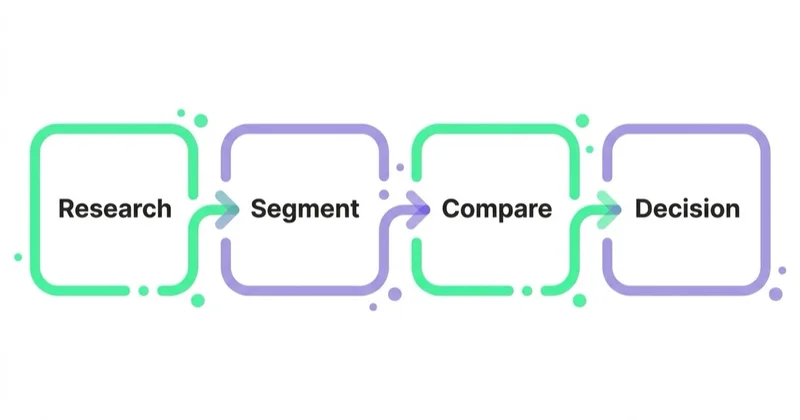
2. Discover broadly
Use several seeds, the relevant domain/page and category filters. Export with location, network, date and currency recorded.
3. Clean manually
Remove or label:
- irrelevant brands and navigational queries;
- employment, training and DIY intent where unsuitable;
- ambiguous acronyms;
- support queries from existing customers;
- prohibited or policy-sensitive areas;
- duplicate close variants.
Do not delete informational phrases automatically. They may help comparison, education or future demand; assign a role instead.
4. Cluster by intent and destination
Group terms that can share a proposition, landing page and economics. Separate clusters when the searcher expects a different product, geography or response.
5. Validate high-impact queries
Inspect live results, relevant first-party query data, page fit, customer evidence, policy and economics. For paid plans, check whether the landing page and conversion value exist before estimating scale.
6. Move the cleaned set into forecasts
Select match types, dates, locations, budget and bidding assumptions. Produce scenarios and note which inputs remain estimates.
7. Assign an action
Each cluster should end with one decision:
- launch or test in paid Search;
- build or improve a landing page;
- add to an existing content asset;
- monitor until demand or capability improves;
- exclude because intent, policy or economics do not fit.
8. Reconcile with live data
After launch, compare Planner expectations with actual query mix, CPC, impression share, conversion quality and contribution. Update negative keywords, landing pages and the planning model rather than blaming the forecast for being an estimate.
Common mistakes
| Avoid | Do instead |
|---|---|
| Calling competition “SEO difficulty” | Use it only as advertiser-competition context |
| Calling top-of-page bid “commercial intent” | Treat it as an auction signal and validate the actual query |
| Summing all idea volumes | Clean close variants and use forecast overlap logic |
| Forgetting historical stats are exact-match based | Distinguish historical demand from match-type traffic forecasts |
| Using the 12-month average for a peak-season budget | Review monthly history and plan by demand period |
| Assuming active spend guarantees exact-volume display | Use the data shown and document its precision |
| Treating no data as no customer need | Check first-party evidence without inventing traffic |
| Forecasting sales from clicks alone | Apply conversion, quality, sales and contribution assumptions |
| Building one SEO page per keyword | Cluster by intent and create one complete answer where appropriate |
How Space Ads uses Keyword Planner
We start with the commercial decision and create separate views for demand, intent and economics. Planner provides historical and auction context; live search results and first-party data determine whether the phrase represents the right customer and destination.
For campaign planning, we move only the cleaned clusters into forecasts, document location, network, date, match type, currency and conversion assumptions, and show scenarios rather than a single promised result. After launch, actual search terms and downstream value replace estimates wherever sufficient data exists.
For content strategy, we combine Planner with Search Console, customer questions and SERP analysis. Low or unavailable volume can justify a useful answer, but never a fabricated traffic claim.
FAQ
Is Google Keyword Planner free?
There is no separate Keyword Planner subscription fee. You need a Google Ads account and Google currently requires completed account setup with billing information for basic features such as new keyword ideas. You do not need to launch a campaign solely to use the discovery workflow.
Does Keyword Planner require active ad spend?
Google's current access documentation requires billing information, not an active campaign. The precision and features displayed can vary by account. Do not assume that spend automatically guarantees a particular volume format.
Why does Keyword Planner show ranges?
Some accounts or views may show bucketed volumes rather than one rounded number. Treat a range as the precision available and use it for broad prioritisation, not fine comparisons. Record the account and research settings when exporting.
Is Keyword Planner accurate?
It provides rounded historical estimates and scenario-based forecasts. Historical volume groups close variants and averages the selected period; forecasts use recent data, seasonality, bids, budgets and historical quality. It is useful for planning but not exact enough to promise results.
Does the competition column show SEO difficulty?
No. It describes the number of advertisers that showed for the keyword relative to keywords across Google under the selected location and network settings. Organic difficulty requires a separate review of current search results and website capability.
What do top-of-page bid low and high mean?
They are approximately the 20th and 80th percentiles of historical bids that resulted in top-of-page ads, based on location/network settings and currently the last 30 days. They are not guaranteed bids or CPCs.
Why do some keywords have no data?
Google may not discover or forecast very low-volume or sensitive keywords, including some health and finance topics. Missing data means the tool cannot provide the estimate; it does not by itself prove or disprove customer demand.
Does average monthly search volume include close variants?
Yes. Google defines the metric as searches for the keyword and its close variants. Historical statistics are exact-match based regardless of the match type selected, while traffic forecasts do account for match type.
Can Keyword Planner be used for SEO and AEO?
Yes, as a vocabulary and demand input. It does not measure organic difficulty, answer-engine visibility or LLM citations. Pair it with SERP analysis, Search Console, customer research and primary-source content.
Key takeaways
- Keyword Planner is an advertising research and forecasting tool, not a universal keyword truth engine.
- Use discovery for ideas, forecasts for a cleaned plan and auto-organisation only as a reviewed draft.
- Read average monthly searches as rounded, exact-match history with close variants and seasonal averaging.
- Competition is advertiser competition; bid ranges are auction context, not guaranteed intent or CPC.
- Forecasts use recent data and assumptions, so present ranges and business scenarios.
- Missing keyword data does not prove no need, but it cannot support a traffic promise.
- Validate every material cluster through intent, destination fit, first-party evidence and economics.
Learn more about our Google Ads management and Google Ads audit services.
Sources and further reading
- Use Keyword Planner — Google Ads Help
- About Keyword Planner forecasts — Google Ads Help
- About keyword match types — Google Ads Help
- About the search terms report — Google Ads Help
- Performance report and queries — Google Search Console Help
- What is a keyword matrix and how to use it
- Keyword n-gram analysis
Continue reading
Gemini Ad Formats: When the Ad Is Generated, Not Written
Google is testing and announcing Gemini-powered ad experiences across AI Mode and Search. Learn what each format does, what remains uncertain and how to prepare data, content and measurement.
Google Ads Experiments: Testing That Produces a Decision
A useful Google Ads experiment starts with a decision, an effect worth detecting and enough statistical power. Learn how to choose the test, split, metric and interpretation.
Google Ads Account Suspended: Why It Happens and What to Do
A Google Ads suspension requires evidence, not panic. Learn how suspension differs from a hold or pause, what the strike system covers and how to diagnose and appeal safely.


































