
Responsive display ads are asset-based Google Ads creatives that automatically adjust their size, appearance and format to fit available placements across the Google Display Network. Instead of designing every banner size manually, advertisers provide assets such as images, logos, headlines, descriptions and videos. Google then combines those assets into different ad variations and optimizes delivery based on available signals.
Responsive display ads are useful because they scale creative production, but they do not remove the need for strategy. Performance depends on asset quality, audience strategy, bidding, landing pages, conversion tracking and placement control. In 2026, they also need to be understood in the context of Google's move toward Demand Gen and broader AI-driven, asset-based campaign systems.
TL;DR
- Responsive display ads, or RDAs, are the default asset-based ad format for the Google Display Network.
- Google combines uploaded assets into different layouts. Assets can include headlines, long headlines, descriptions, images, logos and videos.
- RDAs are flexible but less layout-controlled than static image ads. They are strong for scale, testing and coverage, but not always ideal for strict brand placements.
- Asset quality is the main lever. Strong images, varied headlines, clear descriptions and useful logos give Google's system better combinations to work with.
- Display should not be judged only by last-click conversions. Remarketing, assisted demand, view-through behavior, reach, frequency and audience quality may all matter.
- Google announced in May 2026 that Google Display Ads is moving into Demand Gen, with migration expected to complete by 2027. Display creative should now be planned alongside Demand Gen, Performance Max and broader visual assets.
- RDAs still need governance. Exclusions, brand safety, frequency, landing pages, conversion tracking and asset reporting all need regular review.
What responsive display ads are
Responsive display ads are ads built from assets rather than fixed banner files. The advertiser uploads creative ingredients, and Google Ads renders combinations that can fit different ad spaces.
Typical assets include:
- business name;
- short headlines;
- long headline;
- descriptions;
- landscape images;
- square images;
- logos;
- videos;
- final URL;
- optional product feed for dynamic use cases.
Google's own help documentation describes responsive display ads as ads that automatically adjust size, appearance and format to fit available ad spaces. This is the core advantage: one asset set can serve in many placements without manually exporting dozens of banner dimensions.
How responsive display ads work
The process has four parts.
1. Upload assets
The advertiser provides multiple creative assets. The more useful variation the system has, the more combinations it can test.
Good assets are not just different file names. They should communicate different angles:
- product-focused image;
- lifestyle image;
- use-case image;
- brand logo;
- benefit headline;
- problem headline;
- urgency headline;
- trust headline;
- clear offer description.
If every headline says nearly the same thing, the system has little real variation to test.
2. Google generates combinations
Google arranges assets into ad formats suitable for different inventory. A headline may appear with one image in one placement and with another description in another placement. Some formats may include a logo, others may not. Some crop images differently.
This is why assets must work independently. A headline should make sense even if paired with several images. An image should communicate the product or value even when cropped.
3. Ads serve across eligible Display inventory
Responsive display ads can appear across Display inventory such as websites, apps and Google properties where eligible. Google's responsive display ad best practices documentation says Display Ads appear across millions of websites, hundreds of thousands of apps and properties such as Gmail and YouTube.
Actual serving depends on campaign settings, audiences, bidding, policy approvals, asset eligibility, placements, exclusions and budget.
4. Performance data informs optimization
Google evaluates combinations and delivery signals. The system can favor assets and combinations that are more likely to help achieve campaign goals. This does not mean every decision is correct for the business. The advertiser still needs to review asset performance, placements, conversion quality and profitability.
Responsive display ads vs static image ads
Both formats can be useful.
| Area | Responsive display ads | Static image ads |
|---|---|---|
| Production | One asset set can create many combinations | Each size must be designed manually |
| Layout control | Lower | Higher |
| Scale | Strong | Limited by available sizes |
| Testing | Automated combinations | Manual creative testing |
| Brand precision | Good if assets are disciplined | Stronger for strict brand layouts |
| Placement fit | Adapts to many spaces | Serves only where matching sizes exist |
| Creative governance | Requires asset-level QA | Requires design-level QA |
RDAs are usually better for coverage and speed. Static image ads are better when a brand needs exact layout control, campaign-specific creative systems or premium placements where composition matters.
The practical approach is often hybrid: use responsive display ads for scale and learning, then use static ads for key campaigns, strict brand moments or placements where design control matters.
What assets should be prepared?
Images
Images are the most important creative asset in display. Google's best practices emphasize high-quality images and warn against common problems such as overlaid logos, overlaid text, button-like elements, collage images and images where the product or service is not the focus.
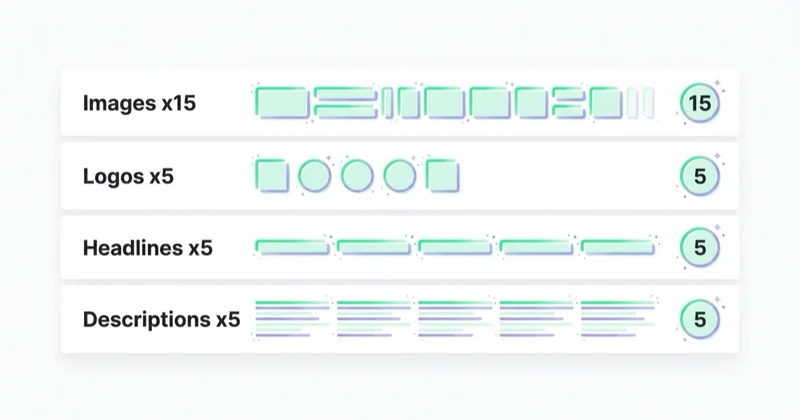
Prepare:
- landscape images;
- square images;
- product or service images;
- people or use-case images where relevant;
- clean background variants;
- visual variants for different funnel stages;
- images that still work when cropped.
Avoid:
- tiny product details;
- heavy text inside the image;
- fake buttons;
- cluttered collages;
- low-resolution screenshots;
- generic stock photos with no relation to the offer;
- images where the main subject sits at the edge and may be cropped.
Logos
Logos help brand recognition, but they should be clear at small sizes. Provide clean versions with enough contrast. A logo that works on a website header may not be readable inside a display ad.
Headlines
Short headlines should be varied and useful. They may appear in different layouts, so they must stand alone.
Good headline types:
- outcome: "Increase Qualified Leads"
- offer: "Book a Google Ads Audit"
- product: "Performance Marketing for Ecommerce"
- audience: "For Growing Shopify Stores"
- urgency: "Plan Your Q3 Campaigns"
- proof: "Trusted by B2B Teams"
Do not submit five versions of the same sentence. Google can only optimize between meaningful alternatives.
Long headline
The long headline can carry a fuller promise. It should still be direct. Avoid turning it into a generic brand slogan.
Descriptions
Descriptions should add context, not repeat the headline. They can mention:
- what the user gets;
- who the offer is for;
- the next step;
- a differentiator;
- a proof point;
- a condition or qualifier.
Example:
"Get a prioritized audit of your campaigns, tracking and landing pages before increasing media spend."
Videos
Video can extend reach and placement eligibility. If used, it should work without sound, communicate quickly and match the same offer as the rest of the ad group. Do not add video just to fill a field if the video is weak or unrelated.
Where responsive display ads fit in the funnel
RDAs can support several funnel stages, but expectations should be different.
Remarketing
Remarketing is one of the clearest use cases. Users already know the brand or product, so display can remind them to return.
Useful segments:
- product viewers;
- cart abandoners;
- checkout starters;
- pricing page visitors;
- lead form starters;
- high-intent content readers;
- existing customers for cross-sell or upsell.
The message should match the behavior. A cart abandoner may need delivery reassurance. A pricing page visitor may need proof or a consultation CTA. A blog reader may need a softer next step.
For related strategy, read Google Remarketing: What It Is and Why Use It and Dynamic Remarketing: What It Is and How It Works.
Prospecting
Display prospecting can work, but it requires more patience and measurement discipline. Users are often browsing, reading or watching something else. The ad must earn attention quickly and the landing page must match the promise.
Prospecting display should be evaluated with:
- audience quality;
- assisted conversions;
- engaged sessions;
- view-through context where appropriate;
- incremental lift tests where possible;
- CRM quality;
- new customer value.
It should not be judged exactly like high-intent search.
Demand generation
In May 2026, Google announced that Google Display Ads is moving into Demand Gen. Google said advertisers can manage Google Display Network presence directly through Demand Gen campaigns and that a migration tool will guide transition, with completion expected by 2027.
This matters because visual creative is becoming more connected across Display, YouTube, Gmail, Discover and other demand-building surfaces. RDAs should not be planned in isolation. The same messaging system should support Demand Gen, Performance Max, remarketing and landing page strategy.
For more context, read What Is a Demand Gen Campaign in Google Ads and How to Launch One?.
Responsive display ads vs Performance Max and Demand Gen
Responsive display ads are an ad format. Performance Max and Demand Gen are campaign types.
| Topic | RDA | Performance Max | Demand Gen |
|---|---|---|---|
| What it is | Display ad format | Goal-based campaign across Google inventory | Visual demand campaign across Google surfaces |
| Main creative model | Assets combined into display ads | Asset groups, feeds and automation | Image, video and product-led visual creative |
| Typical use | Display campaigns, remarketing, GDN reach | Conversion and revenue goals across channels | Demand creation and visual engagement |
| Control | Ad and display campaign level | Broader automation | Channel and creative controls depending on setup |
| Best fit | Display-specific reach and remarketing | Scaled performance with good data | Visual discovery and mid-funnel demand |
Performance Max may outperform standalone display in some conversion-focused situations because it can allocate budget across more inventory. Demand Gen is increasingly relevant for visual demand and display migration. Responsive display ads remain important as a creative model, especially where Display inventory and asset variation are needed.
For campaign context, see Performance Max Campaigns: What to Know and How to Create Them.
How to measure responsive display ads
Measurement depends on the campaign goal.
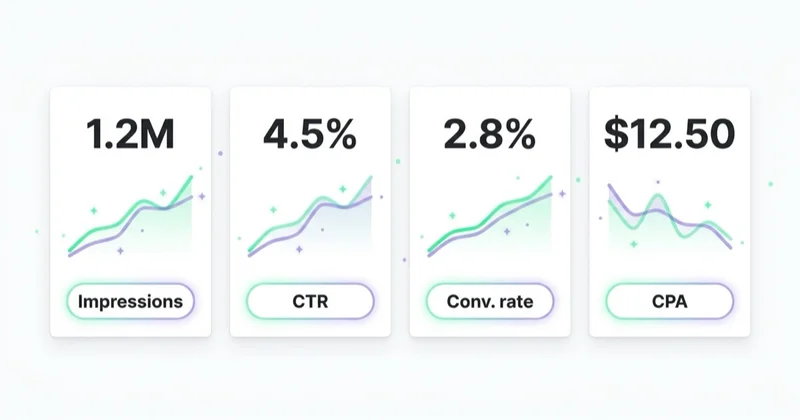
For remarketing, track:
- conversions;
- conversion value;
- cost per conversion;
- ROAS;
- frequency;
- audience size;
- recency window;
- product or category performance;
- assisted contribution.
For prospecting, also track:
- new users;
- engaged sessions;
- landing page quality;
- micro-conversions;
- view-through context if the business accepts it;
- CRM quality;
- incrementality if possible.
For brand or awareness campaigns, track:
- reach;
- frequency;
- impressions;
- video engagement if used;
- brand search lift where visible;
- direct and assisted traffic changes;
- survey or lift study data if available.
The key is to avoid one-dimensional reporting. Display can influence journeys without owning the final click. At the same time, view-through conversions should not be accepted blindly. They need business logic, attribution context and safeguards against over-crediting.
For tracking setup, read What Are UTM Parameters and How to Create UTM URLs for Google Analytics? and What Is Conversion Rate and How to Increase It?.
Landing page requirements
Responsive display ads do not fix weak landing pages. The page should continue the promise from the ad and make the next step obvious.
Check:
- headline matches the ad angle;
- offer is visible above the fold;
- CTA is clear;
- page loads quickly;
- mobile layout works;
- tracking fires correctly;
- consent behavior is correct;
- trust proof is visible;
- product or service details answer objections;
- forms or checkout steps are tested.
For landing page improvement, see What Is a Landing Page and How to Build One?.
RDA for ecommerce
In ecommerce, responsive display ads are strongest when connected with product data, remarketing logic and clear promotion strategy.
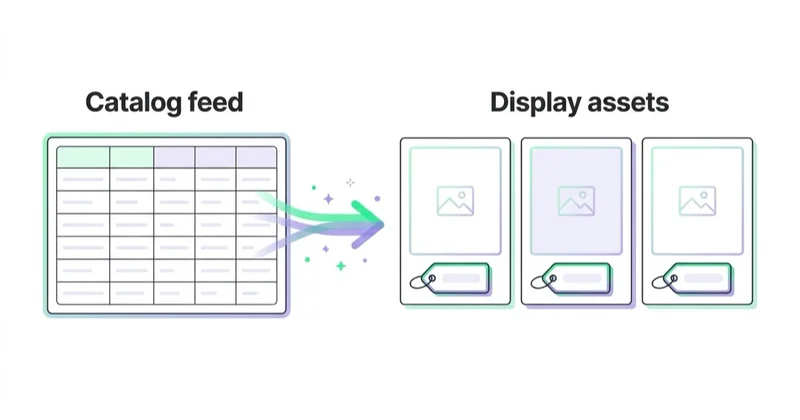
Useful ecommerce use cases:
- abandoned cart remarketing;
- product viewer remarketing;
- category remarketing;
- seasonal sale campaigns;
- new collection launches;
- best-seller promotion;
- cross-sell and upsell;
- product feed-based dynamic ads.
The quality of the product feed matters. Product titles, prices, availability, images and IDs should be accurate. If the feed is wrong, dynamic ads can show unavailable products, outdated prices or weak product combinations.
For product data context, see What Is Google Merchant Center and How to Manage It?.
Creative checklist
Before launching RDAs, check:
- each headline works independently;
- headlines are meaningfully different;
- descriptions add context;
- images are high quality;
- main subject remains clear after cropping;
- no fake buttons are placed in images;
- image text is minimal;
- logo is readable at small sizes;
- assets match the landing page;
- offer is specific;
- spelling and claims are checked;
- creative follows Google Ads policies;
- final URL works;
- conversion tracking is ready.
Optimization checklist
After launch, review:
- asset performance labels;
- impressions by ad and asset group;
- placements;
- audience segments;
- frequency;
- conversion value;
- cost per conversion;
- excluded placements;
- device performance;
- landing page engagement;
- search lift or assisted behavior where relevant.
Do not optimize only by pausing everything with low last-click conversions. First understand whether the campaign is remarketing, prospecting, demand generation or support for another channel.
How we approach this at Space Ads
Display buys cheap reach, but placement quality swings wildly — which is exactly where most of our attention goes. Responsive display earns its keep in remarketing and warm prospecting, far less as a standalone sales channel. The real work is exclusions: we check regularly where the ads actually land and cut the junk — apps that farm accidental taps, made-for-advertising pages, content that doesn't fit the brand. Frequency stays capped so nobody sees the same banner dozens of times a day. Without that hygiene, display spits out cheap clicks that mean nothing; with it, it's a sensible complement that keeps the brand in view where it's safe to be.
Common mistakes
| Mistake | Why it hurts | Better approach |
|---|---|---|
| Uploading generic stock images | Ads look irrelevant | Use real product, service or context visuals |
| Repeating the same headline | Reduces useful testing | Write distinct angles |
| Adding text-heavy images | Cropping and readability suffer | Let text assets carry the message |
| Using fake buttons in images | Can confuse users and violate standards | Use the actual CTA in ad text and page |
| Judging display like search | Misreads user intent | Use goal-specific metrics |
| Ignoring placements | Budget can go to weak inventory | Review and exclude poor placements |
| No frequency control | Users get overexposed | Monitor frequency and refresh creative |
| Weak landing page match | Clicks do not convert | Align message, offer and CTA |
| No conversion validation | Smart bidding gets bad signals | Audit tracking before scaling |
FAQ
Are responsive display ads still relevant in 2026?
Yes, but the context is changing. RDAs remain useful as an asset-based display format, while Google is moving Display Ads into Demand Gen with migration expected to complete by 2027.
Do responsive display ads replace static banners?
Not completely. RDAs are better for scale and automated combinations. Static banners are better when exact design control, brand consistency or premium placement composition is critical.
How many assets should be added?
Enough to give meaningful variation across images, headlines, descriptions and logos. Quality matters more than filling every slot with repetitive assets.
Should video be added to responsive display ads?
Video can help eligibility and engagement if it is relevant, short, clear and aligned with the offer. A weak or unrelated video can hurt the experience.
Are RDAs good for ecommerce?
Yes, especially for remarketing, seasonal promotions, category campaigns and dynamic product use cases. Feed quality, product pages and conversion tracking are critical.
Should Display be measured by last click?
Not only. Last-click conversions are useful, but Display often supports journeys earlier than Search or direct traffic. Use assisted metrics, audience quality, incrementality and business outcomes where possible.
What is the biggest creative mistake?
Using assets that do not work in many combinations. Every headline, image, logo and description should make sense when paired with different elements and cropped into different placements.
Conclusion
Responsive display ads are a practical way to scale creative across Google's Display inventory. They reduce the need to produce every banner size manually and give Google Ads more asset combinations to test. But automation only works well when the inputs are strong.
The best RDA campaigns start with clear audience intent, varied creative angles, high-quality images, strong landing pages and trustworthy conversion tracking. In 2026, they should also be planned with Demand Gen and Performance Max in mind, because Google's advertising ecosystem is moving toward broader AI-driven asset systems. Better assets are becoming a strategic advantage, not just a production task.
We implement and optimise display ads within Google Ads campaigns, with a focus on asset quality and placement control.
Sources and further reading
- Google Ads Help - About common sizes for responsive display ads
- Google Ads Help - Create a responsive display ad
- Google Ads Help - Best practices guide for responsive display ads
- Google Ads & Commerce Blog - Google Display Ads has a new home in Demand Gen
- Google Ads Help - About Display ads and the Google Display Network
Continue learning
- What Is a Demand Gen Campaign in Google Ads and How to Launch One?
- Performance Max Campaigns: What to Know and How to Create Them
- Google Remarketing: What It Is and Why Use It
- Dynamic Remarketing: What It Is and How It Works
- What Is Google Merchant Center and How to Manage It?
- What Is a Google Ads Audit and How to Do It?
Continue reading

What Are Banner Ads and How to Launch Them?
Banner ads are visual online ads for awareness, remarketing and campaign support, but they only work when creative, audience, placement quality, frequency and landing page fit match the funnel role. This guide explains formats, Google Ads options, ecommerce and B2B use cases, measurement and launch steps.

What Is the Google Display Network and How to Use It?
The Google Display Network shows visual ads across websites, apps, videos and Google surfaces, but its value depends on campaign role, creative quality, placement control, frequency and measurement. This guide explains GDN targeting, responsive display ads, uploaded banners, remarketing and how to judge Display beyond CTR or last-click conversions.
Performance Max vs Standard Shopping: What Should an Ecommerce Store Use?
Performance Max and Standard Shopping can both advertise Merchant Center products, but they give very different levels of automation, control and reporting. This guide explains when to use PMax, when to use Standard Shopping and when both can work together.


































