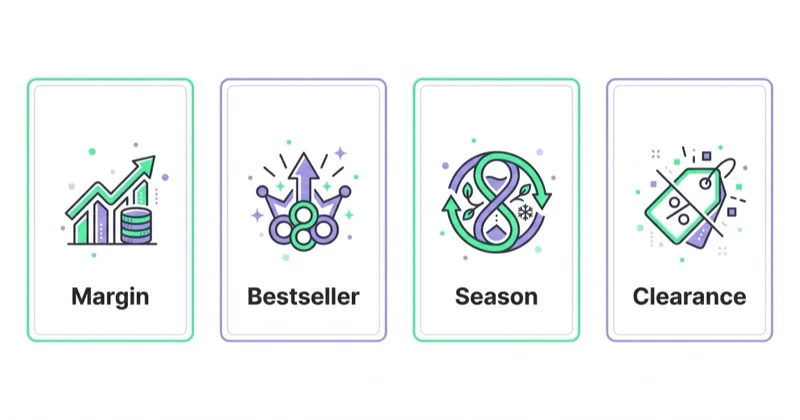
Custom labels in Google Shopping are the bridge between a Merchant Center feed and the commercial reality of the store. The fields custom_label_0 through custom_label_4 let ecommerce teams group products by business logic: margin, seasonality, stock, bestseller status, lifecycle, promotion status, strategic priority or return risk.
Without custom labels, campaigns often treat the catalogue too evenly. A high-margin hero product, a low-margin clearance item, a bestseller and a product with heavy returns can sit inside the same campaign target. Custom labels make those differences visible and usable in Shopping, Performance Max and Demand Gen.
TL;DR
- Google provides five custom label fields:
custom_label_0,custom_label_1,custom_label_2,custom_label_3andcustom_label_4. - Custom labels are not shown to shoppers. They are used for product grouping, reporting and bidding in Shopping, Performance Max and Demand Gen.
- Each custom label field should have one stable definition, such as margin, season, lifecycle, stock or priority.
- Each product can have one value per custom label field.
- Google allows up to 1,000 unique values per custom label attribute, but practical ecommerce structures usually need far fewer.
- The strongest use case is linking feed structure to margin, stock, seasonality and profitability decisions.
What custom labels are
Custom labels are optional Merchant Center product data attributes. Google describes them as filters that can be used in Performance Max, Shopping and Demand Gen campaigns for reporting and bidding on groups of products. The information is internal and not displayed to customers.
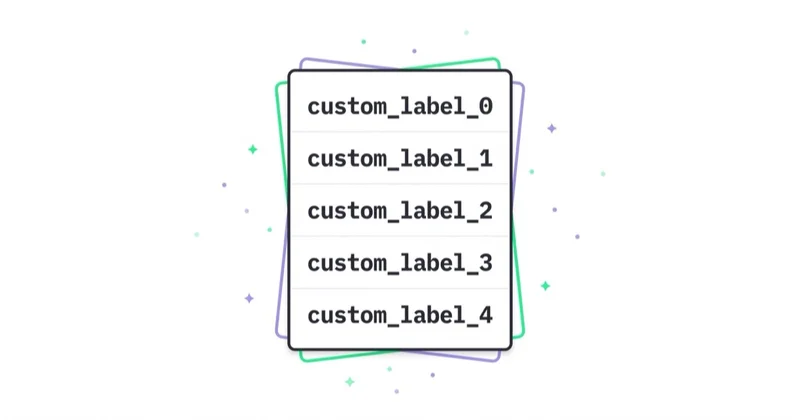
Example: an apparel store could define custom_label_0 as margin, custom_label_1 as season, custom_label_2 as product role, custom_label_3 as stock position and custom_label_4 as return risk. A single product might then carry margin_high, summer, bestseller, stock_ok and return_low.
Why product type is not enough
Product category and product_type describe what the product is. Custom labels describe how the business wants to manage it.
| Feed data | Answers | Example |
|---|---|---|
google_product_category |
what Google category the product belongs to | Apparel & Accessories > Shoes |
product_type |
how the store categorises the product | Shoes > Sneakers > Women |
brand |
whose product it is | Nike, Adidas, private label |
custom_label |
what role the product has in media | high margin, seasonal, bestseller, clearance |
If budget decisions rely only on product categories, the account can overspend on low-margin products or products with limited stock because the category looks profitable as a whole. Labels expose the differences inside the category.
Best ecommerce uses
| Label definition | Example values | Why it helps |
|---|---|---|
| Margin | margin_high, margin_mid, margin_low |
aligns reporting and targets with product economics |
| Season | spring, summer, black_friday, evergreen |
separates time-sensitive products without rebuilding the feed |
| Product role | bestseller, core, new, outlet |
separates proven products from tests and clearance |
| Stock | stock_high, stock_ok, stock_low |
prevents spend from chasing products that cannot fulfil demand |
| Priority | priority_1, priority_2, test |
marks strategic products for campaign decisions |
| Returns | return_low, return_mid, return_high |
surfaces products that look strong before returns but weak after |
| Promotion | promo, no_promo, clearance |
separates sale-led revenue from regular price sales |
Most stores should not start with every possible layer. Margin, season and stock are usually the first three. Return risk, lifecycle and strategic priority can follow once the feed process is stable.
A practical custom_label_0-4 structure
For many ecommerce accounts, this is a strong starting structure:
| Field | Definition | Example values |
|---|---|---|
custom_label_0 |
margin | margin_high, margin_mid, margin_low |
custom_label_1 |
season or campaign moment | evergreen, summer, black_friday, holiday |
custom_label_2 |
product role | bestseller, core, new, outlet |
custom_label_3 |
stock position | stock_high, stock_ok, stock_low |
custom_label_4 |
risk or priority | return_high, return_low, priority_1, test |
Consistency matters more than creativity. If custom_label_0 means margin today, it should not mean season next month. Changing definitions destroys reporting continuity and makes campaign analysis harder.
How not to design custom labels
Custom labels should not become a dumping ground for every idea. Too many unique values make reports and product groups hard to read. Google allows up to 1,000 unique values per custom label attribute, but a useful ecommerce setup usually has a small controlled vocabulary.
Avoid:
- exact margin percentages as label values for every product;
- a new value for every short-term promotion;
- mixing margin, season and stock in the same field;
- manual labels with no shared dictionary;
- values that only one person understands;
- labels updated less often than price or stock.
Five stable dimensions are usually better than hundreds of values that nobody trusts after one quarter.
Custom labels in Shopping and Performance Max
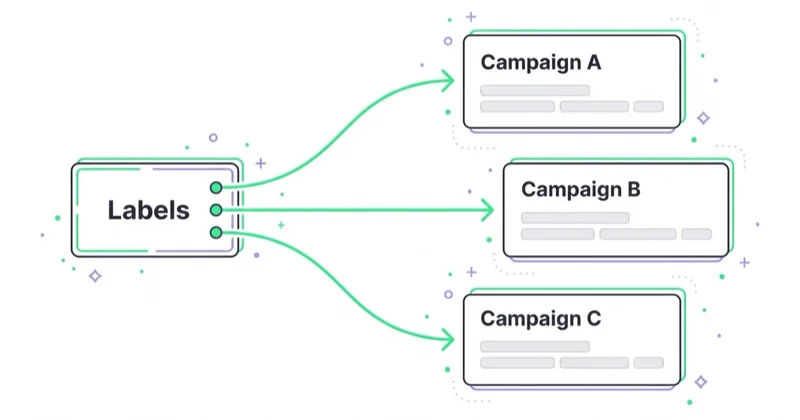
In Standard Shopping, custom labels help create product groups, adjust bids and exclude products. In Performance Max, they help filter listing groups, build asset group logic and analyse product segments. In Demand Gen with product feeds, labels can help decide which products should support visual demand creation.
Example: the whole category shows a ROAS of 500%. After custom label segmentation:
margin_highhas a lower ROAS but produces stronger profit;margin_lowhas a higher ROAS but weak contribution after discounts;return_highlooks good before returns and weak after;stock_lowkeeps spending on products that cannot stay available.
Without labels, those differences are hidden inside the blended category number.
Custom labels and margin
Margin is one of the best custom label use cases. If campaigns optimise toward revenue while products have very different margins, the system can favour products that look efficient in Google Ads but do not produce enough profit. Margin labels at least allow separate reporting. In more mature accounts, they can inform campaign structure, product filters and targets.
If the store has the technical setup to send profit-aware values, the next step is passing conversion value closer to gross margin. The dedicated guide on margin-based conversion value in Google Ads covers that layer.
Implementation workflow
- Choose the five dimensions. Start with margin, season, product role, stock and priority.
- Define the value dictionary. Use stable names such as
margin_high, not free-text notes. - Choose the data source. Margin may come from ERP, stock from the ecommerce platform and season from feed rules.
- Map values into the feed. Prefer automated rules, feed tooling or platform exports over manual editing.
- Validate Merchant Center. Check that values land in the right
custom_labelfields and remain controlled. - Update campaign structures. A new label in the feed does not automatically change every product group or listing group.
- Report by segment. Compare cost, revenue, ROAS, margin, stock and returns by label.
The common failure is adding labels to the feed and then continuing to read the account only at campaign level. Labels matter when they change the analysis and the decisions.
How we approach it at Space Ads
At Space Ads, we design custom labels from the business decision backwards. First we identify which products need budget, which products fund profit, which are seasonal, which are running out of stock and which create return risk. Then we assign those decisions to custom_label_0-4.
For ecommerce Google Ads management, this connects directly to product feed optimisation, Merchant Center management, Google Shopping campaigns and Shopify/PMax structures described in Shopify Google Shopping and Performance Max for DTC. The goal is to stop treating a bestseller, an outlet SKU and a high-return product as the same media decision.
Common mistakes
| Mistake | Result | Better decision |
|---|---|---|
| No labels in a large catalogue | budget cannot follow product roles | start with margin, season, role and stock |
| Too many values | reporting and product groups become unreadable | use a small controlled vocabulary |
| Changing field definitions | reporting continuity is lost | keep one definition per custom_label |
| Manual labels with stale data | stock or season status becomes wrong | automate from platform, ERP or feed rules |
| No campaign usage | the feed has data but budget ignores it | update product groups, listing groups and reports |
FAQ
Are custom labels visible to customers?
No. Custom labels are internal product data fields used for grouping, reporting and bidding. They do not appear in the ad or listing.
How many custom labels can a product have?
Google provides five fields: custom_label_0 through custom_label_4. Each field can have one value per product.
Do custom labels work in Performance Max?
Yes. Google lists Performance Max, Shopping and Demand Gen as campaign types where custom labels can be used. In PMax, they are especially useful for listing groups, product filters and segment analysis.
Do custom labels replace product_type?
No. product_type describes the store category. Custom labels describe business logic such as margin, season, stock, lifecycle or priority.
Which custom label should come first?
Usually margin. It quickly shows whether spend is scaling products that make money, not only products that generate revenue.
Key takeaway
Custom labels are one of the simplest ways to connect a product feed with ecommerce economics. They make Shopping, Performance Max and Demand Gen easier to analyse by margin, season, stock, product role and return risk. They work best when definitions are stable, values are controlled and campaign structures actually use them.
If your catalogue is too large to manage with one campaign logic, our Google Ads team can structure Merchant Center, Shopping and Performance Max around product-level profitability.
Sources and further reading
Continue reading
Performance Max vs Standard Shopping: What Should an Ecommerce Store Use?
Performance Max and Standard Shopping can both advertise Merchant Center products, but they give very different levels of automation, control and reporting. This guide explains when to use PMax, when to use Standard Shopping and when both can work together.

Merchant Center Disapproved Products: How to Find and Fix the Cause
Merchant Center disapprovals usually come from a mismatch between the feed, product page, price, availability, identifiers, images, shipping or Google policy requirements. This guide shows how to diagnose the issue, prioritise fixes by business impact and restore Shopping or Performance Max eligibility.
Shopify Google Shopping and Performance Max for DTC: Feed, Margin and Scale
For a Shopify store, Google Shopping performance is decided before the campaign launches: Merchant Center setup, product feed quality, margin-aware conversion values and the right split between Standard Shopping and Performance Max.