
Increasing ad spend does not fix a weak website. It sends more people into the same experience at a higher total cost.

That does not mean every business must complete a six-month redesign before scaling. It means the team needs evidence that the site can receive more demand, measure it reliably and turn an acceptable share into profitable outcomes. A focused website audit identifies constraints that can invalidate media decisions: duplicate purchases, slow mobile templates, inaccessible forms, missing offer information, broken checkout states or a landing page that does not match the ad.
The deliverable should not be a generic list of “best practices”. It should tell decision-makers what is wrong, what evidence supports it, how much of the journey it affects, what to change first and how success will be verified.
TL;DR
- Audit the site before a major budget increase, seasonal campaign, redesign launch or bid-strategy change.
- Start by defining the business outcome and reconciling measurement. Do not optimise against events or values nobody trusts.
- Review eight connected areas: commercial context, tracking, technical access, performance, message, usability, accessibility, and trust/compliance.
- Use field and lab performance data together. Core Web Vitals are important, but passing them does not prove that a page converts.
- Walk every priority journey on real devices and deliberately trigger errors, declines, empty states and slow responses.
- Compare each high-spend ad with its actual landing page. Message match includes audience, product, price, conditions and next step—not merely repeating the headline.
- Prioritise by evidence, reach, expected business impact, effort, risk and confidence. A large drop-off is not automatically a fixable problem.
- Ship fixes in controlled batches, quality-assure tracking after release and measure the result against a pre-defined baseline.
When a website audit should happen
An audit is especially valuable:
- before materially increasing paid-media budget;
- before a peak trading period or product launch;
- after replatforming, redesign or checkout changes;
- when conversion rate, lead quality or tracked revenue changes unexpectedly;
- when platform results and finance outcomes diverge;
- before changing a campaign to value-based automated bidding;
- when new markets, devices, languages or payment methods are introduced.
Do not wait for performance to collapse. A tracking defect can make the account appear healthier than it is, and a small mobile bug can become expensive only after traffic scales.
First define what “working” means
The same page can be successful for one campaign and unsuitable for another. Before collecting findings, document:
- primary audience and use case;
- paid channels and their intent levels;
- main conversion and valuable secondary actions;
- customer value, margin or qualified-lead definition;
- current traffic, conversion rate and sales capacity;
- device, market and language mix;
- known technical or legal constraints;
- planned budget increase and the decision date.
For a retailer, the primary outcome may be completed purchases with contribution by product. For a B2B service, it may be sales-accepted opportunities rather than form fills. For an app, it may be activation or paid subscription after install.
Without this context, an auditor can correctly find a usability issue that has no material relationship to the campaign's economics.
Area 1: measurement and data integrity
The first question is whether website and business outcomes can be connected with confidence.
Trace real journeys end to end
For ecommerce, reconcile a sample of orders across:
- storefront or checkout;
- order-management or payment system;
- analytics;
- advertising platforms;
- CRM or warehouse;
- refunds and cancellations.
For lead generation, follow sample records from ad click through form, CRM stage, sales acceptance and final outcome. Check that campaign identifiers, consent choices and timestamps survive each handoff.
Validate event meaning
Confirm:
- the event fires on the completed outcome, not merely a CTA click;
- one business outcome produces the intended number of events;
- values, tax, shipping, discounts and currency follow the documented definition;
- transaction or order IDs are unique and contain no personal data;
- refunds, cancellations and lead-status changes are represented where needed;
- internal staff, test orders and payment retries do not pollute production data;
- primary and secondary conversion actions are configured intentionally.
A purchase event triggered on thank-you-page load can duplicate on refresh or restoration. GA4 uses transaction_id to deduplicate web purchase events with the same ID, so the implementation should send a unique, stable ID rather than relying on the page path alone.
Test consent states separately
Verify behaviour when a user accepts, rejects or partially accepts available consent choices. Check that tags, consent signals, analytics events and advertising destinations behave as intended in every state and market.
Consent Mode changes how Google tags communicate consent and can support modelling in eligible configurations. It does not itself collect consent or replace the legal and UX work of a valid consent mechanism.
Reconcile—do not force identical totals
Analytics, ad platforms and finance will not match perfectly because they use different identities, time zones, attribution rules and processing. Build an expected reconciliation range and investigate unexplained shifts rather than assuming one universal source must equal another every day.
For a deeper process, see what a Google Analytics audit involves.
Area 2: crawl, render and destination reliability
Paid landing pages still need to load, render and remain available to users and platform systems.
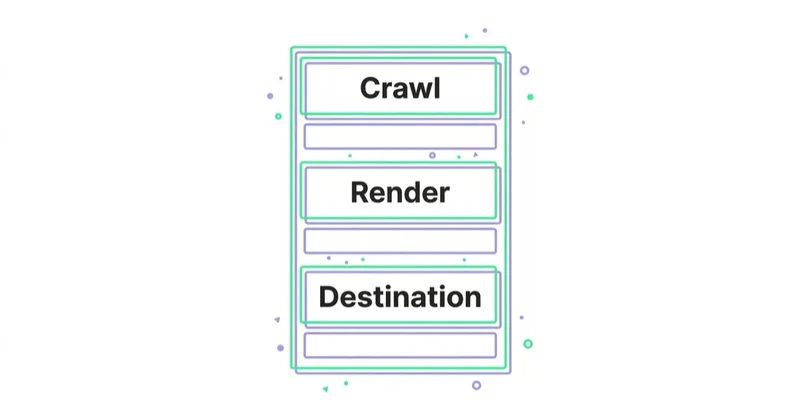
Check priority destinations for:
- 4xx, 5xx and redirect chains;
- inconsistent HTTP/HTTPS or host redirects;
- redirecting away query parameters needed for measurement;
- blocked resources that prevent rendering;
- broken canonical or language routing where relevant;
- expired campaign pages still receiving traffic;
- intermittent server, CDN and API failures;
- broken deep links into apps;
- landing pages rejected or restricted by advertising policies;
- correct behaviour when products are unavailable.
Monitor uptime and response errors by template and market, not just the homepage. An API failure that leaves the product page shell visible can pass a simple uptime test while making conversion impossible.
Preserve campaign parameters only as long as necessary and handle them safely. Do not expose personal or sensitive information in URLs.
Area 3: speed and interaction quality
Performance affects whether a paid visit becomes a usable session. Analyse both real-user field data and controlled lab tests.
Core Web Vitals
Google's current “good” thresholds are:
- Largest Contentful Paint (LCP): 2.5 seconds or less;
- Interaction to Next Paint (INP): 200 milliseconds or less;
- Cumulative Layout Shift (CLS): 0.1 or less.
Assessment uses the 75th percentile of page visits. Segment by mobile and desktop, key templates, market and traffic source where the available data permits. Origin-level data can conceal a poor checkout or landing-page template.
Field data and lab data answer different questions
Field data describes real users, devices, networks and interactions but may lag and may not exist for low-volume URLs. Lab testing gives repeatable diagnostics and trace information but does not represent the full audience.
Use both:
- field data to establish prevalence and business exposure;
- lab tools to reproduce issues and find their technical causes;
- real-device testing to verify what users actually experience.
Common paid-landing-page causes
- oversized hero images or autoplay video;
- client-side rendering that delays useful content;
- tag managers, chat, personalisation and review scripts;
- fonts and consent interfaces blocking rendering;
- unavailable image dimensions causing layout shifts;
- long JavaScript tasks delaying input response;
- third-party checkout or form embeds;
- server response and API latency.
Do not remove every third-party tool merely to improve a score. Inventory its owner, business purpose, performance cost, privacy status and usage. Remove tools nobody owns or uses; optimise or delay those whose value is proven.
See Core Web Vitals: LCP, INP and CLS for technical remediation.
Area 4: ad-to-page message and offer match
Open the ads from the highest-spend or highest-opportunity campaigns next to their actual landing pages. Check whether the page confirms:
- the same audience and use case;
- the advertised product, service or category;
- price, discount, trial, availability and eligibility;
- location, delivery area or market;
- evidence used in the claim;
- the promised next step;
- material limitations or conditions.
Message match is not copying the ad headline word for word. It is preserving the visitor's meaning and expectation. If an ad promises “next-day delivery on selected London postcodes”, a generic “fast delivery” hero is not equivalent.
The page should also continue the correct level of intent. A person searching for a specific SKU should not land on an editorial guide. Someone evaluating an unfamiliar high-consideration service may need proof and explanation before a form.
Check whether dynamic landing-page content fails safely. If personalisation data is missing, the fallback still needs an accurate proposition rather than an empty module or mismatched offer.
Area 5: information and decision quality
The visitor needs enough information to decide without unnecessary uncertainty. Review priority pages for:
- clear category and proposition;
- audience or eligibility;
- product or service scope;
- price or a credible explanation of how pricing works;
- inclusions, exclusions and commitments;
- delivery, lead time or implementation process;
- evidence for performance claims;
- relevant comparison or selection guidance;
- visible next step and what happens afterwards;
- answers to objections at the point they arise.
“Simplify the page” should not mean removing information people need. A short page can underperform because it asks for commitment before establishing credibility. A long page can underperform because it is repetitive. Structure, relevance and progressive disclosure matter more than word count.
For SEO, LLM and AEO visibility, use descriptive headings, explicit definitions, verifiable claims, clear entity information and original expertise. This also improves comprehension for humans. Do not add FAQ sections only to repeat keywords; answer genuine decision questions.
Area 6: conversion journey and error recovery
Map the real sequence for each priority conversion. Do not stop at the happy path.
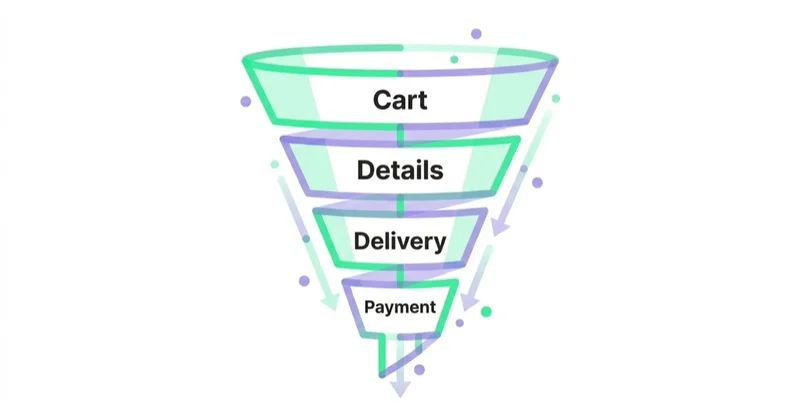
Ecommerce journey
Test:
- search, category and product discovery;
- variants and availability;
- cart persistence;
- guest versus account checkout;
- delivery methods and costs;
- promotions and gift cards;
- payment authentication, decline and retry;
- address errors and international formats;
- confirmation, cancellation and refund communication.
Lead-generation journey
Test:
- form length and required fields;
- field labels, examples and validation;
- business versus personal email behaviour;
- file upload and size errors;
- phone number and country formats;
- spam protection and false positives;
- confirmation and expectation setting;
- CRM creation, ownership and response time;
- duplicate enquiries and existing customers.
App or account journey
Test web-to-app deep linking, app-store routing, account creation, email verification, one-time codes, password managers, multi-factor authentication and session recovery.
At every error, ask whether the message explains what happened, preserves entered information and gives a recoverable next action. A form that works in a perfect desktop test can fail commercially when a mobile keyboard obscures the error or a session expires during payment.
Area 7: accessibility and inclusive use
Accessibility is not an optional conversion trick. It is a product-quality and, depending on jurisdiction and organisation, legal requirement. Use the applicable standard and qualified assessment.
A paid-traffic triage should include:
- keyboard navigation and visible, unobscured focus;
- meaningful labels, instructions and error identification;
- colour and non-text contrast;
- text resizing and reflow;
- alternative text for informative images;
- captions and media controls;
- appropriate target size and spacing;
- logical heading, landmark and focus order;
- accessible authentication and reduced redundant entry;
- screen-reader checks on forms, dialogs and checkout.
WCAG 2.2 added criteria including focus not obscured, minimum target size, redundant entry and accessible authentication. Automated scanners can find part of the problem, but they cannot establish complete conformance or usability. Combine tools with expert manual testing and, where proportionate, research with disabled users.
Area 8: trust, claims and commercial compliance
Trust is created through verifiable detail, not a row of generic icons.
Check:
- clear business identity and contact routes;
- accurate prices, taxes, fees and subscription terms;
- delivery, returns, cancellation and warranty information;
- privacy and cookie information consistent with actual data flows;
- claim substantiation and visible conditions;
- current accreditations and authorised use of logos;
- authentic reviews with clear sourcing and moderation rules;
- security practices presented accurately rather than through misleading badges;
- sector-specific disclosures and eligibility.
Requirements vary by market and sector, so involve legal, privacy and compliance owners. An audit should identify where evidence or specialist review is required, not invent legal conclusions.
Use quantitative and qualitative evidence together
Analytics shows where behaviour changes. It rarely proves why.
Combine:
- funnel and path analysis;
- device, browser, market and source segments;
- search and site-search data;
- customer-support and sales objections;
- session replays and heatmaps configured with appropriate privacy safeguards;
- usability tests with representative tasks;
- surveys and intercept feedback;
- technical logs and error monitoring;
- competitor and market context used as inspiration, not proof.
Do not infer that the step with the largest percentage drop is broken. Some drop-off is natural qualification. A pricing page may intentionally deter poor-fit prospects and improve sales efficiency. Validate the cause before recommending removal of friction.
How to prioritise findings
Give every finding a consistent record:
- observed issue and affected journey;
- supporting evidence and source;
- audience, traffic and revenue exposure;
- hypothesis about user and business impact;
- confidence level;
- proposed remedy;
- implementation effort and dependencies;
- legal, measurement or release risk;
- verification method and owner.
Then rank using six factors:
- Evidence strength: reproduced defect, converging evidence or untested hypothesis?
- Reach: how many relevant sessions or conversions encounter it?
- Expected impact: what behaviour and business value could realistically change?
- Confidence: how certain is the causal link and estimated effect?
- Effort and dependency: what design, development and operational work is required?
- Risk: could the change break tracking, compliance, revenue or another user group?
Fix confirmed blockers immediately: broken payment, lost leads, duplicate purchases, inaccessible critical controls or a destination returning errors. For uncertain behavioural ideas, run an experiment or usability study rather than presenting the uplift as guaranteed.
| Queue | Typical example | Validation |
|---|---|---|
| Incident | Form submissions not reaching CRM | Repair, monitor and reconcile records |
| High-confidence fix | Wrong advertised offer on landing page | QA plus before/after funnel check |
| Experiment | Alternative proposition hierarchy | Controlled A/B test |
| Discovery | Users appear confused by plan selection | Moderated research or prototype test |
| Planned programme | Checkout or information architecture redesign | Phased research, design, build and measurement |
Include an explicit “not now” list with reasons. This keeps the actionable backlog credible.
A practical audit sequence
Phase 1: scope and baseline
Define outcomes, journeys, markets, templates and decision deadlines. Preserve a baseline for spend, traffic, conversion quality and downstream value.
Phase 2: evidence collection
Audit measurement and systems, analyse behavioural data, inspect performance and accessibility, review ad-to-page match and conduct manual journey testing.
Phase 3: synthesis
Group symptoms by likely root cause. One slow API can explain search failure, product-page errors and checkout availability. Avoid creating three unrelated tickets.
Phase 4: recommendation design
Specify the change, owner, dependency, verification and rollback approach. Separate defects from hypotheses requiring tests.
Phase 5: implementation and QA
Ship controlled batches. Re-test analytics, consent states, devices, browsers, accessibility and conversion flows after deployment.
Phase 6: measurement
Read results only after sufficient traffic and business-cycle maturity. Record what changed, what did not and what was learned for the next iteration.
The duration depends on site complexity, access, market coverage and research depth. A focused audit can produce urgent findings quickly; a multi-market platform with several checkouts cannot be responsibly reduced to a universal five-day promise.
The Space Ads audit approach
Before recommending more media spend, we connect website evidence to the acquisition decision:
- define the commercial outcome and campaign traffic in scope;
- reconcile tracking with CRM, ecommerce or finance data;
- test priority journeys and failure states on representative devices;
- analyse performance, accessibility and technical reliability;
- compare high-spend ads with the pages and offers users actually see;
- identify root causes and rank evidence-backed actions;
- define experiments for uncertain changes;
- quality-assure releases and evaluate downstream business results.
This is an industry-practice framework adapted to the client's technology and evidence. It distinguishes a media constraint from a website constraint before either team is asked to spend more.
Common mistakes
| Mistake | Better practice |
|---|---|
| Run a checklist without business context | Scope journeys and outcomes before reviewing pages |
| Treat platform events as ground truth | Reconcile samples with operational systems |
| Test only the happy path | Trigger errors, declines, rejection and recovery states |
| Use one desktop performance score | Combine field, lab and real-device evidence |
| Treat accessibility as an automated score | Add expert manual testing against the applicable standard |
| Rank by largest funnel drop | Validate causes and prioritise evidence, exposure and value |
| Promise uplift from every recommendation | Separate defects, evidence-backed fixes and testable hypotheses |
| Change many high-impact elements at once | Ship controlled batches and preserve interpretability |
| Stop at the report | Assign owners, QA releases and measure outcomes |
FAQ
What is a website audit?
It is a structured evaluation of whether a site is reliable, measurable, usable and persuasive for its intended audiences and business outcomes. For paid media, it focuses on the journeys receiving spend and the constraints that make scaling inefficient or unsafe.
What should be checked before increasing ad spend?
At minimum: outcome definitions, tracking and values, destination reliability, mobile performance, ad-to-page message match, conversion and failure journeys, accessibility, trust information, CRM or order handoff and sales or operational capacity.
Is a website audit the same as a UX audit?
No. A website audit is cross-functional triage. A UX audit goes deeper into behaviour, interface and research. An SEO audit focuses on discovery, crawling, indexing and organic performance. Findings may justify one or both specialist workstreams.
How long does a website audit take?
It depends on templates, markets, conversion journeys, data access and whether user research is included. Confirmed critical defects can be surfaced in days, while a defensible multi-market audit and prioritised roadmap may take several weeks.
What should the deliverable contain?
A baseline, evidence and method; a journey map; findings with affected audiences; root causes; prioritised fixes and experiments; ownership and effort; screenshots or reproduction steps; QA requirements; and a measurement plan. It should also state limitations and what was not assessed.
Do good Core Web Vitals guarantee a high conversion rate?
No. They measure loading, responsiveness and visual stability. A fast page can still have the wrong offer, confusing information, an inaccessible form or weak product-market fit. They are one important layer of evidence.
Should ad budget always be paused until every issue is fixed?
No. Pause or restrict spend when a critical journey, measurement or compliance problem makes continued traffic wasteful or unsafe. Otherwise, maintain controlled activity, route traffic away from affected pages where possible and scale only as verified constraints are removed.
Key takeaways
- More traffic magnifies website constraints; it does not cure them.
- Define business outcomes and validate measurement before trusting optimisation data.
- Audit technical reliability, speed, message, information, conversion, accessibility and trust as connected parts of one journey.
- Use Core Web Vitals with field, lab and real-device evidence.
- Diagnose root causes and failure states, not only average funnel rates.
- Prioritise with evidence, exposure, value, confidence, effort and risk.
- A useful audit ends with owned actions, controlled releases and verification—not a slide deck of generic practices.
See what Space Ads includes in a focused UX audit, or read how to audit an ecommerce store for a retail-specific view.
Sources and further reading
- Web Vitals — web.dev
- How Core Web Vitals thresholds are defined — web.dev
- Web Content Accessibility Guidelines 2.2 — W3C
- Minimise duplicate key events with transaction IDs — Google Analytics Help
- Consent Mode — Google Analytics Help
- UX audit: heuristic evaluation and usability testing
- Landing-page mistakes that kill conversions
Continue reading
How Much Does a Landing Page Cost?
A landing page can cost a few hundred dollars or more than $10,000 because the scope may cover only implementation—or research, copy, design, tracking, integrations and optimisation. Compare deliverables, not just quotes.
WCAG 2.2 and Conversion: Where Accessibility Pays for Itself
Many WCAG 2.2 criteria address the same barriers a sound usability review finds in forms, checkout and login: invisible focus, missing labels, unclear errors and controls that are hard to operate. Learn how to test them, prioritise remediation and understand the EAA context.

UX Audit: Heuristic Evaluation, Usability Testing and Behaviour Data
A practical UX audit combines expert review, usability testing and behaviour data in a scope matched to the product and decision. Learn how to choose methods, recruit participants and turn evidence into a backlog a team can ship.


































