
WhatsApp marketing is the use of WhatsApp Business products to support marketing, sales, service and customer communication. A business might send an order update, answer a product question, qualify a lead, remind an opted-in customer about an abandoned basket or guide a user through a booking flow.
The opportunity is not simply that WhatsApp is a popular messaging app. It is that the customer can move from message to reply and action in one conversational journey. The constraint is equally important: a business needs permission to contact the person, must respect message-template and customer-service-window rules, and can lose reach or access if users report or block unwanted communication.
The operating principle is:
Send an expected message, to a person who asked for it, at a moment when the conversation is useful.
This guide reflects WhatsApp Business Platform rules and pricing available in July 2026. Meta can change product features, category rules, rates and eligibility, so confirm the current official documentation and the law applicable to your market before launch.
TL;DR
- The WhatsApp Business App supports smaller businesses managing customer conversations in an app; the WhatsApp Business Platform provides API-based automation and integration at scale.
- A Solution Provider can accelerate implementation, but it is not the only route: eligible teams can build with Meta's Cloud API and developer tools.
- The business must have the person's phone number and opt-in permission for subsequent WhatsApp messages or calls, and must honour opt-outs.
- A user message opens a rolling 24-hour customer service window. During that window, the business can send non-template service replies; outside it, the Platform can initiate contact only with an approved template.
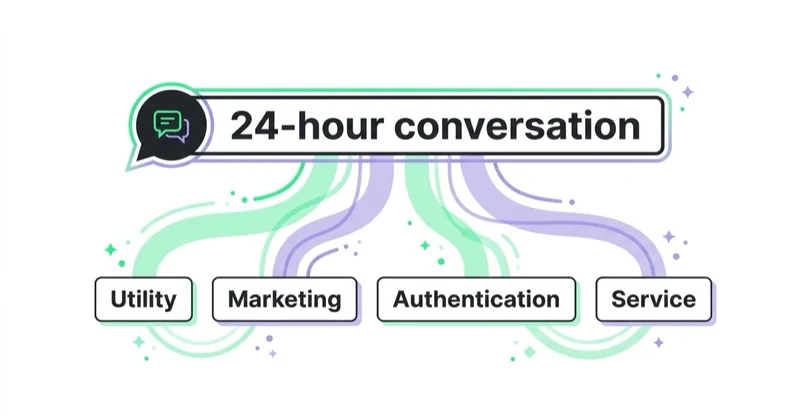
- Platform message categories are marketing, utility, authentication and service. Classification depends on purpose and content, not the label selected by the sender.
- Current Platform pricing is per delivered message, not per conversation. Rates depend on the recipient's market and message category.
- Service messages are free. Utility messages sent in response to a user are also free under Meta's current pricing; other exceptions and volume tiers may apply.
- Measure opt-in quality, delivery, replies, completed actions, qualified outcomes, opt-outs, blocks, cost and contribution—not a claimed universal open-rate benchmark.
What WhatsApp marketing includes
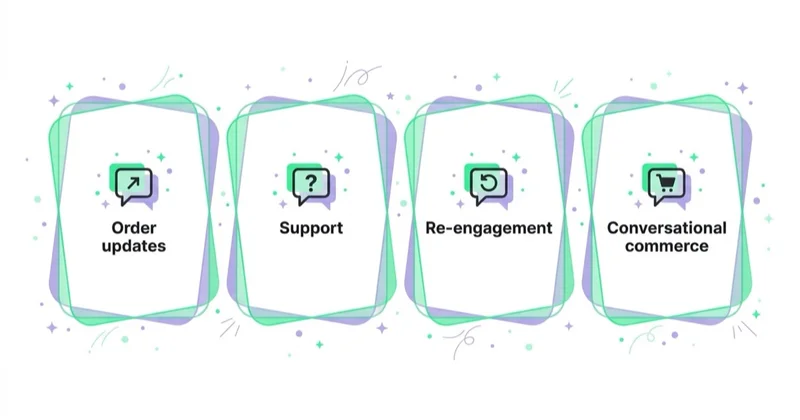
WhatsApp marketing is often used as shorthand for promotional messages, but a useful business programme can span the customer journey:
- acquisition: ads that open a WhatsApp conversation, QR codes and site entry points;
- qualification: questions, appointment selection and WhatsApp Flows;
- commerce: product discovery, recommendations and purchase assistance;
- utility: order confirmation, delivery status and appointment reminders;
- service: customer questions, changes, returns and issue resolution;
- retention: relevant replenishment, back-in-stock or loyalty communication;
- authentication: one-time passwords and identity verification.
Not all of these are marketing messages under Meta's classification. An order update may be utility; a discount added to an order update can cause the message to be treated as marketing. Keep customer purpose, template category, consent and reporting separate.
WhatsApp Business App versus Business Platform
WhatsApp offers two business products with different operating models.
| Decision area | WhatsApp Business App | WhatsApp Business Platform |
|---|---|---|
| Designed for | Small-business customer communication | API-based communication at organisational scale |
| Primary interface | Mobile app and supported linked-device experience | Cloud API connected to business systems or provider software |
| Typical operation | People manage messages using app features | Agents, automations and systems share managed workflows |
| Integration | Limited compared with an API architecture | CRM, ecommerce, service desk, data and automation integrations |
| Outbound structure | App product features and applicable policies | Approved templates, message categories and service-window rules |
| Best fit | A manageable volume of direct conversations | Lifecycle, service, authentication and commerce at scale |
The Business App is not literally limited to one person, and its available features can evolve. Its defining characteristic is app-led operation for smaller businesses.
The Business Platform is Meta's API product. A business can work with a Solution Provider that supplies software, onboarding, integrations and support, or use the developer route and Cloud API when it has the capability and eligibility to operate the stack. Compare total cost, data flow, ownership, support, portability and required development—not only the provider's monthly fee.
Consent: what an opt-in needs to achieve
WhatsApp's Business Messaging Policy states that a business may contact a person only when it has the person's phone number and opt-in permission confirming that the person wants subsequent messages or calls. The business is responsible for using an opt-in method that also complies with applicable law.
An effective opt-in should make clear:
- which business will send the messages;
- that the channel is WhatsApp;
- what types of messages the person should expect;
- how frequently messages may arrive where relevant;
- how to stop them;
- where the privacy information is available.
Meta's best-practice guidance recommends setting expectations for message categories and considering separate opt-ins by category. A customer who requests delivery notifications should not be silently enrolled into weekly promotions.
Example opt-in language
An ecommerce checkout option might say:
Send order and delivery updates to this number on WhatsApp. You can opt out at any time. See our Privacy Notice.
A separate marketing choice might say:
Send me personalised offers and product updates from [Business] on WhatsApp. Frequency varies. Reply STOP to opt out. See our Privacy Notice.
These are illustrative, not legal templates. Consent wording and mechanisms should be reviewed for the jurisdictions, audiences and data uses involved.
Store proof, not just a yes/no field
Record:
- phone number and country code;
- timestamp;
- collection source;
- wording or consent version shown;
- categories agreed to;
- privacy-notice version;
- opt-out time and reason where available.
Suppress a person promptly when they withdraw permission on WhatsApp or through another supported route. Opt-out handling belongs in the core architecture, not a manual spreadsheet checked occasionally.
The 24-hour customer service window
When a user messages a business, a rolling 24-hour customer service window opens. Meta's policy allows the business to reply without a Message Template during that period. Each new user message resets the window.
Within the window, a business can use people or automation to provide service. Meta requires clear escalation options when automation is used, such as transfer to an agent, phone, email, web support, a support form or an appropriate physical location.
Outside the window, a business using the Platform can initiate contact only with an approved Message Template. A template can be approved, rejected, paused or reclassified, and approval does not remove the requirement for consent or relevance.
The window is not permission to send any promotion after a support question. Policy eligibility, message category, user expectation and applicable law still apply.
WhatsApp message categories explained
Marketing
Marketing messages can include:
- offers and promotions;
- product recommendations;
- abandoned-basket reminders;
- re-engagement and win-back;
- awareness or consideration communication;
- mixed utility and promotional content.
Use an approved marketing template, a valid opt-in and a suppression policy. Frequency should be based on value and negative-feedback signals, not on how many messages the system can technically send.
Utility
Utility messages are non-promotional and connected to a user action, request or account event. Examples include:
- order confirmation;
- delivery update;
- appointment reminder;
- payment status;
- a critical or specifically requested notification.
If promotional content is added, the template may be classified as marketing. Keep utility templates focused on the transaction or request.
Authentication
Authentication templates deliver one-time passwords for identity verification, account access or transaction steps. Treat security, expiry, localisation and fallback routes as product requirements rather than marketing copy decisions.
Service
Service messages are replies within the customer service window to user-initiated enquiries. Under current Meta pricing, they are free. Their business cost still includes agents, automation, integration and service operations.
WhatsApp Business Platform pricing in 2026
The original conversation-based pricing model is no longer the correct basis for a new budget. Meta currently charges the Platform per message delivered to the user.
The charge depends on:
- the recipient's market;
- message category;
- whether a free-use condition applies;
- volume tier for eligible utility or authentication traffic;
- any fee charged by a Solution Provider or software vendor.
Meta's current pricing page states:
- service messages are not charged;
- utility messages sent in response to users are not charged;
- utility and authentication messages can qualify for volume-based rates;
- when a person starts the conversation from an eligible click-to-WhatsApp ad or Facebook Page call-to-action, messages across categories are free for the following 72 hours under the current free-entry-point rules;
- rates vary by market and category and are charged on delivery, not merely on send.
Do not assume that all messages inside a 24-hour window are free. A marketing template, for example, must be budgeted according to the current category rules unless a defined free-entry condition applies.
Calculate total cost, not only Meta's rate
A useful monthly model is:
Meta delivery charges + provider/software fees + implementation + agents + automation/AI + CRM/data work + measurement and compliance
Then evaluate cost per useful outcome:
Total programme cost ÷ validated orders, qualified leads, resolved cases or retained customers
A low message cost cannot rescue an irrelevant campaign, and a more expensive conversational journey may be worthwhile if it reduces service effort or creates higher-quality sales.
Where WhatsApp fits in the channel mix
| Use case | Why WhatsApp may fit | Key requirement | Primary KPI |
|---|---|---|---|
| Order and delivery updates | Timely information with a reply path | Utility consent, accurate order event | Delivery and successful self-service |
| Appointment reminders | Customer can confirm or request a change | Correct identity and schedule data | Confirmation, attendance, reschedule |
| Customer support | Asynchronous two-way conversation | Routing, context and human escalation | Resolution, time, satisfaction, repeat contact |
| Lead qualification | Questions and booking can happen in-thread | Clear source, qualification logic, CRM handoff | Qualified and sales-accepted lead |
| Abandoned basket | Timely help can remove a purchase objection | Marketing opt-in and approved template | Incremental recovered contribution |
| Back-in-stock or replenishment | Event is relevant to stated interest | Preference and inventory accuracy | Purchase, opt-out and complaint rate |
| Win-back or loyalty | Personalised dialogue can reduce friction | Valid marketing consent and frequency control | Incremental reactivation and contribution |
| Authentication | Familiar delivery route for an OTP | Security design and fallback | Successful verification and fraud rate |
WhatsApp versus email, SMS and push
- WhatsApp suits interactive journeys, service and expected messages where the user can reply.
- Email suits longer content, records, broad lifecycle programmes and lower-cost depth.
- SMS suits concise, urgent or fallback communication where permitted.
- Push suits timely app communication for users who have installed the app and enabled notifications.
There is no universally best channel. Choose based on urgency, content, interaction need, reach, consent, customer preference, cost and the consequence of non-delivery. Avoid sending the same message on every channel at once unless the use case genuinely requires escalation.
See email vs SMS vs push for a wider comparison.
A practical implementation architecture
A scaled WhatsApp journey usually needs more than a phone number.
consent source → customer/CRM record → journey trigger → template or service logic
→ WhatsApp Business Platform → delivery/status events → reply handling
→ agent or automation → order/CRM outcome → analytics and suppression
Define ownership for every connection.
Identity and data
- normalise telephone numbers;
- separate customer identity from device assumptions;
- define the CRM or customer platform as the consent record;
- minimise data passed into message content;
- set retention and access controls;
- prevent one person's order data reaching another number.
Templates and localisation
- maintain an inventory of template name, category, purpose and language;
- use variables only for validated data;
- provide a safe fallback when a value is missing;
- preview long product names, currencies and dates;
- version templates when the offer or legal wording changes;
- monitor approval, pause and quality status.
Routing and service
- classify intents and priority;
- carry conversation context into the agent workspace;
- state when automation is being used where appropriate;
- create a visible human-escalation path;
- define response hours and expectations;
- prevent marketing automation from colliding with an open complaint.
Failure handling
Plan for:
- invalid or unreachable numbers;
- template rejection or pause;
- expired service window;
- API or provider disruption;
- duplicate triggers;
- an opt-out arriving while a campaign is queued;
- order cancellation after a message trigger;
- missing language or customer data.
How to launch a WhatsApp marketing pilot
1. Choose one valuable journey
Start with a specific customer problem, not “launch WhatsApp”. Good pilots include appointment confirmation, delivery exceptions, qualified consultation booking or one consented lifecycle trigger.
2. Define eligibility and consent
Write the audience rule, required consent category, exclusions, frequency cap and suppression logic. Estimate the reachable audience after these rules—not the total CRM size.
3. Map the conversation
Design the expected path, alternative replies, agent handoff, no-response state, opt-out and error state. Keep the first message recognisable: business, reason and useful action should be clear immediately.
4. Build measurement before sending
Capture:
- eligible audience;
- attempted, delivered and failed messages;
- replies and meaningful interactions;
- completed flows or sessions;
- validated sales, leads or resolutions;
- opt-outs, blocks or complaints where available;
- message, provider and operating cost;
- control or comparison group where feasible.
Read receipts are not a business outcome and may not always be available. Optimise for the useful customer action.
5. Test incrementality
For a promotional journey, compare an eligible holdout with the messaged group when scale and rules permit. Measure total orders or contribution, not only conversions clicked from WhatsApp. Otherwise, purchases that would have happened anyway can make the campaign look stronger than it is.
6. Expand only after quality holds
Review negative feedback, service capacity, template quality, cost and downstream outcomes before increasing frequency or adding use cases. A programme that creates revenue while damaging consent or overwhelming support is not ready to scale.
How Space Ads approaches WhatsApp
Space Ads treats WhatsApp as part of a connected customer system, not as a standalone broadcast list.
The working sequence is:
- identify the customer moment where a conversation removes friction;
- confirm consent, policy and message-category requirements;
- choose the App, direct Platform implementation or provider route based on scale and integration needs;
- connect consent, customer, order and journey data;
- design templates, service logic, fallback and human escalation;
- measure delivery, conversation quality and validated commercial or service outcomes;
- test incremental value and monitor negative feedback;
- expand only when customer value and operational capacity remain healthy.
WhatsApp can sit alongside marketing automation, SMS and RCS and email. The useful question is not which channel wins in general, but which permitted channel best serves this customer, message and moment.
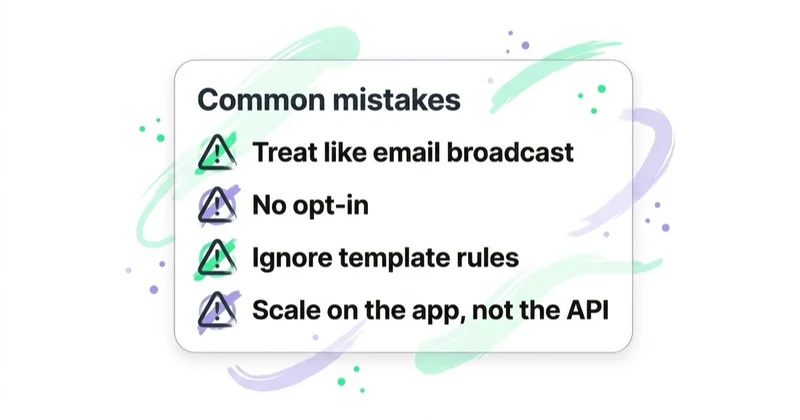
Common mistakes
| Mistake | Better approach |
|---|---|
| Budgeting with the old conversation model | Use current per-delivered-message rates and exceptions |
| Assuming a BSP is mandatory for every business | Compare direct Cloud API and partner implementation routes |
| Treating a phone number as consent | Store explicit, channel-specific permission and its source |
| Reusing utility consent for promotions | Set category expectations and separate consent where appropriate |
| Sending free-form messages outside 24 hours | Use an approved template and valid permission |
| Adding an offer to an order update | Keep utility content non-promotional or classify it as marketing |
| Optimising a universal “open rate” | Measure replies, outcomes, opt-outs, blocks, cost and contribution |
| Automating without escalation | Provide a clear route to a capable human or support channel |
| Sending every CRM contact the same campaign | Use relevance, preference, lifecycle and frequency controls |
| Ignoring provider and agent cost | Model the full programme cost |
FAQ
What is WhatsApp marketing?
WhatsApp marketing uses WhatsApp Business products to support customer acquisition, sales, service and retention. At scale it typically uses the Business Platform, approved templates, consent data and integrations with CRM, commerce or service systems.
What is the difference between WhatsApp Business App and Platform?
The Business App is designed for small businesses managing customer communication through an app. The Business Platform provides APIs for scaled messaging, automation, multi-agent service and backend integration. The right choice depends on volume, workflow, data and governance needs.
Do I need a WhatsApp Solution Provider?
Not in every case. A provider can supply software, onboarding, integrations and support, while capable teams may use Meta's developer tools and Cloud API directly. Government entities have specific provider requirements under the current policy. Check eligibility and compare operational ownership before choosing.
Do customers need to opt in?
Yes. WhatsApp's policy requires the business to have the person's number and opt-in permission for subsequent messages or calls. The business must also comply with applicable law and honour opt-outs. Tell people which business, channel and message types they are agreeing to.
What is the WhatsApp 24-hour window?
It is a rolling customer service window opened by a user message and reset by each new user message. During it, the business can send service replies without an approved template. Outside it, the Platform may initiate contact only through an approved Message Template.
Are WhatsApp Business messages charged per conversation?
No—not under the current Platform model. Meta charges per message delivered, with rates based on recipient market and category. Service messages are free, and other free-use conditions or volume tiers can apply. Always use the current official rate card.
Are all messages inside the 24-hour window free?
No. Service messages are free, and Meta currently makes utility messages sent in response to users free. Marketing and authentication template charges still depend on current rules unless a specific free-entry condition applies.
What are WhatsApp template messages?
Templates are structured messages submitted for approval and used to initiate Platform contact. They are categorised by purpose, such as marketing, utility or authentication. Approval can change, and using a template does not replace consent, relevance or legal compliance.
Can WhatsApp be used for promotions?
Yes. Meta provides a marketing category for offers, recommendations, re-engagement and similar messages. The business needs appropriate opt-in, an approved template, accurate classification and responsible frequency. It should monitor opt-outs, blocks, complaints and commercial value.
Is WhatsApp better than email or SMS?
Not universally. WhatsApp is strong for two-way and in-thread journeys; email handles longer content and broad lifecycle depth; SMS is useful for concise urgency; push serves app users. Choose by customer preference, consent, use case, cost and required interaction.
How should WhatsApp marketing performance be measured?
Start with the intended outcome: qualified leads, incremental orders, completed appointments, resolved cases or retained customers. Then use delivery, replies, flow completion, opt-outs, blocks, cost per outcome and contribution as diagnostics and guardrails.
Key takeaways
- WhatsApp marketing works when the message is expected, useful and easy to act on.
- Business App and Business Platform solve different scale and integration needs.
- Consent, templates, opt-outs and the 24-hour service window shape the operating model.
- Current Platform pricing is per delivered message, not per conversation.
- Service quality, human escalation and suppression are as important as campaign copy.
- Judge the programme on validated customer and business outcomes, not a generic open-rate claim.
Sources and further reading
- WhatsApp Business — Business Platform overview
- WhatsApp Business — Business Platform pricing
- WhatsApp Business — Business Messaging Policy
- WhatsApp Business — Business App overview
- WhatsApp Business — WhatsApp Flows
- Meta for Developers — WhatsApp Cloud API documentation
Continue learning
Continue reading
Ecommerce Promotions and Discounts Without Killing Margin
A promotion should change profitable customer behaviour, not merely lower the price of orders that would have happened anyway. Learn how to calculate break-even lift, choose the right mechanic, prevent leakage and measure incremental contribution rather than promotional revenue.
Loyalty Programs for Ecommerce and DTC: What Actually Works
An ecommerce loyalty program works only when it changes customer behaviour profitably. Compare points, tiers, cashback and paid membership, model the reward economics and measure incrementality without member-selection bias.
Lead Generation for Online Courses and Education Providers
Education lead generation must connect an honest promise with learner fit, enrolment and course starts—not just form volume. Learn how to design the journey, evidence claims and measure each intake.


































