
Shopify Plus is Shopify's enterprise plan. It uses the same core commerce platform as the standard plans, but expands specific capabilities around checkout, administration, integrations, B2B, retail and multi-store operations. The upgrade makes sense when one of those differences removes a measurable constraint—not simply when revenue passes an arbitrary milestone.
That distinction matters because Shopify's plans change. As of August 2026, core B2B features are available on Basic, Grow and Advanced as well as Plus, Shopify Functions are not universally Plus-only, and standard plans can serve multiple international markets. A useful comparison therefore has to identify the exact requirement and confirm its current plan availability, rather than repeating an old enterprise feature list.
Shopify vs Shopify Plus: the short answer
- Shopify Plus starts at $2,300 USD per month on a three-year term or $2,500 USD per month on a one-year term for standard setups, according to Shopify's current US pricing. Local billing currencies and more complex, high-volume business structures can change the quote.
- Plus adds checkout UI extensions on the information, shipping and payment steps, advanced checkout branding, more organization controls, unlimited admin users and additional API capacity.
- A standard Plus contract currently supports one main store and up to nine qualifying expansion stores, plus unlimited staging stores. Expansion stores operate independently and have eligibility, theme and app-cost implications.
- B2B is no longer a binary reason to buy Plus. Core features exist on standard plans; Plus adds unlimited catalogs, direct company-level catalog assignment and advanced payment capabilities, among other differences.
- Shopify Markets is available across plans. International selling alone does not require Plus, although Advanced and Plus unlock additional market customization.
- Plus does not automatically improve conversion rate, SEO, page speed, reporting quality or marketing efficiency.
- Compare total cost and incremental value over the contract term, not monthly platform fees in isolation.
What does Shopify Plus add?
The most important differences are not a longer feature list. They are capabilities that can change revenue, operating cost or risk at scale.
| Area | Standard Shopify plans | Shopify Plus | Decision question |
|---|---|---|---|
| Checkout | Standard checkout features, with several extension and Function capabilities depending on plan and surface | UI extensions on information, shipping and payment steps, advanced branding and additional market-specific checkout controls | Is a documented checkout requirement unavailable on the current plan? |
| Admin users | Basic: no staff users; Grow: 5; Advanced: 15 | Unlimited users, custom user groups and organization controls | Are seat limits or permission management creating cost or risk? |
| Admin API | Standard GraphQL capacity; Advanced is higher | Higher GraphQL Admin API capacity and access to selected resources | Is necessary integration throughput actually being throttled? |
| B2B | Companies, catalogs, net terms and other core features are available, with limits | Unlimited market catalogs, direct company/location catalog assignment and advanced payments | Do wholesale segmentation and payment requirements exceed standard limits? |
| Markets | Regional markets and core localization across plans; Advanced adds more contextual customization | Plus adds deeper checkout-block and business-entity customization by market | Does each market need a materially different controlled experience? |
| Additional stores | Separate stores generally require separate plans | Up to nine qualifying expansion stores under a standard contract, plus staging stores | Are independent stores necessary, and do they qualify under the agreement? |
| Retail | Shopify POS capability depends on the selected plan and add-ons | Current Plus package includes POS Pro benefits for eligible locations | Does the retail footprint make the bundle economical? |
| Support and release operations | Standard plan support and theme limits | Priority support, more themes, staging stores, feature test drives and other controls | Will these capabilities reduce launch or operational risk? |
This table is a screening tool, not a contract summary. Availability, local fees and limits can change, so the final business case should cite current Shopify documentation and the commercial proposal.
1. Checkout customization: identify the missing capability
Checkout is often the strongest reason to assess Plus, but "we want a custom checkout" is too vague to justify an enterprise contract. Write the requirement as a behavior:
- show a delivery-date selector at a specific checkout step;
- collect additional information for a regulated or high-consideration purchase;
- display content based on market, buyer identity or delivery option;
- implement a supported checkout workflow for distinct DTC and B2B contexts;
- apply advanced checkout branding across relevant surfaces;
- expose a third-party service at an approved extension point.
Checkout UI extensions that render on the information, shipping and payment steps are currently reserved for Plus. However, Shopify also offers technologies available beyond Plus, including Shopify Functions on plans other than Starter and selected thank-you, order-status or post-purchase capabilities. The correct discovery question is therefore: which technology and extension target does the requirement need?
Do not assume Plus provides unlimited access to rewrite checkout. Shopify's supported extensibility model uses defined APIs, components, targets and permissions. A prototype should confirm technical feasibility, customer experience, accessibility, tracking and performance before projected revenue is included in the business case.
Checkout customization also needs restraint. An extra field or promotion can add friction as easily as it adds value. Define the customer problem, expected behavior and guardrail metrics—completion rate, payment errors, support contacts and checkout speed—before release.
2. API capacity: distinguish a plan limit from an integration problem
Shopify Plus currently provides substantially more GraphQL Admin API capacity than standard plans. Shopify's published comparison lists 100 points per second for standard stores, 200 for Advanced and 1,000 for Plus. That difference can matter for ERP, PIM, marketplace, warehouse, pricing and inventory integrations.
It is not a substitute for efficient engineering. Shopify rate limits are based on calculated query cost for each app-and-store combination, and integrations should still cache data, use webhooks, batch appropriate work, queue requests and retry responsibly. Before attributing late updates or failed syncs to the plan, collect:
- requested and actual query cost over representative periods;
- throttle responses and available-capacity data;
- peak versus average workload;
- unnecessary polling that a webhook could replace;
- duplicated requests across apps;
- batch jobs that could be scheduled differently;
- business impact of delayed inventory, orders or pricing.
Upgrade when optimized, necessary workloads require the additional capacity or a Plus-only resource—not because an integration is noisy. Include load testing and failure handling in either case, because Shopify can temporarily reduce limits to protect platform stability.
3. B2B: core capability is now available beyond Plus
Older comparisons often list native B2B as exclusive to Shopify Plus. That is no longer accurate. In Shopify's current plan comparison, Basic, Grow, Advanced and Plus can use companies, company locations, catalogs, net payment terms, self-service ordering, quantity rules and other core B2B features.
The distinction is depth and scale. Standard plans currently allow up to three active catalogs across B2B markets. Plus offers unlimited catalogs and direct catalog assignment to specific companies or company locations, as well as capabilities such as deposit requirements, partial payments and payment requests per fulfillment.
Plus becomes relevant when the wholesale model requires:
- many customer or regional price lists rather than a small number of segments;
- customer-specific product publication and pricing at company-location level;
- advanced payment collection or fulfillment-linked payment workflows;
- deeper contextual checkout and market customization;
- a qualifying separate B2B expansion store;
- organization, permission or integration capacity that supports a large sales operation.
Count the real complexity. Ten wholesale accounts do not necessarily mean ten catalogs; hundreds of accounts may fit a few consistent commercial segments. Model catalog rules, approval, tax treatment, payment terms, sales permissions and ERP ownership before choosing the plan.
4. Expansion stores: useful, but not shared databases
A standard Plus organization can currently include one main store and up to nine expansion stores at no additional platform fee under qualifying circumstances, plus unlimited staging stores. That sounds like an automatic answer for international or multi-brand growth, but the operational detail changes the economics.
Each expansion store has independent data, settings and configuration. Products, collections and inventory do not stay synchronized by default. Apps are generally billed per store, and each live expansion store needs an appropriate theme license. Changes made in one store do not automatically appear in another.
Standard contract eligibility also matters. Shopify describes expansion stores as extensions of the main brand with related naming, branding and goods or services; requests outside the contract conditions can require review or additional fees. Do not promise that nine unrelated brands can be placed under one standard agreement.
Before creating separate stores, compare them with one-store Shopify Markets architecture. A separate store is easier to justify when markets require independent teams, catalogues, legal entities, fulfillment, checkout behavior or release schedules. If the primary difference is language and currency, one store with Markets may be simpler and cheaper.
The multi-store cost model must include:
- theme licenses and per-store app subscriptions;
- catalogue, inventory and order synchronization;
- translations and market-specific content operations;
- analytics and customer-data unification;
- feed, advertising and SEO management per domain;
- testing and deployment across storefronts;
- customer service, tax and compliance workflows.
Expansion capacity removes a platform-fee line. It does not remove the cost of operating independent commerce systems.
5. Users, permissions and organization governance
Admin access can become a real constraint in a retailer with ecommerce, merchandising, support, finance, retail, agency and development teams. Shopify currently lists zero staff users on Basic, five on Grow, fifteen on Advanced and unlimited users on Plus. Some collaborator and POS-only user types are exempt, so count roles accurately rather than simply counting everyone who touches the business.
Plus also provides organization-level controls such as custom user groups and additional administration features. The value is not "more logins." It is faster onboarding and offboarding, consistent least-privilege access, cleaner responsibility across stores and lower security risk.
Map every role, permission and approval route. If standard user limits can support the required operating model—and partner access is being used correctly—this benefit alone may not carry the upgrade. In a multi-store organization with frequent staff changes, it may be material.
6. Retail, promotions and operational tools
Plus includes a broader package that can affect total cost for omnichannel retailers: current plan documentation lists POS Pro benefits for eligible locations, more inventory locations, Launchpad, enhanced discounting, additional themes, staging stores and feature-testing capabilities.
Evaluate these against actual usage. A DTC-only store should not assign value to POS capacity it will never deploy. A retailer with many stores, complex promotions and several release teams may avoid separate fees or operational work. Use regional terms and the Shopify quote, because payment, transaction and POS economics vary by country and setup.
The same discipline applies to headless commerce. Plus provides capabilities and capacity for Hydrogen and Oxygen storefronts, but headless is an architecture choice with its own build, hosting, preview, analytics and maintenance obligations. It should not be treated as a free feature that automatically improves performance.
How much does Shopify Plus cost?
Shopify's official Plus pricing currently starts at:
- $2,300 USD per month on a three-year term for a standard setup;
- $2,500 USD per month on a one-year term for a standard setup;
- a variable platform fee for more complex, higher-volume business structures, based on revenue and business model.
Localized fees are published for supported billing currencies, and payment-processing or third-party transaction fees vary by region and payment setup. Shopify currently states that third-party transaction fees are waived when Shopify Payments is the primary gateway on Plus; using a third-party processor can add a platform transaction fee. Confirm all commercial terms directly.
The contract comparison should cover the full term, implementation and ongoing operations. Do not subtract every current app from the Plus cost. Many apps solve merchandising, search, reviews, subscriptions, tax, loyalty or operations that Plus does not replace.
Calculate the upgrade business case
Use two scenarios over the same 12- or 36-month period.
Current-plan scenario
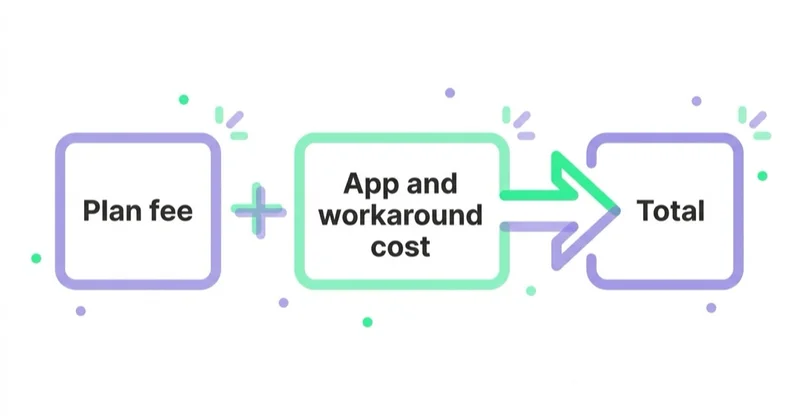
platform + payment/transaction costs + required apps + workaround development + manual operations + incident cost + measured opportunity loss
Plus scenario
Plus contract + implementation + retained apps + custom extension maintenance + added store/theme costs + integration work - benefits with credible evidence
Then calculate:
incremental value = avoided cost + incremental contribution margin + risk reduction - incremental Plus cost
Use contribution margin rather than revenue when valuing conversion improvement. If a checkout change is expected to recover 100 monthly orders, the benefit is not the gross sales value; it is the contribution those orders add after product, fulfillment, payment, return and variable marketing costs.
Build base, conservative and downside cases. Checkout uplift that has not been tested belongs in a hypothesis, not guaranteed value. API incidents, manual processing and transaction-rate differences can use historical data. Security and release-risk improvements may be assessed qualitatively but should have a named owner and evidence.
| Business-case input | Evidence to request |
|---|---|
| Checkout limitation | Approved requirement, technical feasibility and affected sessions/orders |
| App replacement | Confirmed feature parity and cancellation terms |
| Manual workaround | Hours, loaded labor cost, error rate and incident log |
| API constraint | Query-cost, throttle and failed-sync data |
| Transaction savings | Regional quote and actual payment mix |
| B2B value | Catalog model, buyer volume and operational savings |
| Multi-store value | Contract eligibility and complete per-store operating cost |
| Conversion benefit | Experiment design, baseline rate and contribution margin |
When Shopify Plus is likely to pay
Plus deserves a formal assessment when at least one of these statements is true:
- A Plus-only checkout extension or branding capability solves a documented, valuable requirement.
- Necessary, optimized Admin API workloads repeatedly exceed the current plan's capacity and create measurable business impact.
- B2B segmentation, catalog assignment or payment workflows exceed the standard-plan capability.
- A qualifying expansion-store structure or staging model lowers total operating cost and release risk.
- Unlimited users and organization governance are necessary for a large or multi-store team.
- The current retail footprint makes included POS and location benefits economically meaningful.
- Payment and transaction economics in the merchant's region materially narrow the platform-fee difference.
Revenue is an input because it affects scale, transaction economics and the value of improvements. It is not a universal threshold. A large, operationally simple store may remain well served by Advanced; a lower-revenue retailer with complex checkout, wholesale and retail requirements may justify Plus.
When Advanced or another standard plan is probably enough
Stay on a standard plan when the proposed benefit is mainly status, future possibility or a problem the tier does not solve. Typical examples include:
- international selling that fits Shopify Markets;
- a need for core B2B companies, terms and a small number of catalogs;
- performance issues caused by theme code, media or third-party scripts;
- low product-page conversion caused by weak information or an uncompetitive offer;
- inaccurate tracking, feeds or attribution;
- API delays caused by avoidable polling or poor retry logic;
- a desire to "look more enterprise" without a customer or operational requirement.
Advanced deserves explicit comparison because it currently provides higher Admin API capacity than the standard tier, up to fifteen users and market-level theme and checkout/account customization features beyond Basic or Grow. The right decision may be an intermediate plan change rather than Plus.
What Shopify Plus does not fix
Plus does not repair weak unit economics, an unclear positioning, poor catalogue data, unavailable inventory or unhelpful product pages. It does not make paid acquisition efficient, create an experimentation process or reconcile analytics with finance. It does not automatically make a storefront faster or rank it higher.
If the binding constraint is elsewhere, invest there first. Our ecommerce marketing strategy guide explains how to connect acquisition, conversion, retention and contribution margin. For organic architecture, use the Shopify SEO checklist.
An upgrade also increases the amount of platform-specific configuration and custom development the business may rely on. That is not a reason to avoid Plus, but architecture, documentation and exit planning should be conscious. See vendor lock-in in ecommerce.
A practical decision process
- Write the constraint. Name the exact current behavior, affected users and commercial consequence.
- Verify plan availability. Check the feature, API, extension target and regional terms in current official documentation.
- Optimize before escalating. Confirm an integration, checkout or process is not failing because of implementation quality.
- Design the Plus solution. Prove that the required experience is technically supported and estimate delivery.
- Model total cost. Include the contract term, implementation, retained apps, themes, stores, maintenance and payment economics.
- Value benefits conservatively. Use contribution margin, historical incidents and testable hypotheses.
- Define success and exit criteria. Decide what data after 30, 90 and 180 days would validate the decision.
- Plan release and governance. Test checkout, tax, payments, analytics, integrations, B2B, markets and permissions before rollout.
Upgrading the plan itself can be simple; implementing the capabilities that justified it is a project. If URLs, domains or storefront structure also change, use a proper migration plan. Our guide to ecommerce replatforming without losing search visibility covers redirects and launch controls, while our Shopify marketing work connects storefront decisions with acquisition and measurement.
Common mistakes
| Mistake | Better approach |
|---|---|
| Upgrading at a generic revenue milestone | Upgrade when a documented capability creates positive incremental value |
| Treating all B2B as Plus-only | Compare current feature limits, catalog needs and payment workflows by plan |
| Assuming nine expansion stores can host unrelated brands | Confirm contract eligibility and all per-store operating costs |
| Calling every checkout change Plus-only | Identify the exact extension technology and target |
| Blaming API limits without query data | Measure cost, throttling and integration efficiency first |
| Subtracting every app from the Plus business case | Remove only apps for which Plus provides confirmed functional replacement |
| Valuing conversion uplift as revenue | Use incremental contribution margin and a testable range |
| Assuming Plus improves speed or SEO | Fix architecture, content and measured performance bottlenecks directly |
| Comparing only monthly fees | Model the full contract, implementation and ongoing operating cost |
FAQ
What is the main difference between Shopify and Shopify Plus? Plus expands checkout extensibility, API capacity, organization administration, B2B depth, retail benefits and multi-store operations. The storefront and commerce foundation remain Shopify; the value comes from removing specific limits.
How much is Shopify Plus per month? As of August 2026, official US pricing starts at $2,300 per month on a three-year term or $2,500 per month on a one-year term for standard setups. More complex, high-volume structures may use a variable fee. Local and negotiated terms should be confirmed with Shopify.
What revenue do you need for Shopify Plus? There is no reliable universal revenue threshold. Revenue affects transaction economics and the potential value of improvements, but requirements, margins, operating complexity and current plan costs determine whether Plus pays.
Is B2B only available on Shopify Plus? No. Core B2B features are available on Basic, Grow, Advanced and Plus. Plus adds capabilities including unlimited catalogs, direct company or location catalog assignment and advanced payment workflows.
Can Shopify checkout be customized without Plus? Yes, within the technologies available on the selected plan. Shopify Functions and several extension surfaces are available outside Plus. Checkout UI extensions on the information, shipping and payment steps and advanced checkout branding are Plus capabilities. Verify the exact target your use case needs.
Does Shopify Plus include multiple stores? A standard contract currently supports one main store and up to nine qualifying expansion stores, plus staging stores. Each live store remains operationally independent, apps can be charged per store and theme licenses are required. Eligibility conditions apply.
Does Shopify Plus have higher API limits? Yes. Shopify currently publishes a GraphQL Admin API restore rate of 1,000 points per second for Plus, compared with 100 for standard and 200 for Advanced. Integrations must still be efficient and resilient.
Does Shopify Plus improve SEO or speed? Not automatically. Plan tier does not replace technical SEO, useful content, internal linking or storefront performance work. Plus may enable an operating model that supports those improvements, but the work still has to be implemented.
Can you trial Shopify Plus? Shopify currently documents a limited Plus trial for eligible merchants in selected countries, with some features unavailable during the trial. Ask Shopify whether the relevant feature can be tested or demonstrated before contracting.
Sources and further reading
- Shopify — Shopify Plus pricing
- Shopify Help Center — Shopify Plus plan and features
- Shopify Help Center — B2B features by plan
- Shopify Help Center — expansion stores
- Shopify Help Center — user limits by plan
- Shopify Help Center — Markets plan requirements
- Shopify.dev — checkout customization technologies
- Shopify.dev — API limits
Key takeaways
- Shopify Plus should solve a named commercial, technical or governance constraint; revenue alone is not the decision rule.
- Current Plus pricing, contract scope and regional transaction economics must be verified directly.
- B2B and international selling now have meaningful capabilities on standard plans, so compare limits rather than old feature labels.
- Checkout UI extensions on core checkout steps, higher Admin API capacity, organization controls and qualifying expansion stores are important Plus differentiators.
- Expansion stores have independent data and recurring operating costs; included store capacity is not the same as centralized commerce operations.
- Model total cost and incremental contribution over the full term, then validate the outcome after implementation.
Continue reading

ChatGPT Ad Formats and Character Limits: What Actually Fits
A ChatGPT ad appears below the response and carries six elements, with specific limits: title 3–50 characters, body up to 100. The "24 / 48 character" figures in trade coverage do not match the documentation, so this guide gives the full limits table, shows how to fit a useful message, and covers the image, product ads and end-to-end consistency with the landing page.
OpenAI Ads Manager: How to Set Up Your First ChatGPT Ads Campaign
OpenAI Ads Manager has three campaign levels, but launch also requires advertiser verification, billing, landing-page checks, measurement and deliberate choices for settings that cannot be changed later. This guide covers the setup sequence, budgets, context hints, oCPC, targeting, review and Ads API workflows.

Switching Marketing Agencies Without Losing the Account
A safe agency switch protects client-owned accounts, billing, conversion signals, creative rights and operating knowledge. Use this transition plan to assign responsibility, validate access and change partners without avoidable disruption.


































