
After an agency change, the company should retain continuity across Google Ads, Meta assets, GA4, measurement, and historical data. No single “owner” label decides that outcome. Administrative roles, manager relationships, platform-level asset ownership, payment profiles, contracts, and infrastructure control must be checked separately. A payment profile identifies the entity responsible for billing; it does not by itself prove ownership of all account data or intellectual property. The safest design is client-created assets, at least two client-side administrators, and revocable agency access.
Operator guidance from an agency that manages these accounts — not legal advice, and platform mechanics change, so verify the current setup for your accounts.
TL;DR
- The governing principle: the company should control its accounts and data; the agency receives revocable access. Put that allocation in the contract and configure each platform to match it.
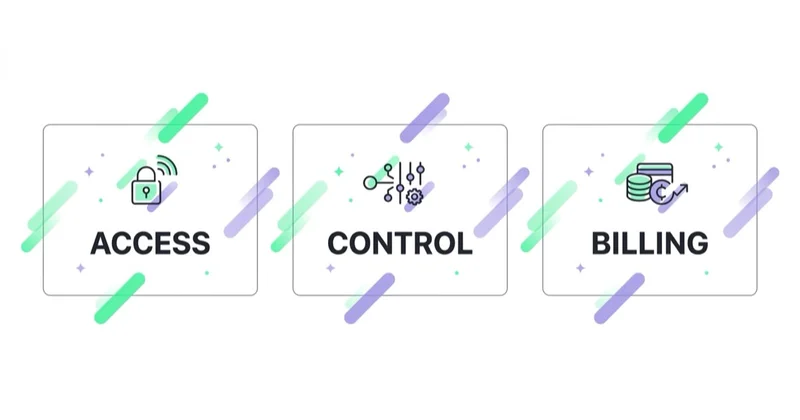
- Access, billing, and ownership are separate layers. The payment profile says who pays; administrative roles and platform structure determine who controls the asset.
- Google Ads: maintain at least two company-controlled administrators on the client account, link the agency's manager account, and document who pays. Billing and control are separate.
- Meta: keep the ad account, Page, Instagram account and dataset in the company's Business Portfolio where the platform permits, then give the agency partner access. Do not assume an asset can be moved later.
- GA4: a property can be moved with its reporting data when Google's permissions and eligibility conditions are met. A new property cannot inherit the old property's history.
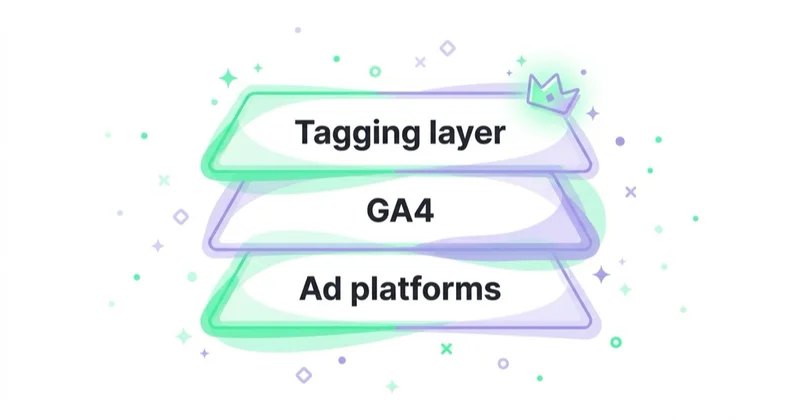
- The measurement layer matters: the company should control its web tags, datasets, cloud projects, domains and implementation documentation.
- Check control now, not during a rushed exit, and define an offboarding process in the contract.
The governing principle: owner vs manager
Start with the intended operating principle: the client controls the business assets and the agency has only the access needed to perform the contract. The exact platform terminology differs. Google Ads has client accounts, users and linked manager accounts; Meta has Business Portfolios, people, partners and separately assigned assets; GA4 has accounts, properties and roles. The contract should identify the legal rights, while the platform configuration determines who can act in practice.
Access, legal ownership, billing responsibility and practical control are not interchangeable. An agency may have broad administrative permissions without owning the client's intellectual property. Conversely, a contract may say the client owns an asset while the client lacks a login capable of removing the agency. Good governance aligns both layers: written rights, company-controlled identities, appropriate platform roles and a tested recovery path.
Access, control, and billing are three separate questions
A payment profile stores the entity legally responsible for payments, tax information, and payment methods. It is an important financial-control layer, but it is not a universal deed to the account, its data, creative, or configuration. Google separately models the Ads client account, linked manager account, optional owner-manager role, and payment profile.
An audit should answer separately: who has administrative access, whether the company can unlink the manager, which manager is marked as owner, who is responsible for billing, and what the contract says about data and handover. The company needs its own administrators independent of the agency. A payment profile can be changed through a billing transfer (“Change who pays”) when the required permissions are available, so it should not be described as an immutable ownership marker.
Google Ads
Google Ads separates a client account from the manager account (MCC) that oversees it. A resilient structure is a client account with company-controlled administrators, an agency manager linked for agreed work, and a documented payment setup. The company should be able to sign in directly, review users and managers, and unlink a manager without relying on an agency login.
The risky structure is an account created from the agency manager with no independent client-side administrator. Google calls the creating manager the account's owner manager, but explicitly states that this status does not take data ownership or administrative rights away from the client account. A client administrator can unlink an owner manager. The practical risk arises when the only administrators belong to the agency, or when a billing transfer is needed and the required parties and permissions are unavailable. Review both the Users and Managers tabs, the “Owner” field and the payment setup.
Continuity still matters. The existing account contains campaign settings, change history, conversion actions, exclusions, experiments and performance records that support diagnosis and future decisions. Smart Bidding uses conversion data, but a mature account is not automatically efficient and no fixed recovery period can be promised for a new one. Preserve the account because rebuilding settings and validating measurement is costly, not because historical data guarantees future performance. Relevant configurations include enhanced conversions and eligible Customer Match audiences.
Meta (Facebook and Instagram)
Meta's structure makes setup important because an asset added to one Business Portfolio may not be transferable to another through a simple handover. Where Meta's current rules permit it, the company should create or claim its ad account and other business assets in its own Business Portfolio, verify the business and domain where relevant, and add the agency as a partner. Before changing anything, use Business Settings to confirm which portfolio holds each asset and which people or partners have full control.
The assets that matter on Meta:
- Ad account — in your Business Manager, agency as partner.
- Page and Instagram account — company-controlled, with partner permissions reviewed separately.
- Dataset / pixel and Conversions API connection — connected to the company's website, domain and data-processing setup.
- Audiences — review each source separately. Website audiences may depend on the dataset, while customer-list and engagement audiences have different sources and platform restrictions.
Do not assume audiences can be downloaded or transferred on exit. Platform audiences can contain derived or restricted data rather than a portable customer list. The company should retain its lawful first-party source data independently, document how each audience is built and connect the Conversions API setup to the intended company-controlled dataset.
GA4 and the analytics stack
GA4 can move a property, including reporting data, streams, settings, and most linked integrations, between accounts when the required Administrator and Editor roles exist and none of Google's documented restrictions applies. Historical data cannot be copied into a newly created property. If the company loses access and cannot perform the move, the replacement property starts from zero.
The preferred structure is a GA4 account associated with the relevant legal entity, a property for the business's site or app and agency users assigned only the roles they need. Google's “Move property” function moves rather than copies reporting data, streams and most property-level integrations, subject to documented restrictions. Previous change history remains in the source account. Search Console, Merchant Center and Google Tag Manager need separate access reviews because GA4 permissions do not govern them. A sound GA4 implementation also includes an event specification and export or retention plan appropriate to the business.
The tagging layer is the real prize
The measurement layer includes web and app tags, event definitions, consent configuration, the Meta dataset and Conversions API, GA4, Google Tag Manager and any server-side tagging environment. Its value comes from continuity, documentation and reliable implementation. More data is not automatically better: collection must have a defined purpose, respect applicable consent and privacy requirements, and avoid duplicate or misleading events.
The operational question is who controls and pays for the server-side infrastructure. If the agency hosts server-side GTM in its own cloud account, an exit requires more than exporting a visible container. Prefer company-controlled infrastructure or an expressly tested transfer path. Preserve implementation documentation, custom templates, transformation and routing rules, a secrets inventory and validation evidence.
Creative, copy and landing pages
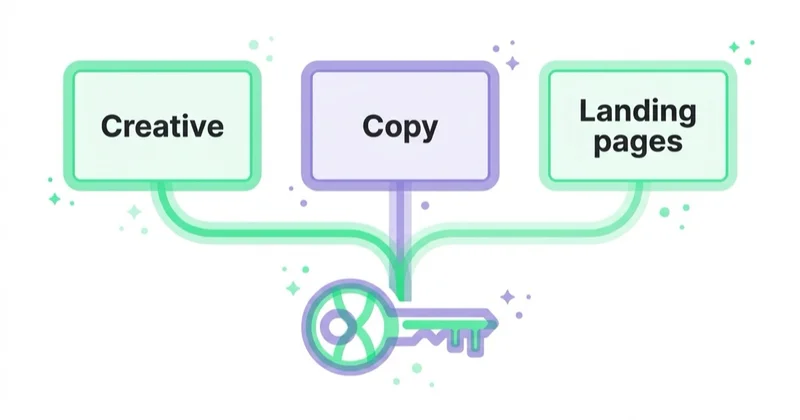
Beyond accounts and data, the agreement must address ads, copy, landing pages, design, licensed assets and source files. Specify what is assigned to the client, when that assignment takes effect, which pre-existing agency materials remain licensed, and whether third-party fonts, stock assets or software can be transferred. Intellectual-property rules vary by jurisdiction, so have counsel review the clause rather than assuming payment alone transfers every right.
The honest exception
Some short-term or specialised services may use agency-controlled infrastructure. That is a commercial and risk decision, not automatically misconduct, but it must be disclosed before work starts. The agreement should identify what can be exported, what the platform forbids from transferring, which configuration will be documented and what must be rebuilt. Do not promise export of platform audiences or equivalent history when the platform does not make them portable.
Glossary
- Owner vs manager — the account belongs to the owner; a manager has revocable access to run it.
- Billing profile — the entity and payment arrangement the platform bills; important financial control, but not a universal marker of asset ownership.
- MCC (manager account) — the Google Ads manager account an agency links to a client's account.
- Business Manager / Business Portfolio — Meta's container that owns ad accounts, Pages, pixels and datasets.
- Dataset / pixel — Meta's measurement object holding conversion history and audiences.
- Rebuild / relearning period — the time required to recreate configuration, validate measurement and collect enough current data for decisions; it has no universal duration.
- Server-side GTM — server-hosted tag management; who hosts it decides who keeps the tagging setup.
Offboarding checklist
Before you leave, confirm each of these is on your account with the agency merely accessing it:
- Google Ads — at least two company administrators; agency MCC linked; owner-manager status and billing reviewed separately.
- Google Analytics (GA4) — your account and property; agency is a user.
- Meta Business Portfolio — asset holder, people, partners and permissions confirmed for the ad account, Page, Instagram account and dataset.
- Conversions API / pixel — pointing at your dataset.
- Server-side GTM — hosted on your infrastructure or clearly transferable.
- Search Console, Merchant Center, Tag Manager — your accounts.
- Creative source files and licences — delivered as agreed, with assignment and third-party restrictions documented.
- Handover timetable — named owners, deliverables, dependencies and a deadline agreed in the contract, including how any payment dispute is handled under applicable law.
Why this matters beyond the exit
Control is not only an exit issue. In marketing due diligence, a buyer may ask whether the company can continue operating its acquisition and measurement stack after a supplier change. Missing administrators, undocumented cloud infrastructure, unclear licences or non-portable datasets create operational risk and can slow a transaction. A clean access register and evidence of tested handover make that risk easier to assess.
Red-flag clauses vs what to require
| Red flag | What to require instead |
|---|---|
| "The agency owns and manages the ad accounts" | Client owns accounts; agency has revocable access |
| Billing known only to the agency | Payment responsibility, transfer process and client access documented |
| Meta ad account created in the agency's Business Manager | Account created in your Business Manager, agency as partner |
| Server-side GTM hosted on the agency's cloud | Hosted on your infrastructure or clearly transferable |
| A promise to “export everything” without checking platform limits | Asset-by-asset export, documentation and rebuild plan |
| Access returned “when practical” | Named offboarding tasks and contractual deadlines |
How Space Ads approaches account ownership
We structure platform access so the client controls its business assets and our permissions can be revoked. At the start of an engagement, the practical work is an asset register: Google Ads users and managers, payment responsibility, Meta asset holders and partners, GA4 roles, Tag Manager containers, domains, cloud projects and source files. Any exception is recorded with a transfer or rebuild plan.
Where platform rules allow it, the destination is company-controlled accounts and infrastructure with agency access layered on top. Migration itself can carry restrictions, so we verify current platform documentation before promising it. This governance layer supports performance marketing and should be reflected in the marketing agency contract checklist. A fractional CMO can coordinate ownership across the stack when no internal leader currently does so.
FAQ
Who owns my Google Ads account when I leave an agency?
The contract should allocate the relevant rights to your company, and the account should have company-controlled administrators. In Google Ads, an owner manager does not take data ownership or administrative rights away from the client account, and a client administrator can unlink it. Billing is a separate question. Check Users, Managers, the owner-manager field and Payments before the exit.
Does my agency own my Meta ad account?
The company should normally control the ad account and related assets through its Business Portfolio, with the agency added as a partner. Meta applies different rules to different assets, and an asset assigned to another portfolio may not be movable through a simple transfer. Check the asset holder and permissions in Business Settings before assuming control can be changed.
Will I lose my GA4 history if I change agencies?
Not if the existing property remains accessible. GA4 can move a property with reporting data and streams between eligible accounts when the required roles and conditions are met. A newly created replacement property starts its own collection and cannot simply import the old property's reporting history, so preserve access and use Google's move process where appropriate.
Who owns the Meta pixel and Conversions API?
The company's Business Portfolio should normally control the relevant dataset and Conversions API connection. Website audiences can depend on that dataset, but not every custom audience has the same source. Review the dataset, partner access, domain, event connection and lawful first-party source data separately; do not assume platform audiences can be exported.
Who owns server-side Google Tag Manager?
The party controlling the cloud project, domain, container, credentials and billing can operate the environment in practice. Prefer company-controlled infrastructure or a documented, tested transfer path. The handover should include configuration, secrets rotation, custom templates, routing rules and validation evidence, not only access to the visible container.
How do I check who owns my ad accounts?
Build an asset register. In Google Ads, review direct users, linked managers, owner-manager status and billing separately. In Meta, review the Business Portfolio holding each asset plus people and partners with full control. In GA4, review account- and property-level administrators and move restrictions. Then check Tag Manager, Search Console, Merchant Center, domains, cloud projects and source-file storage.
What should the contract say about account ownership?
It should identify each asset, allocate intellectual-property and data rights, specify the agency's permissions, require company administrators, describe portable and non-portable items, and list handover deliverables and deadlines. Counsel should align termination, payment-dispute, privacy and licence provisions with the governing law.
Key takeaways
- You own the accounts and data; the agency is a revocable manager — put it in the contract and structure accounts to match.
- Access, legal rights, billing and practical control are separate questions.
- Google Ads needs company administrators; Meta needs an asset-by-asset Business Portfolio review; GA4 needs account and property roles checked.
- The measurement layer — datasets, tags, consent configuration and cloud infrastructure — needs documented company control or a tested transfer path.
- Check ownership now, require an offboarding SLA, and treat it as enterprise value, not just exit hygiene.
Sources and further reading
- Google Ads Help — About manager accounts (MCC)
- Google Ads Help — Owner managers and client-account rights
- Google Ads Help — Change who pays for an account
- Meta Business Help — Business Manager, ad accounts and partner access
- Google Analytics Help — Move a GA4 property with its reporting data
Continue learning
- What should be in a marketing agency contract? A founder's checklist
- Server-side tagging and the Conversions API — feeding clean signals back
- Customer Match in Google Ads — what it is and how to use it
- Marketing due diligence: what PE and strategic buyers check
- GA4: why implement it and what are the benefits
- Performance marketing, run on client-owned accounts
Continue reading
Marketing Dashboard: What Growth Teams Should Track Across Ads, SEO and Sales
A marketing dashboard should connect ad spend, SEO, GA4, CRM and sales outcomes into one decision view. This guide explains what growth teams should track and how to avoid dashboard noise.
What Should Be in a Marketing Agency Contract? A Founder's Checklist
A marketing agency contract should turn expectations into testable obligations: scope, fees and media costs, platform access, data roles, IP rights, approvals, liability and exit. Use this practical checklist to identify decisions that need precise wording and local legal review.
Marketing Reporting in 2026: Cross-Channel Client Reports Across Google, Meta and TikTok
Better reporting is less about prettier charts and more about trustable decisions. This guide shows what to reconcile across Google, Meta, TikTok and GA4, how to answer client questions without weekly exports, and where plain-language reporting is replacing static dashboards.


































